
Last Updated on February 11, 2026 by Jawad
Introduction
1080p gaming monitors are one of the most popular choices for gamers because they offer a perfect balance between performance, visual quality, and price. With a resolution of 1920 × 1080, also known as Full HD, these monitors are easy to run even on budget or mid-range gaming PCs and gaming consoles. This makes them ideal for players who want smooth gameplay without needing expensive hardware.
One of the biggest advantages of a 1080p gaming monitor is the high refresh rate options available. Many models come with 144Hz, 165Hz, or even 240Hz refresh rates, which make games look much smoother compared to standard 60Hz displays. This is especially important for fast-paced games like FPS, racing, and esports titles, where quick reactions and smooth motion can give you a real advantage.
Response time is another strong point of 1080p gaming monitors. Most modern models offer 1ms or even lower response times, which helps reduce motion blur and ghosting. This means fast movements on screen look clear and sharp, helping you stay focused during intense gameplay. Many monitors also support FreeSync or G-Sync compatible technology, which reduces screen tearing and stuttering for a smoother gaming experience.
1080p monitors are also available in many sizes, with 24-inch being the most popular. This size works perfectly with Full HD resolution, keeping images sharp without needing extra scaling. Some gamers also prefer 27-inch models for a more immersive feel, especially when sitting a bit farther from the screen.
Overall, 1080p gaming monitors are a smart choice for casual and competitive gamers alike. They deliver fast performance, smooth visuals, wide compatibility, and excellent value, making them a reliable option for almost any gaming setup.
We also have a recommendation of the Best 27 Inch 2k Monitor for Gaming, so make sure to check that out too!
Top 1080p Gaming Monitors


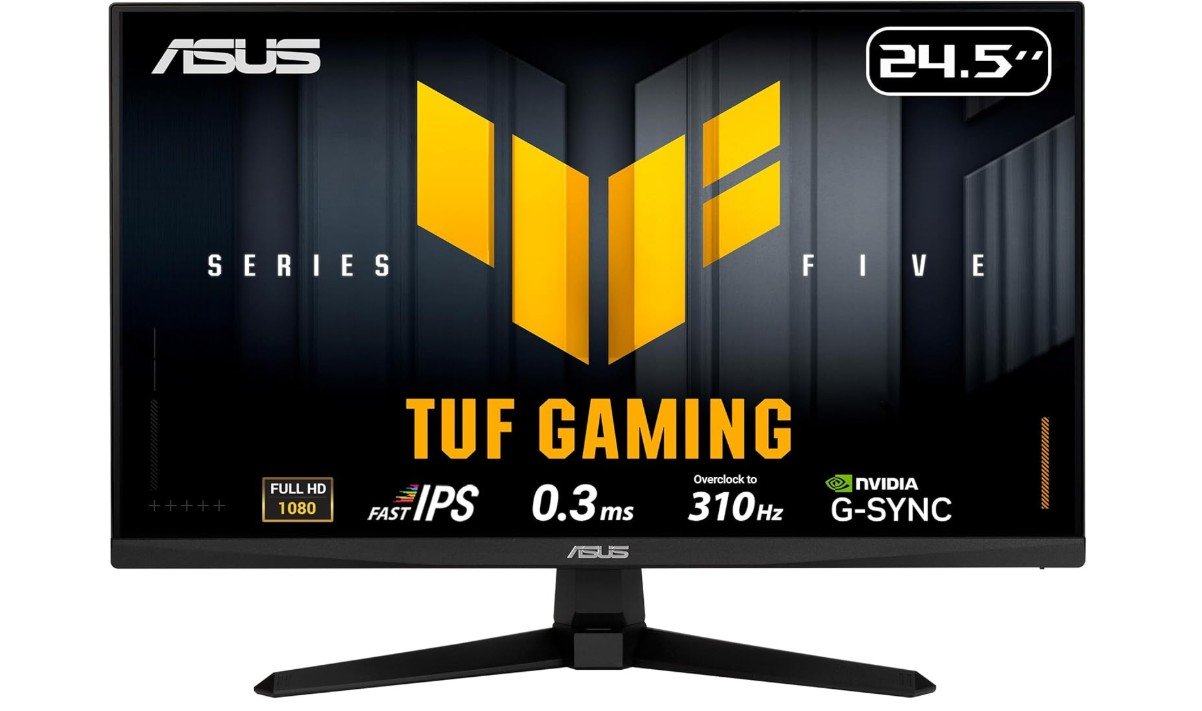
ASUS TUF Gaming Series 5 24.5” 1080P Monitor
ASUS TUF Gaming Series 5 24.5” 1080P Monitor
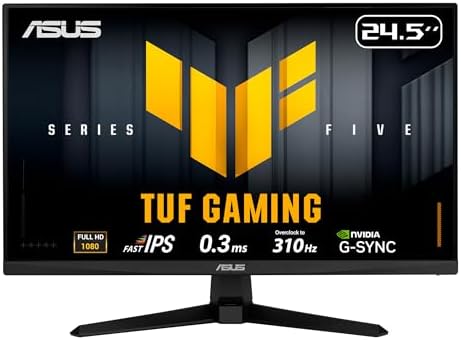
The ASUS TUF Gaming Series 5 24.5” VG259QMR5A is a very fast and reliable gaming monitor that aims to give players smooth and responsive gameplay. From the moment you start using it, the high refresh rate of up to 310Hz stands out. This means that motion on the screen looks fluid and clear, especially in fast games like first-person shooters, racing titles, and competitive esports. Moving objects appear smoother compared to regular 60Hz or 144Hz screens, which can help your reaction time and overall performance.
The 0.3ms response time is extremely quick and helps reduce blur during rapid movement. When you turn, sprint, or dodge in games, the visuals stay sharper with less ghosting. This makes gameplay feel more precise and connected to your controls. The monitor also supports both G-SYNC Compatible and FreeSync Premium, which helps prevent screen tearing and stuttering when your graphics card and monitor are working together. The result is a cleaner picture without distracting lines during intense play.
Colors on this monitor look good for a gaming panel. With 99% sRGB coverage, the screen shows vibrant colors that make games look more engaging and lively. While it is not a professional color-grade display, it’s more than enough for most gamers and general media use. The included Extreme Low Motion Blur Sync (ELMB Sync) further improves clarity during movement without sacrificing smoothness.
The design is simple but solid, and the stand is easy to adjust so you can set it at a comfortable height and angle. The DisplayWidget software makes it simple to tweak settings in Windows without digging through on-screen menus. Overall, the ASUS TUF VG259QMR5A offers excellent speed, responsiveness, and value for gamers who want competitive performance at 1080p. Its combination of fast refresh rates, low response time, and adaptive sync features make it a strong choice for serious players.
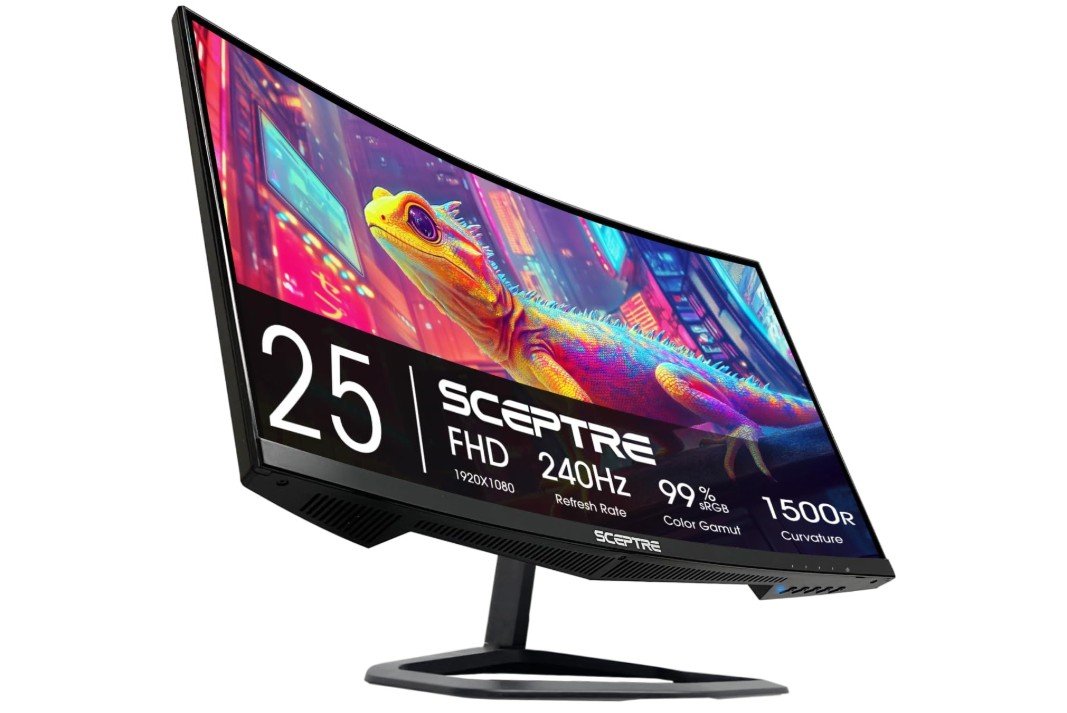
Sceptre New Curved 24.5-inch Gaming Monitor
Sceptre New Curved 24.5-inch Gaming Monitor
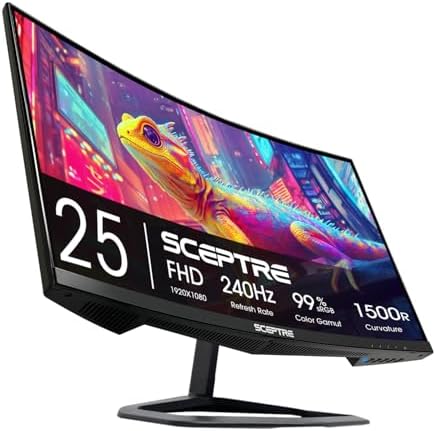
The Sceptre Curved 24.5-inch Gaming Monitor (C255B-FWT240) is a solid choice for gamers who want a smooth and immersive experience without spending too much. The curved screen helps pull you into the action, making games feel more engaging compared to flat displays. At a 1080p resolution, the picture looks clear and sharp for most gaming and everyday use. Text and details are easy to see, and the curved design adds a bit more depth to what you’re watching or playing.
One of the best features of this monitor is its up to 240Hz refresh rate. This makes fast-moving scenes look much smoother, which is especially noticeable in racing games, shooters, and competitive titles. Combined with a 1ms response time, gameplay feels responsive and fluid with less motion blur. This can give you an edge in fast games where quick reactions matter.
The monitor has a good range of ports with two HDMI and two DisplayPort inputs. This makes it easy to connect multiple devices like a gaming PC, console, or streaming box without switching cables. The built-in speakers are convenient for basic audio, although they won’t replace dedicated speakers or a headset if you want richer sound.
Eye comfort features like Blue Light Shift help reduce eye strain during long gaming sessions by reducing harsh blue light. This is helpful if you spend a lot of time in front of the screen. The design in Machine Black looks clean and simple, fitting well with most gaming setups.
Overall, the Sceptre C255B-FWT240 offers excellent performance for its price. It brings high refresh rates, fast response, and a curved display to gamers who want a more immersive experience without needing top-tier hardware. It’s a great option for competitive and casual gamers alike.
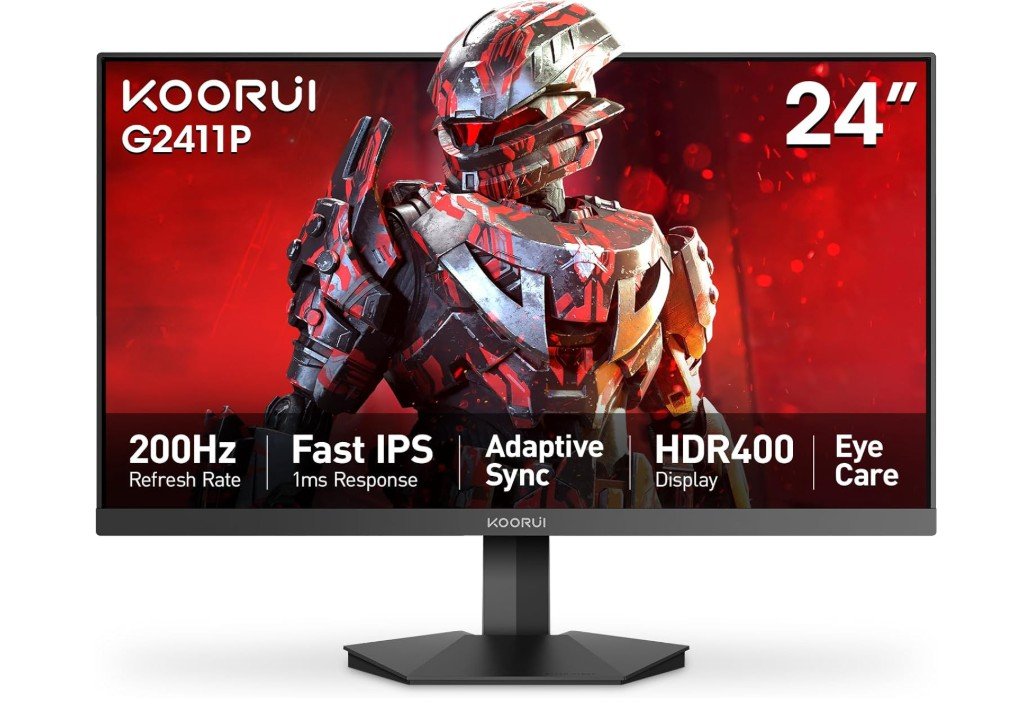
KOORUI 24″ 1080p Gaming Monitor
KOORUI 24″ 1080p Gaming Monitor
The KOORUI 24″ Gaming Monitor (G2411P) is a strong choice if you want fast and vivid gaming without spending too much. The 200Hz refresh rate makes motion in games look very smooth, especially in fast action and competitive titles. This means objects move clearly on the screen and you can react quicker during gameplay. The 1ms response time also helps reduce blur when things move quickly, so fast scenes feel crisp and responsive.
The picture quality on this monitor is impressive for its price. With Full HD resolution (1920 × 1080), images are clear and sharp for both games and everyday use like browsing or watching videos. The Fast IPS panel provides good viewing angles, meaning the colors look consistent even if you’re not sitting directly in front of the screen. The monitor also covers 90% of the DCI-P3 color gamut, so colors appear bright and rich, making games and media look more lively.
Another great feature is HDR400, which improves contrast and brightness in supported games or content. This helps dark areas look deeper and bright spots appear more vivid, giving a more dynamic image overall. The monitor also supports Adaptive Sync, which reduces screen tearing and stuttering when your graphics card and monitor refresh rate work together. This makes gameplay smoother and more enjoyable.
The design is simple and modern with an ultra slim frame, which looks great and helps if you use multiple monitors side by side. It also has both HDMI 2.0 and DisplayPort 1.4 inputs, so you can easily connect a gaming PC or console. The monitor is VESA mountable, giving flexibility if you want to mount it on a wall or arm.
Overall, the KOORUI G2411P offers fast performance, strong colors, and smooth visuals, making it a good option for gamers who want speed and quality in a 24″ 1080p display.
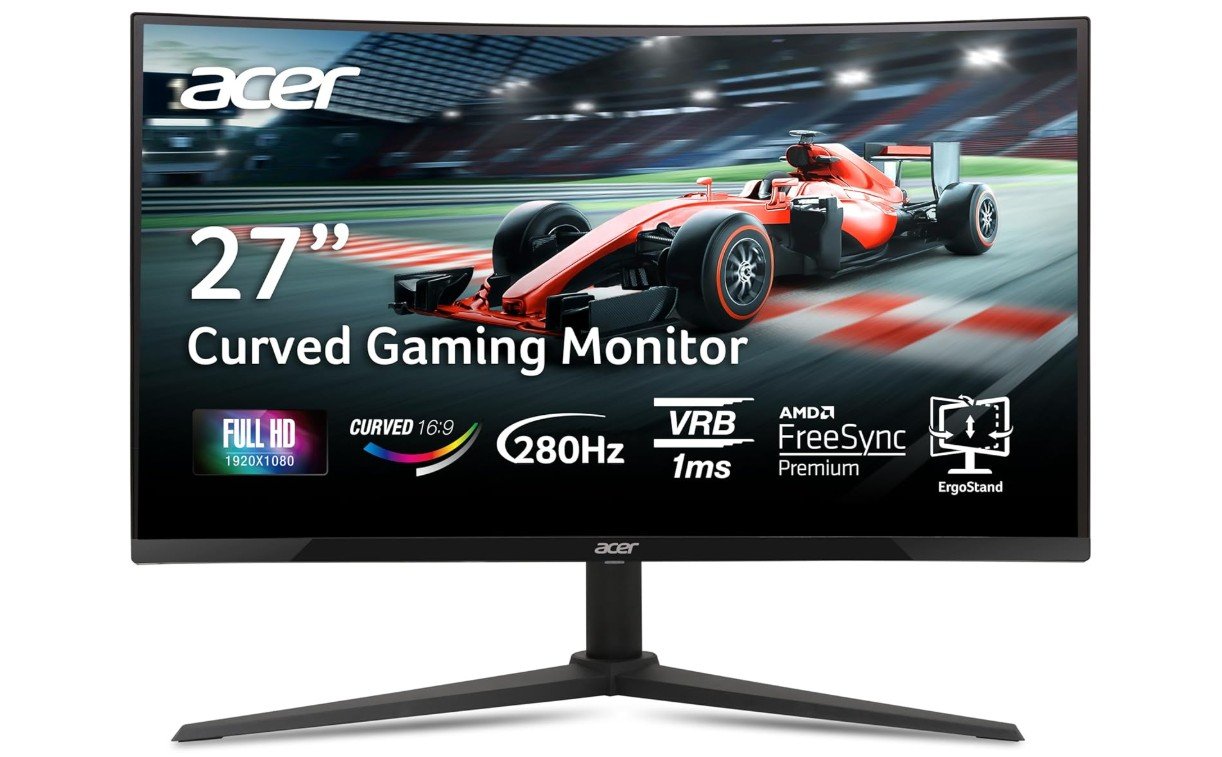
acer Nitro 27 Inch 1500R Curved 1080p Gaming Monitor
acer Nitro 27 Inch 1500R Curved 1080p Gaming Monitor
The Acer Nitro 27″ Curved Gaming Monitor (XZ270) is a strong choice for gamers who want a large and smooth screen without spending too much. The 1500R curved design makes playing games feel more immersive because the screen wraps slightly around your view. At 27 inches, the Full HD resolution still looks clear and sharp for everyday use, watching videos, and most games. The curve adds a nicer feel than flat screens, especially when you sit a bit closer.
One of the best features of this monitor is the high refresh rate of up to 280Hz. This means motion in games looks very smooth, especially in fast-paced titles like racing, shooters, or esports games. The high refresh rate helps the picture keep up with quick action so that everything feels fluid. The 1ms Visual Response Boost (VRB) also helps reduce motion blur, so fast scenes look clearer and less smeared.
The monitor supports AMD FreeSync Premium, which helps reduce screen tearing and stuttering when your graphics card and monitor work together. This makes gameplay feel more natural and avoids broken frames that can distract you during play. The port selection is good for most setups, with one DisplayPort 1.4 and two HDMI 2.0 ports, so you can easily connect a PC and multiple consoles without swapping cables.
The design is simple and modern with very thin edges, which looks good on any desk and makes multi-monitor setups more seamless. The stand is sturdy, though adjustability is basic, so you may need a separate mount if you want more tilt or height movement.
Overall, the Acer Nitro XZ270 delivers excellent performance for gamers who want a large curved display with high refresh rates and smooth motion. It’s a solid choice for both competitive and casual play, offering an immersive view, fast response, and strong value at its price.
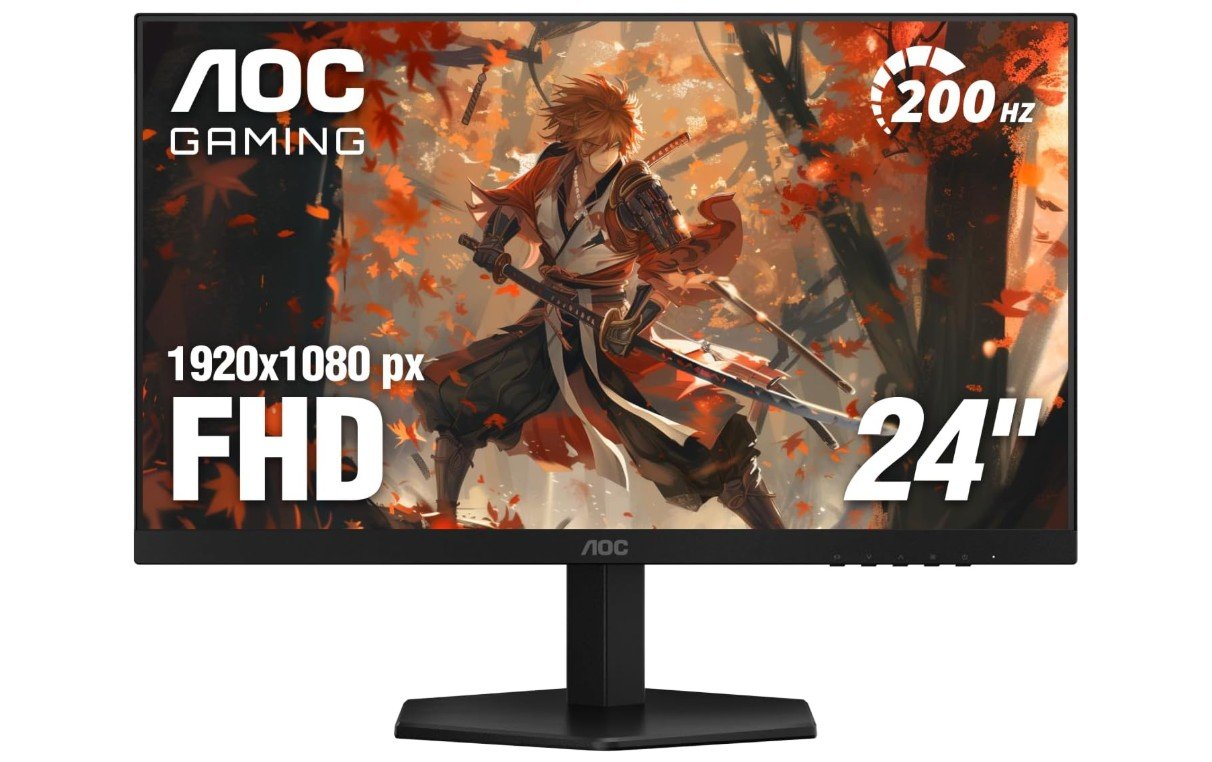
AOC 24G42HE 24 inch Gaming Monitor
AOC 24G42HE 24 inch Gaming Monitor
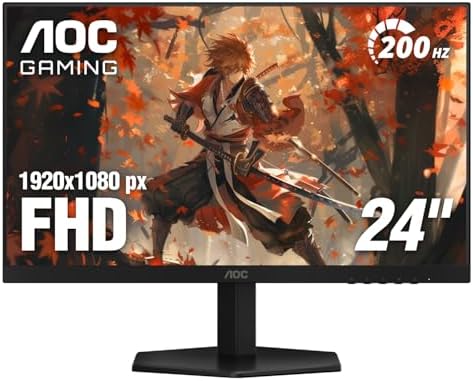
The AOC 24G42HE 24-inch Gaming Monitor is a great choice for gamers who want fast and smooth visuals without spending too much. The Full HD (1920 × 1080) resolution looks sharp on the 24-inch screen, making games, movies, and everyday tasks clear and easy to see. The IPS panel also gives good color and wide viewing angles, so the picture looks consistent even when you are not sitting perfectly in front of the screen.
One of the best features of this monitor is the 200Hz refresh rate. This high refresh rate means that motion on the screen looks very smooth, which is especially noticeable in fast games like shooters, sports, and racing titles. The faster refresh rate helps improve your experience in competitive games and makes everything feel more responsive. While the exact response time is typical for gaming IPS panels, the combination with 200Hz still results in fluid gameplay with minimal blur.
The monitor has a 3-sided frameless design, which makes it look modern and clean. This is very nice if you use more than one monitor side by side because the edges don’t get in the way of your view. The set of ports includes one HDMI 2.0 and one DisplayPort, giving you the ability to connect both a gaming PC and a console easily.
This model is also console gaming ready, meaning it works well with devices like PlayStation and Xbox without extra setup. The build quality feels solid, and AOC offers a 3-Year Zero-Bright-Dot warranty, which gives peace of mind in case you get a panel with a defect.
Overall, the AOC 24G42HE is a strong monitor for gamers who want fast performance, good colors, and a sleek look. It is suitable for both PC and console players, making it a versatile and reliable choice in the 1080p gaming monitor category.
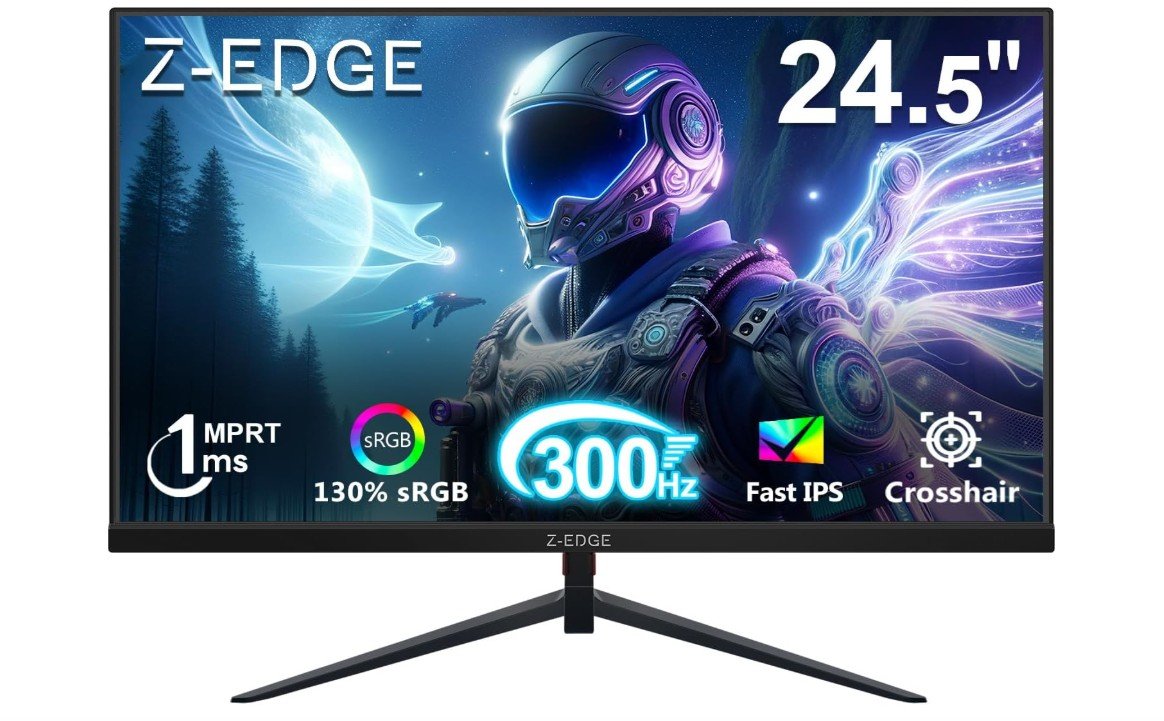
Z-Edge 24.5 inch 1080p Gaming Monitor
Z-Edge 24.5 inch 1080p Gaming Monitor
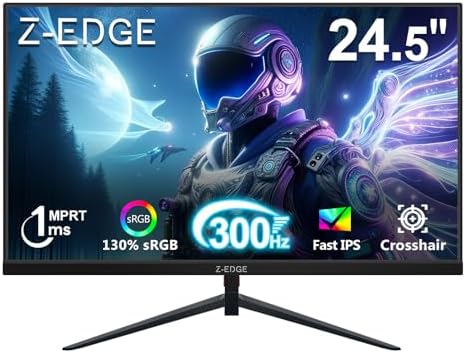
The Z-Edge 24.5″ UG25S Gaming Monitor is a very fast display made for gamers who want smooth and responsive performance. Right away, the first thing you notice is the high refresh rate, which can go up to 300Hz on supported systems. This means that fast movements in games look extremely smooth and fluid. Whether you are playing shooters, racing games, or action titles, the screen keeps up with every quick move. The 1ms MPRT response time helps reduce motion blur, so fast scenes stay clear and sharp instead of looking smeared.
The screen uses an IPS panel, which gives better colors and wider viewing angles than many cheap gaming monitors. Colors look nice and vibrant for most games and videos, and the overall picture quality feels good for everyday use too. The resolution is Full HD (1920 × 1080), which works well on a 24.5-inch screen. Text looks clear, and images are easy to see without needing very powerful hardware.
The monitor includes two DisplayPort and two HDMI ports, giving flexibility to connect multiple devices like a gaming PC, console, or streaming box at the same time. This makes it easy to switch between systems without unplugging cables. The design is straightforward and practical, with a stable stand that keeps the screen steady on your desk.
For many gamers, the high refresh rate and fast response time are the most important features, and the Z-Edge UG25S delivers both very well. It feels especially good if you play fast competitive games where smooth motion can make a difference. Some settings let you choose between different refresh rates like 240Hz or 280Hz, which helps if your hardware can’t always hit the highest speed.
Overall, this is a strong choice if you want a high-speed gaming monitor that makes gameplay feel smooth and responsive, with good color and connection options for multiple devices.
Buying Guide: 1080p Gaming Monitors
A 1080p gaming monitor (Full HD, 1920 × 1080) is still one of the best choices for most gamers today. It balances smooth performance, clear picture, and affordable price. You do not need an extremely powerful PC to run high frame rates at 1080p, so these monitors pair well with mid-range graphics cards and game consoles. This guide explains the most important things to look for, how different features affect your games, and how to pick the best model for your play style and budget.
Why 1080p is a good choice
1080p is easier to drive than higher resolutions like 1440p or 4K. That means your graphics card can reach higher frame rates without working too hard. High frame rates (120Hz, 144Hz, 240Hz, etc.) make motion look smoother and reduce input delay. For competitive players in shooters or racing games, smoother motion and lower latency often help more than extra sharpness from higher resolution. Also, 1080p monitors tend to cost less and offer more options with very high refresh rates.
Key specs to check
Refresh rate
Measured in Hz, this tells how many frames per second the monitor can show. For gaming, look for at least 144Hz. Competitive players may want 240Hz or 300Hz if their PC can keep up. Higher refresh rates give smoother motion and a more responsive feel.
Response time
Measured in milliseconds (ms). Lower is better. 1ms or under is ideal for fast games because it reduces ghosting and blur. Response time relates to how fast pixels change color.
Panel type
- IPS: Best color and wide viewing angles. Slightly higher response times historically, but modern Fast-IPS panels can be very quick.
- TN: Older, very fast, but poorer color and viewing angles.
- VA: Better contrast and deep blacks, but sometimes slower response times and more ghosting.
Pick the panel type based on whether you value color/image quality (IPS/VA) or raw speed (TN/fast IPS).
Adaptive sync (FreeSync / G-SYNC Compatible)
Adaptive sync helps remove screen tearing and stutter when your GPU frame rate changes. FreeSync is AMD’s standard; G-SYNC Compatible means the monitor works well with NVIDIA cards. This feature is important for smoother play when frame rates vary.
Resolution and size (pixel density)
On a 24–25 inch screen, 1080p looks sharp. On 27 inches it can appear less sharp because pixels are larger. Think about how close you sit: closer means you may notice the lower pixel density. For a sweet spot many choose 24–25″ for competitive play and 27″ for a more immersive feel.
Color, HDR, and gamut
If you also watch movies or edit photos, look for wider color gamuts (sRGB, DCI-P3) and HDR support. HDR on budget monitors is usually basic (HDR400) and gives small benefits. For pure competitive play, color range is less critical than refresh rate and response time.
Inputs and ergonomics
Check ports: DisplayPort is usually needed for the highest refresh rates on PC, plus at least one HDMI for consoles. Also check if the stand offers height, tilt, swivel, or pivot adjustments. VESA mount support is useful if you want a monitor arm.
How to choose by use case
Competitive esports (FPS, Valorant, CS2)
Prioritize the highest stable refresh rate (240Hz–360Hz) and the lowest response time (1ms or lower). Choose a 24–25″ Fast-IPS or TN panel. Adaptive sync is helpful, but many pro players prefer uncapped frame rates and ultra-low latency.
Casual and single-player gaming
A 144Hz–165Hz IPS monitor is a great choice. You get good color and smooth gameplay. A 27″ screen can add immersion if you sit a bit farther back.
Console gaming (PS5, Xbox Series X)
Consoles often work best with HDMI. For PS5 you may want a monitor that handles 120Hz over HDMI 2.1 (if you want 120Hz on supported games). If you mostly play console titles at 60–120 FPS, a 120Hz–144Hz monitor with good image quality is a safe pick.
Mixed use (gaming + streaming + content creation)
Look for an IPS panel with wide color gamut and good factory calibration. A 144Hz monitor balances color and speed. You might also want higher resolution, but if you must pick 1080p, consider a monitor with good sRGB/DCI-P3 coverage.
Budget tiers and expectations
Entry-level (60Hz–144Hz)
Good for general use and light gaming. Expect basic stands and average color, but these are very affordable.
Mid-range (144Hz–165Hz)
Best value for most gamers. Good color, fast response, and adaptive sync. Many models in this range include useful extras like low motion blur tech and better stands.
High-end (240Hz–360Hz)
For competitive players who want the smoothest motion. Expect higher cost, simpler color performance (in some models), and fast panels.
Practical tips and settings
- Use DisplayPort for the highest refresh rates on PC.
- Enable adaptive sync in your GPU control panel and on the monitor OSD.
- Turn on any “Low Motion Blur” or “ELMB” features only if they do not conflict with adaptive sync; some monitors allow both.
- Calibrate brightness and color temperature for comfort; lower blue light modes can help at night.
- Keep your GPU drivers updated to ensure correct sync and performance.
Buying checklist (quick)
- Preferred refresh rate (144Hz, 240Hz, 300Hz+)
- Response time 1–4ms (lower is better)
- Panel type (Fast-IPS for color + speed)
- Adaptive sync (FreeSync / G-SYNC Compatible)
- Ports: DisplayPort + HDMI(s)
- Screen size (24–25″ for esports, 27″ for immersion)
- Ergonomics / VESA mount
- Warranty and return policy
Frequently asked questions
A 1080p gaming monitor has a Full HD resolution of 1920 × 1080 pixels. It offers clear visuals and smooth performance while being easy to run on most gaming PCs and consoles.
Yes, 1080p is still very good for gaming, especially for competitive and esports titles. It allows higher frame rates, lower system load, and smoother gameplay compared to higher resolutions.
For gaming, 144Hz is the minimum recommended. Competitive gamers may prefer 240Hz or even 300Hz+ for the smoothest motion and fastest response.
For competitive gaming, yes. 1080p makes it easier to reach very high frame rates, which improves responsiveness and reduces input lag.
24 to 25 inches is ideal for 1080p. At this size, images stay sharp and clear. 27 inches is usable but may look less sharp when viewed up close.
IPS panels offer the best colors and viewing angles. TN panels are very fast but have weaker colors. VA panels have better contrast but can show motion blur in fast games.
Yes, adaptive sync is highly recommended. FreeSync and G-SYNC Compatible help reduce screen tearing and stuttering, making gameplay smoother.
HDR is not essential at 1080p. Many monitors only support basic HDR (HDR400), which offers limited improvement. Refresh rate and response time matter more for gaming.
Yes. Most consoles support 1080p and 120Hz gaming. Make sure the monitor supports high refresh rates over HDMI if you play on PS5 or Xbox Series X.
Conclusion
Choose a 1080p gaming monitor by first deciding what matters most: speed (refresh rate and response time) or image quality (color and viewing angles). For esports and competitive play, favor very high refresh rates and low latency. For casual gaming and mixed use, a 144Hz–165Hz IPS panel offers the best balance. Check ports, ergonomics, and warranty before buying, and tune settings after setup for the best experience.

Jawad is a passionate tech enthusiast and writer who loves exploring the latest trends in hardware, gadgets, and digital innovation. With a sharp eye for performance and value, he delivers in-depth recommendations and buying guides to help readers make smarter tech decisions.

