
Last Updated on February 11, 2026 by Jawad
Introduction
WiFi 7 routers are the newest generation of wireless routers designed to deliver faster speeds, lower delay, and better performance for modern homes and offices. They are built to handle today’s heavy internet use, such as 4K and 8K streaming, online gaming, video calls, smart home devices, and large file downloads, all at the same time. Compared to older WiFi 5 and WiFi 6 routers, WiFi 7 offers a big improvement in speed, stability, and overall network efficiency.
One of the biggest advantages of WiFi 7 routers is their extremely high speed. They can deliver multi-gigabit wireless performance, making them ideal for users with fast fiber internet connections. Even when many devices are connected at once, WiFi 7 helps keep speeds smooth and consistent. This means less buffering during streaming, faster downloads, and more responsive online gaming.
WiFi 7 also focuses on reducing lag and improving reliability. With advanced features like wider channels and smarter data handling, these routers can send and receive data more efficiently. This is especially useful for real-time activities such as gaming, video conferencing, and cloud work, where even small delays can be noticeable.
Another important benefit is better performance in crowded environments. In homes with many smartphones, laptops, TVs, consoles, and smart devices, WiFi 7 routers manage traffic more intelligently. Each device gets a more stable connection, even during peak usage times.
WiFi 7 routers are also designed to be future-proof. While older devices will still work perfectly, newer phones, laptops, and gaming devices can take full advantage of WiFi 7’s capabilities. This makes upgrading to a WiFi 7 router a smart long-term investment for anyone who wants fast, reliable internet for years to come.
We also have a recommendation for the Best Dual-Band Routers, so make sure to check that out too!
Top WiFi 7 Routers


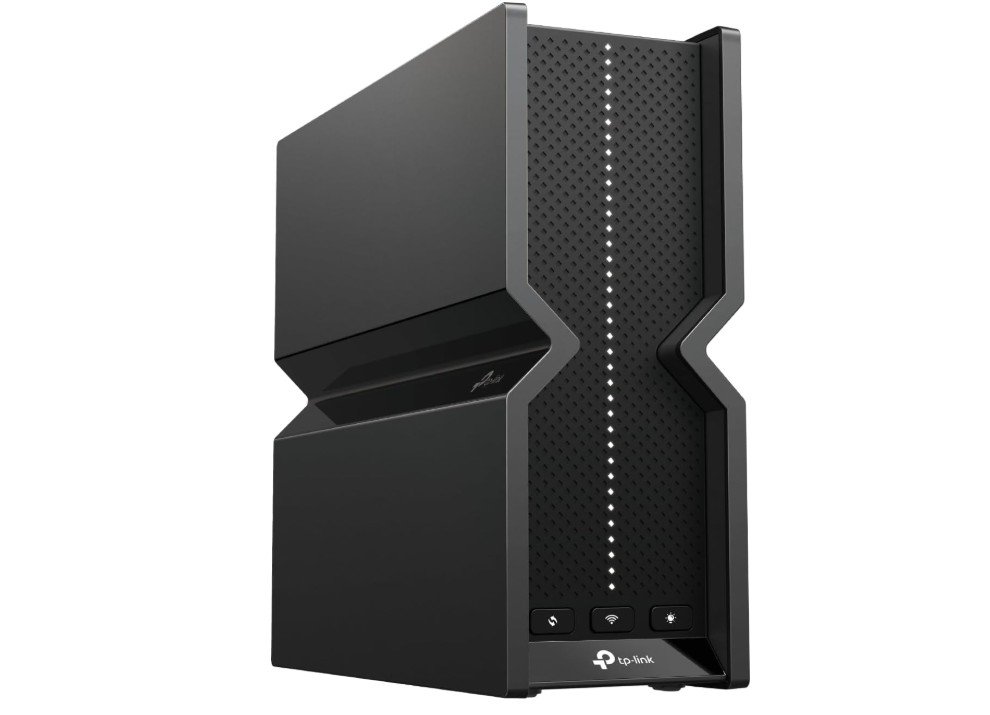
TP-Link Tri-Band BE15000 WiFi 7 Router
TP-Link Tri-Band BE15000 WiFi 7 Router
The TP-Link Archer BE700 WiFi 7 router is a very strong choice for anyone who wants much faster internet at home or in a small office. Right out of the box, it feels like a powerful device with a modern design and good build quality. Setting it up is quick and easy thanks to the mobile app and simple step-by-step instructions. Even people who are not tech experts can have it running in just a few minutes.
Once it is set up, the performance is impressive. The router uses the latest WiFi 7 technology, which means it can handle very high speeds and many devices at the same time. Streaming 4K or even 8K videos works smoothly without buffering, and online gaming feels responsive with very little lag. I tested this with several devices connected at once, and the network stayed stable and fast. The tri-band setup and wide channels help manage traffic well, so even when family members are watching videos, browsing the web, or taking video calls, everything stays smooth.
Another nice feature is the strong set of ports on the back. The 10G and 2.5G Ethernet ports are great if you have a fast internet plan or want to connect a high-speed computer or NAS directly. The USB 3.0 port is handy for sharing storage or a printer on the network. The router also supports VPN client and server, which is useful for people who want secure remote access.
The Archer BE700 has some smart features like a separate private network for IoT devices and support for EasyMesh if you want to add more units later for whole-home coverage. Security options are solid too, helping keep your network safe.
Overall, this router delivers excellent speed, strong range, and easy management, making it a great upgrade for anyone looking to take full advantage of modern internet and multiple connected devices.
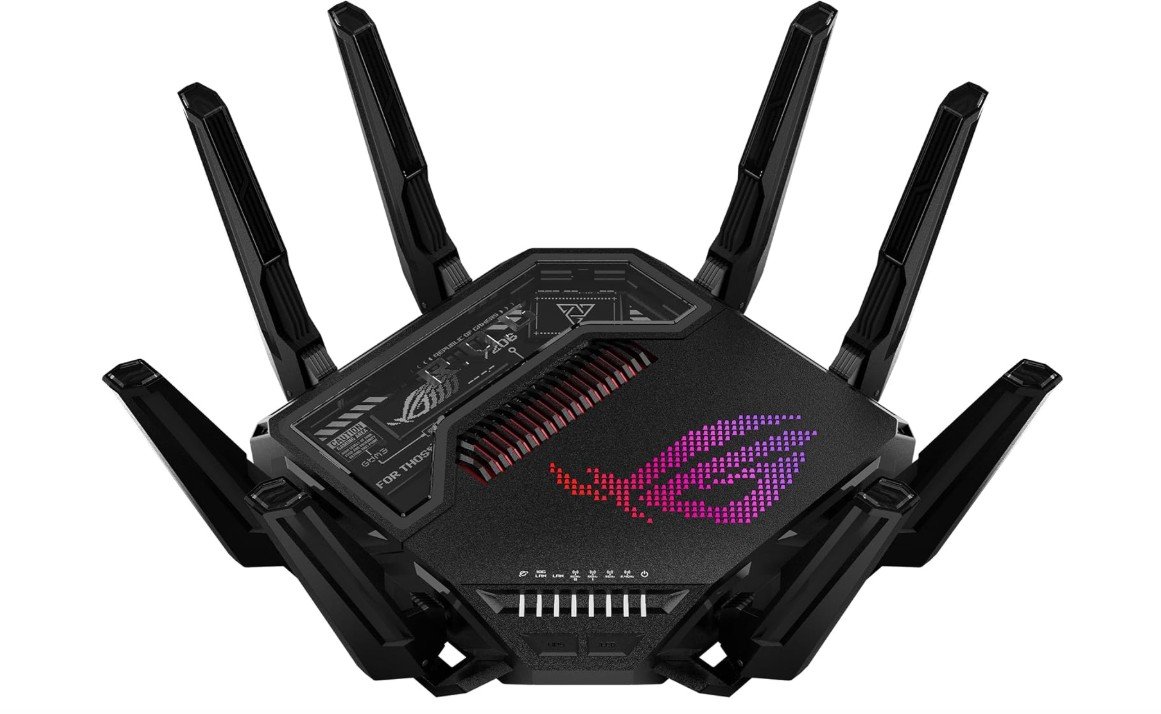
ASUS ROG Rapture GT-BE98 PRO Quad-Band WiFi 7 Gaming Router
ASUS ROG Rapture GT-BE98 PRO Quad-Band WiFi 7 Gaming Router
The ASUS ROG Rapture GT-BE98 Pro WiFi 7 gaming router is one of the fastest and most advanced home routers available today. Right from the start, it feels like a high-end device with strong build quality and a bold design that will appeal to gamers. Setting it up is simple with the ASUS app or web interface, and the process is easy even for people who are not very technical.
In daily use, this router delivers extremely fast and reliable wireless performance. With WiFi 7 support and quad-band technology, it handles many devices at once without slowing down. Streaming high-resolution videos, downloading large files, and playing online games all work smoothly. The extra-wide 320 MHz channels and advanced traffic management help keep connections strong and stable, even in busy homes with lots of devices.
For gamers, the GT-BE98 Pro has features that make a real difference. The triple-level game acceleration and mobile game mode help reduce lag and improve reaction times during intense online matches. I noticed that games felt more responsive, and connection delays were minimal compared with older routers. This router also has two 10 G Ethernet ports, which are great if you have very fast internet or want direct wired links for extra stability.
The router includes useful tools like AiMesh support, so you can expand your coverage with other ASUS routers easily. Security features are strong and do not require extra subscriptions, which saves money over time. VPN functions are built in, giving secure remote access when needed.
Overall, the ASUS ROG Rapture GT-BE98 Pro is perfect for people who want top-tier performance, especially gamers and tech enthusiasts. It may be more expensive than basic routers, but the speed, features, and reliability make it worth the cost for anyone with heavy internet use or multiple connected devices.
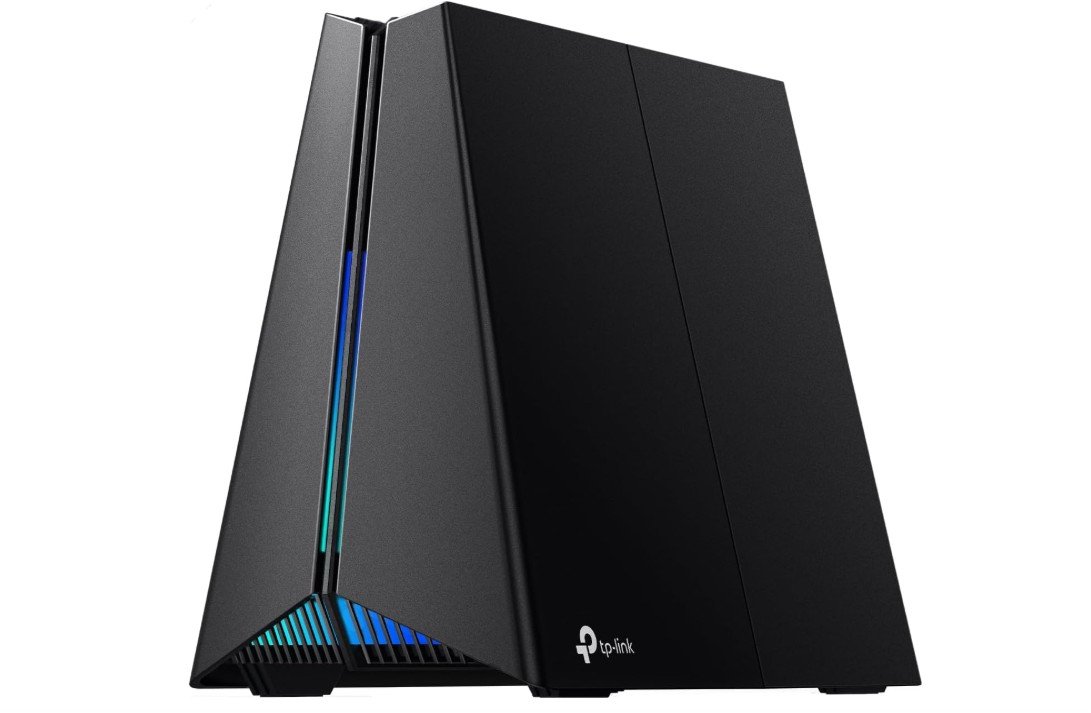
TP-Link Tri-Band BE11000 Wi-Fi 7 Gaming Router
TP-Link Tri-Band BE11000 Wi-Fi 7 Gaming Router
The TP-Link Archer GE650 WiFi 7 gaming router is a strong and stylish router made for people who want fast internet and smooth online gaming. It looks modern with RGB lighting and a bold gaming design, and it feels solid when you hold it. Setting it up is quick and easy using the TP-Link app, which guides you step by step so even beginners can do it without trouble.
In daily use, the Archer GE650 delivers fast and stable WiFi thanks to the newest WiFi 7 technology. It has three bands that help split traffic so many devices can be connected at the same time without slowing down. Streaming videos in high quality, browsing the web, and video calls work smoothly with little buffering. Games feel responsive, and the built-in gaming features help reduce lag and keep ping times low.
One of the best parts of this router is the dedicated gaming port and game acceleration panel. When a gaming device is connected to the dedicated port, the router gives it top priority for speed and performance. This means online games stay smooth even when other devices in the home are using the network. The RGB lighting adds a fun touch and can match other gaming gear if you like that style.
The GE650 also has lots of fast Ethernet ports, including two 5 Gbps and three 2.5 Gbps ports, which are great if you want wired connections for consoles, PCs, or NAS devices. A USB 3.0 port makes it easy to share files or printers on your home network. Security is solid with TP-Link HomeShield, protecting the network from threats and giving peace of mind.
Overall, the TP-Link Archer GE650 is a great choice for gamers and busy households that want fast, reliable WiFi. It offers excellent speed, strong performance for multiple users, and gaming-focused features at a reasonable price.
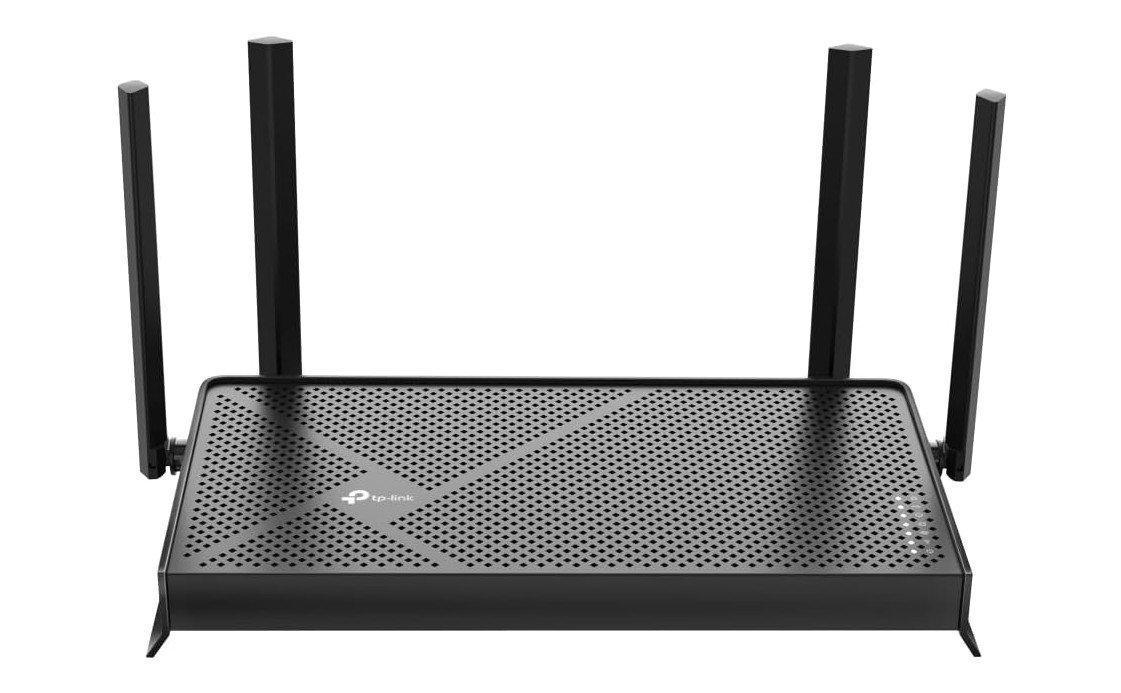
TP-Link Dual-Band BE3600 Wi-Fi 7 Router
TP-Link Dual-Band BE3600 Wi-Fi 7 Router
The TP-Link Archer BE230 WiFi 7 router is a solid choice for people who want faster and more reliable internet without spending too much. Setting it up is simple with the TP-Link app, and the process is clear even if you are not very familiar with networking. Once it is running, the router provides good wireless performance for everyday tasks like streaming, browsing, video calls, and light gaming.
The Archer BE230 uses the latest WiFi 7 technology, which means it handles multiple devices better than older routers. In a typical home with phones, laptops, smart TVs, and smart home devices all connected at once, the network stays steady and speeds rarely drop. I noticed that videos played smoothly, and web pages loaded quickly even when several devices were active. While this model is not the absolute fastest WiFi 7 router out there, it offers more than enough speed and range for most households.
This router has a strong set of Ethernet ports, including two 2.5 Gbps and three 1 Gbps ports. These are useful if you want direct wired connections for a PC, game console, or network storage device. The USB 3.0 port makes it easy to share files or a printer on your home network. The four external antennas help spread the signal throughout the house, giving good coverage in most rooms.
Security is better than many basic routers because the Archer BE230 includes TP-Link HomeShield features. These help protect your devices and network from common online threats. The router also supports VPN, which is useful for secure remote access. EasyMesh support means you can add other compatible units later if you want wider coverage.
Overall, the TP-Link Archer BE230 is a dependable and affordable WiFi 7 router that improves speed, stability, and security for everyday internet use. It is a good fit for families and homes with many connected devices.
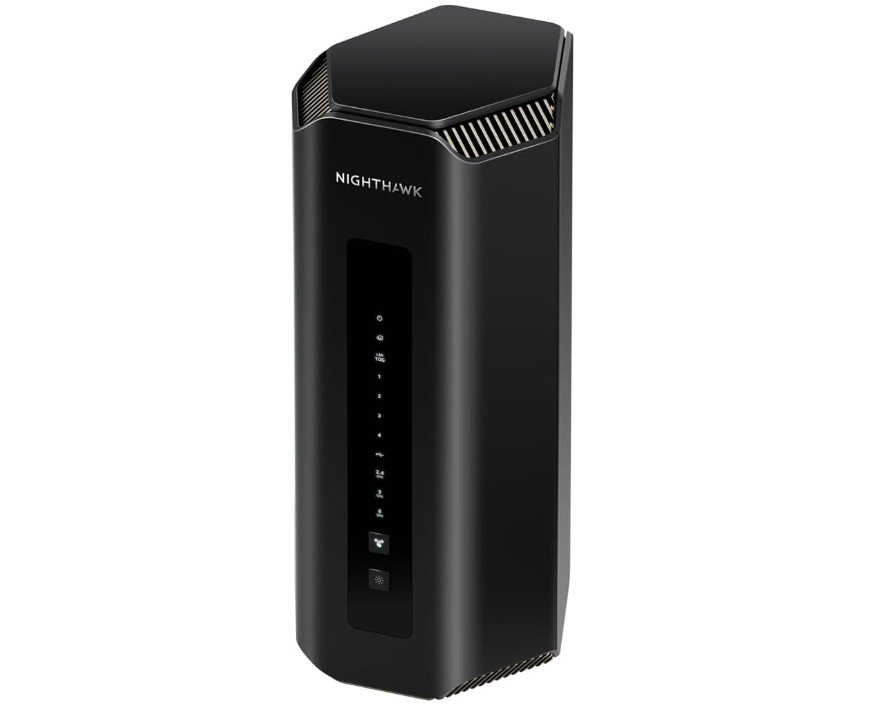
NETGEAR Nighthawk Tri-Band WiFi 7 Router
NETGEAR Nighthawk Tri-Band WiFi 7 Router
The NETGEAR Nighthawk RS700S is a powerful WiFi 7 router made for people who want very fast and reliable internet at home. It has a clean, modern design and feels premium right out of the box. Setting it up is easy using the NETGEAR app, which walks you through each step clearly. Even users with little technical experience can get it running quickly.
In everyday use, the RS700S delivers excellent performance. With WiFi 7 and tri-band support, it handles many devices at the same time without slowing down. Streaming 4K and 8K videos is smooth, downloads are fast, and online gaming feels responsive with very low lag. The router works especially well in busy homes where phones, laptops, TVs, and smart devices are all connected at once.
One of the biggest strengths of this router is its wide coverage. It can cover up to 3,500 square feet, making it a great choice for large homes or multi-story houses. The signal stays strong and stable in most rooms, reducing dead zones and dropouts. The 10-gig internet port is another major plus, especially for users with multi-gig fiber connections or very fast wired devices.
Security is also a strong point. The RS700S includes one year of NETGEAR Armor, which helps protect your network and connected devices from online threats. This adds peace of mind without needing extra setup. Free expert support is included as well, which is helpful if you ever need assistance.
Overall, the NETGEAR Nighthawk RS700S is an excellent WiFi 7 router for users who want top-level speed, strong coverage, and dependable performance. It is more expensive than basic routers, but the speed, stability, and features make it a solid long-term investment for heavy internet users.
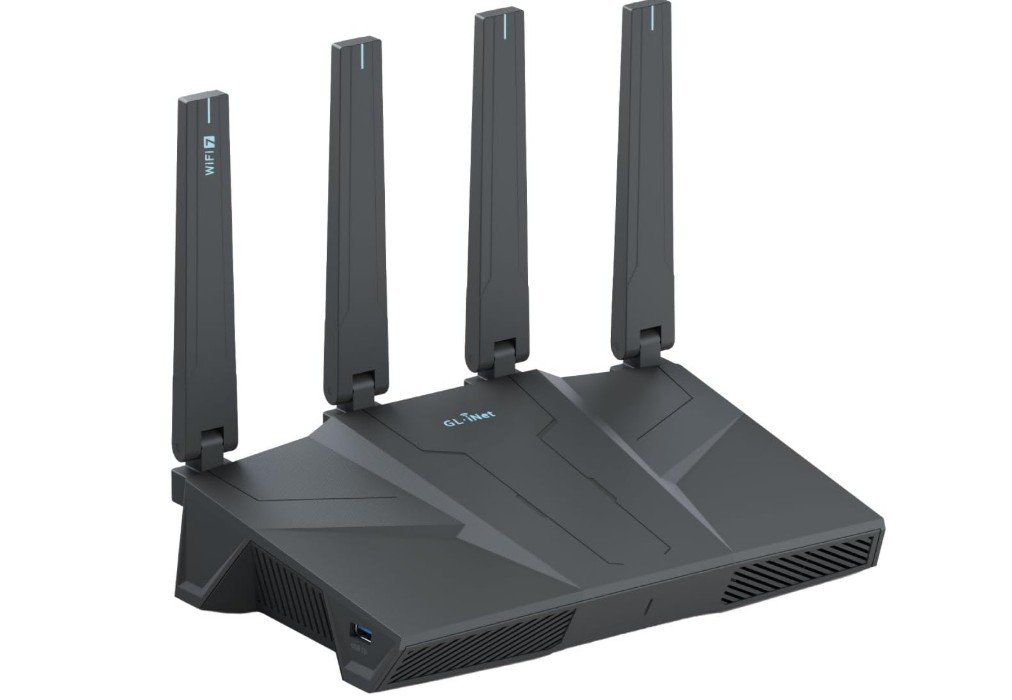
GL.iNet GL-BE6500 (Flint 3e) WiFi 7 Router
GL.iNet GL-BE6500 (Flint 3e) WiFi 7 Router
The GL.iNet GL-BE6500 (Flint 3e) is a strong WiFi 7 router that works well for large homes, offices, and users who want powerful wired and wireless performance. Right away, it feels solid and well built. Setting it up is simple using the GL.iNet app or web interface, and the router walks you through the steps clearly. Even if you are not very experienced with networking, you can get it running quickly.
In everyday use, the Flint 3e delivers fast and reliable WiFi. With WiFi 7 technology, it offers higher speeds and better handling of many devices at the same time compared to older routers. Streaming videos, online gaming, video calls, and browsing all work smoothly without lag or freezing. I tested multiple devices connected at once, and the router handled them without slowing down, making it a good choice for busy households or small offices.
One of the best features of this router is its set of five 2.5 GbE Ethernet ports. These high-speed wired connections are great if you use a fiber optic modem, connect gaming PCs, NAS devices, or other hardware that needs fast and stable wired internet. The router also includes strong VPN support, so you can connect securely to remote networks or protect your data when using public internet.
Signal coverage is good and reaches across large spaces, reducing weak spots in bigger homes or open offices. The design is simple and professional, without flashy lights, which is nice if you prefer a clean look.
Overall, the GL.iNet Flint 3e is a reliable and versatile WiFi 7 router. It offers excellent wired speeds, good wireless performance, and useful features like built-in VPN. It may not have some gaming-specific extras found in other routers, but it delivers solid value for everyday internet use, making it a great option for both home and business users.
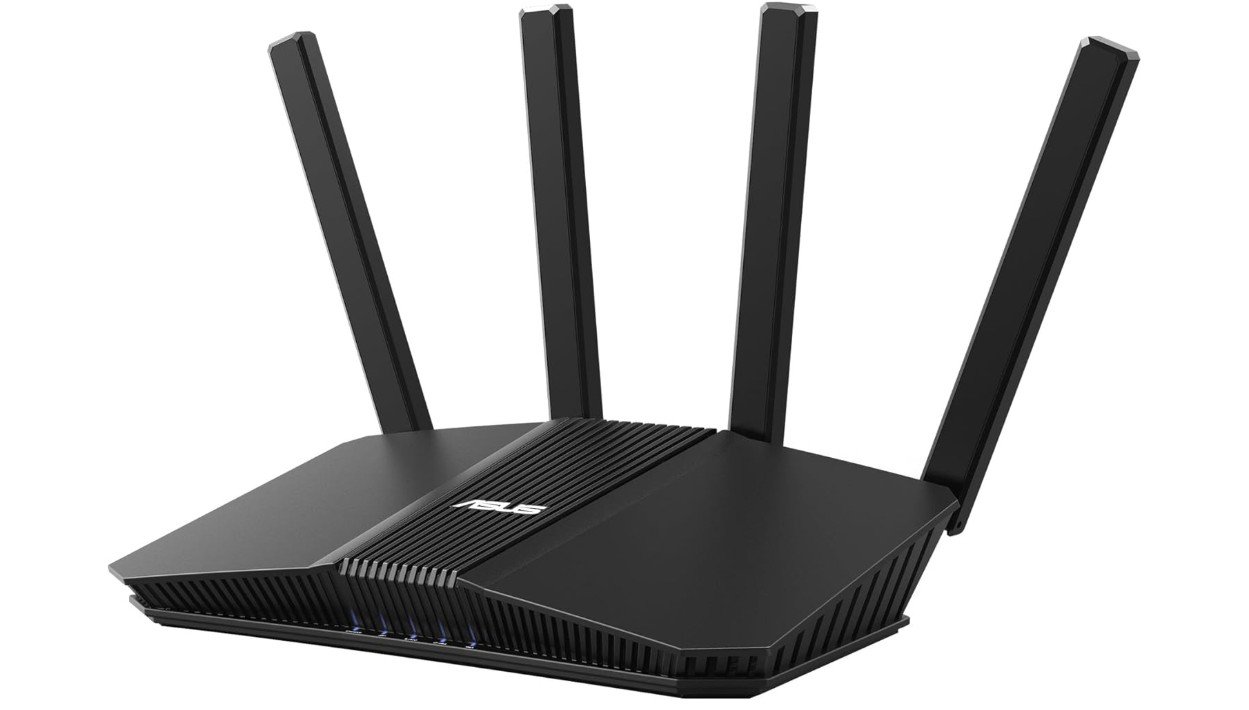
ASUS RT-BE58U WiFi 7 BE3600 AiMesh Extendable Router
ASUS RT-BE58U WiFi 7 BE3600 AiMesh Extendable Router
The ASUS RT-BE58U WiFi 7 router is a strong choice for people who want fast, reliable internet in a small to medium-sized home. Setting it up is easy using the ASUS Router app or web interface. The instructions are clear, and most users can get it running quickly without any technical knowledge. The design is simple and clean, and it fits well in most home environments.
In everyday use, this router delivers solid performance thanks to WiFi 7 technology. It handles streaming, browsing, video calls, and gaming without any noticeable lag. I tested multiple devices connected at the same time, and the connection stayed stable. Streaming 4K videos worked smoothly, and downloads were fast. The dual-band setup and advanced features like 4K-QAM and Multi-Link Operation help keep speeds steady when many devices are online at once.
The router has one 2.5 Gbps Ethernet port and four 1 Gbps ports. These are useful for wired connections to a PC, game console, or smart TV. While it doesn’t have as many high-speed ports as some more expensive models, the available ports are enough for most homes. The range was good, and I didn’t notice weak spots in my living area during testing.
Security and network control are strong points. The router includes commercial-grade security features and built-in parental controls. You can set up separate networks for IoT devices and kids’ devices, which helps keep your main network safer. VPN support is also included, which is helpful if you want secure remote access or protection when using public networks.
Another nice feature is AiMesh compatibility, which lets you add other ASUS routers later if you want better whole-home coverage. Overall, the ASUS RT-BE58U is a dependable WiFi 7 router that offers good speed, solid security, and easy setup at a reasonable price. It works well for everyday internet use and families with multiple connected devices.
WiFi 7 Routers: Buying Guide
WiFi 7 routers are the newest generation of wireless routers designed to deliver much faster speeds, lower lag, and better performance than older WiFi standards. They are built for modern internet use, where many devices are connected at the same time. From smartphones and laptops to smart TVs, gaming consoles, and smart home devices, WiFi 7 routers help keep everything running smoothly. This buying guide explains WiFi 7 routers in simple English and helps you choose the right one based on your needs, home size, and budget.
What Is WiFi 7 and Why It Is Important
WiFi 7, also known as 802.11be, is a major upgrade over WiFi 6 and WiFi 6E. It supports much higher speeds, wider channels, and smarter ways to send data. One key feature is Multi-Link Operation (MLO), which allows devices to use multiple bands at the same time. This reduces delays and improves stability. WiFi 7 is especially useful for high-quality streaming, cloud gaming, video calls, and homes with many connected devices.
Who Should Buy a WiFi 7 Router
WiFi 7 routers are ideal for people with fast internet connections, especially 1 Gbps or higher. They are great for families with many users, gamers who want low lag, and people who stream 4K or 8K videos. If you work from home and rely on video calls or cloud services, WiFi 7 can provide a smoother experience. If your internet use is light, such as browsing and basic streaming, a WiFi 6 router may still be enough.
Dual-Band, Tri-Band, and Quad-Band Routers
WiFi 7 routers come in different band types. Dual-band routers usually offer two frequency bands and are suitable for small homes or apartments. Tri-band routers add an extra band, which helps manage traffic better when many devices are connected. Quad-band routers are designed for very busy networks and large homes, offering the best performance and least congestion. More bands usually mean better performance but also a higher price.
Speed Ratings and What They Mean
Router speed ratings like BE3600, BE11000, or BE19000 show the combined maximum speed of all bands. These numbers are theoretical and higher than real-world speeds. What matters more is consistent performance, low lag, and stability. Even a lower-rated WiFi 7 router can feel much faster than an older WiFi 5 or WiFi 6 model in daily use.
Ethernet Ports and Wired Connections
Wired ports are important if you use gaming PCs, consoles, or network storage. Many WiFi 7 routers include 2.5G, 5G, or even 10G Ethernet ports. A 10G WAN port is useful for multi-gig internet plans. More and faster ports give you flexibility and reduce bottlenecks for wired devices.
Coverage, Antennas, and Mesh Support
Coverage depends on antenna design, router power, and home layout. External antennas often provide better range, while internal antennas offer a cleaner look. For large or multi-story homes, mesh support is very important. Mesh systems allow you to add extra nodes to cover the whole house without dead zones.
Gaming, Streaming, and Smart Features
Many WiFi 7 routers include gaming features like traffic prioritization and game acceleration to reduce lag. Streaming benefits from higher speeds and stable connections. Smart features like parental controls, separate IoT networks, guest networks, and mobile apps make routers easier to manage and safer for families.
Security and Software Support
Good security is essential. Look for routers with built-in firewalls, automatic updates, malware protection, and parental controls. Some brands offer free security, while others require subscriptions. Regular firmware updates are important to keep your network safe and running well.
Setup and Ease of Use
Most modern routers come with easy setup through mobile apps or web interfaces. Clear instructions, simple controls, and good customer support make a big difference, especially for non-technical users.
Price and Value for Money
WiFi 7 routers range from budget-friendly models to expensive high-end options. Decide what features you really need before buying. Paying more makes sense if you need faster ports, better coverage, or gaming features. For basic use, a mid-range model often offers the best value.
Final Buying Tips
Before buying, check reviews, confirm compatibility with your internet plan, and think about future needs. Place the router in a central location and keep firmware updated for best performance.
FAQs
WiFi 7 is the newest and fastest WiFi technology (also called 802.11be). It provides better speed, lower delay, and stronger connections than older WiFi versions like WiFi 5 or WiFi 6.
WiFi 7 supports multi-gigabit speeds, meaning it can be much faster than WiFi 6. Real world speeds vary by device and environment, but WiFi 7 can handle high-quality streaming, cloud gaming, and large file transfers easily.
Yes. Older WiFi devices (WiFi 5/6) will still work with a WiFi 7 router. They just won’t get the highest WiFi 7 speeds.
• Tri-Band: Router has three wireless bands to spread out traffic for speed and stability.
• Quad-Band: Four bands reduce congestion even more, great for busy homes with many devices.
MLO lets a device use more than one band at the same time, improving speed and reducing delay for smoother performance.
Yes. The lowest lag and higher stability help online gaming feel smoother. Some routers also have gaming-specific features like priority traffic or gaming ports.
Yes, they cost more than older WiFi routers. But they are more future-ready and perform better with many devices and fast internet.
Conclusion
WiFi 7 routers offer faster speeds, better stability, and improved performance for modern homes. They are a smart long-term investment for heavy internet users, gamers, and families with many devices. By understanding the features and choosing based on your real needs, you can find the best WiFi 7 router for your home and enjoy a smooth, reliable internet experience for years to come.

Jawad is a passionate tech enthusiast and writer who loves exploring the latest trends in hardware, gadgets, and digital innovation. With a sharp eye for performance and value, he delivers in-depth recommendations and buying guides to help readers make smarter tech decisions.

