
Last Updated on February 12, 2026 by Jawad
Introduction
A budget 4K gaming monitor is a great choice for gamers who want very sharp visuals without spending too much money. 4K resolution means the screen shows much more detail than Full HD or even QHD. Games look clearer, textures appear sharper, and small details are easier to see. This can make open-world games, racing games, and story-based titles feel more immersive and enjoyable. Even on a budget, many modern 4K monitors now offer solid performance for casual and mid-level gaming.
In the past, 4K monitors were very expensive and mostly aimed at professionals. Today, budget 4K gaming monitors are more common and affordable. They usually come with a 60Hz refresh rate, which is enough for most single-player games and console gaming. Some newer budget models also support higher refresh rates, basic adaptive sync, or faster response times, which help reduce screen tearing and motion blur during gameplay.
Another big advantage of a budget 4K gaming monitor is its versatility. It is not only good for gaming but also for everyday tasks like watching movies, editing photos, browsing the web, or working with multiple windows at once. The extra screen space makes everything look clean and organized. Many budget options also include useful features like HDR support, slim bezels, and multiple input ports for PCs, consoles, and streaming devices.
While budget 4K gaming monitors may not have all the premium features of high-end models, they still deliver excellent image quality for the price. Colors are usually good, brightness is decent, and viewing angles are comfortable for long gaming sessions. For gamers who want a clear upgrade in visual quality without breaking the bank, a budget 4K gaming monitor offers a balanced mix of performance, image quality, and value.
We also have a recommendation for the Best 27 Inch 1440p Monitor for Gaming, so make sure to check that out too!
Top Budget 4k Gaming Monitor



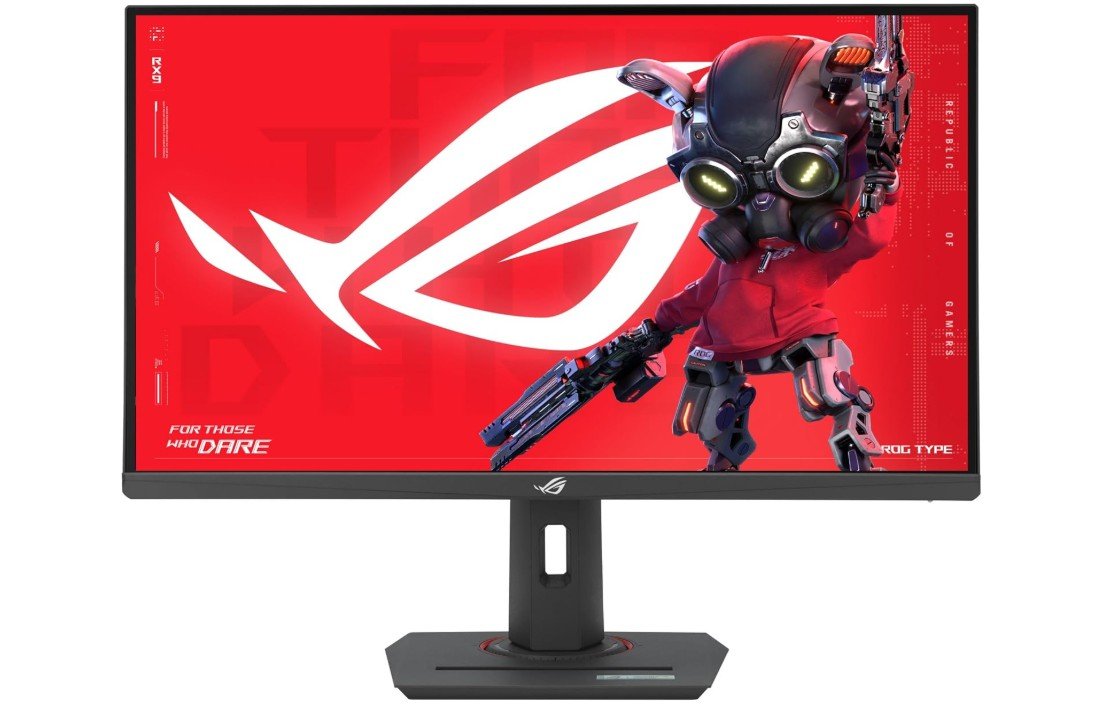
ASUS ROG Strix 27” 4K HDR400 USB-C Gaming Monitor
ASUS ROG Strix 27” 4K HDR400 USB-C Gaming Monitor
The ASUS ROG Strix XG27UCS is a strong choice for gamers who want high performance and crisp 4K visuals without spending too much. Right away, the picture quality stands out. The 4K UHD resolution makes games look sharp and detailed, and colors feel rich thanks to the Fast IPS panel and wide 130% sRGB coverage. Whether you are exploring open worlds, racing at high speed, or playing story games, the images feel clear and vibrant.
The smoothness of gameplay is another highlight. With up to a 160Hz refresh rate and a fast 1ms response time, motion in games looks fluid and responsive. This is especially noticeable in fast-paced shooters or action titles where every millisecond counts. The monitor also supports G-Sync compatibility, which helps keep the screen from tearing when your graphics card and display are not perfectly in sync. ELMB Sync (Extreme Low Motion Blur) further reduces blur, making moving objects look cleaner.
For everyday use, this monitor works well too. The screen size and resolution offer plenty of workspace for browsing, watching videos, and working with multiple windows. The USB-C port adds convenience by letting you connect laptops or other devices with a single cable. The DisplayWidget software makes it easy to customize settings like color profiles and game modes.
Design-wise, the monitor looks modern and fits well in most setups. A unique feature is the tripod socket on the back, which lets you mount a camera or light for streaming or video calls — a nice touch for content creators. The stand is sturdy and adjustable, making it easy to get a comfortable view angle.
One of the best parts is the three-year warranty, giving peace of mind if anything goes wrong. Overall, the ASUS ROG Strix XG27UCS delivers excellent picture quality, smooth performance, and useful extras, making it a great pick for gamers and creators alike.
KTC 27 Inch 4K Gaming Monitor
KTC 27 Inch 4K Gaming Monitor
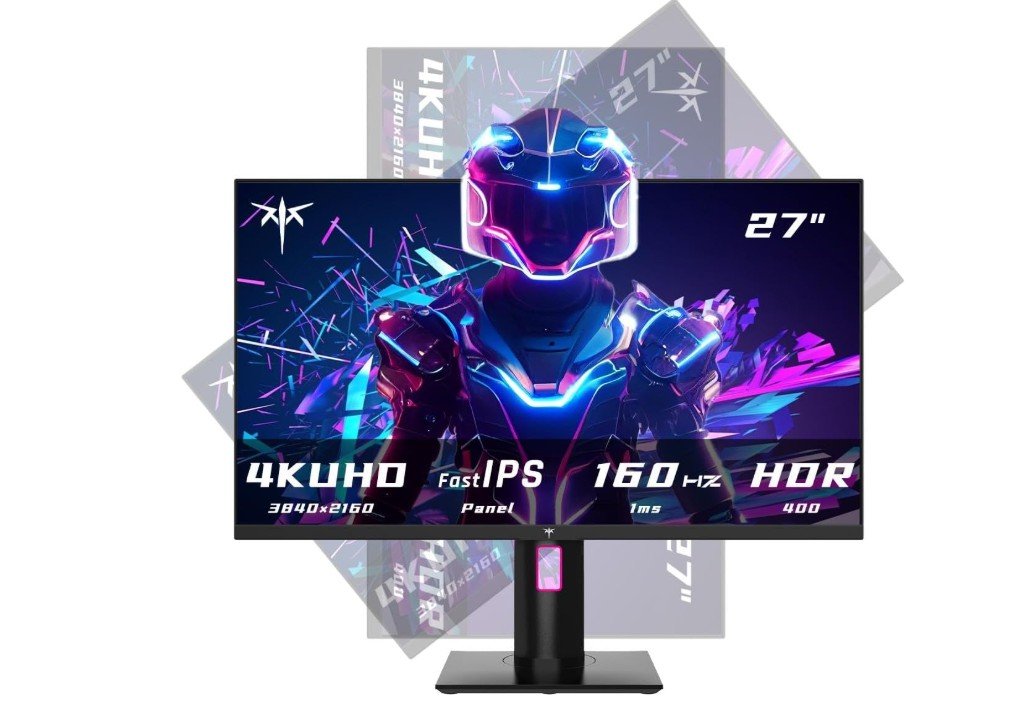
The KTC 27-inch 4K gaming monitor (H27P22S) offers great value for gamers who want sharp images and smooth performance without spending too much. Right away, the 4K UHD resolution makes games look detailed and clear. Textures in games feel crisp, and watching videos or working on documents also looks very clean. The Fast IPS panel shows good colors and wide viewing angles, so the picture looks good even when you are not sitting exactly in front of the screen.
Playing fast games feels smooth thanks to the high refresh rate. It can run up to 160Hz or 144Hz, depending on the settings, which helps make motion look fluid, especially in shooters and racing games. The 1ms response time also reduces blurring during fast action. If your graphics card supports FreeSync or G-Sync, this monitor can sync with it to reduce screen tearing, making gameplay look even better.
Color performance is good for the price, with a wide 132% sRGB range. This means colors look rich and natural, which helps whether you’re gaming, watching movies, or doing everyday tasks like browsing or editing photos. The HDR400 support adds a bit more brightness and contrast, though it is not as strong as higher HDR standards; it still improves visuals over standard displays.
The design is practical with slim bezels and a sturdy stand. You can adjust the tilt, height, and pivot to get a comfortable view, and VESA mounting gives more setup options. There are both HDMI and DisplayPort connections, so you can easily connect PCs, consoles, or other devices.
For the price, this KTC monitor offers a solid mix of performance, features, and visual quality. It may not have all the premium extras of high-end gaming monitors, but for most gamers, it delivers smooth gameplay, great 4K clarity, and useful adjustability. If you want a well-rounded 4K gaming monitor without breaking your budget, this is a good choice.
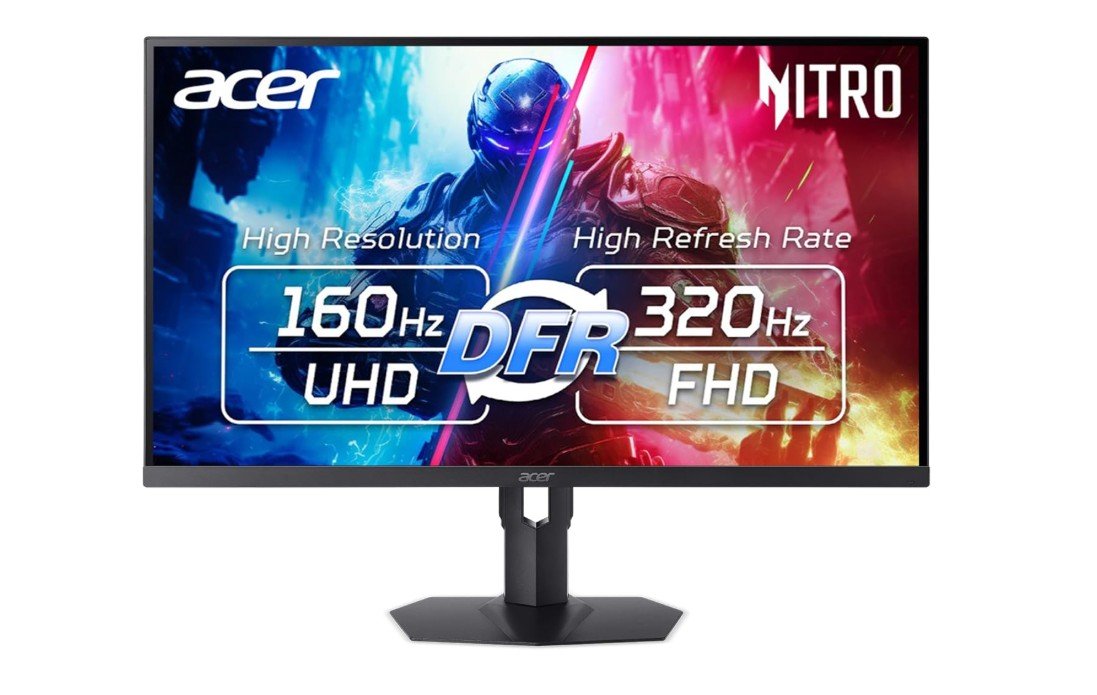
Acer Nitro 27” 4K Gaming Monitor
Acer Nitro 27” 4K Gaming Monitor
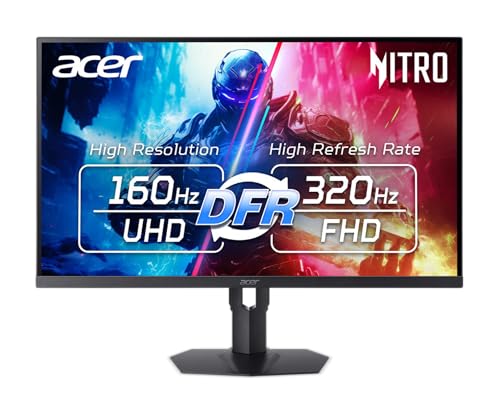
The Acer Nitro 27” 4K MiniLED gaming monitor (XV275K V3biipprx) is a very impressive display for both gaming and general use. It offers a sharp 4K resolution and bright images thanks to its MiniLED backlight and DisplayHDR1000 support, so games, movies, and videos look vivid and detailed with deep contrast and bright highlights. Users often praise the brightness and rich colors that make visuals pop, especially in HDR content, giving a more immersive experience overall.
Gaming performance feels smooth and responsive. The monitor can run at 160Hz at 4K, which makes motion look fluid in fast games, and it can switch to a lower resolution with up to 320Hz refresh rate for even smoother action if you want. The 1ms response time and FreeSync Premium also help reduce tearing and blur for a cleaner gaming feel.
Many players like that the monitor works well with both PC and consoles, thanks to HDMI 2.1 ports supporting high refresh rates from devices like PS5 or Xbox Series X. The stand is solid and adjustable, so it is easy to find a comfortable viewing angle. Some users also mention that the USB-C port and adjustable stand are helpful for daily tasks and work.
There are a few minor downsides. The local dimming zones, while a strength for contrast, can sometimes cause slight blooming around bright objects in dark scenes. A few people also find the monitor controls and on-screen menus a little less intuitive than they would like.
Overall, the Acer Nitro XV275K delivers strong picture quality, smooth gaming performance, and versatile features, making it a great choice for gamers and content lovers who want bright HDR visuals and high refresh rates without paying for ultra-premium models.
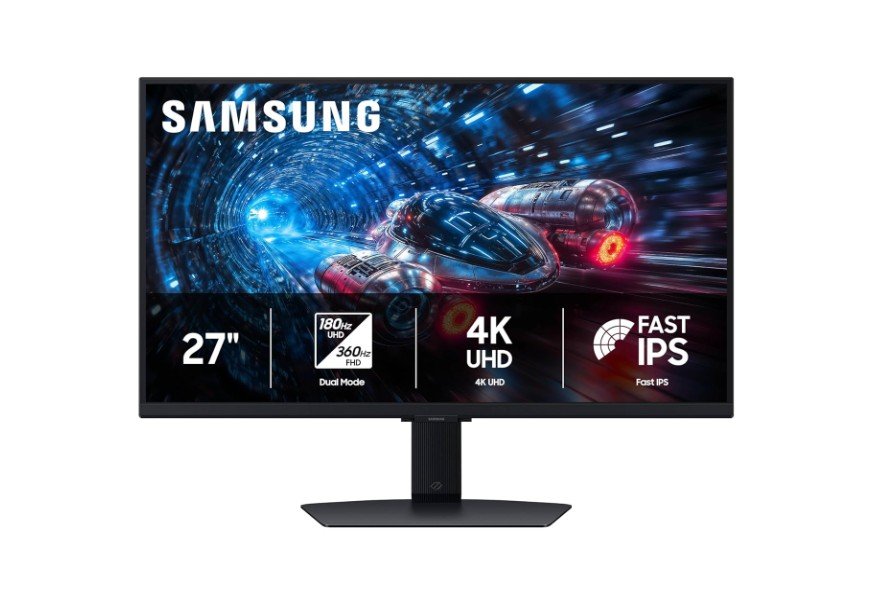
Samsung 27” Odyssey G7 G70F 4K Gaming Monitor
Samsung 27” Odyssey G7 G70F 4K Gaming Monitor
The Samsung Odyssey G7 G70F 27” gaming monitor delivers a mix of high-resolution visuals and fast gaming performance at a competitive price. It features a Dual Mode display that can run at 4K UHD (3840×2160) with a 180 Hz refresh rate for detailed and immersive graphics, or at Full HD (1920×1080) with up to 360 Hz for extremely smooth competitive play. The Fast IPS panel shows bright, clear colors with wide viewing angles and supports HDR10+ to improve contrast and color in compatible games and videos. Its 1 ms response time helps reduce motion blur, and the monitor works with NVIDIA G-Sync Compatible and AMD FreeSync Premium technologies to cut down screen tearing and stutter in fast action.
Gaming feels responsive whether you’re exploring big open worlds in 4K or competing in fast matches at high refresh rates in FHD. The ability to switch between modes offers flexibility for different types of games and hardware setups. Competitive players who value speed will enjoy the ultra-smooth feel of high frame rates in FHD, while those who prefer rich visuals get the sharpness and detail of 4K with a high refresh rate.
The stand is adjustable, so you can tilt and raise the screen for comfortable viewing during long play sessions. Dual HDMI 2.1 and DisplayPort 1.4 connections make it easy to hook up PCs and consoles without compatibility problems. The monitor’s brightness and color performance make everyday use — like watching videos or working — look good too.
One minor downside is that pushing high framerates at 4K still needs a powerful graphics card. Also, HDR performance is good for the price but doesn’t match premium HDR models. Overall, the Odyssey G7 G70F is a versatile choice for gamers who want both sharp graphics and fast gameplay in one screen.
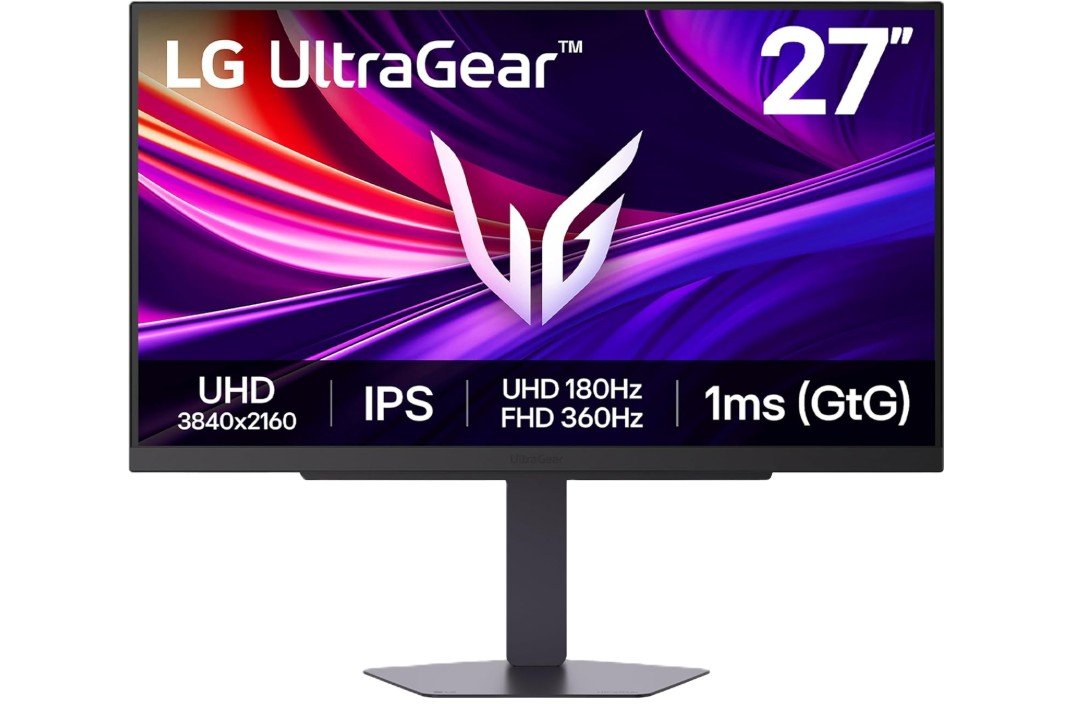
LG 27G810A-B 27-inch Ultragear 4K Gaming Monitor
LG 27G810A-B 27-inch Ultragear 4K Gaming Monitor
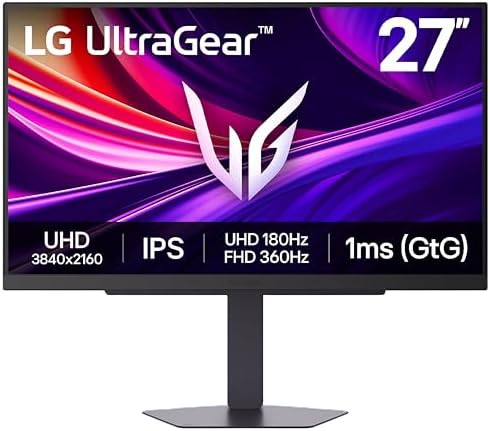
The LG 27G810A-B UltraGear gaming monitor is a versatile screen that blends sharp visuals with fast performance for many kinds of gamers. Its 27-inch 4K UHD panel shows detailed and clear images, making games, movies, and everyday tasks look crisp and rich with color. The Dual-Mode feature lets you switch between 4K at 180 Hz for smooth, detailed visuals and Full HD at 360 Hz for ultra-fast motion in competitive games. The fast 1 ms response time helps reduce blur, so movement in fast action titles feels clean and responsive.
Gaming is enjoyable on both PC and consoles because the monitor supports NVIDIA G-Sync Compatible and AMD FreeSync Premium, which work to reduce tearing and stutter when paired with compatible graphics cards. The DisplayHDR 400 support also adds more depth to brighter scenes, giving HDR content a noticeable boost compared with standard displays.
Users often find the monitor’s design practical, with a fully adjustable stand that lets you tilt, swivel, height-adjust, and pivot the screen for a comfortable viewing position. The HDMI 2.1 and DisplayPort 1.4 ports make it easy to connect gaming consoles or high-end PCs, and built-in features like Black Stabilizer help improve visibility in dark game scenes.
Many buyers appreciate the combination of high resolution and high refresh rate without paying a premium price, calling it a good value for gamers who want both detailed visuals and fast motion. The stand and adjustable ergonomics also get praise for comfort during long play sessions.
Overall, the LG UltraGear 27G810A-B is a solid all-around gaming monitor that handles immersive graphic-rich games and high-speed competitive titles well, making it a strong choice for gamers who want flexibility and performance in one display.
Budget 4k Gaming Monitor: Buying Guide
A budget 4K gaming monitor is designed for gamers who want ultra-sharp visuals without paying premium prices. These monitors offer a 3840 × 2160 resolution, which is four times sharper than Full HD. This means clearer textures, more detailed environments, and sharper text. Budget models usually focus on delivering strong core performance while cutting back on expensive extras like advanced HDR or mini-LED backlighting.
In recent years, 4K monitors have become more affordable, making them a realistic option for mainstream gamers. While they may not match flagship models in every area, modern budget 4K gaming monitors still provide excellent value for casual, competitive, and console gamers.
Why Choose a 4K Gaming Monitor on a Budget?
The biggest advantage of a 4K gaming monitor is visual clarity. Games look more realistic, open-world titles feel immersive, and fine details are easier to see. Budget 4K monitors are also very versatile. They work well for gaming, watching movies, editing photos, and everyday tasks like browsing or office work.
For console gamers, a 4K monitor is especially attractive because modern consoles like the PS5 and Xbox Series X are built for 4K gaming. Even if you don’t always hit high frame rates, the visual upgrade is noticeable.
Screen Size and Resolution
Most budget 4K gaming monitors come in a 27-inch size, which is ideal for 4K resolution. At this size, pixels are very dense, making images look sharp even when sitting close. Some budget options also come in 32-inch sizes, which offer a more immersive feel but may cost slightly more.
Always make sure the monitor offers true 4K resolution (3840 × 2160). Avoid displays that use scaling tricks or lower native resolutions.
Refresh Rate: How Much Do You Really Need?
Refresh rate determines how smooth motion looks on screen.
- 60Hz: Common on entry-level budget 4K monitors. Fine for story games, RPGs, and console gaming.
- 120Hz–144Hz: A great balance for gamers who want smoother motion without spending too much.
- 160Hz or higher: Found on newer budget-friendly models but requires a powerful GPU.
If your graphics card cannot push high frame rates at 4K, a 60–120Hz monitor may be the smarter choice. Paying extra for a very high refresh rate only makes sense if your system can use it.
Response Time and Motion Clarity
Response time affects how quickly pixels change color. For gaming, look for:
- 1ms to 5ms (GtG) response time
- Technologies like motion blur reduction or overdrive modes
IPS panels with fast response times are now common in budget monitors and offer a good balance between speed and image quality.
Panel Type: IPS vs VA vs TN
IPS (In-Plane Switching)
- Best color accuracy and viewing angles
- Most common choice for budget 4K gaming monitors
- Slightly lower contrast but great overall balance
VA (Vertical Alignment)
- Better contrast and deeper blacks
- Slightly slower response times
- Good for dark games and movies
TN (Twisted Nematic)
- Fast response times
- Poor colors and viewing angles
- Rare in 4K monitors and not recommended
For most buyers, IPS or Fast IPS is the best option.
HDR Support: What to Expect on a Budget
Many budget 4K gaming monitors advertise HDR400. This provides a small boost in brightness and color but does not deliver true cinematic HDR.
What HDR400 offers:
- Slightly brighter highlights
- Improved color depth compared to SDR
What it doesn’t offer:
- Deep local dimming
- Very high contrast or peak brightness
Treat HDR on budget monitors as a bonus, not a main reason to buy.
Color Accuracy and Gamut
Color quality matters for both gaming and content creation.
Look for:
- 100% or higher sRGB coverage
- Some models offer 90%+ DCI-P3 for richer colors
A wide color gamut makes games look more vibrant and helps with video editing or photo work.
Adaptive Sync: FreeSync and G-Sync
Adaptive sync reduces screen tearing and stuttering.
- AMD FreeSync: Widely supported and common in budget monitors
- NVIDIA G-Sync Compatible: Works well with NVIDIA GPUs
This feature is highly recommended for gaming, especially at 4K where frame rates can fluctuate.
Connectivity and Ports
Ports are very important, especially for gaming.
Minimum recommended ports:
- DisplayPort 1.4 for PC gaming
- HDMI 2.0 or HDMI 2.1
HDMI 2.1 is ideal for:
- PS5 and Xbox Series X
- 4K at 120Hz gaming
USB-C is a bonus for laptop users, allowing video, data, and charging through one cable.
Ergonomics and Build Quality
A good stand improves comfort during long gaming sessions.
Look for:
- Height adjustment
- Tilt and pivot support
- VESA mount compatibility
Budget monitors often cut corners here, but adjustable stands add a lot of value.
Console vs PC Gaming Considerations
For PC Gamers
- Check GPU power before choosing high refresh rates
- DisplayPort support is essential
- Adaptive sync is very important
For Console Gamers
- HDMI 2.1 is highly recommended
- 4K at 60Hz or 120Hz is ideal
- HDR support is a plus
Some monitors also offer dual-mode, allowing 4K at lower refresh or FHD at very high refresh.
Common Trade-Offs in Budget 4K Monitors
- Basic HDR performance
- Limited local dimming or no dimming zones
- Average speakers (if included)
- Slight backlight bleed on IPS panels
These are normal compromises at a lower price point.
Red Flags to Avoid
- No DisplayPort for PC gaming
- No adaptive sync support
- Extremely low brightness
- Poor user reviews mentioning input lag or flickering
Always read real user feedback before buying.
Practical Buying Checklist
Before purchasing, make sure the monitor has:
- 4K UHD resolution (3840 × 2160)
- At least 60–144Hz refresh rate
- IPS or VA panel
- FreeSync or G-Sync Compatible
- DisplayPort and HDMI ports
- Adjustable stand or VESA mount
- Reliable warranty (2–3 years preferred)
Tips for Getting the Best Value
- Match refresh rate to your GPU power
- Don’t overpay for HDR on budget models
- Look for sales and last-year models
- Choose reputable brands with good support
FAQs
A budget 4K gaming monitor is a display with 3840×2160 resolution that costs less than high-end models. It offers sharp visuals for gaming and daily use without costing too much. These monitors may skip some premium features to stay affordable.
Yes. 4K resolution has more pixels, so your PC needs more power to run games smoothly. If your graphics card is mid-range, you might need to lower game settings for high frame rates. For consoles like PS5/Xbox Series X, 4K gaming works well without a powerful PC.
Budget 4K monitors often have HDR400, which adds some brightness and color improvement. It is not as strong as higher HDR standards (like HDR1000). Treat HDR as a small bonus, not a main feature.
Many do. FreeSync helps reduce screen tearing on AMD cards, and many budget models are also NVIDIA G-Sync Compatible. This makes gameplay smoother with fewer visual breaks.
Absolutely. A 4K monitor gives clear text, sharp videos, and large workspace for documents, browsing, and content creation.
Final Thoughts
A budget 4K gaming monitor is an excellent upgrade for gamers who want sharp visuals, modern features, and good performance without overspending. By focusing on the right resolution, refresh rate, panel type, and connectivity, you can find a monitor that delivers great value and long-term satisfaction.
If you balance expectations and choose wisely, a budget 4K gaming monitor can transform your gaming and everyday experience without breaking the bank.

Jawad is a passionate tech enthusiast and writer who loves exploring the latest trends in hardware, gadgets, and digital innovation. With a sharp eye for performance and value, he delivers in-depth recommendations and buying guides to help readers make smarter tech decisions.

