
Last Updated on February 8, 2026 by Jawad
Introduction
The market for wireless gaming mice under $50 has developed considerably, providing good performance, dependable connectivity, and stylish ergonomics without breaking the bank. Low-latency wireless performance, a good sensor for accurate tracking, a comfortable form factor, and an adequate amount of battery life are all essential components for gamers, whether they are competitive or casual. Expert purchasing guides state that the top low-cost wireless gaming mice continue to offer competitive features like 12,000 DPI sensors, long battery life, and manageable weight and latency.
Manufacturers frequently forgo high-end extras like ultra-light builds, ultra-high polling rates, exotic materials, or built-in wireless charging in favor of “core” gaming necessities in this price range. This implies that while you may lose out on features that are available in more expensive models, you still receive reliable performance and good value.
In order to get a wireless gaming mouse that not only saves money but also suits your gaming preferences, we’ll go over what to look for in a mouse under $50, including sensors, connectivity, battery life, comfort, and compatibility.
We also have a recommendation for the Best Wireless Gaming Mouse Under $100, so make sure to check that out too!
Top Budget Wireless Gaming Mouse Under $50



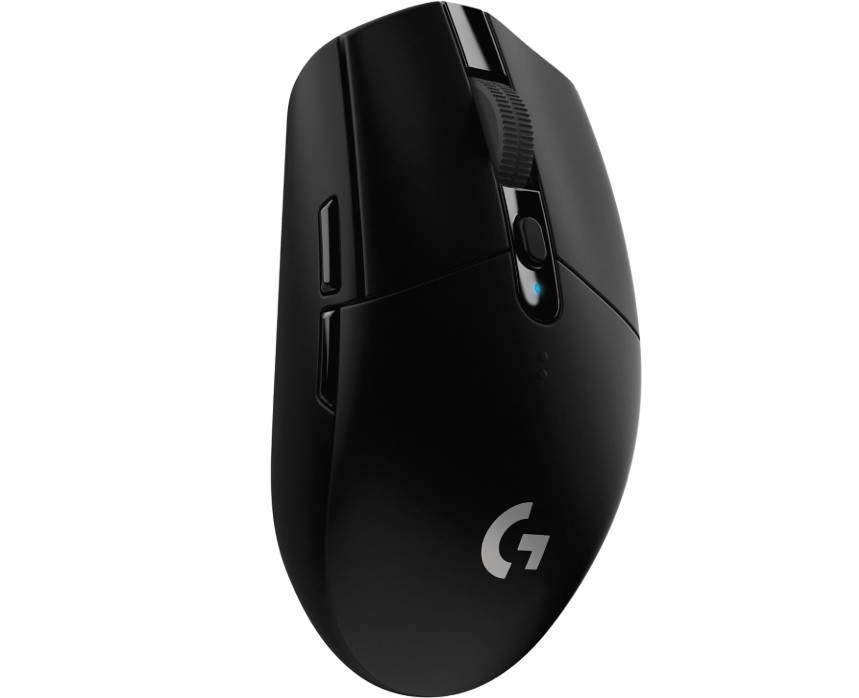
Logitech G305 LIGHTSPEED Wireless Gaming Mouse
Logitech G305 LIGHTSPEED Wireless Gaming Mouse
At an affordable price, the Logitech G305 LIGHTSPEED offers a remarkable wireless gaming experience. A noteworthy feature, especially considering the price, is its HERO 12K sensor, which provides accurate, seamless tracking without any noticeable lag. Its performance during gaming sessions and build quality are frequently praised by reviews.
Its six programmable buttons and lightweight design (about 99 g) provide versatility for a range of grip styles and different types of games.
The wireless performance is one of the most notable features. Many users find that the LIGHTSPEED 2.4GHz connection is just as responsive as a wired setup, and its 250-hour battery life on a single AA battery is great for gamers who prefer uninterrupted gaming.
However, because the AA battery design lacks an integrated rechargeable battery, you will need to keep extra batteries or rechargeables on hand. Additionally, some users with larger hands find the shape less comfortable; medium or small hands are best suited for the compact size.
Professionals may want more, but the absence of premium extras—such as RGB lighting and more sophisticated features than higher-tier models—helps keep costs down. However, the G305 is a tough competitor for gamers looking for powerful wireless performance without going over budget. To put it briefly, it’s a value champion in its class; just make sure the battery type and size work for you.
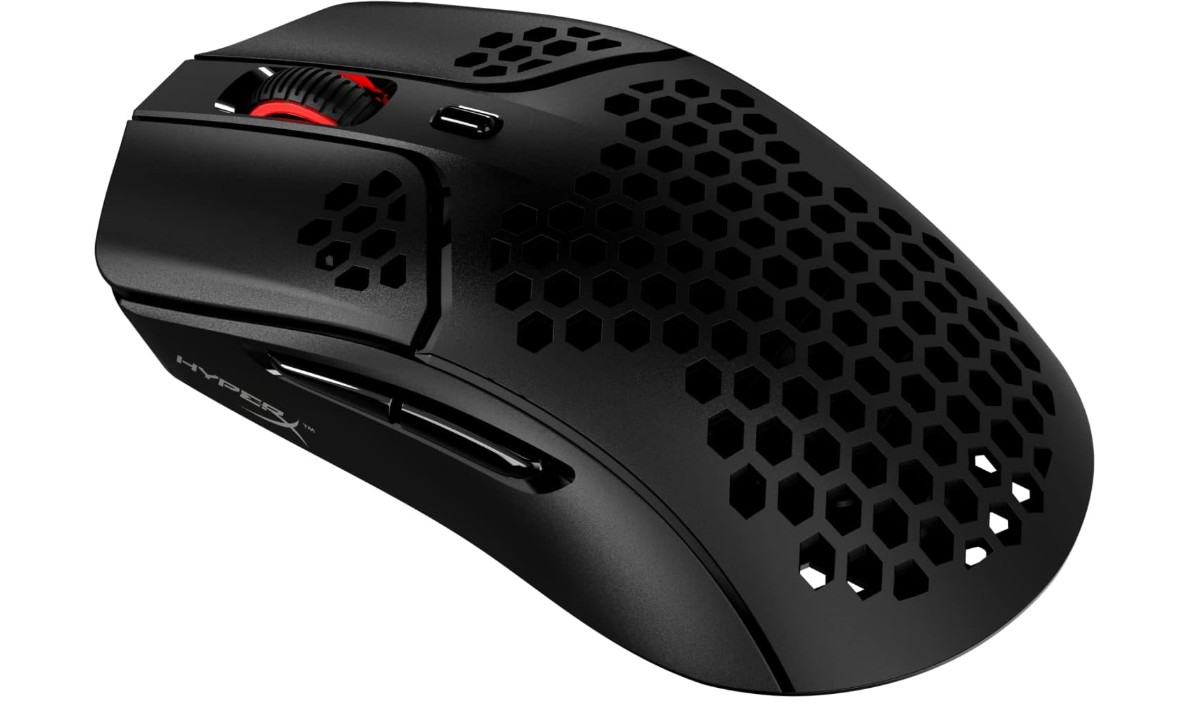
HyperX Pulsefire Haste – Wireless Gaming Mouse
HyperX Pulsefire Haste – Wireless Gaming Mouse
Performance and cost are remarkably balanced in the HyperX Pulsefire Haste Wireless mouse. It is among the lightest wireless gaming mice available, weighing only about 61 g because of its honeycomb shell design. For the majority of gamers, the PixArt PAW3335 sensor’s 1,000 Hz polling rate and up to 16,000 DPI over a 2.4GHz wireless connection are more than enough.
Many reviewers reported that tracking was responsive and fluid in practice, making it a comfortable option for both first-person shooter games and more general games.
Another advantage is battery life; tests have demonstrated that HyperX’s claimed 100 hours of runtime is reasonable under typical operating conditions. If necessary, you can continue gaming while plugged in thanks to the optional USB-C charging cable and the included dongle extender, which helps maintain a strong wireless signal. The symmetrical shape accommodates claw or fingertip grips well, and despite the lightweight design, the build feels sturdy from a comfort and usability standpoint.
But there are some limitations. Some users expected dual-mode connectivity, but since there is no Bluetooth mode, your options are limited to a 2.4GHz wireless connection or a USB-C wired connection. While polling stability and click latency are reasonable for casual gaming, some tests revealed higher latency than premium options for intensely competitive play.
Furthermore, in some situations, the sensor displays unpredictable polling behavior and some DPI deviation, which could be problematic for users who require accuracy at every stage.
Those who like dazzling lighting effects may also be disappointed by the simple RGB—just the scroll wheel lighting.
Overall, the Pulsefire Haste Wireless is a great option if you’re searching for a wireless gaming mouse that is lightweight, covers all the bases, and is reasonably priced. Just be aware that there are more expensive options available if you’re looking for extremely high-end specs or a complete feature set (such as Bluetooth, ultra-low latency, and full RGB).
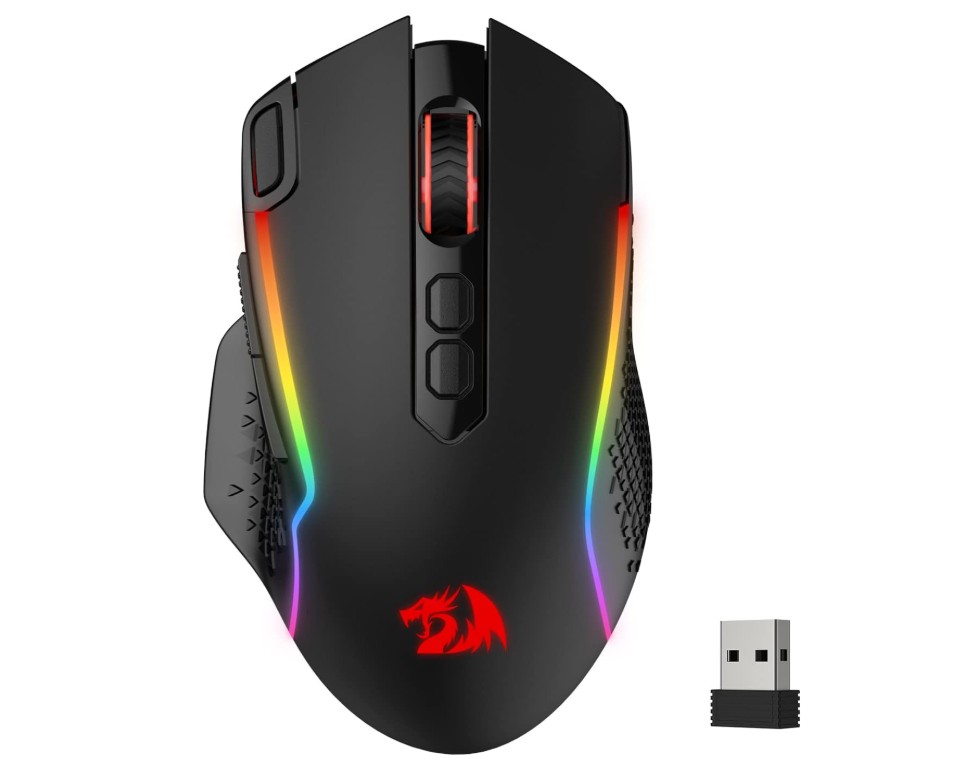
Redragon M810 Pro Wireless Gaming Mouse
Redragon M810 Pro Wireless Gaming Mouse
For its price, the Redragon M810 Pro Wireless Gaming Mouse has a good number of features. Depending on the circumstance, its dual-mode configuration (2.4GHz wireless + wired) allows gamers to have both independence and a dependable connection. The optical sensor is adaptable for everything from shooters to productivity tasks because it has five preset levels and supports up to 10,000 DPI.
The eight programmable buttons, which include two side macros and a rapid-fire key, provide more control for mapping multiple functions or gaming.
According to manufacturer specifications, battery life can last up to 45 hours in eco mode, which is a decent rating. Users often remark that the adjustable RGB adds visual flair without being overpowering and that the build is comfortable, especially for medium to large hand grips. The value offering is good for the price range. You can adjust DPI profiles, lighting, and macros with the software, and many people find that level of customization to be more than sufficient.
The drawbacks include a few persistent issues. According to some users, the wireless receiver may experience lag or dropouts occasionally in busy RF environments. This could be an issue during competitive play. Others point out that there is some setup complexity because the software interface isn’t quite as well-designed or user-friendly as more expensive brands. Additionally, occasional reports of build variations or issues with button responsiveness following prolonged use have surfaced.
All things considered, the M810 Pro Wireless is an appealing option if you’re searching for a low-cost wireless gaming mouse with robust features and lots of functionality and you don’t require ultra-premium, ultra-lightweight performance.
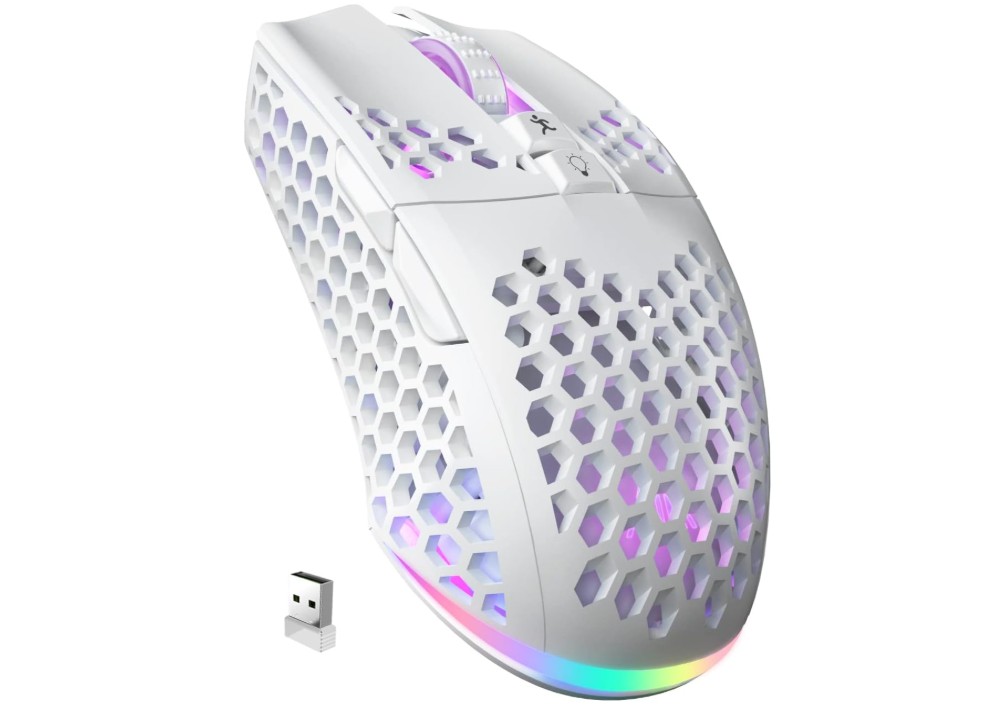
SOLAKAKA SM600 White Wireless Gaming Mouse
SOLAKAKA SM600 White Wireless Gaming Mouse
With its tri-mode connectivity (Bluetooth 5.1, 2.4 GHz wireless, and USB-C wired), the SOLAKAKA SM600 wireless gaming mouse is impressive and allows for smooth device switching between PCs, laptops, and tablets. Excellent responsiveness during gaming is guaranteed by six DPI levels that can be adjusted (from 800 to 8000) and a polling rate of up to 1000 Hz.
Because of its honeycomb shell design, the mouse feels lighter and has improved ventilation, making it comfortable to use for longer periods of time. For gamers who like to customize settings, programmable buttons, and RGB lighting add even more value. Numerous users have complimented its elegant appearance and comfortable grip.
One drawback is that the battery life seems inconsistent; some users say the mouse lasts a long time, while others observe that if RGB lighting is left on, the mouse requires frequent charging. Furthermore, a small number of users have reported reliability problems, specifically early click failure after a few months, indicating that durability may differ.
All things considered, the SM600 is an attractive low-cost wireless gaming mouse with a ton of features and connectivity choices. It meets a lot of needs if you’re playing games on several devices and want customization and a variety of connection options. Just watch your expectations regarding long-term build reliability and battery endurance.
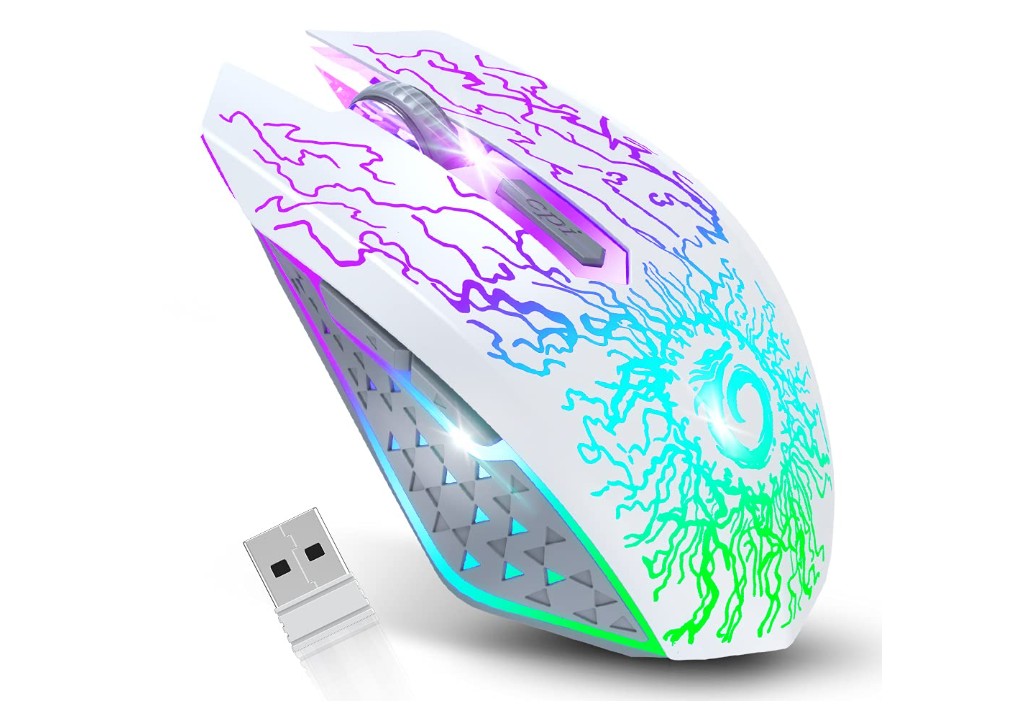
VersionTECH. Wireless Gaming Mouse
VersionTECH. Wireless Gaming Mouse
With a variety of practical features, the VersionTECH Wireless Gaming Mouse provides a seamless and reasonably priced introduction to wireless peripherals. With just a plug-and-play setup, it offers wireless connectivity via a 2.4GHz USB nano receiver. The mouse’s three fixed DPI settings (usually 800, 1200, and 1600) are suitable for both everyday use and light gaming. Its “silent click” buttons make it perfect for peaceful settings like shared rooms or late-night gaming.
Users emphasize its ergonomic design and the eye-catching seven-color RGB “breathing” lighting, which adds flair without being complicated. Given its low cost, the integrated rechargeable battery and smart sleep mode help prevent the need for frequent AA battery changes.
There are trade-offs, though. Some users complain that the cursor moves slowly or stutters when the battery is low or the lights are on, making battery management obvious.
For competitive play, the DPI range and sensor tracking may not be as good as those of high-end gaming mice. A few customers encountered quality-control problems, like units that stopped charging or dongle connection issues.
All things considered, this VersionTECH is a good choice if you’re a casual gamer or regular user searching for a wireless mouse that’s fashionable, simple to use, and affordable. You might want to look a tier higher if you’re expecting ultra-high precision, cutting-edge features, or long endurance under intense competitive use.
Buying Guide: Budget Wireless Gaming Mouse Under $50
Instead of focusing on flashy specs, choosing a great wireless gaming mouse under $50 requires striking a balance between comfort, features, and real-world performance. Reliable wireless connections, capable optical sensors, and usable battery life are to be expected at this price point; however, ultra-lightweight, high-end materials, or expensive esports-grade features may occasionally be sacrificed. Depending on how you play, this guide explains the important factors, how to assess them, and what to prioritize.
Core features to evaluate
Sensor & DPI
The accuracy of tracking is determined by the optical sensor. Instead of just looking at maximum DPI numbers, look for reliable sensor families (such as PixArt variants like PAWxxxx or PixArt-derived HERO in Logitech) and real-world tracking performance. An exaggerated maximum DPI figure is less significant to most players than a real, reliable sensor that can track accurately at common DPI settings (400–3200). Solid midrange sensors are used by many budget winners, and they are more than sufficient for both casual and competitive play.
Polling rate & latency
The polling rate, expressed in Hz, is the number of times per second that the mouse sends the PC its position on the screen. Although input delay is reduced by higher polling rates (500–1000 Hz), good budget mice typically have reliable wireless implementations at 1000 Hz. A mouse with a dependable 2.4 GHz operation and demonstrated low click latency should be prioritized if you play competitive esports; casual players can get by with slightly lower specifications.
Wireless connectivity: 2.4 GHz vs Bluetooth vs hybrid
At this price, the most popular and recommended dongle mode for gaming is 2.4 GHz since it offers the most stable connection and the lowest latency. Bluetooth is better for light gaming or productivity because it saves power and supports multiple devices, but it frequently introduces lag and lower polling rates. While tri-mode mice (BT + 2.4 GHz + wired) provide flexibility, make sure the 2.4 GHz mode is given priority for performance.
Battery life and power approach
Budget mice use three approaches: replaceable AA/AAA batteries (long life but need spares), built-in rechargeable cells (convenience), or hybrid with wired charging while in use. If you want uninterrupted sessions, look for mice with realistic claims, a quick rechargeable option, or a long disposable battery life. Keep in mind how the manufacturer measures battery life, using RGB off vs. on.
Weight and ergonomics
Fatigue and flick speed are affected by weight. Although they are becoming more and more common, ultra-light honeycomb shells (less than 70 g) occasionally compromise long-term durability. Budget wireless mice typically weigh between 70 and 110 g; choose one based on your preferred grip style (fingertip/claw: lighter and narrower; palm: heavier and wider). Try to try the shape out in person or measure it against a mouse you already like.
Buttons, switches, and customization
Verify the quantity and positioning of additional buttons if you require macros or play MMOs. Click feel and longevity are influenced by switch type (Omron or comparable); look for rated click lifespans (e.g., 20–70M clicks). A benefit of onboard memory for profiles is that it allows you to switch between systems without having to reinstall software.
Durability & build quality
Check reviews for complaints of peeling coatings, flaky dongles, or double-click problems. Purchasing from a seller with a fair return policy lowers risk; cheaper mice may have more variation between units.
FAQs
Yes — many offer solid performance for casual and competitive gaming with reliable wireless connections and decent sensors.
Most quality models use 2.4 GHz wireless with low latency, which is fine for FPS, MOBA, and other games under normal use.
Battery life varies by model; some last weeks on a single charge, while others may need recharging more often, depending on use and lighting.
2.4 GHz is generally faster and more stable for gaming; Bluetooth is ok for everyday use, but can feel slower in fast games.
Conclusion
Prioritize models with reliable sensors and a tested 2.4 GHz configuration if you want the safest, most frequently recommended option under $50. These will provide the best combination of dependable tracking and low latency. Tri-mode mice are appealing for style or multi-device use, but make sure the 2.4 GHz mode is the main performance mode. Lastly, before making a purchase, read user reviews that test latency, tracking, and long-term reliability, and make sure the weight and shape fit your grip.

Jawad is a passionate tech enthusiast and writer who loves exploring the latest trends in hardware, gadgets, and digital innovation. With a sharp eye for performance and value, he delivers in-depth recommendations and buying guides to help readers make smarter tech decisions.

