
Last Updated on February 8, 2026 by Jawad
Introduction
A wireless gaming mouse under $100 is a great choice for gamers who want freedom from cables without spending too much. These mice offer smooth performance, fast response times, and reliable wireless connections for both casual and competitive gaming. Many affordable models now feature advanced sensors with adjustable DPI, allowing players to fine-tune sensitivity for precise aiming and fast movement. Modern wireless technology ensures minimal input lag, making them just as responsive as wired options.
Most wireless gaming mice in this price range also include long-lasting batteries or fast-charging capabilities, so gamers can play for hours without interruptions. Some come with RGB lighting, customizable buttons, and ergonomic designs that fit comfortably in the hand during long sessions. Whether you play shooters, RPGs, or strategy games, a good wireless mouse gives you better control and flexibility.
Many trusted brands like Logitech, Razer, Corsair, and Redragon offer high-quality wireless mice under $100, providing excellent performance at an affordable price. They combine precision, comfort, and durability, making them ideal for gamers who want value without sacrificing quality. Overall, a wireless gaming mouse under $100 delivers great speed, comfort, and customization, giving you a smooth gaming experience without the hassle of tangled wires.
We also have a recommendation for the Best Budget Wireless Gaming Mouse Under $50, so make sure to check that out too!
Top Wireless Gaming Mouse Under $100


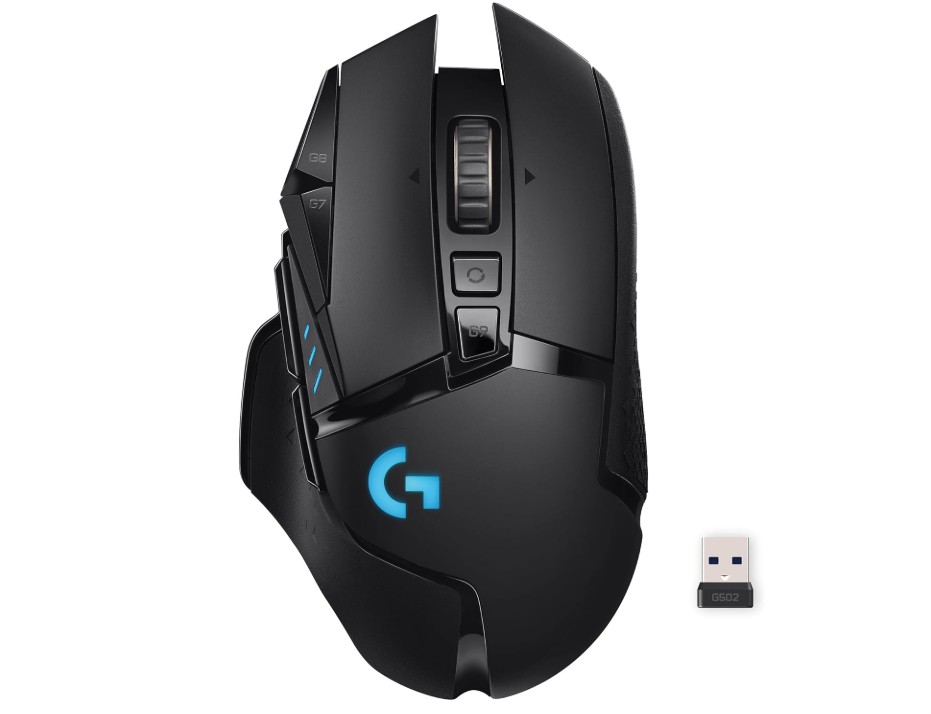
Logitech G502 Lightspeed Wireless Gaming Mouse
Logitech G502 Lightspeed Wireless Gaming Mouse
The Logitech G502 LIGHTSPEED wireless gaming mouse delivers excellent all-round performance for gamers who want premium features without compromise. Its HERO 25K sensor offers very high tracking accuracy and a wide DPI range, ensuring your movements are mirrored precisely on screen. The LIGHTSPEED wireless connection feels just as responsive as a wired mouse, which means you won’t notice any input lag even in fast-paced games.
Build quality and ergonomics are strong points. The mouse has a robust structure with little flex, and the thumb-rest plus overall shape make it comfortable for longer sessions—especially for users with larger or medium-sized hands. You’ll also find 11 programmable buttons and a tunable weight system, so you can tailor the feel and functionality to your style.
Battery life is solid: up to about 60 hours on a full charge without RGB lighting, and if you use it with the optional POWERPLAY wireless charging pad, you can pretty much forget about plugging it in.
However, there are a few caveats. The size and weight are on the heavier side compared to ultra-light gaming mice, which means folks with smaller hands or those who prefer a fingertip grip might find it less ideal. The optional software (Logitech G Hub) for customization has also been noted by some users as being less stable or intuitive compared to alternatives.
In short, if you’re looking for a high-performance wireless gaming mouse with tons of features, and you don’t mind a slightly larger, more feature-rich design, the G502 LIGHTSPEED is a very strong choice.

Razer Naga V2 HyperSpeed Wireless MMO Gaming Mouse
Razer Naga V2 HyperSpeed Wireless MMO Gaming Mouse
The Razer Naga V2 HyperSpeed delivers standout performance for MMO gamers. Its 19+ programmable buttons give you huge flexibility for spells, macros,
or hot-keys, letting you map nearly everything you need right to your thumb. The Focus Pro 30K sensor is extremely accurate and responsive, making your movements smooth and precise.
Wireless performance is strong with both 2.4 GHz HyperSpeed and Bluetooth options; you get hours of play without worrying about cables, and the gliding PTFE feet mean it feels smooth on a mouse pad. The build quality is solid and comfortable for longer sessions, especially for right-handed users with medium to large hands.
That said, the mouse does carry a few trade-offs. It’s heavier than some lightweight gaming mice, which makes it less ideal for fast-paced competitive shooters. Also, instead of a built-in rechargeable battery, it uses AA battery power, which may feel less elegant and could add weight. The software (Razer Synapse) is capable, but some users find it bulky or less intuitive.
Overall, if you play MMOs or games where many actions matter and you want wireless freedom with lots of buttons and strong sensor performance, this mouse is a great fit. If instead you focus on ultra-lightweight, high-speed FPS gaming or prefer minimal buttons, you might want to look elsewhere.
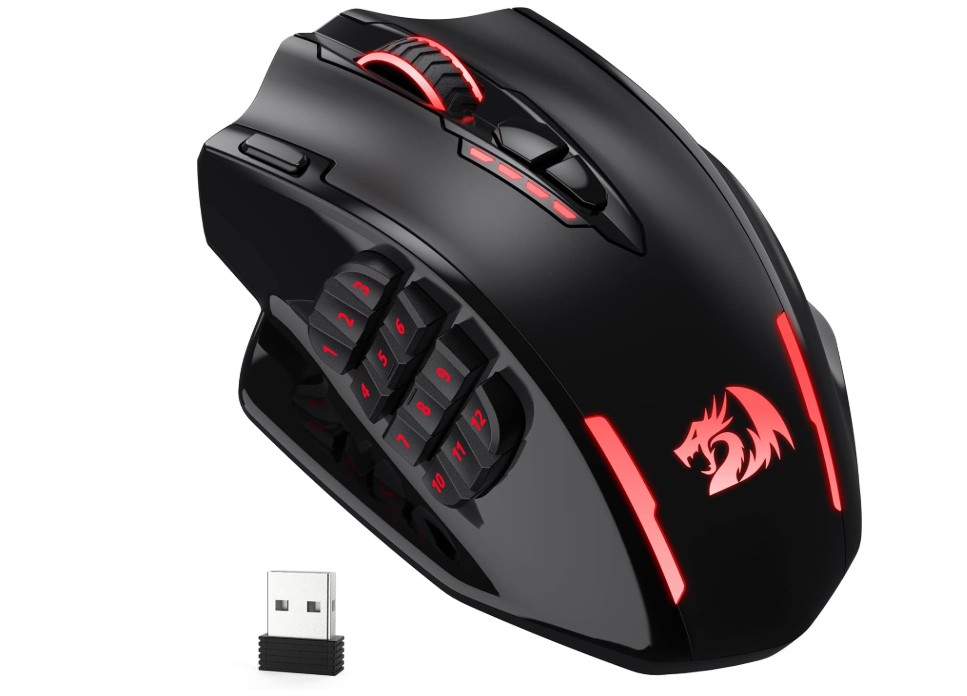
Redragon M913 Impact Elite Wireless Gaming Mouse
Redragon M913 Impact Elite Wireless Gaming Mouse
If you’re into MMO gaming and need a mouse with lots of buttons, this one hits many of the right notes. The angled side-panel with 12 programmable buttons is easy to reach with your thumb — perfect for mapping skills, macros, or hot-keys. The build feels solid and comfortable, especially for medium-to-large hands using a palm or claw grip.
Performance is good. The wireless connection (2.4GHz dongle) is responsive and switching to wired is also supported. The DPI range goes up to 16,000, which gives you plenty of sensitivity options. The included software allows you to set up custom button assignments, adjust DPI levels, and save profiles.
On the flip side, it’s not perfect. The mouse is relatively heavy, which may make it less ideal for ultra-fast FPS or twitch-style gaming. Some users found the side-buttons a bit cramped if you have very large thumbs, and the software is Windows-only — Mac users may face limitations. Also, the sensor, while decent, wasn’t as precise as some higher-end mice in tests (it undershot the set DPI during fast movement).
Overall, if your focus is MMO gameplay with many commands to handle and you want wireless flexibility without spending a premium, this mouse offers a strong value. If you mostly play FPS games and favour ultra-light, minimal-button mice, there might be better fits.

Corsair Dark Core RGB Pro, Wireless Gaming Optical Mouse
Corsair Dark Core RGB Pro, Wireless Gaming Optical Mouse
The Corsair Dark Core RGB Pro delivers solid wireless gaming performance with a few trade-offs. It uses an 18,000 DPI optical sensor and supports Bluetooth, USB wired, and Corsair’s Slipstream 2.4 GHz wireless connection, giving you flexibility in how you play. The build is comfortable for right-handed users with a palm grip — it has textured grips for thumb and pinky, and its shape sits well for longer sessions.
On the performance side, reviewers found the wireless latency good enough for serious gaming, and the mouse felt just like a wired option when conditions were right. The onboard customisable RGB lighting and button mapping are strong features — you can tweak DPI in one-step increments, switch profiles, and adjust lighting zones.
However, it’s not without drawbacks. The weight is quite heavy (around 133 g or more, depending on configuration), which may not suit fast twitch-style FPS gameplay or users who prefer lightweight mice. Also, while the official battery life claims up to 50 hours (without RGB), in real use with wireless and lighting active you’re more likely to see substantially less. Some review units also reported occasional wireless stutters when other dongles were nearby, though this may depend heavily on your setup.
In summary, if you’re looking for a well-built wireless gaming mouse with strong features and you use a palm grip or have larger hands, the Dark Core RGB Pro is a compelling choice. If you prioritise ultra-lightweight design or play high-intensity competitive shooters where every millisecond matters, you might find better fits.
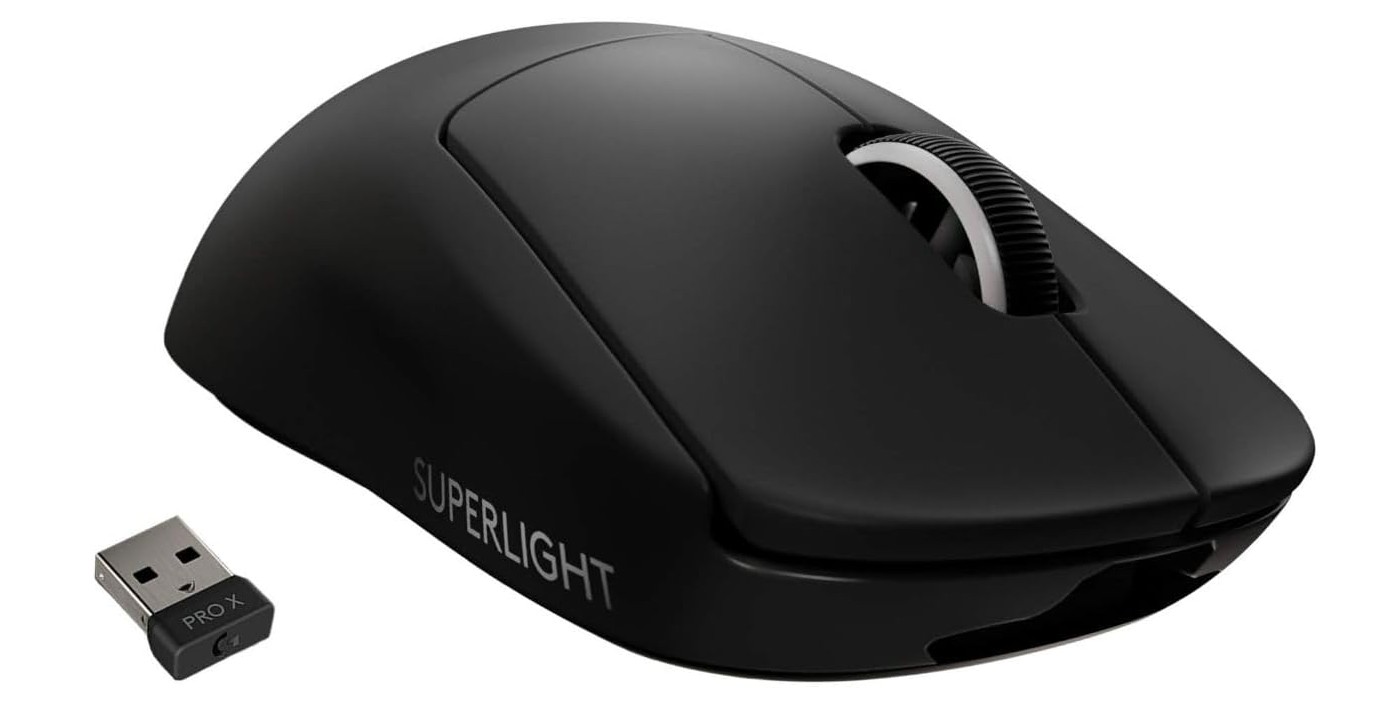
Logitech G PRO X SUPERLIGHT Wireless Gaming Mouse
Logitech G PRO X SUPERLIGHT Wireless Gaming Mouse
The Logitech G PRO X SUPERLIGHT wireless gaming mouse is a top-tier choice for competitive gamers. It weighs under 63 grams, making it one of the lightest full-featured wireless mice available. Its HERO 25K sensor delivers up to 25,600 DPI and extremely precise tracking, with low click latency and consistent performance across surfaces. The build quality is strong, the ambidextrous shape suits a range of hand sizes, and it’s versatile for various grip styles.
The simplicity of the design—no bulky side panels, no oversized body—makes it comfortable for long sessions, especially if you favour a lighter feel. Reviewers found the glide excellent thanks to high-quality PTFE feet, and the wireless responsiveness felt almost as good as a wired connection. On the software side, you can customise DPI steps, remap the five programmable buttons, and save profiles—giving useful flexibility without over-complication.
There are a couple of trade-offs though. Because it’s so slim and minimal, it only has two side buttons, which may feel limiting if you’re used to mice with many extra buttons for macros or MMO-style play. Also, it uses a micro-USB cable for charging, rather than the more modern USB-C. Some users felt the cable connection could be improved.
In short, if your priority is ultra-lightweight wireless performance for FPS or fast-reaction gaming, the G PRO X SUPERLIGHT delivers many of the features you want. But if you play games that rely on lots of extra buttons or prefer built-in USB-C charging, you might want to check a few other options.
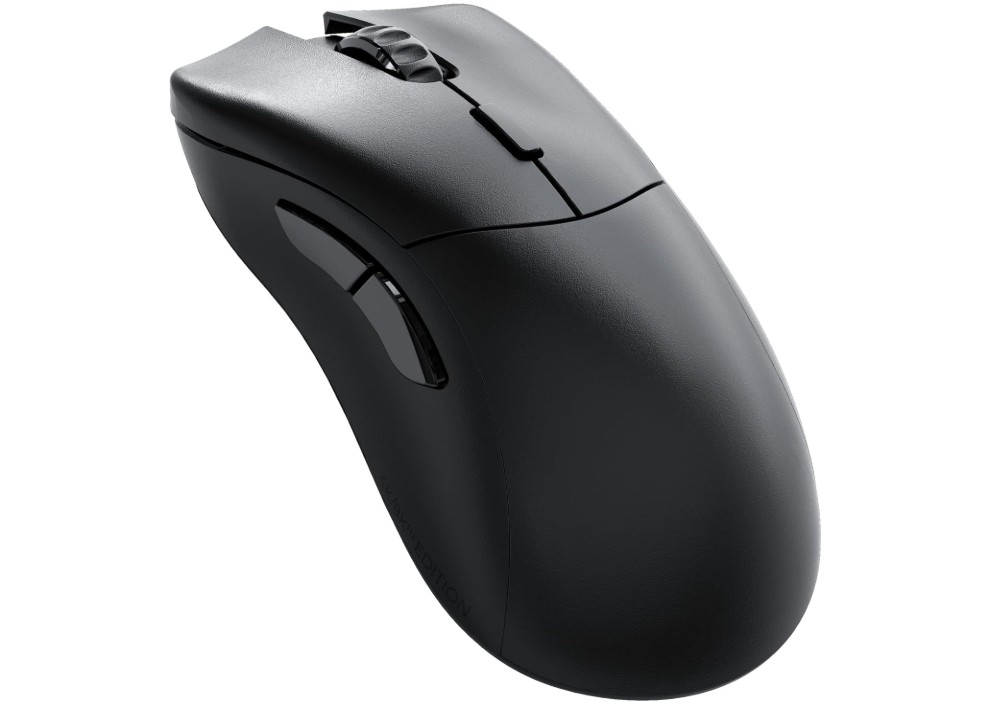
Glorious Gaming Model D 2 PRO Wireless Gaming Mouse
Glorious Gaming Model D 2 PRO Wireless Gaming Mouse
The Glorious Model D 2 PRO wireless gaming mouse offers excellent value for gamers looking for high-end specs in a minimalist package. Weighing around 62 g, it’s impressively light, which helps with quick movements and less wrist fatigue during long sessions. Reviewers highlight its strong performance thanks to the BAMF 2.0 sensor (up to 26,000 DPI) and ultra-high polling rates (up to 8,000 Hz wired, 4,000 Hz wireless) for extremely responsive tracking.
The build is right-hand ergonomic, designed for comfort and longer play-times. The six programmable buttons let you customise your setup for different games. The battery life is decent when used at standard polling rates, and the PTFE glide feet get good marks for smooth movement.
However, there are trade-offs. The side buttons are placed a little high and far back, which may make them harder to reach comfortably, especially if your hand is large or you use a palm grip. Some reviewers felt the shell material felt less premium than rivals, and there’s no RGB lighting, which may disappoint users who like flashy aesthetics. Also, while the ultra-high polling rate is technically impressive, many users won’t notice a meaningful difference compared to standard 1,000 Hz polling — and using the higher rate reduces battery life.
All in all, if you’re focused on performance — especially for FPS or competitive games — and you value a lightweight, feature-rich mouse without all the extra bells and whistles, the Model D 2 PRO is a solid pick. If you want lots of side buttons, RGB effects, or the absolute most premium feel, you might want to explore other options.
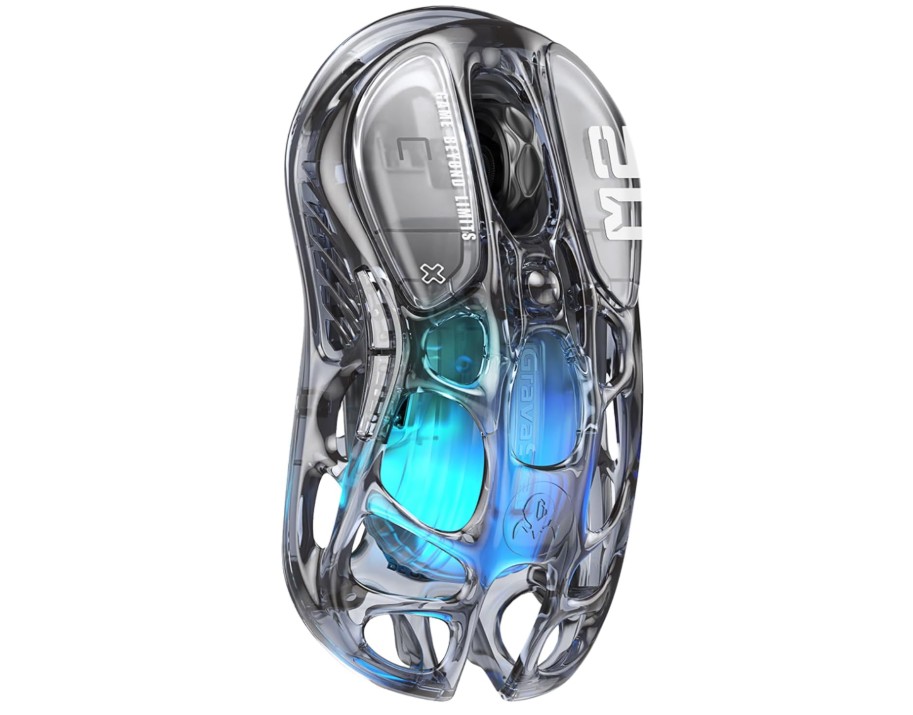
GravaStar Mercury M2 Wireless Gaming Mouse
GravaStar Mercury M2 Wireless Gaming Mouse
The Mercury M2 stands out with its bold “hollowed-out” shell design, which not only gives it a futuristic look but also helps keep it lightweight and allows airflow during long sessions. It’s built around the PAW3395 sensor with support for up to 26,000 DPI, so tracking and responsiveness are impressive for both gaming and general use. You’ll find five (or six, depending on model) programmable buttons and full RGB lighting, making it versatile to customise for your setup.
In terms of wireless connectivity, it delivers solid performance. The dongle connection feels responsive and switching to wired USB-C is an option for charging or wired mode. Reviewers found the movement smooth, and the lightweight nature helps with quicker flicks and less fatigue over time. On the comfort side, the shape fits well for many grips, and the build quality has been praised as being above the price point.
There are a few trade-offs to be aware of. Although lightweight, at ~79 g it’s heavier than ultra-light runners, so if you’re used to ultra-light mice you might notice a difference. Some users found the side button placement a bit awkward, and the software side has been described as basic and PC-only, limiting customisation if you’re on macOS. Also, while the design is striking, it may feel unusual or less premium in the hand for users who prefer traditional solid-shell mice.
Overall, if you like a visually unique mouse that offers strong performance, wireless flexibility, and good customisation at a reasonable price, the Mercury M2 is a very good choice. If your priority is ultra-lightweight for twitch-style competitive gaming or maximum side-button count, you may want to compare a few others too.
Buying Guide — Wireless Gaming Mouse Under $100
Below is a clear, practical buying guide to help you choose the best wireless gaming mouse under $100. It explains the important features, how they affect gameplay, and which trade-offs to expect so you can pick the right mouse for your play style.
Why pick a wireless gaming mouse under $100
Wireless mice now give nearly the same responsiveness as wired models while offering the freedom of no cable. In the under-$100 range you can find low-latency wireless connections, good sensors, and decent battery life. That makes these mice great for most gamers who want solid performance without spending a lot.
Start with your priorities: FPS, MMO, or everyday play
Decide what matters most. If you play fast FPS games, you probably want the lightest possible mouse, an excellent sensor, and the lowest click/connection latency. MMO players usually value many programmable buttons and a comfortable thumb pad more than ultra-light weight. For general gaming or mixed use, balance comfort, battery life, and sensor quality.
Key specs and what they mean (simple terms)
Sensor and tracking accuracy — the most important spec
The sensor is the heart of a gaming mouse. Good sensors track exactly where you move the mouse with no jitter or weird acceleration. Look for optical sensors from known families (Logitech HERO, PixArt/PAW, Razer/Focus Pro, etc.) and check real-world reviews for reliable tracking. High maximum DPI numbers are common, but real accuracy and consistency matter more than the top DPI figure.
DPI — sensitivity settings, not performance magic
DPI (dots per inch) controls cursor sensitivity. Higher DPI means the cursor moves farther for the same hand movement. More important than the top number is the ability to set useful DPI steps (for example 400/800/1600/3200) and to change them on the fly. Don’t chase extremely high DPI; choose what fits your desk space and play style.
Polling rate and latency — responsiveness matters for FPS
Polling rate (measured in Hz) is how often the mouse reports position to your PC. Common values are 125Hz, 500Hz, and 1000Hz. For wireless, many mice now use tech that keeps latency very low, but if you want the smallest possible input delay, prefer mice with higher polling rates and proven wireless performance. Note: beyond a certain point, most players won’t notice major differences, but e-sports players sometimes prefer the fastest settings.
Weight and build — comfort vs speed
Weight affects how quickly you can flick and move. Lighter mice (under ~75g) are easier for fast aiming and reduce fatigue. Heavier mice can feel more stable and may suit palm-grip players. Also check the shell shape and materials — a mouse that fits your hand will always feel better than one with the perfect spec sheet.
Buttons and programmability — how many and where
Think about how many extra buttons you’ll use. MMO players want many side buttons; FPS players usually only need a couple of thumb buttons. Good software that lets you remap buttons and save profiles is useful, but test whether the software is stable and easy to use.
Switches and click feel — mechanics matter
Switch type affects feel, durability, and click latency. Mechanical switches or rated optical/mechanical hybrid switches typically last longer (tens of millions of clicks) and can feel crisper. If you like a tactile click, check hands-on reviews to confirm the click feel.
Battery life and charging options
Under $100, battery life ranges from a few dozen hours of heavy RGB use to hundreds of hours in basic modes. Consider whether the mouse uses rechargeable internal batteries, AA/AAA replaceable batteries, or supports wireless charging. If you play long sessions or forget to charge, longer battery life or quick wired play mode is important.
Wireless tech — dongle vs Bluetooth vs multi-mode
Most gaming wireless mice use a 2.4GHz USB dongle for low latency. Bluetooth is convenient for laptops and multi-device switching but usually has higher latency. Many mice offer both dongle and Bluetooth so you can pick the best for each use case. For gaming, prefer a dedicated 2.4GHz mode unless you must use Bluetooth.
Feet (skates) and glide
Good PTFE (Teflon) feet give smooth glide. If you use a hard desk or a cloth pad, the quality of the mouse feet will change how the mouse feels. Check whether the mouse has replaceable feet or comes with high-quality skates.
Shape and grip style — match your hand and play style
There are three common grips: palm (whole hand rests), claw (arch with fingertips and base), and fingertip (only fingertips hold mouse). Choose a shape that fits your grip and hand size. Many brands list the recommended hand sizes; try to test in-store if you can.
Software and onboard memory
Mouse software allows DPI tuning, button mapping, macros, and lighting control. Onboard memory is handy to store profiles so your settings travel with the mouse when you use another PC. Check whether the software is stable and supports the actions you need.
RGB and aesthetics — nice but optional
RGB lighting looks good but uses battery. If long battery life is a must, consider a model with minimal or switchable RGB.
Durability and build quality
Look for solid button housings, stable scroll wheels, and no creaks. Reviews that stress-test buttons and switches are helpful to confirm claimed lifespans.
How to balance trade-offs under $100
Every budget mouse has trade-offs. Here are common choices you’ll face and quick advice:
- Want lowest latency and lightest weight? Prioritize a lightweight mouse with a modern sensor and reliable 2.4GHz connection.
- Need lots of buttons? Pick a slightly heavier MMO mouse with a dedicated sidepad and good software.
- Want long battery life? Choose models with a big internal battery or AA options and minimal RGB.
- Don’t want to tinker? Pick a mouse with simple, stable software and good default ergonomics.
FAQs
Yes — many offer solid wireless performance, responsive tracking, and reliable connections suitable for both casual and competitive gaming.
Most use 2.4 GHz wireless with a USB dongle for low-latency gaming. Some also offer Bluetooth for broader device compatibility.
Battery life varies by model but typically ranges from 20 to 70+ hours on a full charge depending on features like RGB lighting.
Yes — most are compatible with Windows, macOS, and many work with consoles (PS4/PS5/Xbox) depending on support. Always check specific compatibility.
2.4 GHz dongle connections generally offer lower latency and better performance for gaming than Bluetooth.
Conclusion
A wireless gaming mouse under $100 can be an excellent choice. Focus first on sensor quality and real-world tracking, then on shape, weight, and battery life according to your play style. Use trusted review sites to confirm performance, and balance the trade-offs that matter most to you (buttons vs weight, battery vs RGB). With a clear priority list and a short checklist, you’ll find a wireless mouse that plays well and stays within budget.

Jawad is a passionate tech enthusiast and writer who loves exploring the latest trends in hardware, gadgets, and digital innovation. With a sharp eye for performance and value, he delivers in-depth recommendations and buying guides to help readers make smarter tech decisions.

