
Last Updated on February 8, 2026 by Jawad
Introduction
High-end mechanical gaming keyboards are made for gamers who want the best possible experience in every game. These keyboards are not like cheap, normal office keyboards. They are designed with premium mechanical switches that give fast response, great feedback, and long durability. Every key press feels sharp, accurate, and smooth. Many high-end mechanical gaming keyboards are built with aluminum frames, PBT keycaps, advanced stabilizers, and high-quality PCBs to make the typing and gaming feel solid and premium. You do not have to press hard; you get instant input, and the keyboard stays accurate even when you press multiple keys at the same time.
Another important thing is customization. High-end keyboards typically include per-key RGB lighting, software control, macros, onboard memory, hot-swappable switch options, and many other advanced features. Gamers who are serious about performance can tune the keyboard exactly how they want. You can change the switch type, you can change the keycaps, and you can even change how much force you want to use while pressing. This means you can create your own perfect gaming feel.
These keyboards also last for years. Many premium switches are rated for 50 to 100 million clicks, far more than those of cheap keyboard switches. They look good, feel good, and give confidence to the gamer that every single movement is detected.
A high-end mechanical gaming keyboard is not only about power; it is also about comfort. Many models have ergonomic designs, wrist rest support, adjustable angles, and sound-dampening materials to reduce noise. In competitive gaming, every millisecond matters, and these keyboards deliver speed, accuracy, and comfort together. That is why serious gamers, streamers, and esports players usually go for high-end mechanical keyboards instead of regular ones.
We also have a recommendation for the Best Gaming Keyboard Under $100, so make sure to check that out too!
Top High End Mechanical Gaming Keyboard



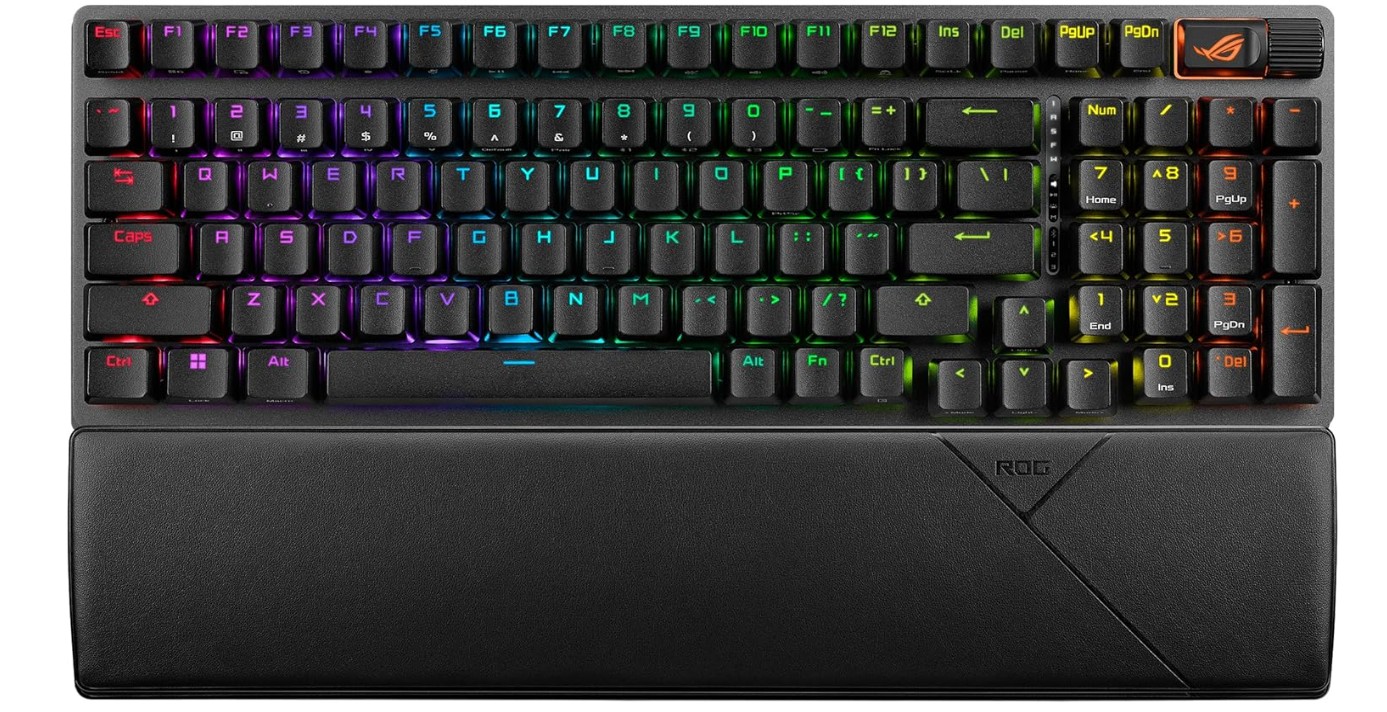
ASUS ROG Strix Scope II 96 Wireless Mechanical Gaming Keyboard
ASUS ROG Strix Scope II 96 Wireless Mechanical Gaming Keyboard
The ASUS ROG Strix Scope II 96 Wireless is a premium mechanical gaming keyboard made for gamers who want performance, comfort, and modern features in one compact layout. The 96% size looks almost like a full-size keyboard, but it saves space by combining the number pad and navigation keys more smartly. This makes the desk look cleaner while still giving you all the keys you normally need for gaming and everyday use.
The build quality feels solid and premium, and the typing experience is smooth because of the pre-lubed ROG NX Snow linear switches. These switches feel fast, quiet, and easy to press, which is good for both gaming and long writing sessions. The keyboard is also hot swappable, so you can change switches later if you want a different feel or sound.
The wireless performance is strong. You can use the keyboard in three ways: Bluetooth, 2.4GHz, and USB-C wired. Gaming in 2.4GHz mode feels responsive with almost no lag. Bluetooth is nice for quick switching between a laptop, PC, or tablet. Battery life is good even with RGB lighting, and the Aura Sync lighting gives a nice gaming look without being too distracting. The PBT keycaps feel strong and premium; they do not get shiny easily. Sound-dampening foam inside reduces noise and makes the keyboard sound better when typing.
This keyboard is also good for productivity. The media controls are easily reachable, and the compact layout means your mouse has more space to move during FPS gaming. The overall experience feels smooth and modern. The price is high compared to normal keyboards, but this keyboard is targeting serious gamers and users who want long-lasting premium quality. It offers great switches, great wireless performance, and strong build quality in one stylish package.
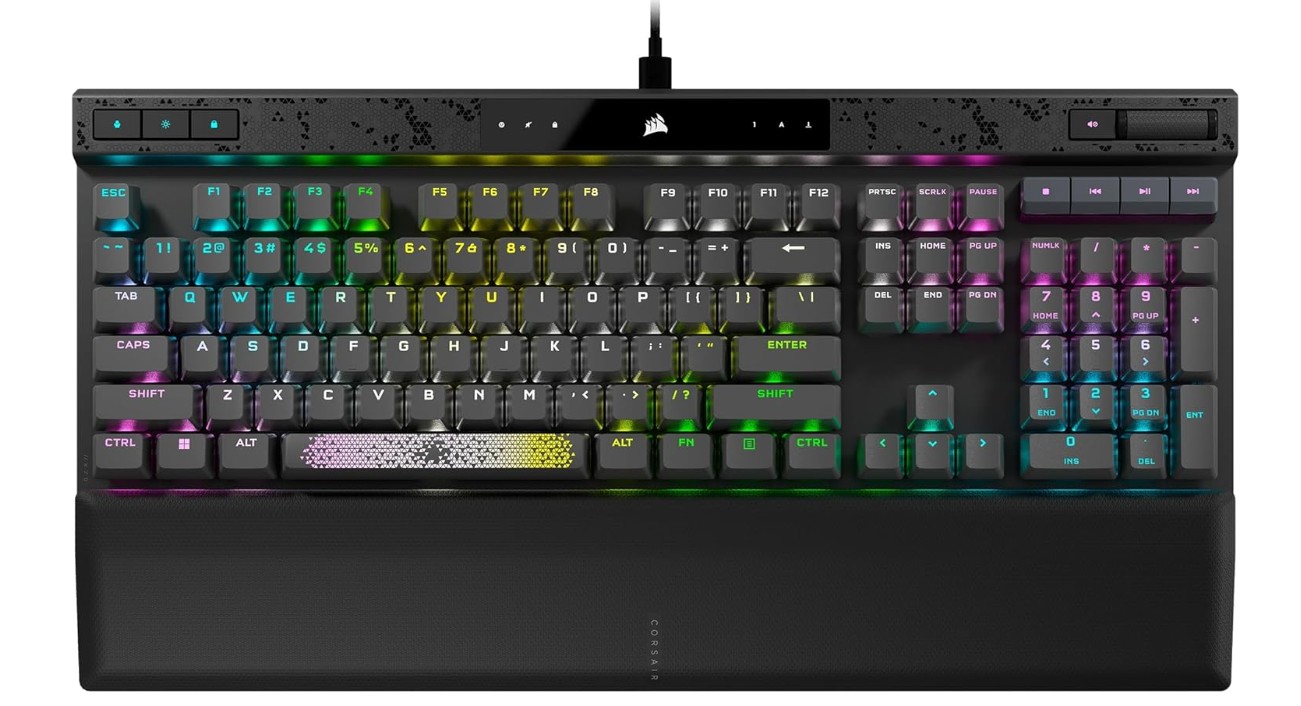
CORSAIR K70 MAX RGB Magnetic Mechanical Wired Gaming Keyboard
CORSAIR K70 MAX RGB Magnetic Mechanical Wired Gaming Keyboard
The Corsair K70 MAX RGB Magnetic Mechanical Gaming Keyboard is a very advanced and premium wired keyboard made for gamers who want precision, speed, and full control in competitive gameplay. One of the best things about this keyboard is the MGX magnetic switches. These switches let you adjust the actuation point, so you can choose how fast or how deep you want the key to activate.
If you want fast reactions for FPS games, you can set it very light. If you want more accuracy for typing, you can set it deeper. Rapid Trigger helps keys reset instantly, so movement in games like Valorant or CS2 feels faster and more responsive. This feature alone puts this keyboard in a high-tier category for serious esports players.
The build quality is strong, and the typing sound is clean due to sound dampening inside the keyboard. The PBT double-shot keycaps feel very premium and do not wear out or get shiny easily. The aluminum top plate also adds to the premium feel. The keyboard has per-key RGB lighting, which looks sharp and bright, and can be customized using Corsair iCUE software. The software offers a lot of tuning control, including macros, lighting profiles, and switch actuation settings.
This is a wired keyboard, but that also means a stable connection and no delay. The 8000Hz polling rate makes input extremely responsive, even more than most keyboards on the market. For competitive players, this can make movements more accurate. The keyboard also supports SOCD cleaning, which is useful for games that require multiple directional keys pressed at once.
Overall, the Corsair K70 MAX RGB is expensive, but it delivers top-level performance, customization, and durability. It is made for gamers who want high-speed input and do not want to compromise in competitive gaming.
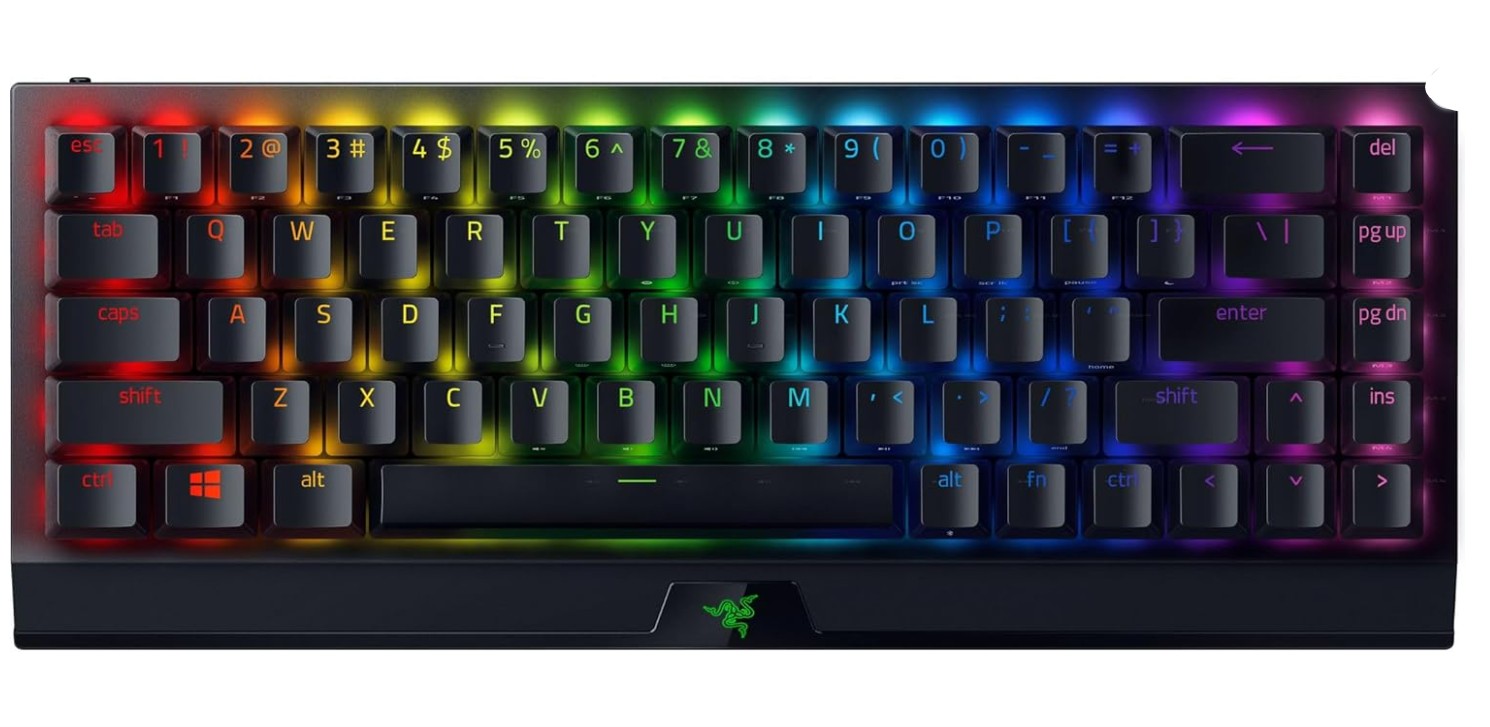
Razer BlackWidow V3 Mini HyperSpeed 65% Wireless Mechanical Gaming Keyboard
Razer BlackWidow V3 Mini HyperSpeed 65% Wireless Mechanical Gaming Keyboard
The Razer BlackWidow V3 Mini HyperSpeed 65% Wireless is a compact gaming keyboard made for gamers who want a smaller desk footprint without losing performance. The 65% layout removes the numpad and some function keys, but it still keeps the important keys for gaming and general use, so you get more space for mouse movement, especially in FPS games.
The build feels solid and premium for its size, and the keys feel smooth because of the yellow linear switches. These switches are fast, light to press, and very quiet, which makes this keyboard good for late-night gaming, office use, or streaming, where you do not want loud clicky noise.
The wireless performance is very strong through Razer HyperSpeed technology. The keyboard feels almost like wired mode with fast and responsive input. Bluetooth support is useful when switching between a laptop, PC, or handheld devices. If you want full stable performance, you can always use the USB-C cable. Battery life is impressive, and the keyboard can last up to 200 hours depending on usage and lighting settings. With RGB lighting on, battery life becomes less, but the Chroma RGB effects look attractive and can sync with other Razer devices.
The Doubleshot ABS keycaps feel decent and smooth to the touch. They might not be as durable as PBT, but they still feel good and do not fade quickly. The Snap Tap feature adds another level of quick response for competitive gamers, where fast key resets matter. Overall, this keyboard is small, lightweight, stylish, and powerful. It is great for gamers who want speed and portability.
The price may feel high for its size, but the performance, strong wireless connection, and smooth linear switches make it a great compact gaming choice for serious players.
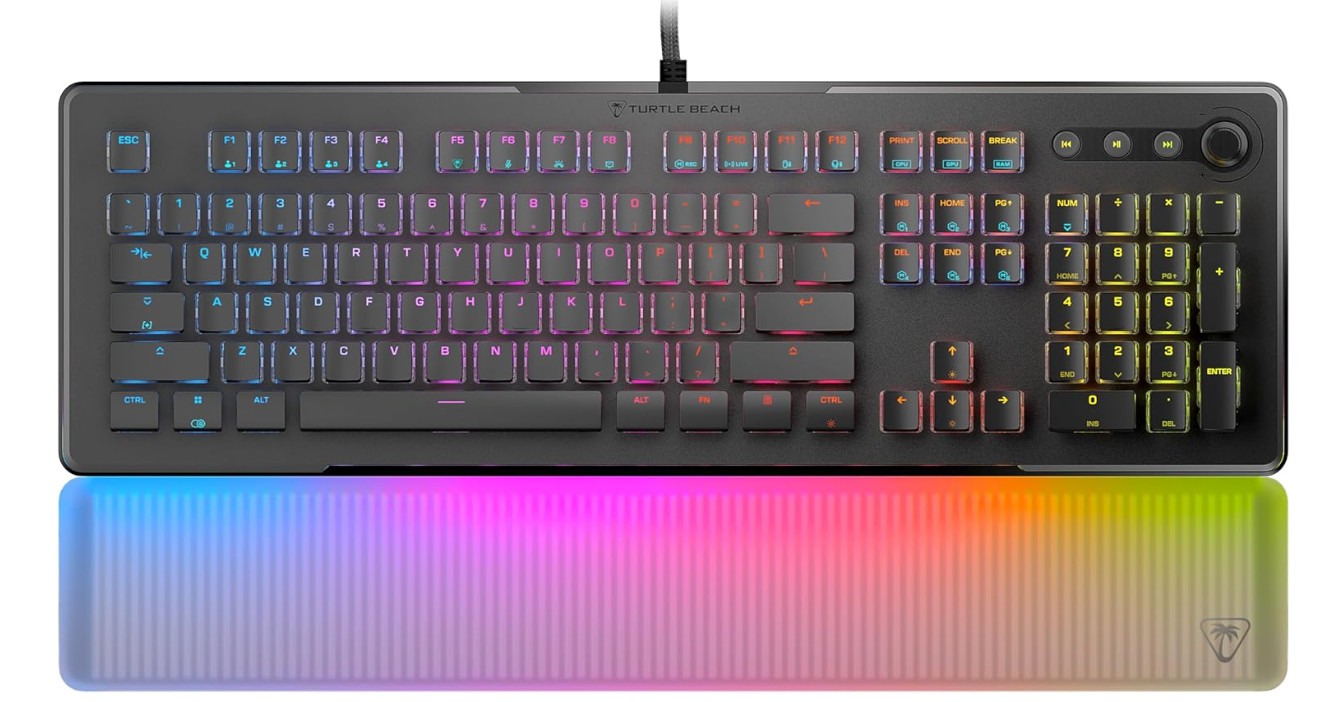
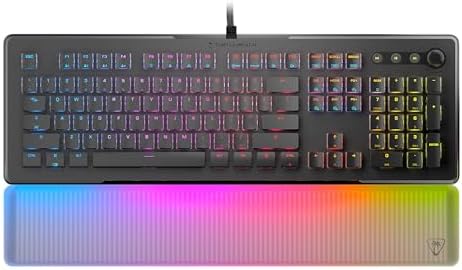
Turtle Beach Vulcan II Max – Optical-Mechanical PC Gaming Keyboard
Turtle Beach Vulcan II Max – Optical-Mechanical PC Gaming Keyboard
The Turtle Beach Vulcan II Max gaming keyboard offers a strong performing full-size wired design built for gamers who want responsiveness and visual flair. Right out of the box the keys feel fast to press thanks to the optical-mechanical switches, which help your inputs feel immediate when gaming or working. Reviewers mention the low latency and smooth actuation that benefit shooters, action games, and any situation where fast key presses matter.
The per-key RGB lighting is vivid and customizable, and the integrated wrist rest gives comfort during longer sessions. Several users highlight the standout aesthetic and enjoyable feel while typing or gaming. The presence of “smart” dual-LED keys that can indicate active secondary functions adds some clever utility, and the software lets you map macros, set lighting, and tailor the experience for different games or tasks.
On the flip side, some aspects are less than perfect. The keycaps are ABS plastic rather than higher-grade PBT, which means they might develop shine or feel a bit slippery over time. The frame, while having a metal top plate, has been reported to have more flex than some competing models, which could detract slightly from its premium feel. The software, while capable, is sometimes described as less intuitive, which means you may spend extra time learning how to configure it.
In summary, the Vulcan II Max is an excellent pick if you want a high-performance, visually impressive keyboard that excels at gaming. If you’re very focused on keycap feel, ultra-rigid build, or minimal software setup, you might consider those trade-offs.
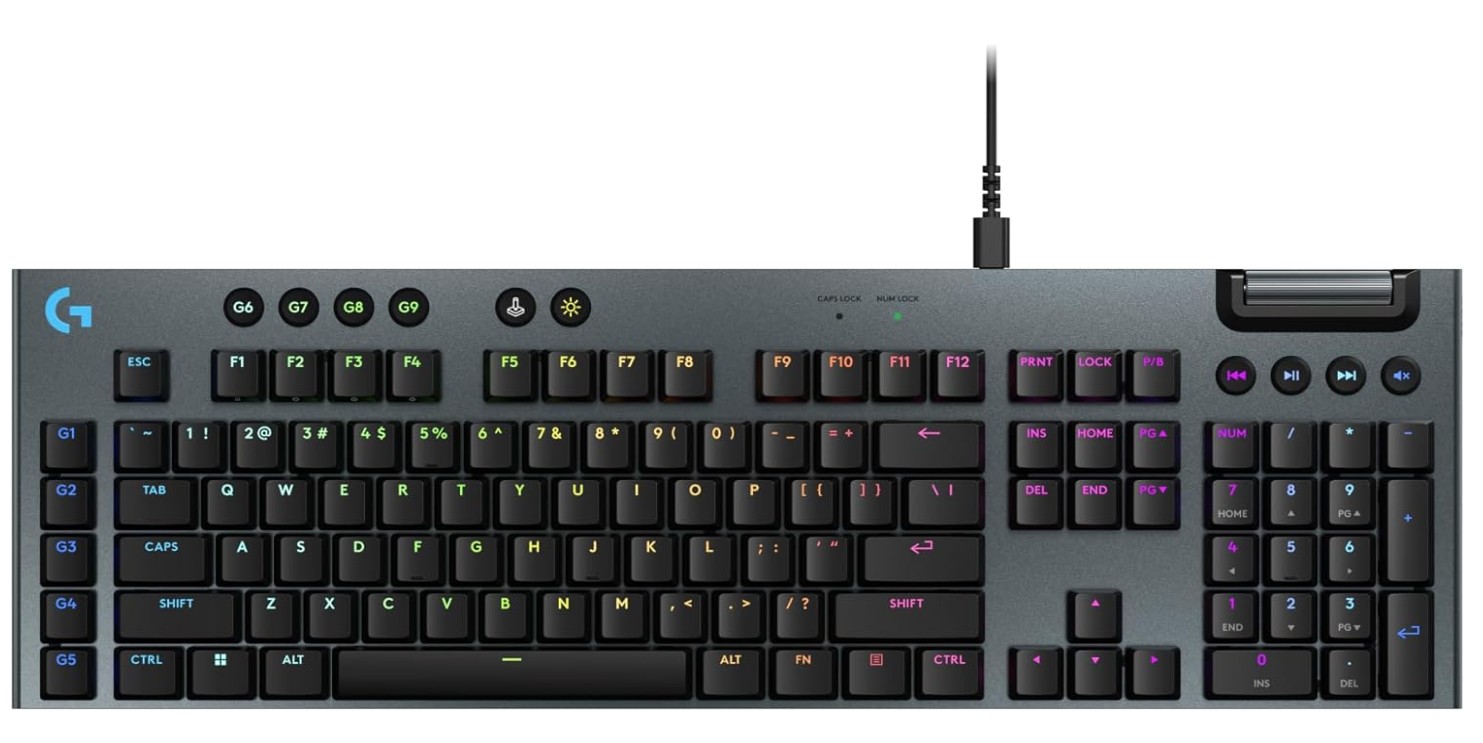
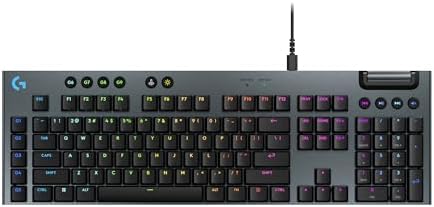
Logitech G915 X Wired Mechanical Gaming Keyboard
Logitech G915 X Wired Mechanical Gaming Keyboard
The Logitech G915 X wired mechanical gaming keyboard is a high-end keyboard offering premium features in a sleek package. Right from turning it on, you’ll notice the sturdy build — it uses a thick brushed aluminum top plate and premium double-shot PBT keycaps, which resist shine and feel solid under your fingers. The low-profile GL switches actuate very quickly (1.3 mm actuation) and deliver strong performance in competitive gaming.
In gaming, the latency and responsiveness feel excellent — inputs register quickly and the keyboard doesn’t feel like a bottleneck. The full-size layout gives you dedicated media controls and extra programmable “G-keys” for macros. This makes it a strong choice if you both game and work on productivity tasks. The RGB lighting is bright and customizable through the Logitech G Hub software, letting you sync it with other gear.
On the typing side, while it’s decent, it’s clear the design leans towards gaming. Some reviewers noted the short travel and slightly more wobble on keycaps compared to taller mechanical switches, which might take adjustment if you type for long hours. Because the profile is low, you might miss the deeper “thock” feel of classic mechanical keyboards.
The price is quite high, so its value depends on how much you’ll use the premium build and features. If you’re a serious gamer who cares about latency and premium materials, it delivers. If you primarily type and want value, you might find similarly good keyboards for less. All in all, the G915 X is a refined premium keyboard that shines in gaming and materials, with a few trade-offs in pure typing feel and cost.
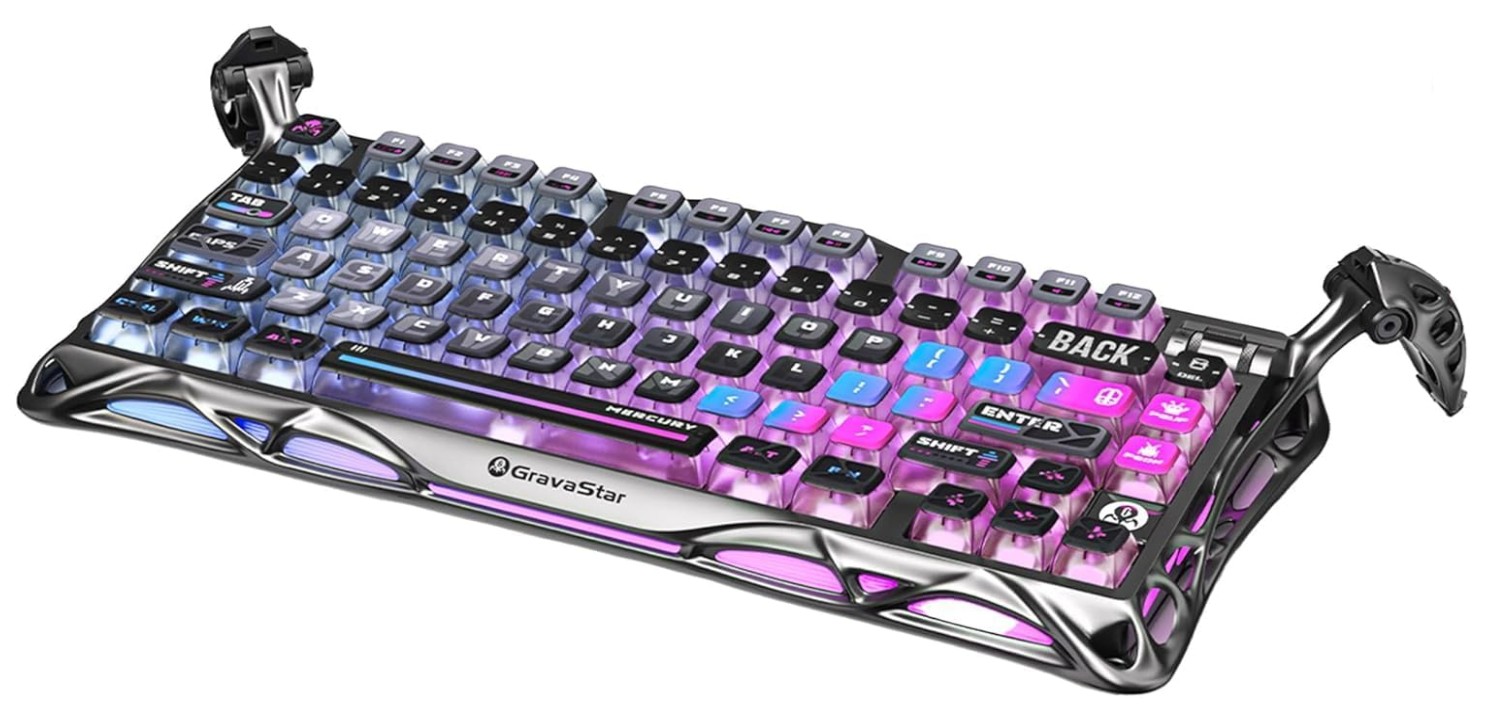
GravaStar Mercury K1 Pro Wireless Mechanical Gaming Keyboard
GravaStar Mercury K1 Pro Wireless Mechanical Gaming Keyboard
The GravaStar Mercury K1 Pro is a gaming keyboard that really stands out thanks to its bold design and strong performance. Right away, you notice its futuristic look—the aluminum alloy frame, unique “alien-legs” feet, and glowing RGB lighting give it a sci-fi vibe. The build feels solid and premium, meaning it won’t wobble or flex easily when you type or game.
When you use it, the keys feel smooth and responsive. The hot-swappable linear switches make it appealing if you like to swap switches for your preferred feel. Reviewers say typing and gaming are both very good with this board. The layout (75%) keeps things compact while still giving you most keys you need for gaming and general use. The wireless modes (2.4GHz dongle, Bluetooth) work well, and for wired connection, you get stable performance too.
That said, this keyboard isn’t perfect for everyone. Because of its striking design, it may clash with more minimalist setups or feel over the top for basic office use. Some software reviewers mention that the customization software could be better, with limited key-mapping support in certain cases. Also, since it’s a 75% layout, it doesn’t include a full number pad, which might be a downside if you frequently use numeric input.
Overall, this keyboard is a great match if you’re looking for a high-quality mechanical gaming keyboard that doubles as a design statement. If you care about looks, feel, and performance, it’s worth considering. If you prefer something subtle, minimal, or value-focused, you might find better fits.
Buying Guide: High End Mechanical Gaming Keyboard
Buying a high end mechanical gaming keyboard can feel confusing. There are many terms, features, and price tags. This guide will explain everything in simple English so you can choose the best keyboard for your needs. I will cover important things like switches, layout, build quality, connectivity, features, and what to look for in 2025. By the end you’ll have a clear checklist to shop with confidence.
What “high end” means
A high end mechanical gaming keyboard usually costs more because it uses better parts and more careful design. It often has a strong metal or thick plastic frame, premium keycaps, high-quality switches, excellent stabilizers, and extra features like per-key RGB, onboard memory, hot-swap sockets, and advanced firmware. These keyboards are built to last and to give a better typing and gaming experience than cheap models.
Who should buy a high end keyboard?
Buy one if you: play competitively or for many hours, type a lot and want a nicer feel, like customizing switches or keycaps, want long-term reliability, or care about looks and build quality. If you only play casually or have a tight budget, a mid-range keyboard may be enough.
Keyboard layout and size
Full-size (100%): includes number pad, function row, arrows, and nav cluster. Good for work and data entry.
96%: nearly full-size but more compact. Keeps number pad while saving some desk space.
Tenkeyless (TKL, 87%): drops the numpad, saves desk space — very popular for gaming.
75%: compact with arrows and some function keys — good balance between size and function.
65% / 60%: very compact, best for minimal desks and portability. Make sure you are okay with missing keys or using layers for functions.
Switch types — the heart of the keyboard
Mechanical switches are the main factor in feel and sound. High end keyboards use premium branded switches or high-quality house switches. Key switch types:
Linear: smooth, quiet, no tactile bump. Good for fast games and smooth typing for many users.
Tactile: small bump on actuation. Gives feedback without loud click. Good for typing and gaming balance.
Clicky: tactile bump plus audible click. Satisfying for some typists, but noisy for shared spaces.
Also consider actuation force (how hard to press) and travel distance (how far key moves). Low-actuation switches are good for fast games; heavier switches may be better for accuracy or to avoid accidental presses.
Hot-swap vs soldered
Hot-swap sockets let you change switches without soldering. This is a big plus in high end keyboards because you can test different switches or replace worn ones. If you plan to customize or try many switches, choose hot-swap. Soldered PCBs are fine if you don’t plan to change switches.
Switch quality and lubrication
Premium keyboards often come with pre-lubed switches or factory lubed stabilizers. Lubing reduces scratchy feel and noise. Some users like to lube switches themselves for a smoother sound and feel — but factory lubing is a convenience.
Keycaps: material and profile
Keycaps change feel and durability. Main materials:
ABS: common, can get shiny over time. Doubleshot ABS uses molded legends and can be more durable.
PBT: more durable, textured, resists shine. Preferred in high end keyboards.
Keycap profile (shape) affects typing. Popular profiles: Cherry, OEM, SA, and low-profile. Try to pick a profile you find comfortable.
Stabilizers and typing sound
Large keys (space, shift, enter) use stabilizers. Good stabilizers are well-mounted and often pre-lubed. Quality stabilizers reduce rattle and make big keys feel solid. Many high end keyboards include sound-dampening foam inside the case to lower hollow sounds.
Build quality and materials
Look for an aluminum top plate or a thick steel/plastic mix. Metal top plates feel stiffer and more premium. A heavier keyboard can feel more solid but is less portable. Check the case design for flex — low flex gives a more premium feel when typing.
Connectivity: wired, wireless, or tri-mode
Wired (USB-C): best for lowest latency and no batteries.
Bluetooth: good for multi-device use, less power, more latency.
2.4GHz wireless (dongle): best wireless for gaming — low latency and stable connection.
Tri-mode keyboards support wired, Bluetooth, and 2.4GHz. If you want wireless freedom plus gaming performance, choose tri-mode.
Polling rate and latency
Polling rate (Hz) tells how often the keyboard reports to the PC. High end gaming keyboards can have 1000Hz, 4000Hz, or 8000Hz modes. Higher polling can reduce input delay, but real-world gains after 1000Hz are small for most users. For competitive esports, higher polling and low-latency wireless tech can be useful.
NKRO and anti-ghosting
NKRO (N-key rollover) means the keyboard can register many simultaneous key presses. This matters in games and fast typing. Most high end keyboards support NKRO or at least 6KRO on USB.
Onboard memory and profiles
Onboard memory saves lighting and macro profiles on the keyboard itself. This is handy if you move between computers or want the same setup without software. If you use multiple profiles for games, choose a keyboard with onboard storage.
Macros and programmability
High end keyboards allow remapping, macros, and layers. Good software or firmware makes this simple. Look for keyboards with straightforward software or open firmware support (QMK/VIA) if you want advanced customization.
RGB and lighting
Per-key RGB allows full customization. Consider whether you want elaborate lighting or simple effects. RGB affects battery life on wireless models — check battery performance with lighting on.
Software and driver ecosystem
Software should be stable and easy. Popular ecosystems: Corsair iCUE, Logitech G Hub, Razer Synapse. Some users prefer open-source options like QMK or VIA for full control without vendor lock-in. Read reviews about software usability before buying.
Sound profile and acoustics
Each keyboard has a distinct sound. Some users want a deep “thock,” others a crisp “clack.” Factors affecting sound: switch type, keycap material, stabilizer quality, case foam. Reviews and sound tests are helpful. If sound matters, look for keyboards advertised with sound-tuning or with included foam.
Warranty and service
High end keyboards often come with a longer warranty. Check warranty length, what is covered, and how easy support is. Some brands are better at RMA and customer service.
Accessories and extras
Magnetic wrist rest: adds comfort for long sessions.
Detachable cable: helpful for transport.
Extra keycaps and switch puller: useful for customization.
Carrying case: useful for portable setups.
Price vs value
High end keyboards cost more, but value depends on how you use them. If you play long sessions, customize often, or care about build and sound, the cost can be justified. If you only game casually, mid-range options can be a better value.
FAQs
High-end mechanical gaming keyboards typically feature premium materials, customizable RGB lighting, advanced software, high-quality mechanical switches, and extra features (like dedicated media controls, OLED screens, or wireless modes).
They can — with faster switches, better actuation, and N-key rollover, these keyboards offer more responsive, reliable input. But the biggest gains are in feel, durability, and customization rather than raw performance numbers.
High-end boards often use premium switches such as:
🔹 Optical switches – very fast and durable
🔹 Top-tier mechanical switches (e.g., Cherry MX, Kailh, or boutique switches)
Your choice depends on whether you prefer linear (smooth), tactile (bump feedback), or clicky (audible click) feel.
High-end keyboards come in:
• Full-size – number pad included
• TKL (Tenkeyless) – more desk space for mouse movement
• 75%, 65%, 60% – compact layouts without extra keys
Pick based on your workflow and space.
Yes — high-end keyboards often use double-shot or dye-sublimated PBT keycaps, which are more durable and comfortable than standard ABS caps.
Absolutely — premium switches and build materials usually mean higher lifespan, often rated for tens of millions of keystrokes.
Yes — many gamers also enjoy them for typing thanks to better switches, sound dampening, and ergonomic layouts.
Final thoughts
A high end mechanical gaming keyboard is more than a tool — it can change how your games feel and how comfortable your long sessions are. Focus on parts that affect daily use: switches, keycaps, stabilizers, connectivity, and build. Use the checklist and recommendations to narrow choices, try switches when possible, and read multiple real-user reviews. Investing in a good keyboard is often worth it if you want better feel, durability, and performance.

Jawad is a passionate tech enthusiast and writer who loves exploring the latest trends in hardware, gadgets, and digital innovation. With a sharp eye for performance and value, he delivers in-depth recommendations and buying guides to help readers make smarter tech decisions.

