
Last Updated on February 9, 2026 by Jawad
Introduction
A Wi-Fi mesh router for long range is one of the best solutions for people who want strong, reliable internet coverage in every corner of their home. Many homes today have multiple rooms, thick walls, and even upper floors where a normal router struggles to deliver a stable signal. This leads to slow loading times, buffering while streaming, and weak connections when gaming or working. A mesh Wi-Fi system is designed to solve all these problems by using several connected units, called nodes, that work together to create one large, seamless network.
Instead of relying on a single router, a mesh system spreads the signal evenly throughout your home. Each node communicates with the others and automatically connects your device to the strongest signal as you move around. This means you can walk from your bedroom to the living room, or from the first floor to the backyard, without losing connection. For large homes, offices, or places with many obstacles, a long-range mesh system can dramatically improve performance.
These systems also offer better speed and stability because they reduce dead zones and maintain a strong signal even when many devices are connected. Whether you are streaming 4K movies, playing online games, attending video meetings, or controlling smart home devices, a mesh router helps keep everything running smoothly. Most modern mesh systems are also very easy to set up using a smartphone app, and they come with helpful features like parental controls, guest networks, and automatic updates.
In simple words, a long-range Wi-Fi mesh router is the perfect choice for anyone who wants fast, stable, and whole-home internet coverage. It ensures every room gets strong Wi-Fi, reduces interruptions, and offers a smooth experience for work, entertainment, and daily online use.
We also have a recommendation for the Best Wifi Routers for Multiple Devices, so make sure to check that out too!
Top Wi-Fi Mesh Router for Long Range


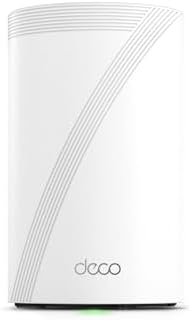

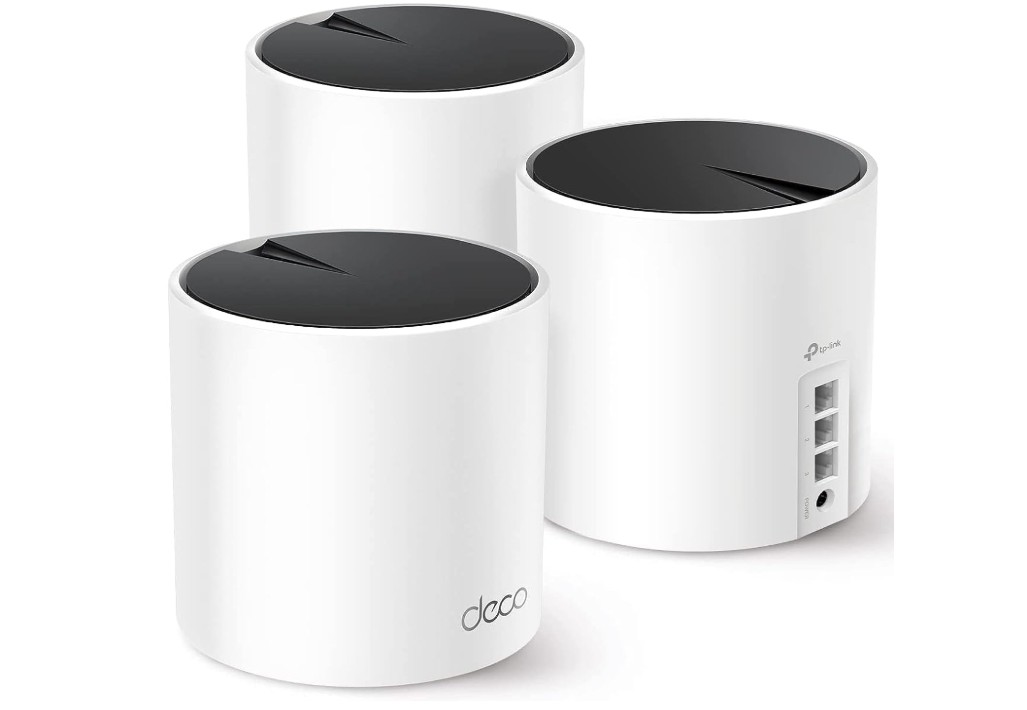
TP-Link Deco X55 AX3000 WiFi 6 Mesh System
TP-Link Deco X55 AX3000 WiFi 6 Mesh System
The TP-Link Deco X55 AX3000 WiFi 6 Mesh System is a strong and reliable option for anyone who needs fast and stable internet across a large home. It is designed to remove dead zones and keep your devices connected no matter where you move. With three units working together, the system creates a seamless network that feels like one powerful router. As you walk from room to room, your phone or laptop automatically switches to the strongest signal without any drops or delays. This makes it great for families, busy households, and anyone who works or studies from home.
The performance of the Deco X55 is impressive because it uses WiFi 6 technology, which offers faster speeds and better handling of multiple devices compared to older WiFi standards. Whether you are streaming 4K movies, playing online games, video calling, or downloading large files, the connection stays smooth and consistent. Each unit has three Gigabit Ethernet ports, which gives you the option to connect wired devices like gaming consoles, PCs, or smart TVs for even better stability. It also supports Ethernet backhaul, meaning the nodes can communicate using wired connections for stronger performance.
Setting up the system is very easy thanks to the Deco app. The app guides you step-by-step, making the installation simple even for people who are not tech-savvy. Once everything is running, you can manage your network from your phone, including setting parental controls, creating a guest network, or checking connected devices. The design of the units is clean and modern, so they blend well in any room without looking bulky.
Overall, the TP-Link Deco X55 is a great choice for anyone who wants reliable WiFi in a large home. It offers strong coverage, fast speeds, easy setup, and a smooth online experience for both work and entertainment.
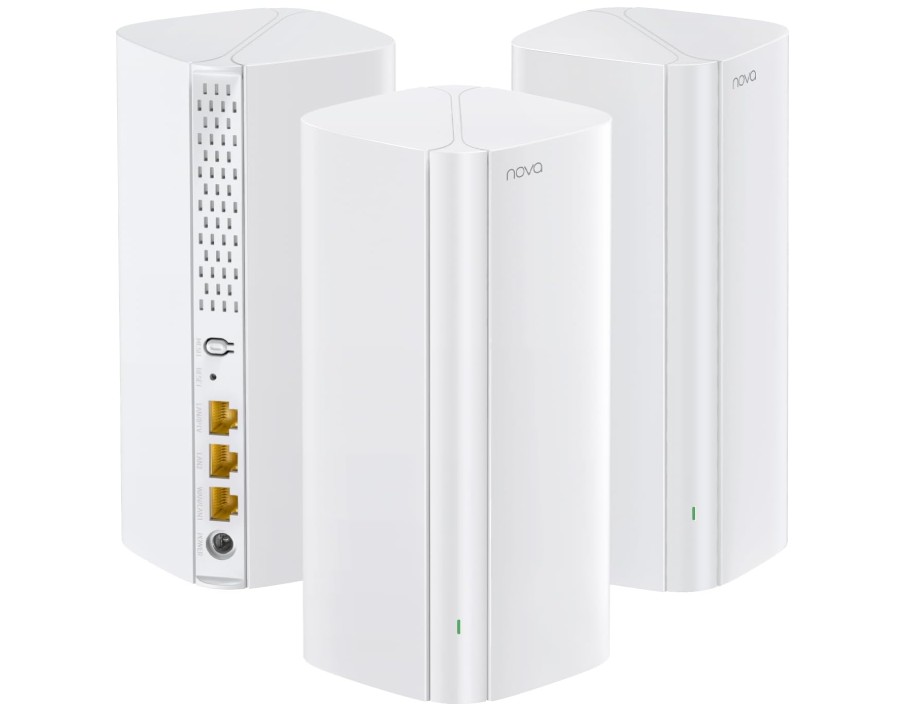
Tenda AX3000 WiFi 6 Mesh System Nova MX12
Tenda AX3000 WiFi 6 Mesh System Nova MX12
The Tenda AX3000 WiFi 6 Mesh System Nova MX12 is a strong and reliable option for anyone who needs fast, stable, and wide-ranging internet coverage. With three units working together, it easily covers large homes up to 7,000 square feet, making it ideal for multi-floor houses, big apartments, or places with thick walls. The mesh design ensures your devices stay connected to the best signal as you move around, so you won’t experience sudden drops while streaming, gaming, or video calling.
Thanks to WiFi 6 technology, the Nova MX12 offers impressive speed and efficiency. It can support more than 160 devices at the same time without slowing down, which is great for families with many smartphones, smart TVs, laptops, and smart home gadgets. The system also handles heavy tasks smoothly, whether you’re watching 4K videos, playing online games, or downloading large files. The 1.7 GHz quad-core processor helps keep everything running fast and stable, even during busy hours when many devices are connected.
Setting up the mesh system is simple using the Tenda app. The app guides you through installation, helps you place the nodes correctly, and lets you manage your network from anywhere. You can check which devices are connected, enable parental controls, create a guest network, or adjust settings with just a few taps. The overall design of the units is clean and minimal, making them easy to place in any room without looking out of place.
In everyday use, the Tenda Nova MX12 provides strong performance with reliable speeds and smooth roaming. It reduces dead zones, improves connection quality, and delivers a consistent internet experience throughout your home. For users who need wide coverage, easy setup, and modern WiFi 6 performance, this mesh system is a dependable and effective choice.
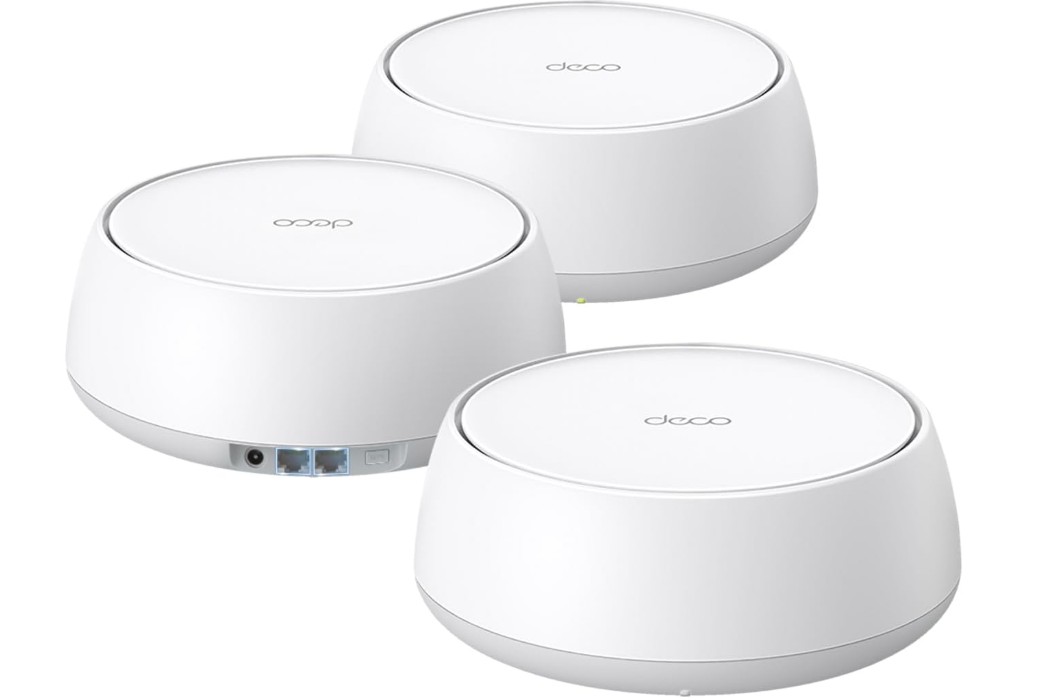
TP-Link Deco BE25 Dual-Band BE5000 WiFi 7 Mesh Wi-Fi System
TP-Link Deco BE25 Dual-Band BE5000 WiFi 7 Mesh Wi-Fi System
The TP-Link Deco BE25 WiFi 7 Mesh System is built for people who want extremely fast and reliable internet throughout a large home. With WiFi 7 support, it delivers better speed, lower delay, and stronger performance than previous WiFi generations. The system uses three mesh units that work together to cover up to 6,600 square feet, making it a strong option for big houses, multi-floor setups, and spaces with thick walls where normal routers struggle. As you move around your home, the network automatically shifts your devices to the strongest node, so you never feel drops or interruptions during streaming, gaming, or video calls.
One of the main strengths of the Deco BE25 is its high-speed capability. With support for up to 5 Gbps and a wide 240 MHz channel, it handles heavy tasks with ease. Whether you’re watching 8K videos, downloading large files, or using many smart devices at once, the system keeps everything stable and responsive. It also includes two 2.5G Ethernet ports on each unit, which is great for users with multi-gig internet or those who want faster wired connections for PCs, gaming consoles, or smart TVs. The wired backhaul option helps boost stability even more by connecting the nodes through Ethernet.
Setting up the Deco BE25 is simple with the TP-Link Deco app, which guides you step-by-step. You can manage settings, enable parental controls, check device usage, and monitor network security. Features like AI-Roaming and MLO help provide smoother transitions and better multi-link performance, while HomeShield adds extra security for your home network.
Overall, the Deco BE25 is a powerful mesh system for anyone who wants future-ready WiFi with strong coverage, high speed, and a dependable connection. It brings fast performance, simple setup, and advanced features that make internet use smooth and effortless across your entire home.
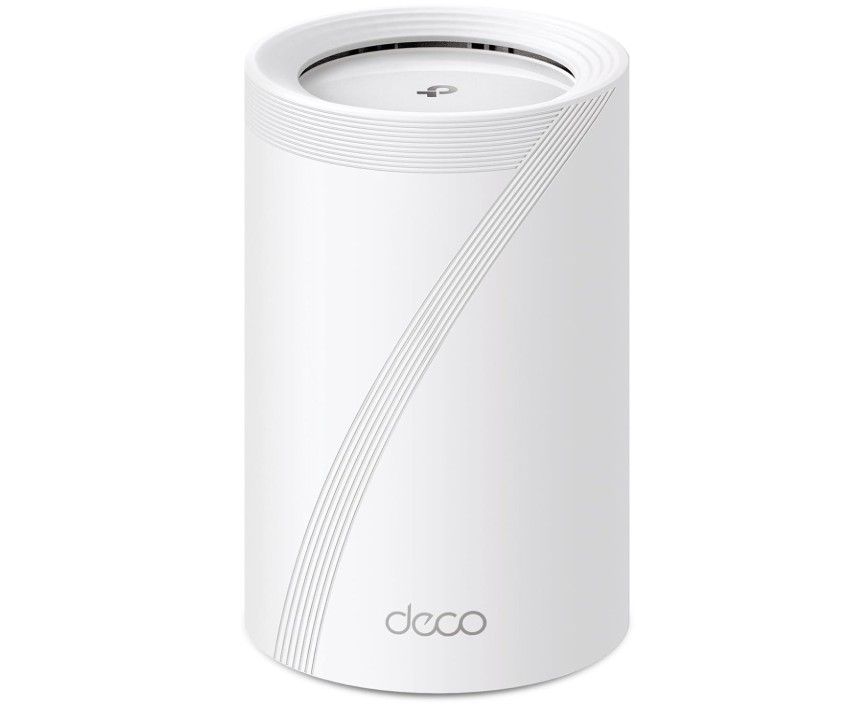
TP-Link Deco BE63 Tri-Band WiFi 7 BE10000 Whole Home Mesh System
TP-Link Deco BE63 Tri-Band WiFi 7 BE10000 Whole Home Mesh System
The TP-Link Deco BE63 WiFi 7 Mesh System is a powerful single-unit solution designed for users who want extremely fast and reliable internet in a modern home. Even though it is a one-pack system, it delivers strong coverage and impressive performance thanks to its advanced WiFi 7 technology. With speeds up to 10 Gbps and tri-band support, it offers smooth streaming, fast downloads, and low-latency gaming, even when multiple devices are connected at the same time. This makes it suitable for homes with many smart gadgets, high-resolution streaming needs, or heavy work-from-home demands.
The Deco BE63 comes with four smart internal antennas that help deliver stable and wide signal coverage. The tri-band setup creates more space for data to flow, reducing congestion and keeping your internet fast during busy hours. Whether you are watching 8K videos, video calling, or running several smart devices, the BE63 manages everything with ease. The four 2.5G Ethernet ports are a great addition, allowing users to connect high-speed wired devices like gaming consoles, PCs, or NAS storage. The wired backhaul option further improves performance by letting the unit connect directly to the internet source with maximum stability.
Setting up the device is very simple using the TP-Link Deco app. The app guides you through each step and helps you manage your network easily. Features like parental controls, quality of service, VPN support, and network insights are all available in one place. HomeShield security adds extra protection, keeping your home network safe from threats. The design of the BE63 is sleek and modern, allowing it to blend naturally into any room without taking up much space.
Overall, the TP-Link Deco BE63 is an excellent choice if you want a single, powerful WiFi 7 system that offers ultra-fast speed, wide coverage, and advanced features. It provides reliable performance for work, entertainment, and everyday online use.
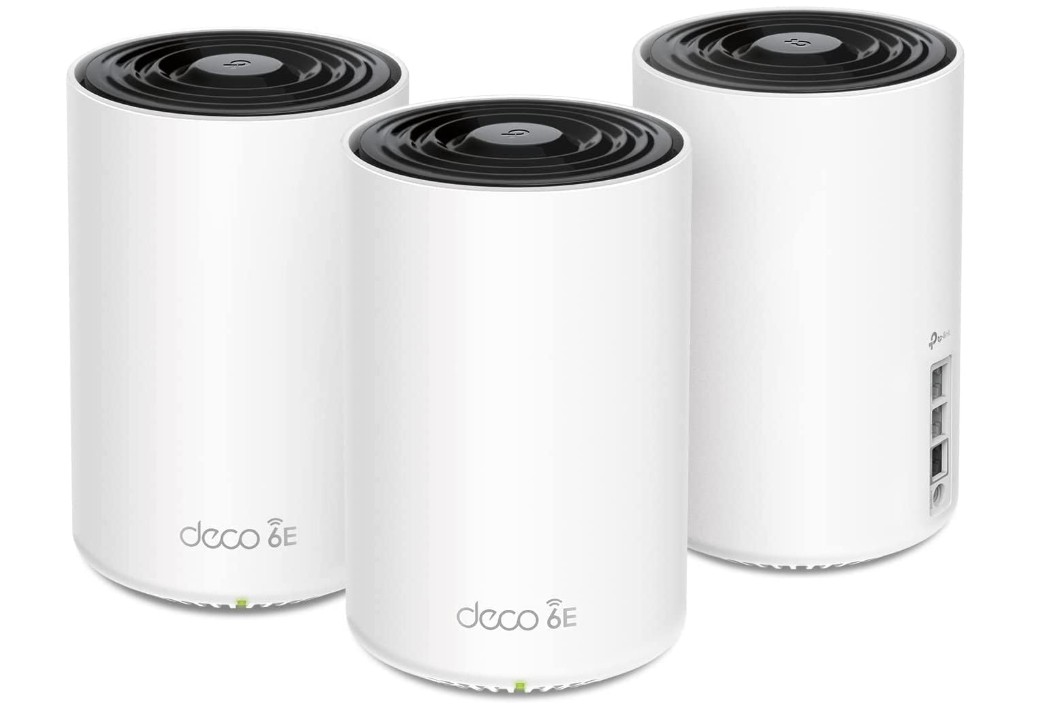
TP-Link Deco XE75 Pro AXE5400 Tri-Band WiFi 6E Mesh System
TP-Link Deco XE75 Pro AXE5400 Tri-Band WiFi 6E Mesh System
The TP-Link Deco XE75 Pro is a powerful WiFi 6E mesh system designed to deliver fast, stable, and reliable internet across large homes. With three units working together, it can cover up to 7,200 square feet, making it suitable for multi-floor houses or areas where a normal router can’t reach. One of its biggest advantages is the 6 GHz band, which offers a cleaner and faster connection with far less interference than traditional 2.4 GHz and 5 GHz bands. This gives you smoother streaming, quicker downloads, and lower latency when gaming or video chatting.
Because it uses WiFi 6E technology, the XE75 Pro handles multiple devices easily without slowing down. Whether you have smart TVs, phones, laptops, or smart home devices all connected at once, the system keeps everything running smoothly. The tri-band design ensures that traffic is spread out efficiently, reducing congestion so your speed stays consistent even during busy times. The 2.5G WAN/LAN port on each unit is also a great feature, especially for users with high-speed internet plans or who want faster wired connections for gaming consoles or PCs.
The setup is simple thanks to the Deco app, which walks you through every step. The app allows you to manage your whole network from your phone, including checking connected devices, setting parental controls, enabling guest networks, and adjusting security settings. The AI-driven mesh technology automatically optimizes your network for better performance, ensuring your devices always connect to the best node while moving around your home.
In everyday use, the Deco XE75 Pro delivers stable performance with strong signals in every room. It eliminates dead zones, reduces lag, and offers a smooth internet experience for work, entertainment, and smart home use. Overall, it is an excellent choice for anyone who wants a future-ready mesh system with wide coverage and fast WiFi 6E speeds.
Buying Guide — Wi-Fi Mesh Router for Long Range
If your home is big, has many rooms, thick walls, or an upstairs and downstairs, a single router often cannot give good Wi-Fi everywhere. A long-range mesh Wi-Fi system uses two or more units (nodes) that work together to give one strong network across your whole house. This guide will help you choose the right mesh system.
Why choose a mesh system for long range
A mesh system spreads Wi-Fi from several places so signals reach far rooms and outdoor spots. It hands your phone or laptop to the best node automatically, so you do not lose connection when you move. Compared to a simple extender, mesh systems give smoother speeds and better roaming across the home.
Factors to consider when buying a long-range Wi-Fi mesh router
Below are the important factors you should check, explained in clear, simple English. These points will help you pick a mesh system that actually works well in a large home.
1. Purpose and real needs
Decide what you use the internet for and how many people/devices will use it. Streaming 4K video, cloud work, many smart devices, and online gaming all need stronger hardware than simple web browsing. Write down problem rooms (garage, backyard, attic) so you can match coverage to real needs.
2. Home size, layout, and building materials
Square footage matters, but layout and materials matter more. Open-plan homes need fewer nodes than homes with many small rooms. Thick concrete, brick, metal, and foil-backed insulation block Wi-Fi. Glass, mirrors, and kitchen appliances can also reduce signal. Map problem areas before buying.
3. Wi-Fi standard (6 / 6E / 7)
- Wi-Fi 6: Excellent balance of price, speed, and device handling.
- Wi-Fi 6E: Adds 6 GHz band — cleaner channels, less interference.
- Wi-Fi 7: Highest speeds and new features (MLO, wider channels) — best for future proofing but costlier.
Pick the standard that fits budget and how long you plan to keep the system.
4. Number of nodes and expandability
Buy enough nodes to cover all problem areas, and choose a system you can expand later. A 3-pack is common for large homes, but you may need 4–6 nodes for complex layouts. Confirm the brand sells compatible extra satellites.
5. Backhaul: wired vs wireless
- Wired backhaul (Ethernet): Best performance and reliability for long range. Use it whenever possible.
- Wireless backhaul: Easier, but speed can drop with distance/interference. Tri-band or 6 GHz systems handle wireless backhaul better.
If you have Ethernet in walls or can run cables, wired backhaul is the single best upgrade.
6. Bands and channel options
- Dual-band (2.4 + 5 GHz): Basic, lower cost.
- Tri-band: Adds a dedicated radio for backhaul or extra capacity — better for wireless links.
- 6 GHz band (6E/7): Clean, fast band for modern devices and backhaul.
Tri-band or 6 GHz is preferable when you cannot wire nodes.
7. Multi-device tech: OFDMA, MU-MIMO, Beamforming
These features let the router handle many devices at once, reduce latency, and focus signals to devices. They matter a lot in smart homes with many simultaneous connections.
8. Ports and multi-gig support
Check the Ethernet ports per unit: Gigabit (1 Gbps) is standard; 2.5G or higher is important if you have multi-gig internet or heavy local file transfers (NAS, media server). More LAN ports let you connect wired devices directly to each node.
9. CPU, RAM, and internal hardware
Stronger processors and more RAM improve real-world performance under load (many devices, security scanning, QoS). Look for nodes that advertise multi-core CPUs if you run lots of services or many cameras.
10. Antenna design and placement flexibility
Internal antennas look nicer but external antennas may give easier orientation/control. Check node size — bulkier nodes may be harder to place discretely in ideal spots.
11. Software features and security
Look for WPA3 support, automatic firmware updates, intrusion/malware protection, and optional paid security suites. Confirm whether advanced features (VPN, DNS filtering, device isolation) are included or behind a subscription.
12. App quality and user interface
A good app makes setup and management simple. Useful app features: device lists, traffic insights, scheduling (pause internet), speed tests, map or signal indicator, and easy guest network creation. Read app reviews — a bad app can make a good router frustrating.
13. Parental controls and QoS
If you need to manage kids or prioritize gaming/streaming, check parental control options (time limits, content filters) and QoS settings (easy priority toggles or advanced controls).
14. Firmware updates and vendor support
Prefer brands known for regular security updates and good customer support. Firmware updates fix bugs and sometimes improve range and performance.
15. Power, heat, and reliability
High-performance nodes can run warm and draw more power. If you place nodes in closed spaces, heat can reduce lifespan. Check reviews for reliability reports and runtime stability.
16. Latency and gaming features
For gamers, low latency is critical. Wired connections are best. If wireless, pick systems with gaming modes, traffic prioritization, and low-latency features (or newer standards like 6E/7 that reduce airtime contention).
17. Compatibility with modem/ISP and other gear
Ensure the mesh system works with your modem or modem/router combo. Some ISPs block certain modes; check compatibility and whether you need to put ISP modem into bridge mode.
18. Outdoor coverage and placement for yards/garages
If you need yard or porch coverage, place a node near an external wall or consider an outdoor access point. Weatherproof outdoor units are better for permanent outside use.
19. Price, warranty, and total cost of ownership
Compare upfront price, subscription fees for security features, and warranty length. A slightly higher initial cost may be worth it for longer warranty and regular updates.
20. Real-world reviews and tests
Look for independent long-range tests and user reports about signal strength through walls and distance. Lab speeds are useful, but long-range behavior is best judged by real user experiences.
21. Future proofing vs current needs
Decide whether to buy the latest standard (6E/7) or save money with Wi-Fi 6. Consider how long you’ll keep the system and whether your devices or ISP speeds will use the extra capacity.
FAQs
A mesh Wi-Fi system uses multiple nodes (router + satellites) placed around your home to eliminate dead zones and provide seamless, wide coverage across large areas, unlike a single router.
Mesh nodes communicate with each other to relay signals farther from the main router, boosting coverage throughout your house or property without major signal loss.
Yes — more nodes help cover larger distances and floors more reliably than a single unit or extender because the mesh network spreads signals evenly.
Some mesh systems can work with an existing router in access point mode, but full coverage and performance are best when the mesh system is the main network.
Yes — thick walls and floors can weaken signals, so placing nodes strategically (near open space) helps improve effective long-range coverage.
Yes — mesh offers seamless roaming and consistent speeds across your network, whereas extenders often create separate networks with weaker performance.
Conclusion
For true long-range reliability, Ethernet backhaul plus nodes with good hardware gives the best result. If wiring is not possible, choose tri-band or the newest Wi-Fi standard and place nodes carefully. Match features to how you really use the internet — that will give the best value and long-term satisfaction.

Jawad is a passionate tech enthusiast and writer who loves exploring the latest trends in hardware, gadgets, and digital innovation. With a sharp eye for performance and value, he delivers in-depth recommendations and buying guides to help readers make smarter tech decisions.

