
Last Updated on February 9, 2026 by Jawad
Introduction
Mechanical keyboards have become very popular in recent years, especially among beginners who want to upgrade from a normal membrane keyboard to something more comfortable and enjoyable. Many people who try a mechanical keyboard for the first time immediately notice how different it feels. The keys are more responsive, the typing is smoother, and every press feels accurate and satisfying. This makes mechanical keyboards great not only for gaming, but also for everyday typing, office work, programming, and writing. Beginners also like them because they are built to last much longer than regular keyboards, which means you get better value over time.
One of the main reasons mechanical keyboards are easier for beginners today is the huge variety available. There are simple, budget-friendly models for people who just want to test the feel, and there are advanced options for those who want more customization. You can choose from different switch types depending on how you want your keyboard to sound and feel. Linear switches are smooth and quiet, tactile switches give a small bump when you press them, and clicky switches make a loud click. This helps beginners pick something that matches their comfort level and noise preference. Some keyboards even allow you to change switches later without tools, so you are not stuck with one choice forever.
Beginners also benefit from the different keyboard sizes available. Full-size keyboards include a number pad and feel familiar, while tenkeyless, 75%, and 60% layouts save space and give more room for mouse movement. Many new users enjoy compact layouts because they make the desk look cleaner. Mechanical keyboards also come with strong keycaps, RGB lighting, and durable frames, giving beginners a premium feel without being too expensive.
Overall, mechanical keyboards are a great starting point for anyone who wants comfort, durability, and better performance in everyday use.
We also have a recommendation for the Best Mechanical Keyboard for Gaming Under $50, so make sure to check that out too!
Top Mechanical Keyboard for Beginners


Keychron C2 Pro Wired Custom Mechanical Keyboard
Keychron C2 Pro Wired Custom Mechanical Keyboard
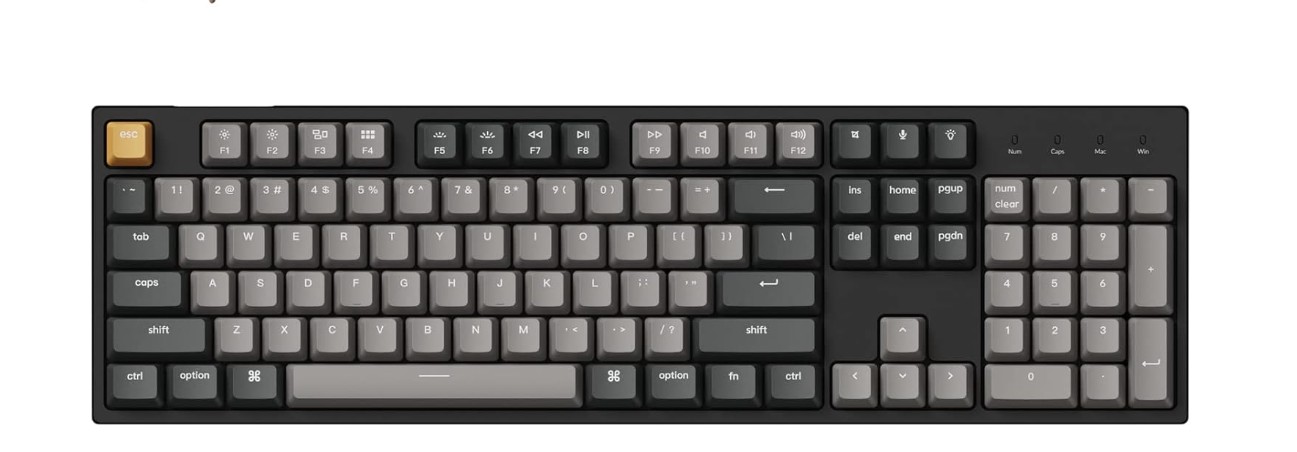
The Keychron C2 Pro is a great choice for beginners who want a smooth and comfortable introduction to mechanical keyboards. It feels solid right out of the box, and the full-size layout makes it easy for new users because everything is in the same place as a normal keyboard. The typing experience is very enjoyable, especially with the tactile brown switches. These switches give a small bump with every press, so beginners can feel exactly when a key is activated. This makes typing more accurate and helps reduce mistakes, which is very helpful if you are switching from a soft membrane keyboard.
The double-shot PBT keycaps feel strong and premium, and they do not get shiny or slippery even after long use. Beginners will appreciate this because it keeps the keyboard looking new for a long time without needing extra care. The white backlight is simple but useful, especially for people who work or play games at night. It is not overly flashy, so it suits users who want something clean and professional.
One of the best things about the C2 Pro is its support for QMK and VIA. Even though beginners may not use these tools immediately, they offer the chance to explore customization later on. This means you can change key functions, add shortcuts, or create macros without needing advanced skills. It makes the keyboard future-proof because you can start simple and learn more as you go. The wired USB-C connection is also great for beginners because it gives a stable and lag-free experience with no battery or wireless issues to think about.
Overall, the Keychron C2 Pro offers a strong balance of quality, comfort, and custom features. It is easy enough for beginners to use but powerful enough to grow with you as you learn more about mechanical keyboards.
RK ROYAL KLUDGE RK920 Full Size Mechanical Keyboard
RK ROYAL KLUDGE RK920 Full Size Mechanical Keyboard
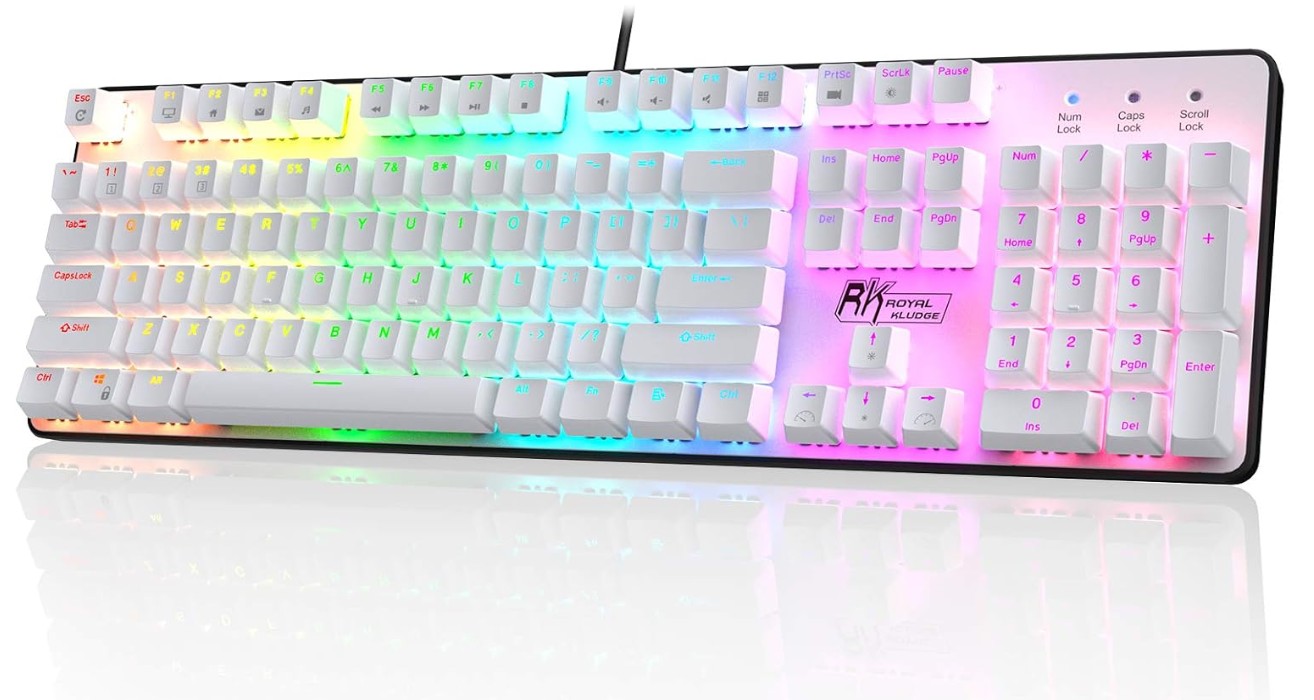
The RK Royal Kludge RK920 is a beginner-friendly mechanical keyboard that offers a simple and comfortable experience for anyone switching from a regular membrane keyboard. Its full-size layout makes it easy to adjust to because every key is exactly where you expect it to be, including the number pad, which is useful for typing numbers, doing office work, or basic gaming shortcuts. The tactile brown switches make the keyboard feel responsive without being too loud, which is ideal for beginners who want to enjoy the mechanical feel but do not want excessive clicking sounds. Each key gives a small bump when pressed, helping new users type more accurately and feel each keystroke.
The rainbow backlighting is a nice visual touch for beginners who want a fun and colorful keyboard without complex lighting effects. It is bright enough to help in low-light rooms and gives the keyboard a gaming look without being distracting. The wired USB connection ensures stable performance with no input lag, making it suitable for gaming sessions or long typing tasks. Beginners will appreciate that it works right away by simply plugging it in, with no drivers or setup needed.
The overall build quality feels solid and dependable, especially for the price. The keys are sturdy, and the keyboard stays in place on the desk, even during fast typing. Anti-ghosting support ensures that multiple key presses register correctly, which is helpful for gaming or quick typing. For beginners, this helps build confidence because the keyboard responds consistently to every press.
While it doesn’t come with advanced features like hot-swappable switches or software customization, it provides everything a new mechanical keyboard user needs. It delivers a reliable typing experience, a comfortable switch feel, and a familiar layout. Overall, the RK920 is a great starting point for beginners who want the mechanical keyboard experience without spending too much or dealing with complicated features.
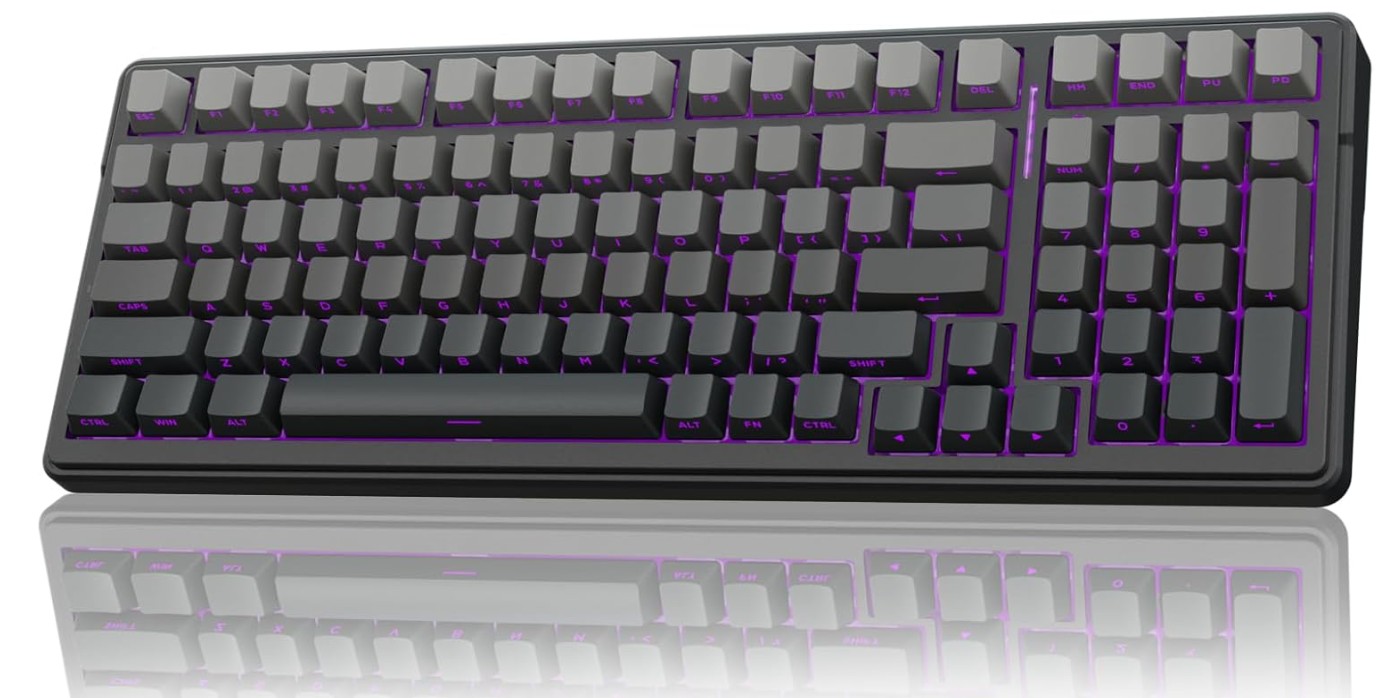
AULA F99 Pro Wireless Mechanical Keyboard
AULA F99 Pro Wireless Mechanical Keyboard
The AULA F99 Pro is a very appealing option for beginners who want their first mechanical keyboard to feel smooth, stylish, and modern without being too complicated. One of the first things beginners will notice is the “creamy” sound profile created by its gasket-mounted structure. This design makes typing feel soft and cushioned, reducing harsh noises and giving each key a pleasant, muted sound. For someone new to mechanical keyboards, this makes the experience comfortable and enjoyable because the keyboard feels gentle yet responsive with every press.
Another big advantage for beginners is the hot-swappable feature. This means you can change switches anytime without soldering or special tools. Even if you don’t plan to do it right away, it gives you room to experiment later with different switch types until you find your perfect typing feel. The side-printed PBT keycaps are also great for long-term use because they are durable and do not fade easily. They add a clean and modern look, which beginners often appreciate when they want something premium without spending too much.
The F99 Pro is also very flexible thanks to its triple-mode connectivity. You can use Bluetooth for convenience, 2.4 GHz wireless for gaming or low-latency typing, and USB-C wired mode for uninterrupted performance. Beginners who switch between laptops, PCs, and even tablets will find this extremely useful, as the keyboard connects smoothly to multiple devices. The RGB lighting adds a fun touch with vibrant colors that brighten the desk, and it helps beginners see the keys clearly in low-light environments.
Overall, the AULA F99 Pro offers a premium typing experience, strong build quality, and plenty of features that beginners can grow into. It combines comfort, style, and versatility, making it an excellent first mechanical keyboard for anyone who wants great sound, smooth typing, and modern wireless convenience.
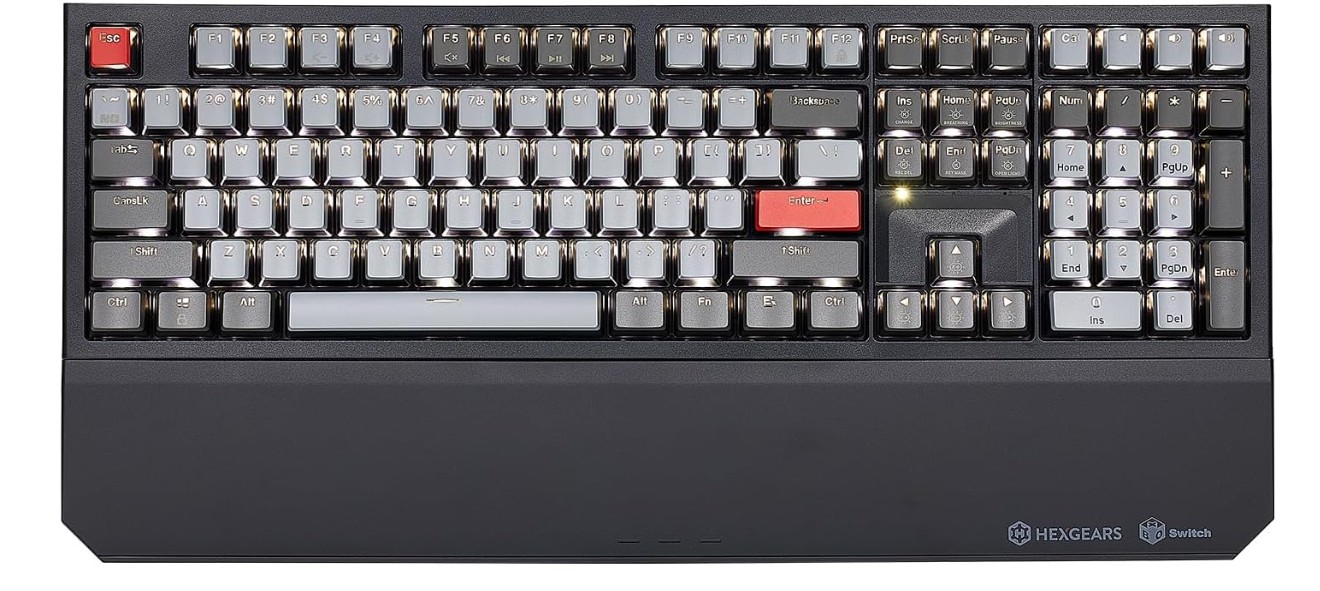
Hexgears X5 Wireless Mechanical Keyboard
Hexgears X5 Wireless Mechanical Keyboard
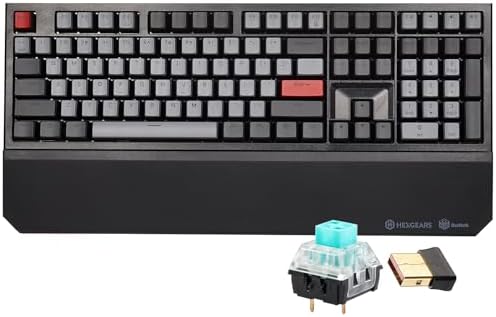
The Hexgears X5 is a beginner-friendly mechanical keyboard that offers a strong typing experience, modern wireless convenience, and a solid build that feels premium without being overly complicated. Its full-size 108-key layout makes the transition easy for beginners because everything is placed exactly where they expect it to be, including the number pad. This is helpful for students, office workers, and new gamers who want a familiar setup while exploring the benefits of a mechanical keyboard.
One of the standout features for beginners is the use of Kailh Box 3.0 clicky switches. These switches produce a sharp click sound and clear tactile feedback, making each keypress easy to feel and hear. This can help new users improve their typing accuracy because the sound and feedback clearly indicate when a key has been activated. Although clicky switches are louder than linear or tactile options, many beginners enjoy the satisfying “click” because it makes typing more engaging and fun.
The wireless functionality gives beginners more flexibility. You can use the keyboard without dealing with cables, which creates a cleaner and more spacious desk setup. At the same time, the option to use it wired ensures consistent performance when needed, such as during gaming or long work sessions. The white backlighting is simple but useful, offering enough visibility in dark rooms without overwhelming the eyes. It’s a good balance for beginners who want lighting but don’t need complex RGB effects.
The included wrist rest is another helpful feature, especially for those new to mechanical keyboards. It supports the wrists during long typing or gaming sessions, reducing fatigue and making the experience more comfortable. The overall build quality feels sturdy, and the N-key rollover ensures every keypress is registered accurately, which is great for fast typists and gamers.
Overall, the Hexgears X5 is an excellent choice for beginners who want a reliable wireless keyboard with satisfying clicky switches, good comfort, and a familiar full-size layout.
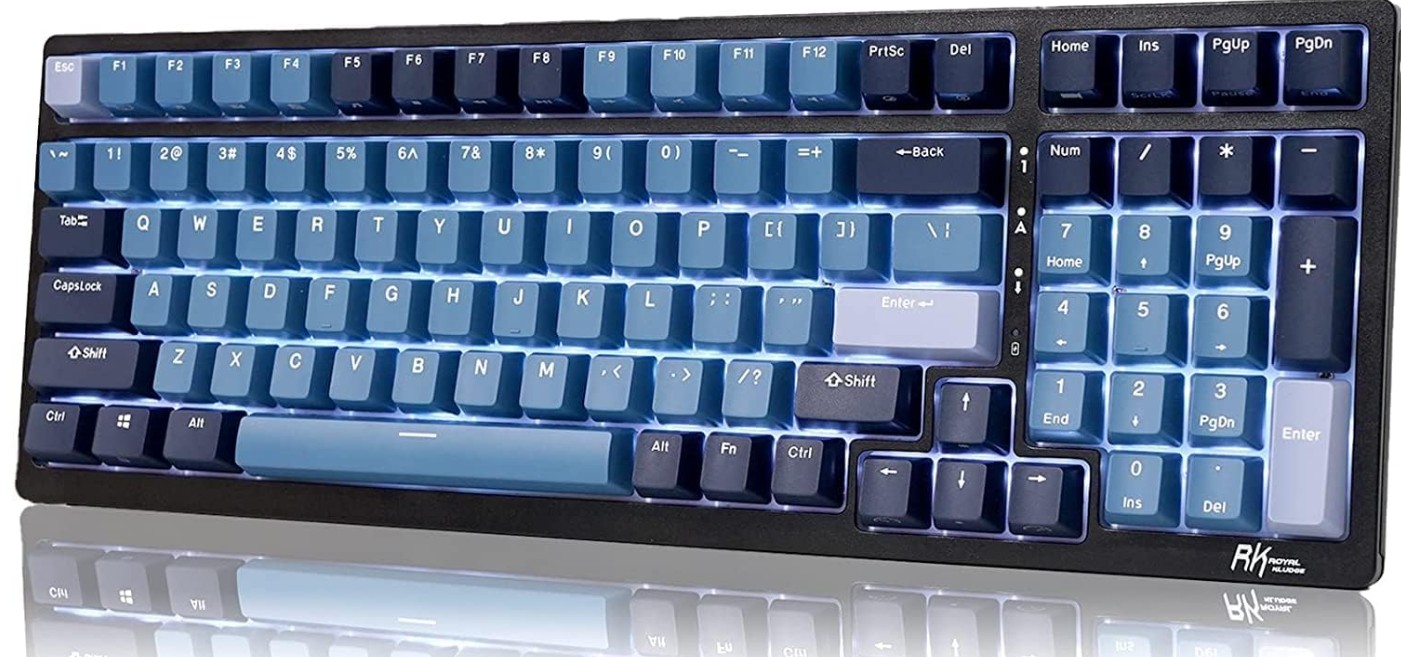
RK ROYAL KLUDGE RK98 Wireless Mechanical Keyboard
RK ROYAL KLUDGE RK98 Wireless Mechanical Keyboard
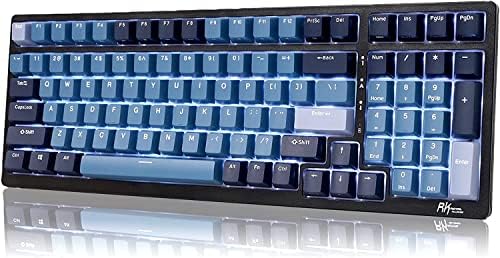
The RK Royal Kludge RK98 is a great option for beginners who want a mechanical keyboard with plenty of features without making things too complicated. Its 98-key layout is one of the first things new users will appreciate. It includes the number pad like a full-size keyboard but removes some extra keys to save desk space. This makes it comfortable and familiar while still feeling compact and modern. Beginners who type a lot or use number entries will find this layout very convenient.
The keyboard comes with pre-lubed switches, which is helpful for beginners because it means the switches already feel smooth and sound better straight out of the box. You don’t need to know anything about switch lubing or modding to enjoy a pleasant typing experience. The hot-swappable sockets add even more flexibility by letting you change switches later if you want to try different types. This makes the RK98 a good long-term keyboard because you can improve or personalize it as you learn more about mechanical keyboards.
Its triple-mode connectivity is another strong point. Beginners can switch between Bluetooth, 2.4 GHz wireless, and USB-C wired mode depending on their needs. Wireless modes keep the desk clean and allow easy use with laptops, tablets, or even phones. The wired option is great for gaming or heavy work because it gives the most stable performance. Multi-device pairing makes it even easier for beginners who work across different devices.
The RGB lighting adds a fun and colorful touch without being overwhelming. It helps beginners see the keys clearly in low-light rooms and gives the keyboard a more premium feel. Software support also allows beginners to adjust lighting, remap keys, or create simple macros when they are ready to explore more features.
Overall, the RK98 offers comfort, flexibility, and modern features that are perfect for beginners who want a reliable and customizable mechanical keyboard.
Buying Guide – Mechanical Keyboard for Beginners
What Is a Mechanical Keyboard?
A mechanical keyboard uses individual mechanical switches under each key instead of rubber membranes found in normal keyboards. Each switch gives a clear and satisfying feel when pressed. This makes typing and gaming more enjoyable, accurate, and comfortable. Many beginners notice an immediate improvement in speed, confidence, and overall typing experience after switching to a mechanical keyboard. Mechanical keyboards also last longer, often surviving tens of millions of key presses.
Why Beginners Prefer Mechanical Keyboards
Beginners like mechanical keyboards because they feel better, sound better, and respond faster. Whether you type a lot for school or work, or play games regularly, the keyboard gives a cleaner and more controlled experience. The feedback from each key helps beginners avoid mistakes and become more consistent. Mechanical keyboards also look attractive, especially models with strong keycaps and colorful lighting.
Key Factors to Consider
Switch Type
The switch type is the most important factor when choosing a mechanical keyboard. Every switch feels different, sounds different, and responds differently. For beginners, this can be confusing, but the basics are easy to understand.
Linear Switches
Linear switches move smoothly without any bump. They are quiet and fast, making them popular for gaming. They are good for beginners who want a soft and consistent feel with minimal noise.
Tactile Switches
Tactile switches have a small bump when pressed. This bump tells you the key has registered. Many beginners choose tactile switches because they provide feedback without being loud. They are great for typing and mixed use.
Clicky Switches
Clicky switches feel similar to tactile switches but also make a loud click. They are fun to use, but the noise can bother others. Clicky switches are better for personal use, not for shared rooms or offices.
Understanding switch type helps beginners choose the feel they like before buying the keyboard.
Keyboard Size
Mechanical keyboards come in several sizes, and the size you choose affects comfort, desk space, and speed of learning.
Full-Size (100%)
This includes all keys and the number pad. It is the easiest for beginners because it feels familiar. It’s ideal for office work, spreadsheets, and heavy typing.
Tenkeyless (TKL)
This removes the number pad, giving more desk space for the mouse. It still keeps all important keys. Many beginners find TKL very comfortable, especially for gaming.
75% and 65% Layouts
These are compact sizes that remove some keys but still keep the essential ones. They save space and look clean but may take time to get used to.
60%
This is the smallest practical size. It removes the function row, arrow keys, and other keys. It is great for minimalists or travelers, but beginners may struggle at first.
Choosing the right size depends on your work style, desk space, and comfort level.
Connectivity Options
Wired
Wired keyboards use a USB cable. They are reliable, have no connection problems, and don’t need charging. Beginners usually find wired models easier to use and more affordable.
Wireless (Bluetooth or 2.4 GHz)
Wireless keyboards reduce cable clutter and look cleaner. Bluetooth is good for general use, while 2.4 GHz wireless is better for gaming because it reduces input delay.
Triple-Mode
Many modern keyboards offer Bluetooth, 2.4 GHz wireless, and USB wired modes in one device. This gives beginners flexibility to use the keyboard with desktops, laptops, tablets, or even phones.
Choosing between wired and wireless depends on how clean you want your desk to look and whether you want portability.
Keycap Material
Keycaps make a big difference in the feel and lifespan of your keyboard.
ABS Keycaps
ABS keycaps are common and cheaper, but they become shiny over time. They are fine for beginners on a budget.
PBT Keycaps
PBT keycaps are thicker, stronger, and do not shine easily. They feel more premium and last much longer. Beginners who want durability should choose PBT.
Double-Shot Keycaps
These use two layers of plastic, making the legends extremely durable. They do not fade or wear off. Double-shot PBT keycaps offer the best quality.
Backlighting Options
Lighting is not required for a good keyboard, but it adds convenience and style.
No Backlight
This is simple and clean. Good for office use.
White Backlight
Helps beginners type in the dark without flashy colors.
RGB Lighting
RGB provides colorful effects and customization. Many gamers love it. It can make your keyboard look modern and attractive, especially in low light.
For beginners, lighting is optional, but it can make the keyboard easier to use at night.
Build Quality and Durability
A mechanical keyboard should feel solid and stable. Build quality affects both comfort and lifespan.
Case Material
- Plastic cases are lighter and cheaper.
- Metal or aluminum cases feel stronger and reduce vibrations.
Plate Material
This holds the switches in place. Metal plates offer stronger support and improve typing feel.
Weight
Heavier keyboards stay in place and feel more premium.
Stabilizers
Stabilizers affect long keys like the spacebar, shift, and enter keys. Good stabilizers reduce rattling and improve typing sound.
Beginners should choose a keyboard that feels sturdy and does not wobble during use.
Hot-Swappable Switches
Hot-swappable keyboards let you replace switches without soldering.
Benefits
- Beginners can try different switch types easily.
- The keyboard becomes future-proof.
- Repairs are simpler.
Non-Hot-Swap
These keyboards are cheaper but switches cannot be replaced easily.
For beginners who enjoy experimenting, hot-swap is a great feature. If you want a simple plug-and-play experience, it’s not mandatory.
Sound Profile
Mechanical keyboards can sound loud or soft depending on switches, case material, and internal dampening.
Quiet Sound Profile
Good for offices, shared rooms, and late-night use.
Medium Sound
Most tactile switches fall into this category.
Loud Sound
Clicky switches are the loudest. They may disturb others but feel fun and satisfying.
Beginners should consider their environment when choosing a sound profile.
Software and Customization
Many keyboards come with software or QMK/VIA support.
What You Can Customize
- Key mapping
- Macros
- RGB lighting patterns
- Profiles for different apps
Beginners may not use these features immediately, but they offer room to grow. If you like customizing your computer setup, software support is a big advantage.
Comfort and Ergonomics
Comfort is important, especially for beginners who type or game for long hours.
Wrist Rest
A wrist rest helps reduce fatigue. Some keyboards include one, while others require a separate purchase.
Typing Angle
Adjustable feet allow you to raise the back of the keyboard. Beginners should try different angles to find what feels best.
Key Shape
OEM and Cherry profiles are the most common. Both are comfortable for beginners.
Battery Life (For Wireless Keyboards)
If you choose a wireless keyboard, battery life becomes important.
Bluetooth
Uses less power and lasts longer.
2.4 GHz Wireless
Consumes more power but offers faster performance.
RGB Effects
RGB lighting shortens battery life. Beginners who want long battery life should reduce brightness.
Price and Value
Mechanical keyboards come in many price ranges.
Budget (Entry-Level)
Good for beginners who want basic mechanical features.
Mid-Range
Better build quality, hot-swap support, wireless modes, and PBT keycaps.
High-End
Custom keyboards with premium materials and tuned sound. Beginners usually don’t need these right away.
You should choose a keyboard that fits your needs, not just the most expensive one.
Compatibility
Check if the keyboard works with your devices.
- Many support both Windows and Mac.
- Bluetooth keyboards often work with phones and tablets.
- Some require software that only runs on certain systems.
Beginners should choose a keyboard that works with all their devices without extra steps.
FAQs
Beginner-friendly mechanical keyboards are comfortable to type on, have easy-to-use switches, and often include helpful features like media keys, detachable cables, or software support without being expensive or complex.
• Tactile switches (e.g., Brown) — good balance of typing feel and quietness.
• Linear switches (e.g., Red) — smooth keypress, great for gaming.
• Clicky switches (e.g., Blue) — loud and tactile feedback, enjoyable for typing but louder.
Not necessarily — 65 %, TKL (Tenkeyless), or full-size all work. Beginners often start with TKL or 65 % for more desk space without losing essential keys.
It’s nice but not essential. Programmable keyboards let you customize keys and macros, which is useful for gamers and power users.
Final Thoughts
Choosing a mechanical keyboard as a beginner becomes easy when you understand switch type, keyboard size, connectivity, keycaps, build quality, and extra features. Think about how and where you will use your keyboard. Pick a layout that feels natural, choose switches that match your noise level, and select features that fit your lifestyle. With these key factors in mind, you will find a keyboard that feels comfortable, lasts long, and gives you a great typing and gaming experience.

Jawad is a passionate tech enthusiast and writer who loves exploring the latest trends in hardware, gadgets, and digital innovation. With a sharp eye for performance and value, he delivers in-depth recommendations and buying guides to help readers make smarter tech decisions.

