Last Updated on November 26, 2025 by Jawad
Introduction
Gaming monitors have become more important than ever because they can change the way a game looks and feels. Even if someone has a powerful PC or console, the experience is not complete without a good screen. Many people think they need to spend a lot of money to enjoy smooth and clear visuals, but that is not always true. Today, you can find cheap gaming monitors that still offer good performance, bright colors, and fast response times. These monitors are made for players who want better gameplay without paying a high price. They may not have the most advanced features, but they still give you what you need for casual and competitive gaming.
A cheap gaming monitor can still give smooth gameplay with a fast refresh rate, usually around 75Hz to 100Hz, which is enough for most beginners. Many of these monitors come with Full HD resolution, so you get clear images and sharp details. You can also find features like low input lag, eye-care technology, and adaptive sync, which help reduce screen tearing and make long sessions more comfortable. These small improvements can make a big difference in everyday gaming. The best part is that you can get all this without spending too much.
Many brands now focus on budget gamers by offering affordable monitors that do well in both office work and gaming. This makes them great for students, home users, or anyone building their first gaming setup. Even though these monitors cost less, they are still reliable and built to last. They are also easier to pair with budget graphics cards because they do not demand very high performance. Overall, cheap gaming monitors prove that you do not always need a big budget to enjoy gaming. A well-chosen affordable monitor can still give you smooth, enjoyable, and visually pleasing gameplay.
Top Cheap Gaming Monitor Under $100
Sceptre New 27-inch Gaming Monitor
Sceptre New 27-inch Gaming Monitor
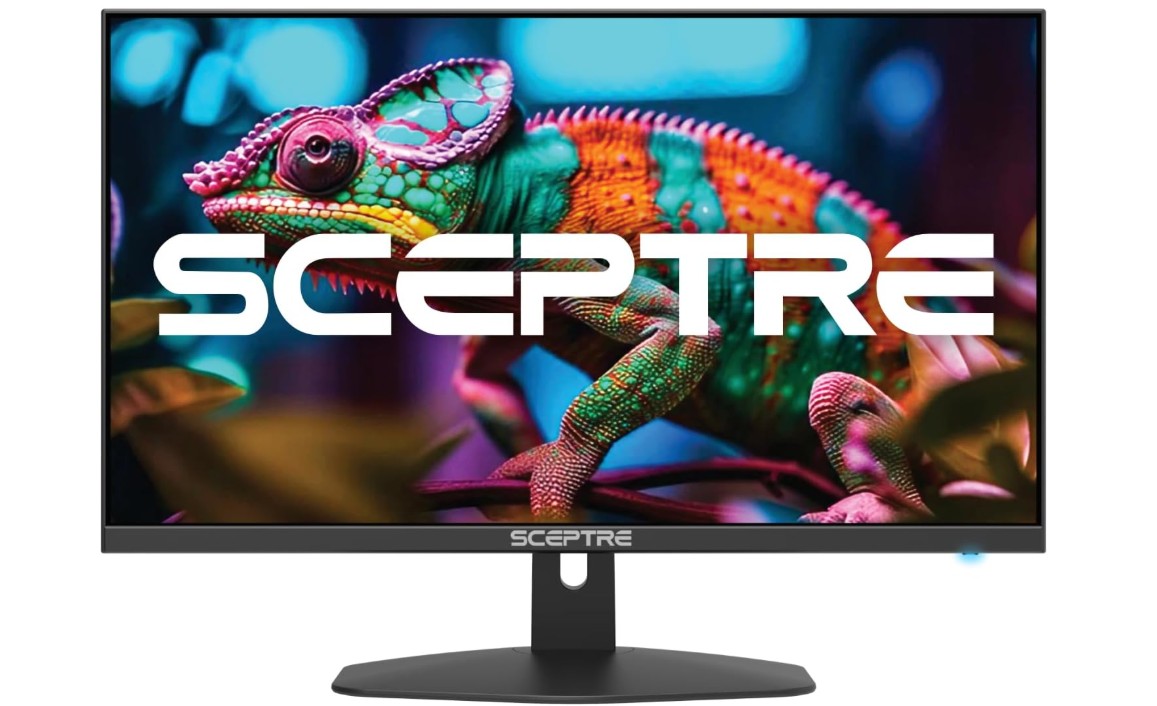
The Sceptre 27-inch gaming monitor (E275W-FW100T Series) is a good pick if you want a budget-friendly screen that still delivers solid performance. Once I started using it, I was happy to see how smooth games looked thanks to the 100 Hz refresh rate. Fast-moving action—like car races or shooters—felt much more fluid compared to regular 60 Hz screens. The 1 ms response time helped cut down on motion blur and made gameplay feel sharper and more responsive.
The color quality impressed me as well. With 100% sRGB coverage, the screen showed bright and accurate colors. Games and movies looked more vivid, and even everyday tasks like browsing photos or watching videos looked nicer. It is not a 4K monitor, but for its price, the Full HD resolution feels clear enough on a 27-inch display. For most users doing normal gaming or work, it strikes a good balance between size and clarity.
I appreciated the ports — having both DisplayPort and two HDMI inputs gave me flexibility. I could easily connect my PC and a console without constantly switching cables. The built-in speakers were a nice bonus. They won’t replace good headphones or external speakers, but they are fine for casual gaming or watching videos. The frameless design makes the monitor look modern and clean, and it fits nicely on my desk without taking up too much space.
Eye-care features like flicker-free display and lower blue light helped reduce eye strain during long sessions. After a few hours of gaming or browsing, my eyes felt less tired compared to older monitors. Overall, this Sceptre monitor offers great value for the price. It might not have high-end build quality or 4K resolution, but for someone on a budget who wants a reliable and capable monitor, it does the job well.
SANSUI 24 Inch Gaming Monitor
SANSUI 24 Inch Gaming Monitor
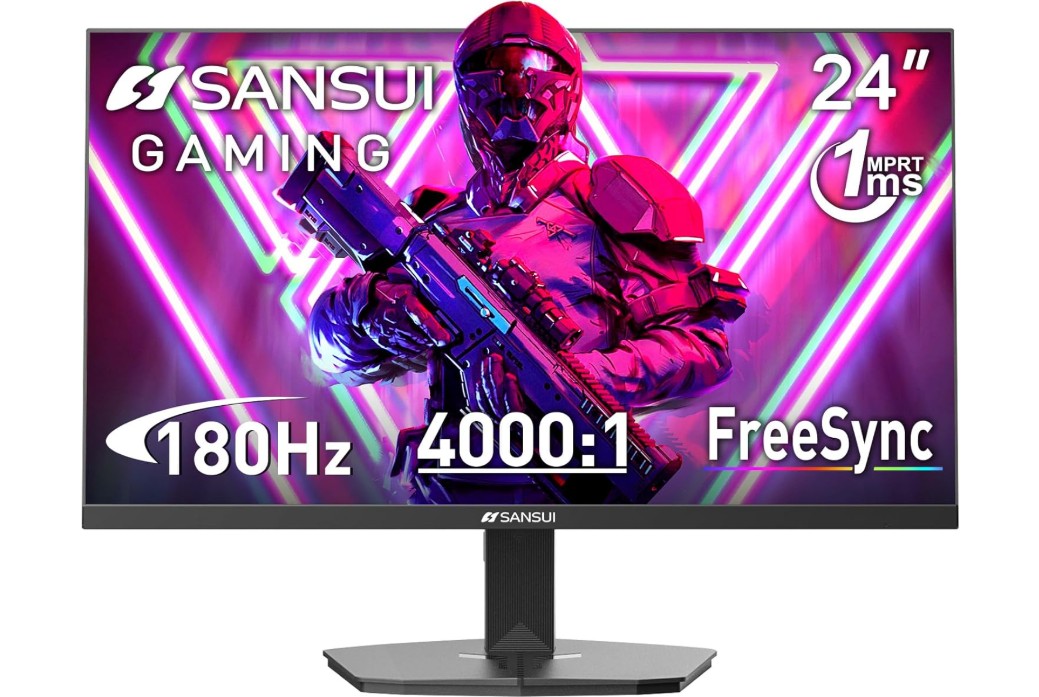
The SANSUI 24-inch gaming monitor (ES-G24F4L) is a solid choice if you want speed and smoothness without spending too much. Right away, the high refresh rate — up to 200 Hz — made games feel very fluid. In fast action scenes such as racing or shooters, I noticed motion felt smoother and more controlled compared to ordinary monitors. The 1 ms response time also helped reduce motion blur, making fast movements sharper and more precise.
Color and image quality stood out too. With 110% sRGB coverage, colors looked bright and rich. Whether I was playing games, watching videos, or browsing photos, everything had a good balance of clarity and vibrancy. The Full HD resolution was clear enough on a 24-inch screen, giving sharp details without stretching the image. The HDR support was a nice extra, adding a little more contrast and depth to dark and bright areas.
I liked having both HDMI and DisplayPort — it made switching between a PC and a console easy. The frameless design helped the monitor look modern and sleek on my desk. The fact that it offered VESA-mount compatibility was good for flexibility: I could mount it on a wall or a monitor arm if I wanted. The included HDMI cable and cable-management feature were handy touches, making setup simpler and tidier.
Eye-care features seemed to help during longer use. After gaming or working for a few hours, my eyes felt less tired than they used to on older monitors. That’s a small but useful benefit. On the plus side, this monitor gives excellent value for the price — fast refresh rate, good colors, and smart design. It may not be a 4K display, but for its size and cost, it provides strong performance. Whether you want a monitor for gaming or daily use, this SANSUI model does the job well.
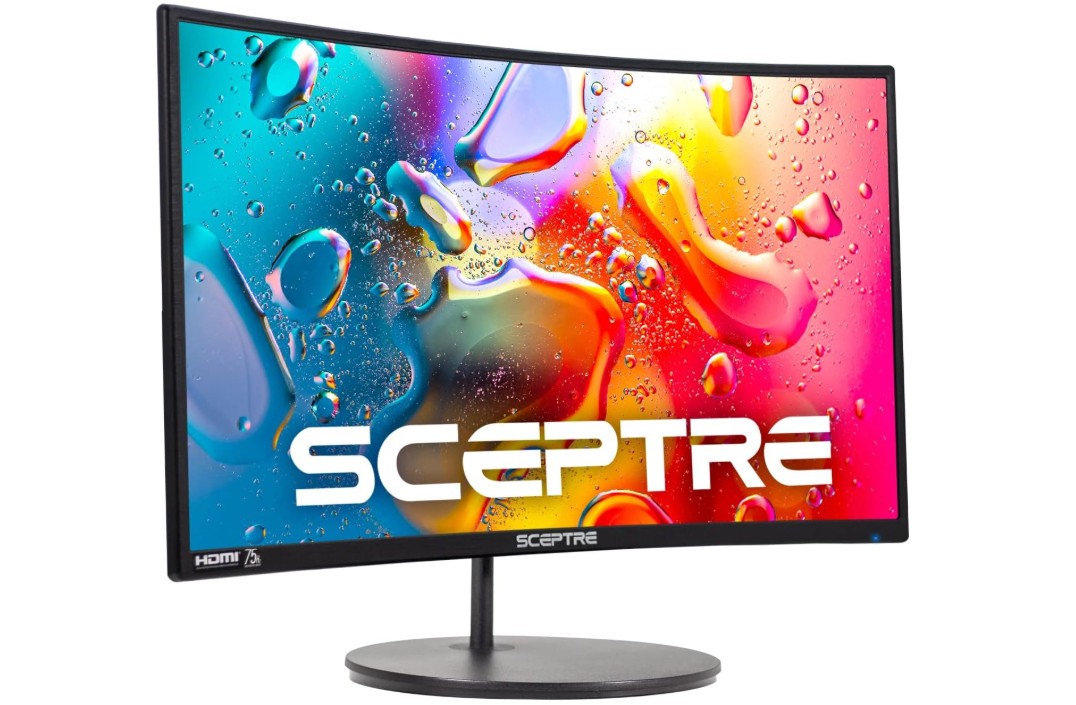
Sceptre Curved 24-inch Gaming Monitor
Sceptre Curved 24-inch Gaming Monitor
The Sceptre curved 24-inch gaming monitor (C248W-1920RN Series) offers a pleasant mix of design and practicality, making it a strong pick if you want a simple, budget-friendly monitor with a curved display. The curved 1500R panel gives a more immersive feel compared to flat screens. When playing games or watching movies, I found that the curve made scenes feel a bit deeper and more engaging. For everyday tasks like web browsing, photo editing, or watching content, the screen felt comfortable — not overly large, but big enough to appreciate detail.
Image quality was solid for its class. With 98% sRGB coverage, colors looked natural and balanced. I liked how photos and video content appeared with proper saturation and clarity. The Full HD resolution (1920 × 1080) fits well with a 24-inch curved display. Text looked sharp and images felt crisp, which made working, studying, or casual gaming all manageable without strain.
Having two HDMI ports and a VGA port added convenience. It was easy to connect both a PC and a console without unplugging cables, and the VGA option came in handy for older devices. The built-in speakers were basic but functional — useful if I didn’t have external speakers handy, though for serious gaming or movies I still preferred headphones. The ability to mount the monitor on a wall using VESA was useful; it helped me save desk space and adjust viewing angle.
The design and build of the monitor were decent for the price. The black finish looked simple and modern, and the curved shape added a touch of style. For users who want a straightforward, no-frills monitor for gaming, work, or media consumption, this Sceptre curved screen delivers good value. It won’t match high-end monitors, but it’s dependable and does the job cleanly.
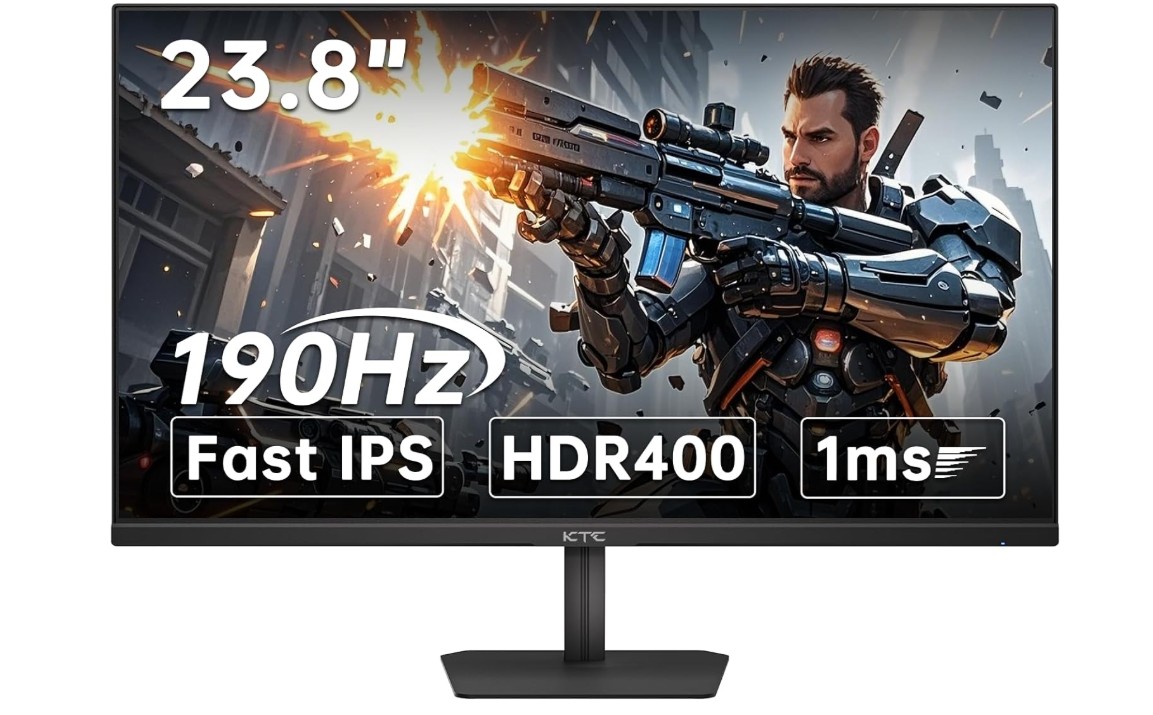
KTC 24 inch 190Hz/180Hz Gaming Monitor
KTC 24 inch 190Hz/180Hz Gaming Monitor
The 24-inch gaming monitor from KTC is a very strong choice if you care about smooth gameplay and bright visuals. Its high refresh rate — up to 190 Hz (or 180 Hz) — makes motion look fluid and reduces stutter. When I played fast action games like shooters or racing titles, movement felt sharp and responsive. The 1 ms response time helped cut down ghosting and motion blur, so even rapid camera turns stayed clear.
Colors and image quality stood out too. With 133% sRGB coverage, the screen showed vivid, rich colors. Whether I was gaming, editing photos, or watching movies, everything looked lively and bright. The Full HD resolution (1920 × 1080) looked good on a 24-inch display — sharp enough for text, menus, and game details without being stretched. The HDR 400 support was a nice bonus: it added more contrast, making dark scenes deeper and bright scenes more vibrant when HDR content was available.
Having two HDMI ports and a DisplayPort gave good flexibility — I could connect my PC and a console at the same time and switch easily without replugging. The tilt-adjustable stand made it easy to find a comfortable viewing angle, which helped during long gaming or work sessions. Eye-care features like blue-light filter and flicker reduction made long sessions easier on the eyes; after hours of gaming or reading, my eyes felt less strained than on older monitors.
Overall, this KTC 24-inch model feels like a mid-range monitor that punches above its weight. It may not have 4K resolution or premium build quality, but for the price, it delivers a great balance of speed, color, and comfort. It’s especially good for gamers who want smooth motion and striking visuals without spending too much.
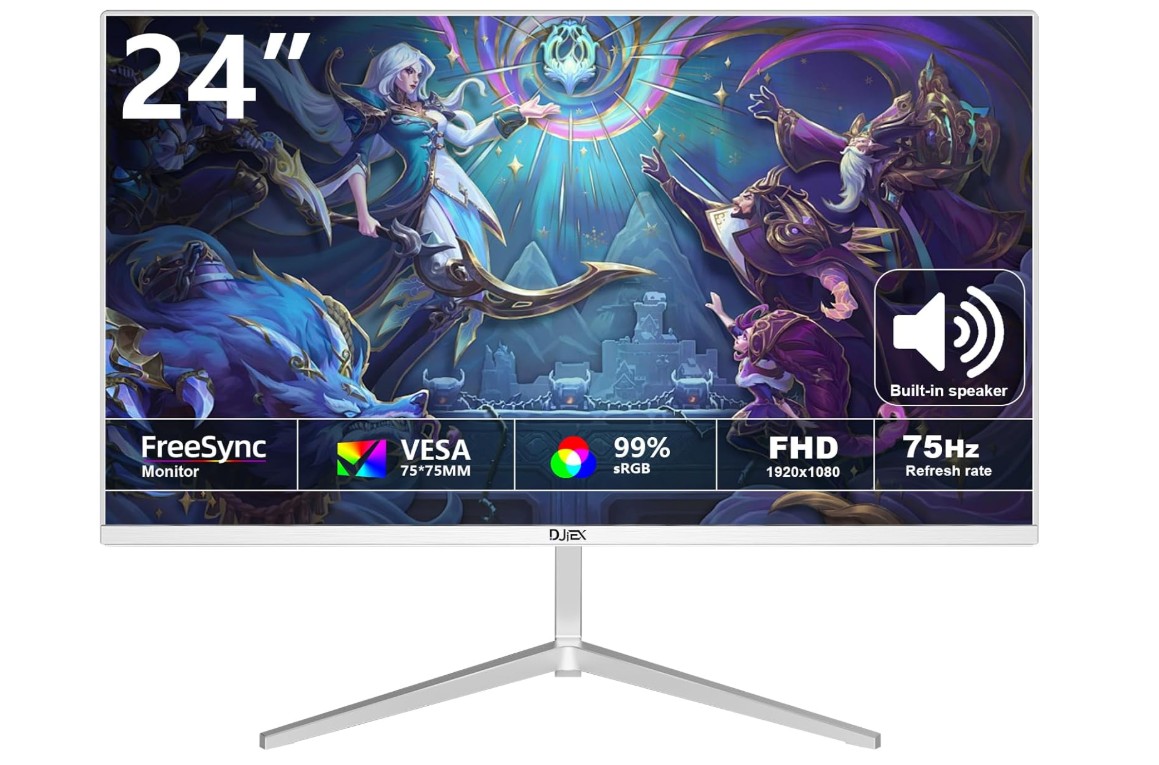
DJiEX 24 inch Gaming Computer Monitor
DJiEX 24 inch Gaming Computer Monitor
The DJiEX 24-inch gaming monitor is a simple and affordable option for anyone who wants a smooth and comfortable viewing experience for gaming, work, or daily use. Even though it is a budget monitor, it still provides good performance for beginners or casual users. The Full HD resolution of 1920×1080 delivers clear and sharp images, which is great for watching videos, browsing the internet, or working on documents. Text looks clean, colors appear balanced, and overall visuals feel pleasant for everyday tasks. The 24-inch size is also ideal because it gives enough screen space without feeling too large for a small desk.
The 100Hz refresh rate is a noticeable improvement compared to the standard 60Hz monitors. This makes animations, scrolling, and gameplay feel smoother and more responsive. For casual gaming, the difference is easy to spot—movements look cleaner and there is less blur when characters or objects move quickly. It may not compete with high-end gaming monitors, but for the price, the performance is suitable for light gaming and general entertainment.
The ergonomic tilt feature is helpful for getting a comfortable viewing angle. I could adjust the screen to reduce neck strain while working or playing for long hours. The monitor also supports a 75×75 mm VESA mount, which means it can be placed on a monitor arm or wall mount to save desk space. This is especially useful for home office setups or dual-monitor arrangements.
The design is simple and clean, making it fit well in any room or workspace. Whether used for schoolwork, office tasks, or occasional gaming, the monitor feels reliable and practical. It doesn’t offer advanced features like HDR or high color coverage, but it delivers what most everyday users need. Overall, this DJiEX 24-inch monitor is a good choice if you want a smooth, clear, and affordable display for work and play.
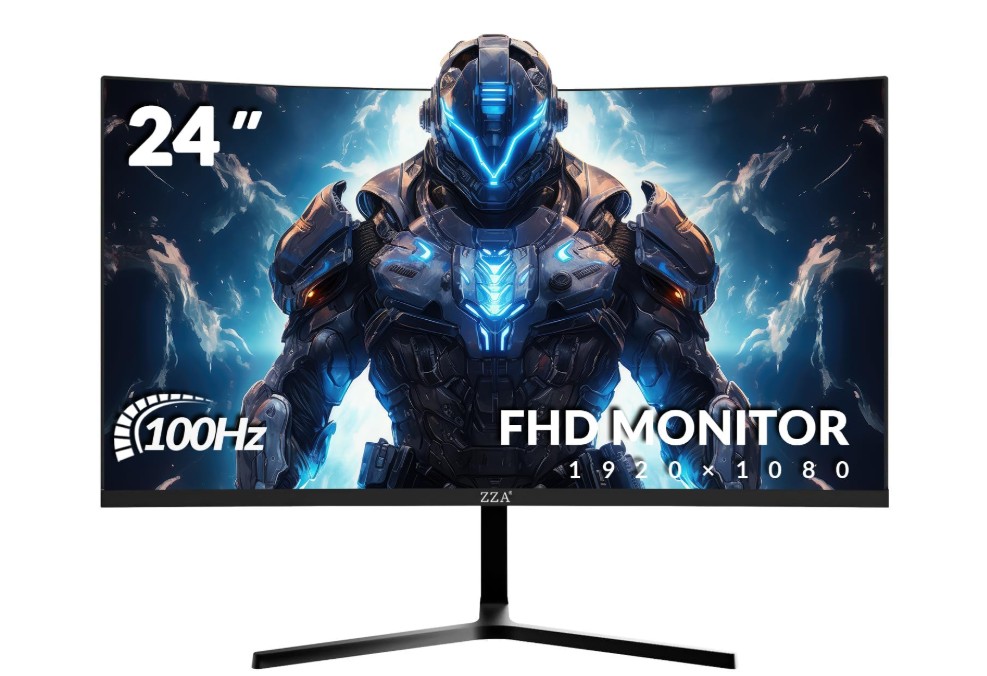
ZZA 24 Inch Curved Gaming Monitor
ZZA 24 Inch Curved Gaming Monitor
The ZZA 24-inch curved gaming monitor delivers a satisfying balance between design, comfort, and everyday performance. Right away, the curved screen feels more immersive compared to flat monitors. When watching movies or playing games, I felt more drawn into the visuals. The curve makes the edges seem closer and the center more natural — a little more pleasant for long sessions. For work — like browsing web pages or editing documents — the curve gives a subtle wrap-around effect that feels comfortable and easy on the eyes.
Picture quality on this monitor is quite good. With a Full HD resolution (1920×1080) on a 24-inch display, text looks crisp and images appear sharp enough for regular tasks. Colors stood out clearly, thanks to 120% sRGB color coverage. Photos, videos, and games had lively and rich colors that made visuals pop without being too saturated. Although it doesn’t have ultra-high resolution, the clarity is good enough for home office tasks, gaming, or streaming. The 100 Hz refresh rate adds a noticeable smoothness to motion — animations, video playback, and modest gaming become cleaner than on typical 60 Hz screens.
The monitor’s thin bezels give it a modern and clean look, which makes it easy to place alongside other monitors or use in a minimalist desk setup. The built-in eye-care feature — with blue light filtering — helps reduce eye strain during long work or gaming sessions. I found that after hours of work or watching, my eyes felt less tired compared to older monitors without such filtering. For people who use their screens a lot, this makes a real difference.
While the ZZA monitor may not compete with high-end displays, it offers reliable performance for its price. It’s versatile — good for office work, entertainment, and light to moderate gaming. If you want a comfortable, affordable monitor that feels modern and produces sharp, colorful visuals, this one is a solid option.
Buying guide: Cheap gaming monitor under $100 — key factors explained
Buying a gaming monitor for under $100 means making smart choices. You will not get high-end features, but you can still find displays that make games smoother, clearer, and more enjoyable. This guide walks you through the important factors to check, why they matter, and practical tips to get the best value.
What to realistically expect
At this price you’ll most often find 21–24″ or 24–27″ Full HD (1920×1080) panels, basic stands, and simpler feature sets. Some models now even offer higher-than-60Hz refresh rates and adaptive sync at budget prices, but don’t expect premium HDR, a perfect color gamut, or fully adjustable ergonomic stands. Use current buying lists to see which models actually sit under $100 today.
1) Refresh rate — first priority for gamers
Refresh rate (Hz) controls how many times per second the screen updates. Moving from 60 Hz to 100–144 Hz gives the most obvious improvement in smoothness and motion clarity. For competitive or fast-action games, prioritize the highest refresh rate you can find under $100 (many budget models aim for 75–120/165 Hz). Note that the real benefit depends on your PC/console FPS — higher Hz matters only if your system can deliver more frames.
2) Response time and input lag
Response time (measured in ms) affects ghosting and motion blur. Lower is better — 1–5 ms is typical in budget gaming monitors. Input lag is separate (how fast the monitor shows a frame after the GPU sends it); manufacturers rarely list it explicitly, so check reviews or tests for real-world latency.
3) Adaptive sync (FreeSync/AdaptiveSync)
Adaptive sync prevents tearing and reduces stutter by matching monitor refresh to GPU frame output. Budget monitors that include AMD FreeSync or AdaptiveSync deliver noticeably smoother gameplay than ones without any VRR solution. If you use an AMD GPU, FreeSync is especially helpful; many FreeSync monitors also work with NVIDIA GPUs in variable-refresh modes.
4) Panel type — IPS, VA, or TN
- IPS: Best color and viewing angles; great for mixed use (gaming + media + work).
- VA: Higher contrast (deeper blacks) but sometimes slower pixel response.
- TN: Fastest response and cheapest, but poor viewing angles and weaker color.
For most buyers under $100, IPS gives the best balance unless you specifically want TN for extreme competitive speed or VA for deeper blacks. Read panel-specific tests when possible.
5) Resolution and screen size
1080p is standard in this budget tier. For clarity, keep the size 21–24″ (or 24″ max) at 1080p — larger screens at 1080p look softer. If you can find a good 27″ 1080p monitor at a great price, accept the slight softness only if you prioritize size over pixel density.
6) Ports and compatibility
Ensure the monitor has the ports you need: HDMI is essential for consoles and most GPUs; DisplayPort is common on PCs for higher refresh rates. Multiple inputs (HDMI + DP) let you connect PC + console without swapping cables.
7) Ergonomics and mounting
Expect basic tilt only. Height adjustment and swivel are rare under $100. VESA mount support (75×75 or 100×100 mm) is a useful feature if you plan to use an arm or wall mount — it unlocks better ergonomics later.
8) Color, HDR, and eye comfort
Don’t expect perfect color accuracy or true HDR; budget HDR implementations are usually limited. Look for advertised sRGB coverage if color matters (higher % = richer colors). Eye-care features (flicker-free, low-blue-light) are common and helpful for long sessions.
9) Build, speakers, and extras
Plastic builds and basic stands are normal. Built-in speakers usually sound thin — treat them as a convenience, not a selling point. Useful extras include an included HDMI cable, simple OSD presets (game/movie), and a thin bezel if you want a multi-monitor setup.
10) Where to shop and when to buy
Budget monitor prices change often. Watch major retailers (Amazon, Best Buy), manufacturer stores, and deal sites. Sales events (Black Friday, seasonal promotions) and open-box/refurb items from trusted sellers can drop mid-range panels into the <$100 range — but always check return policy and warranty.
Final Thoughts
Decide priorities: smoothness (Hz + sync) or color/angles (IPS). If you game mostly on PC and want smoother competitive play, focus on refresh rate + low response + DP/FreeSync. If you want a general-use display (streaming, office, casual gaming), favor an IPS panel with better color and viewing angles. Always check up-to-date lists that track which models actually sell under $100 before buying.

Jawad is a passionate tech enthusiast and writer who loves exploring the latest trends in hardware, gadgets, and digital innovation. With a sharp eye for performance and value, he delivers in-depth recommendations and buying guides to help readers make smarter tech decisions.