Last Updated on February 9, 2026 by Jawad
Introduction
Choosing the right laptop is very important for students. A good laptop helps you do homework, research online, write essays, join online classes, and store your files in one place. But many students and families have a limited budget. Not everyone can afford an expensive laptop. That is why laptops under $500 are a great choice for most students. These laptops are usually affordable, useful, and easy to carry, making them perfect for school and college.
Laptops under $500 are designed to handle basic tasks like browsing the internet, writing documents, creating slides, watching videos, and using study apps. They may not be as powerful as expensive laptops, but they are good enough for everyday student work. You can use them for online learning, checking emails, doing projects, and staying organized. Most of these laptops also have long battery life, so you can study for hours without charging.
Another good thing about budget laptops is that they often come with either Windows or ChromeOS. Windows laptops let you install many different software programs, like Microsoft Office, which is useful for schoolwork. Chromebooks run ChromeOS and are simple to use. They work well with Google apps like Google Docs and Google Classroom, which many schools use today.
Students who choose a laptop under $500 will find it easy to carry from home to class. These laptops are usually light in weight and small in size. This makes them great for traveling between classes or studying in the library.
In short, laptops under $500 offer value for money, reliable performance for student tasks, and a good learning experience. They are perfect for students who want a useful computer without spending a lot of money. Whether you are in high school, college, or university, a budget laptop can be a smart and practical choice for your studies.
We also have a recommendation for the Best Cheap Laptop Under $300, so make sure to check that out too!
Top Laptops for Students Under $500


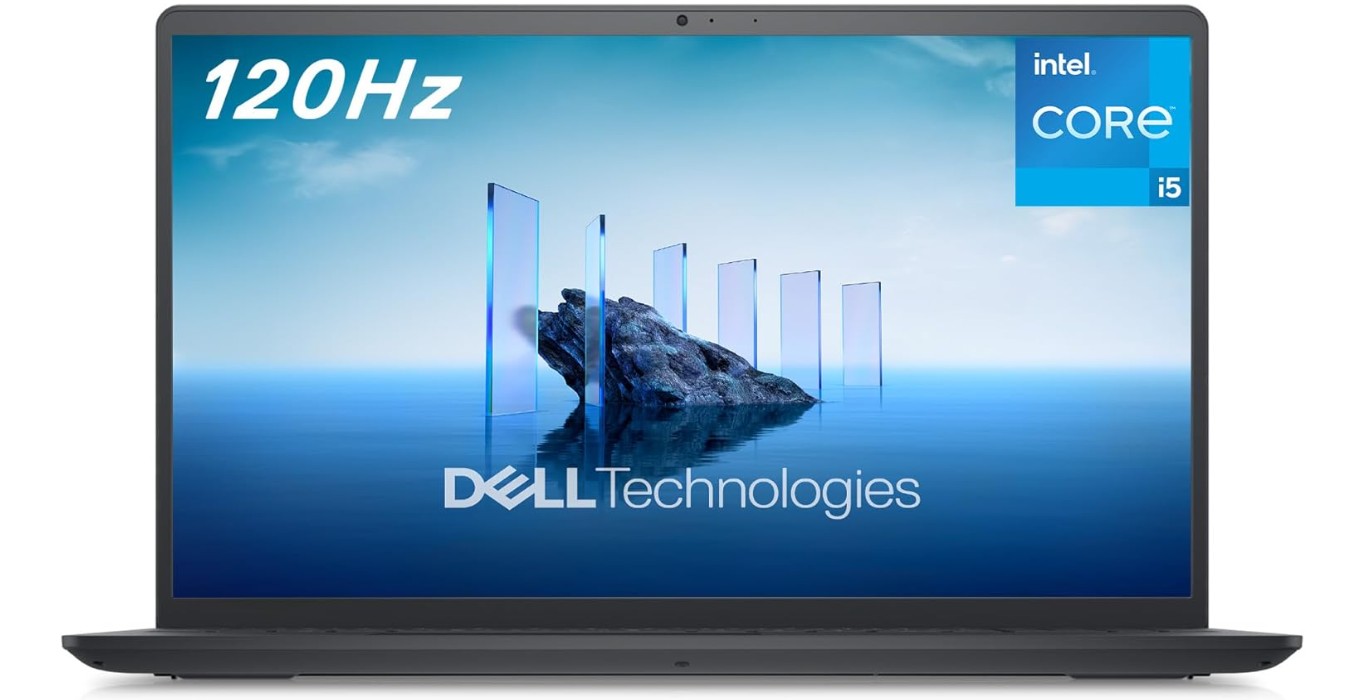
Dell Inspiron 3520 Laptop
Dell Inspiron 3520 Laptop
The Dell Inspiron 3520 is a very good laptop for students and everyday users. It has a large 15.6-inch screen with a sharp Full HD resolution and a smooth 120Hz refresh rate. This means videos and moving images look clear and feel smooth when you scroll or play games. The screen size is also great for studying, watching videos, and working on projects.
This laptop uses an Intel Core i5-1235U processor, which is a strong and reliable chip for most tasks students need. You can easily open web browsers, work on documents, watch online classes, and even do light photo editing without slowdowns. The 8GB DDR4 RAM helps the laptop run smoothly with multiple apps open at the same time, so you can switch between tasks faster. The 512GB SSD gives plenty of storage for your files, photos, school projects, and videos, and it also makes the laptop start up quickly.
The Inspiron 3520 comes with Windows 11 in S Mode, which is a secure version of Windows that keeps your system safe and fast. It also supports regular Windows apps, and you can switch out of S Mode if you ever want more flexibility. The laptop has Wi-Fi 5 for internet connections, which works well for online classes, browsing, or streaming videos. The built-in webcam is helpful for video calls and online meetings, and the keyboard feels comfortable to type on during long study sessions.
One of the best things about the Inspiron 3520 is that it balances performance and price well. You get a good processor, enough memory, and fast storage at a reasonable cost. Battery life is decent for daily use, so you can work for several hours without charging. Overall, this laptop is a solid choice for students and anyone who needs a dependable laptop for everyday work. It is easy to use and powerful enough for most common tasks, making it a smart pick in its price range.
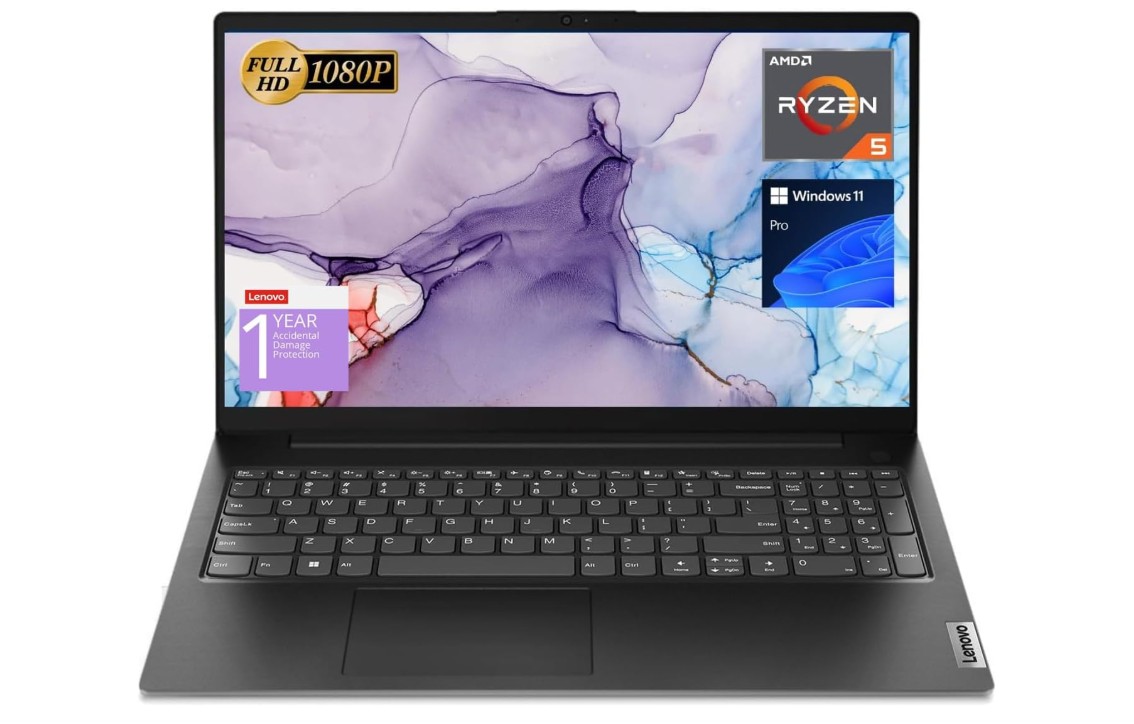
Lenovo V15 Laptop
Lenovo V15 Laptop
The Lenovo V15 is a solid and practical laptop that works very well for students, office users, and anyone who needs a reliable computer for daily tasks. It comes with a large 15.6-inch Full HD screen, which is clear and comfortable for studying, watching videos, and working on documents. The screen size also makes multitasking easier, especially when using split screens.
This laptop is powered by the AMD Ryzen 5 5500U processor, which is fast and efficient for everyday use. It can handle web browsing, online classes, office work, and even light photo editing without problems. With 16GB of RAM, the Lenovo V15 performs very smoothly when multiple apps are open at the same time. You can easily switch between browser tabs, documents, and video calls without slowing down. The 512GB SSD gives you plenty of space for files, projects, and software, and it also helps the laptop start quickly.
The Lenovo V15 runs on Windows 11 Pro, which is a big plus for users who want extra features and better control compared to the Home version. Connectivity is also good, as it includes Wi-Fi, HDMI, and an RJ45 Ethernet port, which is useful for stable internet in offices or hostels. The full-size keyboard with a numeric keypad is helpful for students who work with numbers, spreadsheets, or accounting tasks.
In daily use, the laptop feels sturdy and simple, with a clean black design that looks professional. Battery life is decent for a full day of basic tasks like typing, browsing, and online classes. While it is not made for heavy gaming or advanced graphic work, it performs very well for its price range. Overall, the Lenovo V15 offers strong performance, plenty of memory, and good features, making it a great choice for students and office users who want value for money.
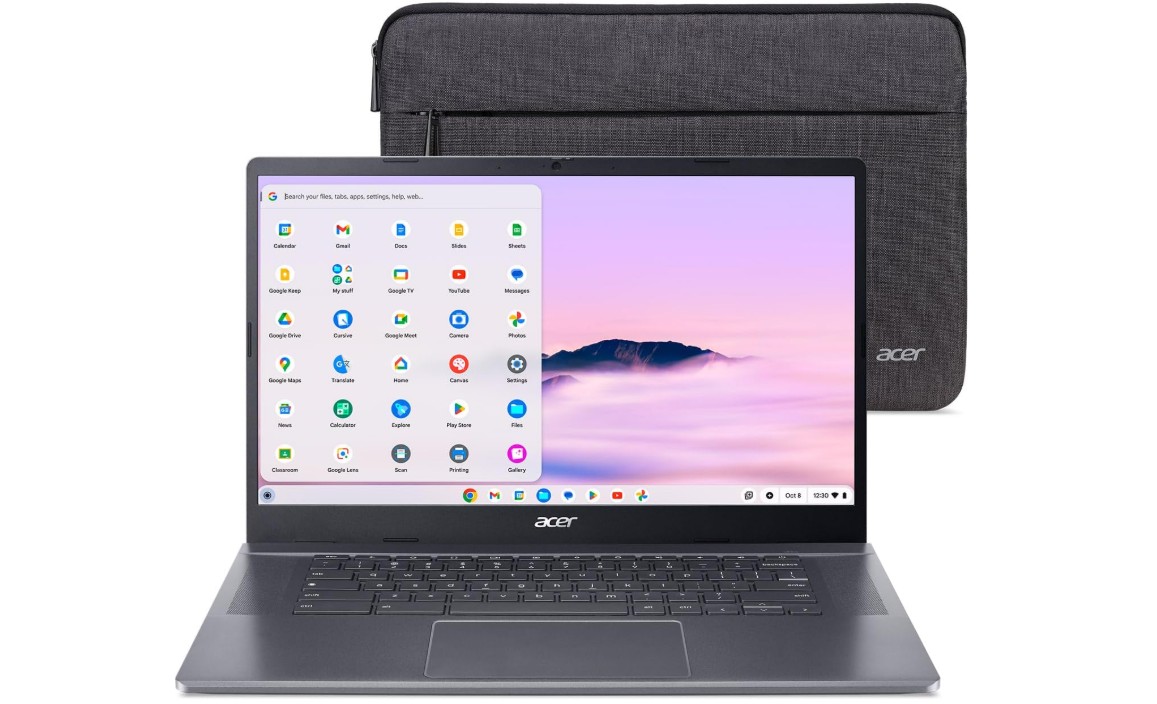
Acer Chromebook Plus 515 Laptop
Acer Chromebook Plus 515 Laptop
The Acer Chromebook Plus 515 is a modern and easy-to-use laptop that is perfect for students, teachers, and everyday users. It comes with a large 15.6-inch Full HD touchscreen display that looks sharp and bright. The IPS panel offers good viewing angles, and the touch feature makes it easier to scroll, zoom, and interact with apps. This big screen is great for studying, watching videos, and working on documents for long hours.
This Chromebook is powered by the Intel Core i3-1305U processor, which is faster than many older Chromebook chips. It handles daily tasks like web browsing, online classes, video calls, and multitasking very smoothly. The 8GB LPDDR5X RAM helps keep everything running fast, even when you have many tabs open at the same time. The 256GB SSD gives plenty of storage for files, photos, and offline content, which is more than what most Chromebooks offer.
The laptop runs on Chrome OS, which is simple, secure, and quick to start. It works very well with Google apps like Google Docs, Drive, and Classroom, making it ideal for students. Updates happen automatically, so you do not need to worry about system maintenance. The Chromebook Plus series also includes Google AI features, which help with writing, productivity, and everyday tasks.
Connectivity is another strong point. The Acer Chromebook Plus 515 supports Wi-Fi 6E, giving faster and more stable internet speeds, especially in busy networks. The Full HD camera is clear and sharp, which is great for online meetings and classes. The keyboard is comfortable for typing, and the overall build feels solid and reliable.
Battery life is good for a full day of school or work. While this Chromebook is not made for heavy gaming or professional editing, it performs very well for its purpose. Overall, the Acer Chromebook Plus 515 is a great choice for users who want a fast, simple, and dependable laptop for everyday use.
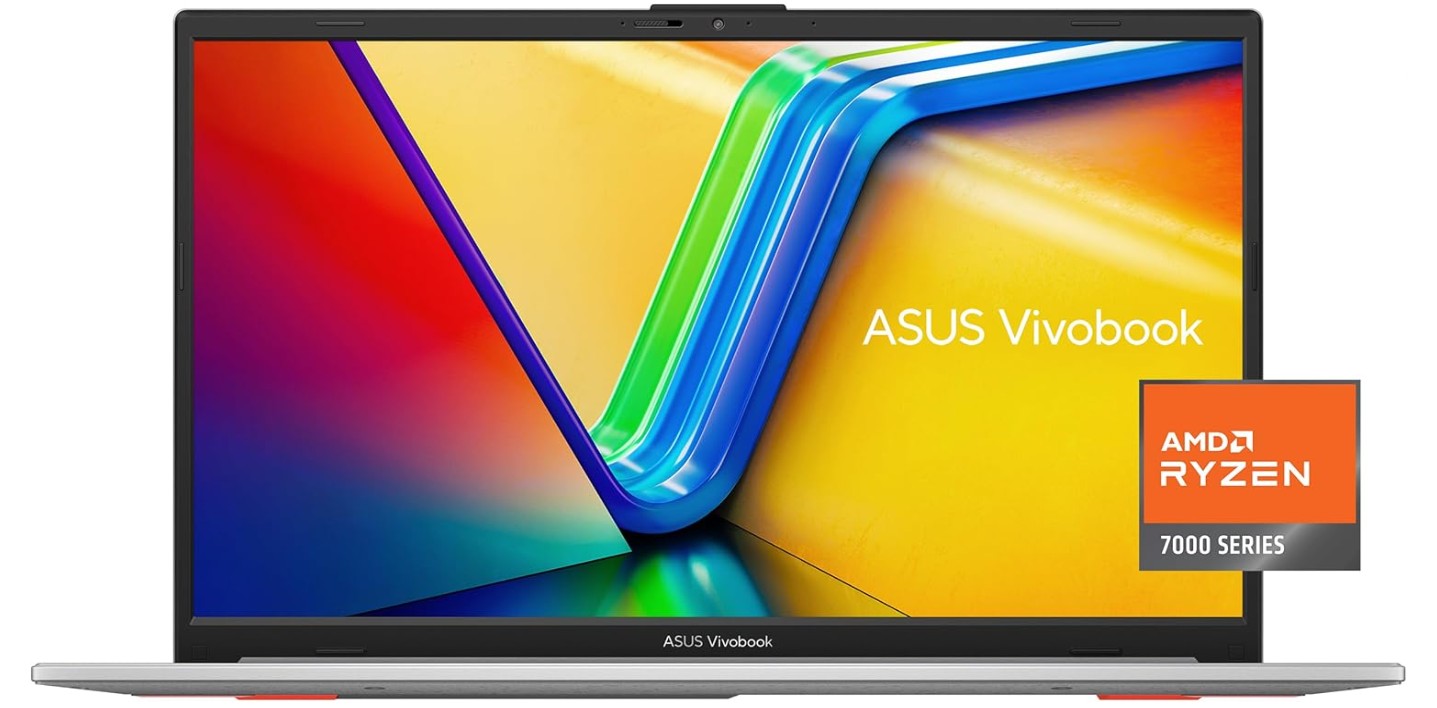
ASUS Vivobook Go 15.6” Slim Laptop
ASUS Vivobook Go 15.6” Slim Laptop
The ASUS Vivobook Go 15.6” Slim Laptop is a stylish and lightweight laptop that is well suited for students and everyday users. It has a large 15.6-inch Full HD display that looks clear and bright, making it comfortable for studying, watching videos, and working on documents. The slim design and cool silver color give it a modern look, while still being easy to carry in a backpack.
This laptop is powered by the AMD Ryzen 5 7520U processor, which offers smooth and reliable performance for daily tasks. You can easily browse the internet, attend online classes, work on assignments, and stream videos without lag. The 8GB of RAM helps the system run smoothly when multiple apps or browser tabs are open. With a 512GB SSD, there is plenty of space for school files, photos, videos, and software, and the laptop also boots up very quickly.
The ASUS Vivobook Go runs on Windows 11 Home, which is easy to use and supports a wide range of apps. One useful feature is the fast charging, which helps reduce waiting time when the battery is low. The laptop also includes military-grade durability, meaning it is built to handle everyday bumps and travel. For privacy, ASUS adds a webcam shield, allowing you to cover the camera when it is not in use.
Typing on the keyboard feels comfortable for long study sessions, and the touchpad is smooth and responsive. Battery life is good for normal daily use, such as classes, browsing, and video streaming. While it is not made for heavy gaming or professional video editing, it performs very well for regular student and home use.
Overall, the ASUS Vivobook Go 15.6” offers a good balance of performance, storage, and useful features at a reasonable price. It is a smart choice for students who want a dependable laptop for everyday tasks without spending too much money.
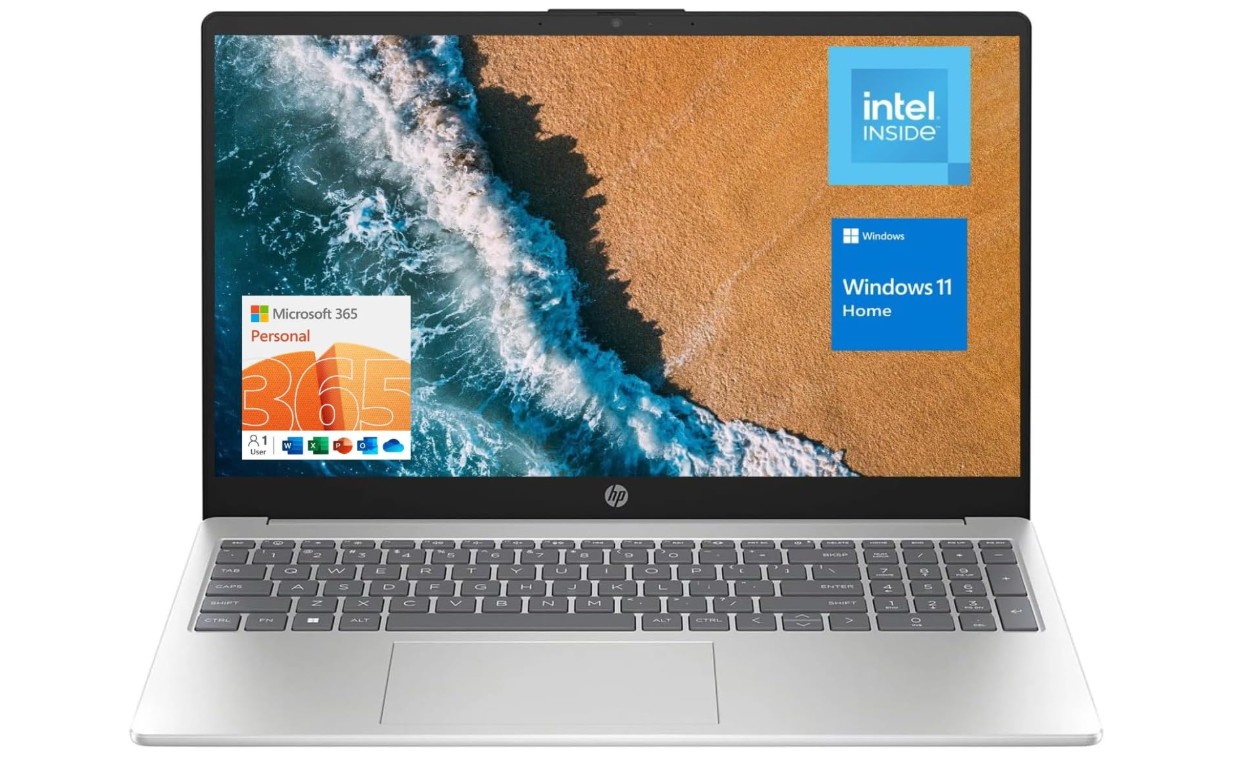
HP 15.6″ Portable Laptop
HP 15.6″ Portable Laptop
The HP 15.6″ Portable Laptop is a simple and affordable laptop designed for students and home users who need a computer for basic daily tasks. It comes with a large 15.6-inch HD display that is comfortable for reading, typing, and watching videos. While the resolution is HD and not Full HD, it is still good enough for schoolwork, online classes, and casual entertainment.
This laptop is powered by the Intel Quad-Core N200 processor, which is made for light and everyday use. It works well for tasks like browsing the internet, writing documents, checking emails, and attending online meetings. One of the biggest strengths of this laptop is the 16GB of RAM, which is more than what most budget laptops offer. This allows smooth multitasking, so you can keep many browser tabs and apps open at the same time without the system slowing down. The 128GB storage is enough for school files and documents, but you may need cloud storage or an external drive if you store many videos or large files.
The laptop runs on Windows 11 Home, which is easy to use and supports many common apps. It also includes Wi-Fi 6, which provides faster and more stable internet connections, especially in busy networks like schools or homes with many devices. The built-in webcam is useful for online classes and video calls, and the HDMI port allows you to connect the laptop to a larger screen or projector. The numeric keypad on the keyboard is helpful for students who work with numbers or spreadsheets.
In terms of design, the silver finish looks clean and professional. The keyboard is comfortable for typing, and the laptop feels light enough to carry around easily. Battery life is decent for a few hours of normal use. While it is not made for gaming or heavy software, it performs well for basic needs. Overall, the HP 15.6″ Portable Laptop is a good choice for students who want a budget-friendly laptop with lots of memory for everyday tasks.
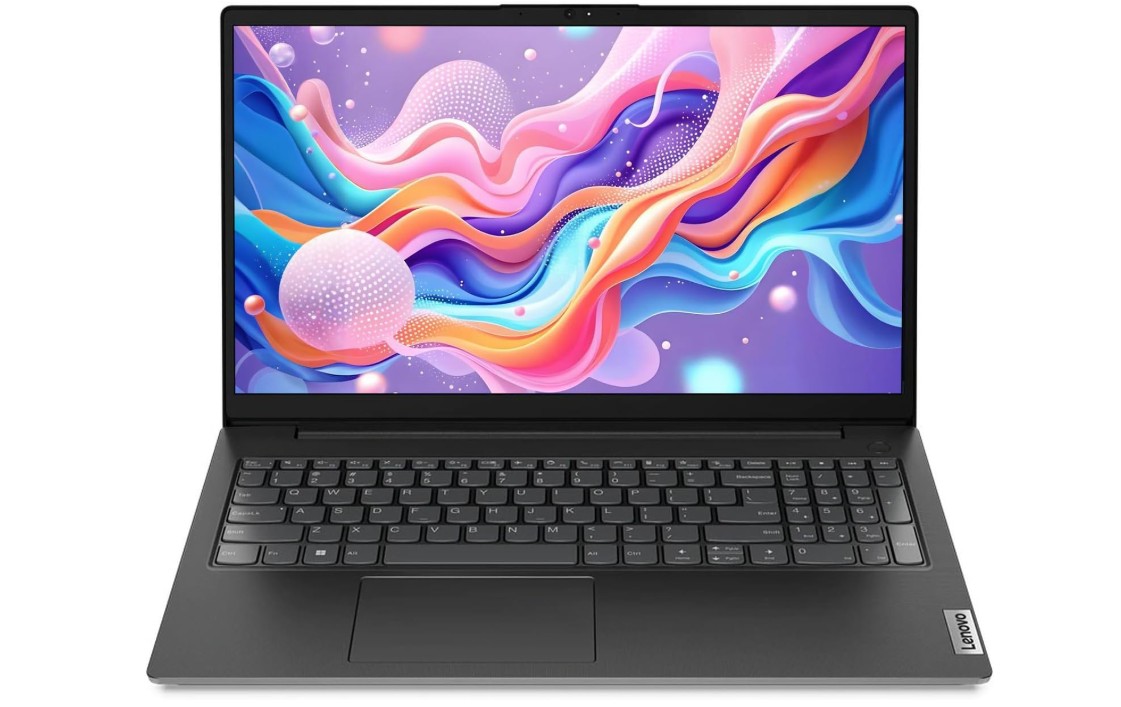
Lenovo Laptop Computer for Business and Student
Lenovo Laptop Computer for Business and Student
The Lenovo Laptop for Business and Student is designed for users who need a reliable and spacious laptop for everyday work and study. It features a 15.6-inch Full HD display that looks clear and sharp, making it comfortable for reading, typing, and watching videos. The large screen is helpful for multitasking, such as working on documents while keeping a browser open at the same time.
This laptop comes with an Intel Dual-Core processor, which is suitable for basic and moderate tasks like web browsing, online classes, office work, and email. While the processor is not made for heavy performance, the laptop makes up for it with a very large 32GB of DDR4 RAM. This allows smooth multitasking, even with many tabs and apps open at once. You can easily switch between tasks without lag. The 1TB PCIe SSD offers plenty of fast storage for documents, software, photos, and videos, and it also helps the system start up quickly.
The laptop runs on Windows 11 Home, which is easy to use and supports most everyday applications. Connectivity is strong with Wi-Fi 6 and Bluetooth 5.2, providing fast and stable wireless connections. It also includes useful ports like USB Type-C and HDMI, making it easy to connect external displays and accessories. The numeric keypad on the keyboard is helpful for students and professionals who work with numbers, spreadsheets, or accounting tasks.
In daily use, the Lenovo laptop feels simple and practical with a clean black design that looks professional. The keyboard is comfortable for long typing sessions, and the touchpad is responsive. Battery life is decent for normal daily use, such as studying or office work. While this laptop is not meant for gaming or heavy creative tasks, it performs very well for productivity and multitasking. Overall, it is a good choice for students and business users who want lots of memory, big storage, and a dependable laptop for everyday tasks.
Buying Guide: Best Laptops for Students Under $500
Choosing the right laptop as a student can feel confusing, especially when you are on a tight budget. Students need a laptop for many daily tasks such as attending online classes, writing assignments, researching on the internet, watching educational videos, and staying connected with teachers and classmates. The good news is that you do not need to spend a lot of money to get a reliable laptop. There are many good student laptops under $500 that offer solid performance for everyday use.
This buying guide will help you understand what to look for when buying a laptop under $500 and how to choose the best one for your needs.
Why Laptops Under $500 Are Good for Students
Laptops under $500 are made for basic and medium-level tasks. They may not be powerful enough for heavy gaming or professional video editing, but they are perfect for school and college work. These laptops usually focus on good battery life, simple design, and enough performance for daily use. For most students, this is more than enough.
Another benefit is affordability. Students and parents can save money while still getting a laptop that can last for several years if used properly.
Processor: What Type Is Best for Students?
The processor, also called the CPU, is the brain of the laptop. For student laptops under $500, you will usually see these processors:
- Intel Celeron / Intel N-series (N200, N4020)
- Intel Core i3 (10th to 13th Gen)
- AMD Ryzen 3 or Ryzen 5 (older generations)
For basic tasks like typing, browsing, and online classes, Intel Celeron or N-series processors are okay. However, if you want smoother performance and faster speed, Intel Core i3 or AMD Ryzen 5 is a better choice. These processors handle multitasking much better and feel faster in daily use.
For students, Intel Core i3 or AMD Ryzen 5 is ideal if you can find it under $500.
RAM: How Much Memory Do Students Need?
RAM is very important for multitasking. It helps your laptop run multiple apps at the same time.
- 4GB RAM – Only good for very basic use
- 8GB RAM – Best choice for most students
- 16GB RAM – Excellent, but rare under $500
Most students should aim for at least 8GB RAM. This allows smooth use of web browsers, documents, video calls, and study apps at the same time. Some laptops under $500 even offer 16GB RAM, which is great value if you find one.
Storage: SSD Is a Must
Storage is where your files, documents, and software are saved.
- eMMC storage is slower and usually limited
- SSD (Solid State Drive) is much faster and better
Always choose a laptop with an SSD, even if it is smaller. A 128GB SSD is the minimum, but 256GB or 512GB SSD is much better for students who store many files. SSDs also make laptops start faster and run smoother.
Display: Size and Resolution Matter
Most student laptops under $500 come with 14-inch or 15.6-inch displays.
- HD (1366×768) – Basic quality
- Full HD (1920×1080) – Much better and sharper
A Full HD display is highly recommended. It is easier on the eyes and better for reading, watching videos, and multitasking. A 15.6-inch screen is great for home and office use, while a 14-inch laptop is easier to carry to school or college.
Operating System: Windows or Chrome OS?
Student laptops under $500 usually come with either Windows 11 or Chrome OS.
Windows 11
Windows laptops are more flexible. You can install many types of software like Microsoft Office, coding tools, and school programs. They are better for college students who need special apps.
Chrome OS
Chromebooks are simple, fast, and secure. They are best for students who mostly use Google apps like Google Docs, Google Classroom, and Chrome browser. Chromebooks also have good battery life.
If your school uses Google tools, a Chromebook is a great choice. Otherwise, Windows laptops are more versatile.
Battery Life: Important for Students
Battery life is very important, especially for students who attend long classes or study outside.
Most budget laptops offer 6 to 8 hours of battery life. Chromebooks often last longer than Windows laptops. Always check battery reviews before buying. Fast charging is also a helpful feature if available.
Keyboard and Touchpad Comfort
Students type a lot, so a comfortable keyboard is important. Look for:
- Well-spaced keys
- Good key travel
- Numeric keypad (optional, useful for math students)
A smooth and responsive touchpad also improves daily use.
Connectivity and Ports
A good student laptop should have basic connectivity options:
- Wi-Fi 5 or Wi-Fi 6 for stable internet
- Bluetooth for wireless accessories
- HDMI to connect external displays
- USB Type-A and Type-C ports
Some laptops also include an Ethernet (RJ45) port, which is useful for stable wired internet.
Build Quality and Portability
Budget laptops are usually made of plastic, but some still feel strong and durable. Lightweight laptops are easier to carry in backpacks. If possible, choose a laptop with military-grade durability or solid hinges for long-term use.
Performance for Different Student Needs
- School & College Students: Core i3 or Ryzen 5, 8GB RAM, SSD
- Online Classes & Homework: Chromebook or Windows laptop with 8GB RAM
- Business & Office Studies: Windows laptop with numeric keypad and SSD
- Light Coding & Programming: Core i3 / Ryzen 5 with 8GB+ RAM
Gaming and heavy video editing are not recommended on laptops under $500.
Common Mistakes to Avoid
- Buying laptops with only 4GB RAM
- Choosing HDD instead of SSD
- Ignoring screen resolution
- Paying for high RAM but weak processor
- Not checking operating system limitations
FAQs
Yes — laptops under $500 can handle everyday student tasks like web browsing, document editing, streaming, online classes, and email. Most models in this price range come with enough processing power and storage for standard academic work.
Yes. Most laptops under $500 — whether Windows or ChromeOS — have cameras and enough power for video conferencing and online classes. However, performance during multitasking (many tabs + video calls) can vary based on RAM and processor.
Yes — refurbished laptops can offer far better specs for the same budget if they come with a warranty and are from reputable sellers. Many buyers find good deals this way, especially for student laptops.
With regular use (emails, projects, classes), a good budget laptop can last 3–4 years if cared for (battery maintenance, software updates). SSDs help extend usability by improving longevity.
Touchscreens / 2-in-1s are nice but not essential for basic school tasks — and they can raise the price. Choose them only if note-taking or tablet-style use is a priority.
Final Thoughts
Laptops for students under $500 offer great value if you choose wisely. Focus on the basics: a decent processor, enough RAM, SSD storage, and a clear display. Windows laptops offer flexibility, while Chromebooks provide simplicity and long battery life. Every student has different needs, so think about how you will use the laptop before buying.
With the right choice, a budget laptop can easily support your studies, projects, and online learning for years without any problem.

Jawad is a passionate tech enthusiast and writer who loves exploring the latest trends in hardware, gadgets, and digital innovation. With a sharp eye for performance and value, he delivers in-depth recommendations and buying guides to help readers make smarter tech decisions.