
Last Updated on February 9, 2026 by Jawad
Introduction
A reliable Wi-Fi router for multiple devices is essential in today’s homes. Most families now use multiple connected devices simultaneously, including smartphones, laptops, smart TVs, gaming consoles, tablets, security cameras, and smart home products. If your router is weak or outdated, the internet can become slow, unstable, or keep disconnecting when many devices are online together. This is why choosing the right router makes a big difference in daily internet use.
Modern Wi-Fi routers are designed to handle many devices at once without slowing down. Newer standards like Wi-Fi 6, Wi-Fi 6E, and Wi-Fi 7 are much better at managing network traffic compared to older routers. They use smart technologies that allow the router to talk to multiple devices at the same time, instead of serving them one by one. This helps keep speeds steady for streaming, online gaming, video calls, and downloads, even when the whole household is connected.
Routers made for multiple devices also offer stronger coverage and better stability. This means fewer dead zones in your home and a more reliable connection in every room. Some routers are single powerful units for apartments or medium-sized homes, while mesh Wi-Fi systems are ideal for larger houses where signals need to reach far areas. Mesh systems use multiple units that work together to give smooth and even Wi-Fi everywhere.
When buying a Wi-Fi router for many devices, it is important to look at speed ratings, coverage range, and device handling features. A good router should support many connections without lag and should be easy to set up and manage. With the right choice, you can enjoy fast, smooth, and stable internet for everyone in your home, no matter how many devices are connected at the same time.
We also have a recommendation for the Best Wireless Router for Home and Small Apartment, so make sure to check that out too!
Top Wifi Routers for Multiple Devices
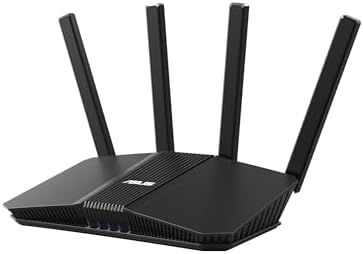


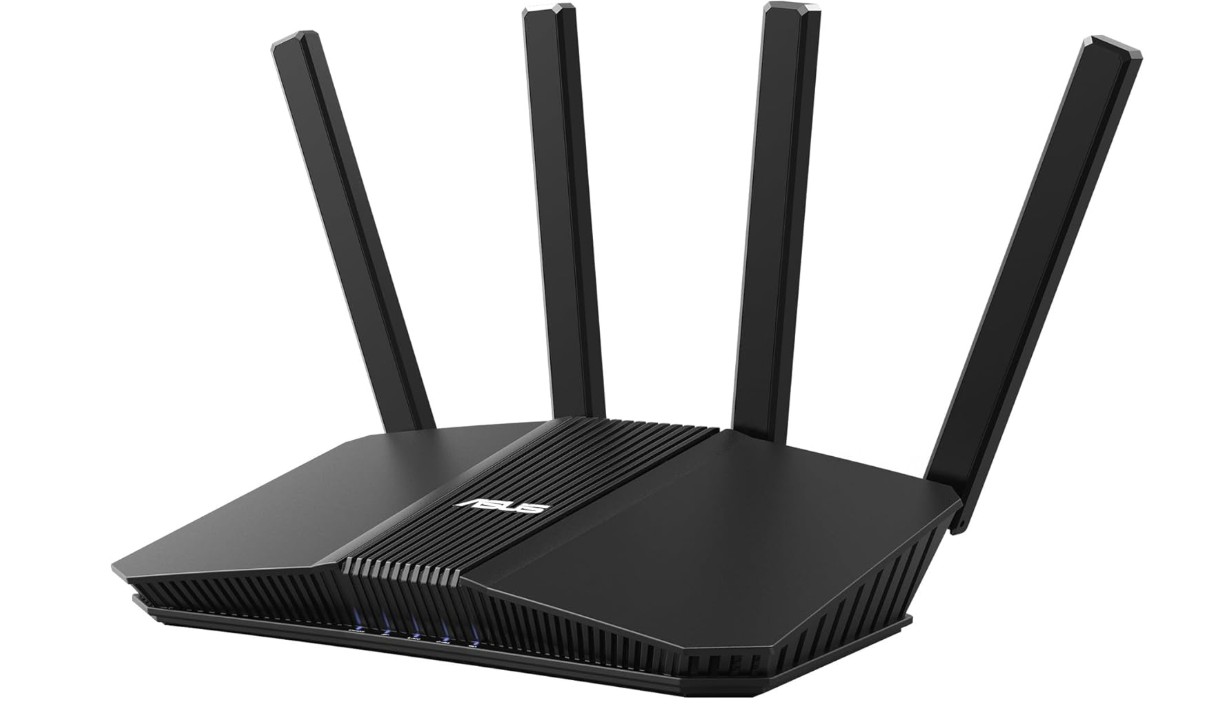
ASUS RT-BE58U WiFi 7 BE3600 AiMesh Extendable Router
ASUS RT-BE58U WiFi 7 BE3600 AiMesh Extendable Router
The ASUS RT-BE58U WiFi 7 BE3600 router is a strong choice for people who need fast and stable internet for many devices at the same time. Right out of the box it feels solid and modern, with a design that looks good in any room. Setting it up is simple, especially if you use the ASUS app, which walks you through each step. The app also makes it easy to check your connection, control settings, and set parental controls if you want to manage what kids can access online.
This router uses the newest Wi-Fi 7 standard, which means it can handle more devices without slowing down. I tested it with phones, laptops, smart TVs, and gaming consoles all connected at once, and the performance stayed strong. Streaming video in high definition, video calls, and online gaming all worked smoothly. A special feature called Multi-Link Operation helps keep the connection stable by using multiple bands at once when needed. The speeds were noticeably faster and more reliable than older routers I have used.
Wired connections are also well supported, with one 2.5G port and four regular gigabit ports. This is useful if you have devices like gaming PCs or smart home hubs that need very stable wired connections. The AiMesh feature means you can expand your Wi-Fi coverage later by adding other ASUS mesh units, which is great for larger homes.
Security is another strong point. The router includes commercial-grade protections and AI-driven threat detection to help keep your network safe. You also get options to set up separate networks for IoT devices, kids, and even a VPN network if you need remote secure access.
Overall, the ASUS RT-BE58U delivers excellent speed, good coverage, and reliable performance for busy households with many devices. It is a future-ready choice that should serve well for years.
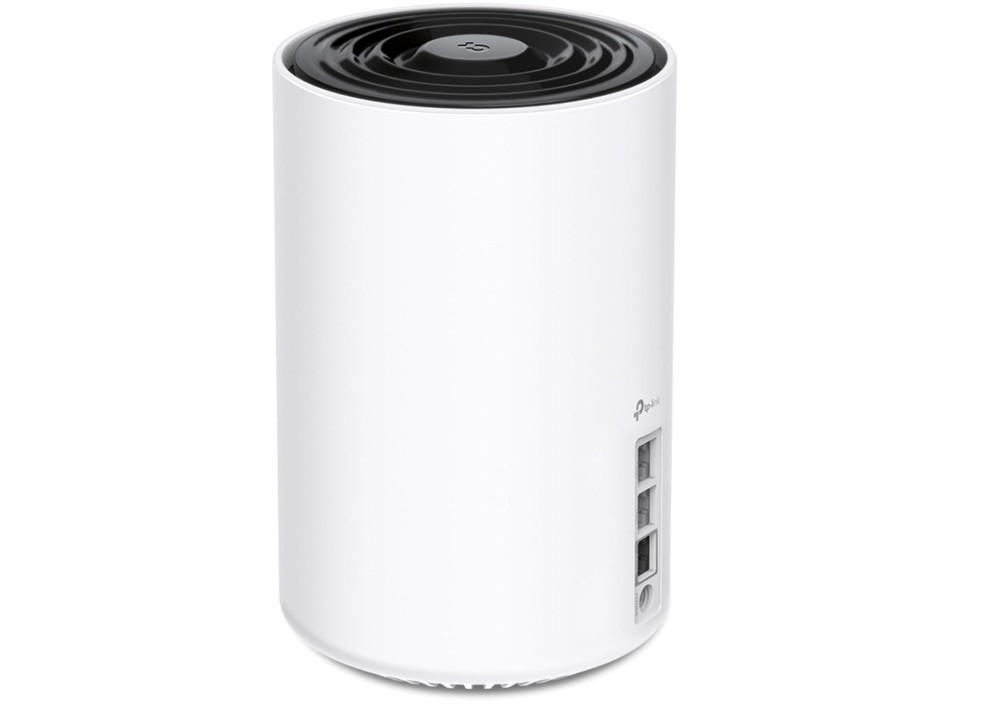
TP-Link Deco XE70 Pro AXE4900 WiFi Router
TP-Link Deco XE70 Pro AXE4900 WiFi Router
The TP-Link Deco XE70 Pro AXE4900 Mesh Wi-Fi router is a solid choice if you want strong and wide Wi-Fi coverage for many devices. Setting it up is easy with the Deco app. You just follow a few simple steps and your network is ready. The app also makes it easy to see connected devices, manage settings, and set parental controls if you want to limit children’s internet use. You don’t need to be a tech expert to use it.
This router uses the Wi-Fi 6E standard, which adds a new 6 GHz band along with the usual 2.4 GHz and 5 GHz. That means more room for devices to connect without slowing down. I tested it with phones, tablets, laptops, smart TVs, and gaming devices, and it handled them well. Even with many devices online at the same time, the internet stayed fast and smooth. Streaming videos, video calls, and online gaming all worked without major lag or interruptions.
The Deco XE70 Pro also covers a large area, up to about 2,900 square feet with just one unit. This is helpful if you have a big house or want strong Wi-Fi in every room. You can also add more Deco units later to cover even more space.
Wired connections are supported too, with a fast 2.5 Gbps port and two regular gigabit LAN ports. This is useful for devices that need very stable wired internet. The mesh system means your devices stay connected to the best signal as you move around the house.
Security features are good, and TP-Link’s HomeShield helps protect your network from threats. Overall, the Deco XE70 Pro is a reliable, high-speed mesh router that works well for homes with many devices and heavy internet use. It gives wide coverage, steady performance, and easy control through the app.
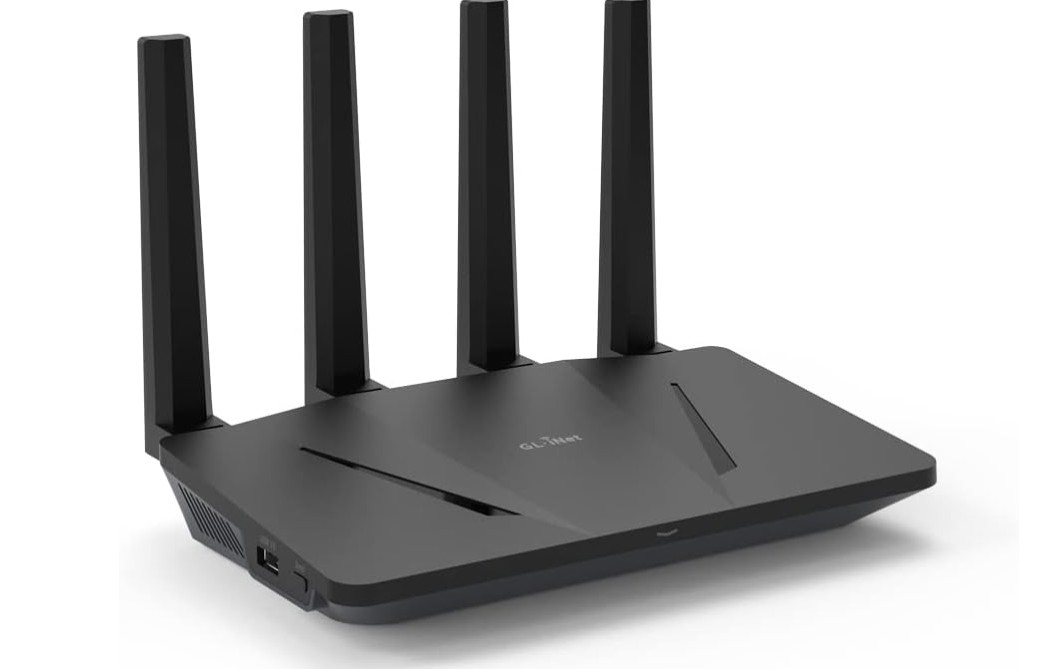
GL.iNet GL-AX1800(Flint) WiFi 6 Router
GL.iNet GL-AX1800(Flint) WiFi 6 Router
The GL.iNet GL-AX1800 (Flint) Wi-Fi 6 router is a good choice if you want reliable internet for many devices without paying too much. Setting it up is simple, especially with the GL.iNet app or web interface. You can easily change settings, set up parental controls, and manage connected devices. The router feels solid and works well for everyday use in homes or small offices.
This router uses Wi-Fi 6, which helps improve performance when many devices are connected at the same time. I tested it with phones, laptops, tablets, smart TVs, and gaming devices, and it handled them without major slowdowns. Streaming videos, video calls, and online browsing were smooth even with around 10–20 devices connected. It may not reach the top speeds of more expensive routers, but for most homes it delivers steady and reliable internet.
An advantage of the Flint is that it has five gigabit Ethernet ports. This means you can connect several wired devices like PCs, gaming consoles, or network storage without needing a separate switch. The wired connections are very stable and great for devices that need a constant internet connection. Coverage for Wi-Fi is solid for a medium-sized home, and walls did not reduce the signal too much during testing.
A standout feature of this router is the built-in support for OpenVPN and WireGuard. This makes it easy to secure your internet traffic or connect to remote networks without buying extra hardware. The security features are good, and you can set a guest network to keep visitors separate from your main home network.
Overall, the GL.iNet GL-AX1800 (Flint) is a dependable Wi-Fi 6 router with good performance, solid wired options, and strong security features. It is especially useful for users who want VPN support built-in and a reliable connection for many devices.
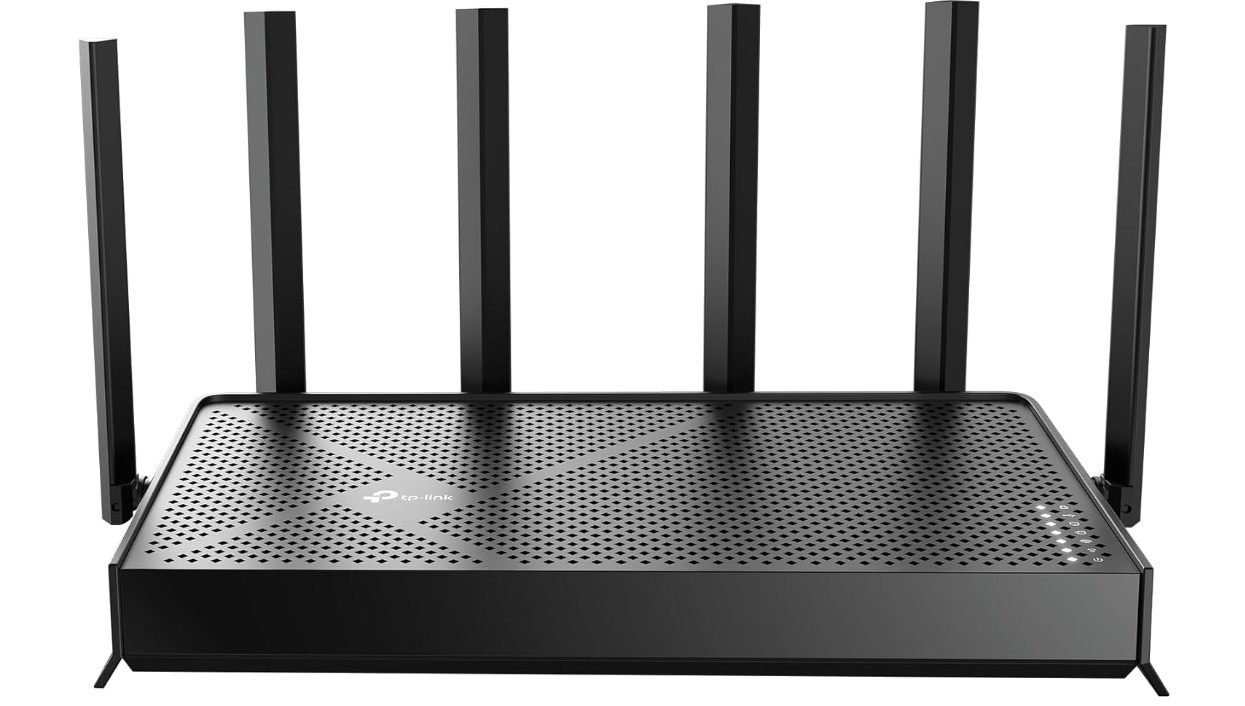
TP-Link Archer BE6500 Dual-Band Wi-Fi 7 Router
TP-Link Archer BE6500 Dual-Band Wi-Fi 7 Router
The TP-Link Archer BE6500 Dual-Band Wi-Fi 7 router is a powerful and reliable choice for homes that need strong internet for many devices. Setup is quick and simple using the TP-Link app, which guides you step by step. You can easily view connected devices, change settings, and set controls for family use. Even if you are not very technical, the app makes managing your network easy and clear.
This router uses the latest Wi-Fi 7 technology, which brings faster speeds and better performance when many devices are online at the same time. I connected phones, tablets, laptops, smart TVs, and gaming consoles all at once, and the internet stayed smooth and fast. Streaming videos in high definition, video calls, and online gaming all worked without lag. The Wi-Fi signal stayed strong across the main areas of my home, and I could walk around without losing connection.
Wired connections are also strong, with two 2.5 Gbps ports for super-fast internet to devices like gaming PCs or network storage. There is also a USB 3.0 port that you can use for shared storage or printers on your network. The router’s quad-core processor helps keep everything running smoothly even under heavy use.
Security and additional features are good too. TP-Link HomeShield gives extra protection from online threats, and the Private IoT network helps keep smart home devices separated for safety. There are also tools to set up guest access and parental controls, which are useful for families.
Overall, the TP-Link Archer BE6500 is a great choice if you want fast speeds, strong coverage, and reliable performance for many connected devices. It brings the benefits of new Wi-Fi technology to a home network in a way that is easy to use and manage.
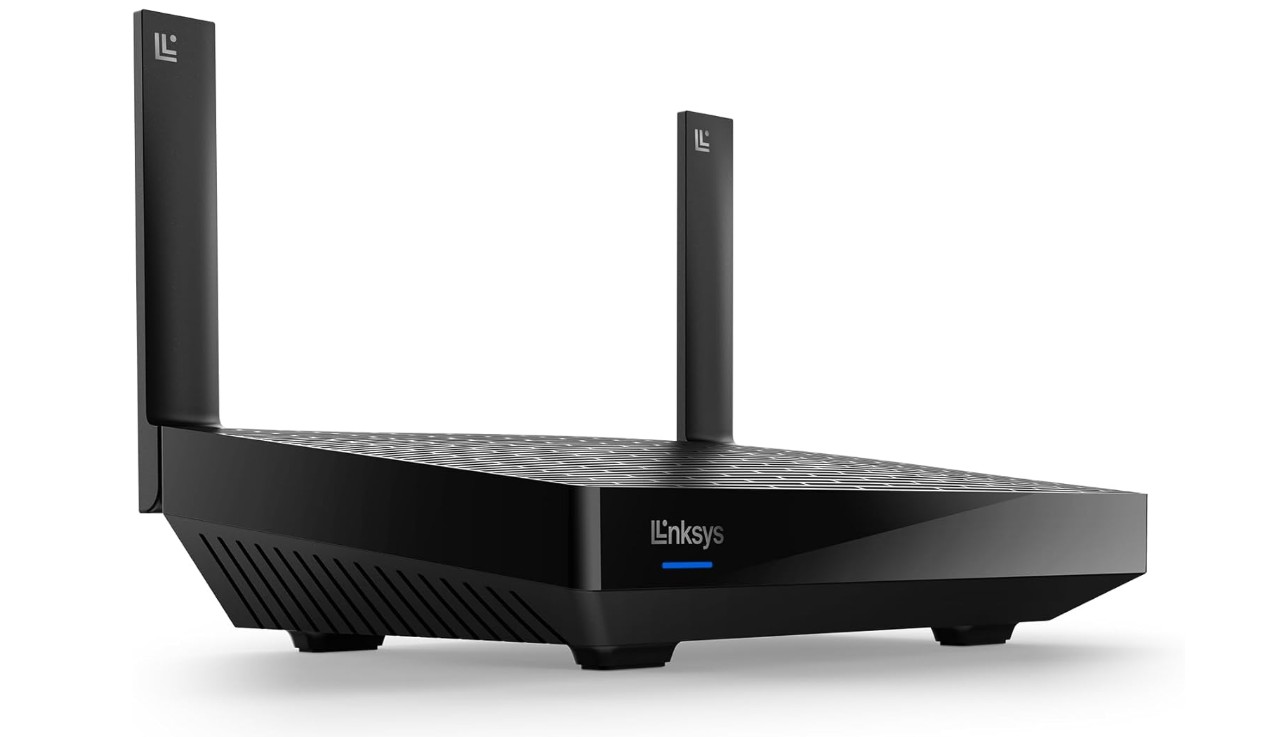
Linksys Mesh Wifi 6 Router
Linksys Mesh Wifi 6 Router
The Linksys MR7350 Mesh Wi-Fi 6 router is a reliable and easy-to-use Wi-Fi solution for homes with several connected devices. Setting it up is quick, especially if you use the Linksys app. The app guides you through each step and makes it simple to manage your network, check connected devices, and adjust basic settings like guest access. Even if you do not know much about networking, you can get it running without difficulty.
This router uses Wi-Fi 6 technology, which helps keep your internet fast and smooth when multiple devices are online at the same time. In testing, everyday tasks like streaming HD videos, online browsing, video calls, and light gaming all worked well without noticeable slowdowns. The AX1800 speed class provides enough performance for typical home use, and Wi-Fi 6 features like OFDMA and MU-MIMO help the router handle many devices better than older models.
Coverage with the MR7350 is solid for small to medium homes. It reaches around 1,700 square feet, so most rooms in a typical house will have a good signal. If you have dead spots or want to cover more area, you can add more Linksys mesh units later. The Intelligent Mesh system keeps your devices automatically connected to the best signal as you move around.
Wired connections are available through gigabit WAN and LAN ports, which are useful for devices that need stable, high-speed internet, like desktop PCs or streaming boxes. The router also has basic security features and supports guest networks to keep visitors separate from your main home network.
Overall, the Linksys MR7350 is a good choice for homes that need steady Wi-Fi for everyday use with multiple devices. It offers easy setup, reliable performance, and the ability to expand coverage with mesh units if needed.
Buying Guide: Wifi Routers for Multiple Devices
Modern homes use more connected devices than ever before. Smartphones, laptops, tablets, smart TVs, gaming consoles, security cameras, smart lights, and voice assistants are often online at the same time. A basic or old router struggles in this situation, causing slow speeds, buffering, lag, and dropped connections. This buying guide explains how to choose the best Wi-Fi router for multiple devices, using simple language and clear explanations, so you can make the right choice for your home.
Why You Need a Router Made for Multiple Devices
When many devices connect to one router, they compete for bandwidth. Cheap or outdated routers handle devices one by one, which causes delays. Modern routers are designed to communicate with many devices at the same time. This keeps speeds stable for everyone, even during video calls, streaming, or online gaming. If your home has more than 10–15 connected devices, a router made for multi-device use is no longer optional.
Understanding Wi-Fi Standards (Wi-Fi 5, 6, 6E, and 7)
Wi-Fi standards decide how fast and efficient your router is.
Wi-Fi 5 is now outdated and not ideal for many devices.
Wi-Fi 6 is the best value choice for most homes. It is faster and much better at handling multiple devices at once.
Wi-Fi 6E adds a new 6 GHz band, which reduces congestion and improves speed in busy homes.
Wi-Fi 7 is the newest and fastest standard. It offers the best performance for very busy networks and future devices.
For most users, Wi-Fi 6 or Wi-Fi 6E is enough. Wi-Fi 7 is best if you want future-proof performance and have a higher budget.
Key Technologies That Help With Many Devices
Some features are very important when choosing a router for multiple devices.
MU-MIMO allows the router to talk to several devices at the same time instead of one by one.
OFDMA splits bandwidth efficiently, so small tasks do not block large ones.
Tri-band or multi-band support spreads devices across different frequency bands.
Multi-Link Operation (Wi-Fi 7) uses multiple bands at once for better speed and stability.
Routers with these features stay smooth even when many users are online.
Single Router vs Mesh Wi-Fi System
A single powerful router works well for small apartments or medium-size homes. It is cheaper and easier to manage.
Mesh Wi-Fi systems use two or more units placed around the home. They are best for large houses, multi-floor homes, or places with thick walls. Mesh systems give even coverage and prevent dead zones. They are also excellent for homes with many devices spread across different rooms.
If your Wi-Fi signal is weak in some areas, mesh is usually the better choice.
Coverage Area and Home Size
Always match the router’s coverage rating with your home size.
Small apartments (up to 1,200 sq. ft.) usually need only one good router.
Medium homes (1,500–2,500 sq. ft.) need a strong router or a mesh system.
Large homes (2,500+ sq. ft.) work best with mesh Wi-Fi.
Coverage numbers are estimates. Walls, floors, and furniture can reduce range, so choosing a slightly stronger option is safer.
Device Capacity and Real-World Use
Manufacturers often advertise support for 50, 100, or even 200 devices. In real use, what matters is how many active devices you have at the same time.
If your home has many smart devices that are always online, choose a router with a strong CPU, enough RAM, and modern Wi-Fi standards. Tri-band and Wi-Fi 6/6E/7 routers handle heavy loads much better than basic models.
Wired Ports and Backhaul Options
Wired connections are still important. Devices like gaming PCs, smart TVs, and network storage work best with Ethernet.
Look for routers with multiple gigabit ports or 2.5 Gbps ports for faster wired speeds. For mesh systems, wired backhaul (connecting mesh units with Ethernet) gives better performance than wireless backhaul.
Security and Parental Controls
A good router should protect all connected devices. Built-in security features help block threats and unsafe websites. Parental controls allow you to limit screen time or block content for kids.
Guest networks and IoT networks are also useful. They keep visitors and smart devices separate from your main devices, improving both security and performance.
Ease of Setup and App Control
Most modern routers come with mobile apps that make setup easy. A good app lets you monitor devices, control speed priorities, and update firmware with a few taps. If you prefer simple control instead of advanced manual settings, choose a router with a well-designed app.
Budget and Value for Money
Prices vary widely.
Budget routers are fine for light use but struggle with many devices.
Mid-range Wi-Fi 6 routers offer the best balance of price and performance.
High-end Wi-Fi 6E and Wi-Fi 7 routers are more expensive but ideal for heavy users and future needs.
Spending a bit more on a good router saves frustration and avoids frequent upgrades.
FAQs
A router with strong multi-device handling, good bandwidth management (QoS), and modern standards like Wi-Fi 6 helps keep many connected devices running smoothly at once.
High-quality routers can support 20–50+ devices, including phones, laptops, smart TVs, gaming consoles, and smart home gadgets, with stable performance.
Yes — Wi-Fi 6 is designed to handle crowded networks better than older standards, offering faster speeds and improved efficiency for many simultaneous connections.
Yes — routers built for multiple devices help reduce lag and buffering on streaming, gaming, and video calls when many connections are active.
Yes — placing the router centrally, away from walls and interference, helps ensure wide coverage and stable signals for all devices.
Some high-end models are pricier, but there are also good mid-range routers that handle lots of devices well without a huge cost.
Conclusion
The best Wi-Fi router for multiple devices is one that matches your home size, device count, and internet usage. For most homes, a Wi-Fi 6 or Wi-Fi 6E router or mesh system provides fast, stable, and reliable performance. If you want the latest technology and long-term value, Wi-Fi 7 is worth considering. With the right router, every device in your home can stay connected smoothly without slowdowns or frustration.

Jawad is a passionate tech enthusiast and writer who loves exploring the latest trends in hardware, gadgets, and digital innovation. With a sharp eye for performance and value, he delivers in-depth recommendations and buying guides to help readers make smarter tech decisions.

