
Last Updated on March 30, 2026 by Jawad
Introduction
In fast-paced FPS games, having the right gaming mouse can make a real difference in your aim accuracy and overall performance. Best FPS gaming mice are designed to offer precise tracking, quick response, and consistent control, which are all important when every shot matters. Whether you are playing competitive titles like CS2, Valorant, Call of Duty, or Apex Legends, a good mouse helps you react faster, track enemies smoothly, and land more accurate shots.
Aim accuracy depends heavily on the mouse sensor, weight, and shape. High-quality optical sensors provide accurate tracking without skipping or jitter, even during fast flicks and sudden movements. This allows players to keep their crosshair steady and predictable. Lightweight mice are especially popular for FPS games because they reduce hand fatigue and make it easier to perform quick flick shots and micro-adjustments. Many professional players prefer mice that feel effortless to move across the mouse pad.
Another important factor is low latency. FPS gaming mice are built with fast response times, ensuring that every movement you make is instantly reflected on screen. Wired mice are still favored by some players for their reliability, while modern wireless FPS mice now offer near-zero delay, making them just as effective for competitive play. A comfortable shape is also crucial, as it allows you to maintain control during long gaming sessions without strain.
The best FPS gaming mice focus on simplicity and performance rather than extra features. They usually have fewer buttons, clean designs, and smooth mouse feet for effortless gliding. When chosen correctly, an FPS gaming mouse becomes an extension of your hand, helping you aim better, react quicker, and play with more confidence in every match.
We also have a recommendation for the Best Lightweight Gaming Mice, so make sure to check that out too!
Top FPS Gaming Mice for Aim Accuracy




Razer Viper Ultimate Lightweight Wireless Gaming Mouse
Razer Viper Ultimate Lightweight Wireless Gaming Mouse
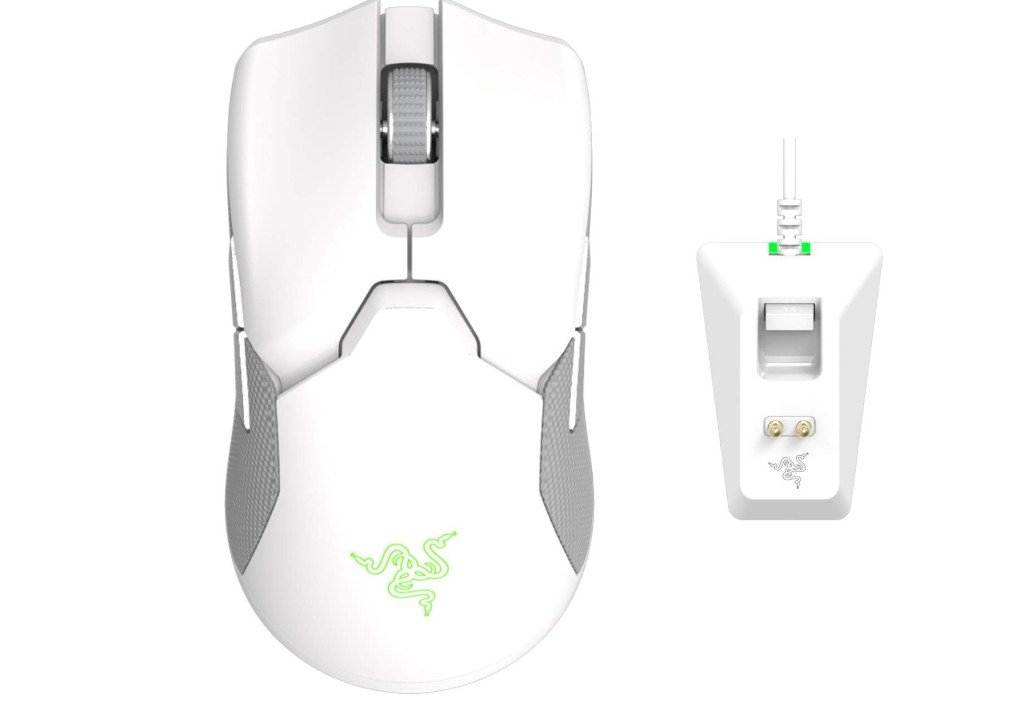
The Razer Viper Ultimate Lightweight Wireless Gaming Mouse with the RGB Charging Dock is a fantastic choice for gamers who want great performance and freedom from wires. Right out of the box, the mouse feels light and balanced, making it easy to move quickly during gameplay. The lightweight design means your hand doesn’t get tired even during long sessions, and this is especially helpful in fast shooter games where small, quick movements can make a big difference.
The wireless connection using Razer’s HyperSpeed technology is very stable and fast. You won’t notice any delay or lag during intense moments, which is something many gamers look for. The mouse stays connected even when you move it around quickly or play at a distance from the sensor. This makes it feel just as reliable as a wired mouse, but without the cable getting in the way.
The sensor on this mouse is excellent. It supports up to 20,000 DPI, which means it can track very small and very fast movements accurately. Whether you prefer low sensitivity or high sensitivity, the sensor works smoothly and doesn’t skip. This makes aiming in games easier and more precise, which can help improve your performance.
Battery life is another strong point. With up to 70 hours of playtime on a single charge, you can game for days before needing to charge again. The included RGB Charging Dock is convenient and looks stylish on your desk. It makes keeping the mouse charged simple and adds a cool lighting effect if you like RGB.
The buttons are responsive and feel solid. They register clicks without delay, which is important in games where every millisecond counts. The ambidextrous shape also makes this mouse comfortable for many grip styles, whether you use claw, fingertip, or palm grip.
Overall, the Razer Viper Ultimate is a high-quality, reliable gaming mouse that performs very well in FPS and competitive games while giving you the freedom of wireless play.
Logitech G502 HERO Wired Gaming Mouse
Logitech G502 HERO Wired Gaming Mouse
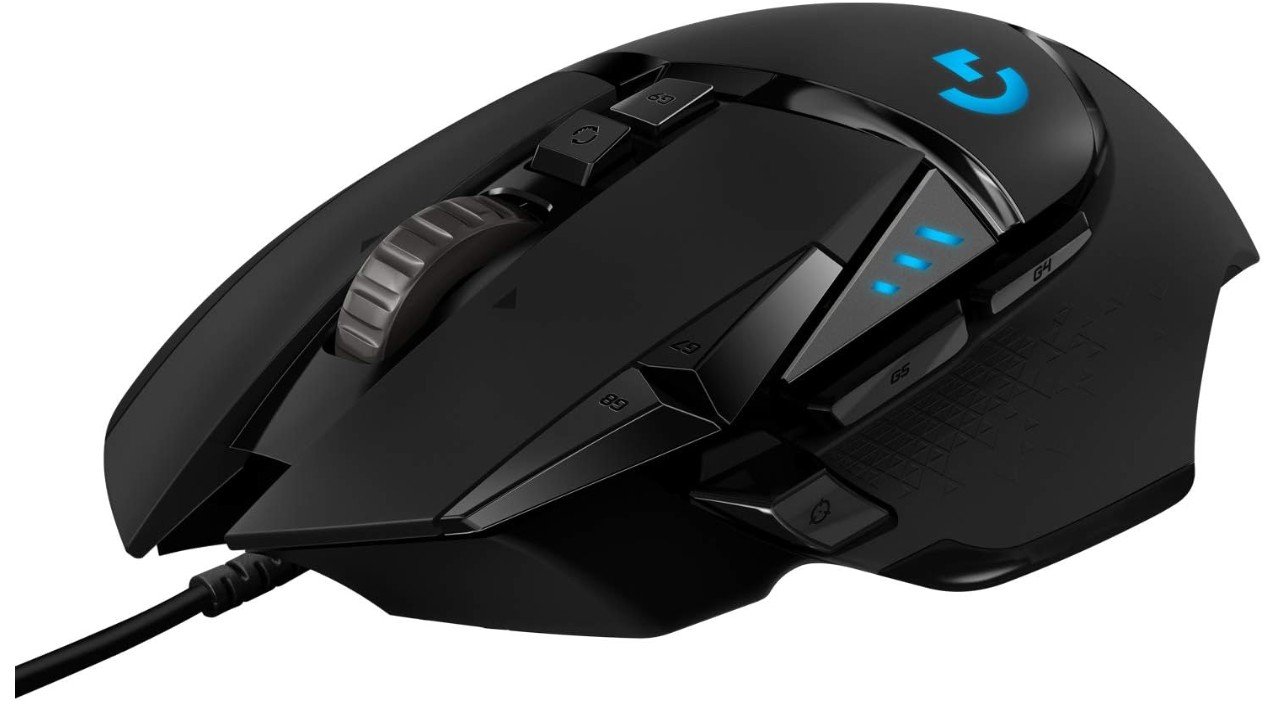
The Logitech G502 HERO High Performance Wired Gaming Mouse is a strong choice for gamers who want precision, control, and customization. From the first time you use it, you notice that it feels solid and well-built in your hand. The shape is ergonomic, meaning it fits comfortably whether you use a palm, claw, or fingertip grip. This makes long gaming sessions less tiring and more enjoyable.
One of the best things about this mouse is its sensor. The HERO 25K sensor is very accurate and can track movement up to 25,600 DPI. This means the mouse can pick up small, quick movements with precision, which is important in many games, especially first-person shooters and competitive titles. The tracking feels smooth and reliable, so you can aim where you want without skipping or jitter.
Another great feature is the adjustable weight system. Logitech includes small weights that you can add or remove to change how heavy the mouse feels. Some players like a heavier mouse for steady aim, while others prefer it lighter for quick flicks. Being able to change the weight lets you find what feels best for you.
The G502 HERO also has 11 programmable buttons, which is more than most mice. You can assign different actions or macros to these buttons, which can make gaming or productivity tasks easier. The on-board memory means you can save your button settings and profiles directly on the mouse, so your preferences stay with it even if you switch computers.
The RGB lighting adds a nice visual touch, and you can sync it with other Logitech gear if you use the software. The wired connection ensures there is no delay, giving you consistent performance every time you play.
Overall, the Logitech G502 HERO is a feature-rich gaming mouse that delivers strong accuracy, comfort, and customization. It works well for many types of games and is a favorite choice for players who want both performance and flexibility.
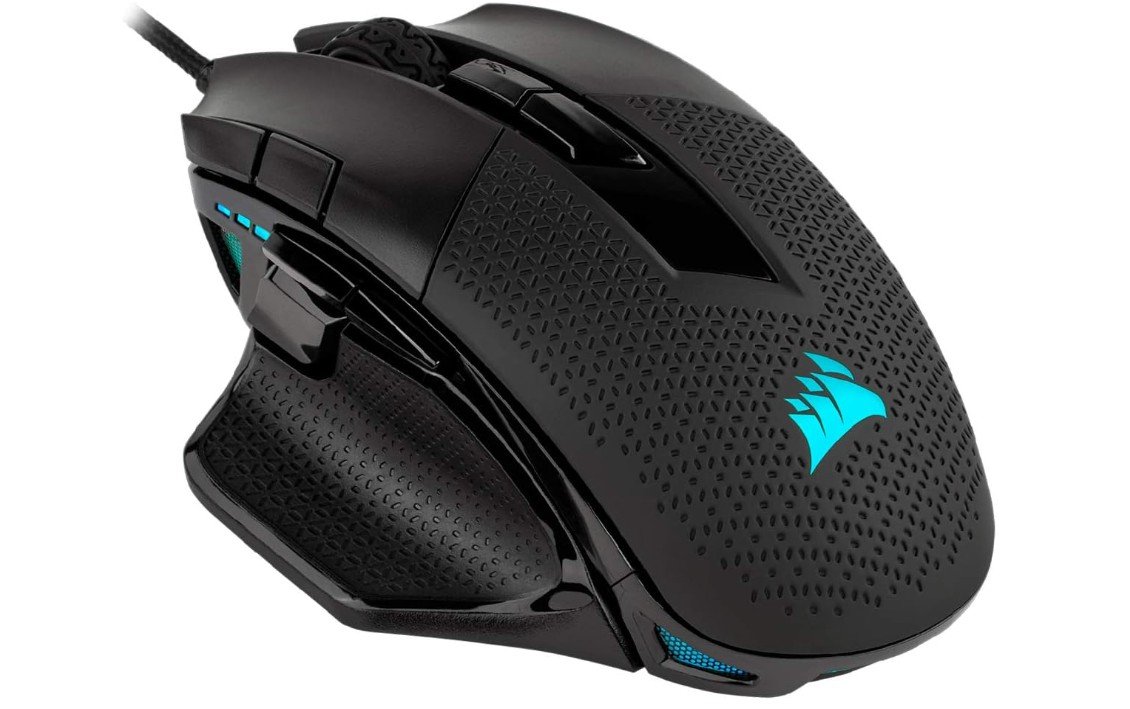
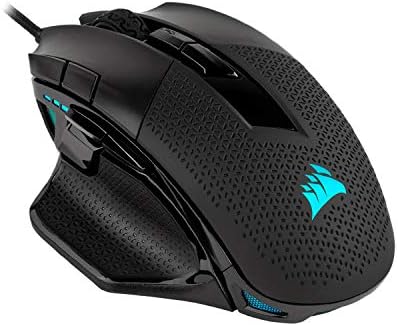
Corsair NIGHTSWORD RGB Gaming Mouse
Corsair NIGHTSWORD RGB Gaming Mouse
The Corsair NIGHTSWORD RGB Gaming Mouse is a solid choice for players who want a comfortable and customizable mouse for FPS and MOBA games. When you first pick it up, you can feel that it is well-built and sturdy. The shape fits nicely in your hand, and the ergonomic design makes it easy to use for long gaming sessions without discomfort or strain. The mouse feels balanced, and the sides give a good grip so it does not slip while you play.
One of its key features is the adjustable weight system. Corsair includes several small weights that you can add or remove to change how heavy the mouse feels. This is useful because different players prefer different weights depending on their play style. If you like a lighter mouse for quick flicks, you can remove some weight. If you want more stability, you can add weight. This customization helps you find the feel that works best for you.
The sensor on the NIGHTSWORD is precise and supports up to 18,000 DPI. This means the mouse can handle very small and very large movements smoothly. The tracking is accurate, so your aim feels consistent and responsive. This accuracy is important in fast-paced games where precise aiming can make a big difference.
There are ten programmable buttons on the mouse, which gives you plenty of control options. You can assign commands, macros, or shortcuts to these buttons using Corsair’s iCUE software. The software also lets you customize the RGB lighting, set DPI levels, and create profiles for different games.
The RGB lighting looks nice and adds a personal touch to your setup. When you use iCUE, you can sync the lighting with other Corsair devices for a coordinated look. The wired connection ensures a stable and reliable performance with no input delay.
Overall, the Corsair NIGHTSWORD RGB is a versatile and comfortable gaming mouse with strong performance and useful customization features. It works well for both shooters and strategy games.
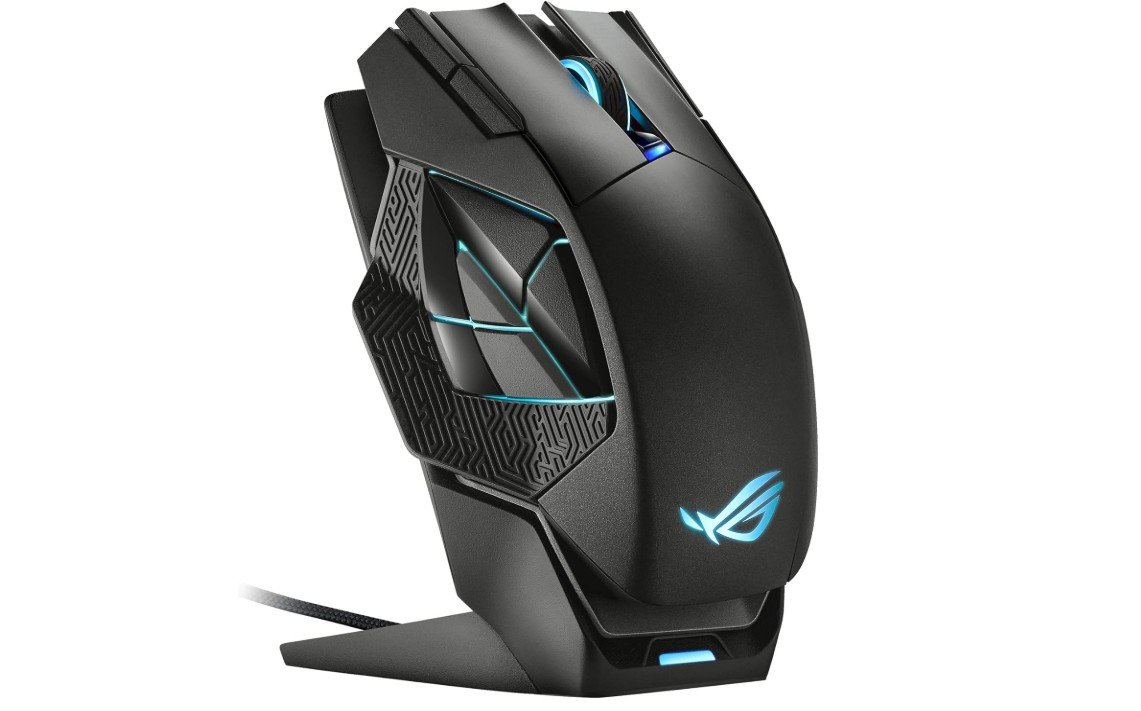
ASUS ROG Spatha X Wireless Gaming Mouse
ASUS ROG Spatha X Wireless Gaming Mouse
The ASUS ROG Spatha X Wireless Gaming Mouse is a great option for gamers who like lots of buttons and flexible connection options. Right away, the size and shape show that this mouse is made for serious gaming, especially MMO and MOBA titles where many commands are used often. It feels sturdy and comfortable in the hand, and the right-handed design gives good support for long sessions without hurting your wrist or fingers.
This mouse has 12 programmable buttons, which is a big advantage if you play games that need quick access to many skills or commands. Being able to assign different actions to these buttons can save time and make your gameplay smoother. The buttons are easy to reach and click without mistakes, so you won’t find yourself pressing the wrong one during intense fights.
You can use the Spatha X in two ways: wireless through 2.4 GHz or wired via USB. The wireless connection works well and stays stable even when the mouse is moving fast, so you don’t feel any delay in your actions. When wireless, the battery lasts up to 67 hours, which means you can play for many days without charging. The included magnetic charging dock is very convenient and makes it easy to set the mouse down and charge it without plugging cables in.
The sensor is accurate and supports up to 19,000 DPI, which means it tracks movement very precisely. This helps with both fast movements and small adjustments, so your aim feels smooth and responsive. Whether you play shooters or strategy games, this accuracy makes a difference.
At 168 grams, this mouse is heavier than many others, which some players may like for more control, but others who prefer lightweight mice might find it feels a bit heavy. Overall, the ASUS ROG Spatha X is a powerful, comfortable, and feature-rich mouse that works well for both MMO and general gaming.
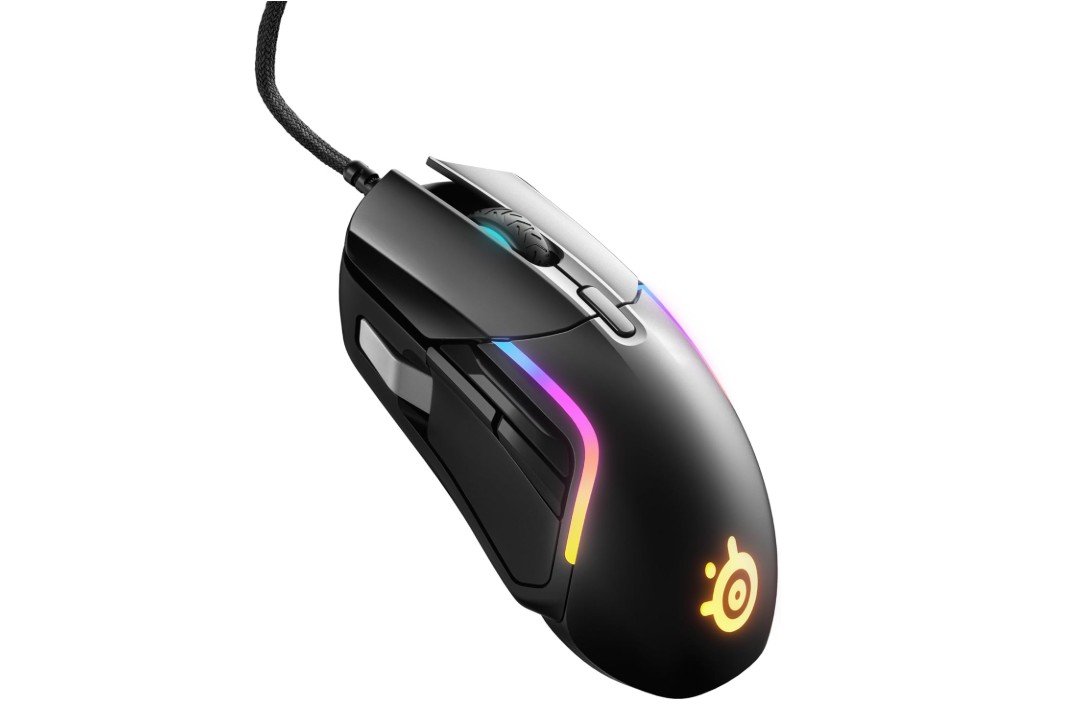
SteelSeries Rival 5 Gaming Mouse
SteelSeries Rival 5 Gaming Mouse
The SteelSeries Rival 5 Gaming Mouse is a strong choice for players who want a reliable and comfortable mouse for many types of games. From the moment you pick it up, the Rival 5 feels solid and well-made. The shape fits well in most hands and provides good support, so your grip feels natural whether you play shooters, MOBAs, or MMOs. The mouse feels balanced and comfortable even during long gaming sessions.
One of the main highlights of this mouse is the TrueMove Air optical sensor, which offers up to 18,000 CPI. This sensor tracks movement smoothly and accurately, helping your aim feel precise and responsive. Whether you make slow, careful adjustments or quick flicks, the tracking responds well and keeps up with your movements. This accuracy is important in fast games where every tiny movement counts.
The Rival 5 also has 9 programmable buttons, which is more than many standard gaming mice. These buttons can be assigned to different commands, macros, or key actions using the SteelSeries Engine software. This makes the mouse very flexible, especially for games where you need quick access to many functions. The buttons are easy to reach and click without mistakes, which helps in intense gaming moments.
Another nice feature is the PrismSync RGB lighting. You can customize the colors and effects with the software, and the lights look great on your desk or gaming setup. You can also sync the lighting with other SteelSeries gear if you use multiple devices.
The wired connection means there is no input delay, and the mouse feels very responsive. The cable is flexible enough that it doesn’t pull or get in the way while you play.
Overall, the SteelSeries Rival 5 is a well-rounded gaming mouse with strong performance, good comfort, and useful customization options. It works well for a wide range of games and players.
Buying guide — FPS gaming mice for aim accuracy
A good FPS gaming mouse can significantly improve your aim, reaction time, and overall gameplay. In fast-paced shooter games, even the smallest delay or tracking issue can cause missed shots. The right mouse provides precise tracking, smooth movement, and comfort so your hand movements translate accurately on screen. This buying guide explains what really matters for aim accuracy, how different features affect performance, and how to choose the best FPS mouse for your playstyle and budget.
Why a Good FPS Mouse Matters
In FPS games, aiming relies on muscle memory and consistency. A poor mouse can introduce jitter, acceleration, or inconsistent tracking, making it harder to build reliable aim. A quality FPS mouse ensures predictable movement, fast response, and stable control. Over time, this helps you develop better flick shots, smoother tracking, and improved confidence in gunfights.
Sensor Quality and Tracking Accuracy
The sensor is the most important part of any FPS gaming mouse. A high-quality optical sensor provides accurate tracking without skipping, jitter, or unwanted acceleration. While many mice advertise very high DPI numbers, raw DPI is less important than sensor consistency. What you should look for is stable tracking at both slow and fast speeds, no angle snapping, and minimal smoothing. Modern top-tier sensors easily handle fast flicks and quick swipes without losing accuracy.
DPI and Sensitivity Explained
DPI (dots per inch) or CPI (counts per inch) controls how fast your cursor moves. For FPS games, most players use relatively low DPI combined with in-game sensitivity. This allows for better control and precision. Extremely high DPI values are not necessary for better aim. What matters is choosing a DPI that feels comfortable and keeping it consistent. Many players prefer settings between 400 and 1600 DPI.
Polling Rate and Input Latency
Polling rate refers to how often the mouse reports its position to the computer. A standard 1000Hz polling rate is already very responsive and suitable for competitive FPS gaming. Some newer mice offer higher polling rates such as 4000Hz or 8000Hz, which can reduce input delay even further. However, higher polling rates may increase CPU usage on some systems. The best option is a mouse that allows you to adjust polling rate so you can find what works best for your setup.
Weight and Mouse Balance
Mouse weight has a direct impact on aim. Lightweight mice make it easier to perform quick flicks and fast movements, which is why many FPS players prefer mice under 80 grams. Lighter mice reduce hand fatigue and make micro-adjustments easier. Heavier mice can feel more stable for tracking, especially for players who use low sensitivity. The best weight is subjective and depends on your playstyle and comfort.
Mouse Shape and Grip Style
Shape is just as important as weight. The mouse should fit your hand comfortably and support your grip style. Fingertip and claw grip users usually prefer smaller, lighter mice with low profiles. Palm grip users often prefer larger mice with more hand support. A mouse that feels uncomfortable will affect your aim and cause fatigue over long sessions, no matter how good the sensor is.
Lift-Off Distance and Mouse Feet
Lift-off distance (LOD) is the height at which the mouse sensor stops tracking when you lift it off the pad. A low lift-off distance is important for FPS games, especially for low-sensitivity players who frequently reposition their mouse. Good mouse feet also matter. Smooth PTFE feet allow consistent glide and help maintain predictable movement across the mousepad.
Wired vs Wireless FPS Mice
Modern wireless gaming mice have improved greatly. High-end wireless FPS mice now offer very low latency and stable connections that rival wired mice. This gives players the freedom of no cable drag while maintaining competitive performance. Wired mice are still reliable and simple, with no need to charge. Choosing between wired and wireless mostly comes down to preference and budget rather than performance alone.
Buttons and Design Simplicity
For FPS games, simplicity is often better. Most players only need the main clicks, a scroll wheel, and one or two side buttons. Too many buttons can increase the chance of accidental presses and interfere with grip. Extra buttons are useful if you also play MMOs or MOBAs, but they do not improve raw aim accuracy.
Software and On-Board Memory
Good mouse software allows you to adjust DPI levels, polling rate, button mapping, and sometimes lift-off distance. On-board memory is a useful feature because it saves your settings directly on the mouse. This is helpful if you switch computers or play at gaming events. Simple and reliable software is better than overly complex tools.
Budget Levels and What to Expect
In the budget range, you can find solid wired FPS mice with good sensors and basic features. These are great for beginners and casual players. Mid-range mice usually offer better build quality, lighter weight, and more refined tracking. Premium mice provide the best sensors, ultra-light designs, and advanced wireless technology. Competitive players often choose mid-range or premium options for the best consistency.
How to Choose the Right FPS Mouse
When buying an FPS gaming mouse, focus on sensor quality, comfortable shape, suitable weight, and reliable performance. Avoid choosing a mouse only based on looks or RGB lighting. Reading real user reviews and testing the mouse if possible can help you make a better decision.
FAQs
A good FPS gaming mouse has a high-precision sensor, consistent tracking, low latency, and a shape that fits your grip style to help you aim accurately without jitter or slip.
Look for a true optical sensor with accurate tracking, adjustable DPI (400–1600+ for FPS), and minimal acceleration or prediction.
Yes — adjustable DPI lets you set sensitivity to your playstyle, but most pros use moderate DPI with fine mouse control rather than extremely high settings.
Both can be excellent. Modern wireless mice have very low latency comparable to wired, while wired mice avoid battery and interference concerns.
Yes — lighter mice are often easier to flick and track quickly, while heavier ones provide stability. Choose based on comfort and playstyle.
Higher polling rates (500 Hz or 1000 Hz) can improve responsiveness, but the real difference is subtle; consistency is more important.
Final Thoughts
The best FPS gaming mouse for aim accuracy is one that feels natural in your hand and delivers consistent performance. A high-quality sensor, low latency, proper weight, and comfortable shape all work together to improve aim. While a mouse alone won’t instantly make you a better player, the right one removes limitations and allows your skill to develop naturally. Choosing carefully will give you better control, smoother aim, and a more enjoyable FPS gaming experience.

Jawad is a passionate tech enthusiast and writer who loves exploring the latest trends in hardware, gadgets, and digital innovation. With a sharp eye for performance and value, he delivers in-depth recommendations and buying guides to help readers make smarter tech decisions.