
Last Updated on February 9, 2026 by Jawad
Introduction
Monitors are an important part of a student’s study setup, whether you are attending online classes, writing assignments, researching on the internet, or watching educational videos. A good monitor makes learning more comfortable by giving you a bigger screen than a laptop and clearer text that is easier on the eyes. For students who spend many hours studying every day, choosing the right monitor can improve focus, productivity, and overall comfort.
Most students look for monitors that are affordable, reliable, and simple to use. A Full HD resolution monitor is usually more than enough for schoolwork, reading, and basic creative tasks. It shows sharp text, clear images, and smooth videos without putting extra pressure on your budget. Screen sizes between 22 and 27 inches are very popular among students because they offer enough space to open documents side by side while still fitting easily on a desk.
Eye comfort is another key reason students should care about their monitor choice. Many modern monitors include eye-care features such as low blue light modes and flicker-free technology. These features help reduce eye strain during long study sessions, late-night homework, or exam preparation. Adjustable stands and VESA mount support also help students set up their screens at a comfortable height and angle, which is good for posture and neck health.
Connectivity is also important for students. Monitors with HDMI ports work well with laptops, desktops, and even gaming consoles. Some monitors also include built-in speakers, which are useful for online lectures and video calls without needing extra accessories.
Overall, a good monitor for students should balance price, screen quality, comfort, and durability. With the right monitor, studying becomes easier, more organized, and less tiring, helping students stay productive throughout the academic year.
We also have a recommendation for the Best Budget Monitors for Programming, so make sure to check that out too!
Top Monitors for Students
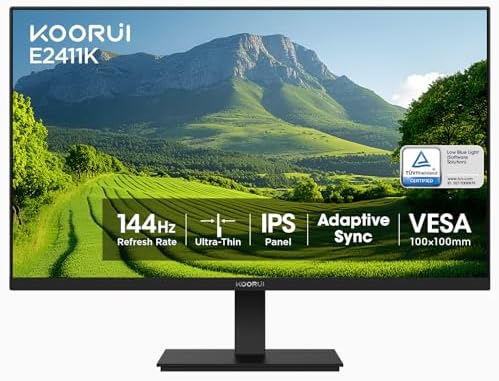




KOORUI 24 Inch 144Hz IPS Computer Monitor
KOORUI 24 Inch 144Hz IPS Computer Monitor
The KOORUI 24 Inch 144Hz IPS Monitor is a great choice for students who need a reliable and comfortable screen for study and everyday use. The 24-inch size is big enough to open documents, web pages, and notes side by side, but it still fits easily on a desk without taking up too much space. The Full HD resolution shows text and images clearly, which helps when reading long articles, writing essays, or watching online lectures.
One of the best features of this monitor is the 144Hz refresh rate. This means the screen refreshes more often than standard monitors, making everything look smoother and more fluid. This can be helpful when scrolling through web pages, switching between windows, or watching videos. While students may not need super high refresh for schoolwork, it still feels nicer and less tiring on the eyes over long hours of use.
The IPS panel gives good color and wide viewing angles, so even if you are moving around or sharing the screen with a friend while studying, the picture stays clear. The monitor covers 99% of the sRGB color range, which means colors look more accurate and natural. This can be useful if you do any graphic design, video editing, or creative projects for school.
Comfort is important for students, and this monitor offers eye-care features like low blue light and flicker-free technology. These help reduce eye strain during long study sessions or late-night homework. The tilt adjustment lets you set the screen at a comfortable angle, and the VESA mount support is good if you want to raise the monitor or use a monitor arm.
The KOORUI monitor has both HDMI and VGA ports, so it works with most laptops and computers. Overall, it is a solid, affordable monitor for students that makes studying easier and more comfortable.
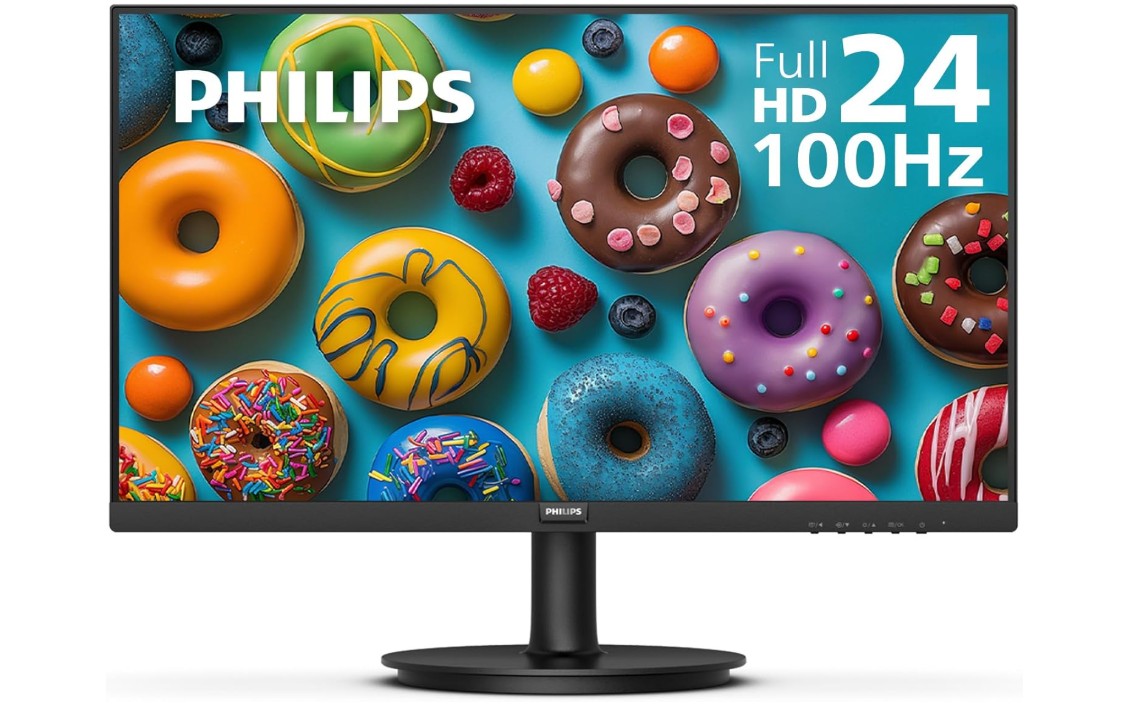
Philips New 24 inch Frameless Monitor
Philips New 24 inch Frameless Monitor
The Philips 24-inch Frameless Full HD Monitor is a good choice for students who want a reliable and simple screen for daily study and work. The 24-inch size gives enough space to open documents, browse the web, attend online classes, and watch videos without feeling too small. The Full HD resolution makes text sharp and easy to read, which helps during long study sessions.
This monitor has a 100Hz refresh rate, which makes the display smoother than standard 60Hz screens. Smooth movement on the screen can make scrolling through pages and switching between apps feel nicer and less tiring for your eyes. Even though students may not need a high refresh rate for basic tasks, this feature still improves overall comfort while using the computer.
One nice thing about this monitor is the frameless design. The thin edges around the screen make it look clean and modern, and it is especially good if you want to use two monitors side by side. The colors are clear and consistent thanks to the good panel quality, so watching lectures, videos, and presentations looks pleasant.
The Philips monitor also includes eye care features like low blue light and flicker-free technology, which help reduce eye strain when studying for long hours or working late at night. These features are helpful for students who spend a lot of time in front of the screen.
For connectivity, the monitor has both HDMI and VGA ports, so it can easily connect to most laptops and desktops. Another advantage is the long 4-year advance replacement warranty, which gives peace of mind in case anything goes wrong.
Overall, the Philips 24″ monitor is a simple, comfortable, and student-friendly option that balances performance and value well.
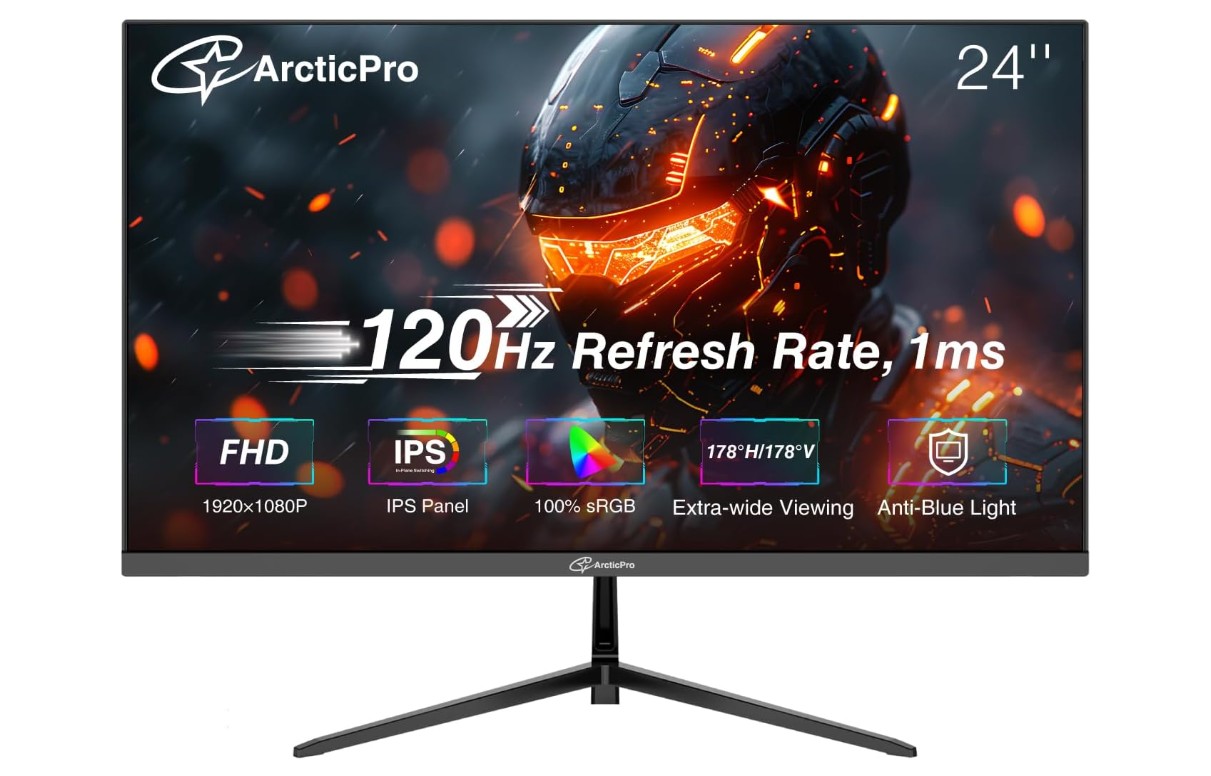
ArcticPro 24 inch Monitor
ArcticPro 24 inch Monitor
The ArcticPro 24-inch Monitor is a strong choice for students who need a good screen for studying, online classes, and everyday work. The 24-inch size gives enough space to open books, notes, and web pages at the same time without feeling crowded. The Full HD resolution makes text and images clear, which is helpful when reading long articles or typing essays.
This monitor has a 120Hz refresh rate, which makes the screen feel smooth when you scroll, switch between apps, or watch videos. A higher refresh rate can make the display look more comfortable and easy on the eyes, especially when you are using the computer for long hours. The 1ms response time also helps reduce blur when things move on the screen, which makes videos look cleaner and more crisp.
The IPS panel means the colors stay accurate and the picture stays clear from different viewing angles. This is useful if you are sitting slightly to the side, sharing the screen with a friend, or moving around while studying. The monitor also covers 99% of the sRGB color range, so colors look natural and vibrant.
Eye comfort is important for students, and this monitor includes an anti-blue light design that helps reduce eye strain during long study sessions. It also has a 3-sided frameless design, which not only looks modern but is also great if you want to use two monitors side by side for multitasking.
For connectivity, the ArcticPro monitor has both HDMI and VGA ports, so it can connect easily to most laptops and desktops. It also supports VESA mounting, which lets you fit it onto a wall or monitor arm if you want to save desk space.
Overall, the ArcticPro 24″ Monitor is a good all-around option for students who want a smooth, clear, and comfortable screen for work and study without spending too much.
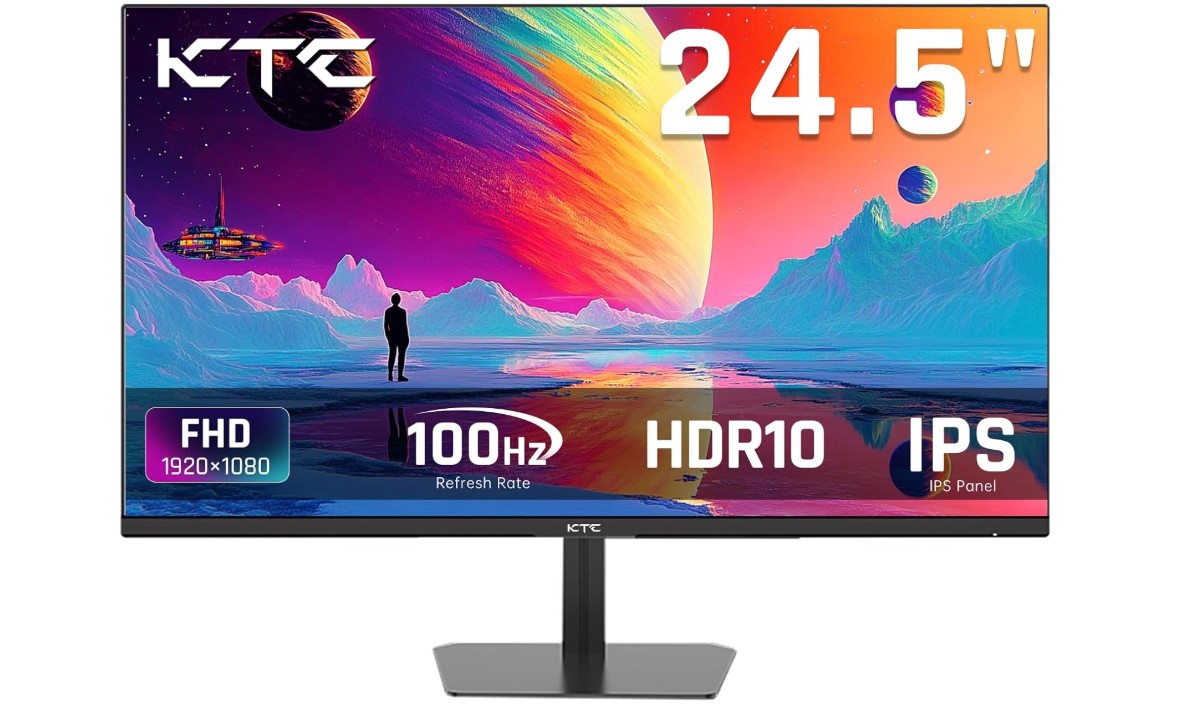
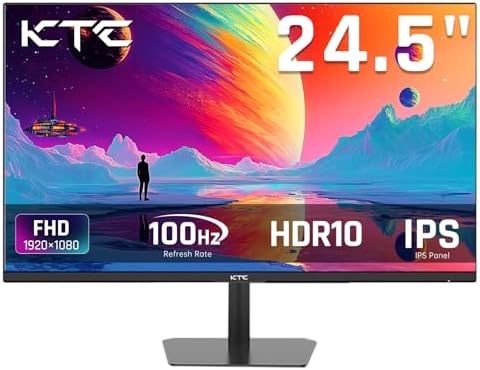
KTC 24.5 Inch 100Hz IPS Computer Monitor
KTC 24.5 Inch 100Hz IPS Computer Monitor
The KTC 24.5-inch 100Hz IPS Monitor is a good option for students who want a simple, reliable screen for everyday use, study, and light gaming. The 24.5-inch screen size gives plenty of space to open documents, slides, and browser tabs at the same time, helping you stay organized while working on assignments or attending online classes. The Full HD resolution makes text and images clear and easy to read, which is important when studying or writing essays.
This monitor has a 100Hz refresh rate, which means the screen updates more smoothly than standard 60Hz monitors. This makes scrolling through pages, switching between apps, and watching videos feel more comfortable and easy on the eyes. It also supports FreeSync and G-Sync compatibility, which is nice if you like to play light games after study time, because it can reduce screen tearing and make games look smoother.
The IPS panel provides wide viewing angles and more accurate colors, so everything you see on the screen looks consistent from different positions. The monitor covers a wide color range with 126% sRGB support, which means colors look vibrant and natural. This is helpful not only for videos and photos but also for creative tasks like designing school projects or editing images.
Eye comfort features like the anti-blue light screen help reduce eye strain during long sessions, whether you are studying late at night or reading materials for hours. The slim bezel design gives it a modern look and makes it easier to focus on your work without distractions on the edges.
For connectivity, the monitor works well with most laptops and desktops. Overall, the KTC 24.5″ monitor is a solid, student-friendly choice that balances smooth performance, good color quality, and comfort, making study time more pleasant and productive.

Amazon Basics IPS Monitor
Amazon Basics IPS Monitor
The Amazon Basics 27-inch IPS Monitor is a great choice for students who want a large and clear screen for studying, writing, research, and everyday use. The 27-inch size gives plenty of space to open multiple windows at once, so you can have your notes, textbook PDFs, and browser tabs visible together while working on assignments or attending online classes. The Full HD resolution makes text and images sharp and easy to read, which helps during long study sessions.
This monitor uses an IPS panel, which means the colors stay accurate and the picture looks good even when viewed from different angles. This is useful if you sometimes move around, share the screen with classmates, or watch lectures from across the room. The 75 Hz refresh rate makes the screen feel smoother than basic 60 Hz monitors, especially when scrolling through documents or switching between apps. It won’t be like a high refresh gaming monitor, but it still feels nice for everyday use.
One feature that many students will like is the built-in speakers. These are useful for online classes, video lectures, and group calls without needing extra speakers or headphones. Even though the speakers are not super powerful, they are good enough for basic audio needs in a study setup.
For connection options, the monitor includes HDMI, DisplayPort, and VGA inputs, so it works easily with most laptops, desktops, and other devices you might use for school work. The monitor also supports VESA mounting, so you can attach it to a monitor arm or wall mount to save desk space and keep your study area neat.
Overall, the Amazon Basics 27″ IPS Monitor is a student-friendly screen that balances size, clarity, and useful features. It is simple to use, comfortable for long hours, and fits well in both study desks and home setups.
Monitors for Students — A practical buying guide
A good monitor can make study time easier, more comfortable, and more productive. This guide explains the main features students should look for, which choices make sense at different budgets, and a short checklist to use when buying. I kept the language simple so you can pick the right screen without getting lost in technical words.
Why a separate monitor helps students
A monitor gives more screen space than a laptop. That means you can open your notes, a browser, and a document side by side. A larger screen reduces squinting and makes reading long texts and coding or editing documents easier. It also helps when attending online classes, doing group projects, or watching lecture videos. A monitor is usually cheaper than a new laptop with a big screen, and it’s an easy upgrade that improves comfort and productivity.
Screen size and resolution
For most students, 24–27 inches is the sweet spot. A 24″ monitor fits on small desks and still shows two windows side by side. A 27″ monitor gives more space for multitasking but needs more desk room.
Resolution matters for clarity. Full HD (1920×1080) is fine for reading, writing, and video lectures. If you do graphic design, video editing, or want more room for code and documents, consider 1440p (2560×1440). 4K is crisp but more expensive and often unnecessary for normal study tasks.
Panel types: IPS, VA, TN
- IPS (In-Plane Switching): Best balance for students. Good colors and wide viewing angles — text stays clear from different positions.
- VA (Vertical Alignment): Better contrast (darker blacks). Good for watching movies, but viewing angles and color accuracy are not as good as IPS.
- TN (Twisted Nematic): Fast response times and cheaper but worse color and viewing angles. Not recommended unless you need a very cheap, fast screen for gaming.
Refresh rate and response time
For study use, a standard 60Hz screen is acceptable. A 75–120Hz monitor feels smoother while scrolling and switching windows and can reduce eye fatigue. Response time (measured in ms) matters mainly for gaming; for students anything under 8–5ms is fine. Don’t pay extra for very high refresh rates unless you game seriously.
Color accuracy and gamut
If you do photo or video editing, look for higher color coverage (sRGB 99% or more). For general study, normal color accuracy is enough. Good color helps for presentations, design assignments, and projects that require true color.
Eye comfort and health features
Choose monitors with low blue light modes and flicker-free technology to reduce eye strain during long sessions. Matte screens reduce glare from lights or windows. Adjustable stands and the ability to tilt, swivel, or raise the screen help posture and reduce neck pain.
Connectivity and ports
Make sure the monitor supports the ports you need:
- HDMI: Most common for laptops and streaming devices.
- DisplayPort: Useful for higher refresh or QHD/4K at higher refresh rates (mainly desktops).
- VGA/DVI: Older devices — may not be needed for new laptops.
- USB-C or USB-C with power delivery: Great if your laptop supports it — one cable can carry video and charge the laptop.
Built-in speakers are handy but often not very loud or clear; a headphone jack or external speakers are usually better.
Ergonomics and mounting
A monitor with height adjustment is ideal. If the stand is basic, check VESA mount support so you can use a monitor arm later. Proper monitor height (top of screen at or slightly below eye level) prevents neck strain.
Multi-monitor setups
Many students use two monitors (or a laptop + external monitor). If you plan that, buy a monitor with thin bezels for a cleaner multi-screen look. Ensure your laptop/PC has the ports and GPU power to run two displays.
Warranty and build quality
A longer warranty gives peace of mind. Look for brands or listings that offer at least one year warranty and clear return policies. A solid stand and a stable base are important for long-term daily use.
Budget tiers and what to expect
- Budget (under $150 / local equivalent): 22–24″, 1080p, IPS or VA, basic stand, HDMI/VGA. Good for reading, writing, and lectures.
- Mid-range ($150–$300): 24–27″, IPS, 75–144Hz (optional), better color coverage, low blue light, better stand or VESA. Best value for most students.
- Premium ($300+): 27″ QHD or 4K, higher color accuracy, USB-C, ergonomic stand, and better build. Good for creative students or heavy multitaskers.
(Prices vary by region — choose based on local availability and student discounts.)
Practical buying tips
- Measure your desk first. Ensure the monitor size fits with room for keyboard and papers.
- Prefer IPS panels for general use.
- Choose at least 24″ for better multitasking.
- If you use a laptop often, consider USB-C monitor for single-cable convenience.
- Check for eye-care features and adjustable stands.
- Read user reviews focusing on reliability, dead pixels, and customer service.
- If you use specific software (e.g., CAD or color work), check recommended specs from that software.
FAQs
A good student monitor should have clear display quality, comfortable viewing angle, and features that reduce eye strain — ideal for long study, research, and online classes.
24″ to 27″ is a great balance — big enough for multitasking but still fits well on most desks.
Curved monitors can be immersive and comfortable for watching videos or multitasking, but they’re a personal preference — not essential.
Not usually — 60 Hz is fine for study, browsing, video lectures, and general use. Higher refresh rates are mainly for gaming.
Yes — a good student monitor works well for productivity and also for streaming, movies, and light gaming.
Final thoughts
A student monitor should make study easier, not more complicated. Focus on a comfortable size (24–27″), clear Full HD (or QHD if you need more space), an IPS panel for good viewing angles, and basic eye-care features. Mid-range monitors often provide the best balance of price, comfort, and performance. With the right monitor, you can read more comfortably, keep multiple apps open at once, and reduce strain during long study sessions — a small change that helps a lot over the school year.

Jawad is a passionate tech enthusiast and writer who loves exploring the latest trends in hardware, gadgets, and digital innovation. With a sharp eye for performance and value, he delivers in-depth recommendations and buying guides to help readers make smarter tech decisions.

