
Last Updated on February 9, 2026 by Jawad
Introduction
A wireless router is one of the most important devices in a modern home or small apartment. It is the device that connects your internet service to all your phones, laptops, smart TVs, and other wireless devices. Without a good router, even a fast internet plan can feel slow, unstable, or frustrating to use. That is why choosing the right wireless router matters, especially in a small living space.
In homes and small apartments, people usually need a router that is simple, reliable, and powerful enough to handle daily tasks. Most users rely on Wi-Fi for online work, video calls, streaming movies, browsing social media, and casual gaming. A good wireless router helps keep the connection smooth so videos do not buffer, calls do not drop, and pages load quickly. It also makes it easier for multiple devices to stay connected at the same time without slowing each other down.
Small apartments usually do not need very expensive or large networking equipment. A single wireless router is often enough to cover the entire space if it is placed properly. Modern routers are designed to provide strong signals, better speed, and improved security even in compact areas. Many newer models also support features like parental controls, guest networks, and mobile apps that make setup and management very easy, even for beginners.
Another important benefit of a wireless router is convenience. It removes the need for long cables and allows you to use the internet freely in any room. You can move around your home, work from different spots, or relax while watching content on your phone or tablet. For small apartments, this flexibility is especially useful.
Overall, a wireless router for home and small apartment use should focus on stable performance, easy setup, and good coverage. With the right router, everyday internet use becomes smooth, reliable, and stress-free for everyone in the home.
We also have a recommendation for the Best Dual-Band Routers, so make sure to check that out too!
Top Wireless Router for Home and Small Apartment



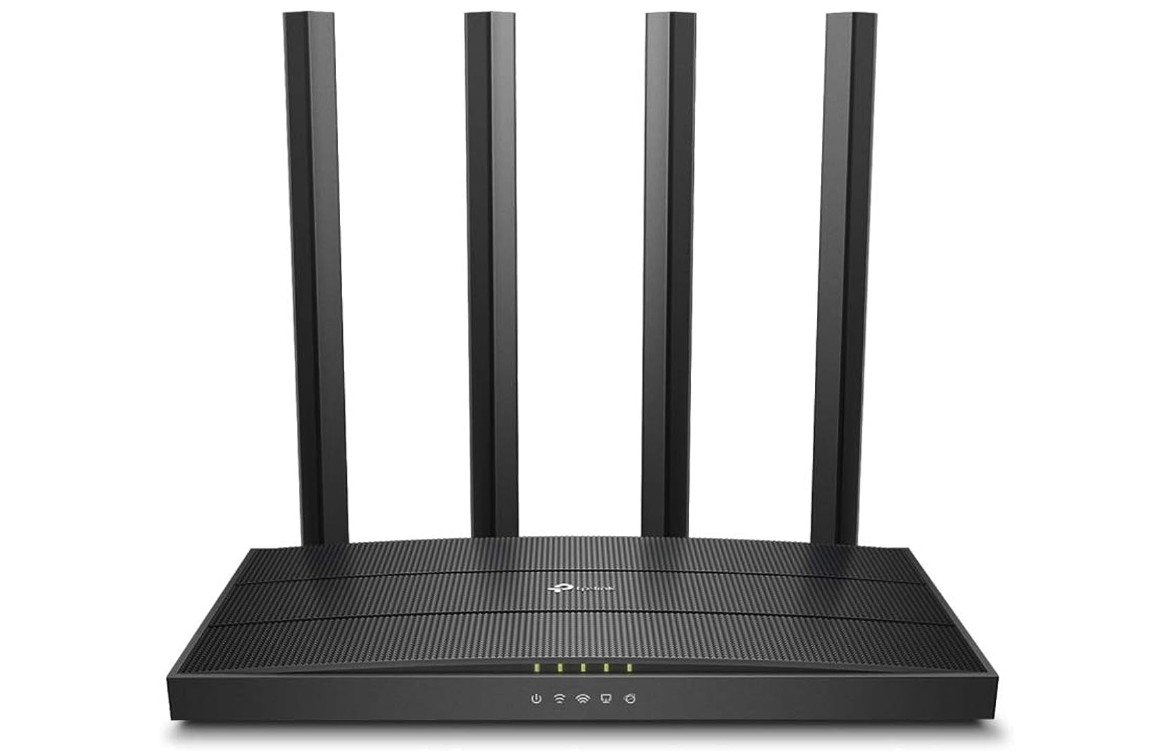
TP-Link AC1900 Wireless MU-MIMO WiFi Router
TP-Link AC1900 Wireless MU-MIMO WiFi Router
The TP-Link AC1900 Wireless MU-MIMO WiFi Router (Archer C80) is a good choice for home and small apartment use. It offers strong Wi-Fi signals that can easily reach all rooms in a typical small living space. This router uses dual-band technology, which means it provides both 2.4 GHz and 5 GHz wireless networks. The 2.4 GHz band is great for everyday tasks like browsing the internet and checking email, while the 5 GHz band gives faster speeds for activities like streaming videos, online gaming, and video calls. With a combined speed of up to 1900 Mbps, it handles multiple devices without slowing down, which is useful if you have phones, laptops, smart TVs, or tablets connected at the same time.
Setting up the Archer C80 is easy, even if you are not very technical. You can use the TP-Link Tether app on your phone or tablet to install and configure the router in just a few minutes. The app also helps you manage your network later on, including setting parental controls to limit internet access for children or guests. Another useful feature is Quality of Service (QoS), which lets you prioritize certain activities. For example, you can choose to give more speed to video calls or movie streaming while others are browsing the web.
The router also uses MU-MIMO and beamforming technology to send strong and stable signals to your devices. This means less buffering and fewer dropped connections, which is important in a busy household. Four external antennas help extend the coverage so the Wi-Fi can reach corners of your home without weak spots.
In simple terms, the TP-Link AC1900 Archer C80 gives reliable performance at a reasonable price. It is a solid choice for everyday internet use in a small apartment or home, and it makes managing your Wi-Fi network easier for everyone.
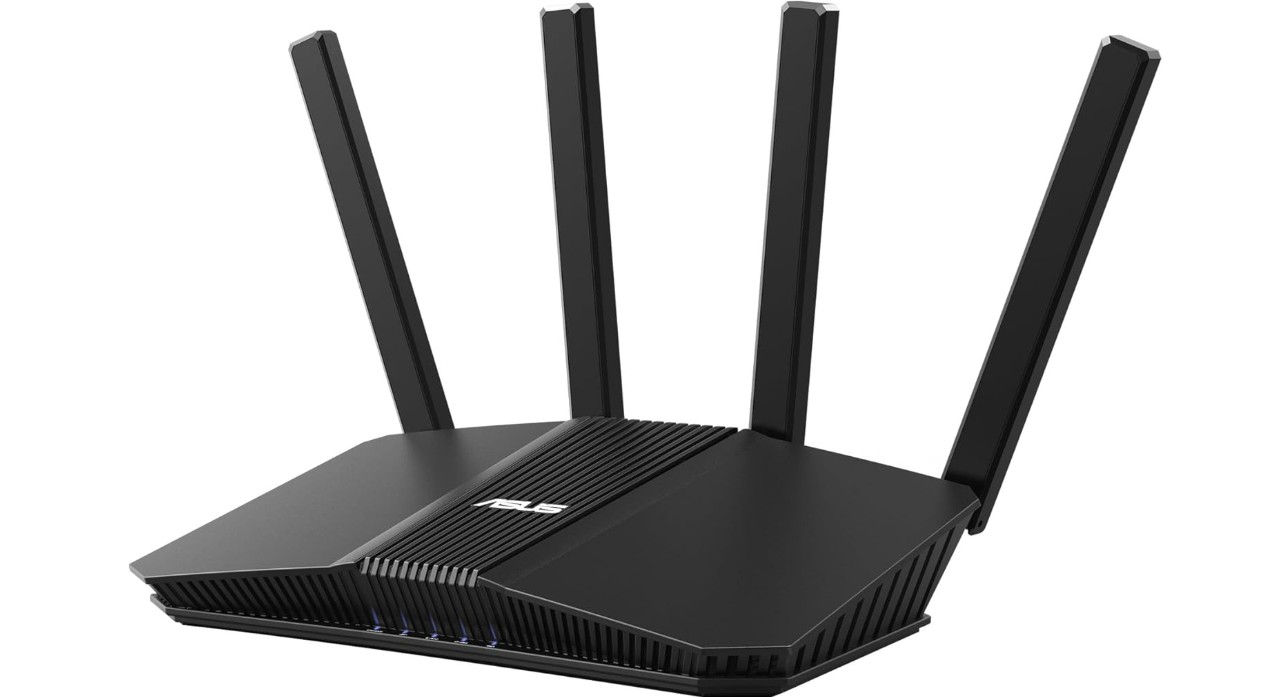
ASUS RT-BE58U WiFi 7 BE3600 AiMesh Extendable Router
ASUS RT-BE58U WiFi 7 BE3600 AiMesh Extendable Router
The ASUS RT-BE58U WiFi 7 BE3600 router is a powerful and modern option for home and small apartment internet use. It uses the newest WiFi 7 technology, which helps deliver faster speeds and better performance compared to older routers. This means you can stream videos, play games, and work online with less lag and fewer interruptions. In a small apartment, this router’s strong wireless signal can reach most rooms easily, even with several devices connected at the same time.
Setting up the router is simple and quick. You can use the ASUS mobile app or web interface to start the connection and make basic changes without any technical skills. The router also supports AiMesh, which means you can add more ASUS mesh units later if you want to cover a larger home or improve signal in specific areas. This is helpful if you move to a bigger place in the future.
One of the standout features of the RT-BE58U is its strong security and network management tools. It includes commercial-grade protection to keep your network safe from threats, as well as easy parental controls to manage what children can access. You can also create specific networks for guests, IoT devices, and even a separate kid’s network, which helps organize and secure all connected devices. The built-in VPN support lets you create a private connection to protect your online privacy.
The router has one 2.5G port and four gigabit ports, which gives you fast wired connections for desktops, consoles, or smart TVs. This is especially useful if you have devices that need stable and high speeds. Overall, the ASUS RT-BE58U is a solid choice for anyone in a small home or apartment who wants fast WiFi, strong security, and easy control of their network.

Tenda WiFi 6 Router
Tenda WiFi 6 Router
The Tenda AX3000 WiFi 6 Router (RX12 Pro) is a solid choice for home and small apartment internet use. It uses the newer WiFi 6 standard, which gives faster speeds and better performance for many devices at the same time. This makes it good for everyday tasks like streaming videos, browsing the web, video calls, and light gaming. In a small apartment, the signal reaches most rooms well, and the WiFi stays stable even when several devices are connected.
Setting up the router is very easy. You can use the Tenda app on your phone to install it in just a few minutes. The app also helps you manage your WiFi later without trouble. Even if you are not very technical, you can change settings, check who is connected, or set limits for your children using the app.
This router has four gigabit LAN ports, so you can connect computers, gaming consoles, or smart TVs with a wired connection if you want extra stability. The WiFi uses MU-MIMO and OFDMA technologies, which help send data to many devices at once without slowing down. This is especially useful if your home has phones, tablets, laptops, and smart home devices all working at the same time.
Security is also included with WPA3 encryption, which helps protect your WiFi from unauthorized access. The router supports VPN and parental controls, so you can make rules about what websites can be used or protect your privacy online. These features make it more than just a basic router.
Overall, the Tenda AX3000 WiFi 6 Router is a reliable and affordable option for small homes and apartments. It delivers good speed, easy setup, and useful security features, making everyday internet use smooth and worry-free. If you want solid performance without a high cost, this router is a good fit.
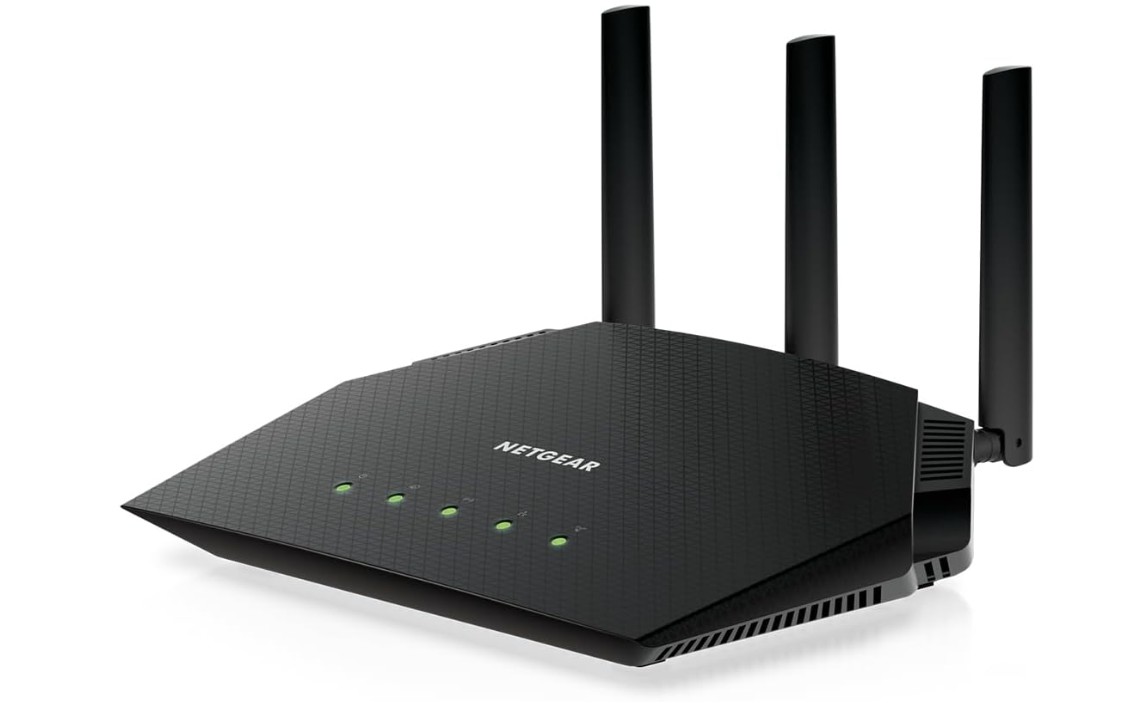
NETGEAR Nighthawk WiFi 6 Router (RAX36)
NETGEAR Nighthawk WiFi 6 Router (RAX36)
The NETGEAR Nighthawk WiFi 6 Router (RAX36) is a strong and reliable choice for home and small apartment internet needs. It uses the modern WiFi 6 technology, which gives faster speeds and better performance for many devices connected at the same time. With up to 3000 Mbps wireless speed, it can handle everyday activities like streaming videos, video calls, online gaming, and browsing without lag. In a small apartment, the signal is strong enough to reach all corners of the space, even with walls and furniture in the way.
Setting up the RAX36 is simple. You can use the Nighthawk app on your phone to get the router working in just a few minutes. The app also lets you manage your network easily, like checking connected devices, setting up guest WiFi, and changing passwords. This makes it convenient for anyone, even those who are not very familiar with networking. The router can support around 25 devices at once, so it works well for families or homes with many phones, tablets, laptops, and smart devices.
This router also includes useful features like built-in VPN support, which helps protect your privacy when you are online. There is also a USB 3.0 port, so you can connect a storage drive to share files or media across your home network. The Nighthawk RAX36 uses technologies like MU-MIMO, OFDMA, and beamforming to send strong and stable WiFi signals to all your devices, reducing buffering and slowdowns.
Security is another important part of this router. It supports the latest WPA3 encryption for safer WiFi, and you can choose optional advanced protection with NETGEAR Armor if you want extra security. Overall, the NETGEAR Nighthawk RAX36 is a great router for small apartments and homes, offering strong speed, easy setup, and reliable performance for everyday internet use.
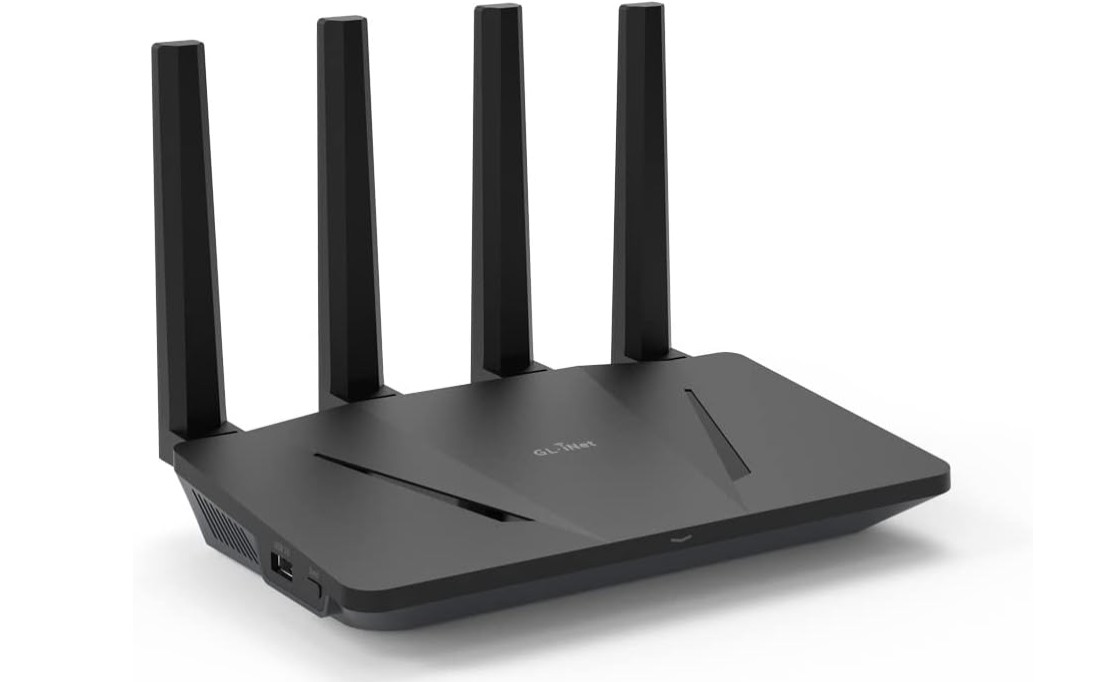
GL.iNet GL-AX1800(Flint) WiFi 6 Router
GL.iNet GL-AX1800(Flint) WiFi 6 Router
The GL.iNet GL-AX1800 (Flint) WiFi 6 router is a solid choice for home and small apartment use, especially if you want strong performance and extra security features. It uses WiFi 6 technology, which provides faster speeds and better handling of many devices at the same time compared to older routers. This makes it good for everyday use like streaming videos, working from home, browsing the internet, and video calls. In a small apartment, the WiFi signal reaches all rooms well and stays stable even when many phones, tablets, and smart devices are connected.
One of the best things about this router is that it can support up to about 120 devices, which is more than most standard home routers. This makes it great if you have many smart home devices, guests, or want to connect laptops, phones, and TVs all at once without slowdowns. The router has five gigabit Ethernet ports, so you can also connect wired devices like a desktop PC, gaming console, or smart TV for reliable and fast internet.
Setting up the GL-AX1800 is simple even if you are not very technical. You can use a mobile app to install and manage your network easily. The router also includes strong security features, such as WPA3 encryption, which helps keep your WiFi safe from unauthorized access. It also has built-in support for OpenVPN and WireGuard, so you can run a secure VPN right from the router. This feature is helpful if you care about privacy or want to protect your internet connection when using public networks.
The router also uses technologies like MU-MIMO and OFDMA to help send strong WiFi signals to multiple devices at once, reducing buffering and improving performance. Overall, the GL.iNet GL-AX1800 (Flint) is a reliable and flexible router that works very well in small homes and apartments. It offers good speed, strong coverage, easy setup, and excellent device support, making everyday internet use smooth and stress-free.
Buying Guide – Wireless Router for Home and Small Apartment
Choosing the right wireless router for a home or small apartment is very important because the router controls how fast, stable, and reliable your internet connection feels every day. Even with a good internet plan, a poor router can cause slow speeds, buffering videos, dropped video calls, and weak signals in some rooms. A well-chosen router can easily cover a small living space, handle multiple devices, and make online work, streaming, and browsing smooth and stress-free.
Understanding your home or apartment needs
Before buying a router, it is important to think about how you use the internet. In most small apartments, the total area is usually between 400 and 1,200 square feet. For this size, you usually do not need a very expensive or powerful router meant for large houses. A single good-quality router placed in the center of the apartment can cover the entire space easily. Think about how many people live in the home, how many devices are connected, and what those devices are used for. Streaming videos, online meetings, gaming, and smart home devices all place different demands on your WiFi.
WiFi standards explained simply
Modern routers come with different WiFi standards such as WiFi 5 and WiFi 6. WiFi 5 routers are still usable and affordable, and they work well for basic browsing, streaming, and light use. However, WiFi 6 routers are more future-ready. They offer better speed, lower delay, and better performance when many devices are connected at the same time. For a home or small apartment, WiFi 6 is a good choice if your budget allows, especially if you plan to keep the router for several years.
Dual-band vs tri-band routers
Most home routers today are dual-band, meaning they use both 2.4 GHz and 5 GHz bands. The 2.4 GHz band has longer range and is good for basic tasks, while the 5 GHz band offers faster speeds for streaming and gaming. Dual-band routers are more than enough for small apartments. Tri-band routers add an extra 5 GHz band, but they are usually unnecessary unless you have many heavy-use devices and a higher budget.
Coverage and signal strength
For small apartments, coverage is usually not a big problem if the router is placed properly. Look for routers that clearly state coverage between 1,000 and 2,000 square feet. Features like beamforming help direct the WiFi signal toward your devices instead of spreading it randomly. External antennas can also help improve signal strength, especially if walls or furniture block the signal.
Speed ratings and what they really mean
Router speed ratings like AX1800 or AX3000 can be confusing. These numbers are combined speeds across both WiFi bands and are mostly for comparison. For a small home, anything above AC1200 or AX1800 is usually enough. Faster routers do not always mean better real-world performance if your internet plan is slower. It is best to choose a router that matches or slightly exceeds your internet speed.
Handling multiple devices
Modern homes often have many connected devices such as phones, laptops, TVs, tablets, and smart home products. Technologies like MU-MIMO and OFDMA help routers communicate with multiple devices at the same time instead of one by one. These features are especially useful in apartments where several devices are active together, such as during video calls while streaming and browsing.
Wired ports and extra features
Even in a wireless home, wired connections are still useful. Look for routers with at least four gigabit Ethernet ports if you plan to connect a desktop PC, gaming console, or smart TV. Some routers also include USB ports for sharing files or media over the network. These features are not required but can be helpful.
Security and parental controls
Security is a very important factor when choosing a router. Modern routers should support WPA3 encryption, which offers better protection than older standards. Many routers also include built-in firewalls, automatic updates, and threat detection. Parental controls are useful for families, allowing you to limit screen time or block certain websites. Even in a small apartment, these features add peace of mind.
Guest and smart device networks
Some routers allow you to create separate networks for guests or smart devices. A guest network keeps visitors from accessing your main devices, while an IoT network helps isolate smart home products for better security. These features are simple to use and very useful in everyday home setups.
Mesh support for future needs
While a single router is usually enough for a small apartment, mesh support can be helpful for the future. Some routers support mesh expansion, allowing you to add another unit later if you move to a larger place. This gives flexibility without needing to replace the entire system.
Ease of setup and management
Most modern routers offer mobile apps that guide you through setup in a few minutes. This is ideal for users who are not very technical. Through the app, you can change WiFi names, passwords, see connected devices, and manage parental controls easily. A simple interface is especially important for home users.
Budget and value
Wireless routers for home and small apartment use come in many price ranges. Budget routers can handle basic needs, while mid-range models offer better speed, security, and features. It is usually better to invest a little more in a reliable router rather than choosing the cheapest option. A good router can last many years and improve your daily internet experience.
FAQs
A good home router should offer reliable Wi-Fi coverage, stable connection speeds, good device handling, essential security features, and easy setup without dead spots in most rooms.
Wi-Fi 6 is helpful — it delivers faster speeds, better performance with many connected devices, and improved range compared to older standards like Wi-Fi 5 (802.11ac), even in small spaces.
Yes — dual-band (2.4 GHz + 5 GHz) lets you separate slower/long-range devices on 2.4 GHz and faster/short-range devices on 5 GHz for better performance.
Many home routers can handle 10–30+ devices (phones, laptops, TVs, smart home gadgets), depending on the model and Wi-Fi standard.
Not usually — mesh systems are great for large homes with dead zones, but a strong single router is typically enough for a small apartment.
External antennas often improve coverage and signal strength in small spaces, though design varies by model.
Final thoughts
A wireless router for home and small apartment use should focus on stable performance, good coverage, strong security, and easy management. WiFi 6 routers with dual-band support, modern security, and good device handling are ideal for most users. By understanding your space, internet usage, and future needs, you can choose a router that delivers smooth, fast, and reliable WiFi throughout your home.

Jawad is a passionate tech enthusiast and writer who loves exploring the latest trends in hardware, gadgets, and digital innovation. With a sharp eye for performance and value, he delivers in-depth recommendations and buying guides to help readers make smarter tech decisions.

