Last Updated on February 10, 2026 by Jawad
Introduction
Budget touchscreen laptops have become a great choice for people who want modern features without spending too much money. In the past, touchscreen laptops were expensive and mostly found in premium models, but today many affordable options are available on Amazon. These laptops are designed for everyday users such as students, office workers, and home users who want a simple and flexible device for daily tasks.
A budget touchscreen laptop allows you to interact directly with the screen using your fingers, which feels more natural for browsing, scrolling, zooming, and casual use. This feature is especially helpful for students who take notes, watch online classes, or read PDFs, as well as for office users who work with documents, emails, and presentations. For home use, touchscreen laptops make watching videos, video calling, and light entertainment more comfortable and fun.
Most budget touchscreen laptops come with decent hardware for daily needs. You will often find processors that are good enough for web browsing, online meetings, office software, and streaming. Many models now include solid-state drives, which help the laptop start faster and open apps more quickly. Battery life is also reasonable in this price range, making them suitable for study sessions or workdays without always needing a charger.
Another advantage of budget touchscreen laptops is variety. On Amazon, you can find different screen sizes, designs, and operating systems to match your needs. Some are traditional laptops with a touchscreen, while others are 2-in-1 models that can fold and work like a tablet. This flexibility makes them useful for different lifestyles and work styles.
Overall, a budget touchscreen laptop is a smart choice if you want modern convenience, ease of use, and good value for money. With careful selection, you can find a reliable touchscreen laptop that meets your daily needs without stretching your budget.
We also have a recommendation for the Best 2-in-1 Laptops Under $600, so make sure to check that out too!
Top Budget Touchscreen Laptop


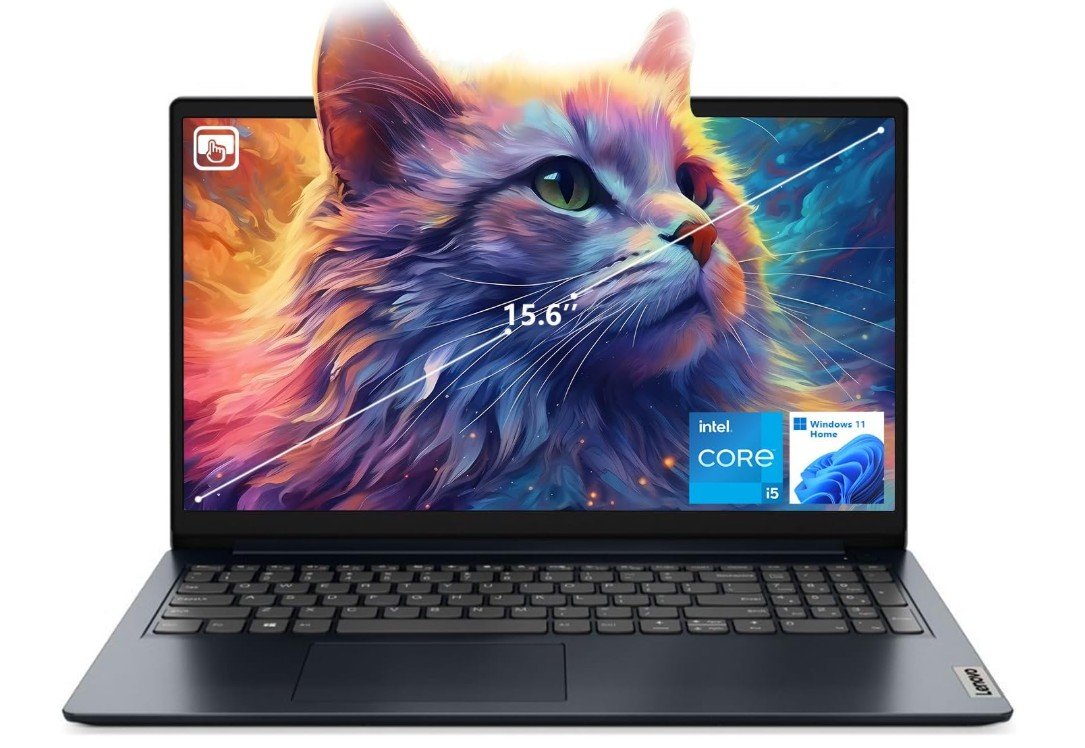
Lenovo IdeaPad 1i Laptop
Lenovo IdeaPad 1i Laptop
The Lenovo IdeaPad 1i with a 15.6-inch Full HD touchscreen is a solid budget laptop that feels modern and easy to use. The screen is bright and clear, and the touchscreen works smoothly for tapping, scrolling, and dragging. It makes everyday tasks like web browsing, watching videos, and reading documents more fun. The larger screen size also makes typing and multitasking easier compared to smaller laptops.
Under the hood, this IdeaPad comes with an Intel Core i5-1235U processor. This is a good mid-range chip that handles everyday apps with ease. You can open multiple browser tabs, work on documents, stream videos, and run light software without major slowdowns. The performance is steady for students, office work, and home use. It is not meant for heavy gaming or very demanding software, but for normal daily tasks it feels smooth and reliable.
One of the biggest strengths of this laptop is the 16GB of RAM paired with a 512GB SSD. The RAM helps the laptop run many apps at the same time without lag, and the SSD makes the system start up quickly and load files faster than traditional hard drives. You get plenty of storage for photos, videos, and school or work files, and the laptop wakes up fast from sleep.
The keyboard feels comfortable for long typing sessions, and the touchpad is responsive and accurate. The built-in webcam works fine for video calls, which is helpful for online meetings or classes. Connectivity options like Wi-Fi 6 keep you connected with faster internet speeds, and the HDMI port lets you connect to an external monitor or TV easily.
Battery life is decent for a full day of light use, and Windows 11 Home gives the laptop a fresh, user-friendly operating system. Overall, the Lenovo IdeaPad 1i is a strong choice for anyone who needs a reliable, budget-friendly touchscreen laptop for everyday computing.
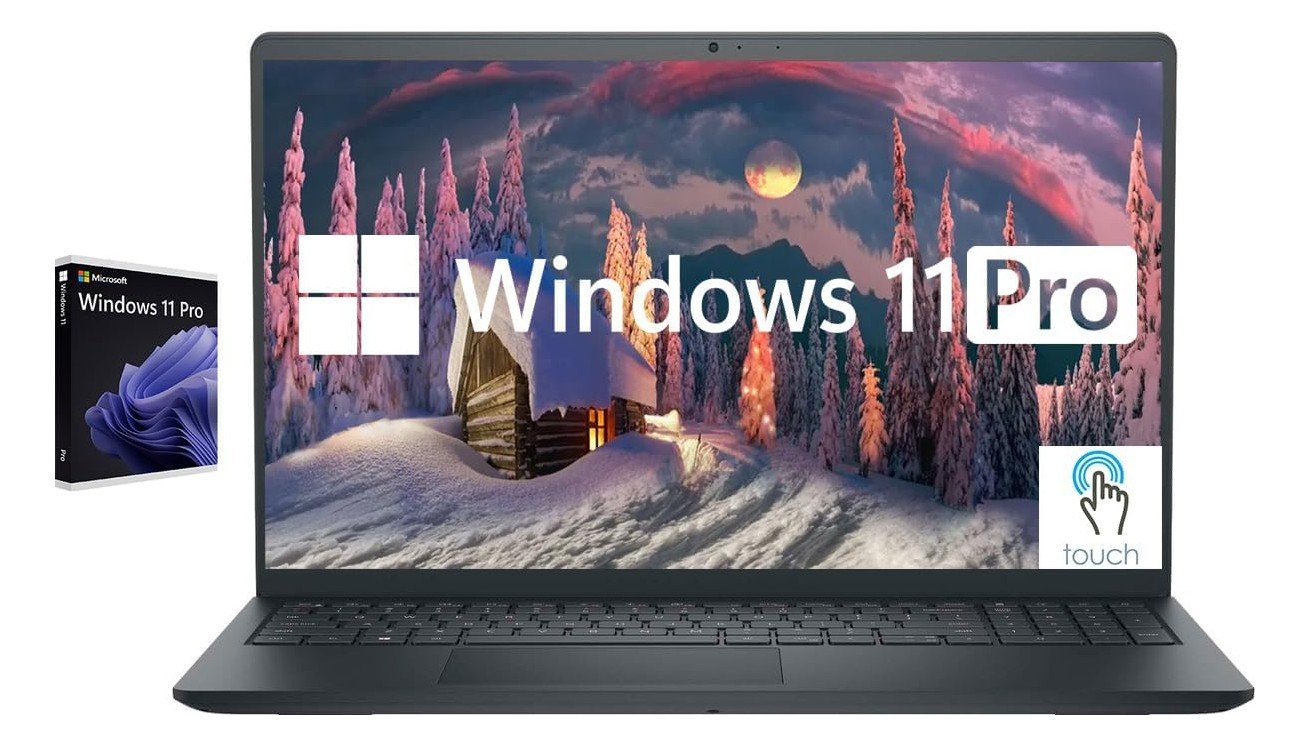
Dell Inspiron Touchscreen Laptop
Dell Inspiron Touchscreen Laptop
The Dell Inspiron 15.6″ touchscreen laptop is a powerful and easy-to-use computer that works well for both students and business users. The Full HD IPS display is bright and clear, and the touchscreen makes it simple to tap and scroll through apps, documents, and web pages. The larger screen with a numeric keypad also makes typing spreadsheets and long texts more comfortable compared to smaller laptops.
Inside, this Inspiron model has an Intel Core i5-1155G7 processor paired with 32GB of RAM. This combination gives strong performance for everyday computing, multitasking, and even more demanding tasks like working with large files or running several programs at once. The laptop handles web browsing, office work, video streaming, and online classes smoothly. The 1TB SSD offers plenty of storage space for documents, photos, videos, and other files, while also making the laptop fast to start up and quick to load apps.
The keyboard feels solid and comfortable, with well-spaced keys that are good for long typing sessions. The numeric keypad is useful for data entry and number-based tasks. The touchpad is responsive and accurate, making navigation easy without a mouse. The webcam works well for video calls, which is important for remote meetings, online learning, and staying in touch with friends and family.
Connectivity options include HDMI and USB ports, making it simple to connect to external displays, drives, and accessories. Wi-Fi and Bluetooth keep you connected to the internet and wireless devices. The laptop runs Windows 11 Pro, which offers advanced features and security tools that are helpful for business and productivity.
Overall, the Dell Inspiron touchscreen laptop is a reliable and capable machine. It offers strong performance, plenty of storage, and a comfortable user experience, making it a great choice for students, professionals, and everyday users who need a dependable and versatile laptop.
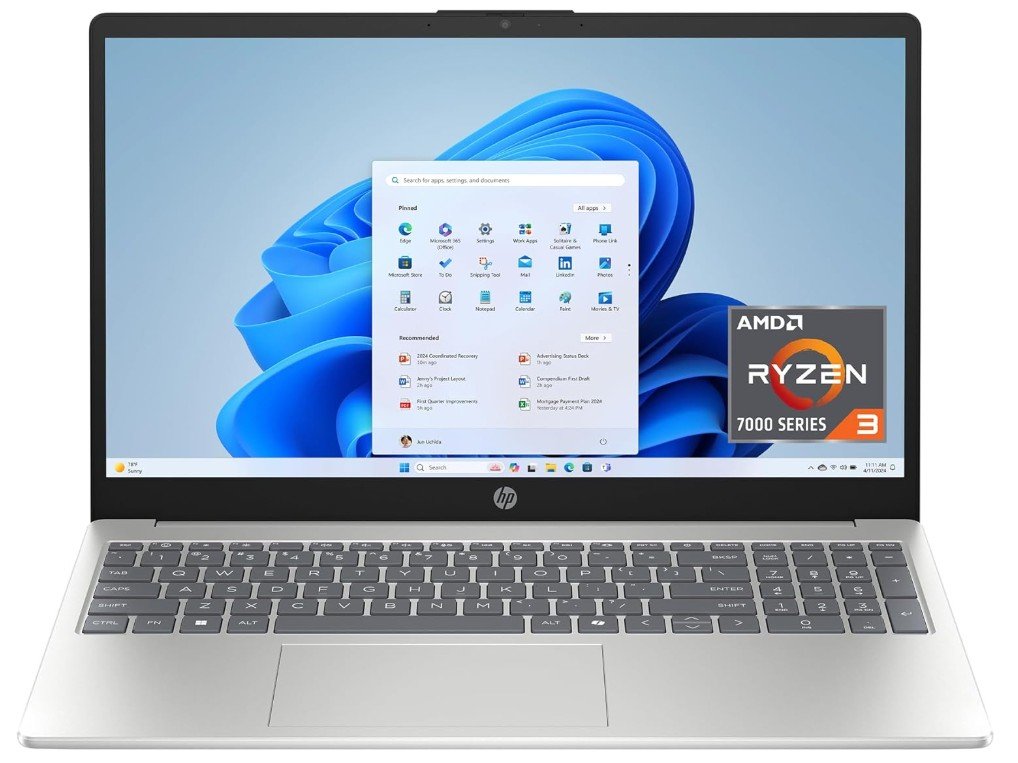
HP 15.6 inch Laptop
HP 15.6 inch Laptop
The HP 15.6-inch touchscreen laptop is a solid and affordable choice for everyday use. The HD touchscreen makes it easy to tap, scroll, and navigate without always needing the keyboard or touchpad. This feature is especially handy when you are browsing the web, watching videos, or working on simple tasks. The screen size is large enough to see details clearly, yet the laptop remains light enough to carry around for class, work, or travel.
Inside, the laptop uses an AMD Ryzen 3 7320U processor with 8 GB of RAM. This setup is good for daily tasks like web browsing, checking email, using office apps, and streaming movies or shows. It won’t handle very heavy software or demanding games, but for most basic needs it works smoothly. The 128 GB SSD storage is fast and helps the laptop start up quickly, load apps faster, and respond without delay. However, the storage size is on the smaller side, so you may need extra cloud storage or an external drive if you save many files.
The keyboard feels comfortable for typing messages, assignments, or reports, and the touchpad responds well to gestures and clicks. The laptop comes with Windows 11 Home in S Mode, which keeps the system secure and simple but limits apps to the Microsoft Store. You can switch out of S Mode if you want to install software from other sources. Wi-Fi and Bluetooth connectivity are reliable for online classes, meetings, and wireless accessories.
The design in Natural Silver looks clean and professional. Battery life is good for a full day of light use like browsing or watching videos, though heavy use can drain it faster. Overall, this HP touchscreen laptop gives good value for its price and is a dependable option for students, home users, and anyone who wants an easy-to-use everyday laptop.
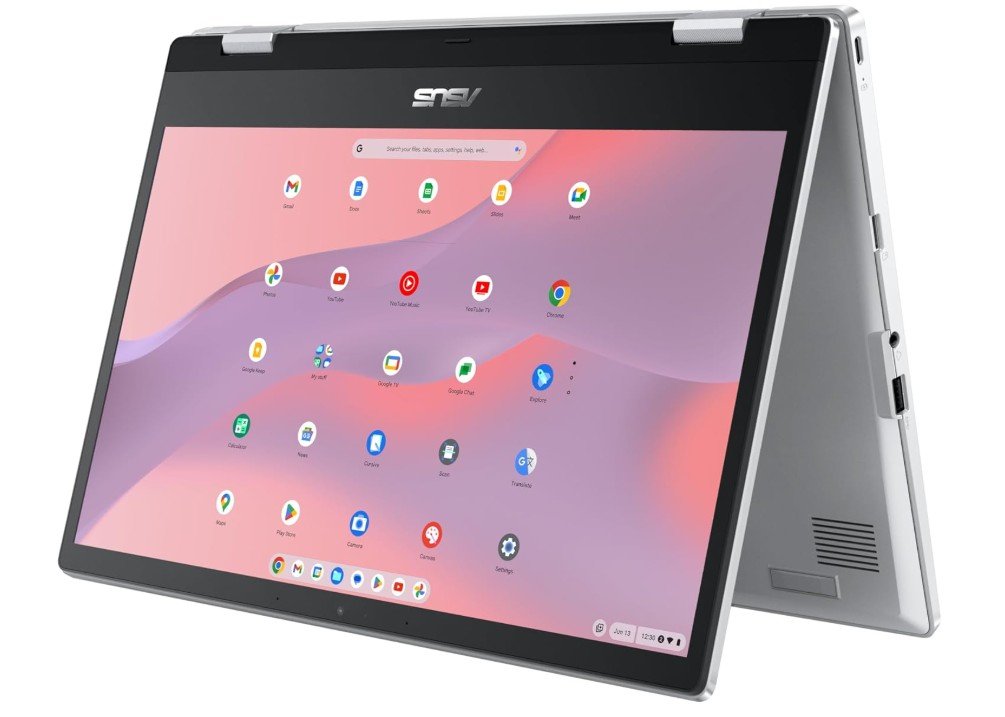
ASUS Chromebook Flip CX1 Convertible Laptop
ASUS Chromebook Flip CX1 Convertible Laptop
The ASUS Chromebook Flip CX1 is a versatile and easy-to-use laptop that works well for everyday tasks, especially if you use cloud apps and online services. The 14-inch Full HD NanoEdge touchscreen looks bright and sharp, and the 360-degree hinge lets you fold the device into different modes. You can use it as a regular laptop for typing, a tablet for touch use, or in tent mode for watching videos and presentations. This flexibility makes it a great choice for students, travelers, and casual users.
Inside, the Chromebook runs on an Intel Celeron N4500 processor with 8 GB of RAM. This setup is smooth for daily tasks like browsing the internet, checking emails, using Google Docs or Sheets, and streaming videos. It is not designed for heavy software or advanced gaming, but for web-based work and apps it feels responsive and reliable. The ChromeOS system boots quickly and stays fast over time, helping you get work done without waiting.
The 128 GB eMMC storage gives you space for offline files, photos, and apps, though it is smaller than typical laptop SSDs. Because Chromebooks rely on cloud storage, many users find this amount of storage enough for everyday use. The keyboard is comfortable for typing messages and school work, and the touchpad works well for navigation. The touchscreen adds extra convenience for tapping and scrolling through web pages and apps.
Connectivity options like Wi-Fi and Bluetooth are reliable for online learning and wireless accessories. Battery life is strong for a full day of classes or meetings without always needing a charger, which is very useful on the go. The lightweight design and flexible form factor make it easy to carry in a backpack or bag.
Overall, the ASUS Chromebook Flip CX1 is a solid choice if you want a flexible Chromebook with good performance for web-based work, school tasks, and entertainment. It offers strong value in its price range.
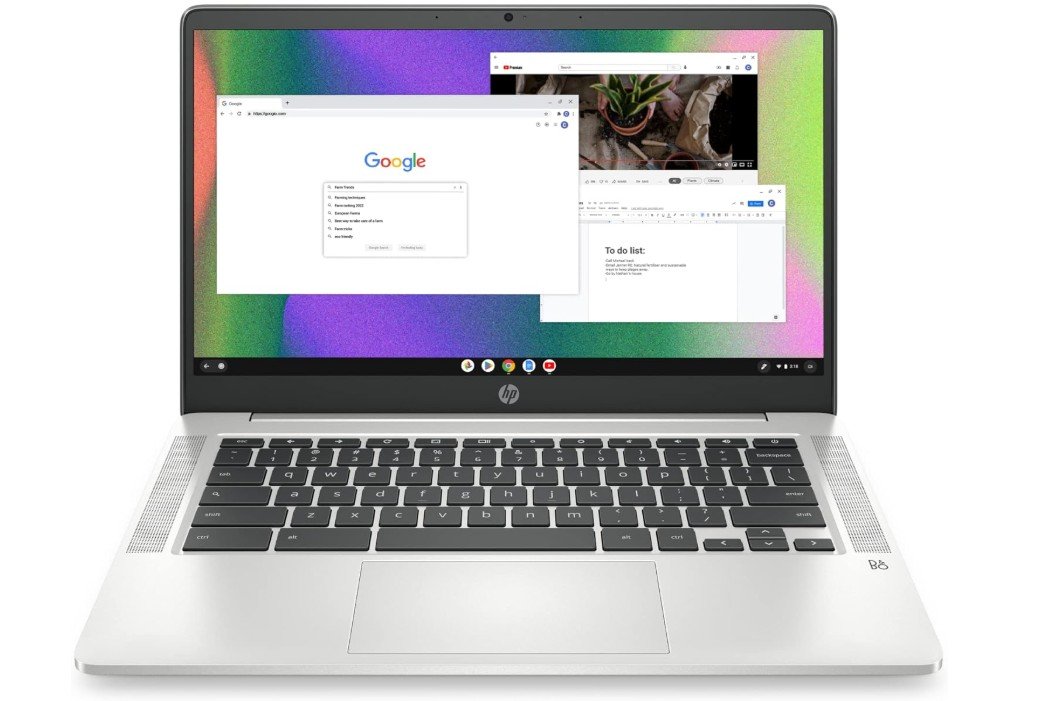
HP Chromebook 14 Laptop
HP Chromebook 14 Laptop
The HP Chromebook 14 is a simple and lightweight laptop that works well for everyday tasks like browsing the internet, checking email, watching videos, and using online apps. Its 14-inch HD display shows clear images, and the screen size is good for both work and entertainment. The Chromebook is easy to carry, making it a good choice for students, travelers, or anyone who needs a laptop on the go.
This Chromebook runs on an Intel Celeron N4120 processor with 4 GB of RAM. This setup is enough for basic tasks and helps the laptop stay smooth for web browsing, streaming, and using Google apps like Docs and Sheets. It is not meant for heavy software, video editing, or advanced gaming, but for simple everyday use it feels responsive and reliable. Chrome OS is fast to start and quick to update, and it keeps the system running smoothly over time.
The 64 GB eMMC storage gives you space to save some files, apps, and offline content, though it is smaller than many laptops. Because Chromebooks rely on cloud storage with Google Drive, many users find this storage size enough for their needs. The keyboard feels comfortable for typing messages and basic work, and the touchpad is accurate for navigation. The design is thin and light, which makes it easy to take with you wherever you go.
Battery life is one of the strong points of this Chromebook. You can use it for many hours on a single charge, which is helpful for school, work, or long trips. Connectivity options like Wi-Fi and Bluetooth are reliable for online classes, meetings, and wireless accessories.
Overall, the HP Chromebook 14 is a solid choice if you want an affordable, easy-to-use laptop for everyday tasks. It offers good performance for its price and is especially suited for web-based work, school, and entertainment.
Buying Guide: Budget Touchscreen Laptop
What Is a Budget Touchscreen Laptop?
A budget touchscreen laptop is a laptop that offers touch input at an affordable price. These laptops are designed for everyday users who need a simple and flexible device for common tasks. They are popular among students, office workers, home users, and seniors because they are easy to use and more interactive than traditional laptops. Instead of using only a mouse or touchpad, you can tap, swipe, and zoom directly on the screen.
Budget touchscreen laptops usually focus on value rather than high-end power. They are not made for heavy gaming, professional video editing, or advanced 3D work. However, they are more than capable of handling web browsing, online classes, office work, video streaming, and light multitasking. With the right choice, a budget touchscreen laptop can last several years and offer great everyday performance.
Why Choose a Touchscreen Laptop on a Budget?
Touchscreen laptops are no longer just luxury devices. Today, many affordable models include touchscreens, making them more accessible than ever. The biggest advantage of a touchscreen is ease of use. Scrolling through web pages, zooming into photos, signing documents, or navigating apps feels faster and more natural with touch.
For students, touchscreens are helpful for reading PDFs, online learning, and note-taking. For office users, they make presentations and document reviews easier. For home users, touchscreens add comfort when watching videos, browsing social media, or video calling family and friends. If you are buying a laptop for someone who is not very tech-savvy, a touchscreen can also make learning easier.
Display Quality: What to Look For
The display is one of the most important parts of a touchscreen laptop. Since you will interact with it directly, quality matters a lot.
Screen Resolution
Try to choose a laptop with Full HD (1920 × 1080) resolution if possible. Full HD screens look sharper, show clearer text, and provide better viewing quality than HD (1366 × 768). HD screens are still usable but may look less sharp, especially on larger displays.
Screen Size
Budget touchscreen laptops usually come in:
- 13–14 inches: Easy to carry, lighter, and good for students or travel
- 15.6 inches: Better for multitasking, watching videos, and office work
Choose the size based on portability and comfort.
Touch Responsiveness
A good touchscreen should respond quickly and smoothly to taps and swipes. Cheaper models may feel slightly less responsive, but most modern budget laptops still offer decent touch performance for everyday use.
Processor (CPU): Performance Matters
The processor controls how fast and smooth your laptop feels. For budget touchscreen laptops, common processors include:
- Intel Core i3 or i5 (older or U-series)
- AMD Ryzen 3 or Ryzen 5
- Intel Celeron or Pentium (entry-level)
For basic tasks like browsing, email, and videos, entry-level processors can work. However, for better long-term performance and smoother multitasking, an Intel Core i5 or AMD Ryzen 5 is a safer choice. These processors handle daily tasks more easily and slow down less over time.
Avoid very old or extremely low-end processors if possible, as they can feel slow with modern software.
RAM: How Much Memory Do You Need?
RAM helps your laptop run multiple apps at the same time.
- 4GB RAM: Only for very light use, not recommended
- 8GB RAM: Best minimum for smooth everyday use
- 16GB RAM: Great for multitasking and long-term use
For most users, 8GB RAM is the sweet spot. It allows you to open many browser tabs, use office apps, and stream videos without lag. If your budget allows, 16GB RAM gives extra comfort and future-proofing.
Storage: SSD vs eMMC
Storage affects speed and how much data you can save.
SSD (Solid State Drive)
- Much faster than traditional storage
- Faster boot times and app loading
- Highly recommended
eMMC Storage
- Slower than SSD
- Found in cheaper laptops and Chromebooks
- Acceptable for basic use
Try to get at least 256GB SSD if possible. 128GB can work, but storage fills up quickly. If the laptop uses eMMC storage, cloud storage may be needed.
Operating System: Windows or ChromeOS?
Windows 11
Windows laptops support a wide range of software and are suitable for work, school, and home use. Windows 11 Home is common in budget laptops and is easy to use.
ChromeOS (Chromebooks)
Chromebooks are simpler, faster, and more secure. They are best for users who rely on web apps like Google Docs, Gmail, and YouTube. They are not ideal if you need traditional Windows software.
Choose the operating system based on the apps you use daily.
Keyboard and Touchpad Comfort
A comfortable keyboard is important, especially if you type a lot. Look for:
- Well-spaced keys
- Good key travel
- Optional numeric keypad on larger laptops
The touchpad should be responsive and accurate. Even with a touchscreen, a good touchpad improves overall comfort.
Battery Life Expectations
Budget touchscreen laptops usually offer 6 to 10 hours of battery life. Real-world battery life depends on usage. Browsing and document work uses less power, while streaming and multitasking drain battery faster.
If you need long battery life for school or travel, check user reviews for real usage results.
Ports and Connectivity
A good budget touchscreen laptop should include:
- USB-A ports for older devices
- USB-C port for modern accessories
- HDMI for external monitors
- Headphone jack
- Wi-Fi 5 or Wi-Fi 6
Wi-Fi 6 offers better speed and stability but is not mandatory for most users.
Build Quality and Design
Budget laptops usually use plastic builds to keep costs low. This is normal, but the laptop should still feel solid. A thin and lightweight design is easier to carry, while slightly heavier laptops may feel more durable.
Who Should Buy a Budget Touchscreen Laptop?
Budget touchscreen laptops are ideal for:
- Students and online learners
- Office and work-from-home users
- Home and family use
- Seniors and beginners
- Casual media consumption
They are not ideal for heavy gaming or professional creative work.
Final Buying Tips
- Set your budget and focus on key features
- Prioritize RAM, SSD, and display quality
- Read user reviews before buying
- Avoid very low-end specs if possible
- Choose based on your daily needs, not just price
FAQs
A touchscreen laptop lets you interact with the screen using touch, similar to a tablet, which can be helpful for browsing, drawing, or intuitive control.
Yes — most budget touchscreen laptops handle browsing, streaming, documents, video calls, and light multitasking smoothly.
13″ to 15.6″ is typical — offering a balance between portability and screen space.
Yes — most offer 6–10 hours of mixed use, enough for school or work sessions.
Yes — they work well for note-taking, research, classes, and entertainment.
Conclusion
A budget touchscreen laptop is a smart choice if you want flexibility, ease of use, and good value for money. By focusing on the right display, processor, RAM, storage, and operating system, you can find a laptop that meets your daily needs without overspending. With careful selection, a budget touchscreen laptop can be reliable, comfortable, and enjoyable for years to come.

Jawad is a passionate tech enthusiast and writer who loves exploring the latest trends in hardware, gadgets, and digital innovation. With a sharp eye for performance and value, he delivers in-depth recommendations and buying guides to help readers make smarter tech decisions.