
Last Updated on February 10, 2026 by Jawad
Introduction
Low-profile mechanical keyboards are designed for people who want the feel of mechanical switches but prefer a slimmer, more modern keyboard. Unlike traditional mechanical keyboards that are thick and tall, low-profile models are much thinner and closer to the desk. This makes them feel more like laptop keyboards, but with better feedback, durability, and performance. Because of their slim shape, they are comfortable to use for long hours and do not usually require a wrist rest.
These keyboards use low-profile mechanical switches that have shorter key travel. This means you do not need to press the keys very deep to register a keystroke. As a result, typing can feel faster and lighter, which is helpful for office work, coding, and gaming. Many users find low-profile keyboards easier on the hands because they reduce finger movement and wrist strain during long sessions.
Low-profile mechanical keyboards are popular among both gamers and professionals. Gamers like them because they offer quick response times and precise key presses while keeping the desk setup clean and minimal. Office users and students enjoy them for their quiet typing options, sleek design, and portability. Many models are lightweight and easy to carry, making them a good choice for laptops and work-from-home setups.
Most low-profile mechanical keyboards also come with useful modern features. These include RGB or white backlighting, wireless connectivity through Bluetooth or 2.4GHz, and compatibility with multiple devices like PCs, Macs, tablets, and phones. Some models even support hot-swappable switches, allowing users to change the switch type without buying a new keyboard.
Overall, low-profile mechanical keyboards are a great choice for anyone who wants a balance between comfort, performance, and style. They offer the benefits of mechanical keyboards in a slim and elegant form that fits almost any workspace.
We also have a recommendation for the Best RGB Gaming Keyboard, so make sure to check that out too!
Top Low-Profile Mechanical Keyboards

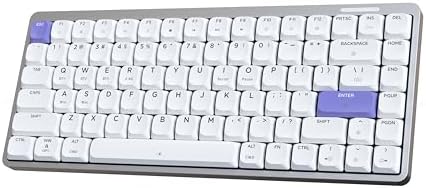
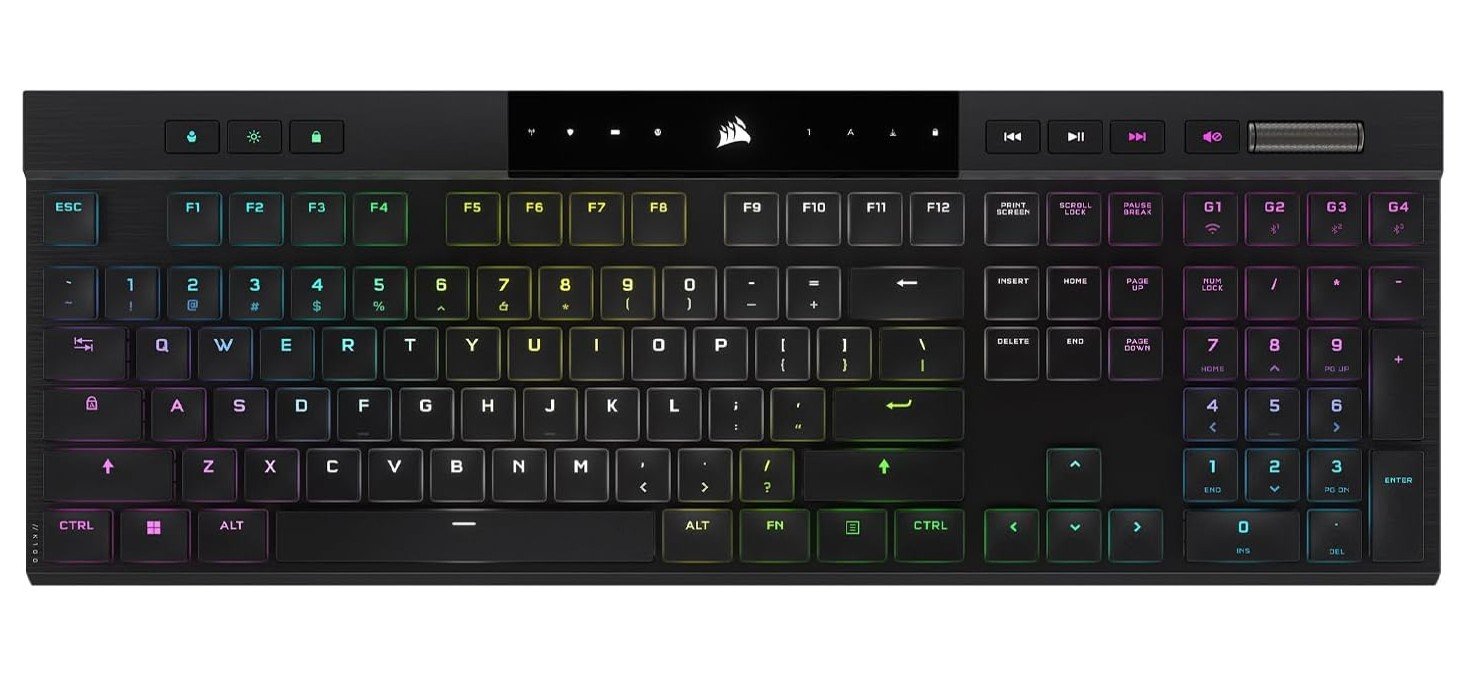
Corsair K100 Mechanical Gaming Keyboard
Corsair K100 Mechanical Gaming Keyboard
The Corsair K100 AIR Wireless RGB Mechanical Gaming Keyboard is a standout choice for anyone looking for a premium low-profile keyboard that performs well for both gaming and everyday use. From the moment you start typing or playing, the slim design feels noticeably different from traditional mechanical keyboards. The low-profile Cherry MX Ultra Low Profile switches deliver a shallow key travel that makes each keystroke feel fast and responsive without being too loud or tiring over long sessions. This design helps reduce finger fatigue and gives a more natural, laptop-like experience while still maintaining the satisfying tactile feedback mechanical users enjoy.
Using the K100 AIR is smooth whether you’re gaming or typing. In games, the sub-1ms Corsair Slipstream wireless and low-latency Bluetooth options make movement and input feel immediate and precise, which is especially helpful in fast-paced titles. The low-profile design also keeps your hands at a comfortable angle, reducing strain during long gaming marathons or workdays. Even when you switch to Bluetooth for mobile devices or other computers, the keyboard stays reliable and responsive, proving that you don’t have to sacrifice performance for the sleek form factor.
The keyboard’s build quality feels solid despite its ultra-thin frame. It doesn’t flex or feel flimsy, and the per-key RGB lighting adds a nice visual touch without overwhelming the minimalist design. Battery life is strong for a wireless keyboard, lasting many hours even with backlighting enabled. This makes it convenient for travel or setups where you don’t want to be tied to a cable.
While the price point is higher than many standard keyboards, the Corsair K100 AIR stands out for its combination of low-profile comfort, premium performance, and wireless versatility. If you care about a sleek desk setup and want responsive keys without the bulk of traditional mechanical switches, this keyboard delivers an excellent experience.
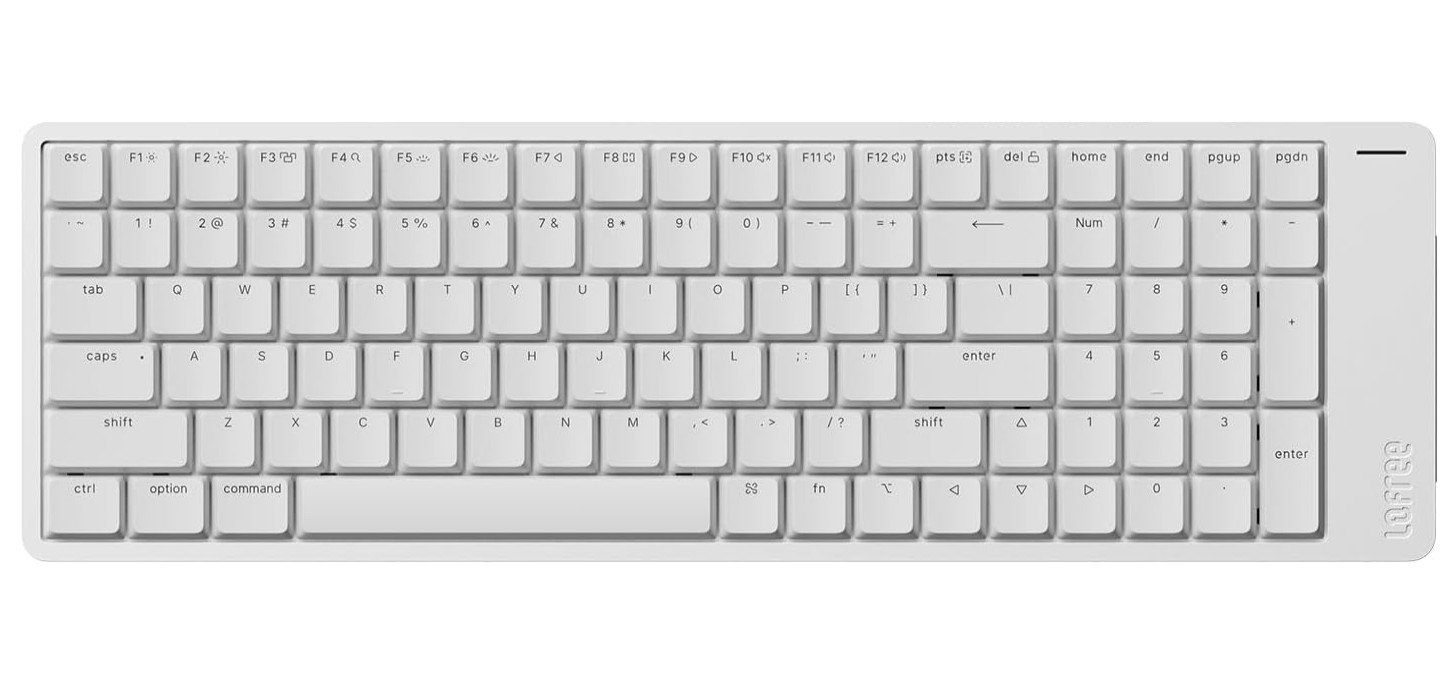
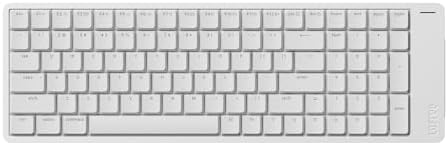
LOFREE Flow2 Low-Profile Mechanical Keyboard
LOFREE Flow2 Low-Profile Mechanical Keyboard
The LOFREE Flow2 Low-Profile Mechanical Keyboard delivers a sleek and comfortable typing experience thanks to its low-profile design. Right away, the slim build sets it apart from traditional mechanical keyboards. The keys sit closer to the desk, which helps reduce finger travel and makes typing feel quicker and more natural. For anyone who finds taller mechanical keyboards tiring after long use, the Flow2 offers a gentler experience that still retains the satisfying feedback of mechanical switches.
The Void Linear switches in this model are specifically tuned to be smooth and quiet. They blend the tactile feel many mechanical keyboard fans enjoy with a much softer sound, making it easier to type in shared spaces or quiet environments. Because the keyboard is low profile, your hands sit in a more relaxed position, which can reduce wrist strain during extended typing sessions. Whether you’re working all day, writing, or playing games, the Flow2 feels responsive and comfortable.
Connectivity is another strong point for this keyboard. It supports Bluetooth, 2.4 GHz wireless via a USB-C dongle, and wired USB-C, giving you flexibility to use it with multiple devices like laptops, tablets, and desktops without constantly switching cables. The wireless performance is dependable, and switching between modes is simple. Battery life holds up well even with regular use, and the rechargeable design adds convenience for those who prefer a clean, cable-free setup.
The aluminum alloy frame feels sturdy and premium, yet the overall weight and profile make it easy to carry if you need to take it on the go. While it lacks some advanced gaming features like dedicated macro keys, the Flow2 focuses on delivering a refined, low-profile typing experience that suits both productivity and casual gaming. If you want a mechanical keyboard that combines comfort, style, and performance without the bulk of a traditional board, the LOFREE Flow2 is a compelling choice.
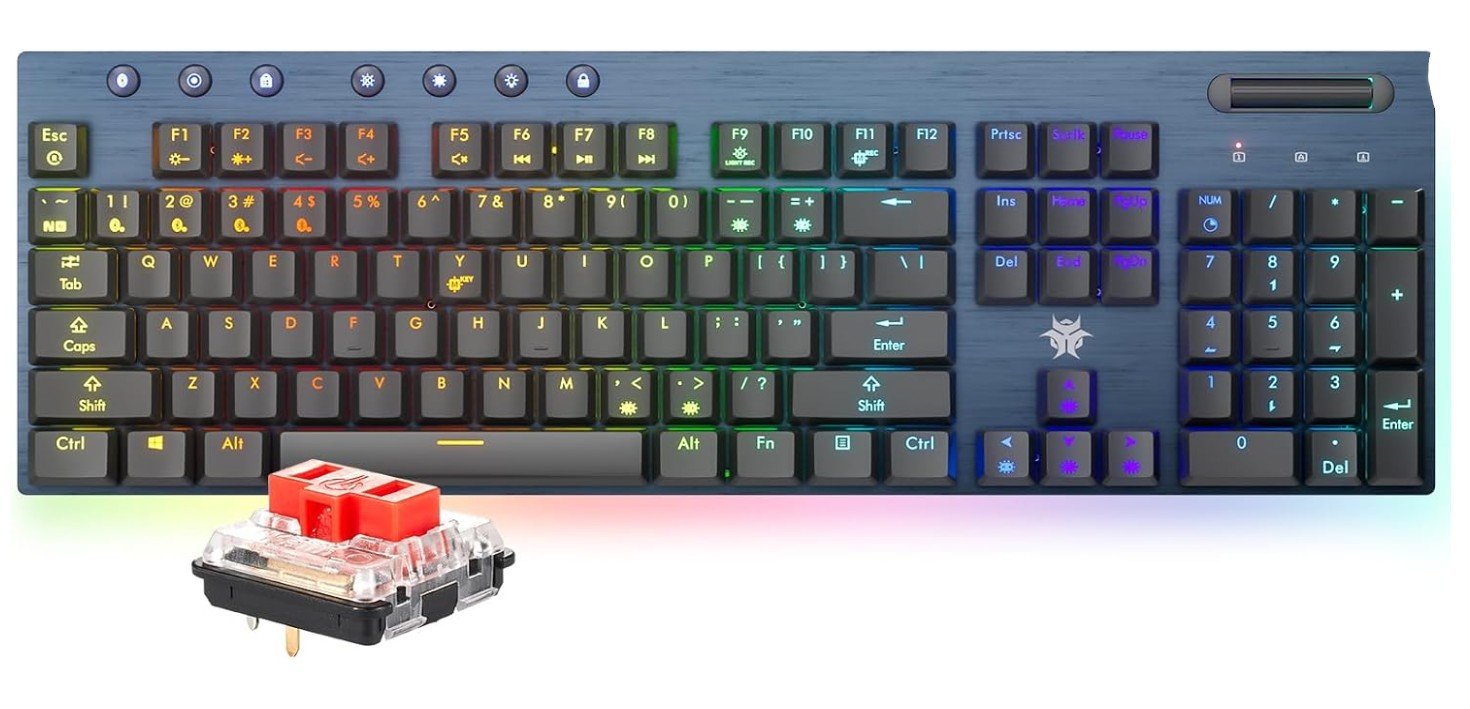
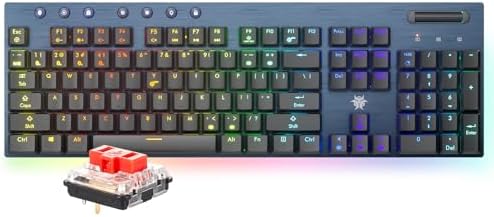
Hexgears Low Profile Gaming Keyboard
Hexgears Low Profile Gaming Keyboard
The Hexgears Low-Profile Gaming Keyboard stands out with its ultra-thin design that feels significantly different from traditional mechanical keyboards. Right away, its low-profile build makes typing and gaming feel smoother and faster. Because the keys are closer to the desk and have shorter travel distance, your fingers don’t need to press down as far, which reduces fatigue during long sessions. This makes it a solid choice for both extended workdays and lengthy gaming sessions.
The Linear Red switches contribute to a light, consistent keystroke that feels very comfortable under the fingers. They don’t have the loud click of some mechanical switches, so typing stays relatively quiet without losing the satisfying mechanical feel. The slim form factor also helps keep your hands in a more natural position, lowering wrist strain compared to taller keyboards. This subtle ergonomic benefit is one of the strongest points of the low-profile design.
In terms of connectivity, the keyboard offers flexible options. You can use it wirelessly in two modes or connect it via a wired connection. This versatility is handy if you like switching between devices or moving your keyboard between setups. The wireless performance stays responsive, and the RGB lighting adds a dynamic look without distracting from the overall minimalist design.
Dedicated media control keys are a thoughtful inclusion and make adjusting volume or playback simple without interrupting your workflow or games. While the keyboard doesn’t have advanced macro features, it delivers everything most users need in a sleek, attractive package.
Build quality feels solid and well-made, and the gray finish gives it a subtle, understated style. If you’re someone who enjoys the speed and feel of mechanical keys but prefers a lower profile and more compact presence on your desk, this Hexgears keyboard delivers an enjoyable and comfortable experience.
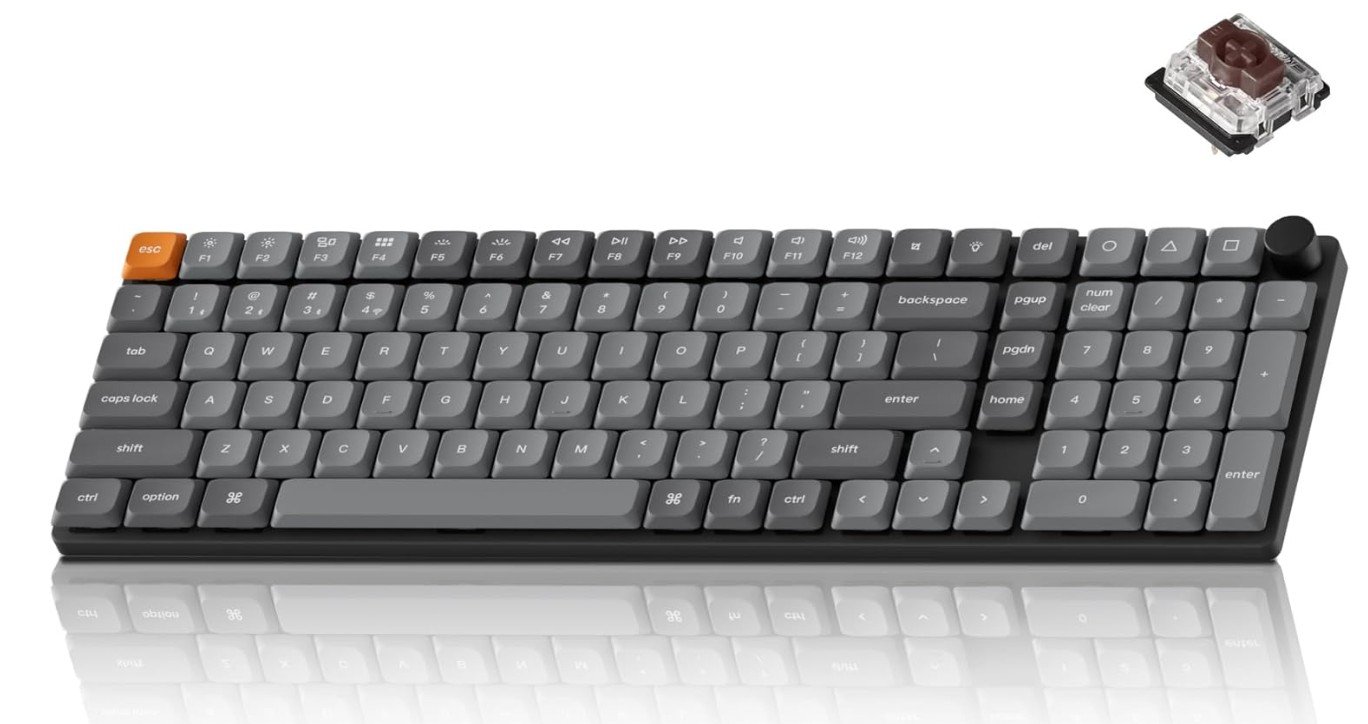
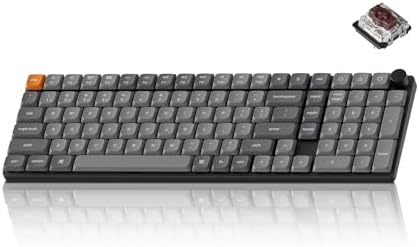
Keychron K17 Max Mechanical Keyboard
Keychron K17 Max Mechanical Keyboard
The Keychron K17 Max Low-Profile Mechanical Keyboard delivers an impressive typing and gaming experience with a sleek and compact design. Its low-profile layout immediately sets it apart from traditional mechanical keyboards. Because the keys sit closer to the desk and have shorter travel distances, typing feels fast and effortless, reducing finger fatigue even during long sessions at work or while gaming. The ultra-slim build also gives your desk a clean, modern look without the bulk that often comes with conventional mechanical boards.
The low-profile Gateron Brown switches provide a satisfying tactile feedback that is noticeable without being loud or distracting. This makes the K17 Max a very comfortable choice for users who want a balance between smooth typing and quiet operation. The reduced key height helps your hands stay in a more natural and relaxed position, which can help reduce wrist strain over time. Whether you’re writing emails, coding, or playing games, the feel of these switches combined with the low profile makes everyday use more enjoyable.
Connectivity is very flexible on this keyboard. You can switch between Bluetooth wireless and USB-C wired modes effortlessly, which is ideal if you work across multiple devices. The wireless performance remains stable, and the keyboard maintains a responsive feel even while untethered. The RGB backlighting adds a touch of style and visibility, and it can be customized to suit your preferences or mood.
One of the standout features is the support for QMK and VIA programmability. This gives advanced users the freedom to remap keys and set up custom layouts with ease. The 96% layout keeps all essential keys while saving space compared to a full-size board, making it perfect for smaller desks or portable setups.
Overall, the Keychron K17 Max Low-Profile Mechanical Keyboard offers a refined blend of comfort, performance, and style. If you’re looking for a high-quality, low-profile mechanical keyboard that works well for both productivity and play, this model is a strong contender.
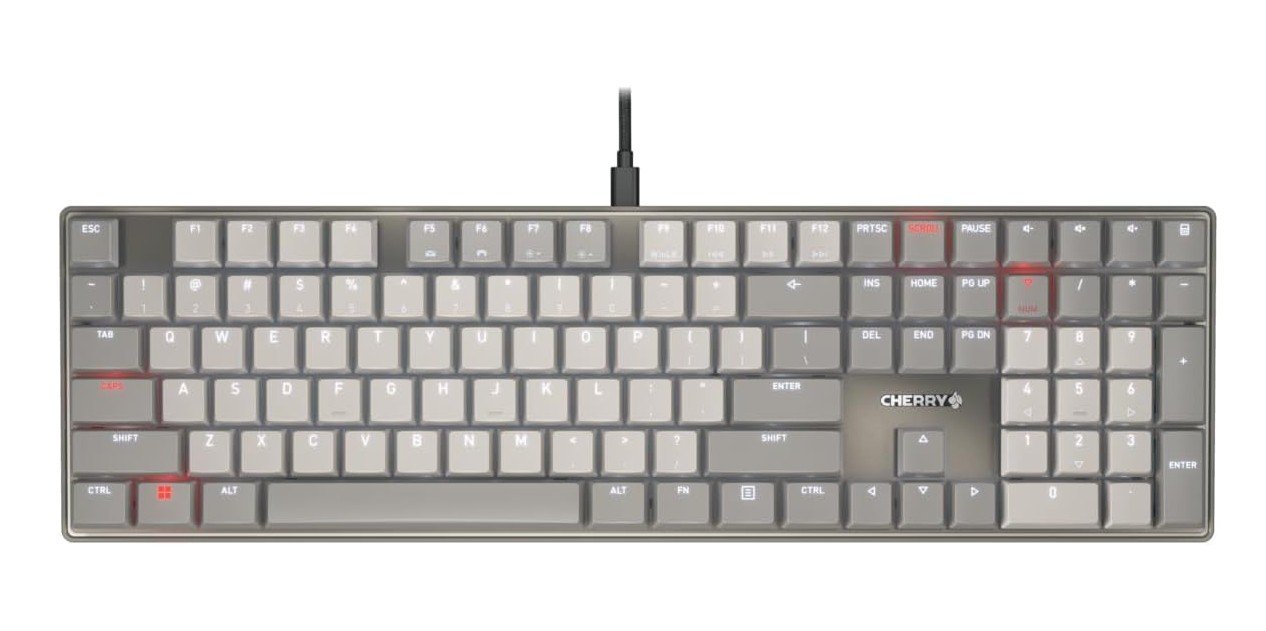
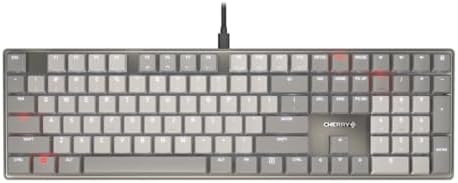
Cherry KC 500 MX LP Mechanical Low Profile Keyboard
Cherry KC 500 MX LP Mechanical Low Profile Keyboard
The Cherry KC 500 MX LP Low-Profile Mechanical Keyboard offers a clean and comfortable typing experience thanks to its slim design and low-profile switches. Right away, the keyboard feels noticeably different from taller, traditional mechanical keyboards. Its low-profile build brings your hands closer to the desk and reduces the distance each key travels. This results in faster and lighter key presses that feel smooth and responsive. Typing becomes less tiring over long periods, making this keyboard a good choice for writers, programmers, and everyday users who spend extended hours at the keyboard.
The Cherry MX LP 2.0 switches are a standout feature. These low-profile switches deliver the mechanical feel that many users love, but in a more compact form. They offer a crisp actuation with less key travel, which makes keystrokes feel more direct and efficient. This makes the keyboard especially enjoyable for those who want mechanical performance without the bulk and height of standard switches. The switches are also responsive enough for casual gaming, giving a satisfying feel without excess noise.
The overall build quality feels solid, and the slim frame adds a modern, understated look to any desk setup. The gray finish combined with white LED lighting gives it a clean, minimalist aesthetic. The PBT keycaps are durable and resistant to shine, so they maintain a quality feel even after long use. While the backlighting is simple white rather than RGB, it improves visibility in low-light settings without being distracting.
This keyboard uses a wired connection, which ensures consistent performance and no battery concerns. The full-size layout includes a number pad, which is helpful for productivity tasks. Although it lacks customizable lighting or advanced software features, its simplicity is part of its appeal. For users who value a low-profile mechanical typing experience with a sleek design and reliable performance, the Cherry KC 500 MX LP delivers exactly what many people are looking for.
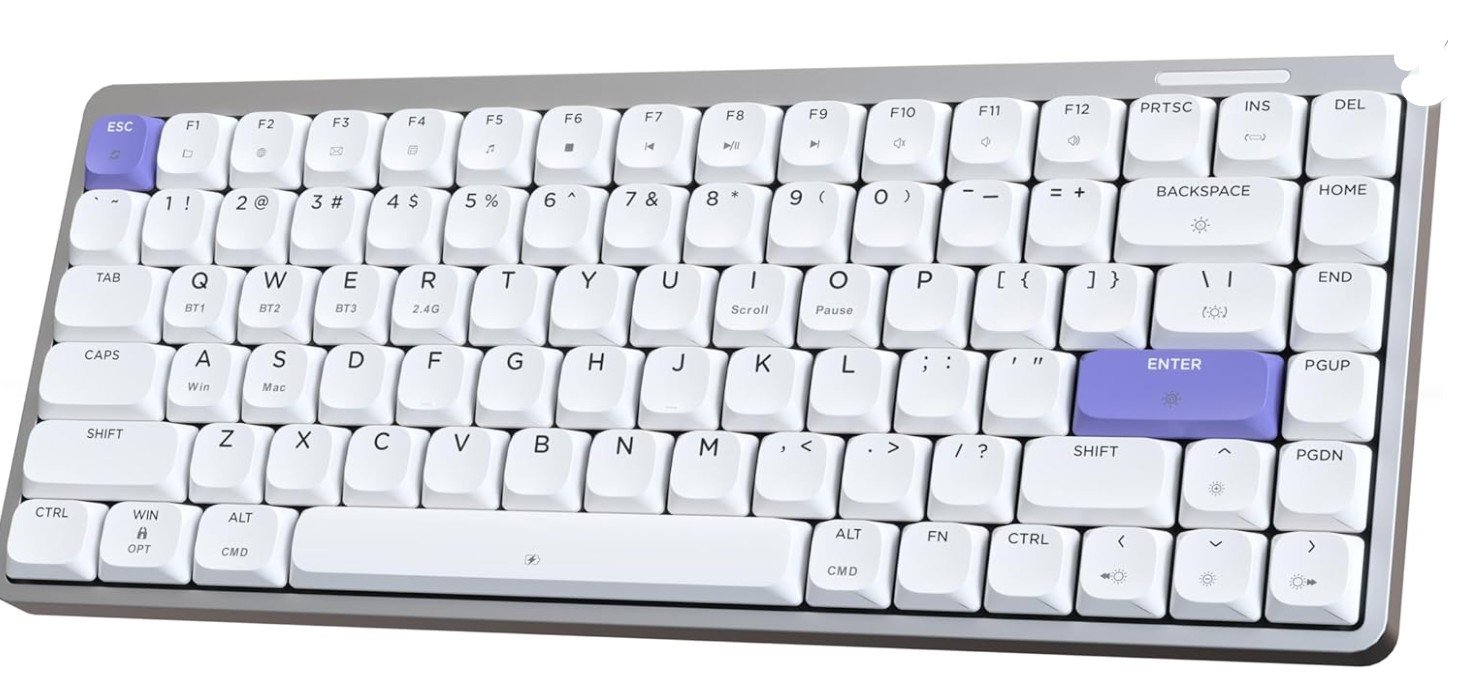
EPOMAKER Luma84 Low Profile Aluminum Mechanical Keyboard
EPOMAKER Luma84 Low Profile Aluminum Mechanical Keyboard
The EPOMAKER Luma84 Low-Profile Aluminum Mechanical Keyboard delivers an excellent blend of comfort, style, and performance thanks to its thoughtfully designed low-profile layout. From the moment you start typing, the reduced key height and shorter travel distance make each keystroke feel light and responsive. This low-profile setup minimizes finger movement, which helps reduce fatigue during long typing sessions or extended gaming play. Whether you’re working on documents, chatting, or playing games, the keyboard’s slim profile makes for a comfortable experience that’s easier on the wrists compared to taller mechanical keyboards.
The Gateron Low-Profile Red switches are a standout feature. They offer smooth, linear keypresses that feel effortless and quiet, perfect for users who prefer a responsive yet unobtrusive typing experience. These switches are well suited for both everyday typing and fast-paced gaming, giving you quick actuation without the loud click associated with some mechanical switches. The keyboard’s low-profile nature keeps your hands in a natural position, which is especially beneficial if you type frequently or for long periods.
Connectivity options on the Luma84 are impressive. The tri-mode setup—Bluetooth, 2.4 GHz wireless, and USB-C wired—lets you use the keyboard with a wide range of devices like laptops, desktops, tablets, and phones. Switching between devices is seamless, and the wireless performance remains stable and responsive. This flexibility enhances usability whether you’re at a desk or on the go.
The aluminum body adds durability and a premium feel, while the RGB backlighting allows for customizable lighting effects that brighten up your workspace. The compact 84-key layout retains essential keys while saving desk space, making it a great option for minimalist setups.
Programmability via QMK and VIA gives advanced users the freedom to remap keys and personalize layouts to their liking. Overall, the EPOMAKER Luma84 stands out as a top choice for anyone seeking a high-quality low-profile mechanical keyboard that combines comfort, versatility, and thoughtful design.
Buying Guide: Low-Profile Mechanical Keyboards
Low-profile mechanical keyboards are designed to be thinner and more compact than traditional mechanical keyboards. They use specially designed low-profile switches and slim keycaps, which reduce the overall height of the keyboard. This makes them feel closer to laptop keyboards while still delivering the durability, precision, and feedback of mechanical switches.
These keyboards are ideal for users who want a clean, modern desk setup, faster key presses, and improved comfort during long typing or gaming sessions. Because your hands sit closer to the desk, low-profile keyboards often reduce wrist strain and eliminate the need for a wrist rest.
Benefits of Choosing a Low-Profile Mechanical Keyboard
One of the biggest advantages of low-profile keyboards is comfort. The reduced key height means your fingers travel less distance with each press, which helps reduce fatigue. This is especially useful for people who type or game for many hours daily.
Another benefit is speed. Shorter actuation distance allows faster key registration, which is helpful for gaming and fast typing. Low-profile keyboards are also lighter and easier to carry, making them a good choice for mobile setups, laptops, and work-from-home users.
Aesthetically, they look sleek and minimal. Many users prefer their slim appearance compared to bulky traditional mechanical keyboards.
Understanding Low-Profile Switch Types
Low-profile switches come in three main types:
Linear switches offer smooth keystrokes with no tactile bump. They are quiet and fast, making them popular for gaming and shared workspaces.
Tactile switches provide a small bump when the key actuates. This feedback helps with typing accuracy and is ideal for office work and writing.
Clicky switches are rare in low-profile form. They produce audible clicks and are generally avoided in quiet environments.
Because low-profile switches are less standardized than regular switches, always check switch compatibility and replacement options before buying.
Keyboard Layouts and Size Options
Low-profile keyboards are available in multiple layouts:
Full-size (100%) keyboards include a number pad and are best for accounting, data entry, and office productivity.
96% layouts retain almost all keys of a full-size keyboard but reduce spacing to save desk space.
75% and TKL (Tenkeyless) layouts remove the number pad but keep function and arrow keys, offering a balance between size and functionality.
65% and 60% layouts are compact and portable but remove dedicated function rows and navigation keys. These are best for minimal desks and travel.
Choose a layout based on how often you use function keys, arrows, and the number pad.
Wired vs Wireless Connectivity
Low-profile keyboards are available in wired and wireless versions.
Wired keyboards offer the most reliable performance with no battery concerns. They are ideal for competitive gaming and fixed desk setups.
Wireless keyboards usually support Bluetooth, 2.4GHz wireless, or both. Tri-mode keyboards (Bluetooth + 2.4GHz + wired) are the most flexible, allowing use across multiple devices.
Battery life varies depending on backlighting and usage. RGB lighting significantly reduces battery life, so consider this if you plan to use wireless mode often.
Build Quality and Materials
Build quality plays a major role in typing feel and durability. Aluminum frames feel premium and reduce flex, while plastic frames are lighter and more affordable.
Keycaps matter as well. PBT keycaps are more durable and resist shine over time, while ABS keycaps are smoother but wear faster. Low-profile keycap replacements can be limited, so quality out of the box is important.
Typing Sound and Acoustics
Low-profile keyboards are generally quieter than traditional mechanical keyboards, but sound still varies by switch type and construction.
Linear and silent switches are best for shared spaces. Aluminum keyboards tend to sound sharper, while keyboards with internal dampening foam sound softer.
If noise is a concern, avoid clicky switches and prioritize keyboards designed for quiet operation.
Programmability and Software Support
Some low-profile keyboards support advanced customization through QMK/VIA, allowing full key remapping, layers, and macros. This is ideal for power users, programmers, and enthusiasts.
Others rely on brand software for lighting and basic remapping. These are easier for beginners but offer less flexibility.
If customization matters to you, confirm software support before buying.
Low-Profile Keyboards for Gaming
For gaming, prioritize low latency and fast switches. Wired or 2.4GHz wireless keyboards provide the best response times.
Linear switches are usually preferred for gaming due to their smooth and fast actuation. Compact layouts like 75% and TKL are popular among gamers because they free up desk space for mouse movement.
Low-Profile Keyboards for Work and Productivity
For office use, comfort and quiet operation matter most. Tactile or silent switches are ideal for typing accuracy without noise.
Full-size or 96% layouts are better for productivity, especially if you work with numbers or spreadsheets. Wireless connectivity and multi-device support are also useful for work setups.
Price Ranges and What to Expect
Budget range ($50–$100): Basic low-profile keyboards with limited customization and plastic builds.
Mid-range ($100–$180): Better materials, tri-mode connectivity, improved switches, and sometimes QMK/VIA support. This is the best value range for most users.
Premium range ($180+): Aluminum builds, advanced wireless performance, high-quality switches, and full programmability.
Things to Check Before Buying
- Preferred layout and desk space
- Switch type and noise level
- Wired or wireless needs
- Battery life expectations
- Build material and keycap quality
- Software or QMK/VIA support
- Replacement switch and keycap availability
FAQs
A low-profile mechanical keyboard has shorter switches and thinner keycaps than regular mechanical keyboards, giving a flatter, laptop-like feel with mechanical performance.
1. Faster key travel and return
2. Lower actuation force
3. Sleeker, compact design
These can improve speed and comfort for gaming and long typing sessions.
Yes. Low-profile keyboards use mechanical switches designed to be shorter but still offer tactile/linear feedback similar to full-size mechanical switches.
They can be — especially if you prefer a quicker, lighter key press and reduced finger fatigue. Preference varies by play-style.
1. Linear: Smooth, quiet
2. Tactile: Bump feedback
3. Clicky: Audible click
Choose based on feel and noise preference.
Yes — low-profile mechanicals feel more precise and consistent than membrane or scissor keyboards, with better durability and feedback.
Many do, though high-end features vary by model. Always check specs if macros or lighting matter to you.
If you like fast, sleek typing or gaming with a slim form factor, low-profile mechanicals are a great choice.
Final Thoughts
Low-profile mechanical keyboards are an excellent choice for users who want comfort, speed, and a modern design without sacrificing mechanical performance. They are especially well-suited for long typing sessions, clean desk setups, and users transitioning from laptops to mechanical keyboards.
By carefully choosing the right layout, switch type, and connectivity option, you can find a low-profile keyboard that fits both your workflow and personal style. Whether you’re gaming, working, or doing both, a good low-profile mechanical keyboard can significantly improve your daily experience.

Jawad is a passionate tech enthusiast and writer who loves exploring the latest trends in hardware, gadgets, and digital innovation. With a sharp eye for performance and value, he delivers in-depth recommendations and buying guides to help readers make smarter tech decisions.

