
Last Updated on February 10, 2026 by Jawad
Introduction
A mouse for small hands is designed to feel comfortable, easy to control, and natural to use without stretching your fingers too much. Many standard mice are made for medium or large hands, which can cause discomfort, slow movement, or even hand pain for people with smaller palms. A smaller mouse solves this problem by offering a compact shape, lighter weight, and better button placement, making daily computer use much more enjoyable.
When a mouse fits your hand properly, your fingers can rest naturally on the buttons and scroll wheel. This improves accuracy and reduces strain on your wrist and fingers, especially during long hours of work or gaming. A well-sized mouse also makes clicking, dragging, and fast movements easier, which is important for tasks like editing, studying, browsing, or playing games. For gamers, a small mouse can improve reaction time and control, while for office users it helps reduce fatigue.
Mice for small hands come in many styles, including wired, wireless, gaming, and ergonomic models. Some are designed for fingertip or claw grip, while others work well with a relaxed palm grip. Lightweight designs are especially helpful because they are easier to move and cause less stress on the hand. Button layout also matters, as smaller mice usually place buttons closer together so they are easier to reach.
Choosing the right mouse for small hands can make a big difference in comfort and productivity. Whether you use a computer for work, school, or gaming, a properly sized mouse helps you work longer with less discomfort. It is a simple upgrade that can greatly improve your overall computer experience and keep your hand relaxed throughout the day.
We also have a recommendation for the Best Mouse for Office Work, so make sure to check that out too!
Top Mouse for Small Hands



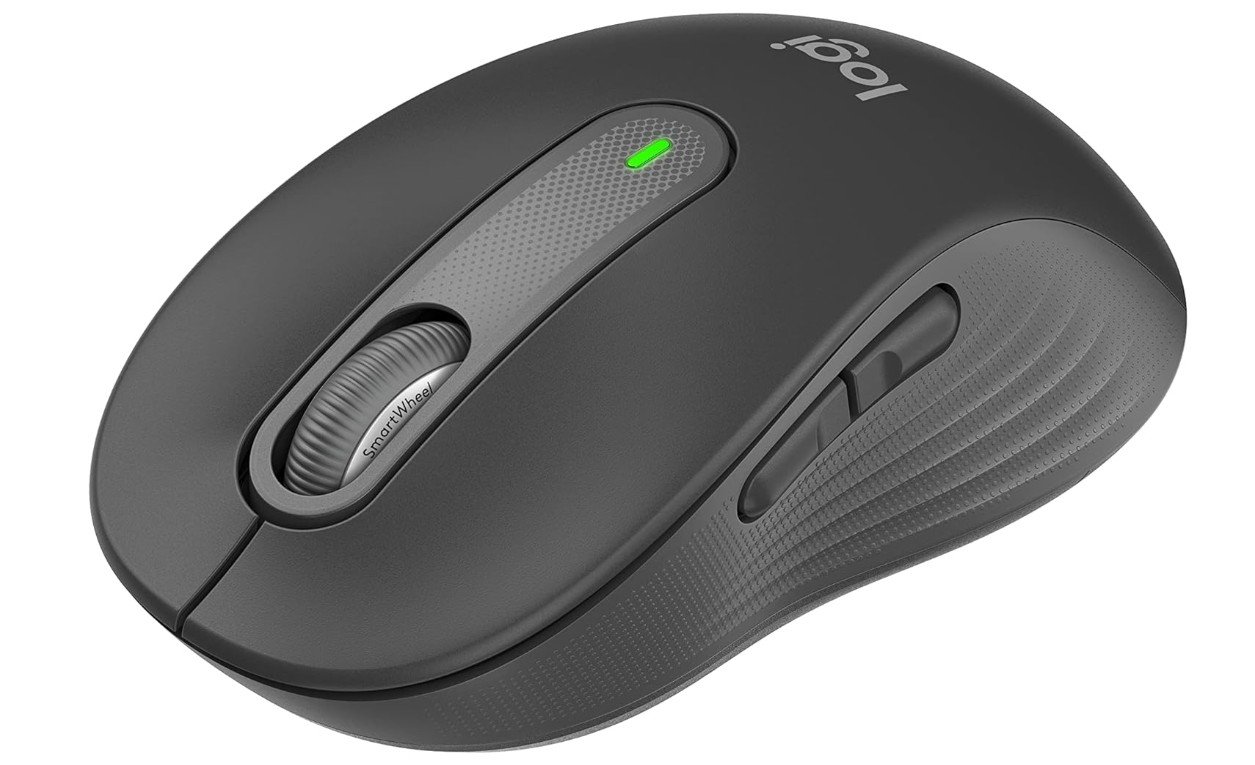
Logitech Signature M650 Wireless Mouse
Logitech Signature M650 Wireless Mouse
The Logitech Signature M650 Wireless Mouse is a very good choice for people with small hands. From the first time you hold it, you can feel that it is comfortable and easy to use. The size is not too big, so your fingers reach the buttons easily without stretching. This makes everyday work or long sessions much more relaxed. The shape fits well in the hand, and you can use it for a long time without feeling tired or uncomfortable.
One of the best things about this mouse is how quiet the clicks are. The SilentTouch technology makes clicking smooth and soft, which is great if you work in a quiet office or at home late at night. You still get a clear response from every click, but there is much less noise compared to many other mice. The scroll wheel is smooth and responsive, so scrolling through long documents or web pages feels effortless.
The M650 connects easily with Bluetooth and can link to more than one device. This means you can switch between your laptop and tablet without unplugging anything. The battery life is excellent — it can last up to two years on a single AA battery, depending on how much you use it. You do not need to charge it often, which is very convenient.
There are extra side buttons that you can customize. You can set them to do functions you use often, like going back to a previous page or opening a particular app. This makes your work faster and more efficient. For small hands, the button placement is just right, so pressing them feels natural.
Overall, the Logitech Signature M650 is easy to use, reliable, and comfortable. It works well for writing, browsing, gaming, or everyday tasks. If you have small hands and want a simple but capable wireless mouse, this one is worth considering.
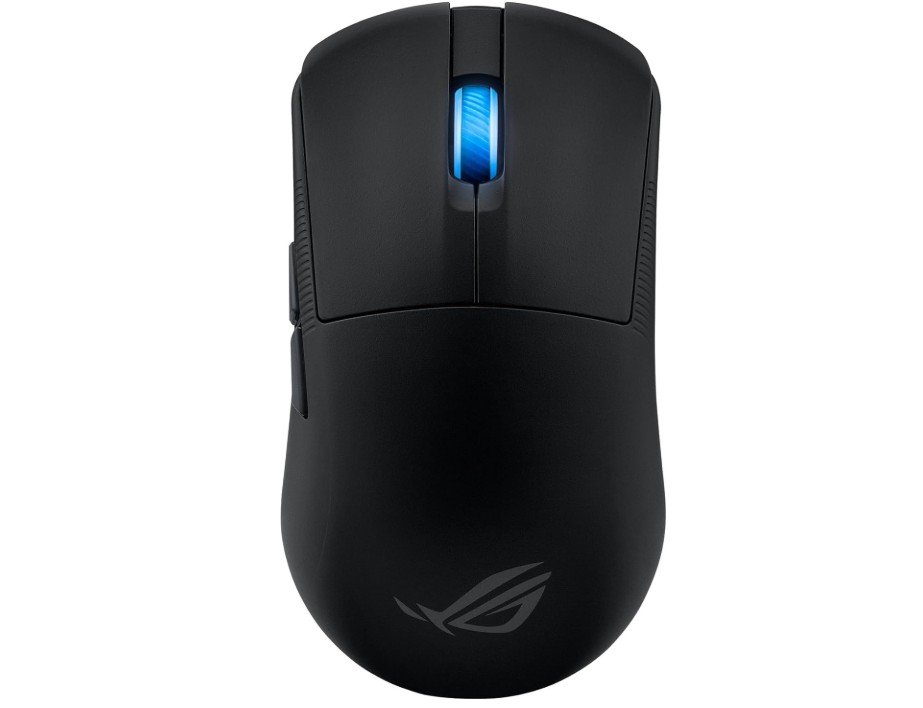
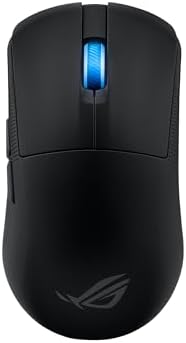
ASUS ROG Harpe Ace Mini Wireless Esports Gaming Mouse
ASUS ROG Harpe Ace Mini Wireless Esports Gaming Mouse
The ASUS ROG Harpe Ace Mini Wireless Esports Gaming Mouse feels great for people with small hands. It is very light and small, so you do not need to stretch your fingers to reach the buttons. Moving it around feels easy and smooth, which helps in fast games or long work sessions. The shape fits well in the hand, and it feels natural when you hold it. Even during long use, your hand stays comfortable.
This mouse is designed for serious gamers, but it works well for everyday use too. The sensor is very powerful with high sensitivity, so it responds quickly to even small movements. This makes aiming in games very accurate. It also works smoothly on many surfaces, which means you do not need a special mouse pad if you do not want one. Whether you are playing games or doing daily tasks, the tracking is precise.
The Harpe Ace Mini has different ways to connect. You can use the fast wireless mode, Bluetooth, or a wired connection. Switching between modes is easy, and the connection stays strong with little delay. This makes it dependable whether you are at your desk or moving around with a laptop. The battery life is also impressive. It can last many hours before needing a charge, so you do not have to worry about charging often.
The buttons feel nice to press, and they are placed in a way that smaller hands can reach them without trouble. The scroll wheel is smooth and accurate too. Some people might not like that it is designed mainly for right-handed users, but for right-handed people with small hands, this mouse feels natural and comfortable.
Overall, the ASUS ROG Harpe Ace Mini is a strong choice for anyone with small hands who wants a lightweight, accurate, and fast mouse for gaming or everyday use. It delivers good performance without causing hand strain.
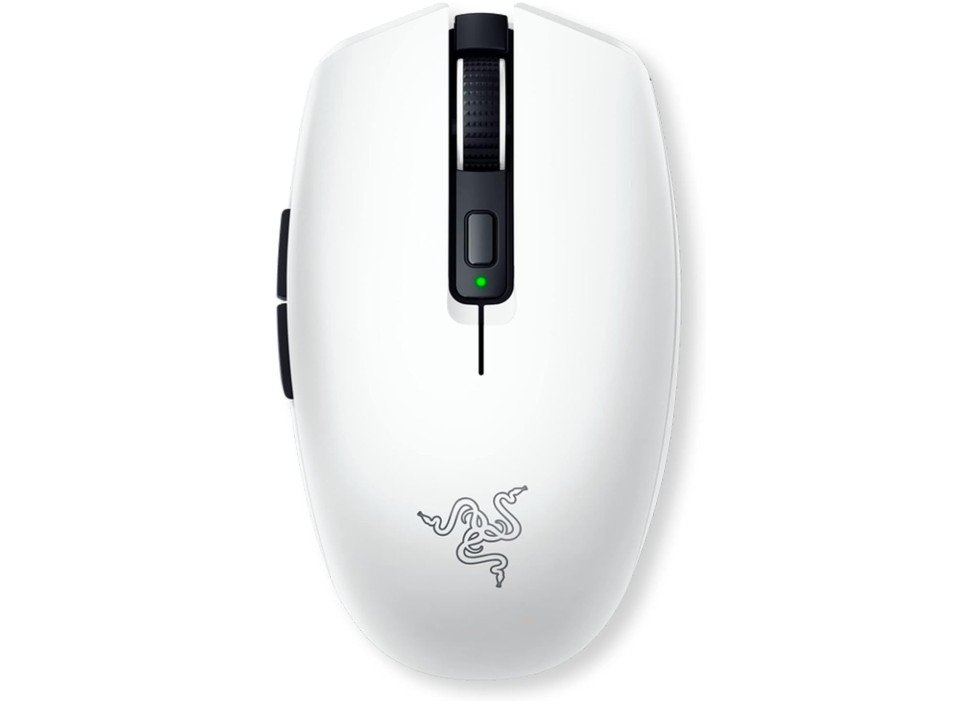
Razer Orochi V2 Mobile Wireless Gaming Mouse
Razer Orochi V2 Mobile Wireless Gaming Mouse
The Razer Orochi V2 Mobile Wireless Gaming Mouse is a great choice for people with small hands. It feels light and easy to move, so your fingers do not have to stretch to reach the buttons. The compact shape fits well in smaller palms, and it feels natural to hold during long use. Because it is so light, moving the mouse for daily tasks or fast gaming feels smooth and effortless.
This mouse connects in two wireless ways: fast 2.4 GHz wireless and Bluetooth. The connection stays strong and quick, so you can play games or work without delays. The battery life is very long, lasting up to hundreds of hours before needing new batteries. This means you do not have to worry about charging or changing batteries often. For people who use their mouse a lot, this is very convenient.
The sensor inside the mouse is strong and accurate, with high sensitivity that helps in precise movements. In games, this means aiming and reactions are smooth and accurate. For everyday tasks like browsing or working on documents, the tracking also feels very responsive. The mechanical switches give a clear, clicky feel that many users enjoy. They feel solid and react well every time you click.
Because the mouse is small and light, it is especially good for gamers with small hands who use claw or fingertip grip styles. Even outside of gaming, the size and weight make general use comfortable. The buttons are easy to press and well spaced, so you do not feel cramped.
Overall, the Razer Orochi V2 is a strong choice for small-hand users who want a flexible, long-lasting wireless mouse. It combines comfort, speed, and accuracy in a package that stays comfortable even after hours of use. If you want a reliable and lightweight mouse for both work and play, it is worth considering.
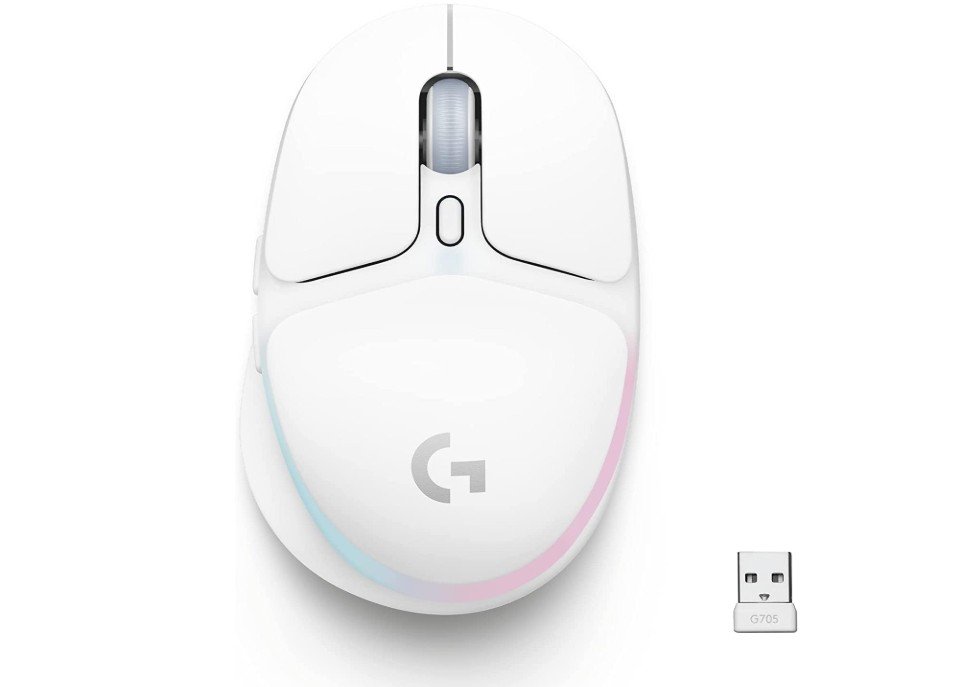
Logitech G705 Wireless Gaming Mouse
Logitech G705 Wireless Gaming Mouse
The Logitech G705 Wireless Gaming Mouse is a good option for people with small hands. It has a lightweight and compact design that fits comfortably in smaller palms. When you use it, your fingers do not have to stretch too far to reach the buttons, which makes it easier to control. This helps in both everyday work and gaming. The shape feels natural in the hand and stays comfortable even after long hours of use.
This mouse uses fast wireless connection with LIGHTSPEED technology, so it feels responsive and smooth. It also supports Bluetooth, which is useful if you want to switch between devices without unplugging anything. The connection stays stable, and there is little delay when you move or click. This makes tasks like browsing, editing, or playing games feel smooth and reliable.
One nice feature is the customizable LIGHTSYNC RGB lighting. You can change the colors and effects to match your style or setup. It looks good and adds a personal touch, but the lighting does not affect performance, so it is fine if you prefer a simple look without lights.
The buttons on the G705 are easy to press and feel solid. You can also program the extra buttons to do special actions, which helps in games or when using software that supports shortcuts. The scroll wheel is smooth and accurate, making scrolling through documents or menus easy.
Battery life is good, so you do not need to charge often. The rechargeable battery lasts through most daily use without trouble. Overall, this mouse is a reliable choice for people with small hands who want a wireless mouse that works well for both work and play. It offers comfort, good performance, and useful features in a size that feels right for smaller users.
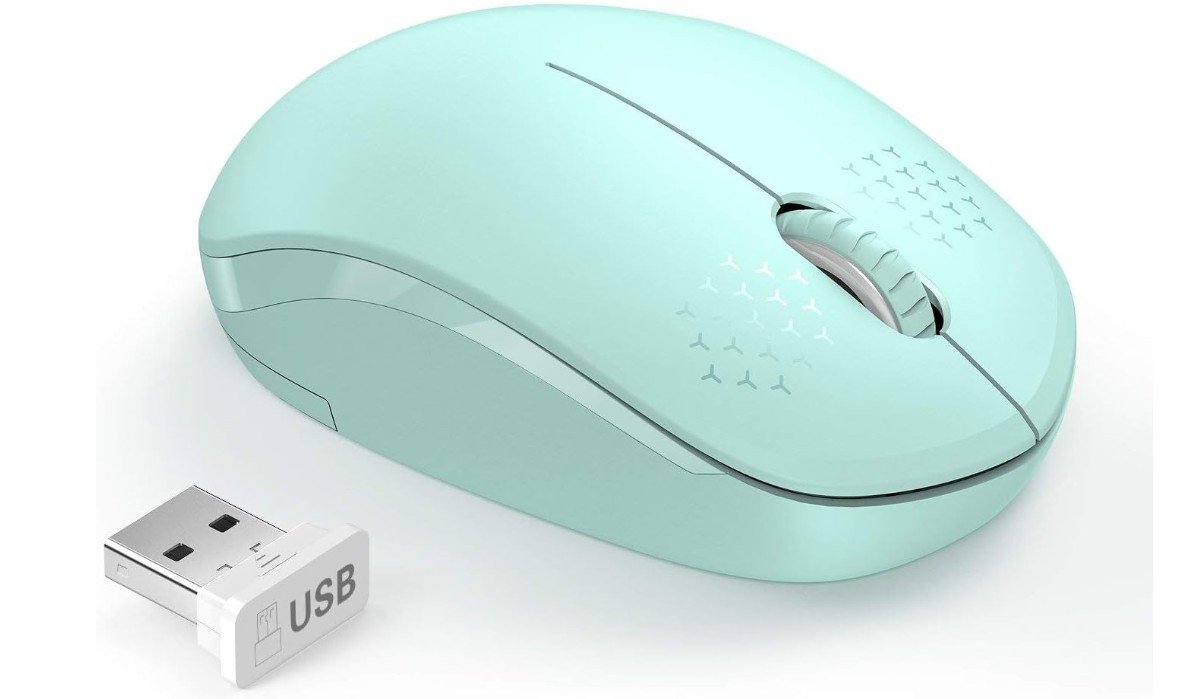
seenda Wireless Mouse for Laptop
seenda Wireless Mouse for Laptop
The seenda Wireless Mouse in Mint Green is a simple and comfortable mouse that works well for people with small hands. It is small and light, so your fingers can reach all the buttons easily without stretching. The shape fits well in a smaller palm, which makes it a good choice for daily use, whether you are working, studying, or browsing the web. Because it is compact, it also fits well in a laptop bag or backpack when you travel.
This mouse uses a 2.4 GHz wireless connection with a small USB receiver. You just plug the receiver into your laptop or computer and it works right away without needing any extra software. The connection is stable and responsive, so moving the cursor feels smooth. There is very little delay, which makes simple tasks feel natural. The battery lasts a long time too, so you do not need to change it often. This is helpful if you use the mouse a lot during the day.
The buttons are quiet when you click them. This is great if you work in a quiet place like an office or classroom, or if you do not want to disturb others around you. The scroll wheel also works smoothly, so moving up and down a page is easy. The overall design is basic but effective, and the mint green color looks fresh and pleasant.
Although this mouse does not have extra gaming features or many programmable buttons, it does what it is supposed to do very well. It is reliable for everyday computer work and simple tasks. For small-hand users who want a straightforward, noiseless, and portable mouse without extra features, the seenda Wireless Mouse is a good value choice. It feels comfortable to hold, easy to use, and works well with laptops and tablets.
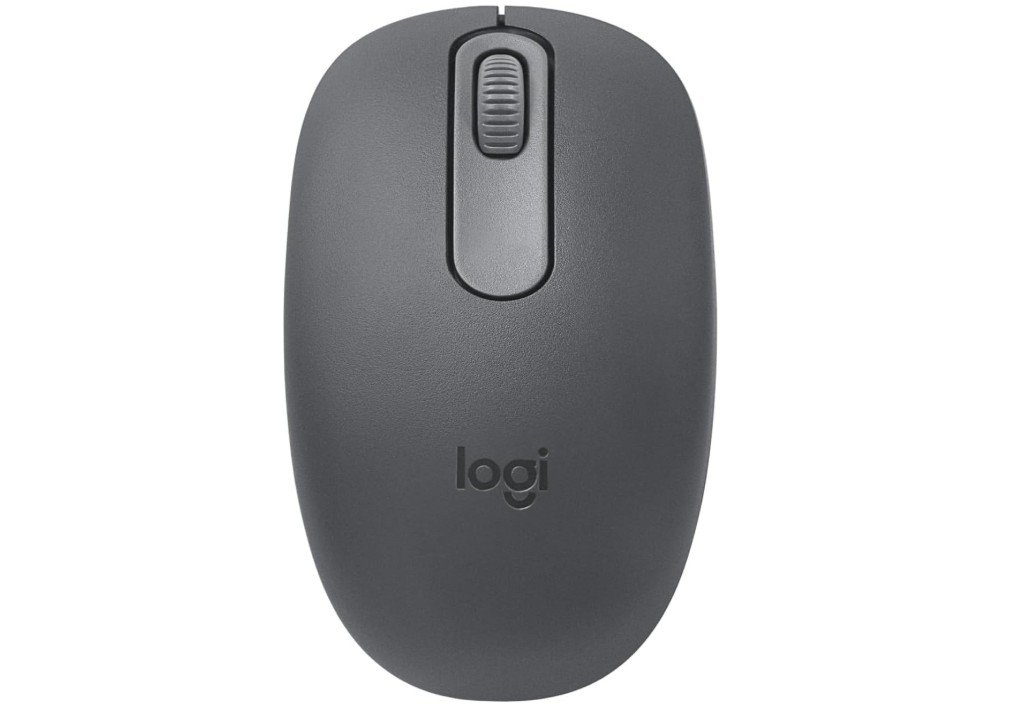
Logitech M196 Bluetooth Wireless Mouse
Logitech M196 Bluetooth Wireless Mouse
The Logitech M196 Bluetooth Wireless Mouse is a good choice for people with small hands who want a simple and reliable mouse. It has a compact and lightweight design that fits well in a small palm. When you hold it, your fingers can easily reach all the buttons and the scroll wheel without stretching. This makes it comfortable to use for work, school, or everyday tasks. The size also makes it easy to carry with your laptop or tablet when you travel.
This mouse connects through Bluetooth, so you do not need a USB receiver. Pairing it with your device is easy and quick. Once connected, the mouse works smoothly and moves the cursor accurately across the screen. The tracking is reliable whether you use it on a desk, table, or flat surface. You can scroll through pages and documents without any trouble, which helps you work faster.
The buttons feel nice to click and are quiet enough for most places like classrooms, libraries, or offices. You do not get extra buttons or lights, but this keeps the mouse simple and easy to use. There is no complicated setup, so even beginners will find it ready to use right away. The Bluetooth connection also means you can use it with many devices, including laptops and tablets that do not have a USB port.
The battery life is very good. It can last up to 12 months on a single battery, depending on how much you use it. This means you do not have to change batteries often, which is very convenient. Overall, the Logitech M196 is a dependable and easy mouse that works well for people with small hands. It may not have advanced gaming features, but for everyday use, it is comfortable, reliable, and simple to set up and use. If you need a basic wireless mouse that fits well in a small hand, this one is worth considering.
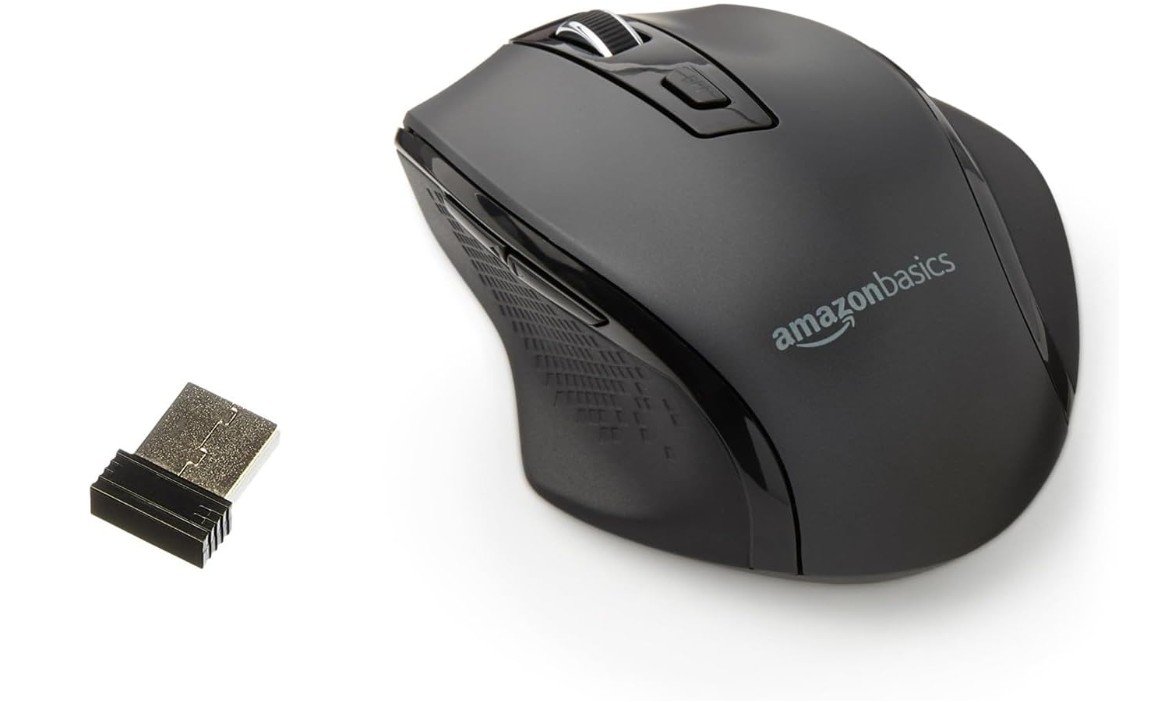
Amazon Basics Computer Mouse Wireless
Amazon Basics Computer Mouse Wireless
The Amazon Basics Wireless Computer Mouse is a simple and comfortable choice for people with small hands. It has a compact design that fits well in a smaller palm, so your fingers can easily reach all the buttons without stretching. This makes it good for everyday use like browsing, writing emails, watching videos, or doing school work. The mouse feels light and easy to move, which helps reduce strain during long use.
This mouse connects with a 2.4 GHz wireless USB receiver. You just plug the small receiver into a USB port on your laptop or computer, and it works right away without any setup. The connection is stable and responsive, so the cursor moves smoothly across the screen. You can work or browse without delays or jumps, which makes the experience feel natural.
The Amazon Basics mouse also lets you adjust the DPI sensitivity. This means you can change how fast the cursor moves, depending on what you are doing. If you want precise control for editing or design work, you can choose a lower speed. If you want fast movement for browsing, you can choose a higher setting. This feature gives some flexibility even though the mouse is simple.
The buttons are easy to press and feel clicky without being too loud. The scroll wheel rolls smoothly, so moving up and down pages is easy. The ergonomic shape supports your hand in a relaxed position, which is good for long hours of use. The overall build quality is solid for the price, and the black color looks neat on most desks.
Overall, the Amazon Basics Wireless Mouse is a good, dependable option for small-hand users who want a basic, no-fuss wireless mouse. It does not have advanced gaming features or fancy lights, but it covers all the basic needs with comfort and reliable performance at a budget-friendly price. If you need a straightforward and comfortable mouse for daily computing, this one is worth considering.
Mouse for Small Hands — Buying Guide
Choosing the right mouse for small hands is very important for comfort, control, and long-term health. Many people buy a mouse without thinking about size, but using a mouse that is too large can cause hand strain, wrist pain, and poor accuracy. This detailed buying guide explains everything you need to know so you can confidently choose the best mouse for small hands, whether you use it for work, study, gaming, or travel.
Why Mouse Size Matters for Small Hands
Most computer mice are designed for medium or large hands. When someone with small hands uses a large mouse, the fingers must stretch to reach the buttons, and the wrist may bend at an uncomfortable angle. Over time, this can cause fatigue, discomfort, or even repetitive strain injuries.
A mouse designed for small hands allows your fingers to rest naturally on the buttons and scroll wheel. This improves accuracy, reduces muscle tension, and makes long hours of computer use more comfortable. A proper fit also helps you move the mouse more smoothly and with better control.
How to Measure Your Hand Size
Before buying a mouse, it helps to know your hand size.
- Place your hand flat on a table.
- Measure from the tip of your middle finger to the crease at your wrist. This is your hand length.
- Measure across the widest part of your palm, excluding your thumb. This is your palm width.
As a general guide:
- Hand length under 17 cm is usually considered small.
- Palm width under 8.5 cm is also considered small.
These measurements are only a guide. Shape, grip style, and personal comfort matter just as much.
Understanding Mouse Grip Styles
Your grip style affects which mouse shape will feel best.
Fingertip Grip
Only your fingertips touch the mouse, and your palm stays mostly off the body. This grip works best with very small and lightweight mice. It offers fast movement and good control for small hands.
Claw Grip
Your palm touches the back of the mouse slightly, while your fingers arch like a claw. Small to medium compact mice work well for this grip, especially with slightly raised backs.
Palm Grip
Your whole hand rests on the mouse. For small hands, palm grip users should choose a compact mouse with a slightly taller design to support the palm without forcing finger stretch.
Mouse Shape and Ergonomics
Shape is just as important as size. A good mouse for small hands should feel natural the moment you hold it.
- Compact length and width make it easier to reach buttons.
- Lower height is better for fingertip and claw grip users.
- Slight curves help the mouse sit naturally in the hand.
- Ergonomic designs can reduce wrist strain, but they must still be small enough to fit comfortably.
Ambidextrous mice often work well for small hands because they are slimmer, while right-handed ergonomic mice may feel more supportive if sized correctly.
Weight: Light vs Heavy Mice
Mouse weight plays a big role in comfort and control.
- Ultra-light mice (under 60g): Excellent for small hands, gaming, and fast movement.
- Lightweight mice (60–90g): Good balance for everyday use and productivity.
- Heavy mice (over 100g): Usually not ideal for small hands, as they require more effort to move.
Lighter mice reduce wrist strain and are easier to control, especially during long sessions.
Sensor and DPI Explained Simply
DPI (dots per inch) controls how fast the cursor moves. Higher DPI is not always better.
For small hands:
- A good optical sensor matters more than extremely high DPI.
- Adjustable DPI is useful so you can find a comfortable speed.
- Most users are comfortable between 800–1600 DPI.
For gaming, accurate tracking and consistency are more important than big numbers.
Buttons and Button Placement
Button layout is very important for small hands.
- Primary buttons should be easy to click without finger strain.
- Side buttons should be reachable without shifting your grip.
- Fewer well-placed buttons are often better than many hard-to-reach buttons.
If you use shortcuts often, programmable buttons are helpful, but only if you can reach them comfortably.
Wired vs Wireless Mice
Both wired and wireless mice can work well for small hands.
Wired Mice
- No battery needed
- Zero latency
- Usually lighter
- Cable may cause drag
Wireless Mice
- Cleaner desk setup
- Portable and convenient
- Battery life matters
- Choose low-latency wireless for gaming
Bluetooth mice are great for laptops and tablets, while 2.4 GHz wireless is better for gaming and responsiveness.
Battery Type and Battery Life
Wireless mice come with different power options:
- AA/AAA batteries: Long battery life, easy to replace, slightly heavier.
- Rechargeable batteries: Convenient, eco-friendly, must be charged regularly.
For small hands, lighter mice are often better, so battery weight is something to consider.
Quiet Clicks vs Clicky Buttons
Quiet or silent clicks are great for offices, classrooms, and shared spaces. Clicky buttons give clearer feedback and are preferred by many gamers. Choose based on where and how you use your mouse.
Best Mouse Types by Use Case
Office and Productivity
Look for comfort, quiet clicks, Bluetooth support, long battery life, and simple design.
Gaming
Choose lightweight mice with accurate sensors, low latency, and a compact shape designed for small hands.
Travel
Go for compact, portable mice with Bluetooth or a tiny USB receiver and durable build quality.
Common Mistakes to Avoid
- Buying a mouse that is too large just because it is popular
- Choosing high DPI numbers instead of comfort and control
- Ignoring weight, especially for long use
- Choosing too many buttons that you cannot reach
- Skipping size dimensions in product descriptions
Budget Guide
- Budget (Under $25): Basic compact mice for everyday use.
- Mid-range ($25–$60): Best value, better sensors, wireless options.
- Premium ($60+): Ultra-light gaming mice, premium materials, advanced features.
You do not need to spend a lot to get a comfortable mouse for small hands.
FAQs
A mouse for small hands is smaller in size and lighter in weight so that fingers and palm don’t stretch or feel uncomfortable. It fits better in a smaller palm, making daily use more natural and reducing strain.
Measure your hand from the middle-finger tip to your wrist crease, and also the width across your palm. If your hand is relatively small (typically under ~17 cm length), a compact or mini mouse is usually more comfortable. Also check product dimensions before buying.
DPI affects cursor speed, but sensor quality and comfort matter more. Medium DPI (e.g., 800–1600) usually works well for most users. A good sensor with accurate tracking is key.
Yes, many gaming brands make ultra-light, compact models that feel great in small hands. Look for lightweight designs with good button placement.
Not necessarily. There are budget options under $25 that are comfortable and reliable. Mid-range models offer wireless and adjustable features, and premium ones add higher precision and customization.
Lighter mice (under ~90 g) are generally easier to control. Ultra-light gaming mice (around ~50–60 g) are excellent if you want very fast, effortless movement.
Yes! Many compact mice combine comfort with accurate sensors, programmable buttons, and good wireless connectivity — so they work well for both productivity and gaming.
Final Thoughts
A mouse designed for small hands can greatly improve comfort, accuracy, and overall computer experience. Whether you are working, studying, or gaming, the right size and shape will help reduce fatigue and increase control. Always prioritize fit and comfort over brand name or flashy features. With the right mouse, even long hours at your desk can feel easier and more enjoyable.

Jawad is a passionate tech enthusiast and writer who loves exploring the latest trends in hardware, gadgets, and digital innovation. With a sharp eye for performance and value, he delivers in-depth recommendations and buying guides to help readers make smarter tech decisions.

