
Last Updated on February 11, 2026 by Jawad
Introduction
Mechanical keyboards are very popular among programmers because they offer a better typing experience than regular membrane keyboards. When you spend many hours writing code, comfort and accuracy become very important, and this is where mechanical keyboards really shine. Each key on a mechanical keyboard has its own individual switch underneath, which makes every key press more precise and consistent. This helps reduce typing mistakes and makes long coding sessions feel less tiring.
One big reason programmers like mechanical keyboards is the clear feedback they provide. When you press a key, you can feel or hear it register, depending on the type of switch you choose. This feedback makes typing feel more natural and controlled, especially when writing long lines of code or switching between shortcuts. Many programmers find that this improves their typing speed over time and makes coding more enjoyable.
Mechanical keyboards are also known for their durability. Most mechanical switches are designed to last for tens of millions of key presses, which means they can easily handle years of daily use. For programmers who type all day, this long lifespan is a major advantage. You do not have to worry about keys wearing out quickly, even with heavy use.
Another benefit is customization. Mechanical keyboards come in different sizes, layouts, and switch types, so programmers can choose what feels best for them. Some prefer quiet keys for office use, while others enjoy a more tactile feel at home. Many mechanical keyboards also allow key remapping, which lets programmers set up shortcuts for faster workflow.
Overall, mechanical keyboards are a great choice for programming because they combine comfort, accuracy, and long-term reliability. They may cost more than regular keyboards, but for many programmers, the improved typing experience is well worth it.
We also have a recommendation of the Best Keyboards for Typing Fast, so make sure to check that out too!
Top Mechanical Keyboards for Programming


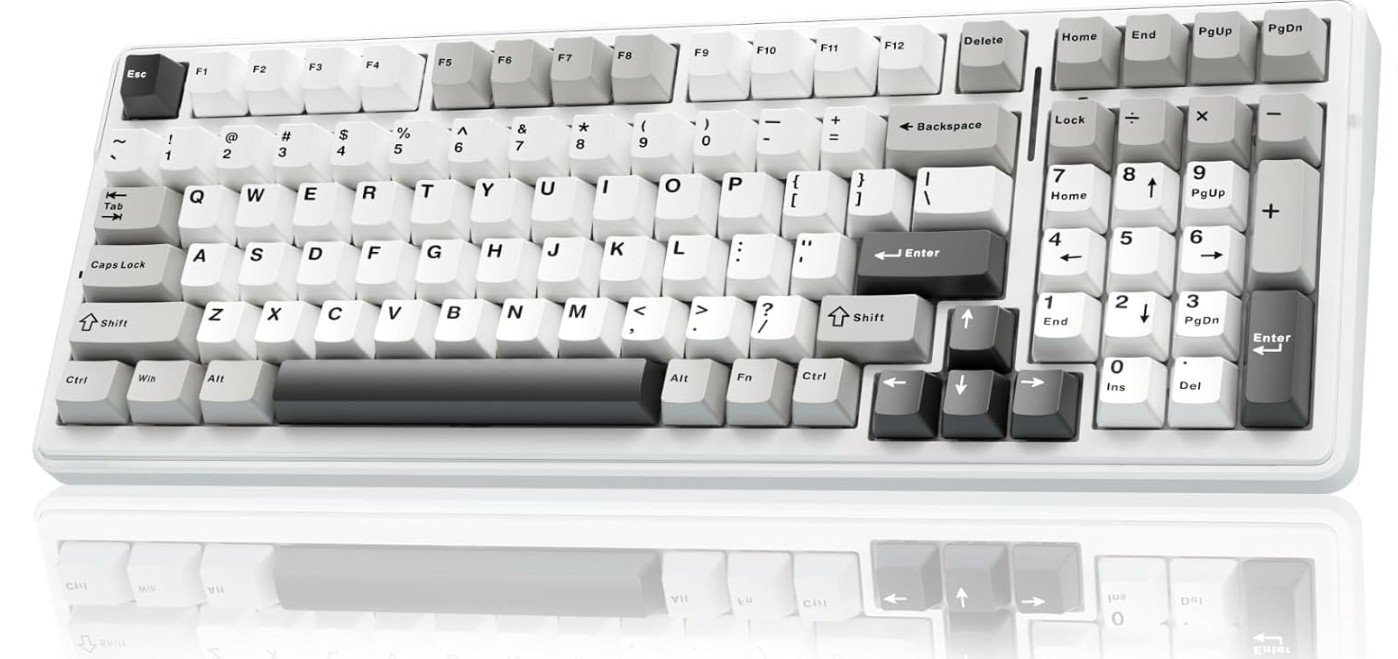
AULA F99 Wireless Mechanical Keyboard
AULA F99 Wireless Mechanical Keyboard
The AULA F99 Wireless Mechanical Keyboard is a solid choice for programming because it feels comfortable and reliable during long typing sessions. This keyboard has a compact layout that still includes a number pad, which many programmers like because it saves desk space while keeping useful keys within reach. The keys have pre-lubed linear switches, which give a smooth and quiet typing experience. This helps reduce finger fatigue when writing long lines of code.
One great thing about this keyboard is its tri-mode connectivity. You can use it with Bluetooth 5.0, a 2.4 GHz wireless dongle, or a USB-C cable. This makes it easy to switch between devices like a laptop, tablet, or even gaming consoles without unplugging anything. For programmers who like to work on multiple devices, this flexibility is very useful. The Bluetooth connection is stable, and the wireless performance is reliable for everyday coding work.
The hot-swappable feature means you can change the mechanical switches without soldering. This gives you freedom to try different switch types later if you want a different keyboard feel. Many programmers enjoy customizing their keyboards, and this keyboard supports that well. The RGB backlighting is bright and adjustable, and while it does not affect performance, it adds a nice look to your desk setup.
Build quality is decent for the price. The keyboard feels sturdy and the keycaps are comfortable to type on. Battery life is good, lasting many hours on a charge, so you do not have to plug it in frequently. Some programmers may prefer a more premium build, but for general coding use, this keyboard delivers good value.
Overall, the AULA F99 offers a comfortable typing feel, flexible device connections, and customization options that make it suitable for programmers who want a capable mechanical keyboard without spending too much.
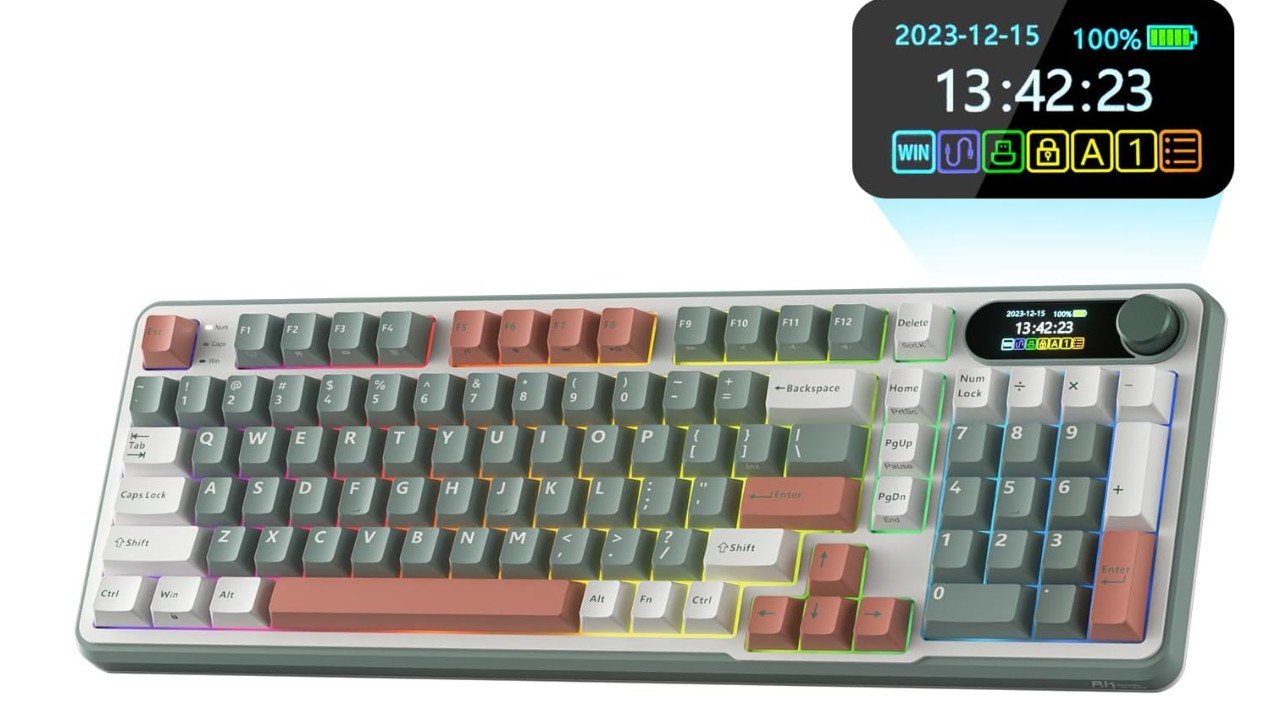
RK ROYAL KLUDGE S98 Mechanical Keyboard
RK ROYAL KLUDGE S98 Mechanical Keyboard
The RK ROYAL KLUDGE S98 Mechanical Keyboard is a nice choice for programming because it combines useful features with a comfortable typing feel. The keyboard uses a 96% layout, which means it keeps almost all the keys you need in a smaller space, saving desk room while still including important keys like arrows and a number pad. This layout makes it easier to reach all the keys quickly, which can help when writing code or navigating through files and commands.
Typing on the RK S98 feels smooth and pleasant because it has mechanical switches that are hot-swappable. This means you can change the switches later if you want a different feel or sound without needing to solder anything. Many programmers enjoy this flexibility because they can customize the keyboard to match their personal typing style. The sound from the keys is clean and “creamy,” which some people find more enjoyable and less fatiguing during long coding sessions.
One of the standout features of this keyboard is the smart display and knob. The display can show useful information, and the knob can be used to adjust volume or other settings easily. These extras do not directly help with programming, but they can make daily computer use more convenient. The keyboard also supports software customization, so you can set up lighting effects, remap keys, and save profiles, which is helpful if you use the keyboard for different tasks.
Connectivity options are strong, with Bluetooth, 2.4 GHz wireless, and USB-C wired modes. This makes it easy to switch between devices like a laptop, desktop, or tablet. Battery life is solid, so you can work for hours without needing to recharge.
Overall, the RK ROYAL KLUDGE S98 offers a comfortable typing experience, useful features, and flexible connectivity, making it a good keyboard for programmers who want performance and customization in one package.
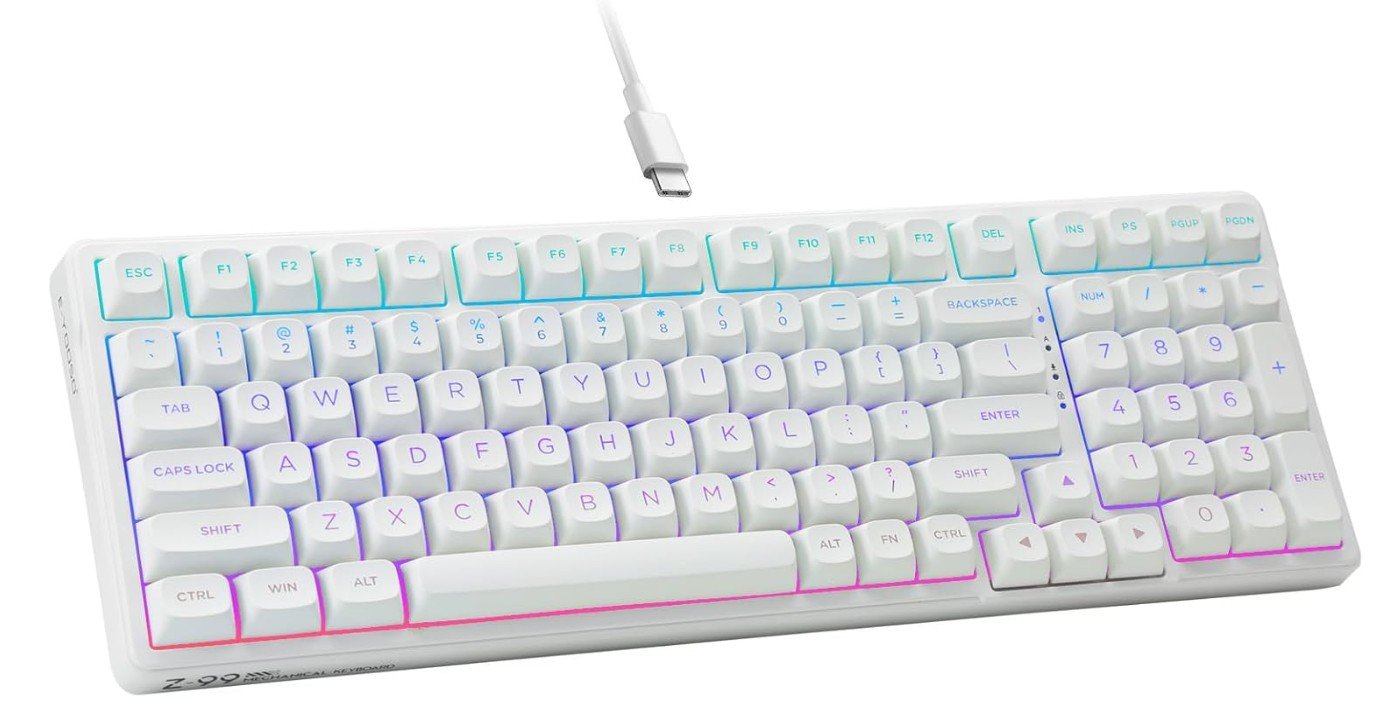
HUO JI E-Yooso Creamy Mechanical Keyboard
HUO JI E-Yooso Creamy Mechanical Keyboard
The HUO JI E-Yooso Creamy Mechanical Keyboard is a strong choice for programming because it feels comfortable and quiet during long typing sessions. This keyboard has a 99-key compact layout, which keeps most of the important keys within reach while saving desk space. For programmers who work with lots of code and shortcuts, the layout makes it easy to type quickly without moving your hands too far.
The keys use pre-lubed linear mechanical switches, which makes typing smooth and consistent. These switches feel soft and fluid, so your fingers do not get tired as quickly when you type for hours. The gasket structure with sound-dampening foam also helps make the keyboard quieter than many other mechanical keyboards. This can be helpful if you work in a shared space or do not want a loud keyboard while focusing on code.
One feature that many programmers will enjoy is the hot-swappable design. You can change the mechanical switches without soldering, so if you want a different typing feel in the future, you can upgrade or customize the keyboard easily. This adds good long-term value, especially if you like personalizing your setup.
RGB backlighting gives the keyboard a modern look and makes it easier to see keys in low light. While the lighting does not affect programming performance, it adds a pleasant visual touch. The keyboard connects with a USB-C wired connection, which means it stays responsive and stable without any lag.
Build quality feels solid, and the white color gives it a clean and simple style. Some programmers may prefer a more minimalist design, but the E-Yooso still looks professional and neat on a desk.
In summary, the HUO JI E-Yooso Creamy Mechanical Keyboard offers a smooth, quiet, and customizable typing experience that suits programming well, especially for those who want comfort and reliability without distractions.
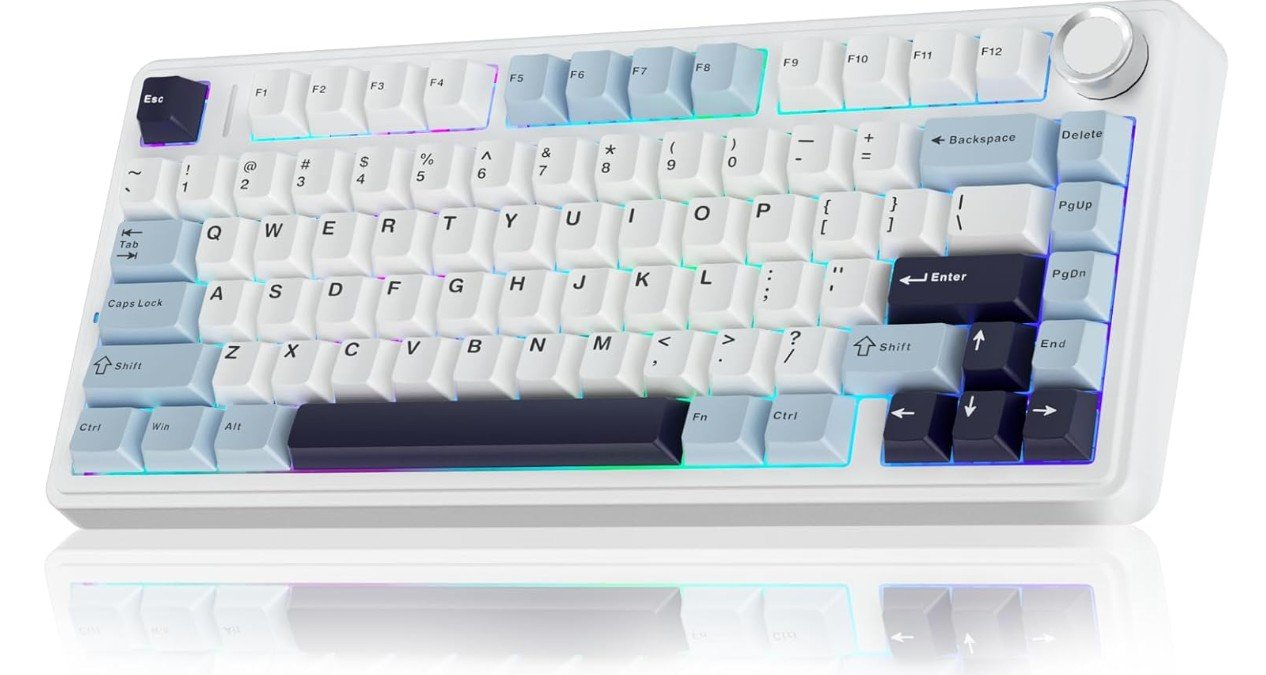
AULA F75 75% Wireless Mechanical Keyboard
AULA F75 75% Wireless Mechanical Keyboard
The AULA F75 Wireless Mechanical Keyboard is a good choice for programming, especially if you want a compact and flexible keyboard. Its 75% layout keeps the main keys you need close together, which helps you type faster and reduces finger movement. This smaller size also saves space on your desk, which is helpful if you use a laptop or have multiple devices set up for coding.
Typing on this keyboard feels smooth because it uses pre-lubed Reaper mechanical switches. These switches are quiet and soft, so your fingers do not get tired quickly during long coding sessions. For programmers who spend many hours writing code, a comfortable typing experience can make a big difference. The hot-swappable design also lets you change the switches later if you want a different feel or sound, without needing any tools.
One of the strong points of the AULA F75 is its wireless flexibility. You can connect using Bluetooth 5.0, a 2.4 GHz wireless dongle, or a USB-C cable. This makes it easy to switch between devices like your laptop, tablet, or even a gaming console without unplugging anything. The Bluetooth connection is stable and reliable for everyday programming work, and the keyboard holds a charge well so you can work for many hours without needing to recharge.
The RGB backlighting adds a nice look to your desk and helps make the keys visible in low light. While lighting does not change how you code, it gives a pleasant feel, especially if you like colorful setups.
Overall, the AULA F75 Wireless Mechanical Keyboard delivers a comfortable typing experience, strong wireless options, and easy customization. It works well for programmers who want a compact, reliable keyboard that can be used with multiple devices.
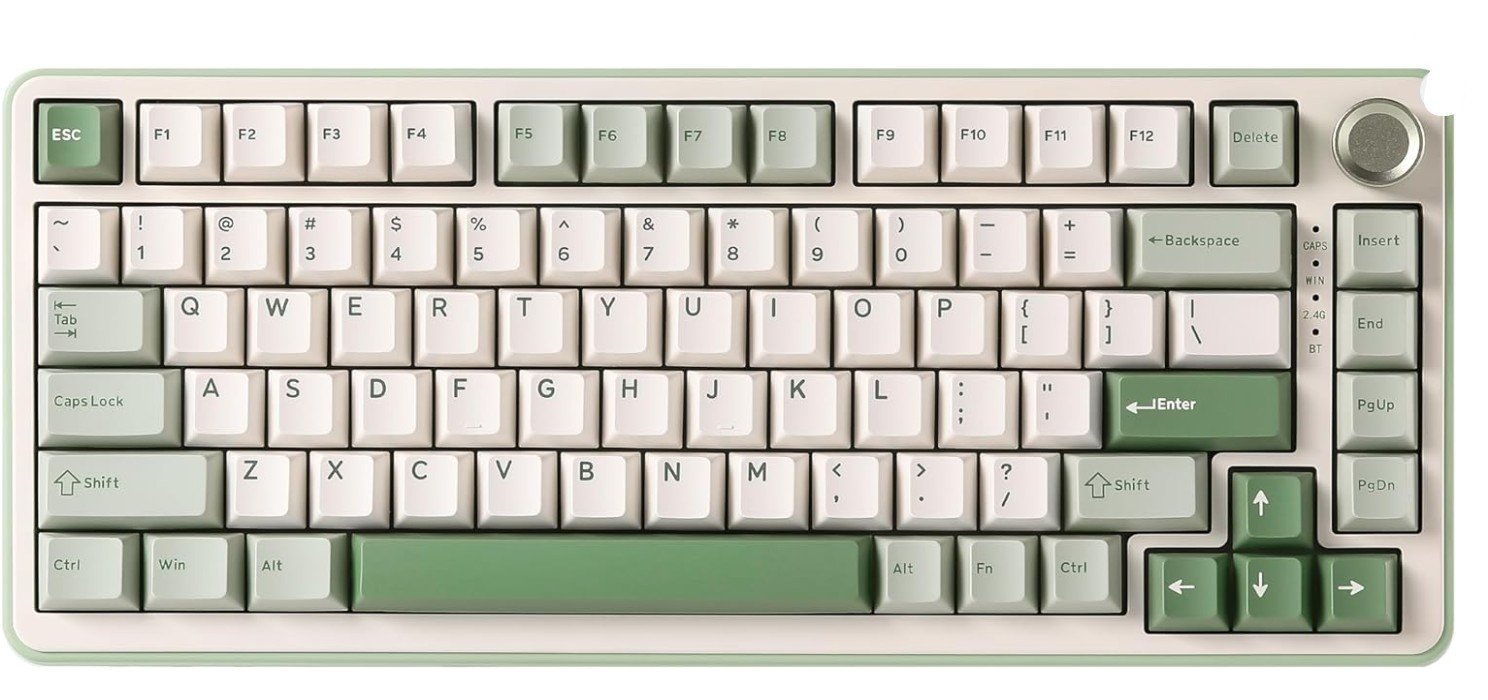
YUNZII B75 PRO Wireless Mechanical Keyboard
YUNZII B75 PRO Wireless Mechanical Keyboard
The YUNZII B75 PRO Wireless Mechanical Keyboard is a strong choice for programming because it feels smooth and comfortable to type on for long periods. Its 75% layout keeps all the main keys close together while saving desk space, which is helpful if you use a laptop or have a small workspace. The compact design still includes important keys like arrows and function keys, so you do not lose anything you need for coding.
Typing on this keyboard feels soft and pleasant thanks to the creamy pre-lubed V2 switches and the gasket structure. The gasket mount helps make the keyboard feel softer and quieter, which can reduce finger fatigue during long coding sessions. Many programmers will appreciate this because it makes typing more enjoyable and less tiring. The hot-swappable design also means you can change the switches later if you want a different feel, and you do not need tools or soldering to do it.
One useful feature is the programmable knob on the top of the keyboard. You can set the knob to control volume, scroll through lines of code, or adjust brightness. This does not directly improve coding speed, but it adds convenience and makes everyday tasks quicker without needing to use extra keys or menus.
The YUNZII B75 PRO has flexible connectivity options. You can connect with Bluetooth, a 2.4 GHz wireless dongle, or a USB-C cable. This makes it easy to switch between devices like a desktop, laptop, or tablet. The wireless battery life is solid, so you can work for many hours without constantly recharging.
RGB backlighting adds a nice visual touch and helps see the keys in dim light. While lighting does not affect how you type code, it looks attractive and can match your setup.
Overall, the YUNZII B75 PRO Wireless Mechanical Keyboard offers comfort, flexibility, and useful features that make it suitable for programmers who want a responsive and customizable keyboard.
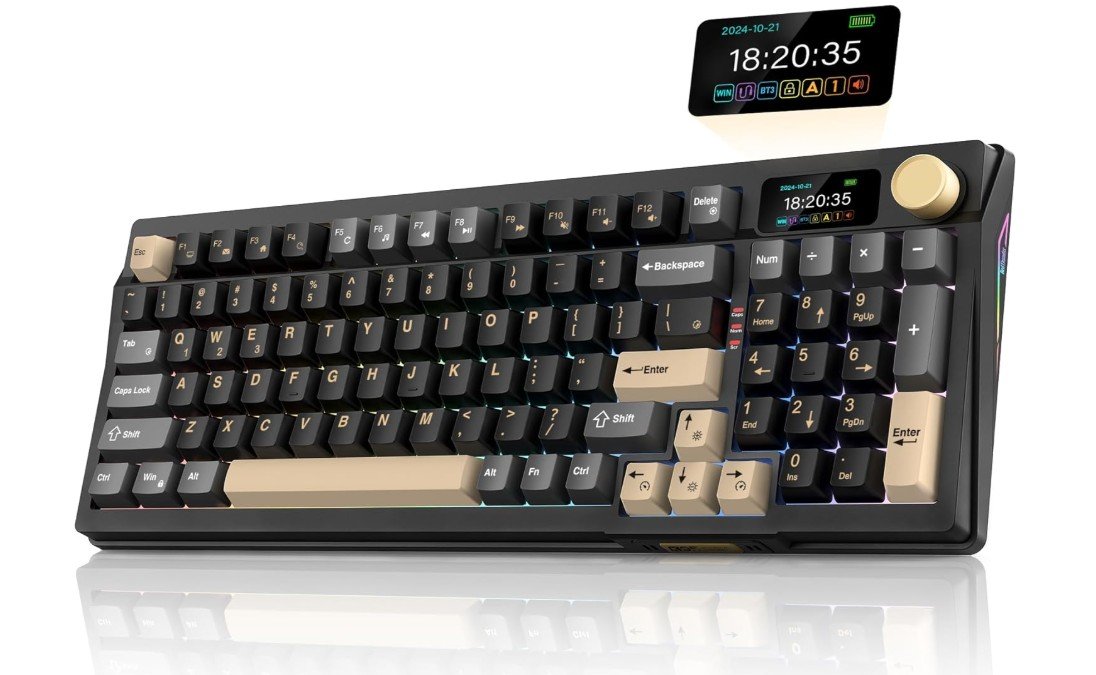
RedThunder K95 Wireless Mechanical Keyboard
RedThunder K95 Wireless Mechanical Keyboard
The RedThunder K95 Wireless Mechanical Keyboard is a strong option for programming because it offers a comfortable typing experience and useful features that help during long coding sessions. The keyboard uses pre-lubed linear pink switches, which feel smooth and soft under your fingers. This makes typing code feel natural and reduces fatigue, especially when you spend many hours writing and editing text. The gasket structure also helps make the keys feel cushioned and quiet, which is nice if you work in a shared space or want a quieter keyboard.
One of the standout features of this keyboard is the built-in TFT screen and multifunction knob. The screen can show useful information, and the knob can help you adjust things like volume or brightness without using extra keys. These features do not directly change how you write code, but they make the keyboard more enjoyable and easier to use for daily tasks. Programmers who also use their computer for music, videos, or design might find these additions especially helpful.
The RedThunder K95 is very flexible with how it connects. You can choose Bluetooth 5.0, 2.4 GHz wireless, or wired USB-C connection. This makes it easy to switch between devices like a laptop, desktop, or tablet. Wireless connections are stable and convenient for day-to-day work, and the battery lasts long enough to support extended coding sessions without needing to recharge often.
RGB lighting adds a fun look to the keyboard and helps you see the keys in low light. While lighting does not improve programming performance, it adds style to your setup. The build quality feels solid, and the black-gold design looks sleek on a desk.
Overall, the RedThunder K95 Wireless Mechanical Keyboard offers a smooth typing feel, great connectivity, and smart extras that make it a good choice for programmers who want performance and style in one keyboard.
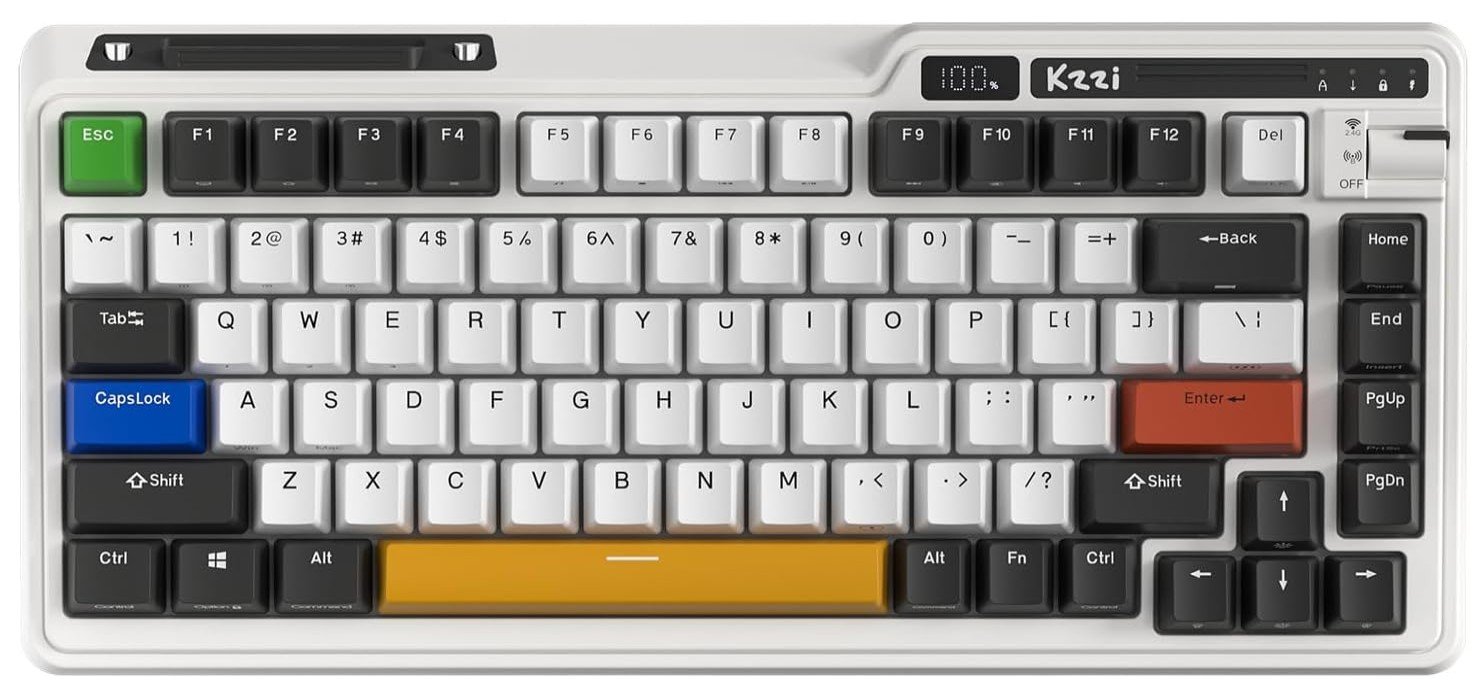
KZZI K75 PRO RGB 75% Wireless Gasket Mechanical Keyboard
KZZI K75 PRO RGB 75% Wireless Gasket Mechanical Keyboard
The KZZI K75 PRO RGB Wireless Mechanical Keyboard is a good choice for programming because it feels comfortable to type on and has useful features for everyday coding work. The 75% layout keeps all the keys you use most often close together, which helps reduce hand movement and makes typing faster and easier. This compact size also saves space on your desk, which is helpful if you use a laptop or have multiple devices around you while you code.
Typing on the K75 PRO feels smooth because it uses custom linear switches and a gasket mount structure. The gasket mount makes the keys feel softer and quieter, which can reduce finger fatigue during long sessions of writing code. The switches are hot-swappable, so you can change them later if you want a different typing feel without needing tools. This is great for programmers who like to customize their keyboard over time.
One helpful feature is the power display, which shows how much battery you have left. This makes it easy to see when you need to recharge, especially if you use the keyboard wirelessly. The programmable knob is also a nice touch, as you can set it to control volume, scroll through documents, or adjust lighting without reaching for extra buttons. While these features do not directly improve coding speed, they make the keyboard more convenient and enjoyable to use every day.
The keyboard connects in three ways: Bluetooth 5.0, 2.4 GHz wireless, and USB-C wired. This means you can switch easily between devices like a desktop, laptop, or tablet. The battery lasts long enough for many hours of coding without needing frequent charging.
RGB lighting adds a colorful look and makes the keys easy to see in low light. While lighting does not affect programming performance, it adds a pleasant style to your setup.
Overall, the KZZI K75 PRO RGB Wireless Mechanical Keyboard offers a smooth, customizable, and flexible typing experience that fits well with programming needs.
Mechanical Keyboards for Programming — A Practical Buying Guide
Mechanical keyboards have become the top choice for programmers, developers, and software engineers who spend many hours typing every day. The right keyboard can improve comfort, reduce fatigue, and even boost productivity. This detailed buying guide explains everything you need to know before choosing a mechanical keyboard for programming, using simple and clear language.
Why Mechanical Keyboards Are Better for Programming
Mechanical keyboards use individual switches under each key instead of a rubber membrane. This design provides better feedback, more consistent key presses, and much longer lifespan. For programmers, this means fewer typing errors, better accuracy, and a more satisfying typing experience during long coding sessions. Many mechanical switches are rated for 50 million or more key presses, making them a long-term investment.
Understanding Mechanical Switch Types
The switch type is the most important part of any mechanical keyboard because it defines how typing feels.
Linear Switches
Linear switches move smoothly from top to bottom with no bump or click. They are quiet and easy to press, making them good for long programming sessions where you want minimal finger strain. Some programmers like them for fast typing, but they can lead to accidental key presses if you type heavily.
Tactile Switches
Tactile switches have a small bump that you can feel when the key activates. This feedback helps you know a key press has registered without needing to bottom out the key. Many programmers prefer tactile switches because they balance accuracy, comfort, and noise.
Clicky Switches
Clicky switches provide both a tactile bump and a loud click sound. They are satisfying to type on, but the noise can be distracting in shared offices or quiet rooms. These are usually better for personal spaces.
Keyboard Layouts and Sizes
Choosing the right layout depends on your desk space and workflow.
- Full-size (100%) keyboards include all keys and a number pad. They are useful if you work with numbers often.
- Tenkeyless (TKL) keyboards remove the number pad to save space and improve mouse positioning.
- 75% and 65% layouts keep essential keys like arrows and function keys in a compact form.
- 60% layouts are very compact and portable but rely heavily on key combinations, which may slow down beginners.
For programming, TKL and 75% layouts are often the most balanced choices.
Mounting Style and Typing Feel
The way a keyboard is built internally affects typing comfort and sound.
- Tray mount is common and firm but can feel stiff.
- Top mount provides a balanced and solid feel.
- Gasket mount uses soft materials to reduce vibration, creating a softer and quieter typing experience. Many programmers prefer this for long sessions.
Hot-Swappable vs Soldered Keyboards
Hot-swappable keyboards allow you to replace switches without soldering. This is ideal if you want to experiment with different switch types or replace worn switches easily. Soldered keyboards are more permanent but sometimes offer better stability. For most programmers, hot-swappable keyboards offer more flexibility.
Keycaps: Material and Profile
Keycaps affect comfort and durability.
- ABS keycaps feel smooth but can shine over time.
- PBT keycaps are thicker, more durable, and resist wear, making them better for heavy typing.
Keycap profiles like OEM, Cherry, or SA change the height and angle of keys. Cherry and OEM profiles are popular for programming because they feel natural and comfortable.
Wired vs Wireless Connectivity
- Wired keyboards provide stable, lag-free performance and are ideal for fixed desk setups.
- Wireless keyboards (Bluetooth or 2.4 GHz) are great if you switch between devices or want a clean desk. Check battery life and charging options before buying.
Software, Programmability, and Macros
Programmable keyboards allow you to remap keys, create macros, and set layers for shortcuts. This is very useful for programmers who rely on keyboard shortcuts. Look for keyboards with strong software support or open-source firmware like QMK or VIA.
Ergonomics and Comfort
Long coding sessions require good ergonomics. Adjustable feet, wrist rests, and proper key spacing can reduce wrist and finger strain. Some programmers also consider split or ergonomic mechanical keyboards to reduce long-term stress on hands.
Sound and Noise Considerations
If you work in a shared space, choose quieter switches and keyboards with sound-dampening foam. Pre-lubed switches and well-tuned stabilizers reduce rattling and make typing more pleasant.
Budget Levels and What to Expect
- Budget ($40–$80): Basic mechanical feel, fewer customization options.
- Mid-range ($80–$150): Better build quality, hot-swap support, improved sound and comfort.
- Premium ($150+): High-end materials, excellent acoustics, and advanced customization.
Final Buying Tips
- Choose switch type based on comfort and noise preference.
- Pick a layout that matches your daily workflow.
- Prefer hot-swappable keyboards and PBT keycaps for long-term use.
- Focus on typing comfort and build quality over flashy RGB.
FAQs
Mechanical keyboards give better typing feedback, more precise key presses, and longer durability. They reduce finger fatigue during long coding sessions and help improve accuracy and speed.
Many programmers prefer tactile switches because they give a slight bump when a key registers, which helps reduce mistakes. Linear switches are smooth and quiet, which is good if you type lightly. Clicky switches are louder and may disturb others.
Yes, wireless keyboards (Bluetooth or 2.4 GHz) are convenient for working on multiple devices. Just make sure they have good battery life and stable connectivity.
RGB lighting is not required for programming, but it can help you see keys in dim light and make your desk setup look nicer.
PBT keycaps are thicker and more durable than ABS keycaps. They resist shine and last longer, which is helpful for heavy typing.
Yes. Custom key mapping and macros help you set shortcuts and speed up repetitive coding tasks.
Conclusion
A mechanical keyboard is one of the most important tools for programming. By choosing the right switches, layout, and features, you can create a typing setup that improves comfort, accuracy, and productivity. Investing time in selecting the right keyboard will pay off every time you sit down to write code.

Jawad is a passionate tech enthusiast and writer who loves exploring the latest trends in hardware, gadgets, and digital innovation. With a sharp eye for performance and value, he delivers in-depth recommendations and buying guides to help readers make smarter tech decisions.

