Last Updated on December 25, 2025 by Jawad
Introduction
2-in-1 laptops under $600 are a great choice for people who want flexibility without spending too much money. These laptops can work as a normal laptop and also as a tablet. You can fold the screen back, flip it around, or detach the keyboard on some models. This makes them useful for many tasks like typing, watching videos, browsing the web, online classes, and light office work.
Most 2-in-1 laptops in this price range come with a touchscreen, which makes them easy to use for scrolling, zooming, and drawing notes. Students like them because they are light and easy to carry in a bag. Work-from-home users enjoy them because they can switch between laptop mode for work and tablet or stand mode for meetings and videos. For casual users, they are good for YouTube, Netflix, email, and social media.
Under $600, you will mostly find models with Intel Core i3, Intel Pentium, AMD Ryzen 3, or similar processors. These are fast enough for daily tasks like web browsing, document editing, and video calls. Many laptops offer 8GB of RAM and SSD storage, which helps the system run smoothly and start quickly. Battery life is usually good, often lasting a full work or school day with normal use.
Some 2-in-1 laptops in this budget run Windows, while others use ChromeOS. Windows laptops are better if you need software like Microsoft Office or other desktop apps. Chromebooks are simpler, start fast, and are great for online work and students. Overall, 2-in-1 laptops under $600 give good value, smart design, and enough performance for everyday needs without breaking your budget.
Top 2-in-1 Laptops Under $600
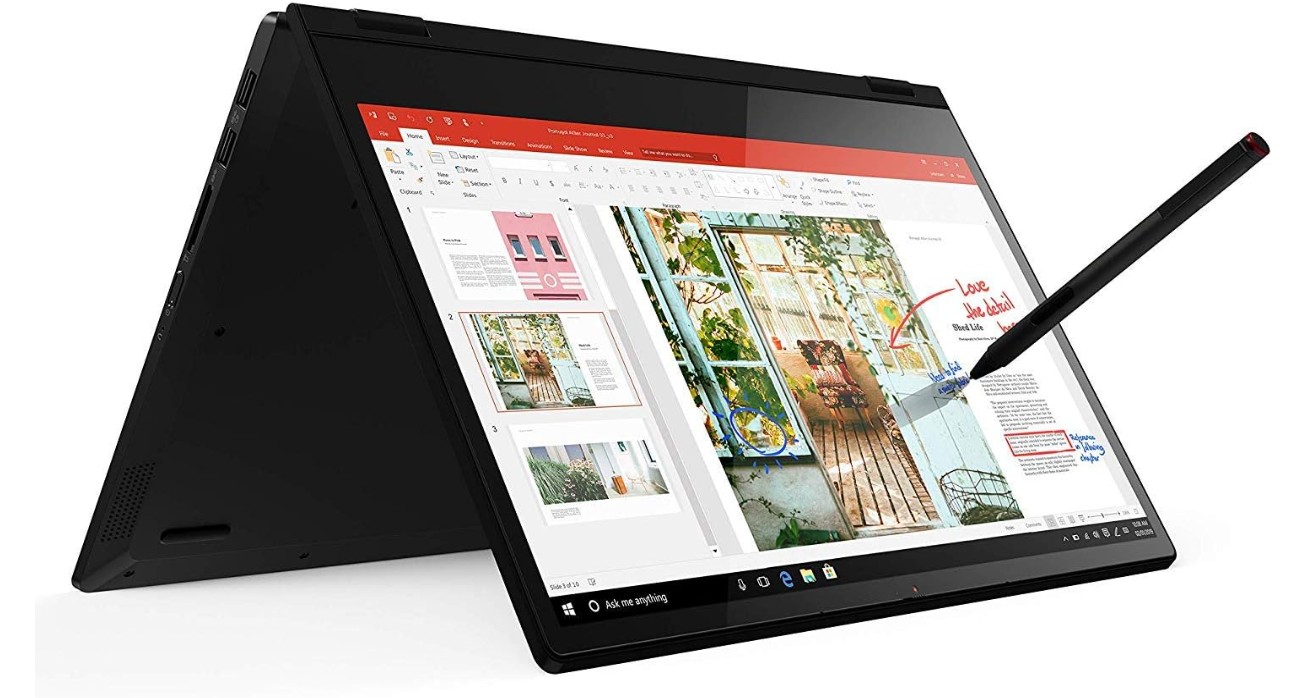
Lenovo Flex 14 2-in-1 Convertible Laptop
Lenovo Flex 14 2-in-1 Convertible Laptop
The Lenovo Flex 14 2-in-1 Convertible Laptop is a good choice for people who want a flexible and affordable machine for everyday use. It has a 14-inch Full HD touchscreen that is bright and clear. You can use it as a normal laptop for typing or fold the screen back to use it like a tablet. The 360-degree hinge works smoothly, and the included pen makes it easy to draw, take notes, or navigate the screen.
This laptop is powered by the AMD Ryzen 5 3500U processor, which handles everyday tasks well. You can browse the internet, check email, watch videos, and do school or office work without slowdowns. With 12GB of RAM, switching between apps feels smooth, and having a 256GB NVMe SSD means the system starts up fast and opens programs quickly. For most users, this is enough power for daily routines without frustration.
The keyboard is comfortable to type on, and the touchpad is responsive. The touchscreen works well with both fingers and the included pen, making it easier to draw or write directly on the screen. The laptop feels solid and well built, and the black finish looks simple and professional. It is also light enough to carry in a bag, which makes it good for students or people who work on the go.
Battery life is decent for a day of normal use, like browsing, videos, and documents, although heavy tasks will use more power. The laptop comes with Windows 10, which most people are familiar with, and it supports all common apps. It may not be the best choice for heavy gaming or very demanding software, but for everyday work, school, and entertainment, the Lenovo Flex 14 offers great value. Overall, it is a reliable 2-in-1 laptop that gives flexibility and performance at a reasonable price.
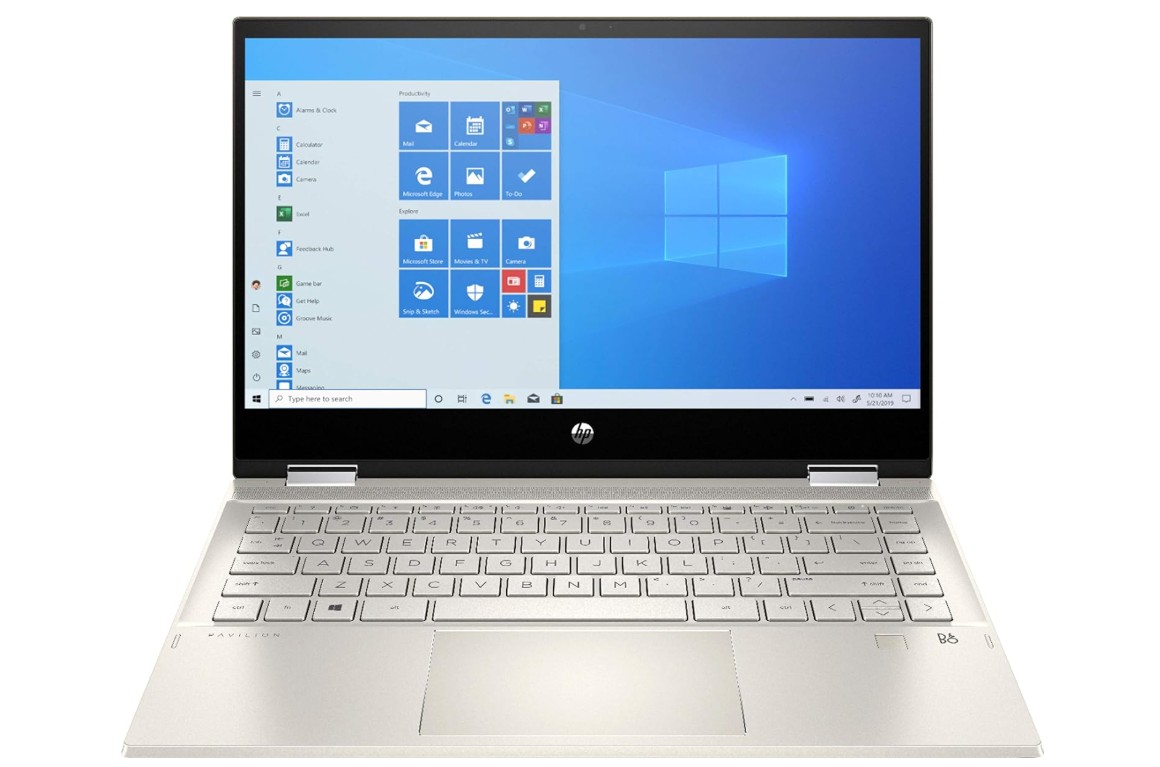
HP 2020 Pavilion x360 14″ 2-in-1 Convertible Laptop
HP 2020 Pavilion x360 14″ 2-in-1 Convertible Laptop
The HP Pavilion x360 14 is a flexible and reliable 2-in-1 laptop that is well suited for everyday users, students, and work-from-home needs. Its 14-inch Full HD touchscreen delivers sharp visuals and good brightness for daily tasks like browsing, watching videos, and working on documents. The screen responds smoothly to touch, and the 360-degree hinge allows you to easily switch between laptop, tablet, tent, and stand modes depending on how you want to use it.
Powered by the Intel Core i5-1035G1 processor, this laptop handles normal daily tasks without trouble. You can use web browsers with multiple tabs, attend online meetings, work on spreadsheets, and stream videos smoothly. The 8GB of DDR4 RAM is enough for regular multitasking, while the 256GB SSD helps the system boot quickly and load apps faster than traditional hard drives. Performance feels smooth for general use, although it is not meant for heavy gaming or advanced video editing.
The keyboard is comfortable for long typing sessions, making it suitable for school assignments or office work. The touchpad is accurate and easy to use. A fingerprint reader adds extra security and makes logging in quick and convenient. The built-in webcam works well for video calls and online classes. Connectivity options like Wi-Fi 802.11ac, Bluetooth, and HDMI make it easy to connect accessories, displays, and wireless devices.
Battery life is decent for daily use, usually lasting several hours with mixed activities such as browsing and streaming. The laptop comes with Windows 10, which supports most common software and feels familiar to many users. Overall, the HP Pavilion x360 14 offers a good balance of performance, flexibility, and features, making it a solid choice for users who want a dependable 2-in-1 laptop for everyday tasks.
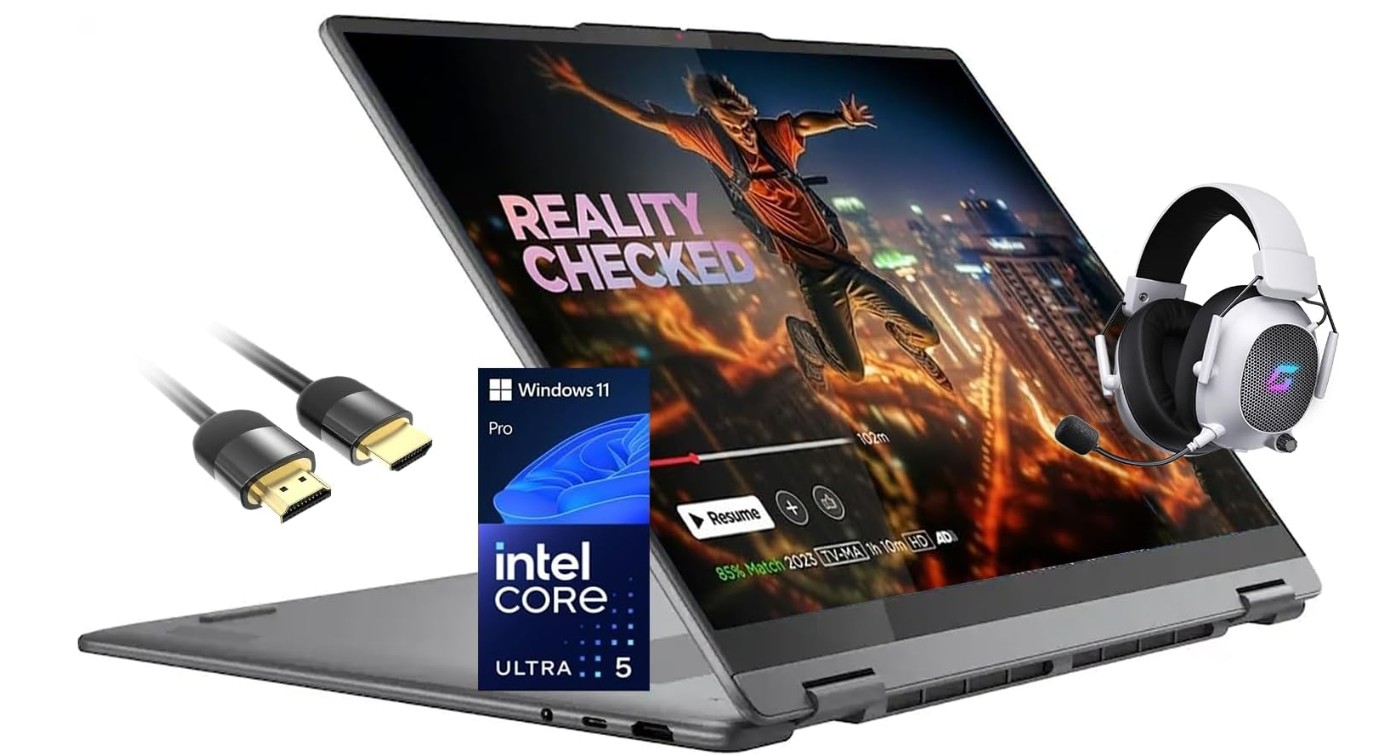
Lenovo Yoga 7i 2-in-1 Laptop 16″ 2K Touchscreen Laptop
Lenovo Yoga 7i 2-in-1 Laptop 16″ 2K Touchscreen Laptop
The Lenovo Yoga 7i 16″ 2-in-1 Laptop is a powerful and flexible machine that works well for many kinds of users. The large 16-inch 2K touchscreen looks sharp and bright, making it great for watching videos, working on documents, and browsing the web. You can use it in different ways because of the 360° hinge. You can set it up like a laptop for typing, flip it into tablet mode for drawing or touch use, or use tent mode for watching movies. The screen is responsive and smooth, and touch gestures work well.
Inside, the Intel Core Ultra 5 226V processor gives strong performance for everyday work and more. The 16 GB of DDR5 RAM helps the system run multiple apps at once without slowing down. The 512 GB SSD storage is fast and gives enough space for files, projects, and many programs. Booting up and loading apps feels quick thanks to this fast storage. I did not notice lag in normal tasks like video conferencing, editing documents, or switching between browser tabs and apps.
The keyboard is comfortable to type on and feels solid. The backlit keys are useful when working in low light. The touchpad is responsive and accurate. The fingerprint reader makes it easy to log in securely without typing a password. Wi-Fi 7 support helps keep the internet connection fast and stable, and the Thunderbolt 4 and HDMI ports let you connect external displays or other devices with ease.
Windows 11 Pro is installed, giving a familiar experience and support for most software. The included Mytrix gaming accessory and HDMI cable are nice extras that add value. Battery life is good for a full day of normal use, though heavy tasks may use power faster. Overall, this laptop feels premium and capable, especially for students, professionals, and creative users who want a blend of performance, flexibility, and a big, bright screen.
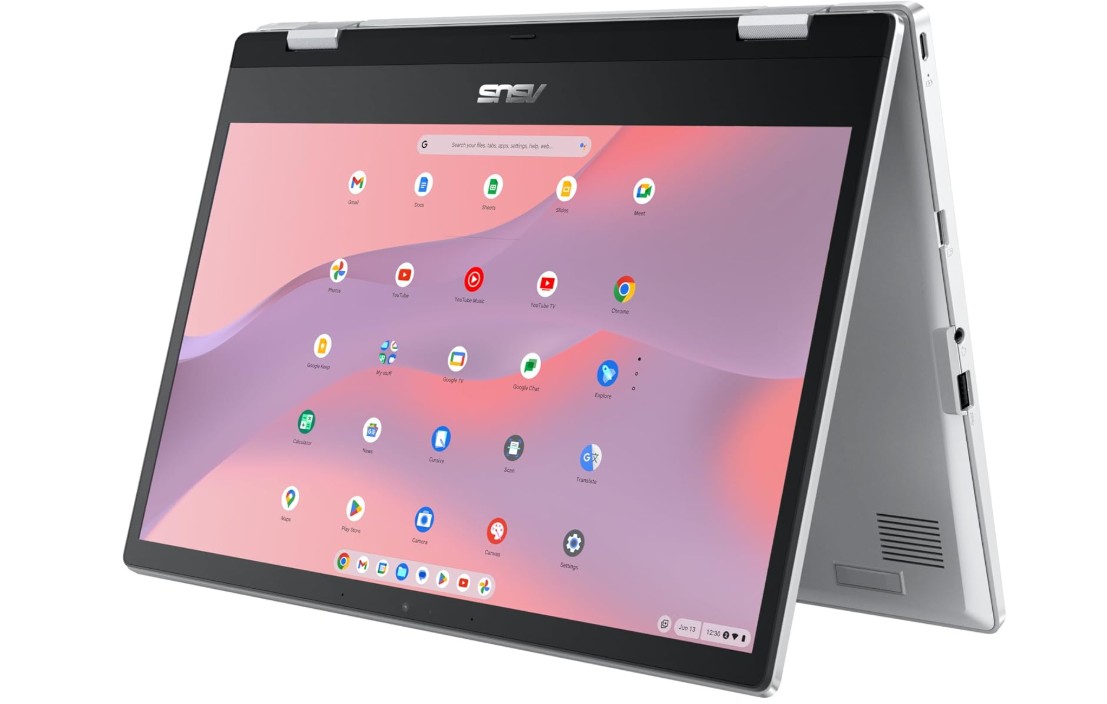
ASUS Chromebook Flip CX1 Convertible Laptop
ASUS Chromebook Flip CX1 Convertible Laptop
The ASUS Chromebook Flip CX1 is a simple and easy-to-use laptop that works well for school, work, and everyday tasks. The 14-inch Full HD touchscreen is bright and clear, and the slim NanoEdge design gives you more screen space in a small body. Because it has a 360-degree hinge, you can use it as a regular laptop or fold it into tablet, tent, or stand mode. This makes it very useful for watching videos, reading, or using touch apps.
This Chromebook runs on the Intel Celeron N4500 processor with 8GB of RAM, which is enough for browsing the web, using online apps, and doing homework. It does not have powerful hardware, but it handles typical Chromebook tasks like Google Docs, email, video calls, and YouTube smoothly. The 128GB eMMC storage gives you space for files and apps, although it is not as fast or large as an SSD. Since ChromeOS saves many files in the cloud, this storage size is usually enough for basic users.
ChromeOS is easy to use and starts up quickly. It updates automatically and keeps things secure. You can install Android apps from the Play Store, which adds more flexibility. For students and casual users, this laptop is very practical because it stays up to date without too much effort.
The keyboard feels comfortable for typing assignments or emails, and the touchpad is responsive. The lightweight design makes it easy to carry around every day. Battery life is good, often lasting a full school or work day with normal use. The transparent silver finish looks modern and clean.
This Chromebook is not meant for heavy tasks like advanced gaming or video editing, but it is perfect for browsing, streaming, notes, and school work. If you want a reliable, affordable, and flexible laptop that can be used in many modes, the ASUS Chromebook Flip CX1 is a solid choice.
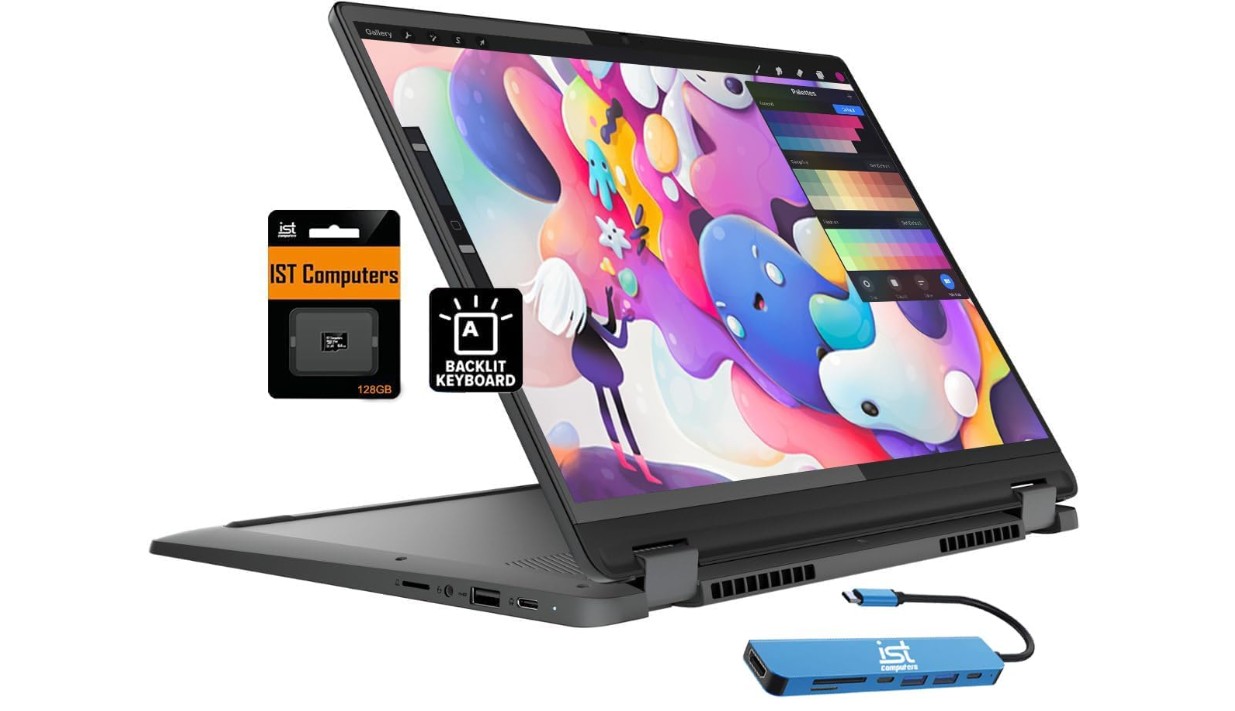
Lenovo IdeaPad Flex 5i Chromebook Plus
Lenovo IdeaPad Flex 5i Chromebook Plus
The Lenovo IdeaPad Flex 5i Chromebook Plus 14″ is a solid and flexible laptop that works well for students, home users, and everyday tasks. The 14-inch FHD+ touchscreen is bright and clear, and the 2-in-1 design lets you use it as a regular laptop or fold it into tablet, tent, or stand mode. This makes it great for typing, watching videos, reading, or using touch apps. The touchscreen responds smoothly to touch, and the overall build feels solid and easy to carry.
Inside, the Intel Core i3-1315U processor gives good performance for most tasks you will do on a Chromebook. With 8GB of RAM, the system handles multiple tabs and apps at the same time without slowing down. You can browse the internet, use Google Docs, join video calls, stream shows, and check email quickly. The 256GB of storage gives plenty of space for offline files and apps, and the included 2TB of cloud storage makes saving and accessing files easy with your Google account.
Chrome OS is simple and fast, and it updates automatically to keep your device safe and current. You can download Android apps from the Google Play Store, which adds extra flexibility. The FHD webcam is clear for online classes or video meetings, and the backlit keyboard makes typing comfortable even in low light. The touchpad works well and feels smooth when you scroll or click.
Battery life on this Chromebook is good, often lasting through a full day of school or work with normal use. It wakes up quickly and stays responsive. The grey color gives it a clean, modern look. This laptop is not designed for heavy gaming or advanced software, but for everyday use it is reliable and fast. If you want an easy-to-use device that can switch between laptop and tablet modes, the Lenovo IdeaPad Flex 5i Chromebook Plus is a great choice.
2-in-1 Laptops Under $600 — A Practical Buying Guide
2-in-1 laptops under $600 are designed for people who want flexibility, portability, and good everyday performance without spending too much money. These laptops can be used as a traditional laptop for typing and work, and they can also fold or flip into tablet mode for touch use, note-taking, or watching videos. This makes them very popular with students, work-from-home users, and casual users who want one device for many tasks.
In this price range, you will not get high-end gaming or professional-level machines, but you can easily find laptops that are fast enough for browsing, online classes, office work, video calls, and streaming. If you choose the right specs, a budget 2-in-1 can feel smooth and reliable for years.
Who Should Buy a Budget 2-in-1 Laptop
2-in-1 laptops under $600 are ideal for students who take online classes or need to carry a light device to school. They are also great for remote workers who attend video meetings, write documents, and manage emails. Casual home users who mostly browse the internet, watch movies, or use social media will also find these laptops more than enough.
These laptops are not meant for heavy gaming, advanced video editing, or large 3D software. If your needs are simple and everyday-focused, a budget 2-in-1 is a smart and cost-effective choice.
Types of 2-in-1 Laptop Designs
There are two main types of 2-in-1 laptops you will see under $600. The first is the 360-degree convertible design. These laptops have a hinge that lets the screen rotate all the way around. You can use them in laptop mode, tablet mode, tent mode, or stand mode. This is the most common design and offers the most flexibility.
The second type is the detachable design, where the keyboard can be removed completely. These are less common under $600 but can sometimes be found as Chromebooks. Detachables feel more like tablets but often have smaller keyboards and less power.
Processor: What Is Enough Under $600
The processor is one of the most important parts of a 2-in-1 laptop. In this budget, you should look for Intel Core i3 or i5 U-series processors, AMD Ryzen 3 or Ryzen 5 processors, or newer Intel Core Ultra i3 variants when discounted. These processors are strong enough for everyday tasks and multitasking.
Avoid very old or weak processors if possible, as they can feel slow with modern apps. For Chromebooks, Intel Core i3 or newer Pentium/Celeron chips are usually fine because ChromeOS is lightweight.
RAM: How Much Memory Do You Need
RAM plays a big role in how smooth your laptop feels. For a 2-in-1 under $600, 8GB of RAM should be your minimum target. This allows you to keep multiple browser tabs open and switch between apps without slowdown.
Some models offer 12GB or even 16GB of RAM at this price during sales or in renewed units. More RAM is always better for multitasking and long-term use, especially if you plan to keep the laptop for several years.
Storage: SSD vs eMMC
Storage type matters more than storage size for speed. Always choose a laptop with SSD storage if possible. A 256GB SSD is common in this price range and offers fast boot times and quick app loading. NVMe SSDs are even faster, but SATA SSDs are still very good.
Some cheaper models use eMMC storage, which is slower. eMMC can still work for basic use, especially on Chromebooks, but an SSD will give a much better experience on Windows laptops.
Display and Touchscreen Quality
Most 2-in-1 laptops under $600 come with a Full HD (1920×1080) touchscreen. This resolution is ideal for reading text, watching videos, and working on documents. Avoid HD (1366×768) displays if possible, as they look less sharp.
Brightness and color quality may not be perfect at this price, but a decent Full HD panel is good enough for indoor use. Touch responsiveness should be smooth, especially if you plan to use a stylus for notes or drawing.
Keyboard, Touchpad, and Pen Support
A comfortable keyboard is important if you type a lot. Look for laptops with well-spaced keys and good key travel. A backlit keyboard is a bonus, especially for working at night. The touchpad should be responsive and accurate for daily navigation.
Some 2-in-1 laptops include a pen or support active stylus input. This is very useful for students, artists, or anyone who likes handwritten notes. If pen support matters to you, check whether the pen is included or sold separately.
Battery Life Expectations
Battery life on budget 2-in-1 laptops is usually decent but not amazing. Expect around 7 to 10 hours of light use such as browsing, documents, and video playback. Heavy tasks like video calls or multitasking will reduce battery life faster.
Chromebooks often have better battery life than Windows laptops because ChromeOS is more efficient. Always check real user reviews, as advertised battery life numbers are often optimistic.
Ports and Connectivity
Even budget laptops should have basic connectivity options. Look for at least one USB-C port, one or two USB-A ports, and an HDMI port or USB-C display support. A headphone jack is still useful for calls and media.
Wi-Fi 5 is common and works well, while Wi-Fi 6 or Wi-Fi 6E is a bonus if available. Bluetooth support is standard and important for wireless accessories.
Windows vs ChromeOS: Which Is Better
Windows 2-in-1 laptops are better if you need full desktop software like Microsoft Office, Adobe apps, or Windows-only programs. They offer more flexibility but may feel heavier on hardware.
Chromebooks are simpler, faster to start, and easier to maintain. They work best for online tasks, Google apps, Android apps, and students. If you do not need special desktop software, ChromeOS can be a great choice under $600.
New vs Renewed Laptops on Amazon
Buying new gives peace of mind and a full warranty. However, renewed or refurbished laptops on Amazon can offer much better specs for the same price. Many renewed laptops are tested, cleaned, and come with a limited warranty.
When buying renewed, always check seller ratings, return policies, and warranty details. A good renewed laptop can be an excellent value if you are careful.
Final Buying Tips
Always prioritize RAM and SSD over a slightly faster processor. Read user reviews to learn about real battery life and build quality. If possible, wait for sales events like Prime Day or back-to-school deals, as prices often drop below $600.
Conclusion
A 2-in-1 laptop under $600 can be a smart and flexible choice if you know what to look for. By focusing on a good processor, at least 8GB of RAM, SSD storage, and a Full HD touchscreen, you can get a device that handles everyday tasks smoothly. Whether you choose Windows or ChromeOS, these laptops offer great value for students, remote workers, and casual users who want versatility without overspending.

Jawad is a passionate tech enthusiast and writer who loves exploring the latest trends in hardware, gadgets, and digital innovation. With a sharp eye for performance and value, he delivers in-depth recommendations and buying guides to help readers make smarter tech decisions.