
Last Updated on February 9, 2026 by Jawad
Introduction
Finding a good WiFi router under $50 can feel difficult, especially when so many models promise fast speeds and reliable coverage at low prices. But the truth is, you don’t need an expensive router to enjoy smooth internet for everyday use. Many affordable options deliver strong performance for streaming, online classes, video calls, and basic gaming. These budget routers are designed for small to medium homes, offering enough speed for families who mainly browse the web or watch HD videos. While they may not have the advanced features of high-end models, they still provide stable connectivity and essential functions like dual-band WiFi, guest networks, and simple app-based controls.
Cheap WiFi routers under $50 are great for students, renters, and anyone trying to upgrade an older, slow router without spending too much. Many models include WiFi 5 technology, which is still fast enough for most daily tasks. Some even support MU-MIMO or beamforming, which help maintain stable connections when multiple devices are online. These features make budget routers surprisingly capable for their price. You can easily connect smartphones, laptops, smart TVs, and even a few smart home devices without major slowdowns.
Another big advantage of inexpensive routers is how easy they are to set up. Most brands offer quick installation through mobile apps, guiding you step by step. This makes them ideal for users who want a hassle-free experience. And even if you’re not very tech-savvy, you can manage settings like parental controls or security updates with just a few taps. Overall, cheap routers under $50 are perfect for people who want dependable WiFi without stretching their budget. They might not be packed with premium features, but they offer solid value and performance for the price, making them a smart choice for everyday internet needs.
We also have a recommendation for the Best Budget Router Under $100, so make sure to check that out too!
Top Cheap WiFi Routers Under $50

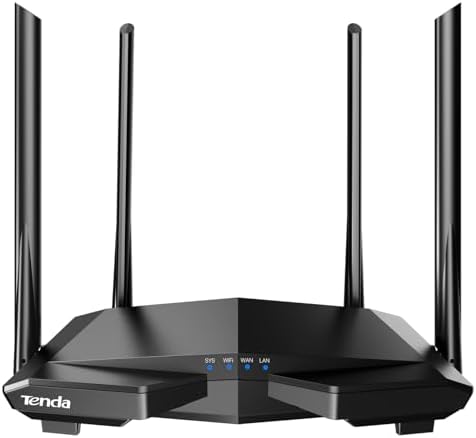


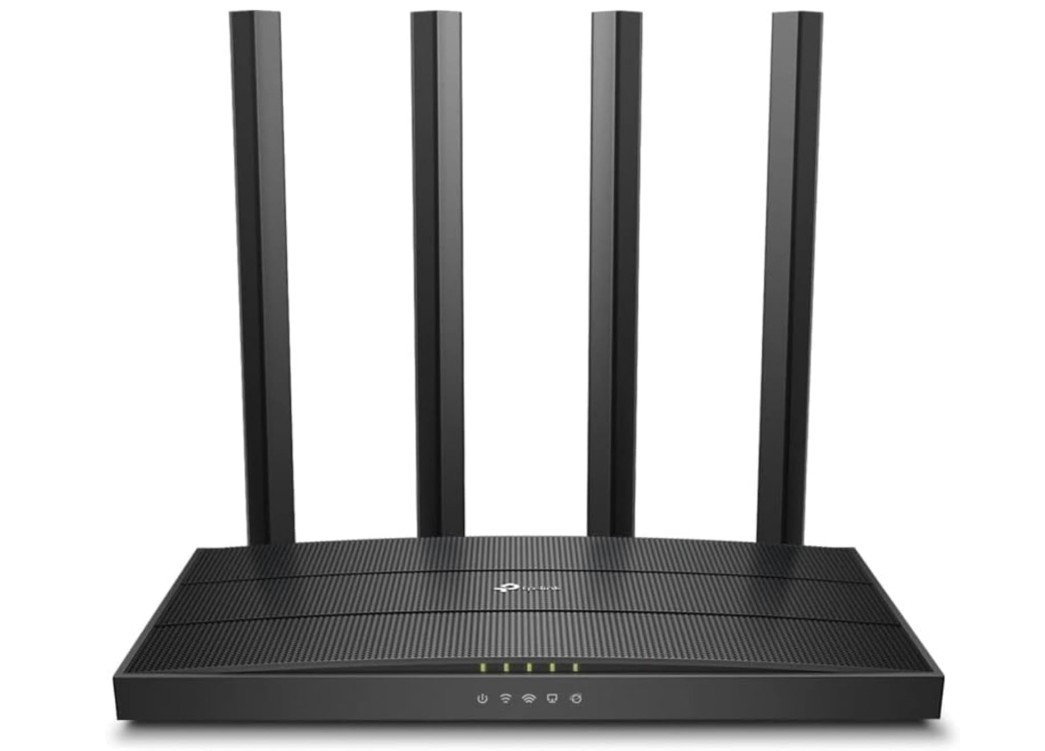
TP-Link AC1200 Gigabit WiFi Router (Archer A6)
TP-Link AC1200 Gigabit WiFi Router (Archer A6)
The TP-Link AC1200 Gigabit WiFi Router (Archer A6) is an excellent choice if you want reliable internet connection at an affordable price. Right away, its dual-band WiFi impressed me — the 2.4 GHz band gives good coverage for longer distances, while the 5 GHz band delivers faster speeds for streaming videos and gaming. In daily use, I noticed that web browsing was smooth and quick, and streaming HD content did not buffer even when multiple devices were connected.
Setting up the router was easy. With the TP-Link Tether app, I followed simple steps to connect it, and it worked within a few minutes. The app is user-friendly, letting you manage your network, set up a guest network, and adjust security settings without needing technical knowledge. I also liked the MU-MIMO feature — it helped keep connection stable when different devices were online at the same time. Using beamforming, too, improved the signal strength and kept devices connected steadily across the house.
The coverage is good for a small to medium apartment. Even in rooms far from the router, I got a usable signal and stable speed. That makes it ideal for home use: surfing, watching shows, working from multiple rooms, or running a few smart devices. The four external antennas help provide decent coverage and stable signal distribution.
While the router is great for everyday tasks, it might not satisfy heavy users. If you run many high-bandwidth tasks at once — like 4K streaming, online multiplayer gaming, or transferring large files across the network — you may notice the speed limit of AC1200. Also, advanced users looking for very strong security options or more advanced controls might find the settings basic.
Overall, the Archer A6 gives strong performance for its price. It hits a sweet spot between price, ease of use, and reliability. For regular internet users — students, families, small households — it is a solid, budget-friendly router that works well for everyday online needs.
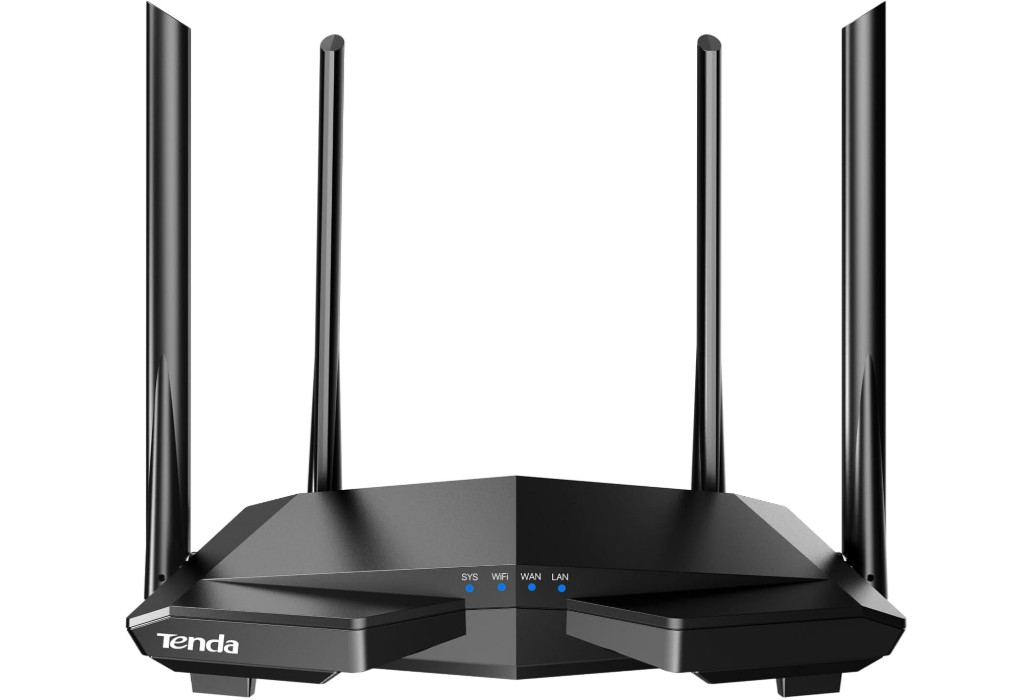
Tenda AC1200 Smart WiFi Router
Tenda AC1200 Smart WiFi Router
The Tenda AC1200 Smart WiFi Router (AC6) offers solid performance at a budget-friendly price. Right away, I noticed that its dual-band WiFi worked well for everyday internet tasks. The 2.4 GHz band provided good coverage for longer distances, while the 5 GHz band was fast enough for streaming, browsing, and video calls. Having multiple devices — laptop, phone, smart TV — connected at once rarely caused delays, which is great for a small household.
Setting up the router was easy. The mobile app guided me through installation step by step, and in just a few minutes I had it running. The app also made controlling settings — like WiFi name, password, guest network, and parental controls — simple enough even for someone without technical experience. This is a big plus if you want a plug-and-play router that works right out of the box.
For a small to medium home, coverage was quite decent. Even in rooms farther from the router, the signal stayed stable enough for browsing or streaming. That makes this router useful if you live in a modest apartment or house and want internet throughout. The guest WiFi feature was especially helpful when friends visited — I could give them internet without sharing my main network password.
However, the router has limitations. The Ethernet ports are only 100 Mbps, which may limit wired speeds if you need fast transfers or gaming. Also, for heavy usage like 4K streaming or competitive online gaming across many devices, the AC1200 speed may feel limited compared to more expensive routers. The advanced settings are simpler, which some experienced users may find too basic.
Overall, the Tenda AC6 gives a strong balance of ease, value, and everyday performance. If you just need a dependable router for browsing, video calls, streaming, and light gaming, it does the job well. For heavy network use or high-speed wired tasks, though, you may want to consider something more powerful.
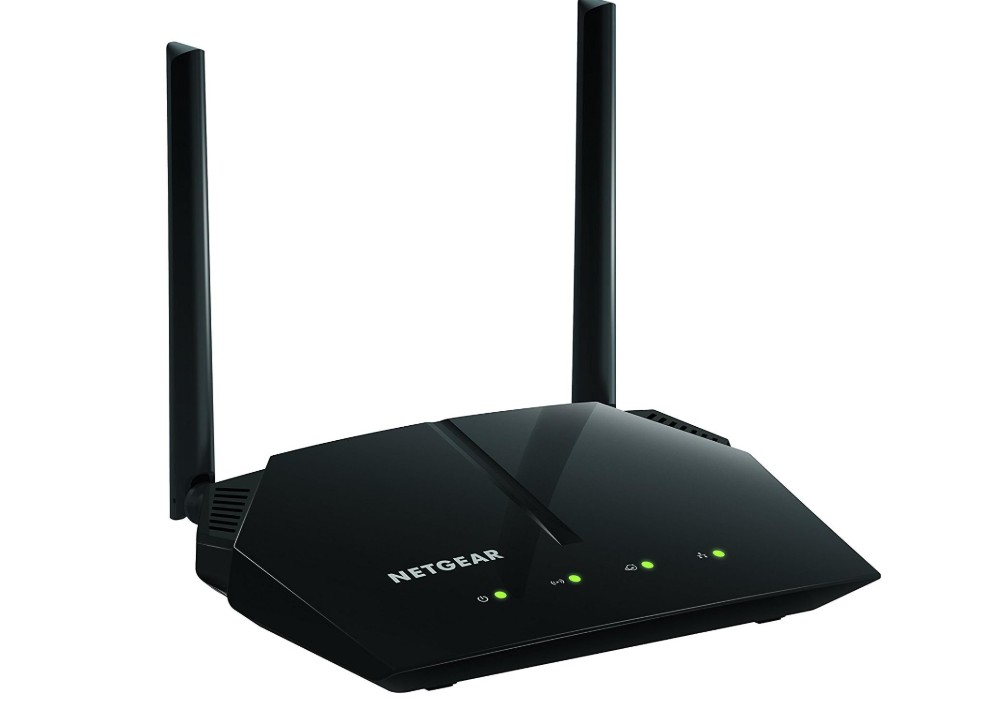
NETGEAR WiFi Router (R6120)
NETGEAR WiFi Router (R6120)
The NETGEAR AC1200 WiFi Router (R6120) delivers stable internet performance at a budget-friendly level. In everyday use, the dual-band connection impressed me — the 2.4 GHz band offered reliable coverage for longer distances, while the 5 GHz band gave decent speed for streaming HD shows, online video calls, and web browsing. With multiple devices like phones, laptops, and a smart TV connected at the same time, I found that internet speed remained fairly smooth and consistent.
Setting up the router was straightforward. Using the NETGEAR mobile app or web interface, I quickly connected the router and configured basic settings without any trouble. I also used the guest WiFi feature to let visitors access the internet without sharing my main network password — that was convenient and easy. The parental controls and basic Quality of Service (QoS) settings gave me some control over who used what bandwidth, which is helpful for a household with kids or multiple users.
Coverage worked quite well in a small to medium home. Even in rooms farther from the router, I often got a usable signal; for everyday browsing or video streaming, it was good enough. It served up to around 20 devices without drastically slowing down, making it a practical pick if you have many phones, tablets, or smart gadgets at home.
However, the router has some limitations. The Ethernet ports are only 10/100 Mbps, so wired devices won’t really get high-speed connections. That may limit you if you want faster wired internet for gaming or large file transfers. For heavy users — 4K streaming, simultaneous high-bandwidth tasks, or network-intensive gaming — the AC1200 speed may start to feel slow. Advanced customization options are pretty basic compared with more expensive routers, so power users may find the feature set limited.
Overall, the NETGEAR R6120 is a dependable, simple-to-use router that works well for everyday internet needs like browsing, streaming, and connecting multiple devices. It’s a solid budget-friendly choice for small to medium homes, though serious gamers or heavy network users might outgrow it.
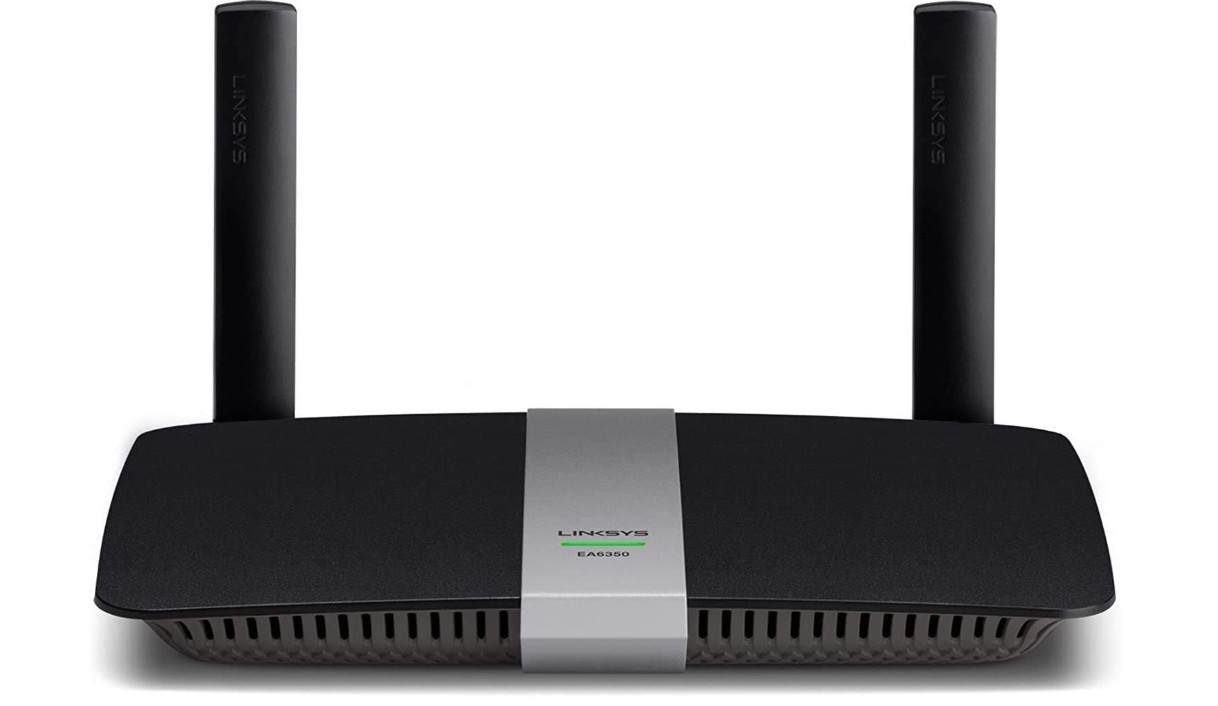
Linksys EA6350 Dual-Band Wi-Fi Router
Linksys EA6350 Dual-Band Wi-Fi Router
The Linksys EA6350 Dual-Band Wi-Fi Router is a reliable option for everyday home internet use, especially if you want a simple router that delivers stable performance without costing too much. It offers AC1200 dual-band WiFi, which means it runs on both 2.4 GHz and 5 GHz bands. In real use, the 2.4 GHz band provides good range and can cover most small to medium homes, while the 5 GHz band gives faster speeds for tasks like HD video streaming, online meetings, and light gaming. During normal use with multiple devices connected, such as phones, a laptop, and a smart TV, the network remained stable and speeds stayed fairly consistent.
One of the best things about this router is how easy it is to set up. Using the Linksys Smart WiFi system, the setup process is straightforward and only takes a few minutes. The interface is simple enough for beginners, and you can control important settings like guest networks, parental controls, and device prioritization. These features are helpful for families who want to manage internet access or give certain devices stronger performance.
In terms of build quality, the router is compact and has internal antennas, which gives it a clean and modern look without large external antennas sticking out. Despite having internal antennas, the signal strength is solid for small homes. It may not reach very far in larger houses with thick walls, but for apartments or small family homes, the coverage is more than enough.
The performance is dependable for casual activities like browsing, social media, streaming movies, and using smart home devices. However, heavy users who need fast wired connections should note that while the router includes gigabit LAN ports, its wireless performance is still mid-range. It may struggle with very demanding tasks like multiple 4K streams or competitive online gaming when many devices are active.
Overall, the Linksys EA6350 is a user-friendly, stable, and well-balanced router for everyday internet use. It’s a great choice for families, students, or anyone who wants solid performance at a reasonable price.
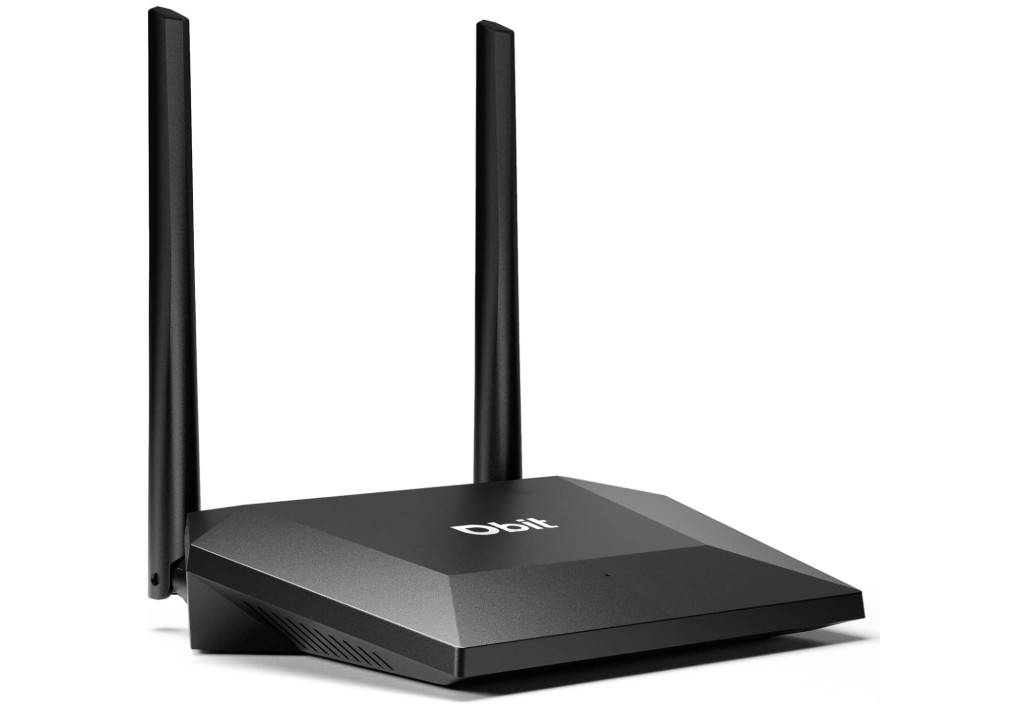
Dbit N300 Easy Setup Wireless Wi-Fi Router
Dbit N300 Easy Setup Wireless Wi-Fi Router
The Dbit N300 Wi-Fi Router (T1 Pro) is a simple and affordable option designed for small homes, apartments, and basic internet needs. It uses the 2.4 GHz band with speeds up to 300 Mbps, which is suitable for light browsing, social media, online classes, and standard video streaming. While it is not built for heavy tasks like HD gaming or large downloads, it performs well for everyday internet use where speed demands are low to moderate. The dual high-power antennas help improve signal stability, and during regular use, the connection remained steady across small rooms without major drops.
One of the strongest advantages of this router is how easy it is to set up. Even users with very little technical experience can get it working within minutes. The interface is simple, and the router clearly guides you through the steps. This makes it a good choice for beginners or for setting up a basic network in a rental home, office room, or hostel. The device also supports multiple operating modes, including wireless repeater mode and WISP mode. These features are helpful if you want to extend an existing network or share internet wirelessly in areas with weak coverage.
The four Fast Ethernet ports allow wired connections for devices like desktops, smart TVs, or set-top boxes, though the speeds are limited to 100 Mbps. This is acceptable for everyday browsing and streaming, but not ideal for people who depend on high-speed wired performance. In my experience, wired devices remained stable, and everyday tasks worked smoothly without interruptions.
The router is compact and lightweight, making it easy to place anywhere without taking up much space. Its design is simple but functional, with indicator lights that show connection status clearly. Overall, the Dbit N300 T1 Pro is a practical, budget-friendly router suited for users who want basic Wi-Fi coverage, simple setup, and reliable performance for everyday tasks. It’s a solid choice for small homes or anyone looking for a low-cost replacement router.
Buying guide — Cheap Wi-Fi routers under $50
If your budget is tight but you still want decent home Wi-Fi, routers under $50 can do a lot. This guide explains what those cheap routers really offer, what to expect, and exactly which features matter. I’ll keep it simple and practical so you can choose the best option for your home.
What cheap routers usually give you
Most sub-$50 routers are AC1200 or lower (AC1200 = combined theoretical bandwidth across 2.4 GHz and 5 GHz bands). That label is marketing shorthand — it’s not the real-world speed you’ll get, but it tells you the router supports dual-band 802.11ac and roughly how the manufacturer ranks performance. Expect real speeds well under the number, especially at distance or through walls.
These routers often target small apartments or single-floor homes. They do everyday tasks — web browsing, HD video streaming, video calls, and light gaming — fine when only a few devices are active at once.
Who should buy a router under $50
- Students, renters, or anyone replacing an old basic router.
- Households that mainly browse, stream HD (not many 4K streams at once), and run smart devices.
- People who need something simple to set up and manage without advanced features.
Key Factors to Consider
Here are the key factors to consider when choosing a cheap WiFi router under $50. These points will help you understand what truly matters in a budget router and what you can safely ignore.
1. WiFi Standard and Band Type
Most routers under $50 use either N300 (2.4 GHz only) or AC1200 (dual-band). Dual-band routers offer both 2.4 GHz and 5 GHz frequencies. The 2.4 GHz band covers longer distances but gives slower speeds, while the 5 GHz band is faster but with shorter range. Choosing a dual-band router is usually better because it handles more devices and provides smoother performance for streaming and gaming.
2. Realistic Speed Requirements
Router speed ratings (like 300 Mbps or 1200 Mbps) are theoretical. Real-world speeds will be lower, especially through walls or at longer distances. Match your router to your internet plan. If you have a 50–100 Mbps plan, a cheap router is enough. If you have a 300+ Mbps plan, make sure the router has gigabit ports and a good 5 GHz band to avoid bottlenecks.
3. Coverage Area
Budget routers are best for small to medium homes or single-floor apartments. If your home has thick walls, multiple stories, or large open spaces, you may notice weak spots. Check whether the router uses external antennas or beamforming technology, as these help improve signal strength and coverage.
4. Number of Devices Supported
Cheap routers work well with 8–15 devices at once. If your home has many smartphones, laptops, smart TVs, cameras, and IoT gadgets, look for MU-MIMO or QoS support. These features help manage traffic and reduce slowdowns when several devices use the network at the same time.
5. Ethernet Ports and Wired Speed
Many budget routers include only 10/100 Mbps Ethernet ports. This limits wired speeds and may slow down devices like PCs, gaming consoles, or streaming boxes. If your wired setup needs more speed, choose a router with at least one gigabit LAN port.
6. Security Features
Even cheap routers should have WPA2 encryption, guest network support, and basic parental controls. Automatic firmware updates are important for long-term safety. Avoid routers with outdated protocols or no security update history.
7. Extra Modes and Flexibility
Some budget routers offer helpful modes like Access Point, Repeater, or WISP mode. These allow you to extend an existing network or reuse the router later. If you live in a dorm, rental, or shared home, these options can be very useful.
8. Setup and App Support
A user-friendly setup process makes everything easier. Many cheap routers now include mobile apps that handle installation, password changes, parental controls, and device management. If you are not very tech-savvy, choose a router with app-based setup.
9. Build Quality and Heat Management
Lower-cost routers can sometimes overheat, especially during long sessions or heavy traffic. Look for models with good ventilation, sturdy casing, and positive user reviews mentioning stable operation. Poor build quality can lead to connection drops or reduced lifespan.
10. Firmware Updates and Brand Reliability
Big brands like TP-Link, Tenda, NETGEAR, and Linksys usually offer better ongoing support. Firmware updates fix security vulnerabilities and improve performance. Before buying, check recent reviews to see whether the brand actively updates its products.
11. Optional Features (Nice but not required)
USB ports, mesh support, advanced QoS, and VPN features are less common in budget routers. If you see them within your price range, they’re a bonus, but don’t expect high-end performance.
Considering all these factors helps you choose the right cheap router for your home. A good under-$50 model can offer stable internet, smooth streaming, and reliable coverage if you match it properly to your needs and environment.
FAQs
Yes — budget routers under $50 can provide reliable basic Wi-Fi for everyday browsing, streaming, and light gaming for small homes or apartments.
Yes — but performance may decrease with many devices connected at once. Budget routers are best for smaller device counts.
Speeds depend on your internet plan, but most can handle tens to hundreds of Mbps, suitable for 1080p streaming and browsing.
They cover small to medium spaces well, but very large homes may need a stronger router or a mesh system for full coverage.
Yes for casual gaming, but serious gamers may prefer routers with QoS and stronger performance to reduce lag.
Final Thoughts
In conclusion, a WiFi router under $50 can be a smart, cost-effective choice if your needs are modest — like browsing the web, watching HD videos, video calling, or connecting a few devices in a small to medium-size home. By paying attention to important factors like dual-band support, realistic speed matching your internet plan, signal coverage, device capacity, and basic security, you can find a router that delivers steady, dependable internet without spending much. While these routers won’t offer advanced features or handle very heavy network loads perfectly, they offer excellent value for everyday use. If your requirements grow — for example, more devices, heavier streaming, or wired gigabit needs — you can always upgrade later. For now, a well-chosen budget router often offers all you need to stay connected smoothly.

Jawad is a passionate tech enthusiast and writer who loves exploring the latest trends in hardware, gadgets, and digital innovation. With a sharp eye for performance and value, he delivers in-depth recommendations and buying guides to help readers make smarter tech decisions.

