
Last Updated on February 11, 2026 by Jawad
Introduction
Headsets for Nintendo Switch are an important accessory for players who want better sound and clearer communication while gaming. The built-in speakers on the Switch are fine for casual play, but they cannot match the detail, volume, and immersion that a good headset can provide. With a headset, you can hear game music, sound effects, and enemy movements more clearly, which makes games more exciting and enjoyable. This is especially helpful in action, adventure, and multiplayer games where sound plays a big role.
Another big reason to use a headset with Nintendo Switch is voice chat. Many online games allow you to talk with friends or teammates, and a headset with a microphone makes this easy. Instead of using external apps or holding the console close, you can speak naturally and hear others clearly. This improves teamwork and makes online gaming more fun and less frustrating.
Nintendo Switch supports different types of headsets. Wired headsets with a 3.5mm jack are the most common and simple option. They work directly with the Switch in handheld mode and also when docked. Wireless headsets are also popular, offering more freedom to move around without cables. Some wireless models use a USB-C or USB-A dongle, while others use Bluetooth, making them convenient for couch gaming or long sessions.
Comfort is another key benefit of using a good headset. Soft ear cushions, adjustable headbands, and lightweight designs help reduce ear fatigue during long gaming sessions. Many headsets are designed to be worn for hours without discomfort, which is perfect for long playtimes.
Overall, a Nintendo Switch headset improves audio quality, communication, and comfort. Whether you play casually or competitively, the right headset can make your gaming experience more immersive, social, and enjoyable.
We also have a recommendation for the Best Mobile Gaming Headset, so make sure to check that out too!
Top Headsets for Nintendo Switch
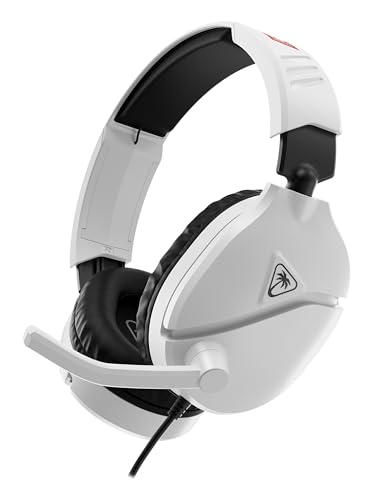



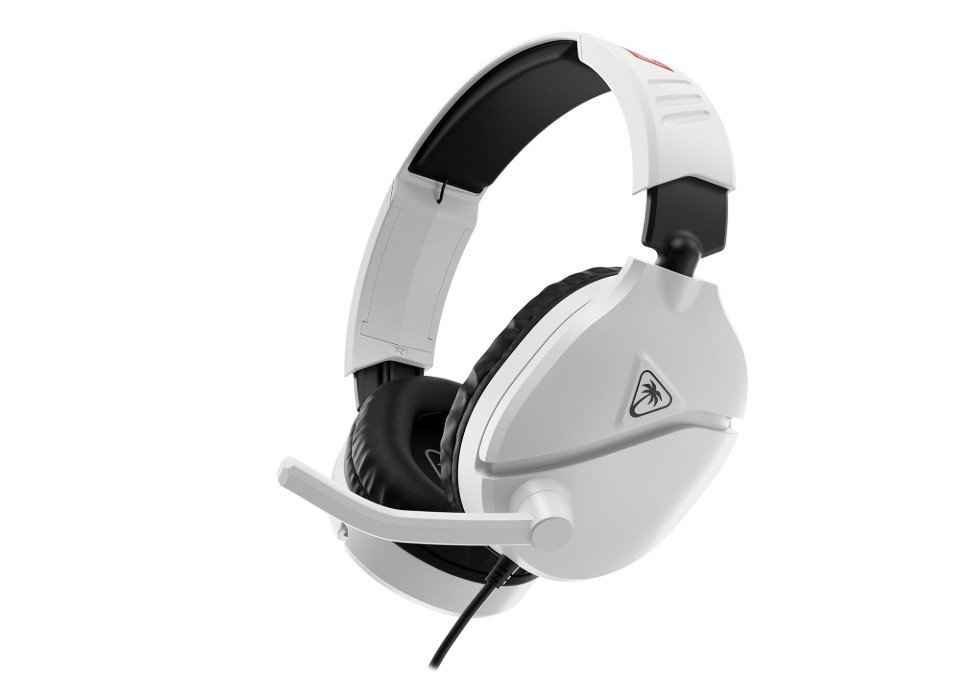
Turtle Beach Recon 70 Wired Gaming Headset
Turtle Beach Recon 70 Wired Gaming Headset
The Turtle Beach Recon 70 Wired Gaming Headset is a good choice for Nintendo Switch players who want better sound and comfort without spending a lot. From the first time you put it on, it feels light and easy to wear. The ear cups are soft and do not press too hard on your ears, which is nice for long play sessions. The adjustable headband also helps fit different head sizes comfortably.
Sound quality on the Recon 70 is better than the Switch’s built-in speakers. The 40mm drivers deliver clear game audio, so you can hear footsteps, music, and effects more clearly. This makes games more immersive and fun. Whether you are playing a quiet adventure game or an action battle game, the sound feels full and balanced. The headset works with the Switch in handheld mode and also when the console is docked because it uses a standard 3.5mm headphone jack.
The flip-to-mute microphone is simple and helpful. It picks up your voice clearly during online play, and you can easily mute it by flipping it up. This makes talking with friends easier without extra buttons or complicated steps. Gamers who play games with voice chat will find this feature useful and practical.
One of the best things about this headset is how easy it is to use. There are no batteries, no pairing, and no software needed. You just plug it in and play. The on-ear volume control lets you change sound levels quickly without going into the Switch menus.
Overall, the Turtle Beach Recon 70 Wired Gaming Headset gives good sound, solid comfort, and simple features at a reasonable price. For many Nintendo Switch players, it is a reliable and enjoyable headset that improves the gaming experience.
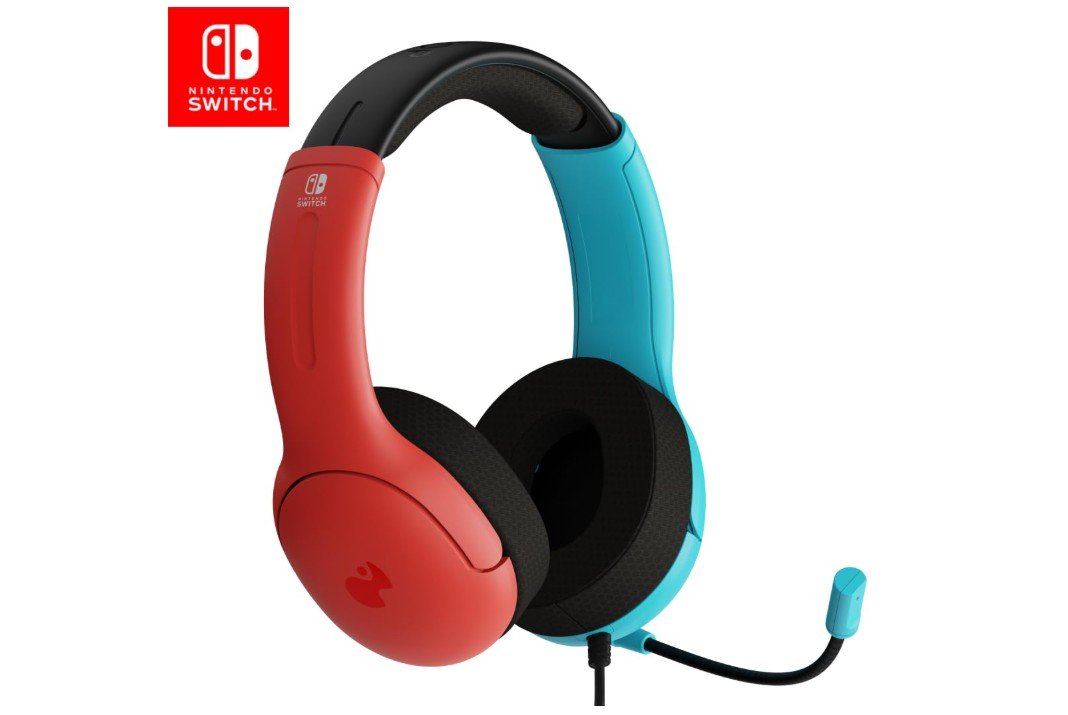
PDP Gaming LVL40 Airlite Stereo Headset
PDP Gaming LVL40 Airlite Stereo Headset
The PDP Gaming LVL40 Airlite Stereo Headset is a solid choice for Nintendo Switch players who want good sound and comfort at a budget price. Right away, the lightweight design makes it easy to wear for long gaming sessions. The soft on-ear cushions feel comfortable and do not press too hard on your ears, which helps when playing games for hours. The adjustable headband also lets you find a fit that feels right.
Sound quality is clear and balanced for most games on the Switch. You can hear music, effects, and footsteps more clearly than using the console’s built-in speakers. This headset delivers enough detail to make games feel more immersive without being too heavy or complex. It uses a simple wired 3.5mm connection, so you just plug it into the Switch in handheld mode or the dock and start playing without extra setup.
The noise-canceling microphone is useful for online play. It picks up your voice well and reduces background noise so others can hear you more clearly. This makes communicating with friends in games easier and less frustrating. You can adjust the mic to a comfortable position so it is not in the way when you are not talking.
One of the best parts of this headset is how easy it is to use. There are no batteries or wireless pairing needed. The inline volume control lets you quickly change sound levels without going into menus. The Mario Neon red and blue design also adds a fun look that matches the playful style of the Switch.
Overall, the PDP Gaming LVL40 Airlite Stereo Headset offers good sound quality, a comfortable fit, and simple use at a reasonable price. For many Nintendo Switch players who want better audio and clear chat without complex features, this headset is a reliable and enjoyable option.
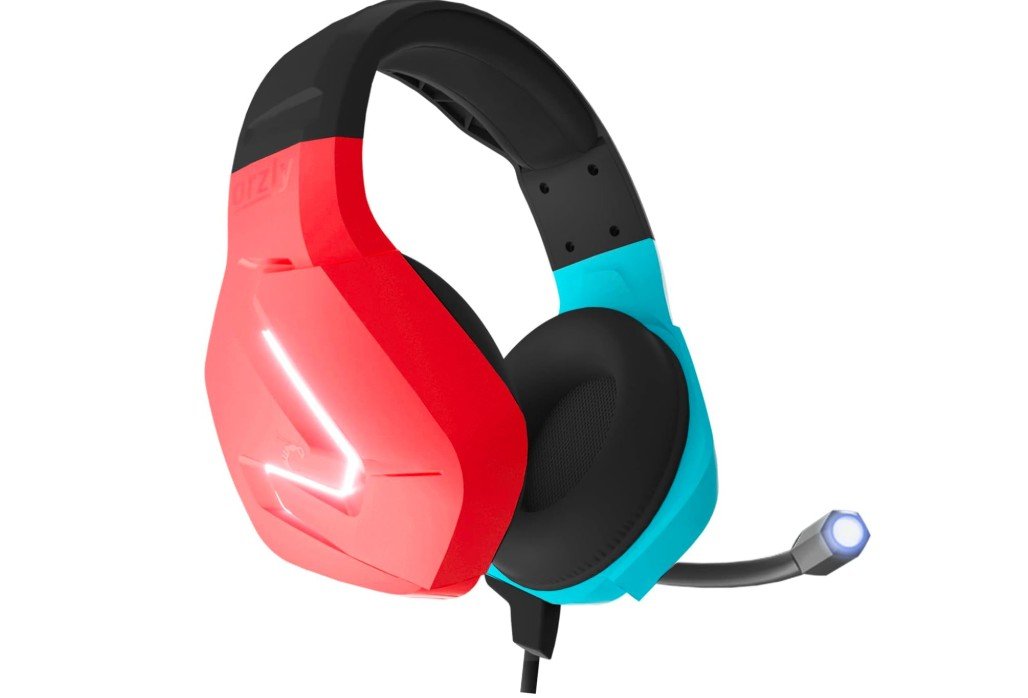
Orzly Gaming Headset
Orzly Gaming Headset
The Orzly Gaming Headset with Mic is a nice choice for Nintendo Switch players who want a good headset that looks stylish and works well. From the start, the headset feels comfortable on your head. The ear cushions are soft and the adjustable headband helps you find a fit that does not hurt, even during long gaming sessions. The design matches the Switch Joy-Con colors, giving it a cool and fun look that many players will enjoy.
Sound quality is clear and enjoyable for most games on the Switch. The stereo audio makes game music, effects, and voices sound better than the console’s small built-in speakers. You can hear important sounds in games more clearly, which makes playing more fun and helps with game awareness. The headset uses a simple wired 3.5mm connection, so you just plug it into the Switch in handheld mode or the dock and start playing with no extra setup.
The adjustable microphone works well for talking with friends online. It picks up your voice clearly and helps reduce background noise so your teammates can hear you better. This is useful for games where you chat or coordinate with others. The inline remote is easy to reach and lets you change volume or mute the mic quickly without going into menus on the console.
A unique feature of this headset is the LED light on the microphone, which adds a cool effect while you play. It is not necessary for sound, but it does make the headset look more exciting. The headphones are lightweight, so you can wear them for long periods without feeling tired.
Overall, the Orzly Gaming Headset with Mic gives good sound, solid comfort, and a fun design at a reasonable price. It is a reliable choice for Nintendo Switch players who want better audio and clear chat in a stylish package.
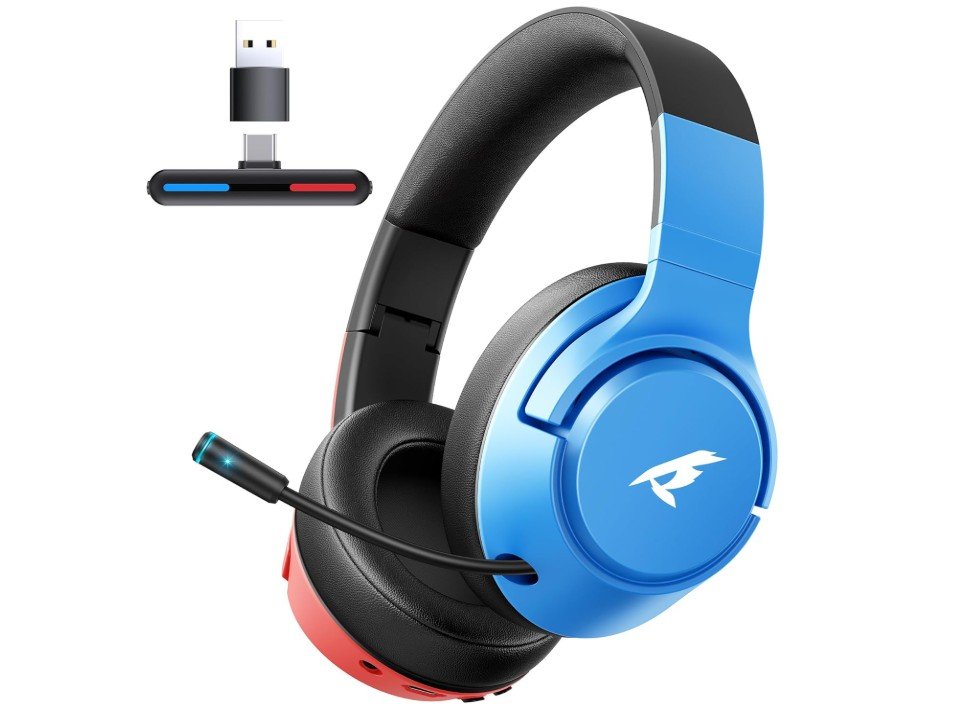
CG-01 2.4Ghz Wireless Gaming Headset
CG-01 2.4Ghz Wireless Gaming Headset
The CG-01 2.4GHz Wireless Gaming Headset is a great option for Nintendo Switch players who want the freedom of wireless sound. From the first time you use it, the headset feels light and comfortable on your head. The ear cushions are soft and help keep you comfortable during long gaming sessions. The adjustable headband also makes it easy to find a good fit. Because it is wireless, you do not have to worry about cords getting in the way while you play.
Sound quality is clear and enjoyable for many types of games on the Switch. The 40mm drivers deliver balanced audio, so you can hear game music, effects, and voices with more detail than the Switch’s built-in speakers. This helps make your gaming more immersive and fun. The wireless connection works through a 2.4GHz dongle that plugs into the Switch dock or USB adapter, giving you stable and lag-free sound. You can also connect the headset via Bluetooth, which makes it more flexible for use with phones, tablets, or other devices.
The noise-canceling microphone works well for voice chat. It picks up your voice clearly and reduces background noise, which is helpful when you play online with friends. Talking with others feels easier and more natural. The headset also has good battery life, lasting up to about 40 hours on a single charge. This means you can play for many sessions before needing to recharge.
Overall, the CG-01 Wireless Gaming Headset is simple to use and adds real value to gaming on the Nintendo Switch. You get wireless convenience, clear sound, and a comfortable design. Whether you play at home docked or on the go in handheld mode, this headset makes audio better and keeps you focused on the game without getting tangled in wires.
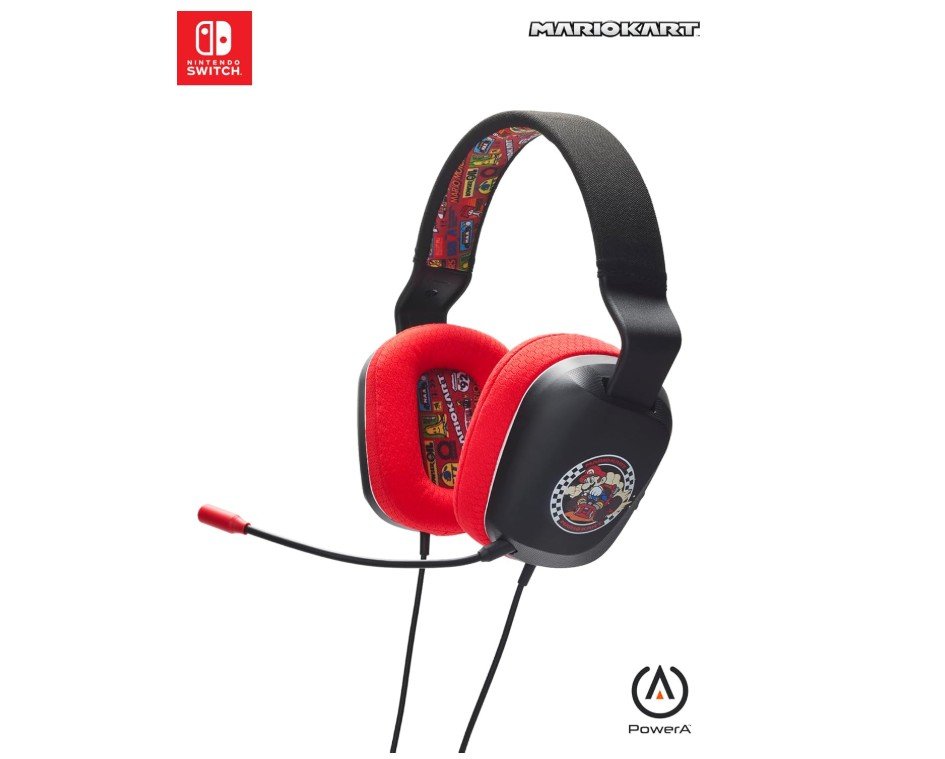
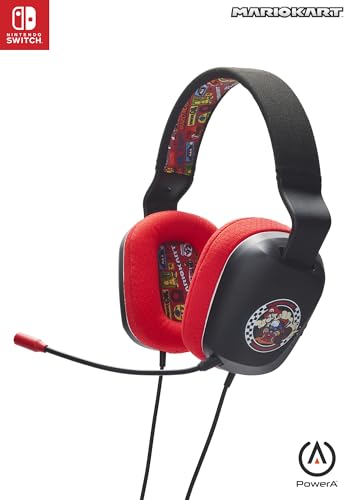
PowerA Wired Stereo Headset
PowerA Wired Stereo Headset
The PowerA Wired Stereo Headset for Nintendo Switch is a simple and reliable option for gamers who want better audio without extra features. It is designed to work easily with all Switch systems, including the newer Switch 2. Right away, you notice that it is easy to use. You simply plug the headset into the Switch’s 3.5 mm headphone jack and start playing. There is no need for batteries or complicated setup, which makes it stress-free for both new and casual players.
Sound quality is clear and balanced for many games on the Nintendo Switch. The stereo audio lets you hear game music, effects, and voices better than the console’s small built-in speakers. This can make games feel more fun and immersive, especially in adventure and racing games where sound helps you feel part of the action. The headset also has an in-line volume control, so you can quickly adjust the sound without going into the Switch menus.
The built-in microphone works well for basic voice chat with friends. While it is not a high-end mic, it still picks up your voice clearly enough for online play. Talking with others during games feels natural, and the microphone does its job without extra fuss.
Comfort is good for shorter and longer play sessions. The ear cups fit snugly around your ears, and the headband feels light without putting too much pressure on your head. The Mario Kart Rivals design adds a fun and colorful look that fans of the game will enjoy.
Overall, the PowerA Wired Stereo Headset gives you solid sound and simple features at a reasonable price. It is a good choice if you want clear audio, a comfortable fit, and a plug-and-play headset that works well with the Nintendo Switch and Switch 2. It may not have fancy features, but it covers the basics well for most players.
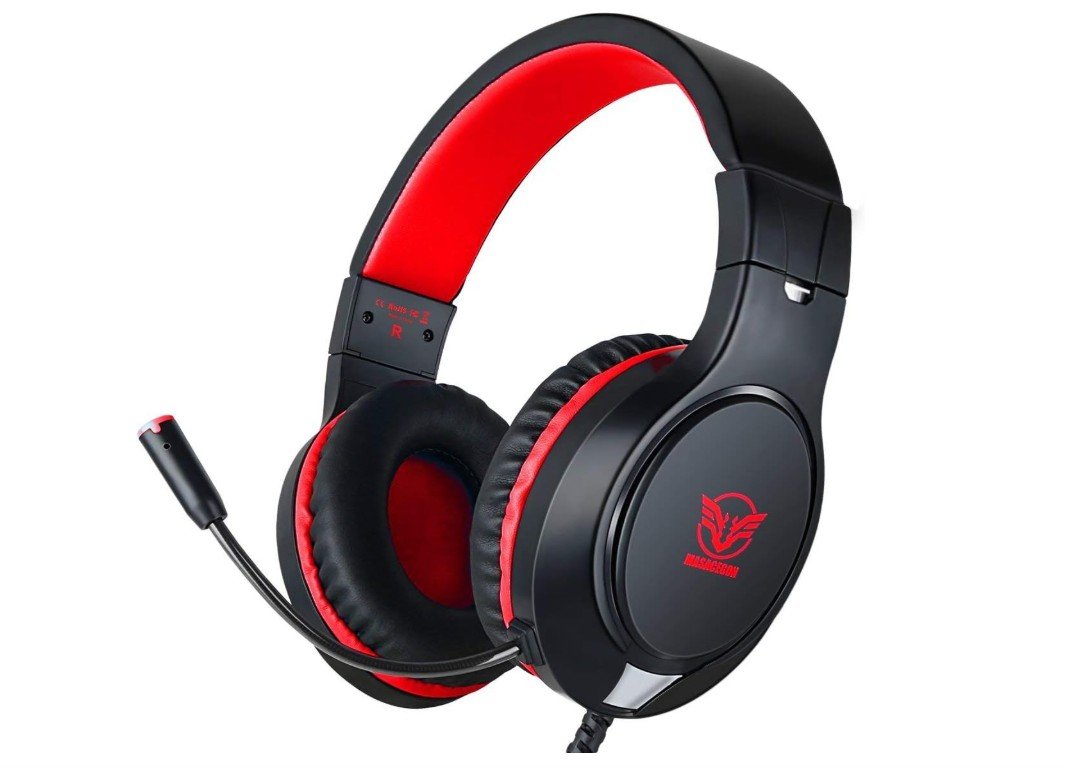
MASACEGON Gaming Headset
MASACEGON Gaming Headset
The MASACEGON Gaming Headset is an affordable and versatile option for Nintendo Switch players who want better sound and a built-in microphone. When you first put it on, the headset feels comfortable thanks to its soft ear cushions and adjustable headband. It fits well on most head sizes and stays comfortable during long gaming sessions. Because it is wired, you simply plug the 3.5 mm jack into the Switch and start playing right away without any setup.
The sound quality is lively with good bass, which makes game music and effects more enjoyable than the Switch’s small speakers. You can hear game sounds more clearly, which helps you feel more involved in your games. The headset’s bass surround sound adds depth to explosions, racing engines, and music, making games more exciting to play. Whether you are playing action, adventure, or racing games, the audio feels richer and fuller.
The flexible noise-canceling microphone works well for talking with friends during online play. It picks up your voice clearly and reduces some background noise, so others can hear you better. This is helpful during multiplayer games where communication matters. The microphone can be moved to a position that feels right for you and stays in place while you play.
Because the MASACEGON headset is wired with a 3.5 mm connector, it works easily with the Nintendo Switch in handheld mode or when the Switch is docked. There is no need to connect Bluetooth or charge batteries, which makes it simple and fuss-free. The inline controls let you adjust the volume and mute the mic quickly without opening menus on the Switch.
Overall, the MASACEGON Gaming Headset gives solid sound and a good microphone at a budget price. It is a good choice for casual Nintendo Switch players who want improved audio and clear chat without spending a lot.
Buying Guide — Headsets for Nintendo Switch
Choosing the right headset for your Nintendo Switch improves sound, communication, and comfort. This guide explains the main headset types, what to check for, how Switch handles audio and voice chat, and gives buying tips and model suggestions so you can pick the best option for your play style.
How the Switch handles audio and voice chat
Modern Switch firmware supports Bluetooth audio output, but it does not support Bluetooth microphones, so wireless headsets that rely on a Bluetooth mic will not work for in-game voice chat. For voice chat you’ll usually need a headset that provides a microphone to the Switch by one of these methods: a wired 3.5 mm connection (handheld and docked), a USB audio dongle plugged into the dock, or the Nintendo Switch Online smartphone app for games that use it. Nintendo’s support pages explain the Bluetooth audio rules and the app-based voice chat requirement.
Main headset types and how they work with Switch
- Wired (3.5 mm jack): Plug directly into the Joy-Con/Pro Controller port (handheld) or the controller/headphone jack on TV setups. Simple, no batteries, no latency. Works reliably in handheld and docked modes.
- USB dongle (2.4 GHz / USB-C): Many wireless gaming headsets use a USB-A/C dongle for low-latency audio. These typically work when the Switch is docked (dongle in the dock). They may need a USB adapter for certain setups.
- Bluetooth headphones (A2DP): The Switch can pair Bluetooth audio devices for game sound, but Bluetooth mics aren’t supported, and Bluetooth may have slight latency vs a dedicated dongle. Good for solo handheld play when you only need audio.
What to prioritize when shopping
- Compatibility: If you want wireless chat when docked, check whether the headset’s dongle is USB audio class compatible and works with the Switch dock. If you play handheld often, a wired 3.5 mm or Bluetooth audio (for game sound only) is simpler.
- Microphone support: For team games, choose a headset with a clear wired mic or a dongle that supports microphone input. Otherwise you may need to use the Nintendo app for voice.
- Latency: USB-C / 2.4 GHz dongles usually have lower latency than Bluetooth. If you play competitive titles, low latency is worth prioritizing.
- Comfort & build: Look for adjustable headbands, breathable ear pads, and lightweight designs if you play long sessions. On-ear vs over-ear is a personal choice — over-ear is usually more isolating and comfortable for long play.
- Battery life (wireless): If you pick wireless, aim for long battery life (20–40+ hours) for fewer charges.
- Controls & portability: Inline volume/mute or on-ear controls are handy for quick adjustments. Compact/foldable headsets are better for travel and handheld use.
Price tiers and what to expect
- Budget (< $50): Basic wired headsets with decent sound and mics. Good for casual play, handheld mode, and families. Examples: simple wired licensed headsets and budget brands.
- Mid-range ($50–$150): Better drivers, improved mics, more comfort, and some wireless dongle options. Many general gaming headsets fit here.
- Premium ($150+): Advanced drivers, detachable high-quality mics, low-latency multi-protocol wireless, surround or spatial audio, and strong build and comfort.
Practical tips & troubleshooting
- Docked wireless use: Plug the headset dongle into the Switch dock’s USB port. If your TV blocks ports or you run out of USB, a small USB hub or adapter can help.
- Handheld wireless use: Bluetooth audio works for game sound, but remember Bluetooth mics don’t work — use the phone app for voice chat or switch to a wired mic.
- Using phone app voice chat: Some games route voice through Nintendo’s mobile app rather than the console. Check the game’s voice options and whether it requires the app for chat.
- Mixing audio sources: When using Bluetooth + docked TV audio, settings may need adjustment. Keep a small adapter or spare cable if you switch between handheld and docked often.
Quick buying checklist
- Do you need mic + in-game voice? If yes, prefer wired 3.5 mm with mic or a dongle-based wireless headset that supports mic input.
- Do you play mostly handheld? Wired 3.5 mm or Bluetooth audio (game sound only) is best.
- Are you competitive? Prioritize low-latency 2.4 GHz dongles or wired connections.
- Comfort: test headband fit, ear cup padding, and weight.
- Battery & extras: check battery life, detachable mic, and warranty.
FAQs
No. Any headset with a 3.5 mm jack works with the Switch in handheld or docked mode. Wireless headsets can work too if they use a compatible USB dongle or Bluetooth for game audio (but voice chat support varies).
Yes, the Switch supports Bluetooth audio for game sound. However, Bluetooth microphones are not supported for voice chat, so you won’t get in-game chat unless you use a separate method.
For many games, Nintendo uses the Nintendo Switch Online mobile app for voice chat. Some wired and USB-dongle headsets support mic audio directly on the Switch, but many players use the smartphone app to talk instead.
Look for good sound quality, a clear microphone, comfort for long sessions, and simple controls (volume/mic mute). If you play docked often, a USB dongle wireless headset is useful.
Yes, most PS/Xbox headsets with a 3.5 mm jack work on the Switch. Wireless console headsets that require a proprietary base station usually won’t work without extra adapters.
Not necessarily better sound, but licensed headsets are guaranteed compatible with Switch and often have simple plug-and-play functionality.
They don’t make the Switch run better, but better audio can help you hear footsteps and sound cues more clearly in competitive games, giving a real advantage.
Final thoughts
There’s no single “best” headset for every Switch player — wired 3.5 mm headsets are the simplest and most reliable for handheld and docked play, USB-dongle wireless headsets give low latency and better chat when docked, and Bluetooth is convenient for solo handheld audio. Match the headset type to how and where you play, check compatibility with the Switch dock and the Nintendo app for voice, and prioritize comfort and mic clarity for long sessions. Trusted review roundups can point you to top models in each price tier as a final filter.

Jawad is a passionate tech enthusiast and writer who loves exploring the latest trends in hardware, gadgets, and digital innovation. With a sharp eye for performance and value, he delivers in-depth recommendations and buying guides to help readers make smarter tech decisions.

