
Last Updated on February 15, 2026 by Jawad
Introduction
Keyboards for office work are designed to make typing comfortable, quiet, and efficient during long working hours. Unlike gaming keyboards, office keyboards focus more on productivity, simple design, and ease of use. Many people spend several hours every day typing emails, reports, or spreadsheets, so choosing the right keyboard can make a big difference in comfort and performance. A good office keyboard should feel smooth to type on, reduce strain on the hands, and help you stay focused without distractions.
One of the most important things to look for in an office keyboard is comfort. Soft and responsive keys help reduce finger fatigue, especially if you type a lot throughout the day. Some keyboards also include ergonomic designs that support a natural hand position, which can help prevent wrist pain during long sessions. Quiet typing is another key feature because loud keyboards can disturb coworkers in shared offices or meetings. Many modern office keyboards use low-profile keys that provide a silent and clean typing experience.
Connectivity is also important for today’s workplaces. Wireless and Bluetooth keyboards allow you to keep your desk clean and connect to multiple devices like laptops, tablets, or even smartphones. Full-size keyboards with number pads are helpful for tasks like accounting or data entry, while compact keyboards save desk space and are easier to carry if you work remotely.
Build quality and battery life also matter because office equipment needs to be reliable. A well-built keyboard can last for years and continue to feel comfortable even after heavy use. Overall, the best keyboards for office work are those that balance comfort, durability, and simplicity, helping you work faster and stay productive every day.
We also have a recommendation for the Best Mechanical Keyboards for Programming, so make sure to check that out too!
Top Keyboards for Office Work


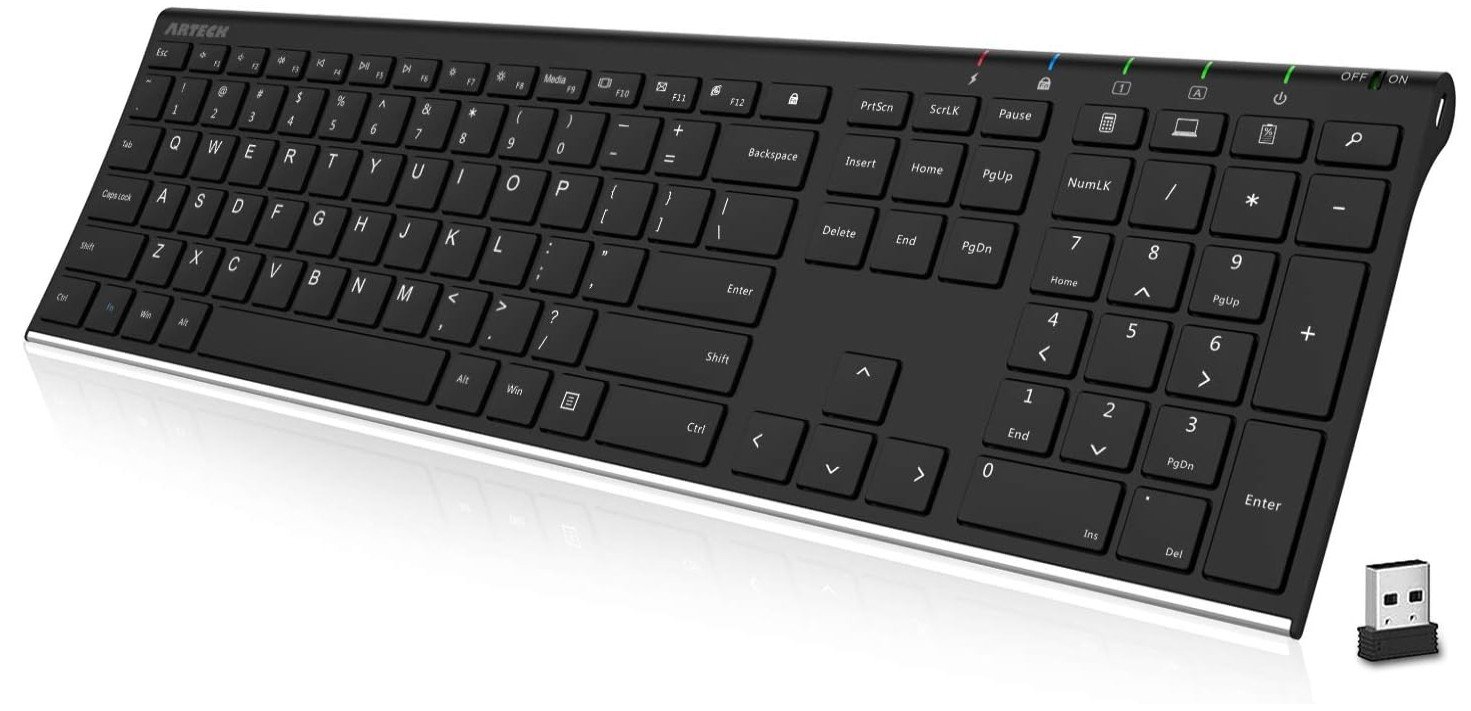
Arteck 2.4G Wireless Keyboard
Arteck 2.4G Wireless Keyboard
The Arteck 2.4G Wireless Keyboard Stainless Steel Ultra Slim Full Size Keyboard is a simple and practical option for office work, especially for users who want a clean and quiet typing experience without spending too much money. Its ultra-slim design and stainless steel base give it a modern look while still feeling durable on the desk. The full-size layout with a numeric keypad makes it useful for everyday office tasks like data entry, emails, and spreadsheets, which is important for productivity.
Typing on this keyboard feels smooth and comfortable because of its low-profile keys. They are quiet and responsive, so it works well in shared office environments where loud clicking sounds can be distracting. Many reviews mention that the keyboard delivers a natural typing feel and a calm experience, making it suitable for long working hours. The slim profile also helps reduce wrist strain since your hands sit in a more relaxed position compared to thicker keyboards.
For office setups, the wireless 2.4GHz connection is easy to use. You just plug in the USB receiver and start typing, which makes it convenient for people who don’t want complicated software or setup. The rechargeable battery is another strong point because it can last for months on a single charge depending on usage, reducing the need to constantly replace batteries.
However, this keyboard focuses on basic productivity rather than advanced features. It does not offer heavy customization, RGB lighting, or multiple connection modes, so it is best suited for users who want a simple and reliable keyboard for office work. Overall, it is a good choice for professionals, students, or home office users who want a quiet, slim, and affordable keyboard that handles daily tasks comfortably without unnecessary extras.
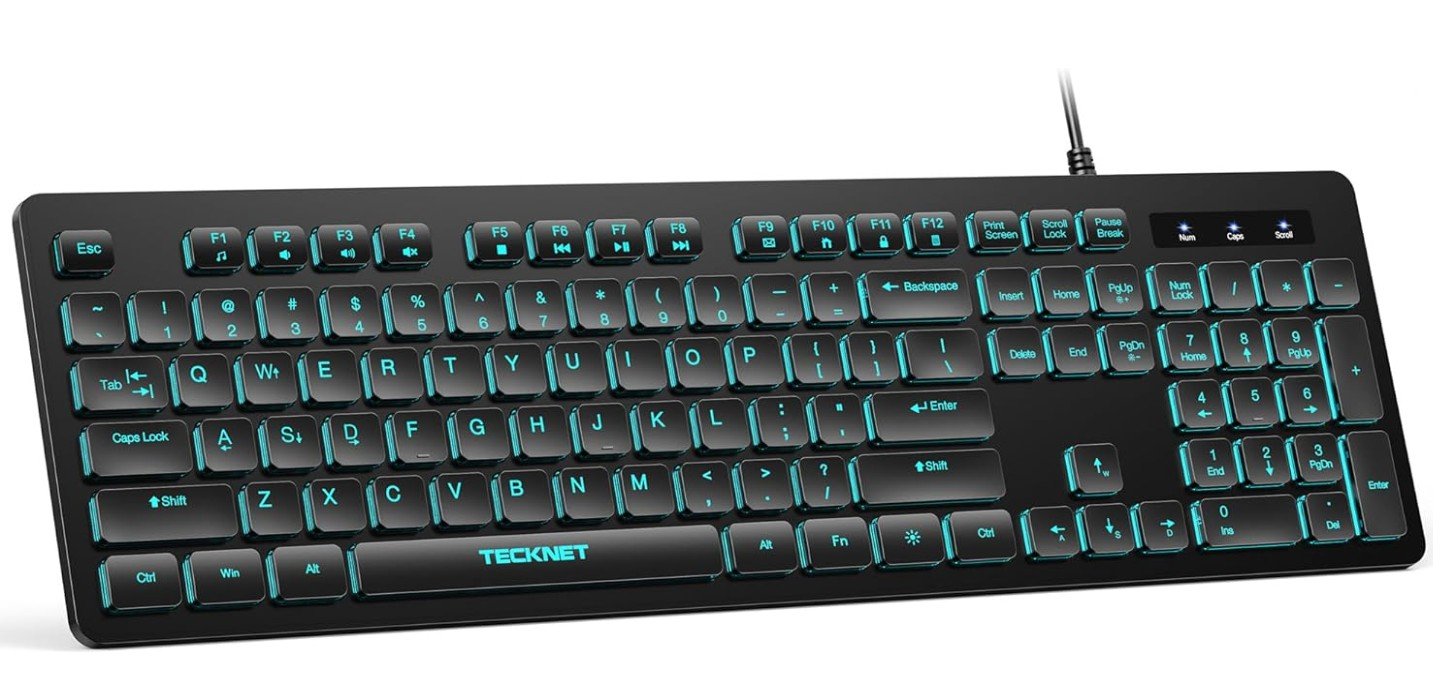
TECKNET Wired Keyboard
TECKNET Wired Keyboard
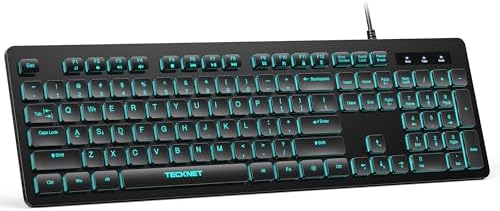
The TECKNET Wired Keyboard is a simple and practical option for office work, especially for people who want a quiet typing experience with a clean setup. Its slim full-size design includes a numeric keypad, which makes it useful for everyday tasks like typing documents, emails, and working with spreadsheets. The keyboard uses membrane keys that feel soft and reduce typing noise, so it works well in shared offices or home workspaces where silence is important.
One of the biggest advantages for office users is its plug-and-play USB connection. You just connect the cable and start working without installing extra software, which makes it convenient for beginners or office environments with multiple computers. The keyboard also includes FN multimedia shortcut keys that help you control volume, media, and other quick functions without interrupting your workflow. The RGB backlighting adds a modern look and can make the keys easier to see in low-light conditions, although many office users may prefer a single color for a more professional appearance.
Comfort is another strong point. The slim profile and adjustable tilt feet help create a more natural typing angle, which can reduce wrist strain during long hours of work. It also has a spill-resistant design, giving extra protection against small accidents like coffee or water spills on the desk. This makes it a reliable choice for daily office use where durability matters.
However, this keyboard focuses mainly on basic productivity rather than premium features. It does not offer wireless connectivity or advanced customization, so it is best suited for users who want a straightforward and affordable office keyboard. Overall, the TECKNET Wired Keyboard is a solid choice for office work thanks to its quiet keys, simple setup, and comfortable full-size layout that supports long typing sessions without unnecessary complexity.
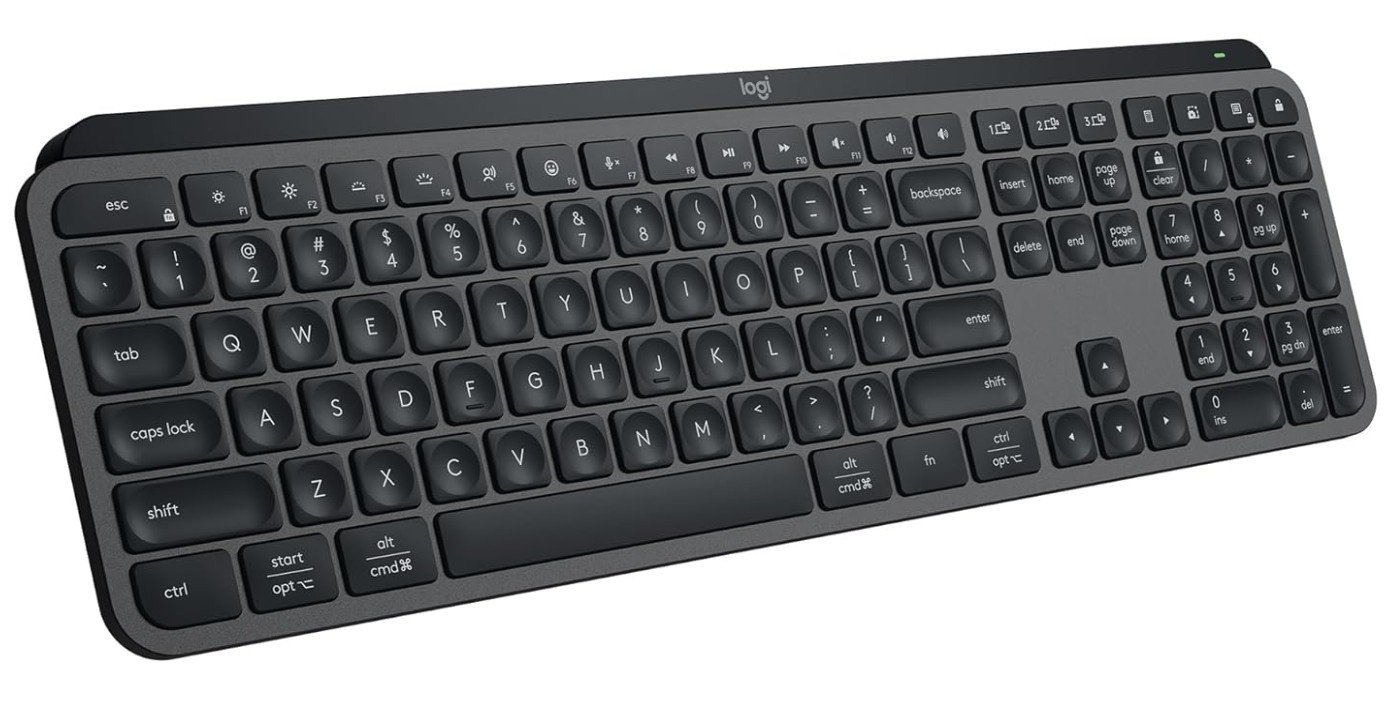
Logitech MX Keys S Wireless Keyboard
Logitech MX Keys S Wireless Keyboard
The Logitech MX Keys S Wireless Keyboard is a premium office keyboard designed for people who spend long hours typing and want a smooth, quiet, and comfortable experience. Its low-profile keys feel similar to a laptop keyboard but with better stability and precision, making it ideal for writing emails, working on spreadsheets, or doing daily office tasks. Many users appreciate how soft and silent the typing feels, which makes it perfect for shared workplaces where loud keyboards can be distracting. Reviews also highlight that it is extremely quiet and unlikely to disturb coworkers during work sessions.
One of the biggest strengths for office work is comfort. The keyboard has a solid build and a gentle typing angle that helps your hands stay relaxed even during long typing sessions. The concave keycaps help reduce typing mistakes, while the scissor-switch design gives good feedback without feeling heavy or noisy. It is designed mainly for productivity, and many reviewers describe the typing experience as smooth and enjoyable for daily work tasks.
The smart backlighting is another helpful feature for office environments. The keys automatically light up when your hands get close and adjust brightness depending on the room lighting, which makes it easier to work at night or in dim spaces. It also connects to multiple devices using Bluetooth or a USB receiver, so you can quickly switch between a laptop, desktop, or tablet without reconnecting each time.
Battery life is strong for everyday office use, often lasting weeks on a single charge depending on backlight usage. The keyboard focuses more on productivity than flashy features, so it suits professionals who want reliability instead of gaming extras. Overall, the Logitech MX Keys S is an excellent choice for office work because it combines quiet typing, premium comfort, and smart features that help you stay focused and productive throughout the day.
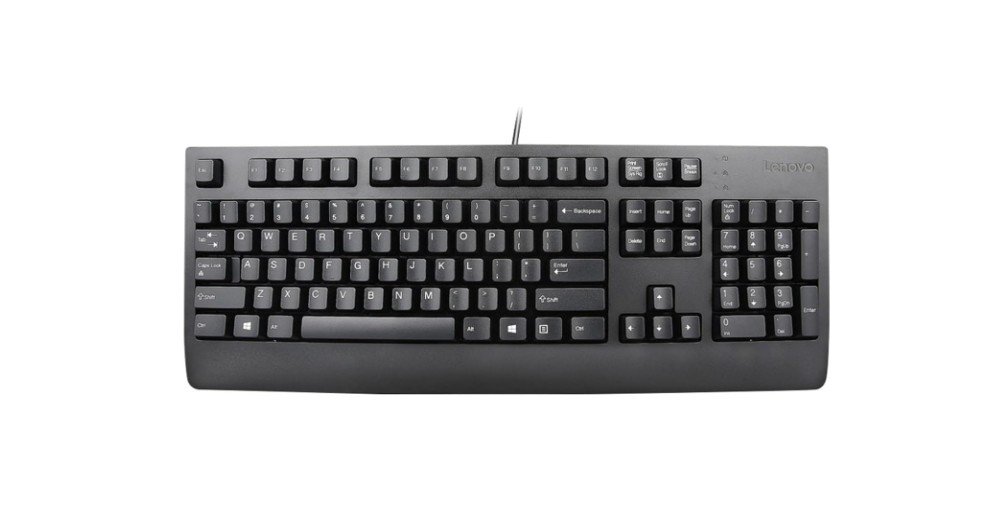
Lenovo Preferred Pro II Wired External USB Keyboard
Lenovo Preferred Pro II Wired External USB Keyboard
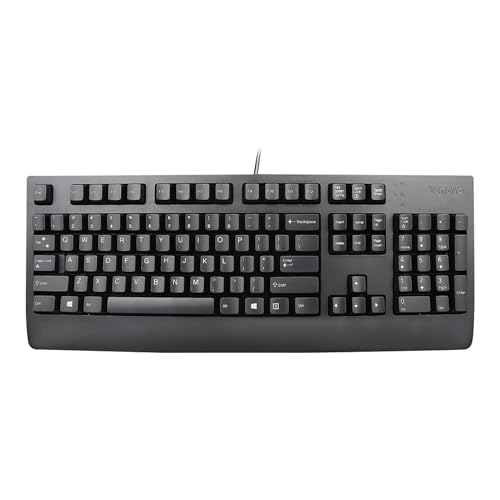
The Lenovo Preferred Pro II Wired USB Keyboard is a simple and reliable choice for office work, especially for users who want a traditional typing experience without extra features. It has a full-size layout with well-spaced keys, making it easy to type emails, create documents, or work on spreadsheets comfortably throughout the day. The design focuses on practicality, and many users appreciate its sturdy build quality and smooth keystrokes, which help create a consistent typing experience during long working hours.
One of the main strengths of this keyboard for office environments is its comfortable rubber dome keys. They feel soft but responsive, which reduces typing fatigue and allows you to work for longer periods without discomfort. The dished keycaps and proper key travel also make touch typing easier, helping improve accuracy for users who type frequently. Because it uses a wired USB connection, it offers stable performance without worrying about battery life or wireless interruptions, which can be useful in busy office setups.
The keyboard keeps things simple with a professional black design that fits well in most office spaces. Adjustable tilt legs allow you to change the typing angle for better comfort, and the durable construction is designed to handle daily use for years. Some reviews also mention that it provides a classic typing feel similar to older business keyboards, which many office users still prefer for productivity.
However, this keyboard focuses on basic office performance rather than modern features. It does not include backlighting, wireless connectivity, or advanced customization options. Still, for users who want a dependable and straightforward keyboard that supports everyday office tasks, the Lenovo Preferred Pro II remains a solid and practical option. Overall, it is well suited for professionals, students, and home office users who value comfort, reliability, and a traditional typing feel.

Cherry Stream Keyboard
Cherry Stream Keyboard
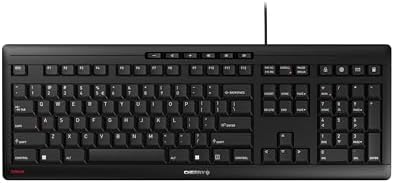
The CHERRY STREAM Keyboard is a strong choice for office work, especially for people who want a quiet and comfortable typing experience without complicated features. It uses CHERRY’s SX scissor-switch mechanism, which gives a smooth and precise key press while keeping noise very low. This makes it ideal for shared offices, libraries, or home workspaces where loud keyboards can be distracting. The slim design also helps your hands stay in a natural position, making long typing sessions feel easier and less tiring.
One of the biggest advantages of this keyboard for office use is its whisper-quiet typing. Reviews and product descriptions often highlight that the keys are extremely silent but still responsive, giving a balanced feel that is faster and more accurate than standard membrane keyboards. Some tests show that typing noise only increases slightly above normal room sound levels, which proves how quiet it really is. The full-size layout includes useful office and multimedia keys, making everyday tasks like adjusting volume or controlling media simple and quick.
Comfort and durability are also strong points. The low-profile keys have short travel and stable movement, helping reduce finger fatigue during long working hours. The keyboard is built with durable key lettering and slip-resistant rubber feet, so it stays steady on the desk even when typing quickly. Many users describe the typing feel as pleasant and precise, which is important for writing reports, emails, or data entry throughout the day.
However, the CHERRY STREAM Keyboard focuses on simplicity rather than modern extras. It does not include backlighting, wireless connectivity, or advanced customization features, so it may feel basic for users who want more control. Still, for office professionals who value quiet typing, reliability, and a clean design, it remains an excellent keyboard that delivers comfort and productivity without unnecessary distractions.
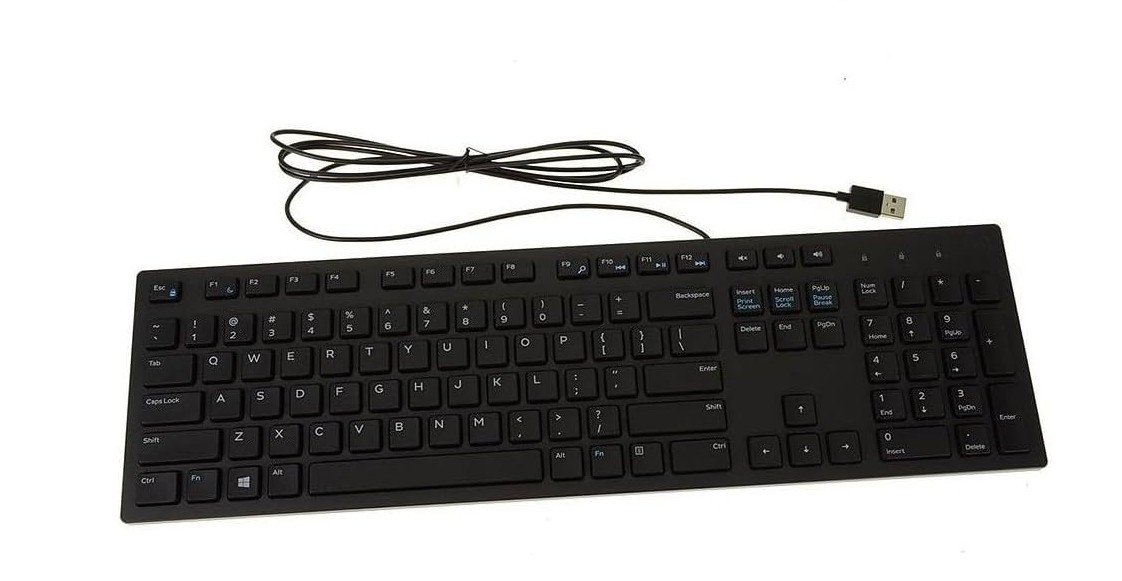
Dell Wired Keyboard
Dell Wired Keyboard
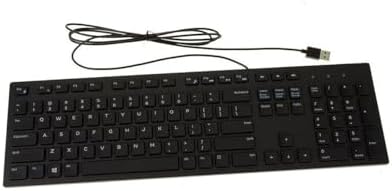
The Dell Wired Keyboard KB216 is a simple and reliable keyboard that works well for everyday office tasks. It is designed mainly for productivity, so it focuses on comfort, quiet typing, and ease of use instead of extra features. The full-size layout includes a number pad and multimedia shortcut keys, which makes it useful for common office work like writing documents, sending emails, or working with spreadsheets. Its chiclet-style keys are low-profile and similar to laptop keyboards, helping users type faster with less effort during long work sessions.
One of the biggest advantages for office use is how quiet the keyboard feels. It uses rubber dome switches that produce very little noise, which makes it a good choice for shared workplaces where loud typing can be distracting. The slim design also improves ergonomics because your wrists stay in a more natural position while typing. Many reviews mention that it is comfortable enough to use for long hours without needing a wrist rest, which is helpful for people who work on computers all day.
The plug-and-play USB connection keeps things simple. You can just connect the keyboard to your PC and start working right away without installing drivers or software. The keyboard also includes convenient multimedia hotkeys for controlling volume, playback, and other quick actions, which can save time during daily tasks. Its lightweight build and compact full-size design make it easy to fit into most office desks while still offering all essential keys.
However, this keyboard focuses on basic performance, so it does not include modern extras like backlighting, wireless connectivity, or advanced customization. The plastic build also feels more budget-friendly compared to premium keyboards. Still, for office workers who want a quiet, affordable, and dependable keyboard for everyday productivity, the Dell KB216 is a practical option that gets the job done without unnecessary complexity.
Keyboards for Office Work – Complete Buying Guide
Choosing the right keyboard for office work is more important than many people think. A keyboard is one of the tools you use every day, whether you are writing emails, creating reports, managing data, or attending online meetings. The wrong keyboard can make typing uncomfortable and slow, while the right one can improve productivity, comfort, and focus. This buying guide explains what features matter most so you can choose a keyboard that fits your daily workflow.
Office keyboards are usually designed for quiet typing, simple layouts, and long-term comfort. Unlike gaming keyboards, they focus on reliability and efficiency instead of flashy features. Many professionals now look for keyboards that reduce strain on the hands and help them work for longer hours without fatigue.
Understanding Different Keyboard Types
One of the first things to consider is the type of keyboard switch. The three most common types are membrane, scissor-switch, and mechanical keyboards.
Membrane keyboards are popular in offices because they are quiet and affordable. They use rubber dome layers under the keys, which create a soft typing feel and reduce noise. Because of this, they are often chosen for shared workspaces where loud typing could disturb others.
Scissor-switch keyboards are similar to laptop keyboards. They are slim, responsive, and quieter than many mechanical keyboards. These keyboards provide better stability and feedback than basic membrane designs, making them a good middle ground for productivity.
Mechanical keyboards are known for durability and precise typing feedback. They often last longer and feel more accurate, but they can be louder and more expensive, which is why not every office prefers them.
For most office environments, scissor-switch or membrane keyboards are the safest choice because they balance comfort, price, and noise level.
Why Ergonomics Matters for Office Work
If you spend many hours typing, ergonomics should be one of your top priorities. Ergonomic keyboards are designed to keep your hands and wrists in a natural position, which can reduce strain and improve posture. Split designs, curved layouts, or built-in wrist rests help keep your arms relaxed during long work sessions.
Many experts recommend keyboards that allow a neutral typing angle and proper wrist alignment. A flat or slightly tilted keyboard can reduce pressure on the carpal tunnel and help prevent discomfort over time.
Community discussions also show that many users switch to ergonomic keyboards before they experience pain, simply to improve long-term comfort. One Reddit user mentioned that ergonomic keyboards felt easier to type on even without existing injuries.
If you work long hours at a desk, investing in an ergonomic design can make a noticeable difference.
Choosing the Right Size and Layout
Keyboard size plays a big role in daily productivity. Full-size keyboards include a number pad, which is useful for accounting, data entry, and spreadsheets. If your work involves numbers, this layout is usually the best choice.
Compact or tenkeyless keyboards remove the number pad to save space. This can reduce the distance between your keyboard and mouse, helping maintain a more natural posture. However, compact designs sometimes use smaller keys, which may feel less comfortable for long typing sessions.
Think about how you use your desk. If you want maximum efficiency, a full-size layout is ideal. If you prefer a minimalist setup, a smaller keyboard may work better.
Noise Level and Typing Comfort
Noise level is a big factor in office environments. Many workplaces prefer quiet keyboards because loud typing can distract coworkers. Membrane and scissor-switch keyboards are often considered the quietest options, producing softer sounds during normal typing.
Low-profile keys also help create a smoother typing experience. They require less finger movement, which reduces fatigue during long sessions. Some premium office keyboards are designed with concave key shapes to improve typing accuracy and comfort.
Before buying, think about your environment. If you work in a shared office or attend many virtual meetings, choosing a silent keyboard can make your workspace more professional.
Wired vs Wireless Keyboards
Another important decision is whether to choose a wired or wireless keyboard. Wired keyboards are simple and reliable. You just plug them in and start typing, which makes them popular in corporate environments. They also do not require charging, so you never have to worry about battery life.
Wireless keyboards, on the other hand, help keep your desk clean and clutter-free. Many modern models support Bluetooth and allow you to switch between multiple devices, such as a laptop, desktop, or tablet. This is especially useful for remote workers who use several devices throughout the day.
The best choice depends on your setup. If you want stability and low cost, go with wired. If you value flexibility and a tidy desk, wireless is a better option.
Build Quality and Durability
Office keyboards should be built to last. A keyboard used every day needs strong keycaps, stable construction, and reliable switches. Mechanical keyboards are often the most durable, but high-quality scissor-switch keyboards also offer a good lifespan and consistent typing feel.
Look for features like spill resistance, anti-slip feet, and sturdy frames. These small details can make a big difference over time, especially in busy office environments where accidents happen.
Extra Features That Improve Productivity
While many office keyboards focus on simplicity, some extra features can improve workflow. Programmable keys or macros allow you to automate repetitive tasks, which saves time when working with large documents or software tools.
Backlighting is another helpful feature for people who work late or in low-light environments. It makes keys easier to see and can reduce typing errors. However, not everyone needs RGB lighting, and some offices prefer simple designs.
Multi-device support is becoming more popular, especially for hybrid workers who use both laptops and desktops. Being able to switch devices with a single button can make multitasking faster and easier.
Budget vs Premium Office Keyboards
Your budget will also affect your decision. Budget keyboards usually use membrane switches and focus on basic typing performance. They are affordable, quiet, and reliable, which makes them a good choice for large office setups.
Premium office keyboards often include better materials, smarter backlighting, and more comfortable key shapes. Some models even adjust brightness automatically based on your environment, helping you stay focused while working.
Think about how often you type. If you use a keyboard all day, investing in a higher-quality model may improve your comfort and productivity in the long run.
Final Tips Before You Buy
Before choosing an office keyboard, consider how you work every day. Ask yourself a few simple questions:
- Do you need a quiet keyboard for shared spaces?
- Will you benefit from ergonomic features?
- Do you prefer wireless convenience or wired reliability?
- Is a full-size layout necessary for your tasks?
There is no single keyboard that fits everyone. The best office keyboard is the one that matches your workflow, comfort level, and workspace design.
FAQs
The best keyboards for office work are usually quiet membrane or scissor-switch keyboards because they reduce noise and feel comfortable during long typing sessions. Ergonomic keyboards are also popular since they help improve posture and reduce wrist strain while working.
Yes, ergonomic keyboards can help improve comfort and reduce fatigue. They keep your hands in a more natural position and may lower the risk of repetitive strain injuries caused by long typing hours.
Wired keyboards are reliable and simple because you don’t need to worry about charging. Wireless keyboards keep your desk clean and allow you to connect to multiple devices. The best choice depends on whether you prefer stability or flexibility.
Mechanical keyboards can be good for office work because they offer better typing feedback and durability. Some people type faster and more accurately with them, but louder switches may not be ideal in shared workplaces.
Conclusion
A good office keyboard can make your daily work easier, faster, and more comfortable. From quiet membrane keyboards to ergonomic split designs and slim scissor-switch models, there are many options available today. Focus on comfort, noise level, layout, and connectivity before making your decision. By understanding these features and choosing a keyboard that fits your needs, you can create a workspace that supports productivity and helps you stay comfortable during long hours at the desk.

Jawad is a passionate tech enthusiast and writer who loves exploring the latest trends in hardware, gadgets, and digital innovation. With a sharp eye for performance and value, he delivers in-depth recommendations and buying guides to help readers make smarter tech decisions.

