
Last Updated on February 9, 2026 by Jawad
In today’s digitally driven world, the keyboard remains one of the most essential tools for interacting with computers. Whether you’re a writer pounding out articles, a programmer crafting lines of code, or a professional who spends hours typing emails and documents, the speed and accuracy of your typing can significantly impact your productivity. At the heart of a fast and satisfying typing experience lies not just your skill, but the keyboard you choose. Keyboards designed for typing fast are engineered to reduce fatigue, increase responsiveness, and support consistent speed and precision. They provide tactile feedback, well-spaced keys, and ergonomic layouts that allow typists to maintain comfort during long sessions.
Selecting the right keyboard isn’t just about finding the flashiest model on the market — it’s about understanding how design, switch type, layout, and build quality contribute to an optimized typing experience. Mechanical keyboards, for instance, are widely celebrated among fast typists for their crisp feedback and durability. Their individual switches beneath each keycap deliver distinct actuation points that can elevate typing accuracy. Low-profile and scissor-switch keyboards, on the other hand, offer quieter operation and shorter travel distances, which can benefit users who prefer a lighter, laptop-style feel.
Ergonomics also play a crucial role. A keyboard that supports natural hand positioning can drastically reduce strain and prevent fatigue, enabling you to sustain high typing speeds over extended periods. From full-size layouts with dedicated number pads to compact tenkeyless and 60% designs that minimize hand movement, there’s a fast-typing keyboard for every preference.
Ultimately, the ideal keyboard for fast typing is one that harmonizes your personal typing style with thoughtful design. This guide explores top options to help you find the perfect match for speed, comfort, and overall performance.
We also have a recommendation for the Best Mechanical Keyboard for Beginners, so make sure to check that out too!
Top Keyboards for Typing Fast


AULA F99 Wireless Mechanical Keyboard
AULA F99 Wireless Mechanical Keyboard
The AULA F99 Wireless Mechanical Keyboard is a very good choice for people who want to type fast and comfortably. It is designed to feel smooth, stable, and responsive, which helps improve typing speed over time. The keyboard uses pre-lubed linear switches, so each key press feels soft and quick without a scratchy sound. This smooth movement helps your fingers glide easily from key to key, making long typing sessions less tiring.
One of the biggest advantages of the AULA F99 is its 96% layout. You get almost a full-size keyboard, including the number pad, but in a more compact body. This reduces hand movement and keeps everything closer, which can help you type faster and stay focused. The keys are well-spaced and stable, so there is less wobble, which means fewer typing mistakes.
The typing feel is also improved by its gasket-mounted design. This gives the keyboard a slightly cushioned feel when you press the keys, reducing finger strain. It feels softer than many budget mechanical keyboards, which is great for writers, students, and office users who type for hours every day.
Connectivity is another strong point. You can use it wirelessly with Bluetooth or 2.4GHz, or plug it in with USB-C. Switching between devices is easy, making it useful for people who work on a PC, laptop, or tablet. The battery life is solid, so you don’t have to worry about charging it often.
Overall, the AULA F99 offers a smooth typing experience that supports fast and accurate typing. It combines comfort, speed, and flexibility at a reasonable price, making it a smart option for anyone who types a lot.
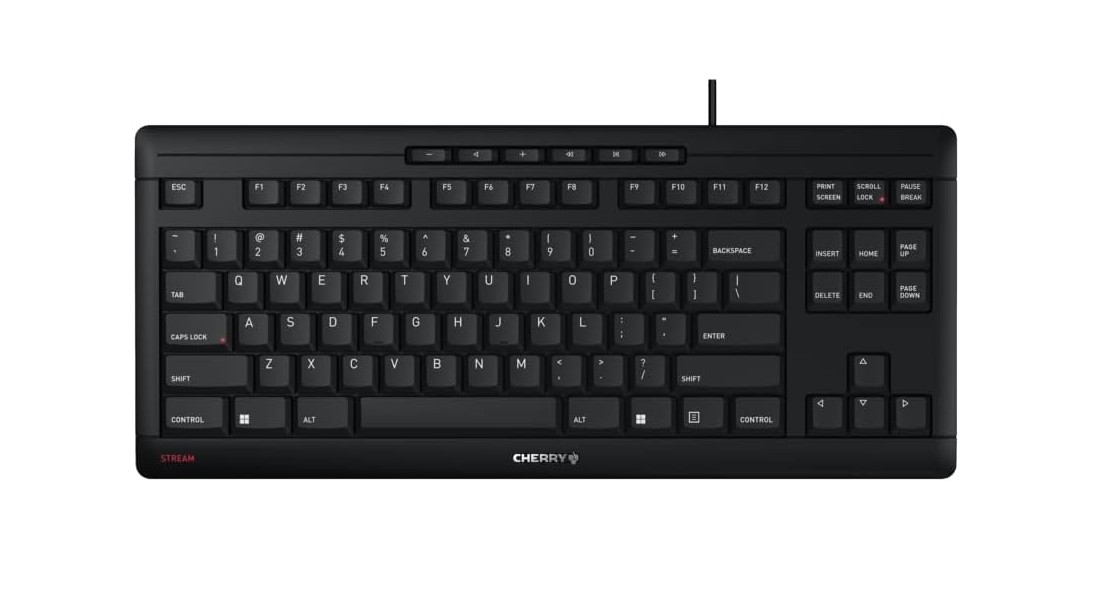
CHERRY Stream Keyboard
CHERRY Stream Keyboard
The CHERRY Stream Keyboard TKL is a solid choice for anyone who wants a quiet and comfortable typing experience, especially if you type a lot every day. Because it uses silent keystroke keys, each press feels soft and smooth without a loud click or noise. This makes it ideal for open offices, shared spaces, or home work where loud keyboards can be distracting. The keys are slightly low and easy to reach, which helps your fingers move quickly from one key to the next. This comfort can help you keep up a fast typing speed without feeling tired.
The compact tenkeyless (TKL) design means it does not have a number pad. This smaller size brings the main keys closer together, so your hands do not have to stretch as far while typing. For many people, this reduces hand movement and improves typing flow. It also makes the keyboard easier to carry around or fit into smaller desk spaces, which is useful if you work in different places or travel with your laptop.
Because it connects via a wired USB cable, the CHERRY Stream Keyboard TKL is simple to use — just plug it in and start typing. There is no need for batteries or wireless setup. The build quality feels solid and reliable, so you can use it for long typing sessions without worrying about wear or wobble in the keys. The silent action means you can type fast without disturbing people around you, which is important in shared or quiet work environments.
Overall, this keyboard focuses on simplicity and comfort. It may not have flashy features like RGB lighting or programmable keys, but it gives a quiet, dependable typing experience that helps you stay focused on your work. If you want a reliable, silent keyboard that supports fast typing and keeps noise to a minimum, the CHERRY Stream Keyboard TKL is a good choice.
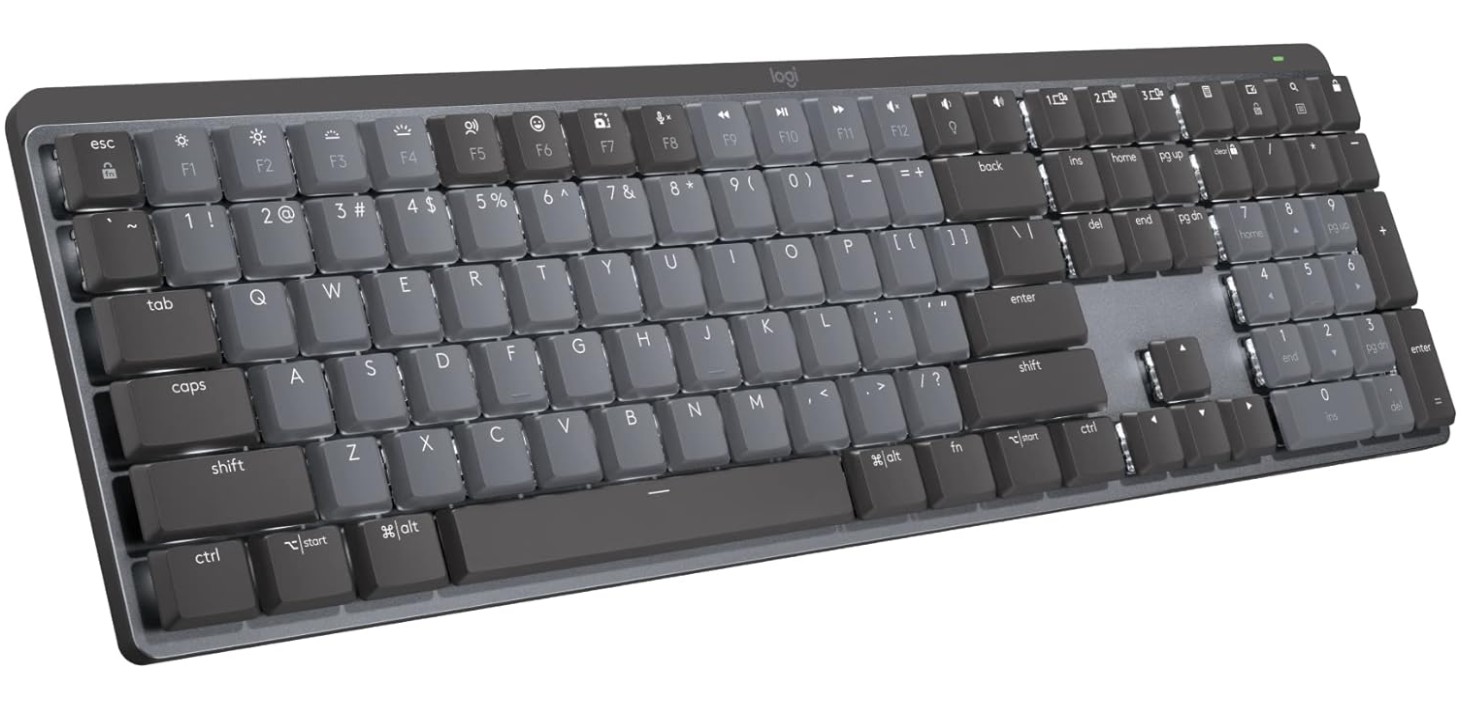
Logitech MX Mechanical Wireless Illuminated Performance Keyboard
Logitech MX Mechanical Wireless Illuminated Performance Keyboard
The Logitech MX Mechanical Wireless Keyboard is a strong choice for people who want to type fast and comfortably across different devices. The keyboard uses smooth linear switches that respond quickly to each key press. This makes it easier to keep your fingers moving without needing too much force, which helps improve typing speed. At the same time, the switches are quiet, so you can type for a long time without disturbing others around you.
One of the best things about this keyboard is its smart backlit keys. The lights adjust automatically based on the room’s lighting and when your hands are near the keyboard. This makes it easy to see the keys clearly, whether you are in bright daylight or a dim room. Clear, visible keys help reduce mistakes and let you keep a fast, confident typing pace. The overall layout feels familiar and comfortable, giving you plenty of space for your hands and reducing errors during fast typing sessions.
The MX Mechanical is also very flexible in how it connects. You can pair it with devices using Bluetooth or connect with a USB-C cable if you want a wired option. Switching between multiple devices is simple, so you can type on your laptop, tablet, or phone without delays or reconnection hassle. The battery life is excellent, allowing you to type for many hours before needing to recharge.
The build quality feels solid, with a premium metal top that adds weight and stability. This solid feel means less movement on your desk when you type quickly. Overall, the Logitech MX Mechanical Wireless Keyboard offers a smooth, reliable, and flexible typing experience. If you want a keyboard that supports fast typing, works with many devices, and feels comfortable over long periods, this keyboard is a great option.

RK ROYAL KLUDGE S98 Mechanical Keyboard
RK ROYAL KLUDGE S98 Mechanical Keyboard
The RK ROYAL KLUDGE S98 Mechanical Keyboard is a great choice for people who want a fast and enjoyable typing experience. It uses mechanical switches that feel responsive and crisp, helping your fingers move quickly and accurately from key to key. The hot-swappable design means you can change the switches if you want a different feel or sound, which is useful if you type a lot and want to fine-tune the keyboard to your style. The 96% layout keeps the main keys close together while still including useful function keys, so your hands don’t have to stretch far, helping you maintain speed and reduce mistakes.
One of the standout features of this keyboard is the smart display and the knob. The display can show useful information, and the knob makes it easy to adjust settings like volume without stopping your typing flow. These additions make the overall experience smoother and more fun. The RGB backlighting also adds good visibility in low-light places, which can help you see the keys more clearly and type faster even in dim environments.
You can connect the S98 in several ways: Bluetooth, 2.4 GHz wireless, or USB-C wired. This flexibility lets you use it with many devices like laptops, tablets, and desktops without delays or connection problems. The wireless modes are stable and provide a good typing feel without cable clutter, while the wired mode gives a direct connection when you need it.
The keyboard’s build feels solid, and the sound is described as creamy and pleasant, not too loud or harsh. This makes long typing sessions more comfortable and less tiring, which is important if you work, write, or code for hours. Overall, the RK ROYAL KLUDGE S98 combines speed, comfort, and useful features into one keyboard, making it a strong option for anyone who types fast and wants a reliable, customizable board.
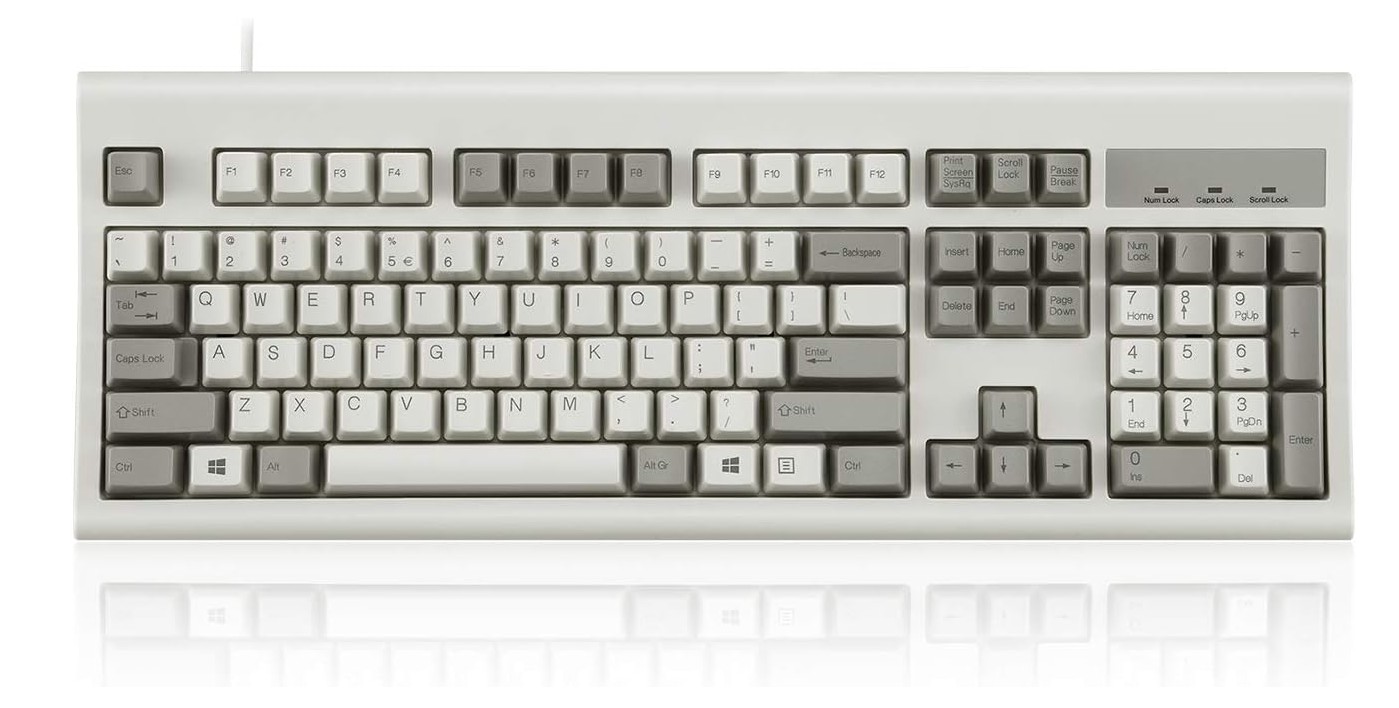
Perixx PERIBOARD-106M, Wired Performance Full-Size USB Keyboard
Perixx PERIBOARD-106M, Wired Performance Full-Size USB Keyboard
The Perixx PERIBOARD-106M is a simple and comfortable keyboard that can help you type faster if you need a reliable tool for everyday work. It has a full-size layout with 106 keys, giving you all the standard keys you need without missing anything. The keys are slightly curved and ergonomic, which means they are shaped to fit your fingers better. This design makes it easier to press the correct key quickly and helps reduce mistakes when you type at a fast pace. The curved keys also feel natural under the fingers, so your hands don’t get tired as quickly during long typing sessions.
Because this keyboard is wired and connects via USB, it is very easy to set up. You just plug it into your computer and start typing right away. There is no need for software, drivers, or batteries, which makes it very straightforward to use. The wired connection also means you won’t experience any delays or lag while typing, which can be important if you want to keep up a steady and fast rhythm.
The classic gray and white color gives the keyboard a clean, simple look that fits well in offices, study rooms, or home workspaces. The build feels solid, so it can handle daily use without feeling flimsy. While it does not have fancy features like backlighting, mechanical switches, or wireless support, it focuses on basic comfort and reliability, which many people prefer for long typing hours.
Overall, the Perixx PERIBOARD-106M is a good choice if you want a no-nonsense keyboard that supports fast and comfortable typing. Its ergonomic curved keys help reduce strain and mistakes, and the full-size layout ensures you have all the keys you need for work or study. If you want a straightforward, dependable keyboard without extra features, this one serves that purpose well.
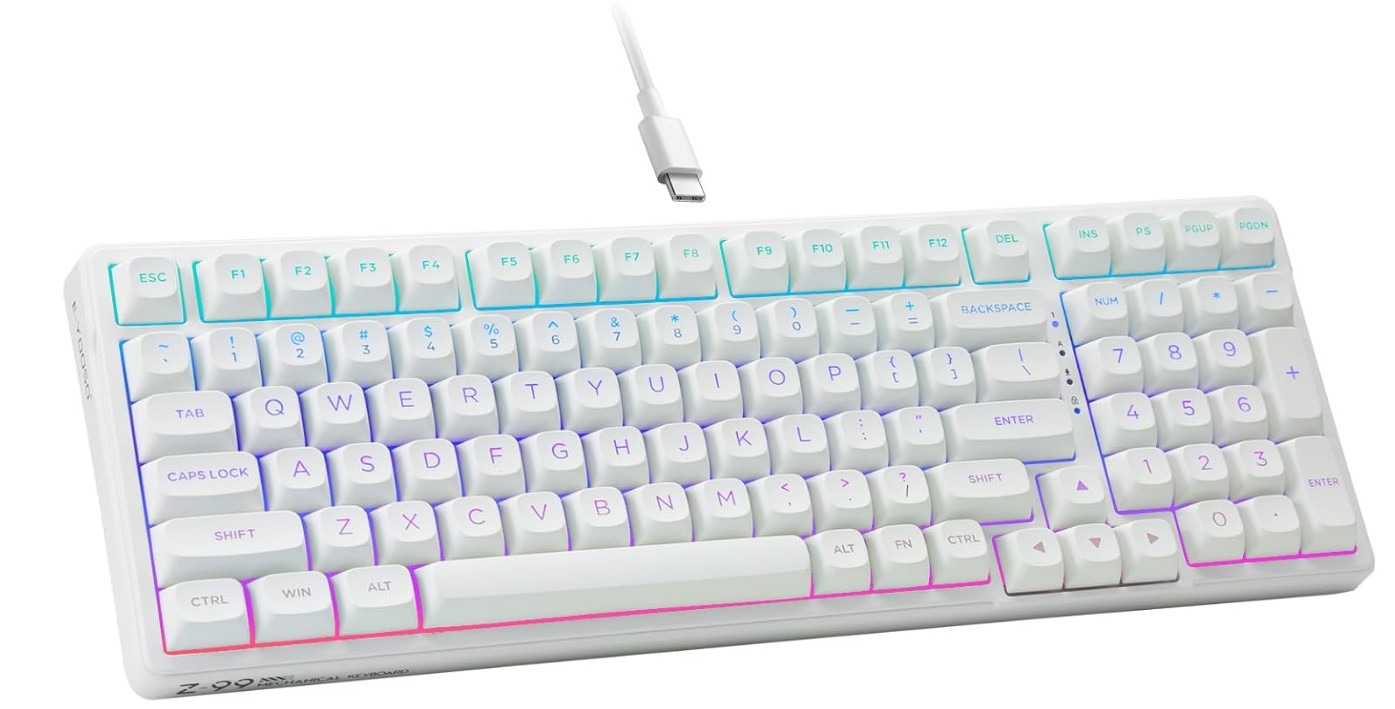
HUO JI E-Yooso Creamy Mechanical Keyboard
HUO JI E-Yooso Creamy Mechanical Keyboard
The HUO JI E-Yooso Creamy Mechanical Keyboard is a strong option for anyone who wants to type fast and comfortably. It uses pre-lubed linear mechanical switches, which feel smooth and light under your fingers. These switches don’t require too much force to press, so your hands can move quickly from key to key without feeling tired. This makes it great for long typing sessions, whether you are writing, coding, or working on projects that require a lot of words.
One thing that really helps the typing experience is the keyboard’s gasket mounted design with sound dampening foam. This means the keyboard feels softer and quieter when you press keys, reducing sharp sounds and giving a more pleasant feel overall. For people who type a lot, this can help reduce finger fatigue and make it easier to keep up a fast rhythm for longer periods. The smooth, cushioned feel also adds a sense of quality that you don’t always get with cheaper keyboards.
The 99-key compact layout keeps the main keys close together while still giving you almost all the functions of a full-size keyboard. This helps you keep your hands in one place and reduces the need for extra hand movement, which can improve typing speed and accuracy. The RGB backlighting makes the keys easier to see in dim lighting and adds a bit of style, though it is optional and does not affect typing performance itself.
Because the keyboard is hot-swappable, you can change the switches if you want a different feel or sound in the future. This makes the keyboard more versatile and able to grow with your needs. It connects with a wired USB-C cable, giving a stable connection without lag.
Overall, the HUO JI E-Yooso Creamy Mechanical Keyboard offers a smooth, responsive, and enjoyable typing experience that can help you type faster and more comfortably.

Keychron Q6 HE Wireless Custom Mechanical 100% Full Keyboard
Keychron Q6 HE Wireless Custom Mechanical 100% Full Keyboard
The Keychron Q6 HE Wireless Custom Mechanical Keyboard is a great choice for people who want a fast and enjoyable typing experience. This keyboard uses Gateron double-rail magnetic switches, which feel smooth and responsive every time you press a key. These switches are also “rapid trigger,” so they react quickly to your typing. This helps you keep your fingers moving fast and makes typing feel more accurate and consistent. If you type a lot for work, school, or creative projects, this fast response can help you stay productive without strain.
One of the best features of this keyboard is how you can connect it. You can use it wirelessly through Bluetooth or 2.4 GHz, or connect with a USB-C cable. This flexibility means you can easily switch between devices like laptops, desktops, and tablets without losing speed or comfort. When you type long documents or code for hours, having a stable connection is important, and the Q6 HE delivers that well.
The full-size layout includes a number pad, so you have all the standard keys you need in one place. This is especially useful if your work involves numbers or spreadsheet tasks. The keys also light up with RGB backlighting, which makes the letters easier to see in dim lighting and helps reduce mistakes when typing fast. The backlight can be customized too, so you can set it up just the way you like.
Another benefit is the keyboard’s programmability. Using QMK or VIA software, you can remap keys and create macros that make your typing workflow smoother. If you type the same phrases or commands often, this feature can save time and help you work faster.
Overall, the Keychron Q6 HE Wireless Custom Mechanical Keyboard offers a smooth, responsive, and flexible typing experience. Its high-quality switches, multiple connection options, and programmable features make it a strong choice for anyone who wants to type fast and comfortably.
Keyboards for Typing Fast — A Practical Buying Guide
If you type a lot — coding, writing, data entry, or long emails — the right keyboard can seriously speed you up and cut fatigue. This guide walks you through what actually matters when choosing a keyboard for fast typing, what tradeoffs to expect, and how to pick the perfect board for your style and budget. Clear, practical advice, no fluff.
1. What makes a keyboard “fast”?
A keyboard helps you type faster by reducing wasted motion and mistakes. The main factors:
- Switch feel & actuation: How a switch responds (tactile bump, click, or smooth linear) and where it actuates matters. Fast typists often prefer switches with a clear, consistent actuation point or short travel so fingers don’t over-press.
- Key stability: Stable keycaps with low wobble reduce missed presses.
- Layout & spacing: Compact layouts keep your hands closer; full-size helps with number-heavy work.
- Ergonomics: Better wrist angle and key shape reduce fatigue and keep speed up.
- Build & feedback: A solid plate and satisfying sound/feedback help rhythm and confidence.
2. Switch types — pick the right feel
- Linear: Smooth up-and-down travel (no bump). Fast for people who prefer light, quick presses. Very common in low-travel and “creamy” builds.
- Tactile: Has a small bump at actuation. Helps some typists feel each keypress and avoid accidental double-taps.
- Clicky: Strong tactile plus audible click. Good for rhythm but can be noisy in shared spaces.
- Low-profile / scissor: Short travel, laptop-like. Great for speed if you prefer shallow presses and quiet typing.
- Topre / electrostatic: Hybrid, very smooth and springy; loved by many typists for long sessions.
3. Layouts — full, TKL, 96%, 75%, 60%
- Full-size (100%): All keys including numpad. Best for spreadsheets and work that needs numeric input.
- Tenkeyless (TKL, ~87%): Removes numpad; keeps full typing cluster. Less reach for mouse, faster ergonomics.
- 96% / 98%: Compact with numpad integrated tightly — good compromise.
- 75% / 65% / 60%: Smaller, less hand travel — speeds up some typists but requires learning layered keys.
Choose based on how often you use the numpad and how much desk space you want.
4. Wired vs wireless
- Wired (USB-C): Lowest latency and no battery worries — often preferred for pure speed and reliability.
- Wireless (Bluetooth / 2.4GHz): Great for multi-device setups and cleaner desks. Modern boards have excellent wireless performance; just expect occasional need to recharge.
5. Mounting & build: why it matters
- Gasket-mounted / tray-mounted / top-mounted / flex: These change the feel and sound. Gasket-mounted boards tend to be softer and less harsh — comfortable for long typing sessions.
- Plate material (aluminum, brass, polycarbonate): Heavier plates feel more solid; polycarbonate can be softer and faster-feeling.
- Keycaps (PBT vs ABS): PBT is more durable and less shiny over time — better for long-term consistency.
6. Features that help typing speed
- Hot-swappable switches: Try different switch types without soldering until you find your perfect one.
- Programmability (QMK/VIA): Remap keys to save keystrokes or add macros for repetitive text.
- Adjustable feet / angles: Small angle changes can reduce wrist strain.
- Backlighting / legends: Helps in low light; not essential for speed but reduces errors for some.
- Knobs / macro keys: Nice to have — can speed workflow but not strictly necessary.
7. Noise & office etiquette
If you share space, prioritize quieter switches: low-profile scissor, silent tactile, or pre-lubed linears with sound foam. Consider O-rings, lubed stabilizers, and gasket-mounted designs to cut harsh noise.
8. Budget tiers & what to expect
- Under $70: Solid scissor keyboards and entry mechanical TKLs. Good value; fewer customization options.
- $70–$150: Best value for fast typists — hot-swap, better stabilizers, PBT keycaps, decent build.
- $150–$300: Premium builds, gasket mounting, high-quality switches, QMK/VIA support.
- $300+: Custom or boutique boards with top-end materials and audio tuning. For enthusiasts.
9. Quick buying checklist
- Do you need a numpad? → pick layout.
- Wired or wireless? → wired for absolute reliability.
- Prefer tactile feedback or smooth travel? → choose switch type.
- Want to customize later? → hot-swappable & QMK/VIA support.
- Desk space and budget? → pick size & tier.
- Noise limits? → silent switches or dampening.
10. Short recommendations by use-case
- Strict typing speed / writers: TKL or 96% with tactile or light linear switches; gasket-mounted if you prefer softer feel.
- Programmers: TKL or full-size with programmable layers (QMK/VIA).
- Office / shared spaces: Silent low-profile or silent tactile membrane / scissor.
- Numbers-heavy work: Full-size with a good numpad and comfortable key travel.
FAQs
Keyboards that are good for typing fast typically have comfortable key spacing, tactile and responsive switches, low actuation force, and a layout that reduces fatigue during long typing sessions.
Yes. Mechanical keyboards are preferred by many typists because they offer consistent key travel and feedback, improving speed and accuracy over time compared with most membrane keyboards.
Ergonomic keyboards (split or curved designs) can help reduce strain and improve comfort, which may improve long-term typing speed and accuracy — especially for heavy users.
Yes — high-quality keycaps (e.g., PBT material with a good profile like Cherry or OEM) can feel more comfortable and consistent, helping you type faster and more accurately.
Both can be fast, but wired keyboards typically have more stable connections with no input delay, which some typists prefer — especially for professional or competitive use.
Conclusion
In the end, choosing the right keyboard for typing fast comes down to comfort, consistency, and personal preference. A keyboard that feels smooth, responsive, and natural to your hands will always help you type faster than one packed with features you don’t really need. Switch type, key stability, and layout all play an important role in reducing finger fatigue and improving accuracy, which directly affects typing speed over long sessions.
Whether you prefer a quiet low-profile keyboard, a tactile mechanical feel, or a smooth linear switch, the best option is one that matches your typing style and daily workload. Compact layouts can reduce hand movement, while full-size keyboards are better for number-heavy tasks. Ergonomic design and solid build quality help you maintain speed without discomfort, especially if you type for hours every day.
Instead of chasing the most expensive or popular model, focus on what helps you stay relaxed and consistent. A well-chosen keyboard can make typing faster, easier, and more enjoyable, turning long work sessions into a smoother and more productive experience.

Jawad is a passionate tech enthusiast and writer who loves exploring the latest trends in hardware, gadgets, and digital innovation. With a sharp eye for performance and value, he delivers in-depth recommendations and buying guides to help readers make smarter tech decisions.

