Last Updated on February 24, 2026 by Jawad
Introduction
Laptops for office work are designed to help people stay productive, organized, and comfortable during long working hours. Whether you work from home, in a corporate office, or while traveling, a good office laptop should be fast, reliable, and easy to use. Most office tasks such as writing documents, creating spreadsheets, joining video meetings, sending emails, and browsing the internet do not need extremely powerful gaming hardware, but they do require smooth performance and good battery life. That is why many office laptops focus on balanced specifications, lightweight designs, and clear displays that reduce eye strain during daily use.
A strong processor, enough RAM, and fast SSD storage make a big difference when multitasking between different programs. Many professionals also prefer laptops with comfortable keyboards, quiet fans, and long-lasting batteries so they can work without interruptions. Screen size is another important factor because a larger display makes it easier to view multiple windows at once, while smaller laptops are more portable for people who move between meetings or workspaces. Modern office laptops often include features like webcams, fingerprint readers, and Wi-Fi connectivity to support remote work and online collaboration.
Choosing the right laptop for office work depends on personal needs, budget, and working style. Some people prefer simple and affordable models for everyday tasks, while others choose premium business laptops with better build quality and advanced security features. In today’s digital world, having a dependable office laptop can improve productivity, save time, and make daily work more comfortable. By understanding what features matter most, users can find a device that supports their workflow and helps them stay efficient throughout the day.
We also have a recommendation for the Best Budget Touchscreen Laptop, so make sure to check that out too!
Top Laptops for Office Work


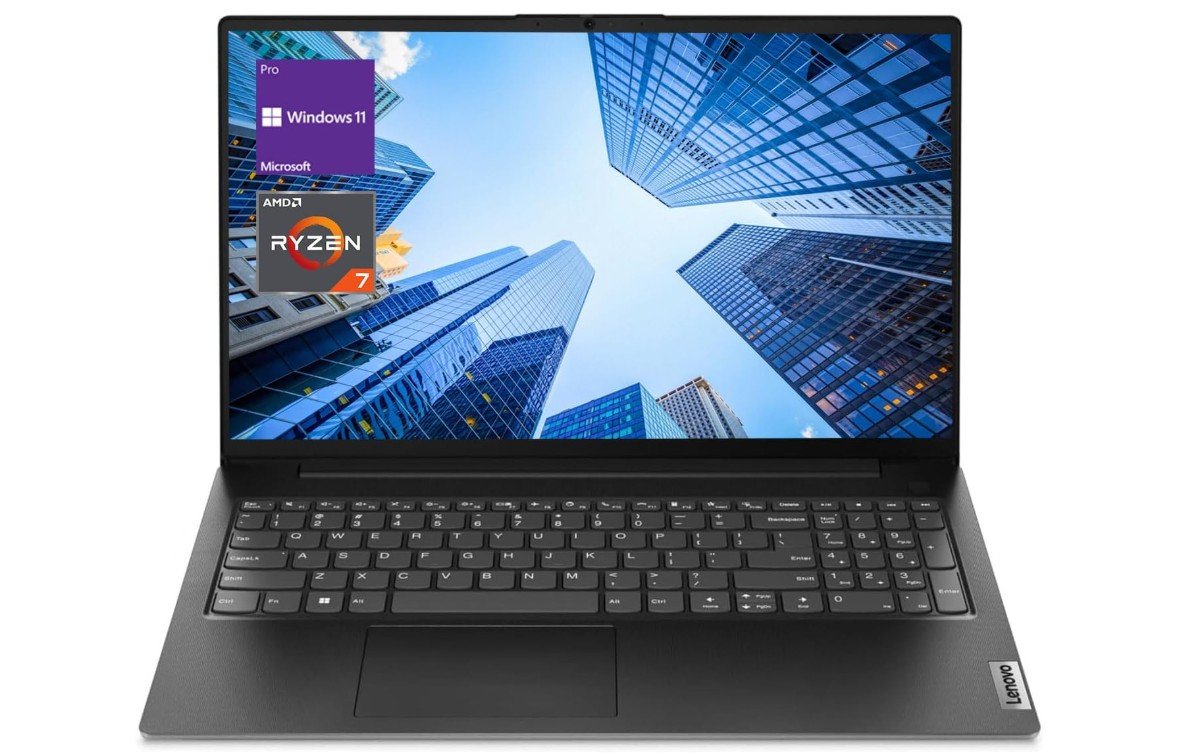
Lenovo V-Series V15 Business Laptop
Lenovo V-Series V15 Business Laptop
The Lenovo V-Series V15 Business Laptop with Ryzen 7 processor is a practical choice for office users who want strong performance without spending too much money. It is designed mainly for productivity tasks like documents, spreadsheets, emails, and video meetings, and it handles these daily workloads smoothly thanks to its powerful CPU and large RAM capacity. Many reviews mention that the laptop feels fast during multitasking, opening apps quickly and running office software without lag, which makes it suitable for professionals and students who need reliable performance.
For office work, the 15.6-inch Full HD display gives enough space to manage multiple windows at once, while the anti-glare panel helps reduce reflections during long work sessions. The keyboard is comfortable for typing reports or emails, and the built-in numeric keypad is useful for accounting or data entry tasks. Its battery life is generally good for everyday productivity, allowing users to work for several hours without constantly searching for a charger.
Performance is one of the biggest advantages of this laptop. The Ryzen 7 7730U processor combined with large memory and SSD storage delivers smooth everyday speed, making it a solid option for office environments that require multitasking. Many users also say it offers good value for money, especially for small businesses or remote workers who need a dependable machine at a reasonable price.
However, it is not perfect. Some reviews mention that the display quality is average and not ideal for creative work like photo editing or design. Customer feedback also shows mixed opinions about battery life and screen quality, which means it is more focused on productivity than premium visuals.
Overall, the Lenovo V15 is a simple, work-focused laptop that does exactly what most office users need. It offers strong performance, practical features, and a business-friendly design, making it a reliable choice for everyday professional tasks.
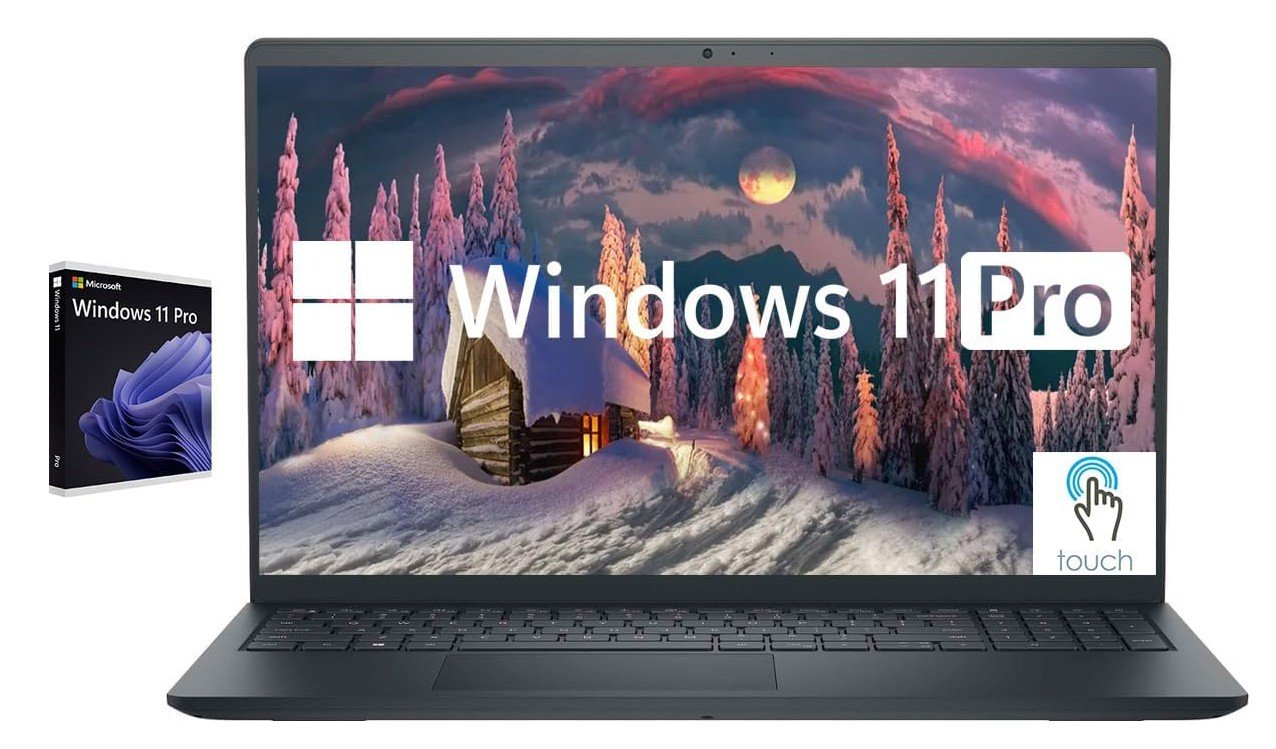
Dell Inspiron Touchscreen Laptop
Dell Inspiron Touchscreen Laptop
The Dell Inspiron Touchscreen Laptop with Intel Core i5 processor is a practical choice for office work, especially for users who want a simple and affordable machine for daily productivity. It is designed to handle tasks like writing documents, managing emails, working on spreadsheets, and attending online meetings without feeling slow. The i5-1155G7 processor provides enough power for multitasking, and many Inspiron models are known for offering solid everyday performance that is close to more expensive ultrabooks, making them suitable for business and student use.
For office use, the 15.6-inch Full HD IPS touchscreen is helpful because it gives clear visuals and wide viewing angles while allowing quick navigation through apps and files. The large screen and built-in numeric keypad make it easier to work with numbers, accounting software, or long documents. Reviews often highlight that Inspiron laptops include plenty of useful ports and a comfortable keyboard, which adds convenience when connecting accessories or typing for long hours.
Performance is one of the strong points of this laptop. With 32GB RAM and a 1TB SSD in this configuration, it can run many browser tabs and office programs at the same time without slowing down. Fast storage also helps the system boot quickly and open files instantly, improving workflow efficiency during busy workdays. Many users appreciate the touchscreen feature, easy setup, and overall value, especially for remote work or school tasks.
However, this laptop focuses more on productivity than premium quality. Some reviews mention that Inspiron models may have average build materials and basic display brightness, and they may lack certain modern features like USB-C on some versions. Battery life and fan noise can also vary depending on usage, so it works best as a reliable office device rather than a high-end business laptop.
Overall, the Dell Inspiron touchscreen laptop is a dependable option for office users who want strong multitasking performance, a large display, and practical features at a reasonable price.
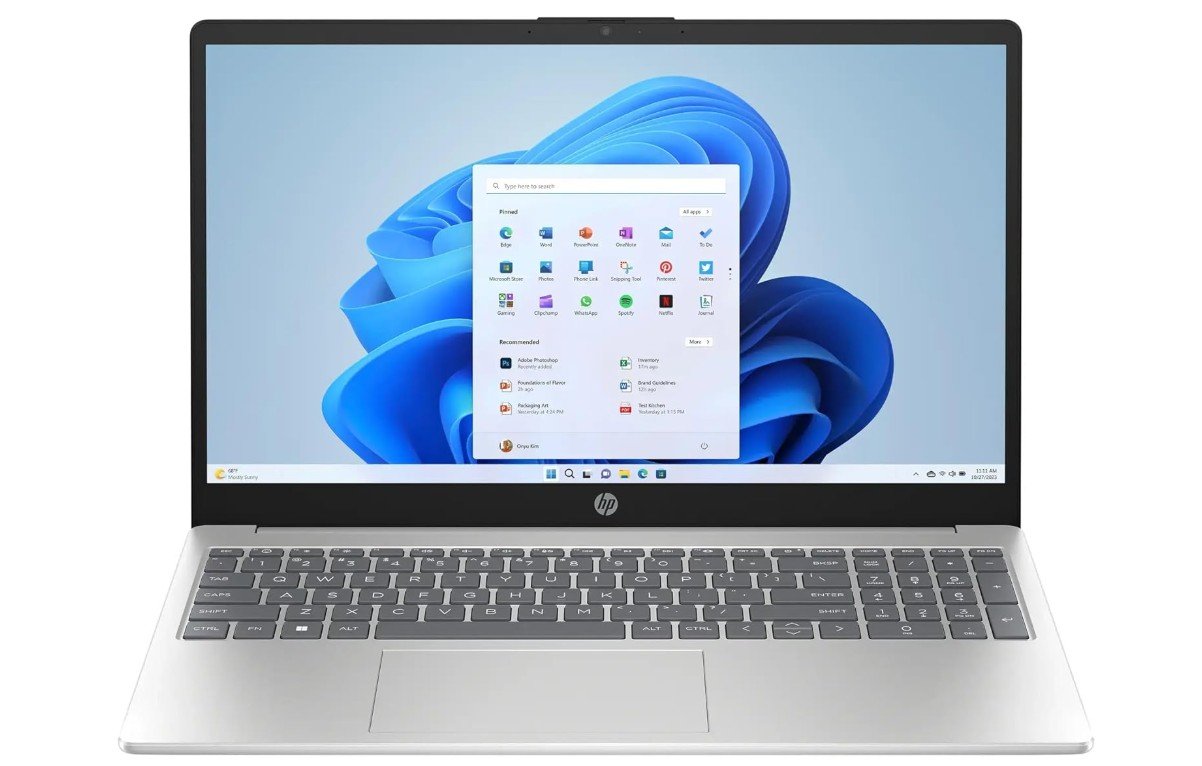
HP 15.6″ Business Laptop
HP 15.6″ Business Laptop
The HP 15.6-inch Business Laptop with Intel Core i3-1215U processor is mainly built for everyday office tasks like writing documents, emails, web browsing, and online meetings. For basic productivity work, it performs well and feels responsive when opening office apps or switching between multiple browser tabs. The 12th-gen i3 processor offers solid speed for normal workloads, and many budget laptop reviews mention that it provides a good balance between performance and affordability, making it suitable for students and office users who don’t need heavy power.
For office use, the touchscreen display adds convenience because you can quickly scroll through files, presentations, or websites. The full-size keyboard with numeric keypad is useful for typing long reports or handling spreadsheets. With 16GB RAM and a large 1TB SSD in this configuration, multitasking feels smooth, and the system boots quickly, which helps improve daily productivity. Customer feedback about similar HP 15 laptops often highlights that they are easy to use, lightweight, and good value for money, especially for home or business work setups.
Battery life is decent for normal office usage, usually lasting several hours depending on brightness and workload, although results can vary. Some sources suggest around 6 to 7 hours of regular use, which is enough for meetings or light work sessions away from a charger. However, like many budget laptops, it may not always deliver premium endurance, and some users mention mixed experiences with battery performance.
The laptop focuses more on practicality than luxury. The HD display is suitable for everyday work but not ideal for creative editing, and the plastic build feels simple rather than premium. Overall, this HP business laptop is a reliable and affordable choice for office users who need smooth performance, useful productivity features, and plenty of storage without paying for high-end hardware.
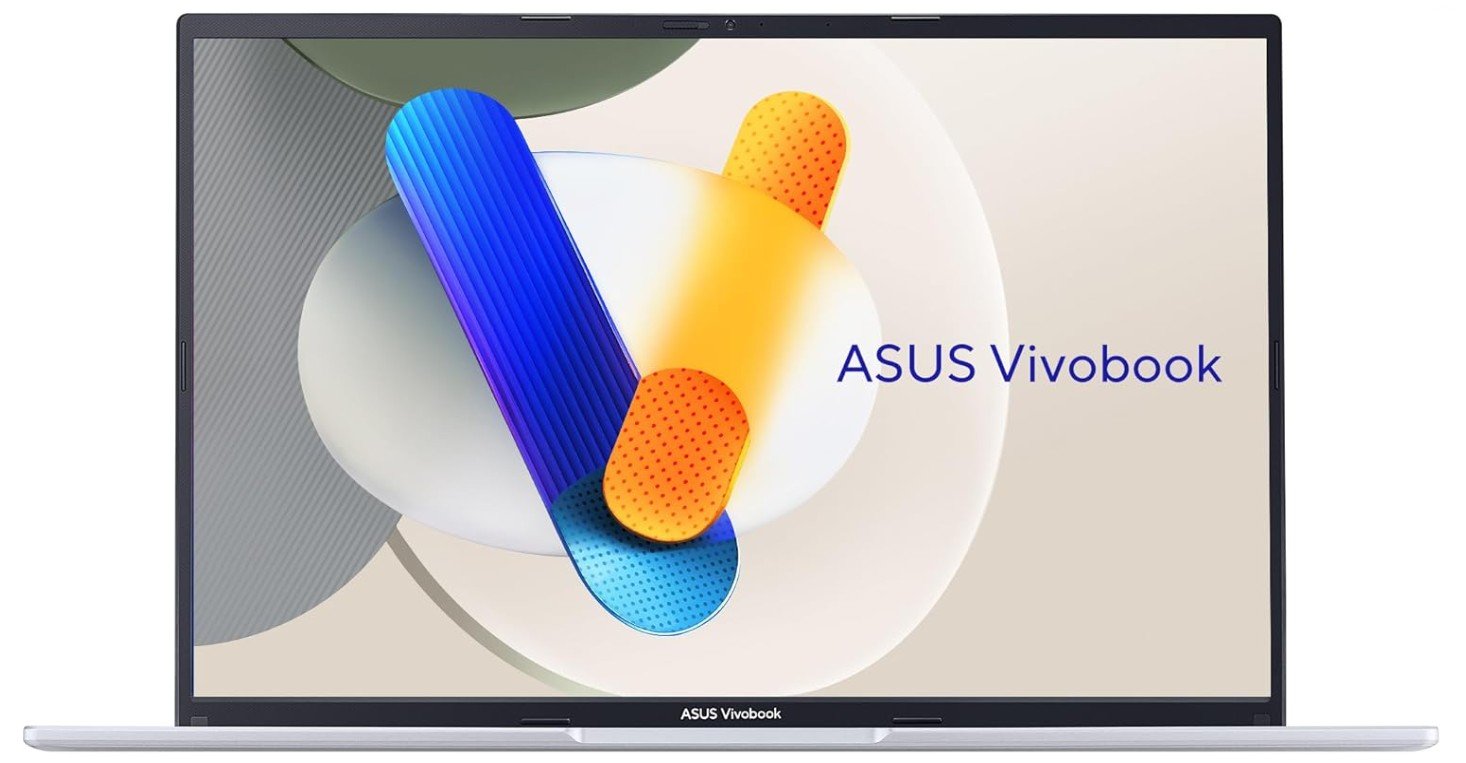
ASUS Vivobook 16 Laptop
ASUS Vivobook 16 Laptop
The ASUS Vivobook 16 with Intel Core i5-13420H is a strong option for office users who want a large screen and smooth performance for everyday work. It is designed as a mid-range productivity laptop, so it handles tasks like writing documents, spreadsheets, web browsing, and video meetings without slowing down. The H-series processor gives extra power compared to typical office laptops, which means multitasking feels fast and responsive, especially when working with many tabs or programs at once. Reviews often describe it as a reliable and affordable laptop that focuses on practical performance rather than premium extras.
For office use, the 16-inch WUXGA display is one of its biggest advantages. The tall 16:10 screen gives more vertical space, making it easier to view long documents or manage multiple windows side by side. The larger touchpad and simple keyboard layout help with daily productivity, and features like a webcam privacy shutter and lay-flat hinge make it convenient for meetings or collaborative work. Many users like the lightweight design for a 16-inch device, which makes it easier to carry between home and office setups.
Performance during normal office tasks is smooth thanks to 16GB RAM and fast SSD storage. The laptop opens apps quickly and handles moderate workloads well, which is why it is often recommended for students and professionals who need a dependable machine for everyday tasks. Battery life varies depending on usage, but tests show it can last through several hours of work and sometimes close to a full workday under lighter workloads.
However, it does come with a few compromises. The display quality is considered average compared to more expensive laptops, and the keyboard may feel slightly soft to some users. It also focuses more on productivity than high-end design or advanced creative performance.
Overall, the ASUS Vivobook 16 is a practical office laptop that offers strong performance, a large workspace, and good value for professionals who need a reliable device for daily productivity.
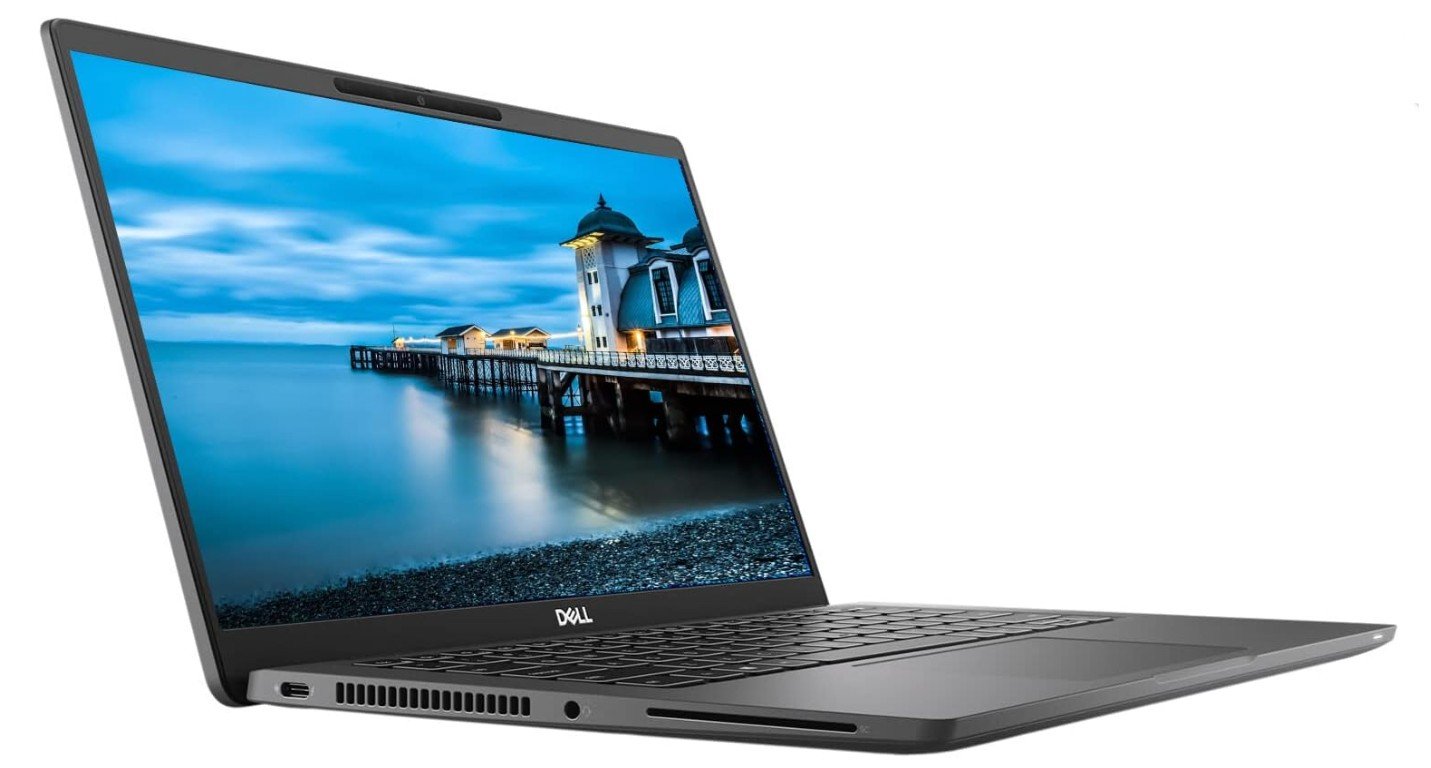
Dell Latitude 7420 FHD Laptop
Dell Latitude 7420 FHD Laptop
The Dell Latitude 7420 is a premium business laptop that works very well for office users who need reliability, portability, and strong everyday performance. It is built mainly for professional environments, so it focuses on comfort, security, and long-term durability rather than flashy design. The carbon-fiber chassis feels solid and lightweight, making it easy to carry between meetings or travel with during work trips. Many reviews describe it as a simple and practical device that handles office tasks smoothly without unnecessary extras.
For office use, performance is one of its main strengths. The 11th-gen Intel Core i7 processor with 16GB RAM runs documents, spreadsheets, web apps, and video meetings without lag. The system is optimized for light productivity, which means it stays quiet and cool during normal workloads like typing reports or browsing. It is not designed for heavy creative software or gaming, but for everyday business tasks it feels fast and stable.
Battery life is another big advantage for professionals. Some testing shows it can last around a full workday, with web browsing results reaching about 14 hours under controlled conditions, which is impressive for a thin business laptop. Fast charging support also helps users quickly top up the battery between meetings. However, real-world experiences can vary depending on brightness, background apps, and battery condition, especially on renewed units.
The keyboard and build quality are often praised because they feel comfortable for long typing sessions. Business-focused features like security options and enterprise-level connectivity make it suitable for office environments. Still, there are a few compromises. Some users mention that the touchpad click feels soft, and fan noise may appear during heavier tasks.
Overall, the Dell Latitude 7420 is a dependable office laptop that balances performance, battery life, and portability. It is best suited for professionals who want a lightweight business machine that can handle daily productivity tasks smoothly and reliably.
Buying Guide: Laptops for Office Work
Choosing the right laptop for office work is important because it directly affects your daily productivity, comfort, and efficiency. Whether you work from home, in a corporate office, or travel frequently, a good office laptop should be fast, reliable, and comfortable to use for long hours. Unlike gaming or creative laptops, office laptops focus more on smooth performance, battery life, portability, and practical features like good keyboards and webcams.
Before buying, you should understand your needs. Some people mainly use Word, Excel, emails, and video calls, while others handle multitasking, business software, or remote collaboration tools. The best laptop is the one that matches your workflow and lasts several years without feeling slow.
Processor (CPU): The Brain of Your Laptop
The processor is one of the most important parts of any office laptop. For normal productivity tasks, a mid-range processor like an Intel Core i5 or AMD Ryzen 5 is usually enough. If you open many apps at once or work with large spreadsheets, an Intel Core i7 or Ryzen 7 gives smoother performance. Experts suggest choosing at least an i5 or Ryzen 5 for business applications to ensure reliable speed and efficiency.
Newer processors also improve battery efficiency and help laptops stay cool during long work sessions. You usually don’t need a dedicated graphics card for office work because integrated graphics can easily handle documents, browsing, and video meetings.
RAM: Smooth Multitasking Matters
RAM controls how many apps you can run at the same time without slowing down. Today, 8GB is considered the minimum for office laptops, while 16GB is ideal for multitasking or long-term use. Many buying guides recommend choosing more RAM if you want your laptop to remain fast for several years.
If your job involves heavy spreadsheets, large browsers, or collaboration apps, 16GB or higher gives a smoother experience.
Storage: Always Choose SSD
Storage affects how fast your laptop boots and opens files. Most modern office laptops use SSD drives, which are much faster than old hard drives. A 512GB SSD is a safe choice for professionals because it gives enough space for documents, software, and backups.
If you mainly store files in the cloud, even 256GB may be enough, but many users prefer 512GB to 1TB for flexibility.
Display Size and Resolution
Your screen affects both comfort and productivity. A Full HD (1920×1080) display is the most common choice because it offers clear text and good workspace. Higher resolution screens provide sharper visuals, while larger displays make multitasking easier.
- 13–14 inches: Lightweight and portable
- 15–16 inches: Balanced for work and comfort
- 17 inches: Best for spreadsheets and multitasking
Many professionals prefer anti-glare screens to reduce eye strain during long working hours.
Battery Life: Work Without Interruptions
Battery life is very important for office laptops, especially if you attend meetings or travel. Long battery life allows you to work anywhere without constantly searching for a charger. Some premium business laptops can last over 15 hours during light use, showing how important efficiency has become in modern devices.
Look for laptops that advertise all-day battery performance, but remember real-world usage depends on brightness, apps, and background tasks.
Keyboard, Touchpad, and Comfort
Office workers spend many hours typing, so keyboard quality matters more than many people realize. A comfortable keyboard with good spacing and feedback helps reduce fatigue. Backlit keyboards are also useful if you work in low-light environments.
The touchpad should feel smooth and accurate because it improves daily navigation. Business laptops like ThinkPads are often praised for their excellent typing experience, which shows how important ergonomics are for professionals.
Build Quality and Portability
If you carry your laptop frequently, choose a lightweight model with a strong build. Business laptops often use aluminum or carbon fiber designs to improve durability while staying portable. Thin and light laptops are easier to carry but may have fewer ports, so always check connectivity options before buying.
Many buyers choose 13- or 14-inch models for travel because they balance performance and portability.
Ports and Connectivity
Even though performance is important, ports also matter for office use. You may need HDMI for presentations, USB ports for accessories, or Ethernet for stable internet. Some ultra-thin laptops reduce ports to keep the design slim, so make sure the laptop has everything you need.
Wi-Fi 6 and Bluetooth are common features that help with fast wireless connections during remote work or meetings.
Operating System and Software Compatibility
Most office laptops run Windows because it supports business apps and corporate networks. Some professionals prefer macOS because of its efficiency and battery life. Your choice should depend on the software you use daily.
Windows laptops are usually more flexible in pricing and hardware options, while MacBooks focus on premium design and efficiency.
Budget and Value for Money
Office laptops come in different price ranges:
- Budget: Basic i3 or Ryzen 3 laptops for light work
- Mid-range: i5/Ryzen 5 with 16GB RAM for most professionals
- Premium: i7/Ryzen 7 or Apple Silicon for heavy multitasking and long battery life
Many budget work-from-home laptops include i5 processors, 8GB RAM, and 512GB SSD, showing how mid-range hardware has become the standard for office productivity.
Extra Features That Improve Office Work
Modern office laptops include features that improve daily productivity:
- Webcam privacy shutter for security
- Fingerprint readers for fast login
- AI assistants and productivity tools
- Quiet cooling systems for office environments
While these features are not required, they can make your work experience smoother and more professional.
Future-Proofing Your Purchase
Buying a laptop is a long-term investment. Many experts recommend choosing slightly higher specs than your current needs so the device stays useful for several years. Future-proofing means selecting enough RAM, modern processors, and SSD storage so your laptop doesn’t feel outdated too quickly.
Most business laptops can last 4–7 years if maintained properly, which makes choosing the right configuration very important.
FAQs
For most office users, a laptop with an Intel Core i5 or AMD Ryzen 5 processor, at least 8GB–16GB RAM, and SSD storage offers smooth performance for daily tasks like documents, emails, and meetings. Experts recommend these mid-range specs because they handle multitasking efficiently without slowing down.
Yes. SSD drives make laptops start faster and open files quickly. Most buying guides suggest at least 256GB–512GB SSD, while 1TB is useful if you store many files locally.
A good business laptop should last at least 8–12 hours during normal work. Many professionals prefer longer battery life for meetings and travel so they don’t need to charge frequently.
Usually no. Integrated graphics are powerful enough for browsing, Office apps, video calls, and light editing. Dedicated GPUs are only needed for gaming or heavy creative tasks.
Business laptops often include stronger build quality, security features, and longer battery life. Many experts say durability, portability, and reliability are key traits in professional devices.
Final Thoughts
A good office laptop should be reliable, comfortable, and fast enough to handle daily productivity tasks without stress. Focus on the key components like processor, RAM, SSD storage, display quality, and battery life rather than flashy features. Mid-range laptops with an Intel Core i5 or Ryzen 5, 16GB RAM, and a 512GB SSD are usually the best balance for most professionals.
Before making a decision, think about how you work every day. If you travel often, choose a lightweight model with long battery life. If you manage spreadsheets or multitask heavily, a larger screen and more RAM will help. By understanding these factors, you can confidently choose a laptop that improves productivity and makes office work easier for years to come.

Jawad is a passionate tech enthusiast and writer who loves exploring the latest trends in hardware, gadgets, and digital innovation. With a sharp eye for performance and value, he delivers in-depth recommendations and buying guides to help readers make smarter tech decisions.