Last Updated on February 11, 2026 by Jawad
Introduction
Online classes have become a normal part of education for students of all ages. To attend online classes smoothly, having the right laptop is very important. A good laptop helps students join video lectures, complete assignments, watch recorded lessons, and communicate with teachers without stress. It also makes studying more comfortable and productive, especially when classes last for many hours.
Laptops for online classes do not need to be very expensive or powerful, but they should be reliable. A stable performance is important so the laptop does not freeze during Zoom, Google Meet, or Microsoft Teams calls. Clear audio and a decent webcam are also important because students need to listen, speak, and sometimes turn on their camera during classes. A comfortable keyboard and a good-sized screen help reduce eye strain and make typing notes easier.
Battery life is another key factor for online learning. A laptop that can last many hours on a single charge is helpful, especially for students who move between rooms or study without constant access to charging. Lightweight and slim laptops are also easier to carry and better for students who attend classes from different places. Fast startup times and smooth everyday performance save time and help students focus more on learning instead of waiting for apps to load.
Most students only need a laptop that can handle web browsing, video streaming, document editing, and basic multitasking. Features like SSD storage, enough RAM, and a modern processor can make a big difference in daily use. Whether you choose a Windows laptop, Chromebook, or MacBook, the right device can support learning, improve focus, and make online classes more enjoyable. A well-chosen laptop is not just a study tool, but a long-term investment in a student’s education and success.
We also have a recommendation for the Best Budget Touchscreen Laptop, so make sure to check that out too!
Top Laptops for Online Classes


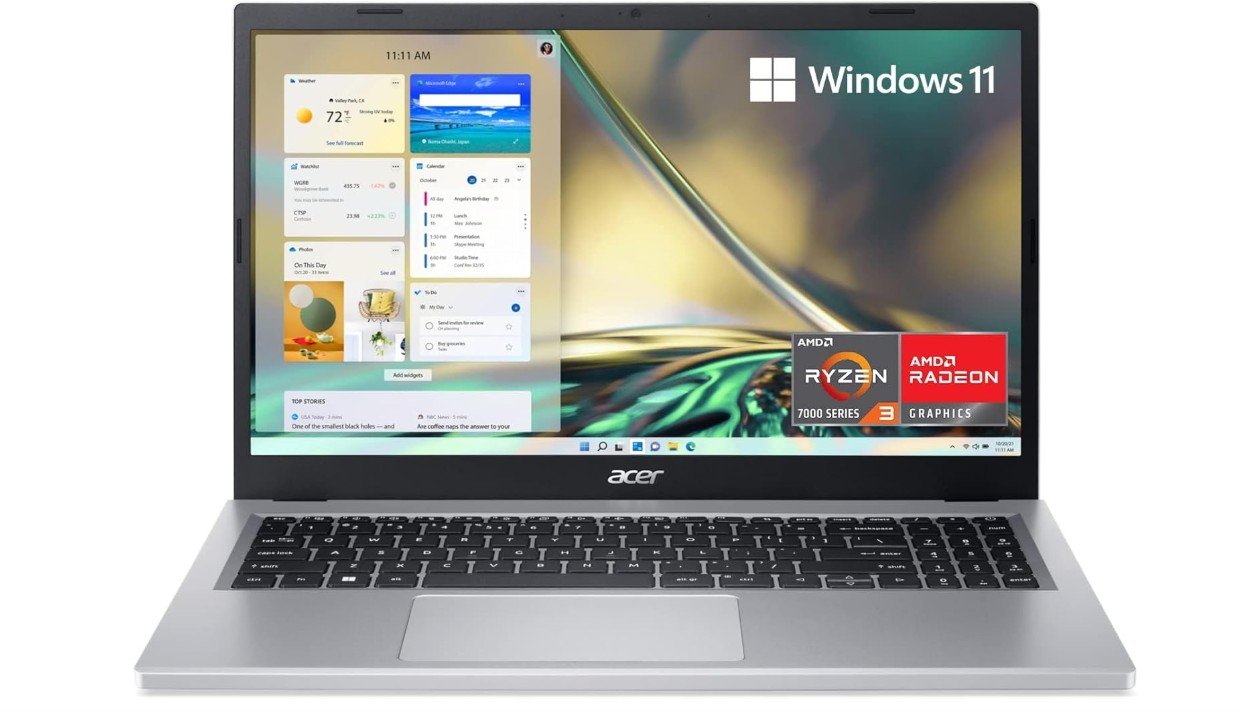
acer Aspire 3 A315-24P-R7VH Slim Laptop
acer Aspire 3 A315-24P-R7VH Slim Laptop
The Acer Aspire 3 A315-24P-R7VH Slim Laptop is a good choice for online classes because it offers reliable performance at an affordable price. In daily use, this laptop runs smoothly when you open web browsers, attend video meetings, and work on documents. The 15.6-inch Full HD screen shows clear and sharp images, which makes watching lectures and reading study material easy on the eyes. You can see classmates and teachers clearly during video calls, and the screen size gives you enough space for multiple windows.
This laptop uses an AMD Ryzen 3 7320U quad-core processor with AMD Radeon Graphics, which handles online learning tasks well. It can run Zoom, Google Meet, Microsoft Teams, and other video calling apps without lag or freezing. The 8GB of LPDDR5 RAM helps with multitasking, so you can browse the web, take notes, and stream classes at the same time. The 128GB NVMe SSD storage makes the laptop start up quickly and load apps faster than traditional hard drives. However, the storage space may feel small if you save many large files, so you might need extra cloud storage or an external drive.
Battery life on this laptop is decent for school use, allowing you to attend several classes on a single charge. The built-in Wi-Fi 6 support provides fast and stable internet connectivity, which is important for uninterrupted online sessions. The keyboard is comfortable enough for typing assignments, and the laptop’s lightweight design makes it easy to carry between rooms or to class. Windows 11 Home offers a familiar interface with useful features for students.
Overall, the Acer Aspire 3 A315-24P-R7VH is a solid laptop for students who need a dependable machine for online classes and everyday school tasks. It may not be a high-end device, but it has the essential performance and features that most students will appreciate for virtual learning.
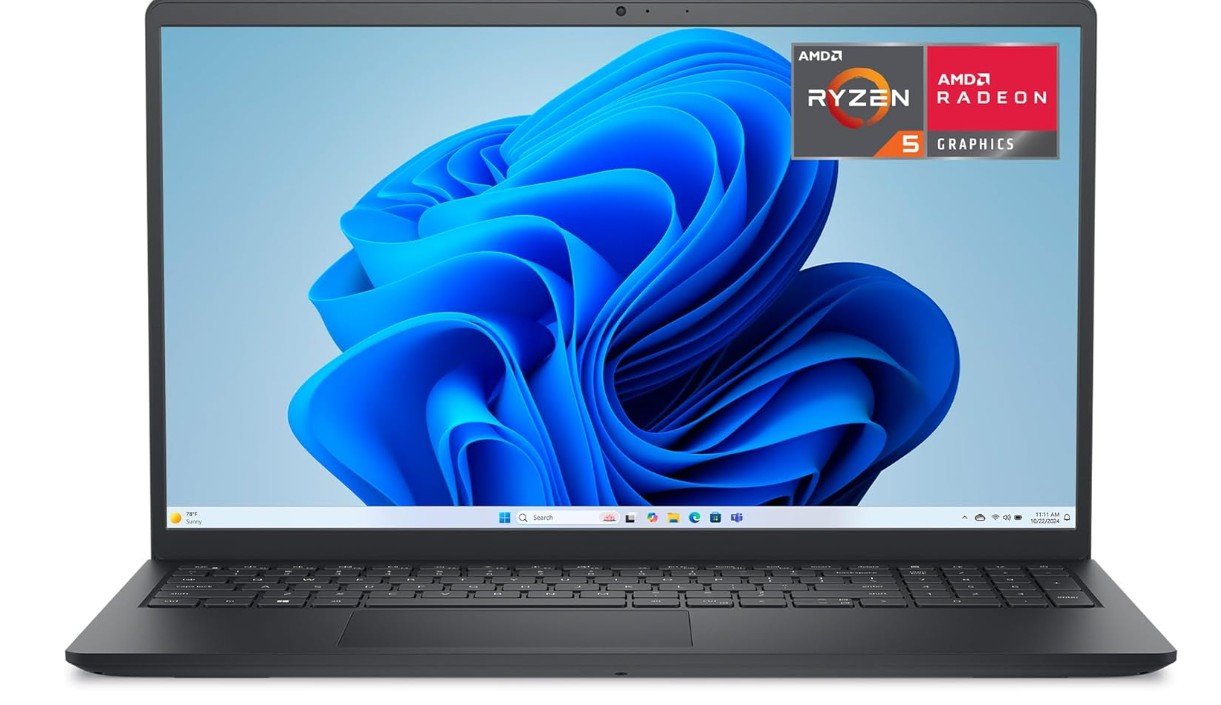
Dell 15 Laptop
Dell 15 Laptop
The Dell 15 Laptop DC15255 is a solid choice for online classes and everyday school work. It offers a clear and smooth visual experience with its 15.6-inch Full HD display that also has a 120 Hz refresh rate. This makes video lectures look sharp and motion on the screen more fluid, which is nice when watching fast-moving content or switching between apps. The screen size is large enough to comfortably view class slides, notes, and browser windows side by side.
Under the hood, this laptop runs on an AMD Ryzen 5-7520U processor paired with 8 GB of LPDDR5 RAM. This combination lets you join Zoom or Google Meet calls, browse the internet, and work on documents without noticeable slowdowns. The 512 GB SSD storage is generous for saving your files, class projects, and study resources. It also helps the laptop start up quickly and open apps faster compared to traditional hard drives. The AMD Radeon 610M integrated graphics handle basic visual tasks well, so you won’t face trouble with video streaming or light creative work.
Battery life is decent for a school day, allowing you to attend multiple online sessions without constantly looking for a power outlet. The laptop connects easily to Wi-Fi and external peripherals, which helps in staying connected during live classes and transferring data. Windows 11 Home gives you a familiar environment with useful features for students, such as snap layouts for multitasking.
Typing and navigation are comfortable for writing notes and completing assignments. The chassis feels sturdy and the Carbon Black color gives it a simple, professional look. While it may not be a high-end performance machine for heavy gaming or complex software, it covers all the essentials. For students attending online classes, doing research, and managing school tasks, the Dell 15 Laptop DC15255 delivers reliable performance at a reasonable price.
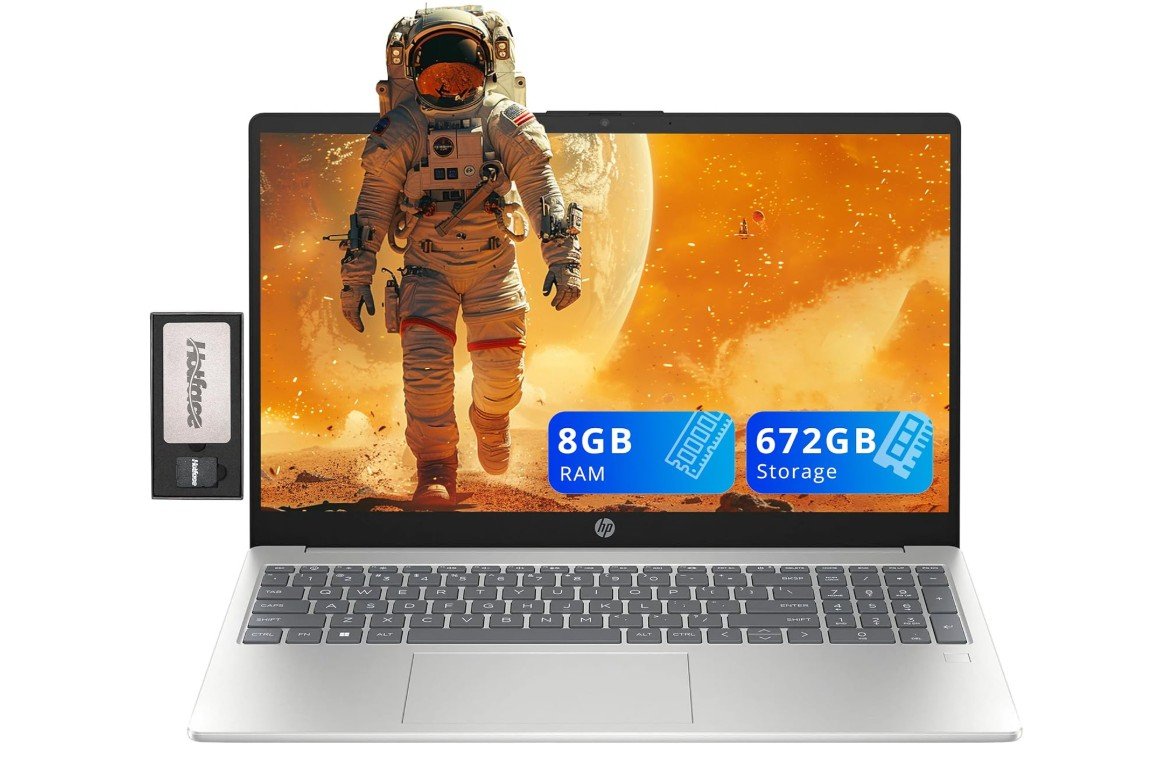
HP Pavilion 15.6″ FHD Laptop
HP Pavilion 15.6″ FHD Laptop
The HP Pavilion 15.6″ FHD Laptop with Intel i3-N305 is a solid choice for online classes and everyday school work. It delivers reliable performance for video calls, web browsing, and document work. The 15.6-inch Full HD display shows clear and sharp images, making it easy to read text, watch lessons, and attend live classes without straining your eyes. The large screen also gives you enough space to keep multiple windows open, which is useful when you are taking notes while listening to a lecture.
This laptop runs on an Intel Core i3-N305 processor with 8 GB of RAM. This setup is good for most online learning tasks. You can easily run Zoom, Google Meet, Microsoft Teams, and other video apps without major slowdowns. The 672 GB of total storage, which includes a 512 GB SSD and 160 GB extra storage, gives you lots of space for saving assignments, study materials, and class recordings. The SSD also helps the laptop start up quickly and load apps faster compared to traditional hard drives.
Battery life is decent for regular school days, so you can attend several online sessions without worrying about charging often. The built-in Wi-Fi 6 support helps keep your internet connection stable and fast during live lessons. The laptop also includes a comfortable keyboard with a numeric keypad, which helps when typing longer assignments. The fingerprint reader adds a quick and secure way to sign in, and the webcam works well for video meetings with teachers and classmates.
Overall, the HP Pavilion 15.6″ FHD Laptop is a dependable choice for students. It covers the essentials needed for online classes, such as smooth performance, clear display, and enough storage. It may not be a high-end machine for heavy gaming or advanced video editing, but for online learning and daily school tasks, it gets the job done well.
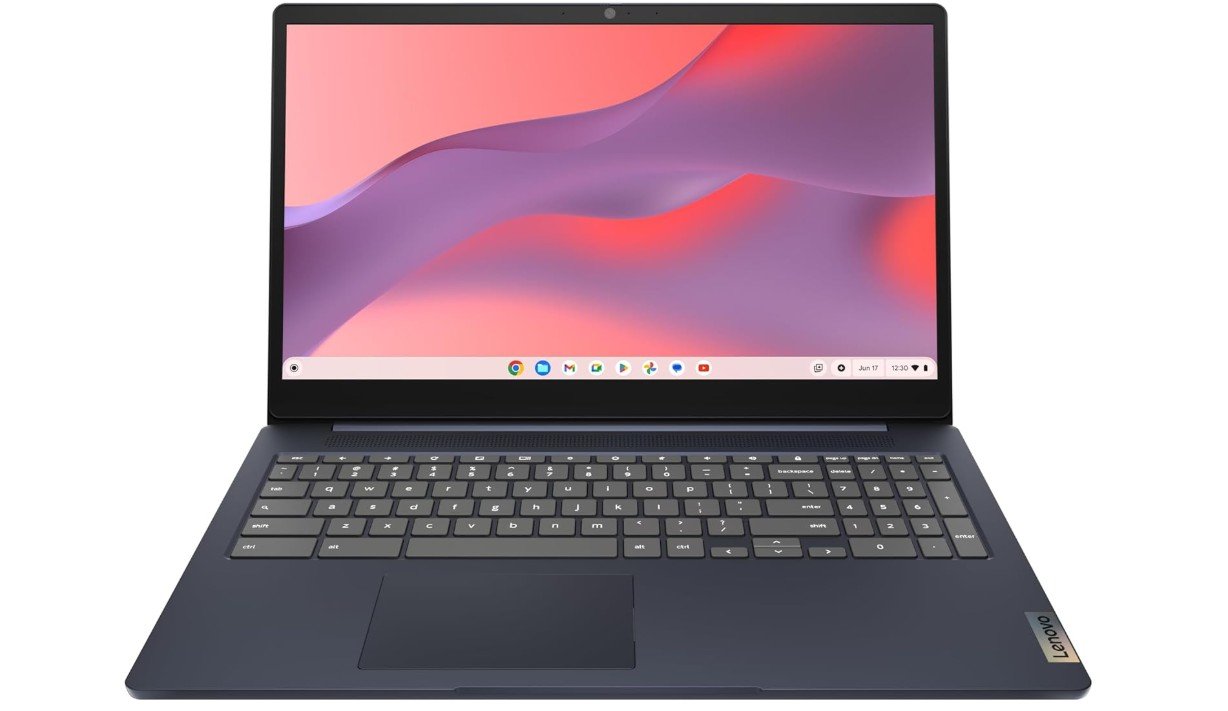
Lenovo IdeaPad 3i Chromebook
Lenovo IdeaPad 3i Chromebook
The Lenovo IdeaPad 3i Chromebook with a 15.6-inch Full HD display is a good laptop for online classes and everyday schoolwork. The large screen gives you plenty of space to see video lectures, browse the web, and work on documents. The Full HD resolution makes the picture clear and easy to read, which helps when you spend long hours studying or attending live classes. The display is also useful for watching recorded lessons or online tutorials in good quality.
This Chromebook runs on an Intel Celeron N4500 processor and has 8 GB of RAM, which is enough for basic tasks like using Google Classroom, browsing the internet, watching videos, and joining video calls on Zoom or Google Meet. The Chrome OS is simple and fast, and it starts up quickly so you can begin your work right away. Because this laptop uses cloud-based tools and apps, it works best when you are connected to the internet. The 64 GB eMMC storage may not hold very large files, but it is enough for school documents and some offline content. You can also use cloud storage like Google Drive to save more files.
The 720p webcam lets you join online class meetings and talk to teachers and classmates, though the video quality is basic. Battery life is good for regular school use, and you can attend several classes in one day without charging. The lightweight design makes it easy to carry between rooms or take to a study space. The keyboard and trackpad feel comfortable for typing assignments and navigating through apps.
Overall, the Lenovo IdeaPad 3i Chromebook is a reliable and budget-friendly laptop for students. It handles the main tasks needed for online learning well and keeps things simple with Chrome OS. It may not be ideal for advanced software or heavy multitasking, but for everyday online classes and school projects, it does a good job and offers good value for its price.
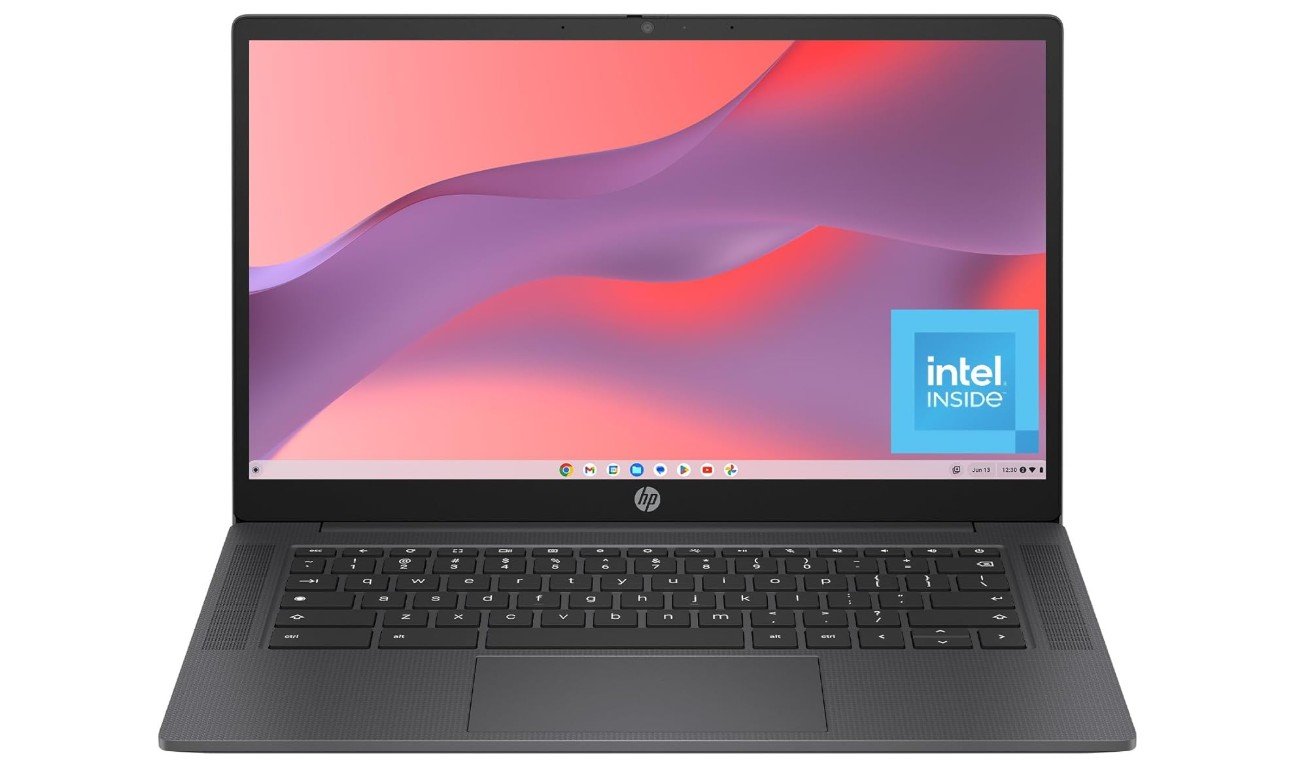
HP Chromebook 14 inch Laptop
HP Chromebook 14 inch Laptop
The HP Chromebook 14-inch laptop with an Intel N100 processor is a good option for students taking online classes and doing everyday school work. It feels light and easy to carry, which makes it convenient to use at home, in a café, or in a study room. The 14-inch screen gives clear enough picture quality for video lectures, reading notes, and browsing the web. While the display is HD rather than full HD, it still makes text and videos easy to see during online sessions.
This Chromebook runs on an Intel N100 processor with 8 GB of RAM, which is enough for tasks like watching live classes, joining Zoom or Google Meet calls, working in Google Docs or Sheets, and browsing the internet. Chrome OS is simple and fast, and the laptop starts up quickly, so you can begin your work without waiting. The 128 GB UFS storage gives you room for saving files you need offline, and you can also use cloud storage like Google Drive for extra space. The setup works best when you are connected to the internet, but Chromebook features like offline access to apps make it flexible for study work even without Wi-Fi.
Battery life on this laptop is strong enough for most school days, so you can attend several classes and do homework without worrying about charging soon. The built-in webcam lets you join class video calls with teachers and classmates, and the audio is clear enough for hearing instruction and discussions. The keyboard feels comfortable for typing notes and writing assignments.
Overall, the HP Chromebook 14 is a reliable and affordable choice for online learning. It may not run heavy software for complex projects, but for online classes, research, email, and school apps, it performs well and makes online study work smooth and simple.
Buying Guide — Laptops for Online Classes
Online classes require a laptop that is reliable, easy to use, and comfortable for long study sessions. Whether you are a school student or a college learner, choosing the right laptop can make online learning smooth and stress-free. This detailed guide explains everything you need to know before buying a laptop for online classes.
Why Choosing the Right Laptop Matters
A good laptop helps you attend live video classes, watch recorded lectures, complete assignments, and communicate with teachers without interruptions. Slow performance, poor battery life, or a bad webcam can make online learning frustrating. That is why it is important to focus on the right features instead of just the price.
Processor (CPU)
The processor is the brain of the laptop. For online classes, you do not need a very powerful CPU, but it should be modern and reliable. Intel Core i3 or i5, AMD Ryzen 3 or 5, and Apple M-series processors are all good choices. Basic processors like Intel Celeron or Pentium can work for simple tasks, but they may feel slow with multitasking.
RAM (Memory)
RAM plays a big role in smooth performance.
- 8 GB RAM is the minimum recommended for online classes, video calls, and browsing.
- 16 GB RAM is better if you open many tabs, use multiple apps, or want the laptop to last longer without slowing down.
Avoid laptops with only 4 GB RAM if possible.
Storage Type and Size
Always choose a laptop with SSD storage instead of a traditional hard drive. SSDs make the laptop start faster and apps load quickly.
- 256 GB SSD is enough for most students.
- 512 GB SSD is better if you save many files or videos.
Chromebooks can work well with smaller storage because they use cloud storage.
Display Size and Quality
A comfortable display is very important for long classes.
- Screen size between 13 to 15.6 inches is ideal.
- Full HD (1920×1080) resolution is best for clear text and videos.
HD screens are usable but not as sharp, especially on larger displays.
Webcam, Microphone, and Audio
Online classes depend heavily on video and audio.
- A 720p webcam is the minimum requirement.
- Built-in microphones should be clear enough for speaking in class.
If audio quality is basic, using earphones or a headset is a good solution.
Battery Life
Good battery life means you can attend classes without worrying about charging.
- Aim for 8 hours or more of real-world battery life.
- Premium laptops and MacBooks can last 12 hours or more.
Operating System Choices
- Chrome OS: Best for online classes, Google Classroom, and web-based learning. Simple, fast, and affordable.
- Windows 11: More flexible, supports many apps and software.
- macOS: Excellent performance and battery life, but more expensive.
Keyboard, Build, and Portability
A comfortable keyboard helps with typing notes and assignments. A lightweight design is easier to carry around. Backlit keyboards are useful for night study. Make sure the laptop feels sturdy.
Budget Recommendations
- Budget range: Basic Chromebooks or entry-level Windows laptops with 8 GB RAM.
- Mid-range: Best value for most students with better performance and displays.
- Premium: Thin, light laptops with long battery life for long-term use.
Final Buying Tips
Before buying, check user reviews for battery life, webcam quality, and real-world performance. Always choose at least 8 GB RAM and SSD storage. Pick the operating system that matches your learning needs.
FAQs
For online classes, choose a laptop with a clear display (preferably Full HD), at least 8 GB of RAM, SSD storage (256 GB or more), a reliable processor (Intel Core i3/Ryzen 3 or better), a good webcam, Wi-Fi support, and long battery life (8+ hours). These features ensure smooth video calls, multitasking, and daily study use.
Not always. Most online class activities—video calls, browsing, document work, and streaming lectures—can run smoothly on mid-range laptops. A basic modern processor with 8 GB RAM and SSD storage is enough for regular online class needs.
Yes. Chromebooks are great for online learning if your work is mostly web-based (Google Classroom, Zoom/Meet, Docs). They start fast, last long on battery, and are usually more affordable. However, they work best with internet access and don’t run heavy software.
At least 8 GB of RAM is recommended. This helps with multitasking (video calls + browsing + notes). If you plan to do more demanding tasks like programming or creative apps, consider 16 GB.
A 13″ to 15.6″ display is ideal. Larger screens make video classes and multitasking easier, while smaller ones are more portable.
A 720p webcam is the minimum. A good webcam makes you clearer on video calls. If built-in quality is low, consider using a separate webcam or good headset.
Yes. Many laptops under $500 with SSD and 8 GB RAM can handle online classes well, especially Chromebooks and budget Windows laptops.
Final Thoughts
For online classes, you do not need the most expensive laptop. A balanced laptop with a modern processor, enough RAM, SSD storage, clear display, and good battery life is more than enough. Choosing wisely will help you focus on learning, not on technical problems. If you want, I can also suggest the best laptops available on Amazon within your budget.

Jawad is a passionate tech enthusiast and writer who loves exploring the latest trends in hardware, gadgets, and digital innovation. With a sharp eye for performance and value, he delivers in-depth recommendations and buying guides to help readers make smarter tech decisions.