
Last Updated on February 27, 2026 by Jawad
Introduction
Mesh WiFi systems are becoming very popular, especially for homes where thick walls make it hard for a normal router to send a strong signal. Many houses built with concrete, brick, or multiple floors often have weak WiFi in certain rooms. This can cause slow internet speeds, buffering videos, and unstable connections during gaming or video calls. A mesh WiFi system solves this problem by using multiple devices called nodes that work together to spread the internet signal evenly across your home instead of relying on just one router.
Unlike traditional routers that send WiFi from a single point, mesh WiFi creates a network that covers every corner of the house. Each node communicates with the others, helping the signal travel around obstacles like walls and furniture. This makes it a great choice for apartments, large houses, and offices where dead zones are common. You can place nodes in different rooms to keep the connection strong and stable, even in areas that usually struggle with poor coverage.
Another reason mesh WiFi is ideal for thick walls is its ability to automatically manage connections. The system chooses the best path for your data, so your phone, laptop, or smart TV stays connected without interruptions when you move around. Most modern mesh systems also support fast WiFi standards, allowing smooth streaming, online gaming, and smart home use at the same time.
Setting up a mesh WiFi network is usually simple because many brands provide easy mobile apps that guide you step by step. As more devices connect to the internet every day, having reliable coverage in every room is important. Mesh WiFi offers a modern solution that improves speed, stability, and overall internet experience in homes where standard routers struggle to perform well.
We also have a recommendation for the Best Dual-Band Routers, so make sure to check that out too!
Top Mesh WiFi for Thick Walls


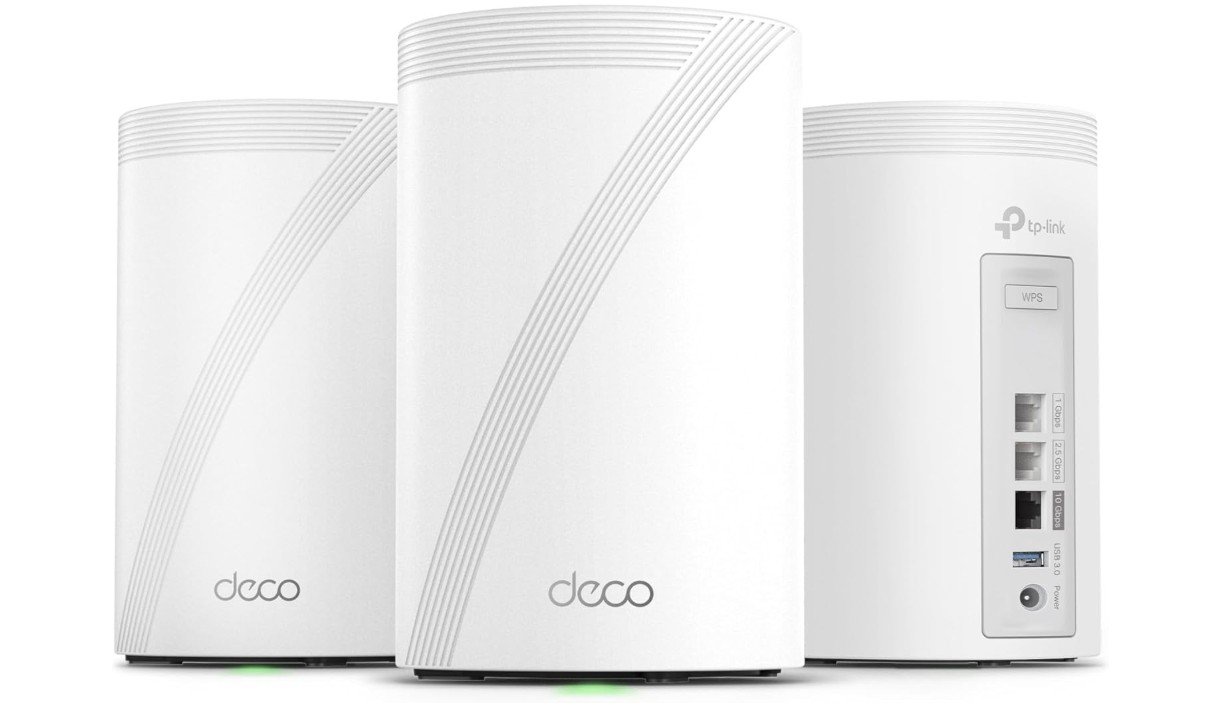
TP-Link Deco 7 Pro Whole Home Mesh System
TP-Link Deco 7 Pro Whole Home Mesh System
The TP-Link Deco 7 Pro BE14000 Tri‑Band Wi‑Fi 7 Whole Home Mesh System is designed to solve weak signal problems in homes with thick walls, multiple floors, or large layouts. This mesh system uses three units that work together to create one strong network, helping WiFi reach rooms where a normal router usually struggles. Because it supports tri-band WiFi 7 with a 6GHz band and advanced features like Multi-Link Operation, it can maintain faster and more stable speeds even when signals need to pass through concrete or brick walls.
In real use, the Deco 7 Pro performs well at spreading coverage across large areas, with a 3-pack able to cover up to about 8,100 square feet. This makes it useful for big homes where thick walls can block signals. The mesh nodes communicate with each other using wireless and wired backhaul, which helps keep performance strong even when devices connect to a satellite unit instead of the main router. Many users notice fewer dead zones and smoother roaming when moving from room to room, which is important in houses where walls often weaken standard WiFi.
Another advantage for thick-wall environments is the powerful hardware and high bandwidth. With speeds up to 14 Gbps, 320 MHz channels, and advanced WiFi 7 technology, the system is built to handle heavy traffic and maintain stable connections for streaming, gaming, or smart home devices at the same time. Even older devices can benefit because the stronger backhaul between nodes improves overall stability and reduces slow spots around the house.
However, this mesh system may feel expensive for smaller homes or users who don’t need WiFi 7 speeds yet. To get the best performance through thick walls, proper placement of nodes is still important. Overall, the Deco 7 Pro BE14000 is a powerful and future-ready mesh system that delivers reliable coverage and strong performance in challenging home layouts.
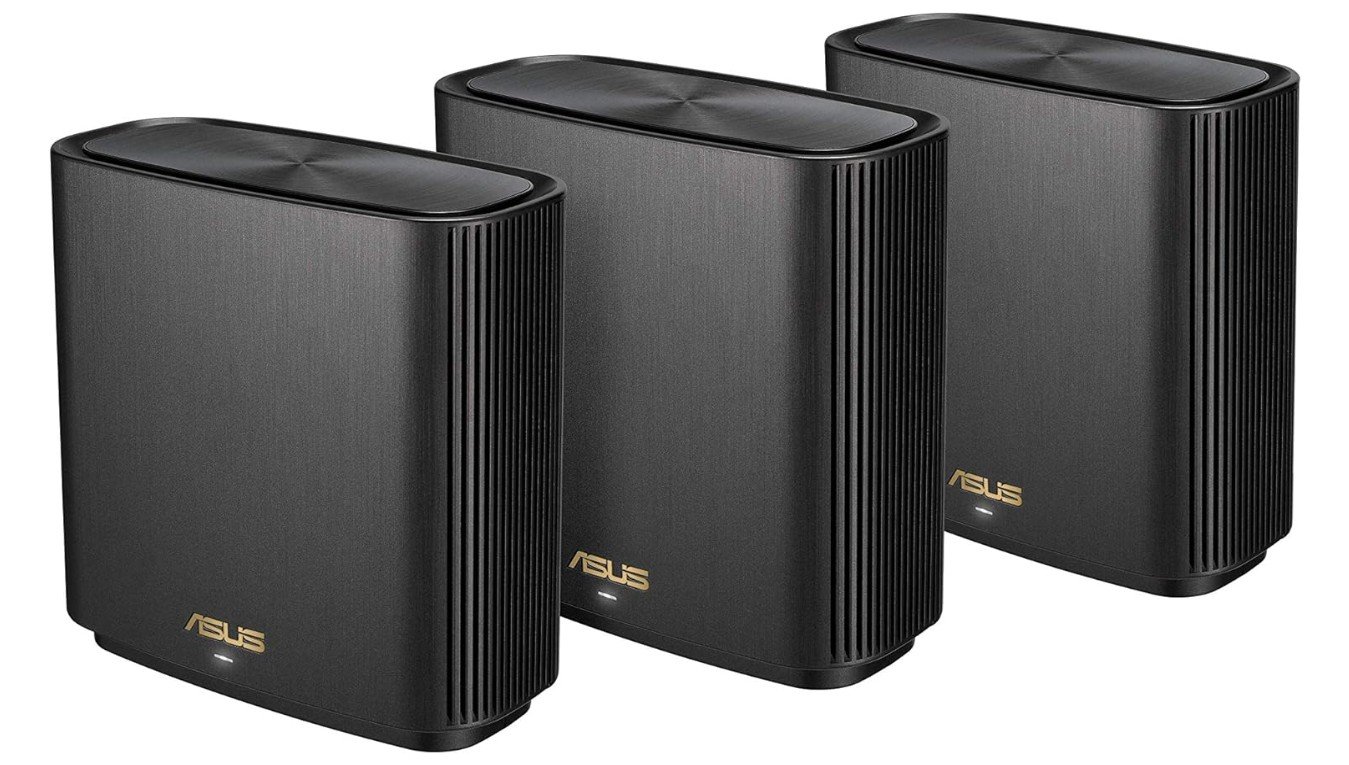
ASUS ZenWiFi AX6600 Tri-Band Mesh WiFi 6 System
ASUS ZenWiFi AX6600 Tri-Band Mesh WiFi 6 System
The ASUS ZenWiFi AX6600 (XT8) Tri-Band Mesh WiFi 6 system is a strong option for homes with thick walls because it focuses on stable coverage instead of just raw speed. It uses a tri-band design with one 2.4GHz band and two 5GHz bands, including a dedicated wireless backhaul that helps the nodes stay connected even when walls block signals. This dedicated backhaul works like a private lane between mesh units, keeping speeds more consistent across rooms and floors.
In real use, the XT8 performs well in large homes where concrete or brick walls usually weaken WiFi. The mesh system spreads coverage across multiple rooms, and the strong 4×4 backhaul allows you to place nodes farther apart while still maintaining reliable performance. Some testing shows the system can deliver fast speeds even through multiple rooms, making it suitable for streaming, gaming, and working from home without constant dropouts. Many reviewers also highlight its impressive range and feature-rich software, which makes it one of the best WiFi 6 mesh systems for overall performance.
Another advantage for thick-wall environments is its flexibility. You can use wired backhaul if needed, or rely on the powerful wireless connection between nodes. The AiMesh system also allows adding more ASUS routers later, which is helpful if you want to improve coverage in difficult areas. Setup is simple through the mobile app, and features like parental controls and lifetime security add extra value for families.
However, the ZenWiFi XT8 is a premium system, so the price may feel high for smaller homes or slower internet plans. It also performs best when nodes are placed correctly, since no mesh system can fully ignore thick walls. Overall, the ASUS ZenWiFi AX6600 XT8 is a reliable choice for users who want strong coverage, stable speeds, and smooth roaming in homes where standard routers struggle to reach every room.
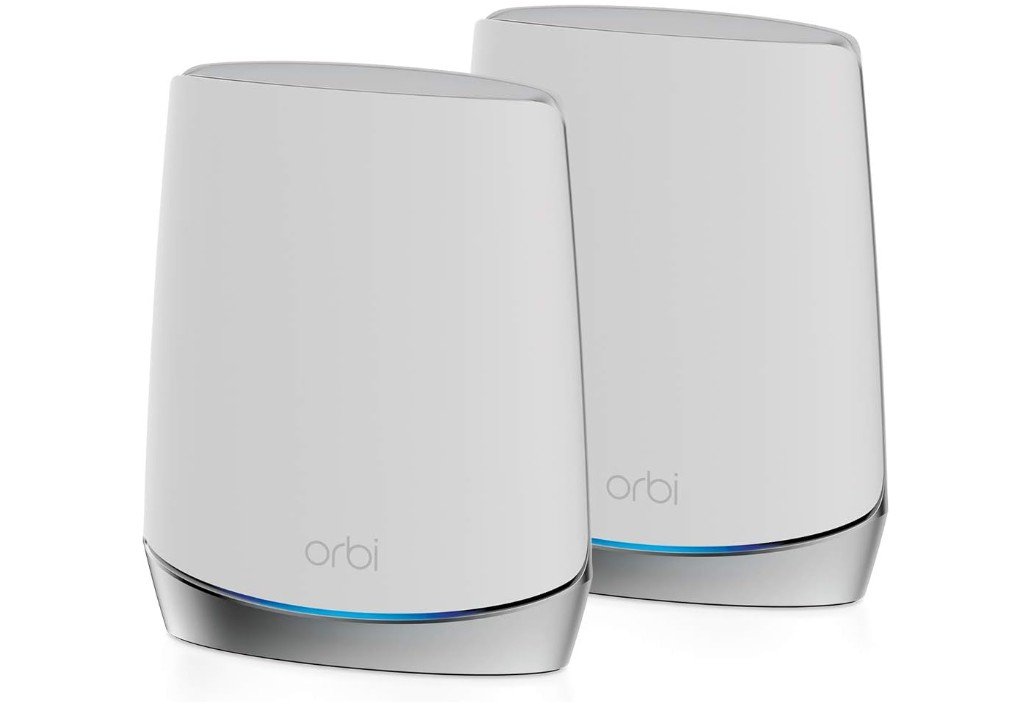
NETGEAR Orbi Whole Home Tri-Band Mesh WiFi 6 System
NETGEAR Orbi Whole Home Tri-Band Mesh WiFi 6 System
The NETGEAR Orbi RBK752 is a solid mesh WiFi 6 system that works well in homes with thick walls because it focuses on strong coverage and stable connections rather than just peak speeds. Its tri-band design includes a dedicated wireless backhaul, which means the router and satellite communicate on a separate band. This helps maintain faster and more reliable performance when signals need to travel through concrete or brick walls, reducing slowdowns in distant rooms.
In real-world use, the RBK752 delivers wide coverage across large homes, reaching up to about 5,000 square feet and supporting multiple devices at once. The mesh system creates one seamless network, so you can move between rooms without losing connection. Reviews mention that it provides consistent speeds across a wide area and performs better than many standard routers at long distances, which is useful when thick walls weaken the signal. Many users also report that it solved weak WiFi problems in houses with heavy construction, showing how effective the mesh design can be for challenging layouts.
Another advantage is ease of use. The Orbi app makes setup simple, and once installed, the system automatically manages devices and network traffic. Streaming, gaming, and video calls stay stable because the dedicated backhaul keeps bandwidth available for connected devices. The design also allows adding more satellites later if you need stronger coverage in areas where thick walls block signals the most.
However, while the RBK752 offers reliable performance, it may not be the fastest mesh system compared to higher-end models. Some testing shows that speeds closer to the main router are excellent, but performance can drop slightly compared to premium tri-band systems. Overall, the NETGEAR Orbi RBK752 is a strong and dependable choice for thick-wall homes, providing stable coverage, easy setup, and consistent performance for everyday internet use.
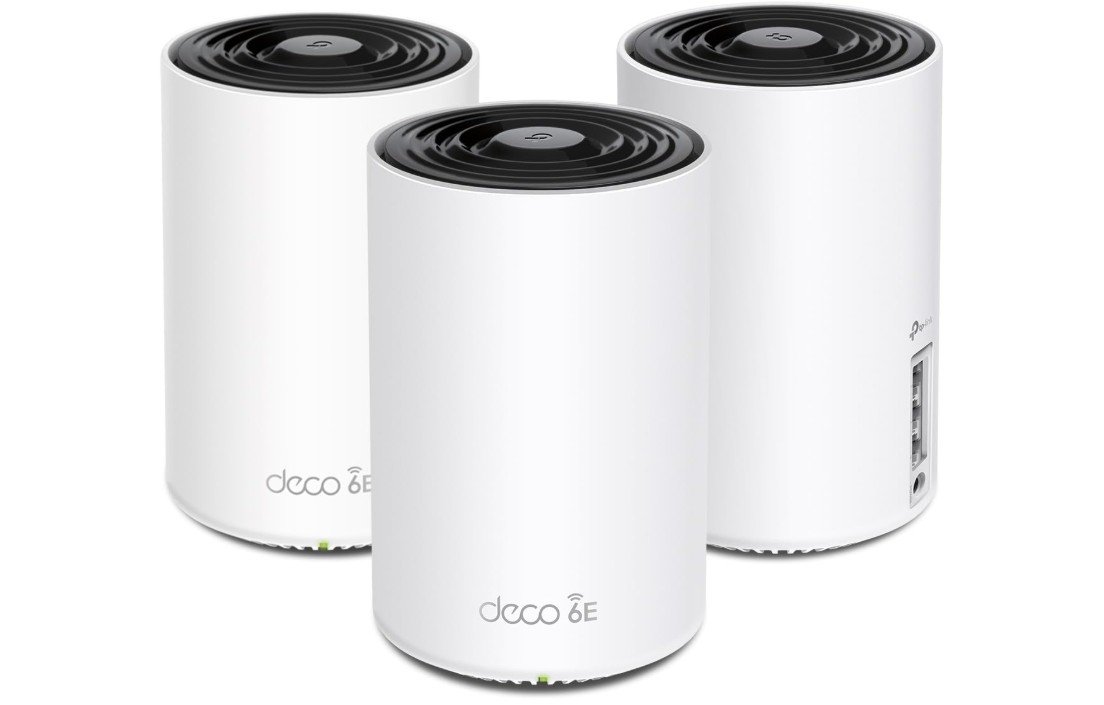
TP-Link Deco XE75 AXE5400 Mesh System
TP-Link Deco XE75 AXE5400 Mesh System
The TP-Link Deco XE75 AXE5400 Tri-Band WiFi 6E Mesh System is a strong option for homes with thick walls because it focuses on wide coverage and stable mesh performance rather than just high peak speeds. With three units working together, it creates a single network that spreads WiFi around obstacles like brick, cement, or multi-floor layouts. The added 6GHz band gives the system extra bandwidth and helps reduce congestion, which can improve performance when signals have to travel through difficult areas of the house.
In real-world use, many reviews mention that the Deco XE75 provides reliable coverage and stays stable during everyday tasks like streaming, gaming, or video calls. Testing shows it can deliver consistent performance with very few disconnections, which is important for homes where thick walls often weaken a normal router’s signal. The mesh design allows the nodes to communicate using the extra wireless band, helping maintain smoother speeds even when devices connect to a distant unit. Some analysis also notes that its 6GHz backhaul can improve node-to-node performance through walls compared to older mesh systems.
Another advantage is how easy the system is to use. Setup through the Deco app is quick, and AI-driven mesh technology automatically manages devices and chooses the best connection as you move around the house. The system supports up to about 200 devices and covers large areas, making it suitable for families or smart homes with many connected gadgets. Many users also like its balance of price and performance, since it offers WiFi 6E speeds without the high cost of premium mesh systems.
However, while the XE75 works well for thick-wall environments, it is not the fastest mesh system available, and it has fewer advanced ports compared to higher-end models. Proper placement of nodes is still important to get the best coverage. Overall, the TP-Link Deco XE75 is a reliable and easy-to-use mesh WiFi system that delivers strong whole-home coverage and stable performance, making it a practical choice for homes where thick walls cause weak signals.
Buying Guide: Mesh WiFi for Thick Walls
Choosing the right mesh WiFi system for thick walls is important if your home has concrete, brick, or multiple floors that weaken wireless signals. Traditional routers often struggle to push WiFi through heavy materials, which leads to slow speeds, buffering videos, and weak connections in certain rooms. Mesh WiFi solves this problem by using multiple units, called nodes, that work together to create one strong and seamless network. Instead of forcing a signal through walls, the network spreads coverage around your home so every area stays connected.
Why Thick Walls Cause WiFi Problems
Thick construction materials absorb and block wireless signals. Concrete, metal, and dense brick reduce signal strength more than drywall or wood. When a normal router sits in one room, the signal becomes weaker as it passes through walls and floors. This is why many homes experience dead zones in bedrooms, basements, or upstairs areas. A mesh system places multiple access points around the house, helping WiFi travel shorter distances and remain stable.
How Mesh WiFi Systems Work
A mesh WiFi system replaces a single router with a main unit and additional nodes. These devices communicate with each other to form one large wireless network. Your phone, laptop, or smart TV automatically connects to the nearest node, so you don’t have to switch networks manually. This design is very helpful for thick-wall homes because it keeps signal strength consistent even when you move from room to room.
Importance of Tri-Band Mesh Systems
One of the most useful features for thick-wall environments is a tri-band design. Tri-band systems include an extra wireless band that is often used as a dedicated backhaul between mesh nodes. This means devices and nodes don’t compete for the same bandwidth. As a result, speeds stay more stable across longer distances and through difficult layouts. While dual-band systems can still work, tri-band models usually perform better in large or heavily built homes.
Wired Backhaul vs Wireless Backhaul
Many mesh WiFi systems allow wired backhaul, which means connecting nodes with Ethernet cables. Wired backhaul creates a direct connection that avoids interference from walls or other wireless signals. If running cables is possible, it can greatly improve performance. However, strong wireless backhaul is still effective for most homes, especially when nodes are placed properly.
Choosing the Right Coverage Size
Manufacturers often list how many square feet a mesh system can cover, but thick walls can reduce real-world performance. Because of this, it’s often better to choose a system with more nodes than you think you need. A three-pack is usually a safe choice for large homes or multi-floor layouts. Extra nodes help maintain strong signal strength without pushing WiFi too far from the main unit.
Placement Tips for Better Performance
Even the best mesh WiFi system needs proper placement. Try to position the main router near the center of the house instead of in a corner. Mesh nodes should be placed within one or two rooms of each other so they can maintain a strong connection. Keeping devices elevated on shelves and away from thick furniture or metal objects also helps improve signal quality. Good placement can make a big difference in homes with heavy construction.
Understanding WiFi Standards: WiFi 6, 6E, and 7
Modern mesh systems come with different WiFi standards. WiFi 6 offers fast speeds and good performance for most households, while WiFi 6E adds a 6GHz band that reduces congestion. Newer WiFi 7 models provide even higher speeds and advanced features for future-ready setups. For thick-wall homes, coverage and backhaul strength usually matter more than maximum speed numbers, so a strong WiFi 6 or WiFi 6E system can still be an excellent choice.
Security, Apps, and Ease of Use
Many mesh WiFi systems include mobile apps that make setup simple. These apps guide you through installation, help manage devices, and allow you to create guest networks or parental controls. Some brands offer advanced settings for power users, while others focus on easy plug-and-play experiences. Built-in security features, automatic updates, and device monitoring are useful extras that improve the overall network experience.
Budget Considerations
Mesh WiFi systems are generally more expensive than traditional routers because they include multiple units and advanced technology. High-end models provide faster speeds, stronger hardware, and future-proof features, but mid-range systems can still perform very well for everyday streaming and browsing. When choosing a system, focus on coverage and reliability instead of only looking at top speed ratings.
Device Capacity and Performance
Homes today often have many connected devices, including smartphones, laptops, smart TVs, cameras, and gaming consoles. A good mesh WiFi system should handle multiple connections without slowing down. Features like MU-MIMO and OFDMA help manage traffic efficiently so that video calls, online gaming, and streaming remain smooth even when many devices are active at once.
Community Tips and Real-World Advice
Many experienced users recommend tri-band mesh systems with dedicated backhaul channels for thick-wall environments. These setups often deliver more stable speeds to satellite nodes compared to dual-band systems. Another common suggestion is to start with more nodes than you think you need, especially if your home has concrete walls or long hallways.
FAQs
Yes, mesh WiFi is designed to reduce problems caused by thick walls. Instead of forcing the signal through heavy materials, mesh systems place multiple nodes around your home so WiFi can travel around obstacles and maintain coverage.
In most cases, yes. Traditional routers broadcast from one point, which creates dead zones in distant rooms. Mesh systems use several access points that create a single seamless network and improve stability across large or multi-floor homes.
It depends on your home size and layout. Thick walls reduce signal strength, so many experts recommend starting with at least a 3-pack system for larger homes. Nodes should be placed within one or two rooms of each other for the best performance.
Mesh systems greatly reduce dead zones, but no wireless system can completely ignore physical barriers. Proper placement and sometimes adding extra nodes are still important for the best coverage.
All can work well, but coverage and node placement matter more than peak speed. WiFi 6 is still strong for most homes, while WiFi 6E and WiFi 7 offer extra bands that reduce congestion and improve performance.
Final Thoughts
The best mesh WiFi for thick walls is one that balances strong coverage, reliable backhaul, and proper placement. Look for tri-band systems, expandable designs, and support for wired backhaul if possible. Remember that even the most powerful mesh hardware works best when nodes are placed correctly throughout your home. With the right system and setup, you can eliminate dead zones, improve speed consistency, and enjoy a stable internet experience in spaces where standard routers usually struggle.

Jawad is a passionate tech enthusiast and writer who loves exploring the latest trends in hardware, gadgets, and digital innovation. With a sharp eye for performance and value, he delivers in-depth recommendations and buying guides to help readers make smarter tech decisions.

