
Last Updated on February 10, 2026 by Jawad
Introduction
WiFi 6 routers are becoming very popular for gaming because they offer faster speeds, lower lag, and better performance when many devices are connected at the same time. For gamers, a stable and fast internet connection is just as important as a powerful PC or console. WiFi 6, also known as 802.11ax, is designed to handle modern online gaming needs, especially in homes where multiple users are streaming, downloading, or gaming together.
One of the biggest advantages of WiFi 6 routers for gaming is lower latency. This means your actions in online games register faster, which is very important for competitive games like shooters and battle royale titles. WiFi 6 uses smarter data handling and improved scheduling, allowing your gaming traffic to move more efficiently across the network. Many WiFi 6 gaming routers also include Quality of Service (QoS) features that let you prioritize your gaming device over other connected devices.
Another major benefit is improved performance with multiple devices. In many homes, several phones, laptops, smart TVs, and consoles are connected at once. Older routers can struggle in these situations, causing lag spikes or slow speeds. WiFi 6 routers are built to handle many devices at the same time without slowing down, thanks to technologies like OFDMA and MU-MIMO. This ensures smoother gameplay even when others are using the internet heavily.
WiFi 6 routers also provide better range and more stable connections compared to older WiFi standards. This helps gamers who play in rooms far from the router or on wireless connections. With stronger signals and better efficiency, WiFi 6 routers reduce connection drops and improve overall reliability. For gamers who want smooth, responsive, and future-ready wireless gaming, a WiFi 6 router is a smart upgrade.
We also have a recommendation for the Best WiFi 7 Routers: Top Recommendations, so make sure to check that out too!
Top WiFi 6 Routers for Gaming

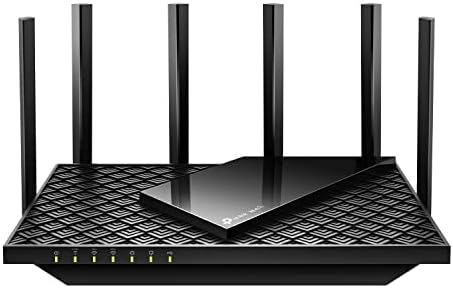


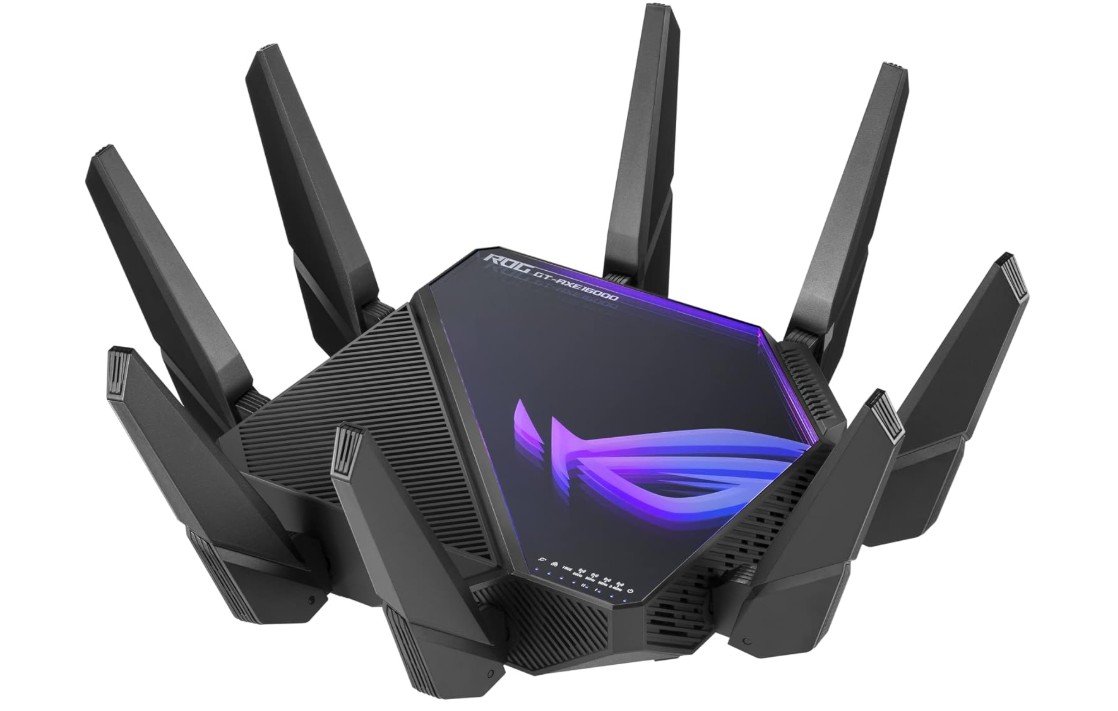
ASUS ROG Rapture WiFi 6E Gaming Router
ASUS ROG Rapture WiFi 6E Gaming Router
The ASUS ROG Rapture GT-AXE16000 is one of the fastest and most powerful Wi-Fi 6E gaming routers you can buy. From the moment you set it up, you notice how strong and smooth your internet connection feels. This router is made for serious gamers who want the best performance possible without slowdowns or interruptions. It uses the latest Wi-Fi 6E technology, which adds the new 6 GHz band for faster speeds and less interference from other devices. This is especially useful if you live in a busy home with many phones, laptops, and smart devices all connected at once.
In everyday gaming, the GT-AXE16000 delivers very low lag, helping your games respond quickly. Whether you are playing fast shooters, racing games, or large online multiplayer titles, the connection stays stable. The router also has strong coverage, so even rooms far from the main unit can still get good Wi-Fi signal. This is great if your gaming setup is not right next to your internet modem.
Another strong point is the wired performance. With multiple 10G and 2.5G ports, you can connect high-speed gaming PCs or consoles directly and enjoy even faster, reliable speeds. This is perfect for gamers who want the absolute best from a wired connection. The router also includes smart gaming features that help prioritize your console or PC over other traffic, so downloads or streaming on other devices do not slow your game.
Security is also solid with lifetime protection features to help keep your network safe from threats. Setting up the router and using its app is easy even if you are not a tech expert. Overall, the ASUS ROG Rapture GT-AXE16000 gives excellent speed, wide coverage, strong gaming performance, and future-proof technology. If you want top-tier performance for gaming and heavy internet use, this router is a great choice.
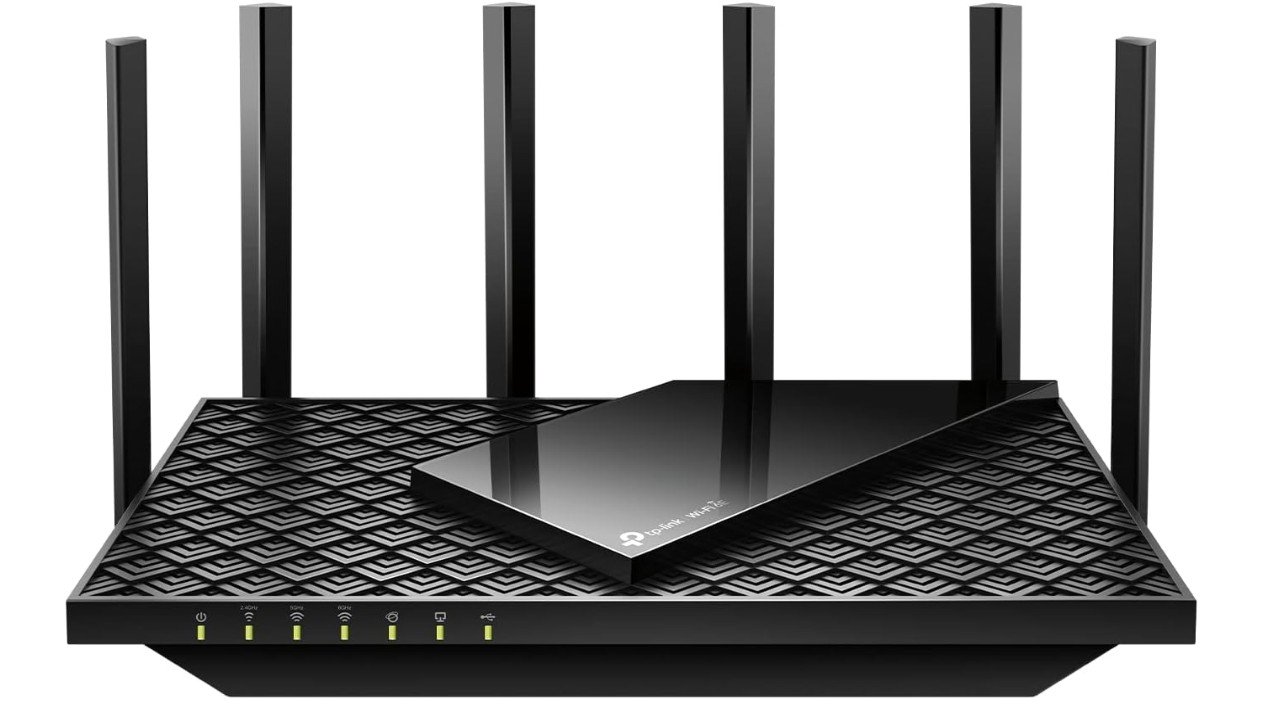
TP-Link AXE5400 Tri-Band WiFi 6E Router
TP-Link AXE5400 Tri-Band WiFi 6E Router
The TP-Link Archer AXE75 is a powerful Wi-Fi 6E router that works very well for gaming and streaming. It uses the newest Wi-Fi 6E technology, which adds a 6 GHz band. This extra band gives you faster speeds and less interference, especially in busy homes where many devices are connected at the same time. When you play online games, the connection feels smooth and responsive, with low lag and fewer interruptions. This makes the Archer AXE75 a strong choice for gamers who want reliable performance without frequent slowdowns.
Setting up the router is easy, whether you use the web interface or the TP-Link app on your phone. The app helps you manage settings, check connected devices, and keep your network secure. The router has a quad-core processor that ensures it can handle multiple tasks at once, so even if others are streaming or downloading, your gaming remains stable. The 160 MHz channel support also helps boost speeds and improve overall performance.
The Archer AXE75 provides good coverage, so you can get strong Wi-Fi in most rooms of a medium-sized home. It also supports TP-Link’s OneMesh technology, allowing you to add compatible extenders later if you need to cover a larger area. This makes it more flexible if your home internet needs grow over time.
Security is solid with WPA3 encryption and built-in VPN options to help protect your network and devices from threats. For gamers who care about both speed and safety, this router offers a good balance.
Overall, the TP-Link Archer AXE75 is a reliable and fast Wi-Fi 6E router that handles gaming, streaming, and heavy internet use well. It delivers strong performance, easy setup, and good coverage, making it a great choice for gamers who want faster connections and smoother online play.
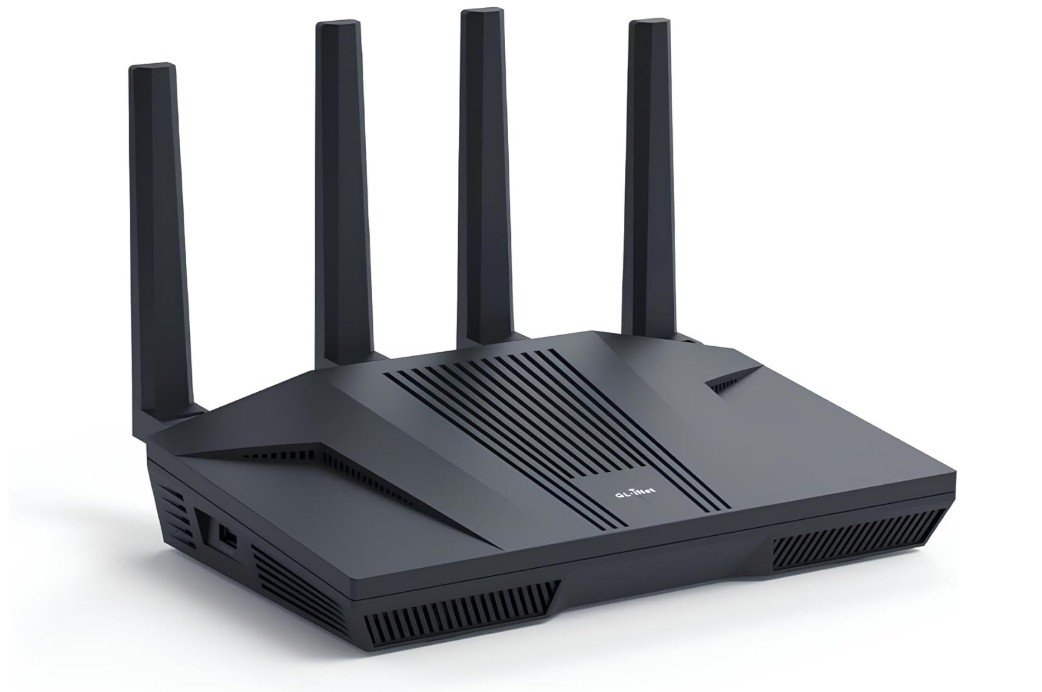
GL.iNet GL-MT6000 (Flint 2) WiFi 6 High Speed Gaming Router
GL.iNet GL-MT6000 (Flint 2) WiFi 6 High Speed Gaming Router
The GL.iNet GL-MT6000 (Flint 2) is a solid Wi-Fi 6 router that works well for gaming and fast internet at home or in small offices. It uses modern Wi-Fi 6 technology to give you faster speeds and more reliable connections than older routers. This means you can play online games with less lag and fewer drops, even when other devices are connected and using the network at the same time. The router is especially useful if you have a fiber optic internet connection because it has two 2.5G Ethernet ports. These faster wired ports help get the most out of high-speed internet, which is great for gaming and large downloads.
Setting up the GL-MT6000 is fairly simple, and you can manage it using its web interface. Once it is running, you will notice that the wireless connection stays stable even when multiple devices are active. Gamers will appreciate this because it reduces interruptions during play. The dual-band setup gives you both 2.4 GHz and 5 GHz networks, letting you choose whether you want wider range or quicker throughput. This flexibility helps when your gaming setup is in a different room from the router.
Another important feature is its VPN support. You can use built-in VPN tools to protect your privacy or connect to secure networks, which can be useful if you play games on public or shared connections. The router also supports strong security settings to help keep your devices safe from common internet threats.
While the GL-MT6000 may not have all the advanced gaming features of some premium gaming routers, it still delivers solid performance for most gamers. It handles multiple devices well and keeps your connection strong. If you are looking for a reliable router with Wi-Fi 6 speeds and good wired support for gaming, the GL.iNet GL-MT6000 is worth considering. It gives you good speed, stable gaming connections, and easy setup.
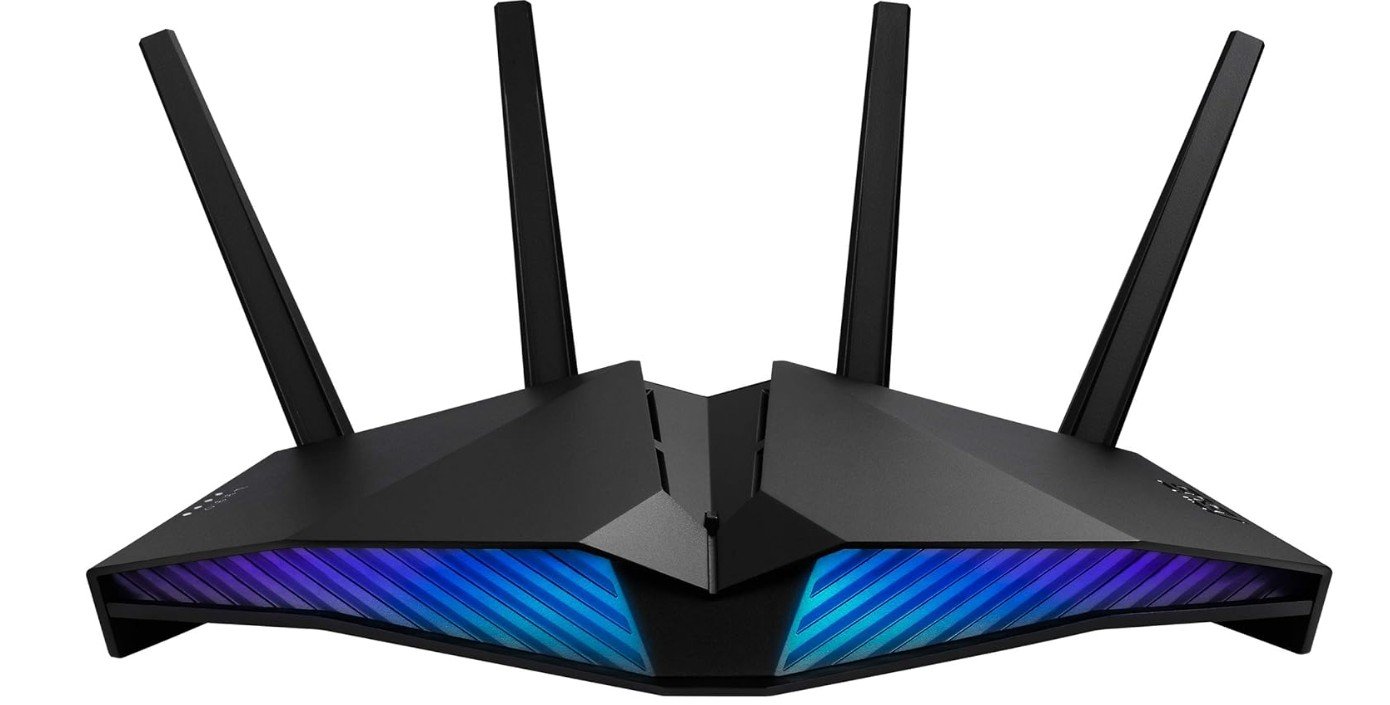
ASUS RT-AX82U (AX5400) Dual Band WiFi 6 Extendable Gaming Router
ASUS RT-AX82U (AX5400) Dual Band WiFi 6 Extendable Gaming Router
The ASUS RT-AX82U is a great Wi-Fi 6 router for gaming that gives fast and steady connections. It uses the latest Wi-Fi 6 technology, which helps reduce lag and improve speed when you play online games. This router is good for both casual and serious gamers because it keeps your connection smooth even when other devices at home are using the internet at the same time. The dual-band design gives you both 2.4 GHz and 5 GHz options, so you can choose the best signal and speed for your gaming setup.
One feature gamers will like is the dedicated gaming port. This lets you connect your gaming PC or console directly and get stable speeds without interference. The Mobile Game Mode also helps if you play games on your phone. It makes your mobile gaming faster and more responsive by reducing background data use. These gaming features help make your games feel smoother and more reliable.
Setting up the RT-AX82U is easy, and the ASUS app makes it simple to manage your network. You can check which devices are connected, prioritize gaming traffic, and change settings with just a few taps. The router also works with AiMesh, so you can add other ASUS routers later to expand your Wi-Fi coverage if you need it in larger homes.
Security is strong with included AiProtection Pro, which helps protect your network and devices from online threats. The router also supports VPN features, giving you more options for secure connections. Another fun feature is the Aura RGB lighting, which can add a bit of style to your gaming setup.
Overall, the ASUS RT-AX82U offers excellent performance for gaming and everyday internet use. It delivers fast and stable Wi-Fi 6 speeds, useful gaming enhancements, strong security, and easy setup. If you want a reliable router that keeps games running smoothly and handles many devices well, this router is a solid choice.
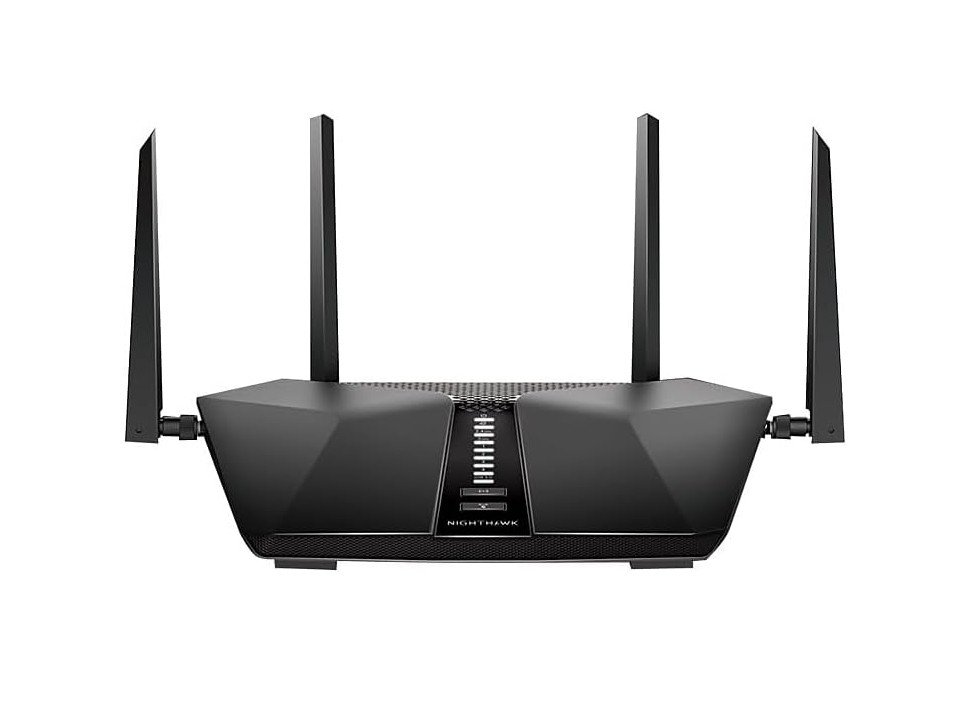
NETGEAR Nighthawk 6-Stream AX5400 WiFi 6 Router
NETGEAR Nighthawk 6-Stream AX5400 WiFi 6 Router
The NETGEAR Nighthawk RAX50 is a strong Wi-Fi 6 router that works well for gaming and everyday internet use. It supports the latest Wi-Fi 6 technology, which helps improve speed, handle more connected devices, and reduce lag compared to older routers. This makes gaming online smoother, especially if others in your home are also streaming, browsing, or using video calls at the same time. With dual-band Wi-Fi and an AX5400 class speed, the RAX50 can deliver fast wireless connections to consoles, PCs, and phones without frequent slowdowns.
Setting up the Nighthawk RAX50 is simple with the NETGEAR app. The app guides you through installation, lets you see which devices are connected, and allows you to manage settings like guest networks or parental controls. You can also prioritize gaming devices or traffic to help reduce delays during online play. For many gamers, this means less lag and smoother gameplay, even when others are sharing the same network.
The router covers up to about 2,500 square feet, which is enough for most medium-sized homes. This good coverage helps keep your gaming signal strong, even if your console or PC is in a room farther from the router. Wired connections are also supported with four Gigabit Ethernet ports, which are great if you prefer to connect your gaming device directly for maximum stability and speed.
Security is solid, with support for the latest WPA3 encryption and optional NETGEAR Armor for extra protection against online threats. This helps keep your devices and personal information safer while gaming or browsing.
Overall, the NETGEAR Nighthawk RAX50 is a reliable and user-friendly router that brings fast Wi-Fi 6 performance to gaming and home networks. It offers wide coverage, easy setup, and stable connections that many gamers will appreciate. If you want a strong all-around router for gaming and daily internet use, the RAX50 is a good choice.
Buying Guide: Wi-Fi 6 Routers for Gaming
Choosing the right Wi-Fi 6 router for gaming is very important if you want smooth gameplay, low ping, and a stable internet connection. Online games are sensitive to lag, packet loss, and connection drops, so your router plays a big role in overall gaming performance. This detailed buying guide explains everything you need to know in simple English, so you can confidently choose the best Wi-Fi 6 router for your gaming setup.
What Is Wi-Fi 6 and Why It Matters for Gaming
Wi-Fi 6, also known as 802.11ax, is the latest widely adopted Wi-Fi standard. Compared to older Wi-Fi 5 routers, Wi-Fi 6 is designed to be faster, more efficient, and better at handling many connected devices at the same time. For gaming, this means lower latency, fewer lag spikes, and more stable connections, even when your home network is busy.
Wi-Fi 6 improves how data is shared between devices. Instead of sending data to one device at a time, it can communicate with multiple devices more efficiently. This is especially helpful in homes where people are gaming, streaming videos, using smart TVs, and browsing the internet all at once.
Wi-Fi 6 vs Wi-Fi 6E for Gaming
Wi-Fi 6E is an extension of Wi-Fi 6 that adds access to the 6 GHz band. This new band is much less crowded than the 2.4 GHz and 5 GHz bands. For gamers, this can mean faster speeds and lower interference, especially in apartments or crowded areas with many nearby Wi-Fi networks.
However, Wi-Fi 6E only helps if your gaming devices support the 6 GHz band. Many newer laptops and phones do, but some consoles and older PCs do not. If your devices do not support 6 GHz, a strong Wi-Fi 6 router is often a better value and still excellent for gaming.
Understanding Speed Ratings (AX3000, AX5400, AXE16000)
Router speed ratings like AX3000, AX5400, or AXE16000 show the combined maximum theoretical speed across all bands. These numbers look impressive, but they do not represent real-world gaming speeds. Games use very little bandwidth, usually under 10 Mbps, but they are very sensitive to latency and stability.
For gaming, higher speed ratings mainly help when multiple devices are active or when downloading large game updates. An AX3000 or AX5400 router is usually more than enough for gaming, while higher-end models are useful for large homes or very fast internet plans.
Latency and Ping: The Most Important Factors
For gaming, low latency is more important than high speed. Latency, often called ping, is how long it takes data to travel from your device to the game server and back. A good gaming router helps keep latency consistent and prevents sudden spikes.
Look for routers with gaming features such as Quality of Service (QoS), game acceleration, or device prioritization. These features allow you to tell the router that your gaming PC or console is the most important device on the network, so it gets priority over downloads, video streaming, or cloud backups.
Quality of Service (QoS) and Gaming Features
QoS is one of the most valuable features in a gaming router. It manages how bandwidth is shared between devices. With QoS enabled, your router can reduce lag during gaming sessions even if someone else is watching 4K videos or downloading files.
Some routers offer simple gaming modes that automatically prioritize gaming traffic. Others allow manual control, where you choose specific devices or applications to prioritize. Advanced users may prefer manual controls, while casual gamers may like automatic gaming modes.
Bands and Frequencies: 2.4 GHz, 5 GHz, and 6 GHz
Most Wi-Fi 6 routers are dual-band, offering 2.4 GHz and 5 GHz. The 2.4 GHz band has longer range but lower speed and more interference. The 5 GHz band is faster and better for gaming, but it has a shorter range.
Tri-band or Wi-Fi 6E routers add a 6 GHz band, which is ideal for gaming if your device supports it. For best results, gamers should use 5 GHz or 6 GHz whenever possible.
Wired vs Wireless Gaming
Even with the best Wi-Fi 6 router, a wired Ethernet connection is still the most stable option for gaming. If possible, connect your gaming PC or console directly to the router using an Ethernet cable. This gives you the lowest latency and eliminates wireless interference.
If you must use Wi-Fi, choose a router with strong antennas, modern Wi-Fi 6 features, and good range. Keep your gaming device as close to the router as possible for best performance.
Ethernet Ports and Multi-Gig Support
Most gaming routers come with Gigabit Ethernet ports, which are enough for most players. However, if you have very fast fiber internet or a high-end gaming PC, routers with 2.5G or 10G ports offer extra future-proofing.
A dedicated gaming port can also be useful. Some routers allow one Ethernet port to be prioritized automatically for gaming, which simplifies setup and improves reliability.
Processor and RAM: Why Router Hardware Matters
The internal hardware of a router affects how well it handles heavy loads. Routers with stronger processors and more RAM can manage multiple devices, QoS, VPNs, and security features without slowing down.
For gaming households with many connected devices, a router with a quad-core processor is recommended. Budget routers with weaker CPUs may struggle under load, leading to lag spikes during gaming.
Coverage and Home Size
Router range is important, especially if your gaming setup is far from the router. Small apartments usually need only a single router, while larger homes may require stronger antennas or mesh support.
If your home has multiple floors or thick walls, consider a router that supports mesh systems. Mesh allows you to add extra nodes for better coverage without sacrificing stability.
Mesh Systems for Gaming
Mesh Wi-Fi systems are useful for large homes where a single router cannot cover every room. Modern Wi-Fi 6 mesh systems can provide stable connections for gaming, especially when nodes are placed correctly.
For best gaming performance with mesh, connect your gaming device to the nearest mesh node using Ethernet if possible. This reduces wireless hops and keeps latency low.
Security Features and Firmware Updates
A good gaming router should include modern security features such as WPA3 encryption, firewall protection, and regular firmware updates. Security helps protect your network from attacks that could slow down your connection or cause instability.
Some routers include free or paid security services that block malicious websites and monitor network threats. While not required for gaming, these features add extra peace of mind.
VPN Support and Gaming
Some gamers use VPNs for privacy or to access different regions. If you plan to use a VPN on your router, make sure it has enough processing power to handle encrypted traffic without slowing down your connection.
Keep in mind that VPNs can increase latency, so they are not always ideal for competitive gaming. A router with hardware-accelerated VPN support helps reduce this impact.
Ease of Setup and Software
A user-friendly app or web interface makes setup much easier. Look for routers with simple setup processes, clear menus, and useful monitoring tools. Being able to see connected devices, bandwidth usage, and ping times helps you manage your network better.
Gamers who like customization should look for advanced settings, while beginners may prefer routers with automatic gaming modes.
Budget Considerations
Budget Wi-Fi 6 routers are suitable for casual gaming and small homes. They offer good performance but fewer advanced features.
Mid-range routers provide better hardware, stronger coverage, and advanced QoS, making them ideal for serious gamers.
High-end routers are designed for large homes, multi-gig internet, and heavy usage. They are expensive but offer the best performance and future-proofing.
Final Tips Before Buying
Always match the router to your internet plan, home size, and gaming habits. A powerful router cannot fix slow internet, but it can make your connection more stable and responsive. Read real-world reviews, check compatibility with your devices, and prioritize low latency over marketing speed numbers.
FAQs
A Wi-Fi 6 router uses the newest wireless technology (802.11ax) that delivers faster speeds, better capacity, and improved stability compared to older Wi-Fi standards. For gaming, this means lower lag, fewer connection drops, and smoother online play — especially in homes with many connected devices.
Wired connections (Ethernet) are still the most stable and lowest-latency way to game. A Wi-Fi 6 router will help your wireless experience, but for the best gaming performance, plug your PC or console into the router with an Ethernet cable whenever possible.
Wi-Fi 6E is an upgrade to Wi-Fi 6 that adds the 6 GHz band. This extra band often has less interference and can give faster speeds in crowded environments. It is helpful if your devices support 6 GHz, but if your gaming devices do not support it yet, a regular Wi-Fi 6 router is still very effective.
These ratings show theoretical maximum speeds across all bands. Gaming itself doesn’t need huge bandwidth — it needs stable connections and low lag. Higher ratings help with multiple devices and downloads, but don’t always mean better gaming performance by themselves.
Yes. Wi-Fi 6 handles many devices better than older standards. This means if multiple people are gaming, streaming, and browsing in your home, a Wi-Fi 6 router can keep everyone connected smoothly.
Conclusion
A Wi-Fi 6 router is a smart upgrade for gamers who want smoother gameplay, lower lag, and better performance in busy home networks. By focusing on latency, QoS, coverage, and hardware quality, you can choose a router that fits your needs and budget. Whether you play casually or competitively, the right Wi-Fi 6 router can greatly improve your gaming experience and keep your connection fast, stable, and reliable.

Jawad is a passionate tech enthusiast and writer who loves exploring the latest trends in hardware, gadgets, and digital innovation. With a sharp eye for performance and value, he delivers in-depth recommendations and buying guides to help readers make smarter tech decisions.

