
Last Updated on February 8, 2026 by Jawad
Introduction
When you’re shopping for a gaming monitor under $200, you want to make sure you’re getting great value—not just the cheapest screen. A gaming monitor isn’t just any display: it should help your games look smoother, feel more responsive, and let you enjoy the visuals without big compromises.
One big decision is resolution. Many budget monitors will be Full HD (1920×1080) — and that’s absolutely fine if your graphics card and setup are modest. On the other hand, if your PC can handle it and you want sharper visuals, you might be able to find a 2K/1440p (2560×1440) monitor in this price range — especially during deals. Invest a few extra dollars, and you can improve the clarity.
Another key part is the refresh rate and response time. For gaming, especially fast-paced games like shooters or online competitive titles, you’ll get better results if the screen refreshes often (higher Hz) and changes pixels quickly (low ms). That helps the motion look smooth and reduces the blurring or lag feeling.
Panel type and extra features also matter. Under $200, you might not get everything premium, but you might still find good panel quality (IPS or VA) and features like adaptive sync (FreeSync or G-Sync compatible), which help avoid screen tearing.
In this article, you’ll find help picking the best gaming monitor under $200 by understanding what matters, what you should prioritise, and what compromises you may need to accept. Whether you play competitive shooters or story-rich single-player games, the right monitor can make a big difference in how good your gaming feels. Let’s dive in and see how to find the best one for your setup and budget.
We also have a recommendation for the Best Cheap Gaming Monitor Under $100, so make sure to check that out too!
Top Gaming Monitor Under $200

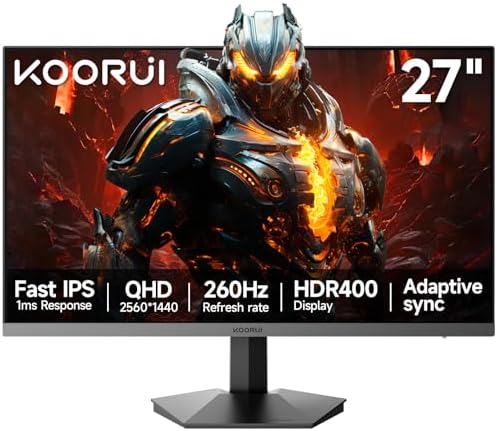


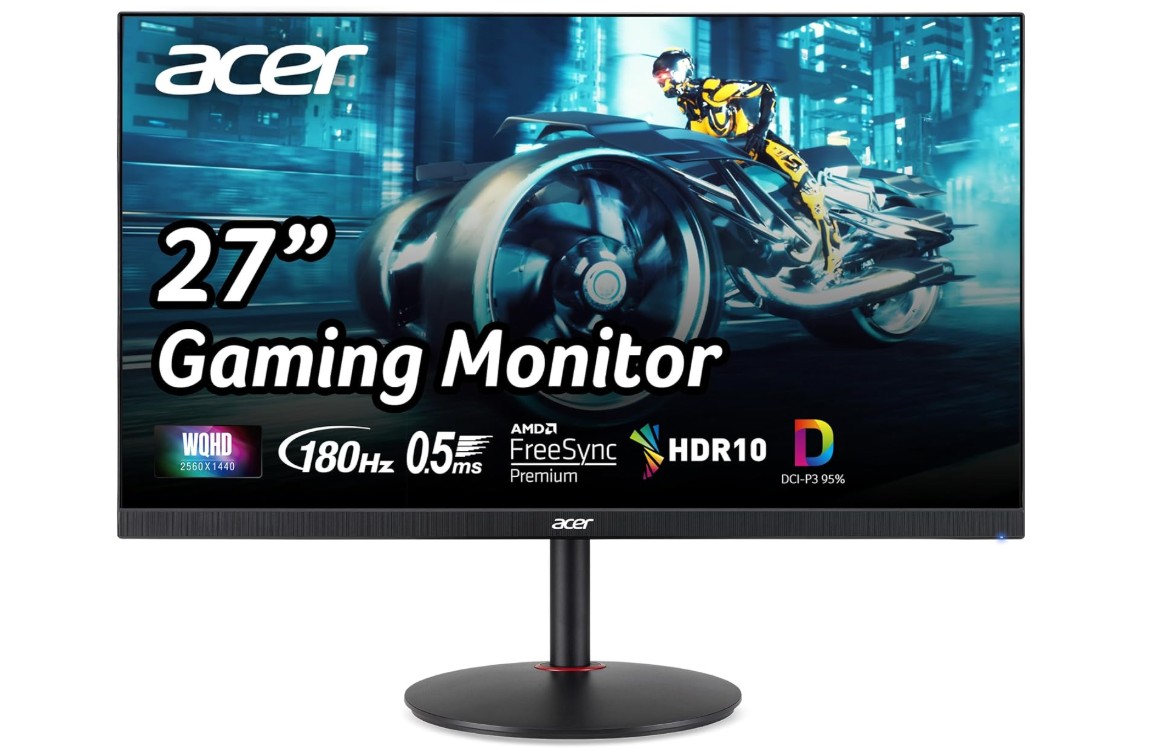
Acer Nitro 27″ WQHD 2560 x 1440 PC Gaming IPS Monitor
Acer Nitro 27″ WQHD 2560 x 1440 PC Gaming IPS Monitor
The Acer Nitro 27″ WQHD gaming monitor feels like a great value choice for gamers who want a sharper and smoother experience without paying too much. The 2560 x 1440 resolution looks very clean compared to 1080p, especially on a 27-inch screen. Small text looks sharper, game textures look more detailed, and you can notice more clarity in open-world games and competitive shooters. The IPS panel also gives very good colors, and the 95% DCI-P3 color coverage makes games look more lively and more realistic. Viewing angles are strong too, so the picture stays consistent from different positions.
The high refresh rate up to 180Hz makes fast motion feel smooth and responsive. It is very noticeable in shooters, racing games, and esports titles. The low 0.5ms response time also helps reduce motion blur in fast scenes, and AMD FreeSync Premium helps control tearing and stutter, which is helpful when the frame rates move up and down. You get one DisplayPort 1.2 and two HDMI 2.0 ports, which is enough for a gaming PC and maybe a console also. The design is clean, modern, and simple. It does not look too flashy, but it still feels like a gaming product.
For the price, the main strengths are the sharp 1440p resolution, fast refresh rate, and IPS color quality. The downside is that HDMI ports are only 2.0, so if you use consoles, you may be limited in refresh rate. Brightness is not very high compared to more expensive monitors, and HDR performance is not true HDR quality. But overall, for PC gamers who want good speed and good clarity under a reasonable budget, this monitor is a strong option. It gives a premium visual feel without paying the price of a high-end display.
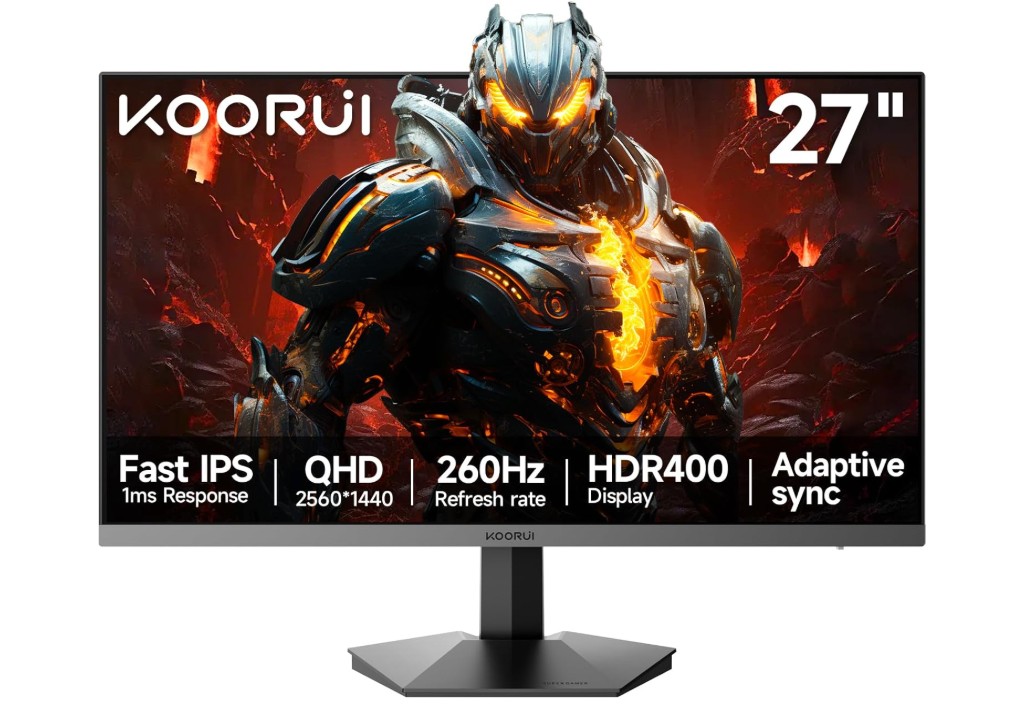
KOORUI 27 inch 1440p Gaming Monitor
KOORUI 27 inch 1440p Gaming Monitor
The KOORUI 27-inch 1440p gaming monitor offers a strong mix of speed and resolution at an affordable price. The QHD (2560×1440) resolution brings more clarity compared to typical 1080p screens, making game textures and environments look richer. The Fast IPS panel contributes with good color and viewing angles, so games and videos look vibrant from most positions.
When it comes to performance, the high refresh rate (advertised up to 260Hz with support for 240Hz) together with the 1 ms response time delivers smooth motion and good responsiveness for fast-paced games. Adaptive Sync support helps to reduce screen tearing and stutter when the frame rate varies. The monitor’s slim bezels and 3-sided frameless design give it a modern look; the inclusion of both DisplayPort and HDMI ports ensures compatibility with PC and consoles.
On the downside, while the spec sheet is impressive, real-world reviews of similar KOORUI 27-inch models mention a few trade-offs. Color calibration may need a bit of tweaking out of the box, and some users report ghosting or motion artifacts when pushing very high refresh rates. Brightness and HDR performance may not match premium monitors, so if you’re gaming in a very bright room or demand top-tier HDR, you might notice the difference.
Overall, for gamers like you (Jawad) who want strong specs without breaking the bank, this KOORUI monitor presents a compelling option. It checks the major boxes: high resolution, high refresh rate, good panel type, and modern design—while keeping the cost reasonable. If you’re willing to accept a few minor compromises in extreme conditions, this monitor delivers excellent value.
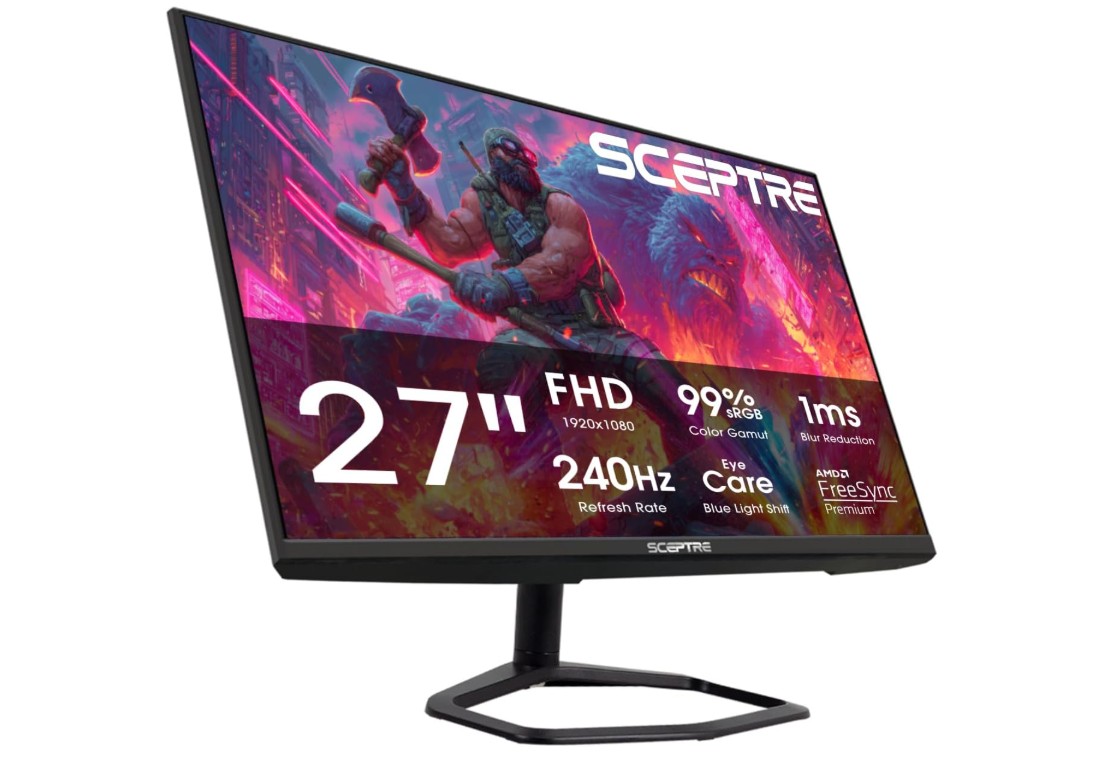
Sceptre New 27 inch 240Hz Gaming Monitor
Sceptre New 27 inch 240Hz Gaming Monitor
The Sceptre E275B‑FWD240 offers serious speed for gamers who prioritise refresh rate and response time. Its 27″ screen paired with a 240 Hz refresh rate and 1 ms response time means fast‑moving game scenes look smoother and inputs feel more immediate. With AMD FreeSync Premium built in, you’ll likely see fewer tears and stutters when frame rates dip. The monitor also covers 99% sRGB for decent colour richness, and includes built‑in speakers and ergonomic stand adjustments (tilt, swivel, height), which is handy for a budget gaming setup.
On the flip side, its native resolution is Full HD (1920×1080) on a 27″ panel. That means pixel density isn’t as tight as a 1440p screen, so things like text and fine details might not appear as crisp. Some users also report build or quality control issues—from odd panel behaviour to minor defects.
In everyday gaming use, if you’re using a system that can push high frame rates—especially in e‑sports or fast‑paced titles—this monitor delivers value by emphasising smoothness over ultra‑sharp resolution. If, instead, you favour ultra‑detailed visuals, photo‑editing, or high‑res single‑player games, you might feel the limitations of 1080p on 27″.
Overall, this monitor is a compelling pick for gamers on a budget who want high refresh rates and responsive performance, with some trade‑offs on resolution and premium finish.
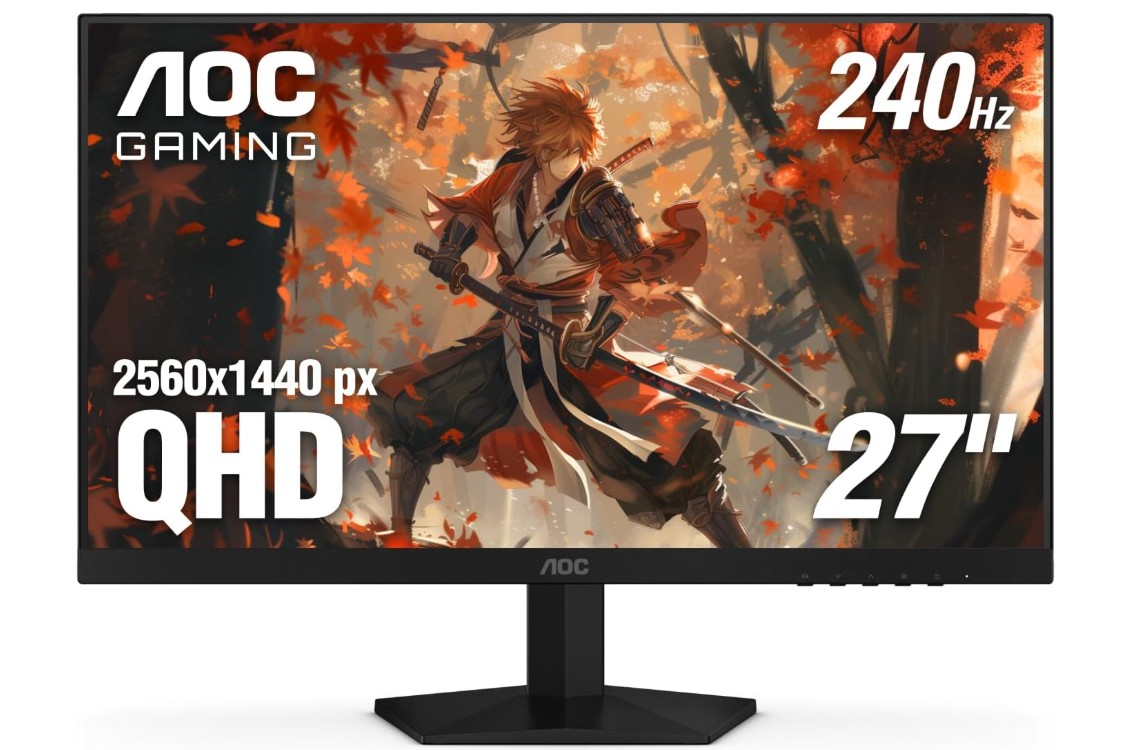
AOC Gaming Q27G41ZE 27 inch QHD IPS Gaming Monitor
AOC Gaming Q27G41ZE 27 inch QHD IPS Gaming Monitor
The AOC Q27G41ZE is a compelling gaming monitor for anyone who wants strong performance and resolution without breaking the bank. Its 27‑inch 2560×1440 QHD panel gives noticeably sharper visuals than many Full HD displays. With a Fast IPS panel and factory calibration (Delta E < 2) covering ~94% DCI‑P3 and ~99.9% sRGB, the colors look rich and accurate right out of the box.
One of its standout features is the high refresh rate—native 240Hz and even up to 260Hz via DisplayPort by overclocking. The response times are excellent (1ms GtG / 0.3ms MPRT) which helps reduce blurring and motion artefacts, especially in fast‑paced games. Adaptive Sync support for both NVIDIA G‑Sync and AMD FreeSync means smoother gameplay with less tearing when frame rates fluctuate.
That said, there are a few things to keep in mind. Brightness peaks at around 300 nits, which is decent but not outstanding for brightly lit rooms or deep HDR scenes. Also, because it’s pushing QHD at such high refresh rates, you’ll need a capable GPU to take full advantage—if your PC can’t hit high frame rates, you may not notice all the benefits. Some user comments on forums mention issues with overclock stability or cable compatibility when running at extreme refresh rates.
Overall, if you’re looking for a 1440p gaming monitor with excellent speed and colour for the price, the Q27G41ZE is a very strong contender. It hits many desirable specs and gives competitive‑level responsiveness with vivid visuals — just make sure your hardware is up to the task and your lighting environment isn’t too demanding.
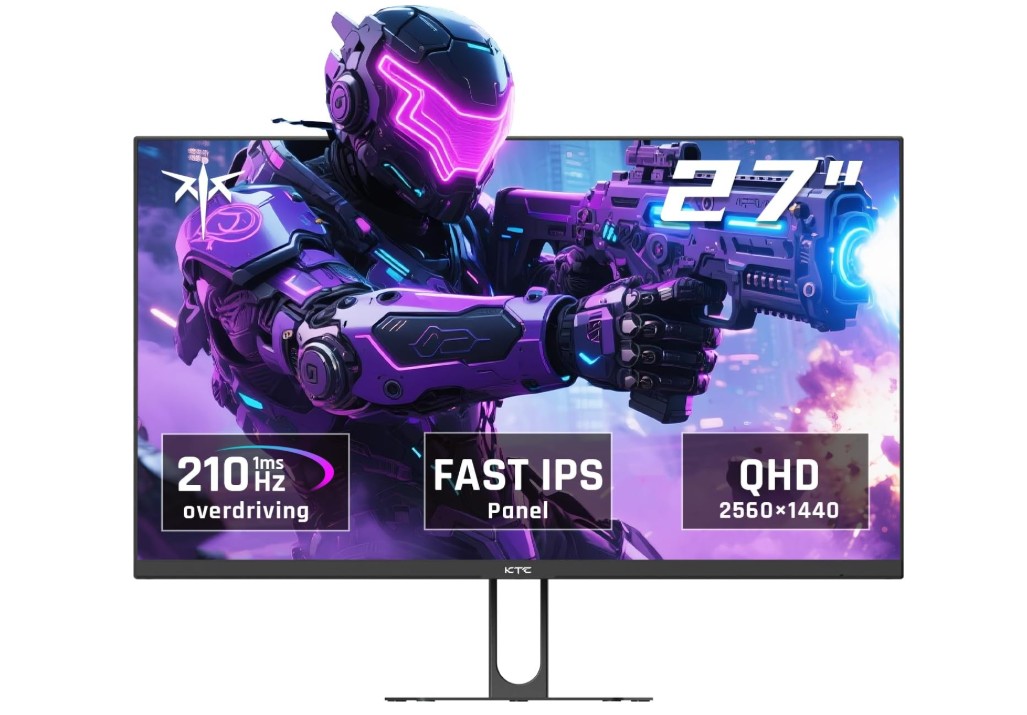
KTC 27 Inch QHD Gaming Monitor
KTC 27 Inch QHD Gaming Monitor
The KTC 27 Inch QHD Gaming Monitor H27T22C-3 is a strong choice for gamers who want a balance of performance, visuals, and features without spending too much. Its 27-inch screen with a 2560×1440 QHD resolution provides a noticeable improvement in clarity over standard 1080p monitors. Text, game details, and textures appear sharper, making both fast-paced games and story-driven titles look more immersive. The Fast IPS panel ensures vibrant colors and wide viewing angles, so the picture remains consistent even if you are not sitting directly in front of the monitor. HDR400 support enhances brightness and contrast, giving a richer experience in games and movies that support HDR content.
One of the main highlights of this monitor is its refresh rate. With a native 200Hz refresh rate and support up to 210Hz, fast-moving scenes in shooters, racing, and action games appear very smooth. Combined with a 1ms response time, this reduces motion blur and ghosting, making gameplay feel more responsive. Adaptive Sync technology helps prevent screen tearing and stuttering when frame rates fluctuate, providing a smoother experience in competitive and casual games alike.
The monitor also includes practical features for everyday use. It has built-in speakers for basic audio needs, HDMI and DisplayPort connectivity for versatile setup options, and tilt adjustment along with VESA mount compatibility, making it easy to fit into various gaming setups. The design is simple yet modern, and the slim bezels add to the immersive viewing experience.
Some minor considerations include the brightness level, which is adequate for most indoor environments but may not perform as well in very bright rooms. Also, to fully take advantage of the 200-210Hz refresh rate at 1440p, a strong graphics card is recommended, especially in high-demand games.
Overall, the KTC H27T22C-3 delivers excellent speed, sharp visuals, and useful features at a competitive price, making it a solid choice for gamers seeking performance and value.
Buying Guide: Best Budget Gaming Monitor Under $200
Finding the best budget gaming monitor under $200 can feel challenging because you want good performance without paying too much. Gaming monitors are different from normal computer monitors. They are designed to handle fast action, smooth movement, and vibrant visuals. Even with a tight budget, you can get a monitor that improves your gaming experience. This guide will help you understand what to look for and make the best choice.
Resolution and Screen Size
Resolution determines how sharp the image looks. Most budget gaming monitors under $200 come in Full HD (1920×1080), which is enough for most gamers. Full HD gives clear text, sharp images, and good detail for gaming. Some monitors may offer QHD or 2K (2560×1440) resolution even under $200, but these are rare. A 27-inch screen is common and gives a good balance between size and sharpness. Smaller screens like 24-inch monitors are fine for competitive gaming because they make it easier to see the entire screen without moving your head. Larger screens may give a more immersive experience but require more powerful hardware to run games smoothly.
Refresh Rate
Refresh rate is how many times the screen updates per second, measured in hertz (Hz). Higher refresh rates make motion look smoother. For budget gaming monitors, you usually find 60Hz, 75Hz, 120Hz, 144Hz, or even 165Hz. Competitive gamers prefer at least 120Hz or 144Hz because it makes fast games like shooters and racing titles smoother. A higher refresh rate also reduces motion blur. Some monitors advertise higher rates like 200Hz, but achieving this requires a powerful graphics card.
Response Time
Response time is how quickly a pixel changes from one color to another, measured in milliseconds (ms). Lower response times reduce ghosting and blurring in fast games. Most budget monitors have 1ms to 5ms response time. A 1ms or 2ms monitor is ideal for competitive gaming. Slower monitors may be okay for casual or story-based games, but fast shooters will feel less smooth.
Panel Type
The type of panel affects color, viewing angles, and speed. TN (Twisted Nematic) panels are fast and cheap, often with very low response times, but colors are weaker, and viewing angles are limited. IPS (In-Plane Switching) panels are slightly slower but offer better color accuracy and wider viewing angles, making them good for games with rich graphics and videos. VA (Vertical Alignment) panels have high contrast, better black levels, and decent colors, but response times can be slower. For under $200, TN and IPS are the most common choices, with IPS being more popular for a balanced experience.
Adaptive Sync Technology
Adaptive Sync helps reduce screen tearing and stuttering by syncing the monitor’s refresh rate with the graphics card’s frame rate. AMD FreeSync is common and works with most AMD GPUs. Some FreeSync monitors also support NVIDIA G-Sync, which makes them compatible with NVIDIA graphics cards. Even on a budget, getting a monitor with Adaptive Sync improves gameplay by making motion smoother and avoiding visual tearing.
Ports and Connectivity
Most gaming monitors under $200 come with HDMI and DisplayPort connections. HDMI is common for PCs, laptops, and consoles, while DisplayPort allows higher refresh rates and better performance on gaming PCs. Some monitors also include USB ports or audio output. Check your hardware to ensure compatibility. If you plan to connect multiple devices, make sure the monitor has enough ports.
HDR and Color Accuracy
High Dynamic Range (HDR) improves brightness and color range, making games look more realistic. Budget monitors may support basic HDR, like HDR400, which gives some improvement but not the full HDR effect of high-end monitors. Look for monitors with high sRGB or DCI-P3 coverage for better colors. IPS panels usually perform better for color accuracy than TN panels.
Design and Ergonomics
A monitor’s design matters for comfort and aesthetics. Slim bezels and frameless designs look modern and allow multi-monitor setups. Tilt, swivel, height adjustment, and VESA mount compatibility help you set the monitor at a comfortable angle. Built-in speakers can be useful but are usually not very powerful.
Brightness and Contrast
Brightness is measured in nits. Most budget monitors have 250–300 nits, enough for indoor gaming. Contrast affects how dark blacks and bright whites appear. VA panels usually have higher contrast, while IPS panels have better color but lower contrast. Proper brightness and contrast ensure you can see details in dark or bright scenes.
Gaming Features
Some monitors include extra gaming features, like crosshair overlays, FPS counters, or customizable color presets. While not essential, these features can enhance your experience, especially in competitive games.
Brand and Warranty
Choose reputable brands like Acer, AOC, Sceptre, KOORUI, or KTC, which often provide reliable performance and support. Check the warranty—at least 1–3 years is good, and some monitors offer zero bright dot or dead pixel guarantees.
Price vs Performance
With a budget of $200, compromises are inevitable. You may need to prioritize features like refresh rate over HDR, or color accuracy over extremely high refresh rates. Reading reviews and understanding your gaming style helps you make the best choice. For example, competitive gamers should focus on refresh rate and response time, while casual gamers might value resolution and colors more.
Tips for Buying
- Decide your priority: fast refresh rates for competitive gaming or better colors for immersive games.
- Make sure your GPU can handle the resolution and refresh rate.
- Check reviews for real-world performance, not just specs.
- Consider ergonomics for long gaming sessions.
- Look for adaptive sync support for smoother gameplay.
FAQs
Yes — you can get solid performance with decent refresh rates, good colors, and responsive gameplay at this price.
Most budget gaming monitors are between 24″ and 27″, which balances visibility and price.
Many offer 1080p (Full HD) resolution, which is ideal for esports and fast-paced gaming on mid-range PCs and consoles.
Look for 75 Hz, 100 Hz, 144 Hz — higher refresh rates make motion smoother and improve responsiveness in games.
They generally offer acceptable color and contrast, though not as rich as higher-end panels. That’s normal at this price.
Conclusion
Even under $200, you can find a gaming monitor that offers sharp visuals, smooth motion, and responsive performance. Understanding features like resolution, refresh rate, response time, panel type, and adaptive sync is crucial to making the right choice. By prioritizing what matters most for your gaming style and setup, you can enjoy a great experience without spending a lot. Whether you play fast shooters, racing games, or immersive story-driven titles, there is a budget monitor that meets your needs and enhances your gameplay. A smart choice will give you excellent value and long-lasting performance, making your gaming more enjoyable without breaking your budget.

Jawad is a passionate tech enthusiast and writer who loves exploring the latest trends in hardware, gadgets, and digital innovation. With a sharp eye for performance and value, he delivers in-depth recommendations and buying guides to help readers make smarter tech decisions.

