
Last Updated on February 8, 2026 by Jawad
Introduction
A good internet connection is important for gaming, streaming, and daily online use, but it starts with a reliable router. Many people think they need to spend a lot to get a fast and stable connection, but that’s not always true. There are many budget routers under $100 that can deliver strong performance for most users. These affordable routers are designed to provide solid Wi-Fi coverage, good speeds, and stable connections without costing too much. They may not have all the advanced features of expensive models, but they can still handle gaming, streaming, and multiple connected devices with ease.
A budget router under $100 is a smart choice for those who want better internet performance without breaking the bank. Most of these routers support dual-band Wi-Fi, which separates faster 5 GHz connections from standard 2.4 GHz signals, reducing interference and improving speed. They also come with technologies like beamforming and MU-MIMO that help maintain a steady signal for multiple devices at once. Some even include gaming-friendly features like Quality of Service (QoS), which gives priority to gaming traffic for smoother performance.
These routers are great for small to medium homes, apartments, or dorms. Whether you are playing online games, streaming HD videos, or working from home, a good budget router can make your connection more stable and enjoyable. You don’t need to spend hundreds of dollars to experience a reliable and fast network. By choosing the right model, you can enjoy excellent value, improved Wi-Fi coverage, and smoother online experiences—all for under $100. It’s the perfect solution for anyone who wants strong performance on a budget.
We also have a recommendation for the Best Wi-Fi Mesh Router for Long Range, so make sure to check that out too!
Top Budget Router Under $100


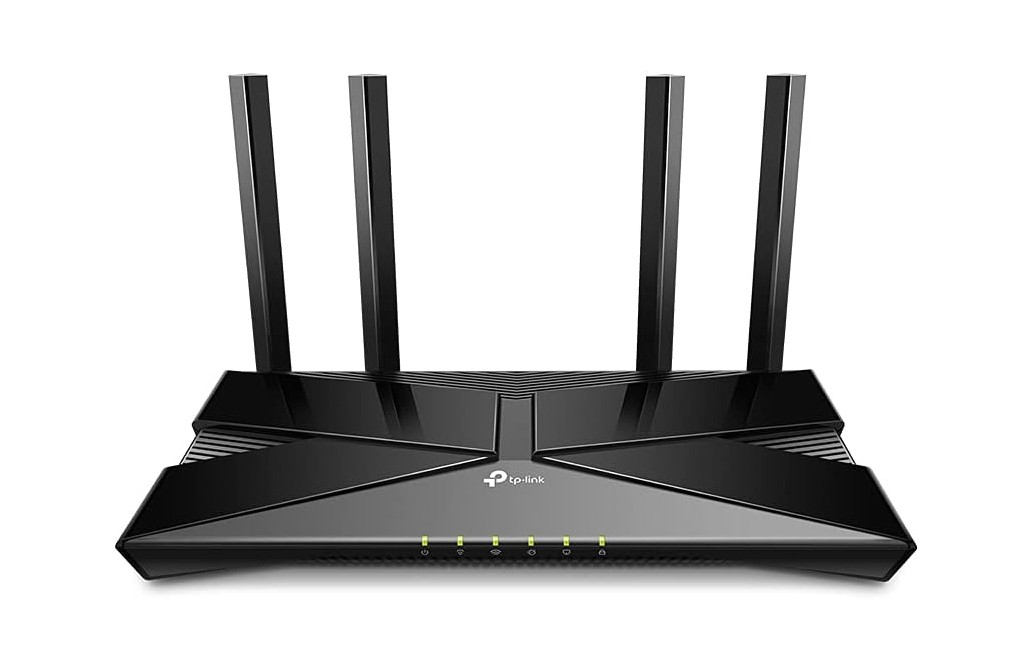
TP-Link Smart WiFi 6 Router (Archer AX10)
TP-Link Smart WiFi 6 Router (Archer AX10)
The Archer AX10 brings the newer Wi-Fi 6 standard into your home for a decent price. It supports dual bands — up to 1201 Mbps on 5 GHz and around 300 Mbps on 2.4 GHz — helping with faster performance on the newer devices. It handles multiple devices well, thanks to features like OFDMA and MU-MIMO, meaning fewer slowdowns when phones, laptops, and smart TVs are all online at once. Setup is quite straightforward, and the router comes with four gigabit LAN ports, so wired connections are also strong.
On the coverage side, it does a good job for small to medium homes. It uses beamforming and four external antennas to help spread the Wi-Fi signal. Reviewers found it well-suited for apartments or single-floor houses.
However, because it is a budget model, there are trade-offs. The range and throughput don’t match higher-end routers, especially in larger homes or with many walls. Advanced users may miss features like very deep QoS controls, USB ports, or very strong mesh network support. Some users have reported speed results less than expected, possibly because of older cables, device limitations, or placement.
In short: if you’re looking to upgrade to Wi-Fi 6 on a budget, want solid performance for streaming, casual gaming, and many devices, the Archer AX10 is a strong choice. If you have a large multi-floor house, very high-speed internet, or need advanced network features, you might need to look at a higher tier.
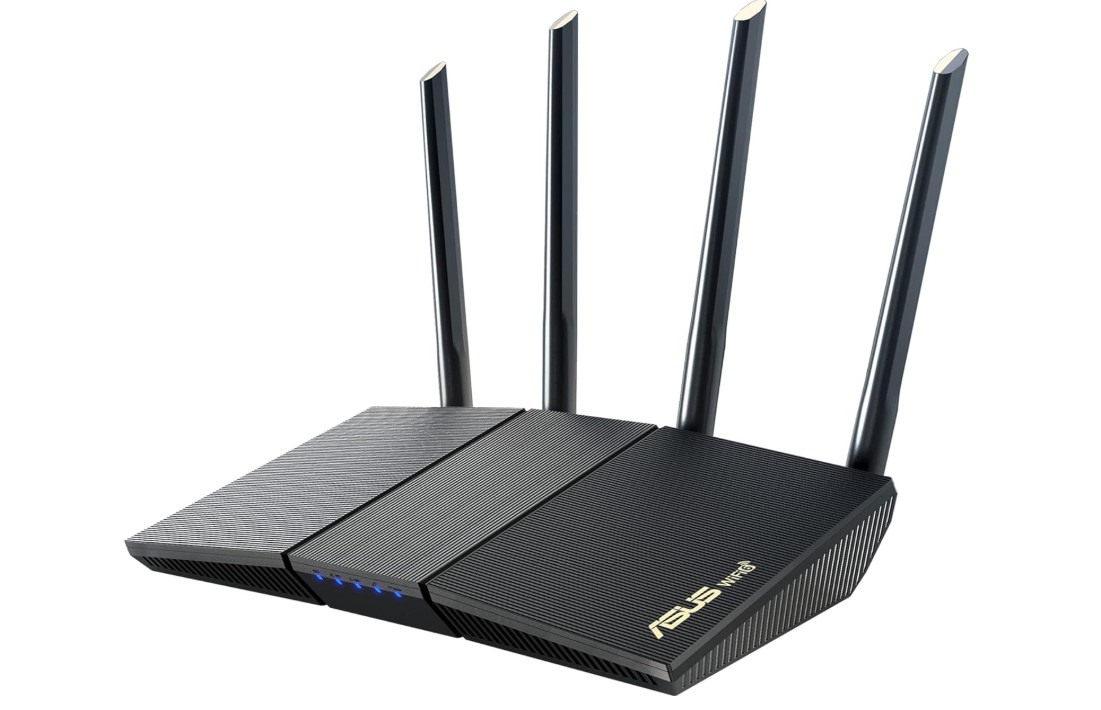
ASUS RT-AX1800S Dual Band WiFi 6 Extendable Router
ASUS RT-AX1800S Dual Band WiFi 6 Extendable Router
The RT‑AX1800S brings modern WiFi 6 performance into homes without breaking the bank. Setup is quick and friendly — even if you’re not a tech expert — and the router supports features like MU‑MIMO and OFDMA, so it handles several devices at once with fewer hiccups. Users also like its built‑in security (no subscription needed) and compatibility with ASUS’s AiMesh system for expanding coverage.
In real‑world use on a typical small to medium home, it delivers good speeds and keeps streaming, gaming, and browsing smooth and stable. One review found ping/latency stayed low, and throughput was strong for its price. It’s a smart upgrade from older routers, especially if you have a gigabit internet plan or multiple devices needing WiFi.
That said, it’s not perfect. For larger homes with thick walls or multiple floors, its range and signal strength can drop off. Some users also say the parental controls are basic, and advanced users may miss customization options or higher throughput that premium routers offer. If you have heavy usage across many devices or very demanding network needs, you might want to look at a router with stronger specs.
In short, the RT‑AX1800S is a very good choice for most homes wanting a reliable WiFi 6 router with modern features and security — just be aware of its limits in very large spaces or for extreme networking demands.
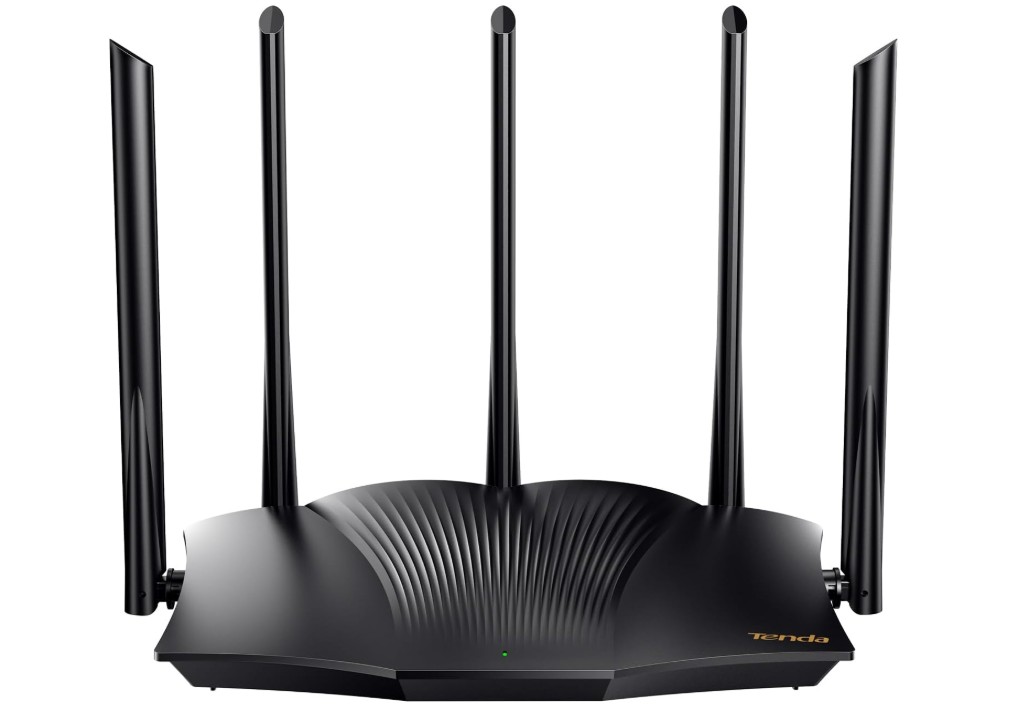
Tenda WiFi 6 Router
Tenda WiFi 6 Router
The RX12 Pro brings modern Wi‑Fi 6 (802.11ax) performance at a compelling price. With dual‑band support up to ~2976 Mbps (around 574 Mbps on 2.4 GHz + 2402 Mbps on 5 GHz), it tackles streaming, gaming, and multiple devices well. Setup is straightforward, and it packs advanced tech like OFDMA and MU‑MIMO so your many devices don’t slow things down. The high‑gain five external antennas boost reach, meaning fewer signal‑dead spots in medium‑sized homes.
On the downside: for very large houses or with many walls/floors, coverage and speed drop off compared to top‑tier routers. A few users report occasional stability issues or less intuitive parental‑control settings. Also, while it offers solid features for its price, if you demand ultra‑advanced routing options or enterprise‑grade control, you’ll find it somewhat basic.
Overall, if you’re upgrading from a Wi‑Fi 5 router, have typical home needs (streaming, gaming, smart devices), and want value, the RX12 Pro is a very strong choice. Just keep in mind that if your home is very big or you need the absolute top specs, you might consider something more premium.
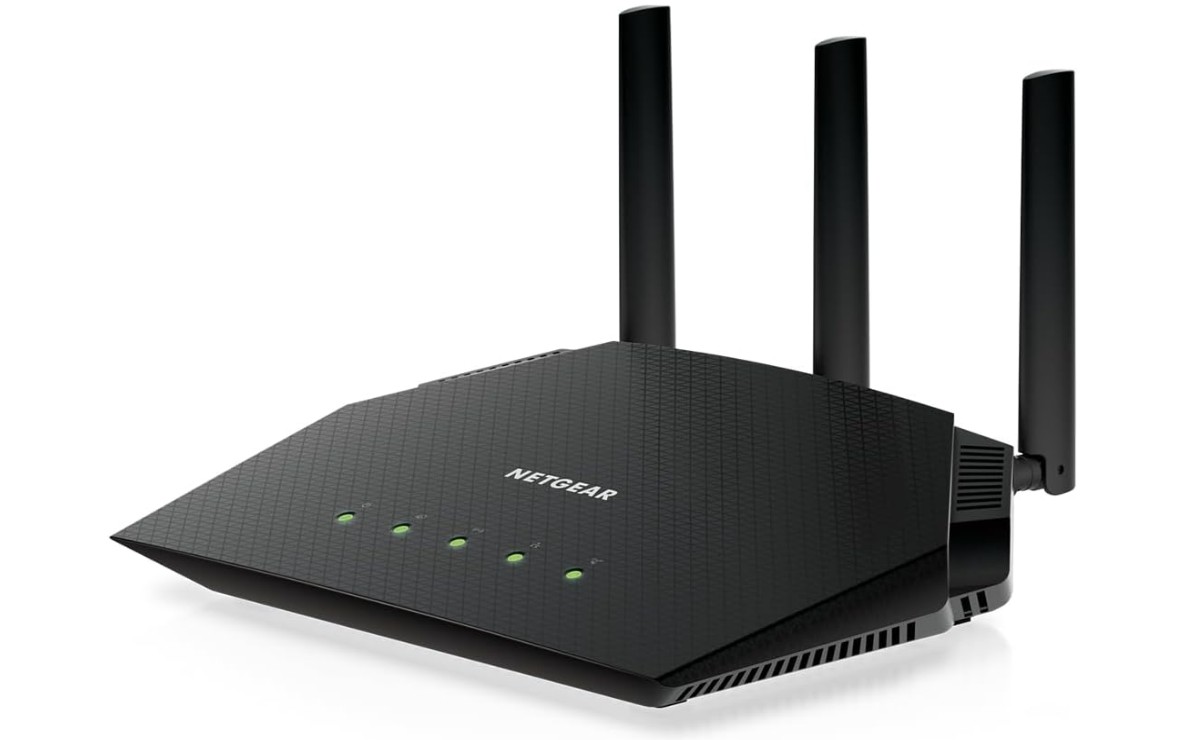
NETGEAR RAX36-100PAR AX3000 Nighthawk WiFi 6 Router
NETGEAR RAX36-100PAR AX3000 Nighthawk WiFi 6 Router
The RAX36 brings WiFi 6 (802.11ax) into your home with up to 3 Gbps combined speed, making it a good pick for streaming, gaming, and multiple devices. Setting it up is fast and easy using the Nighthawk app, and many users say they noticed instant improvements in speed and coverage compared to older routers. It covers a typical small to medium‑sized home well and handles several devices without major slowdowns.
On the security side, it includes strong encryption and has support for the latest WiFi standards, which gives peace of mind. The design is clean and compact, so it fits well in most homes without feeling bulky.
There are a few trade‑offs: it doesn’t have a multi‑gigabit port for the wired side, which might matter if you’ve got very fast gigabit internet or plan to push wired speeds. Also, some advanced users feel the app and feature set are less flexible than higher‑end routers. Some of the extra security or parental control features require paid subscriptions after a trial period.
Overall, this router offers great value for most homes wanting an easy upgrade to WiFi 6 with good coverage, strong speeds, and decent features, as long as you don’t need premium wired ports or ultra‑custom firmware.
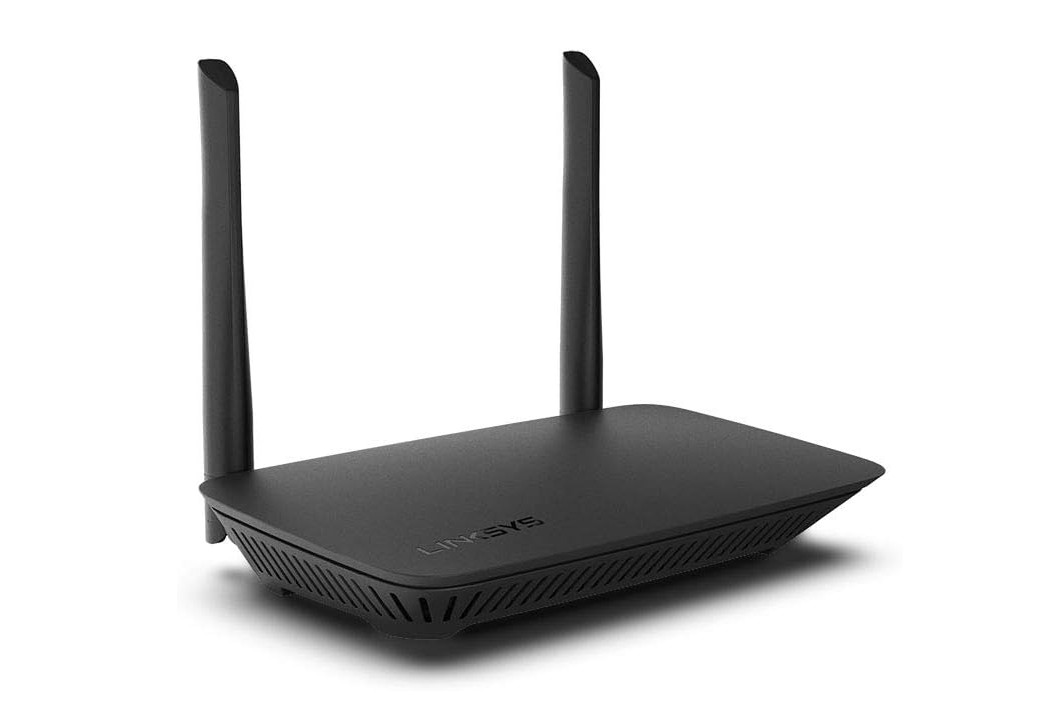
Linksys E5400 WiFi 5 Dual Band Router
Linksys E5400 WiFi 5 Dual Band Router
This router is easy to set up and works well for basic home use. Many users found the installation process smooth and appreciated the dual‑band setup (2.4 GHz + 5 GHz), which helps streaming and general internet use. It also supports features like guest WiFi and parental controls, making it a good choice for families who want simple device management and want visitors to have internet access without sharing the main password.
On the flip side, this router has some real limitations. The top speeds are disappointing for heavy users, because the WAN and LAN ports are limited to 100 Mbps, even though the wireless spec advertises up to 1.2 Gbps (AC1200). Range is okay for small homes or apartments, but in larger homes or through many walls, the signal can drop off. Some customers say that while the router meets basic needs, it struggles if you have a high‑speed internet plan, many devices, or want seamless performance for gaming or large file transfers.
In short, if your internet speed is modest and your home is small to medium-sized, the E5400 gives decent value with easy setup and useful features. But if you have very fast internet, many connected devices, or a larger house with thicker walls, you might want to consider a more powerful router that offers gigabit ports and stronger overall performance.
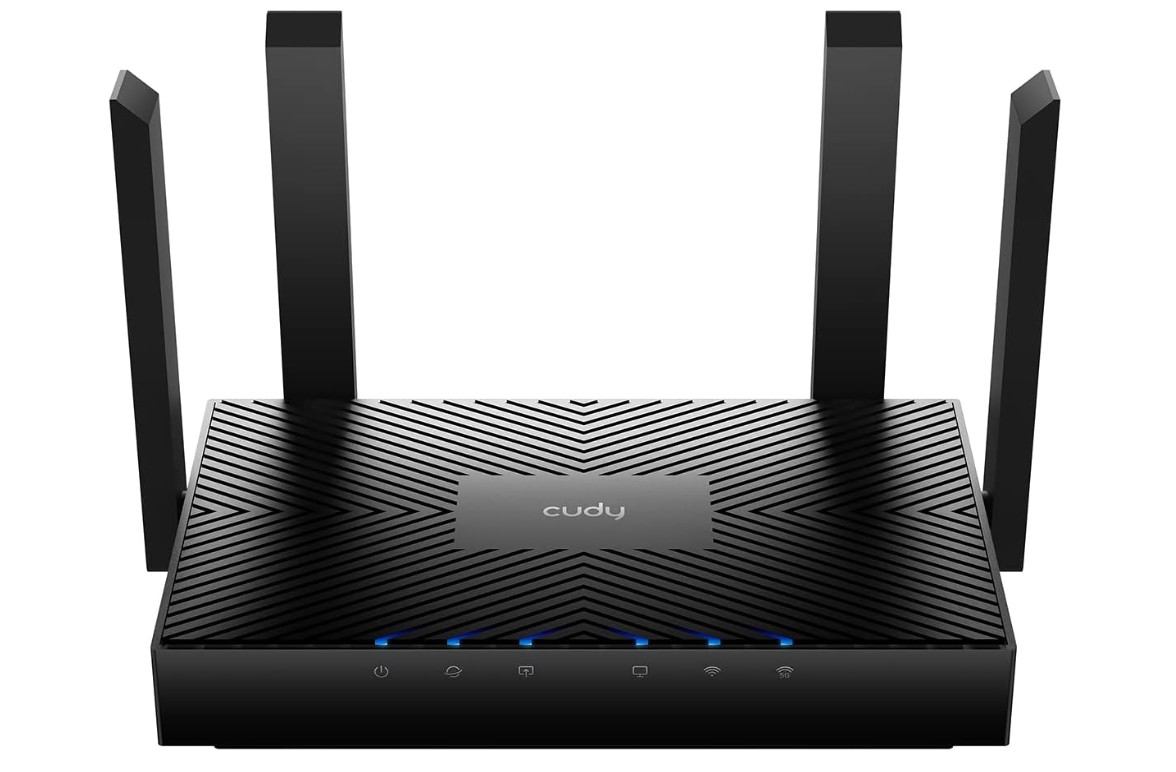
Cudy AX3000 WiFi 6 Router
Cudy AX3000 WiFi 6 Router
The Cudy WR3000 is a solid Wi‑Fi 6 router that delivers strong value for the price. It offers dual‑band speeds up to about 3000 Mbps (5 GHz + 2.4 GHz combined) and includes features like MU‑MIMO, OFDMA, beamforming, and strong VPN support. The setup is straightforward, thanks to the Cudy Cloud app, making it easy even if you’re not very tech‑savvy. Many users report good performance with several devices connected at once.
For everyday tasks like streaming 4K video, gaming, or working from home, the WR3000 handles things well. The Gigabit LAN ports also help if you want wired connections for consoles or PCs. That makes it a good choice for households with multiple devices or for small offices.
There are a few trade‑offs to keep in mind. Some users say the range isn’t as strong in large houses or across many walls—signal drop‑offs can happen when you go far from the router. Also, while the basic features are excellent, the advanced customization options are fewer compared to premium models. A few users have reported occasional instability under heavy load or when many devices use the network at once.
In short, if you’re looking for a budget‑friendly Wi‑Fi 6 upgrade, the WR3000 offers great value with fast speeds, modern features, and decent ease of use. Just be aware: if you have a large home, many thick walls, or want ultra‑advanced settings, you might find it has some limitations.
Buying Guide: Budget Router Under $100
A reliable internet connection starts with a good router. Many people assume that high performance requires spending hundreds of dollars, but that’s not true. There are many budget routers under $100 that provide fast speeds, stable connections, and essential features for gaming, streaming, smart home devices, and general internet use. This guide will help you understand what to look for when buying a budget router and how to choose the best one for your home.
Wi-Fi Standard
The Wi-Fi standard is the first thing to check. Most budget routers support Wi-Fi 5 (802.11ac) or Wi-Fi 6 (802.11ax). Wi-Fi 6 is the newer standard and offers faster speeds, better efficiency, and improved performance when many devices are connected. If your internet speed is moderate and you have only a few devices, Wi-Fi 5 can be sufficient. Wi-Fi 6 is ideal for future-proofing and handling multiple devices efficiently.
Speed and Coverage
Router speed is usually listed in Mbps or Gbps and indicates the maximum theoretical speed. Keep in mind, actual speeds are affected by walls, distance, and interference. Dual-band routers operate on 2.4 GHz and 5 GHz bands. The 2.4 GHz band provides longer range and penetrates walls better, while 5 GHz offers faster speeds over shorter distances. Features like beamforming help direct the signal toward your devices, improving both speed and stability.
Number of Devices Supported
Many homes today have multiple devices, including phones, laptops, smart TVs, and smart home gadgets. Routers with MU-MIMO (Multi-User, Multiple Input, Multiple Output) and OFDMA handle multiple devices simultaneously without slowing down your network. A budget router under $100 that supports 10–20 devices is usually sufficient for most households.
Ports and Wired Connections
Wired connections are important for gaming, desktop PCs, and smart TVs. Most budget routers include 4 Gigabit LAN ports and 1 WAN port. Some models may have a USB port for sharing storage or printers over the network, though this feature is less common in budget models. Wired connections are faster and more stable than Wi-Fi, which is useful for activities that require low latency.
Security Features
Security is essential to protect your network from unauthorized access. Look for routers that support WPA3 or at least WPA2 encryption. Many budget routers also include built-in firewalls, VPN compatibility, and parental controls. Parental controls allow you to block inappropriate content or limit internet access during specific hours. VPN compatibility helps create a secure connection for remote work or private browsing.
Ease of Setup and Management
Many modern budget routers come with mobile apps or web interfaces that make setup simple. You can configure the router, manage devices, prioritize traffic, and run speed tests without accessing complex menus. This is especially useful for users who are not tech-savvy. Some apps also allow parental control settings, guest network management, and monitoring connected devices.
Design and Antennas
Design may not directly affect performance, but is still important for placement. Compact routers fit easily in any room, while models with external antennas often provide better coverage. Adjustable antennas allow you to direct the signal to specific areas of your home. Some routers also have internal antennas for a sleeker look.
Advanced Features
Even budget routers can include advanced features. QoS (Quality of Service) allows you to prioritize gaming or streaming traffic, ensuring smooth performance when multiple devices are online. Some routers support mesh networking, letting you expand coverage by adding extra units. Guest networks provide a separate Wi-Fi network for visitors, keeping your main network secure.
Real-World Performance
Reading user reviews is important because advertised speeds often differ from real-world performance. A router may perform well in a small apartment but struggle in larger homes or through multiple walls. Look for comments on stability, coverage, and speed to understand what to expect.
FAQs
Yes — you can get reliable Wi-Fi performance with essential features, suitable for home use, streaming, gaming, and small offices.
Aim for Wi-Fi 5 (802.11ac) or Wi-Fi 6 (802.11ax) if available, as Wi-Fi 6 offers better coverage and speed for multiple devices.
Yes — many budget routers support 1080p/4K streaming, online gaming, and multiple connected devices without major lag.
Speeds vary by model and internet plan, but most can handle hundreds of Mbps — enough for gaming, video calls, and media streaming.
Coverage depends on antennas and placement. Budget routers typically cover small-to-medium homes, but very large houses might need extenders or mesh systems.
Conclusion
A budget router under $100 can meet most home needs if you carefully consider the Wi-Fi standard, speed, coverage, supported devices, ports, security, and ease of use. Even at a low price, it is possible to get a fast, stable, and reliable internet connection for gaming, streaming, work, and daily online tasks. By understanding these factors, you can choose a router that delivers good performance, supports multiple devices, and offers features like parental controls, QoS, and VPN—all without exceeding your budget. Budget routers today can offer excellent value, making them a practical solution for households that want reliable internet without spending a fortune.

Jawad is a passionate tech enthusiast and writer who loves exploring the latest trends in hardware, gadgets, and digital innovation. With a sharp eye for performance and value, he delivers in-depth recommendations and buying guides to help readers make smarter tech decisions.

