
Last Updated on March 30, 2026 by Jawad
Introduction
You’ve come to the right spot if you’re looking for a top-notch gaming keyboard without going over budget. Performance and price are expertly balanced in a “Gaming Keyboard Under $100.” These keyboards offer the necessary features for engaging gameplay without the hefty price tag of more expensive models. Your keyboard is essential for comfort and performance, whether you’re playing fast-paced shooters, exploring large open worlds, or participating in multiplayer online adventures.
When selecting a gaming keyboard under $100, it’s important to consider the following factors: responsive keys, robust construction, a comfortable design, and practical extras like programmable buttons or backlighting. Excellent keyboards that provide precise key presses, reliable performance, and a fun typing or gaming experience are still available, even though you won’t get the ultra-premium materials or every premium feature found in more expensive models.
In this introduction, we’ll examine the typical features of keyboards in this price range, why they’re worth considering, and how to choose the one that best suits your needs and preferences. There is a lot of value here, regardless of whether you prefer fully programmable keys for macro commands, bright RGB lighting for aesthetic flair, or silent switches for late-night gaming. We’ll also go over how to get the best value for your money and steer clear of typical compromises.
You’ll know exactly what to look for in a gaming keyboard under $100 by going through all of this article, and you’ll be sure to find a model that fits your play style, doesn’t break the bank, and improves your typing and gaming experience overall.
We also have a recommendation for the Best Mechanical Keyboard for Gaming Under $50, so make sure to check that out too!
Top Gaming Keyboard Under $100


Comparison
| Keyboard | Image | Rating | Switch Type | Layout | Keycaps | Build | Backlighting | Special Feature | Price | Buy |
|---|---|---|---|---|---|---|---|---|---|---|
|
SteelSeries Apex 5 🏆 Best Overall 🔥 Top Pick |
 | ★★★★★ | Hybrid Mechanical | Full Size | ABS | Aluminum Alloy | Per-Key RGB | OLED Display | Under $100 | Check Price |
|
Logitech G Pro 💰 Best Value |
 | ★★★★★ | GX Mechanical | TKL | ABS | Compact Durable | LIGHTSYNC RGB | Detachable Cable | Under $100 | Check Price |
| Redragon K556 |
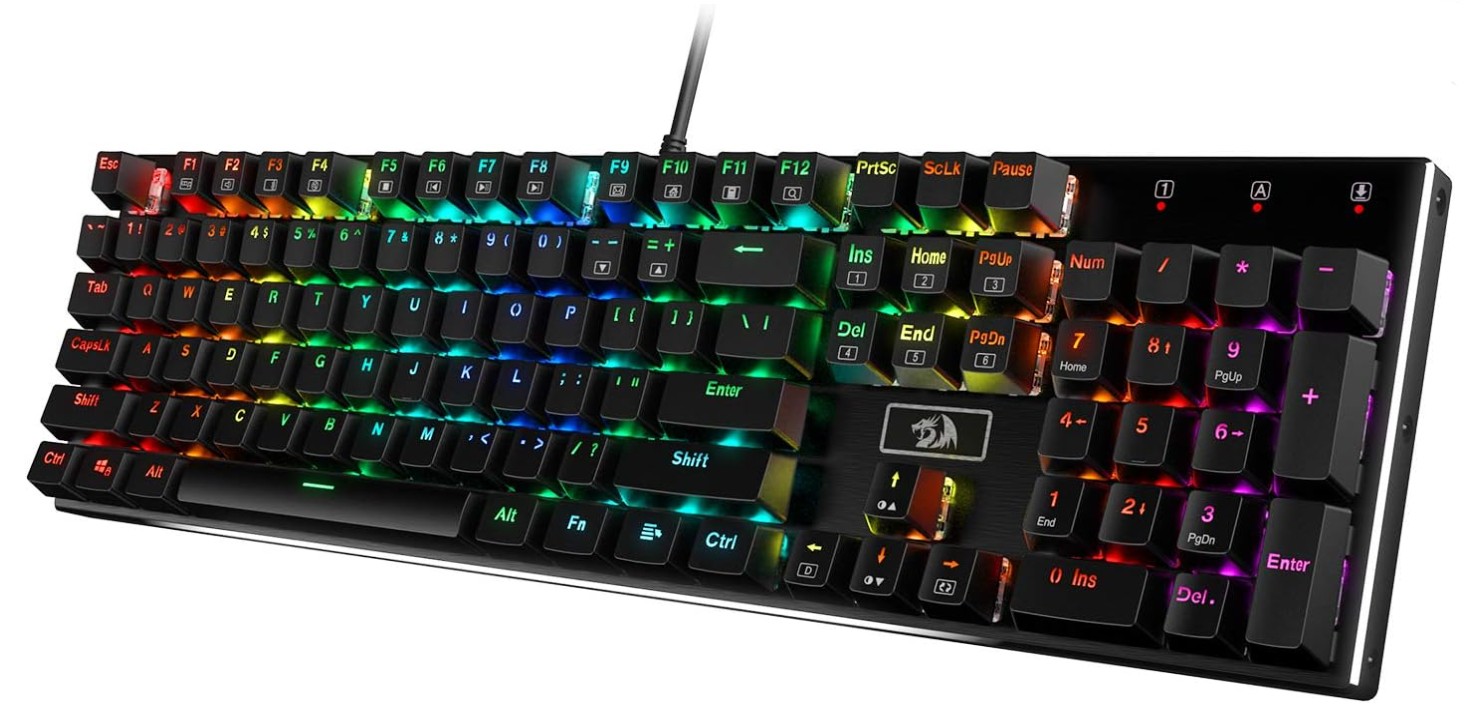 | ★★★★☆ | Brown Mechanical | Full Size | ABS | Metal Base | RGB | Hot-Swappable | Under $80 | Check Price |
| HyperX Alloy Origins 60 |
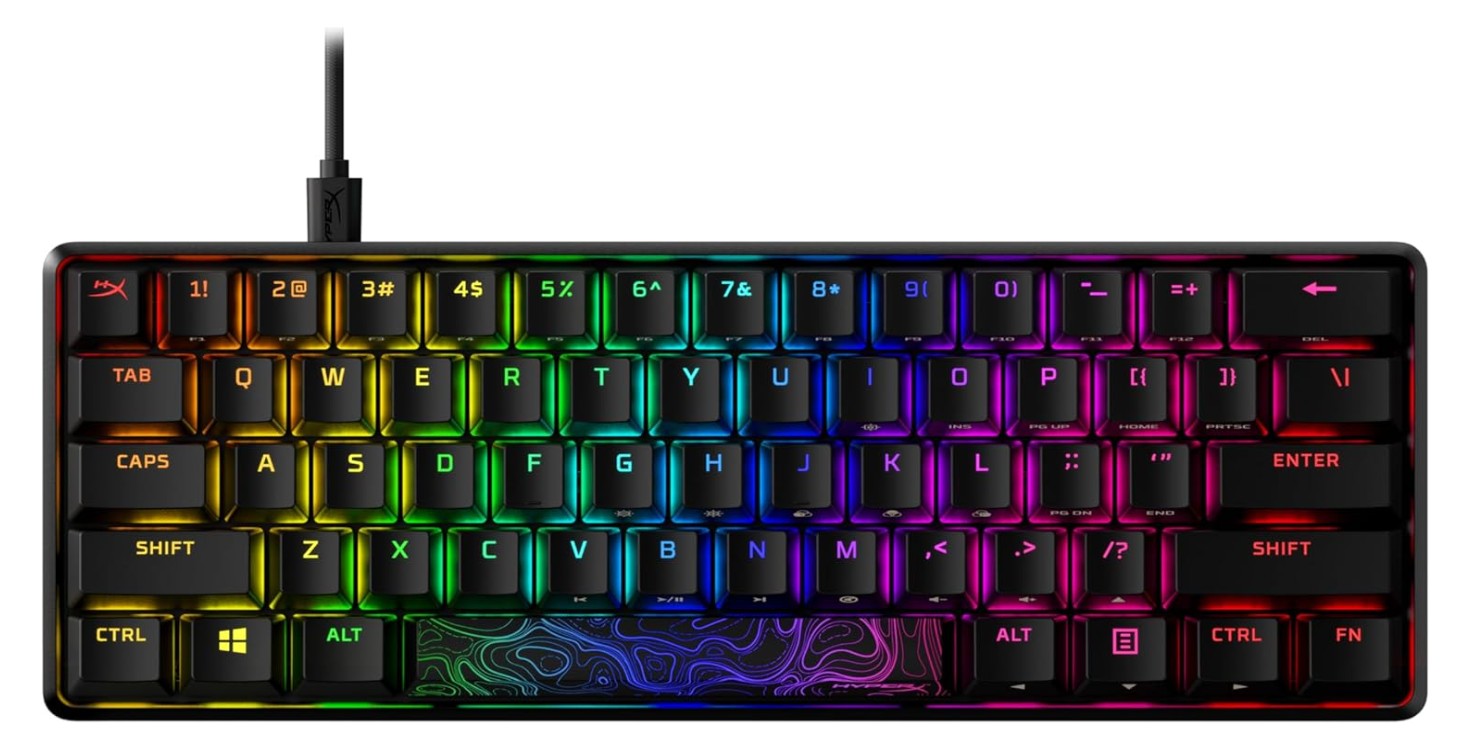 | ★★★★★ | HyperX Red | 60% | PBT | Aluminum | RGB | Ultra Compact | Under $100 | Check Price |
| DURGOD Taurus K320 |
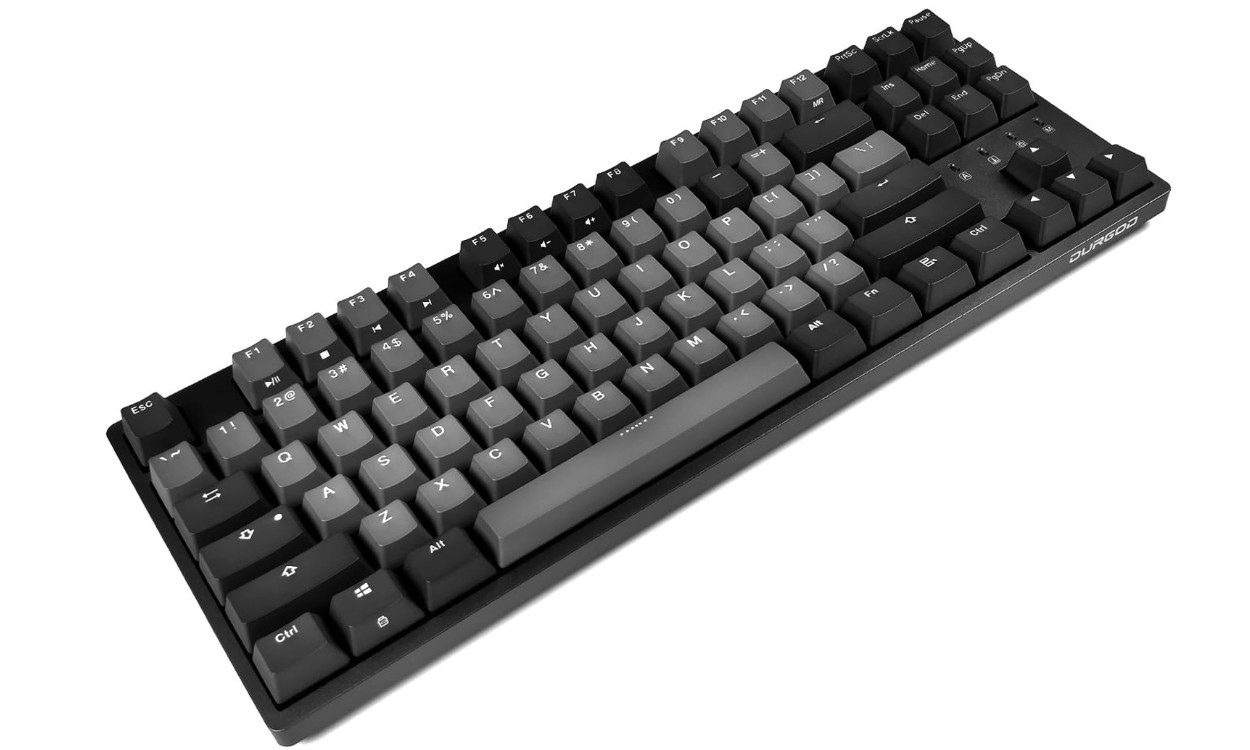 | ★★★★☆ | Cherry MX | TKL | PBT | Solid Frame | No RGB | Premium Typing Feel | Under $100 | Check Price |
SteelSeries USB Apex 5 Hybrid Mechanical Gaming Keyboard
SteelSeries USB Apex 5 Hybrid Mechanical Gaming Keyboard
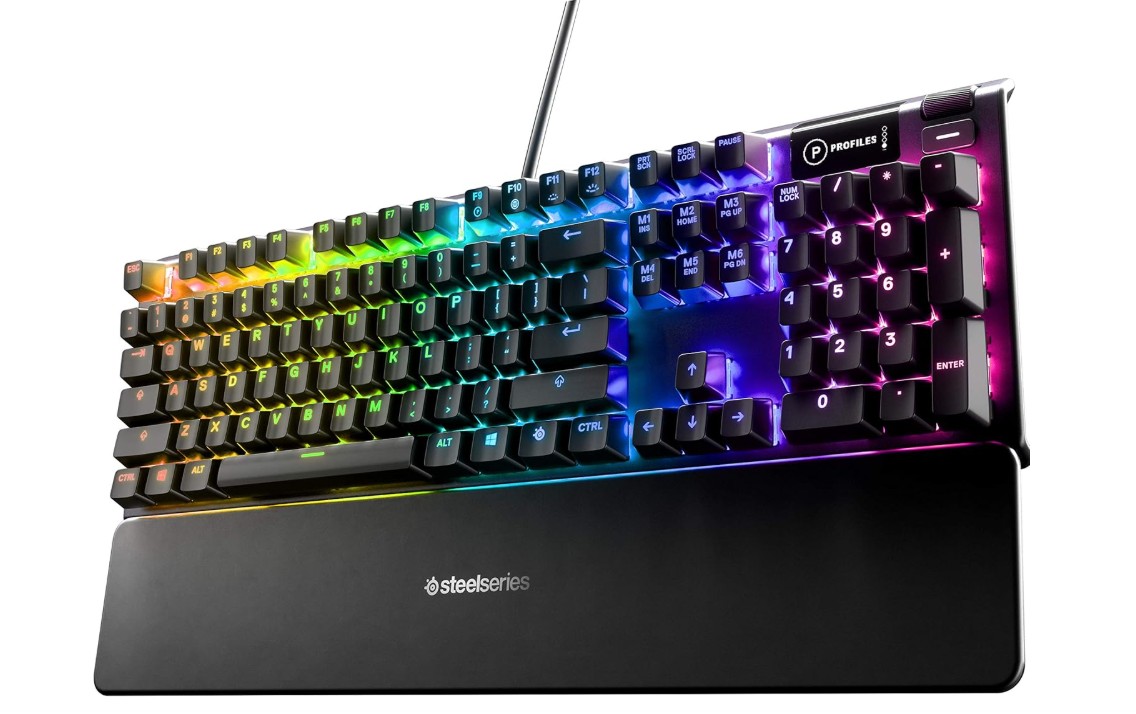
The SteelSeries Apex 5 Hybrid Mechanical Gaming Keyboard is a great choice for gamers who want premium quality without spending too much. It combines the best of both mechanical and membrane designs, offering a smooth yet clicky feel that feels satisfying and responsive. The hybrid blue switches deliver a tactile feedback that makes typing and gaming both comfortable and accurate. Each key feels well-built and consistent, making it a great fit for both casual and competitive gamers.
One of the best things about the Apex 5 is its strong aircraft-grade aluminum frame. It feels solid and durable, giving you confidence that it will last for years of heavy gaming sessions. The per-key RGB lighting is bright, colorful, and fully customizable through the SteelSeries Engine software. You can create lighting effects, sync them with other devices, or keep it simple with your favorite color pattern.
The small OLED smart display is another cool feature that makes this keyboard stand out. It allows you to see system information, in-game stats, or even messages from apps like Discord and Spotify. It’s a nice touch that adds convenience without needing to switch screens. The dedicated media keys and volume wheel make controlling sound and music easy while gaming.
Performance-wise, the Apex 5 offers fast response times, anti-ghosting, and N-key rollover, which means all your key presses are registered correctly even during intense moments. It connects easily through USB and works well with Windows, macOS, PlayStation, and Xbox.
Overall, the SteelSeries Apex 5 is an excellent mid-range keyboard that offers a great balance of design, features, and performance. It feels premium, looks stylish, and performs reliably, making it a fantastic option for gamers who want a high-quality experience at a reasonable price.
Logitech G PRO Mechanical Gaming Keyboard
Logitech G PRO Mechanical Gaming Keyboard
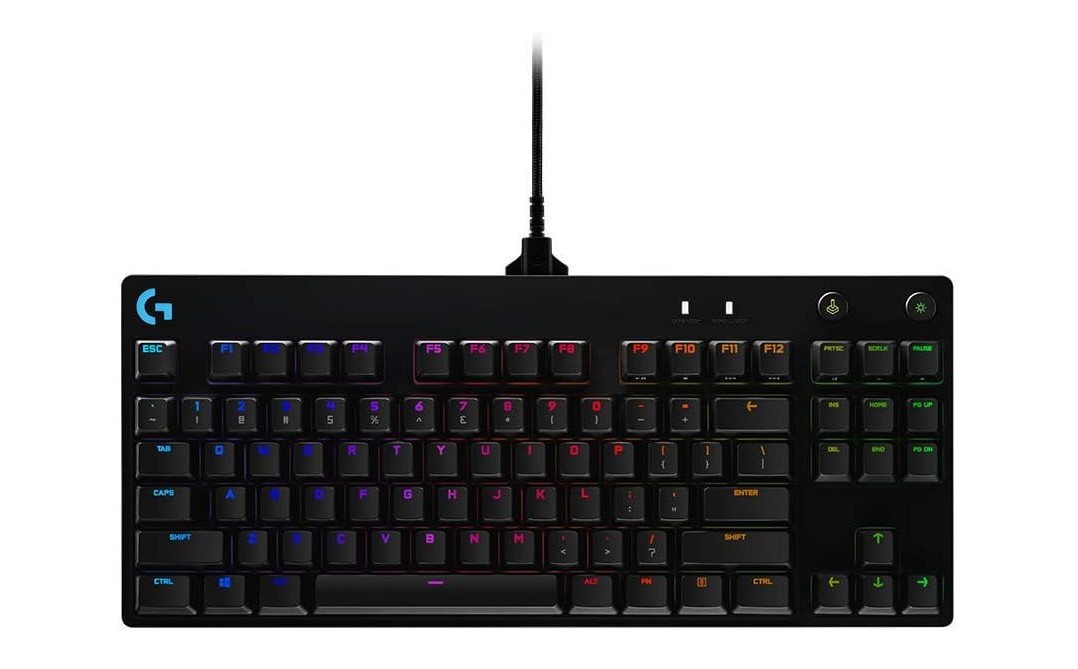
The Logitech G PRO Mechanical Gaming Keyboard offers a sleek, compact experience that’s great for both gaming and everyday use. Its tenkeyless layout gives you more space for mouse movement and makes it easy to carry around — the detachable micro-USB cable adds to that portability. Reviewers consistently highlight how solid the build feels and how clean the design is.
Typing and gaming on this keyboard is satisfying thanks to its clicky GX Blue (or similar) mechanical switches. They provide tactile feedback and a responsive keystroke — users say it feels precise for fast gaming sequences. The LIGHTSYNC RGB backlighting (with 16.8 million colors) adds style and customizability; you can match your setup or create unique lighting profiles.
However, it’s not perfect for everybody. The clicky switches make it louder than some might prefer — especially in shared or quiet spaces. Also, the lack of a numeric keypad may be a drawback if you use those keys often, and the advanced customization features require the Logitech G Hub software, which takes some setup.
In short: if you’re looking for a high-quality, performance-oriented keyboard in a compact form and don’t mind the extra noise or missing numpad, this model is a strong choice. If you tend to work in silence or rely heavily on number input, you might want to consider alternate layouts or quieter switches.
Redragon K556 Mechanical Gaming Keyboard
Redragon K556 Mechanical Gaming Keyboard
The Redragon K556 is a very solid choice if you want a full-size mechanical keyboard without spending too much. Right out of the box you’ll notice how sturdy it feels — thanks to the aluminum top plate and metal frame, it doesn’t flex easily and gives a premium feel. The switches (typically brown tactile ones) strike a good balance between typing and gaming — you get that little bump which helps feedback, yet it’s quieter than clicky blue switches.
RGB lighting is plenty fun with many modes and backlight effects, letting you tailor the look of your setup easily. Gaming and fast typing are handled well too thanks to full key rollover (N-key) which reduces key conflict when you press many keys at once. On the flip side, some users mention that the keyboard is fairly heavy and lacks features like a detachable cable or wireless mode, so portability isn’t its strong point. Plus, there have been reports of quirks — for example a “ding” metallic sound when pressing some keys hard, and in a few cases keys or switches failing after some time.
If you’re okay with a wired full-size layout, don’t mind the weight, and want good build/materials plus tactile switches and lighting at a budget friendly price, then the K556 is a very good pick. If you prefer ultra-quiet switches, portability or premium hot-swap/switch options, you might want to consider something more high-end.
HyperX Alloy Origins 60 – Mechanical Gaming Keyboard
HyperX Alloy Origins 60 – Mechanical Gaming Keyboard
The HyperX Alloy Origins 60 is a compact and stylish gaming keyboard that stands out for its strong build and fast performance. Its 60% layout means fewer keys—no number pad or separate arrow keys—which gives you more desk space and a cleaner look. Reviewers agree that this design works very well for gaming where movement and speed matter.
The keys feel satisfying thanks to its linear HyperX Red switches, which respond quickly and smoothly. According to tests, they have a low actuation point and travel distance, which is great for competitive gaming. The materials are excellent: you get a metal frame and doubleshot PBT keycaps that feel durable and premium.
Customizing the look is easy thanks to full RGB lighting and software support through HyperX’s NGENUITY tool. You can set up per-key lighting and macros if you want. However, the keyboard isn’t perfect for every use. Because of the smaller layout, you’ll miss dedicated keys like a number pad or full row of function keys, which makes it a bit awkward for work or productivity tasks. Some users also found the software a bit basic or finicky, and a few reported issues like loud stabilizers or key noise.
In short: if you’re focused on gaming and want a compact keyboard with excellent build quality and fast switches, the Alloy Origins 60 delivers in a big way. If you also type a lot or need full-size features for work, you might find yourself missing some keys.
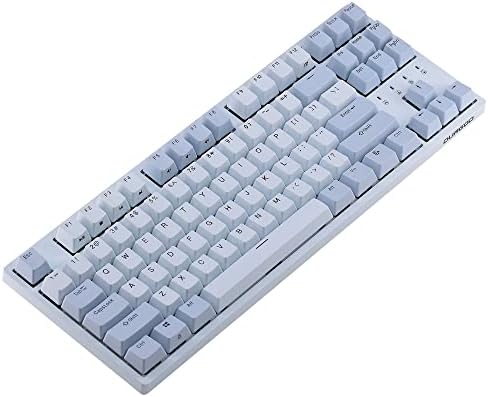
DURGOD Taurus K320 TKL Mechanical Gaming Keyboard
DURGOD Taurus K320 TKL Mechanical Gaming Keyboard
The DURGOD Taurus K320 is a strong pick if you’re seeking a tenkeyless mechanical keyboard that balances typing and gaming well. Its 87-key layout clears up desk space without sacrificing essential function, and the USB-C connection keeps things modern and reliable. The build is solid — though largely plastic — and the double-shot PBT keycaps feel premium under your fingers and resist surface wear.
Switch variety is a real plus. With multiple options of the recognized Cherry MX switches, you can choose whatever feel you prefer—whether tactile, clicky, quiet or speed-oriented. In reviews, models with Brown switches were praised for comfortable typing without excess noise. On the customization front you get full key macro programmability via the bundled software and NKRO for no missed key presses in gaming.
That said, it’s not flawless. Some users noted higher latency compared to top-tier gaming keyboards, making it more suited to casual gaming rather than competitive esports. Others reported occasional quality control quirks like squeaky stabilizers or switches failing earlier than expected. Also worth noting: some variants lack RGB lighting or hot-swappable switches, so you’ll want to check specs carefully.
In summary, if you’re a gamer or typist who values feel, materials, and a compact layout over flashy features, the Taurus K320 delivers great value. If you’re after ultra-low latency, full-size layout with a numpad, or extensive lighting, there might be better matches.
Buying Guide: Gaming Keyboard Under $100
Buying a good gaming keyboard under $100 is easy if you know what to look for. This guide will walk you through the most important things in plain, simple English. I will explain the parts that matter, what to avoid, and how to pick the keyboard that fits your play style and budget.
Start with the basics: mechanical or membrane?
Mechanical keyboards use real switches under each key. They give clear feel and louder or quieter sounds depending on the switch. Many gamers prefer mechanical switches for faster, more consistent key presses. Membrane keyboards are cheaper and quieter, but they usually feel softer and wear out faster. If you play a lot or want a keyboard that lasts, mechanical is usually the better choice.
Key Factors to Consider
Types of switches — feel and sound
Mechanical switches come in three main types: linear (smooth, quiet), tactile (small bump when the key activates), and clicky (bump plus loud click). Which one you pick depends on you. If you want fast, repeat presses for FPS games, linear or speed switches work well. If you type a lot and like feedback, tactile or clicky might be better. Try switches in a store or watch short sound clips online before you buy.
Keycaps — PBT vs ABS
Keycaps are the plastic tops of keys. PBT keycaps are tougher and resist shiny wear. ABS keycaps are common and can look nice, but they get glossy from oil and use. For a $100 or lower keyboard, getting PBT keycaps is a nice bonus because they stay looking new longer.
Layout and size — full, TKL, 75%, 60%
Full-size keyboards have a number pad. Tenkeyless (TKL) remove the number pad and free desk space for the mouse. Smaller layouts (75%, 65%, 60%) remove more keys to be compact. Pick a layout that fits how you use your keyboard. If you do spreadsheets or number entry often, pick full-size. If you need extra mouse space for gaming, a TKL or 60% may be best.
Hot-swap sockets — change switches without soldering
Some keyboards let you pull switches out and replace them easily. This is called hot-swap. It is great for trying new switches or fixing a broken switch later. Hot-swap is not always common under $100, but you can find models with this feature and it adds long-term value.
Polling rate and latency — how fast the keyboard talks to your PC
Polling rate tells how often the keyboard reports presses to the computer (measured in Hz). Common values are 125Hz, 500Hz, 1000Hz. Higher rates (1000Hz or more) lower delay and feel more responsive, which can help in very fast games. For most players, 1000Hz wired is plenty. Wireless keyboards can also reach high polling rates but wired usually gives the lowest latency.
NKRO and anti-ghosting — no missed keys
NKRO (n-key rollover) means the keyboard can register many keys pressed at the same time. Anti-ghosting and NKRO are important for gaming: they make sure your many-key combos are read correctly. Most true mechanical gaming keyboards include NKRO or very good anti-ghosting.
Build quality — frame, plate, and stabilizers
A keyboard with a strong top plate (metal or thick plastic) feels more solid. Aluminum top plates add weight and a premium feel. Stabilizers (the parts under long keys like spacebar) matter a lot for smooth, quiet keys. Look for boards with decent stabilizers or ones that reviewers say have good stabilizer tuning.
FAQs
Yes — many keyboards in this price range offer responsive performance, RGB lighting, mechanical or semi-mechanical switches, and gaming-friendly features that make them solid for both competitive and casual gaming.
Mostly yes — it won’t boost performance, but RGB can help highlight important keys, improve visibility in darker setups, and create personalized lighting effects.
Often yes — keyboards closer to the $90–$100 range tend to have better switches, sturdier build quality, and more advanced features (like hot-swappable switches or customizable macros).
You’ll find:
• Full-size (100%) — best for all keys included.
• TKL (Tenkeyless) — more desk space for mouse movement.
• Compact (60–75%) — minimal and portable but may miss dedicated arrow keys.
Yes — some include 2.4 GHz or Bluetooth wireless modes, but be aware that wireless can sometimes have slightly higher latency than wired.
Absolutely — many offer good typing experiences with tactile feedback and satisfying key feel, making them suitable for everyday use as well as gaming.
Common well-rated budget gaming keyboards include models with mechanical switches, RGB lighting, hot-swappable options, and solid build quality — providing great performance without breaking the bank.
Conclusion
You can get an excellent gaming keyboard for under $100. Choose a mechanical keyboard if you can; pick the switch feel you like; prefer PBT keycaps if available; look for NKRO and 1000Hz polling for gaming; and decide on the layout that fits your desk. Check trusted review sites and look for sales to maximize value. With the right choices, your new keyboard will feel great for gaming and for everyday typing.

Jawad is a passionate tech enthusiast and writer who loves exploring the latest trends in hardware, gadgets, and digital innovation. With a sharp eye for performance and value, he delivers in-depth recommendations and buying guides to help readers make smarter tech decisions.