
Last Updated on April 9, 2026 by Jawad
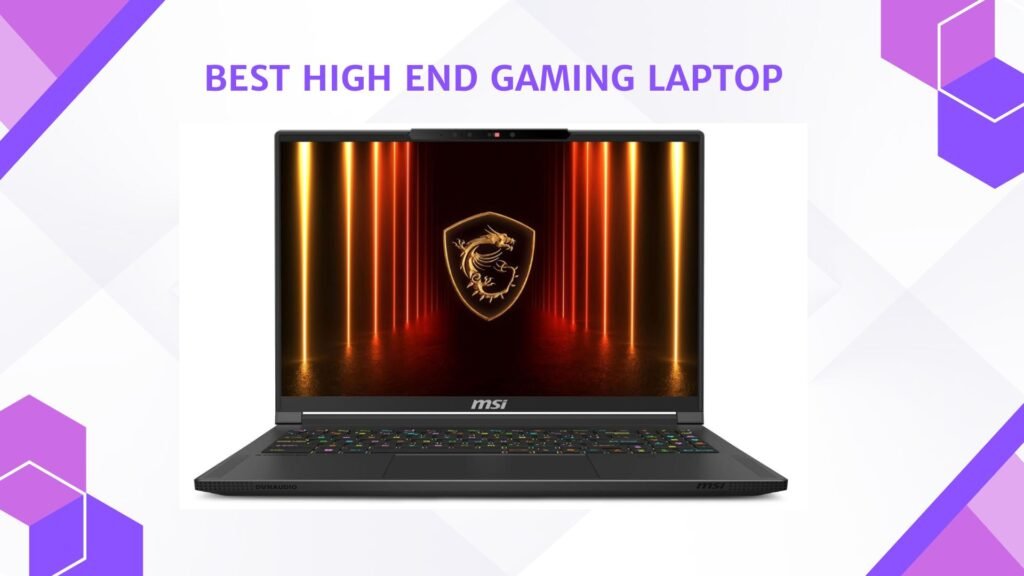
A high-end gaming laptop is built for gamers who want the best performance, stunning visuals, and smooth gameplay without being tied to a desktop setup. These laptops come with the latest and most powerful hardware, including high-end processors like Intel Core i9 or AMD Ryzen 9, and top-tier graphics cards such as NVIDIA GeForce RTX 5080 or 5090. This kind of setup allows players to run demanding games at ultra settings with high frame rates, giving a truly immersive gaming experience. High-end gaming laptops also feature fast refresh rate displays, often 240Hz or more, with bright and colorful panels that bring every detail to life.
Beyond performance, these laptops are designed with premium materials and advanced cooling systems to keep them running smoothly even during intense gaming sessions. Many models also include customizable RGB keyboards, high-quality speakers, and excellent build quality, which adds to the overall gaming experience. Storage and memory are generous too, usually with 1TB SSDs and at least 32GB of RAM, ensuring fast loading times and effortless multitasking.
A high-end gaming laptop is not only for gaming but also great for content creators, streamers, and professionals who need power on the go. Whether you’re editing 4K videos, designing 3D models, or streaming live gameplay, these laptops can handle it all with ease. While they tend to be more expensive, they offer unmatched performance and versatility compared to mid-range options. For gamers who want a machine that can handle everything and still look sleek and portable, a high-end gaming laptop is the perfect choice. It combines the strength of a desktop with the freedom of a laptop, making it ideal for gaming anywhere, anytime.
We also have a recommendation for the Best ASUS Gaming Laptop, so make sure to check that out too!
Top High End Gaming Laptop




Comparison
| Product | Image | Rating | CPU | GPU | Display | RAM | Storage | Price | Buy |
|---|---|---|---|---|---|---|---|---|---|
|
ASUS ROG Strix SCAR 18 (2025) 🏆 Best Overall | 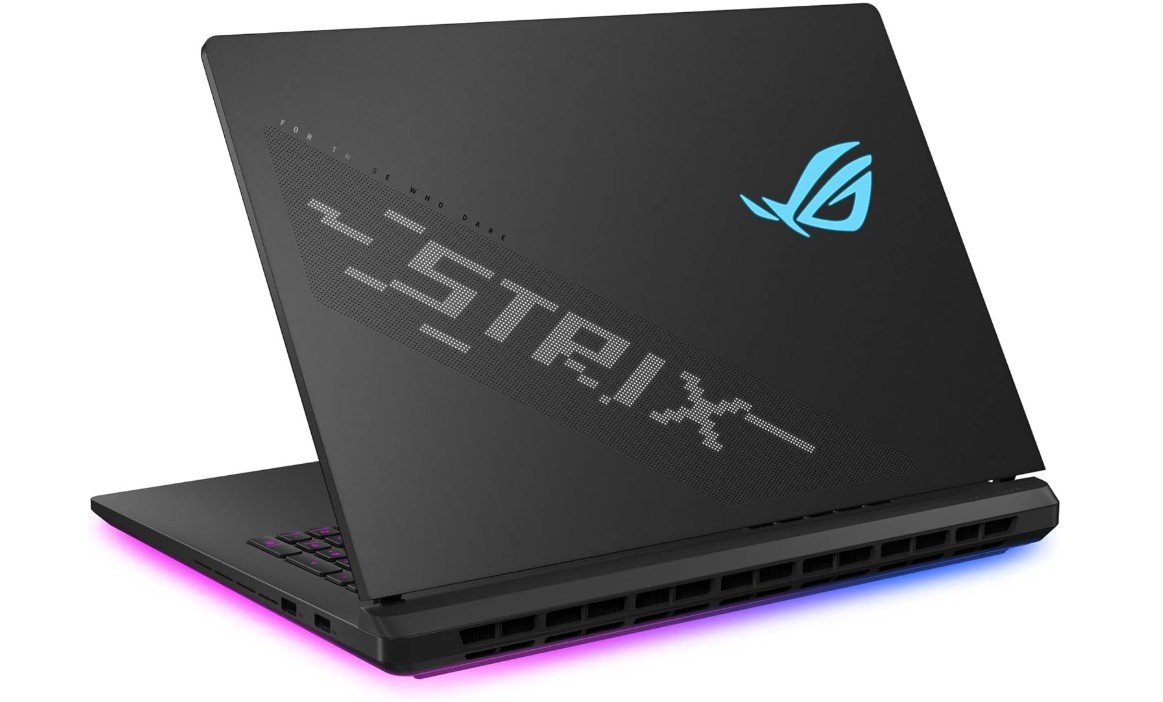 | ★★★★★ | Intel Core Ultra 9 275HX | NVIDIA RTX 5080 | 18″ ROG Nebula HDR (2560×1600) 240Hz | 32GB DDR5 | 2TB Gen4 SSD | Premium | Check Price |
|
Alienware 18 Area‑51 💰 Runner‑Up |  | ★★★★☆ | Intel Core Ultra 9 275HX | NVIDIA RTX 5080 | 18″ WQXGA (2560×1600) 300Hz | 32GB DDR5 | 2TB Gen5 SSD | High | Check Price |
| Lenovo Legion Pro 7i Gen 10 | 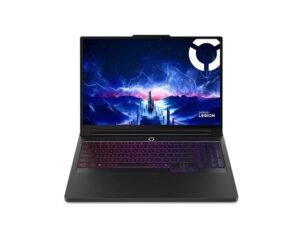 | ★★★★☆ | Intel Core Ultra 9 275HX | NVIDIA RTX 5090 | 16″ WQXGA OLED 240Hz | 64GB | 2TB SSD | Premium | Check Price |
| MSI Stealth A16 AI+ | 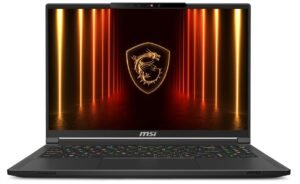 | ★★★★☆ | AMD Ryzen AI 9 HX 370 | NVIDIA RTX 5090 | 16″ QHD+ OLED 240Hz | 64GB DDR5 | 2TB SSD | Premium | Check Price |
| ASUS ROG Strix G16 (2025) | 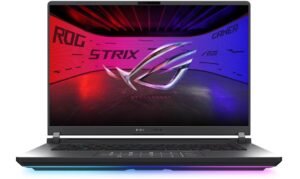 | ★★★★☆ | Intel Core Ultra 9 275HX | NVIDIA RTX 5070 Ti | 16″ ROG Nebula 2.5K 240Hz | 32GB DDR5 | 1TB SSD | High‑Mid | Check Price |
| GIGABYTE AORUS MASTER 16 | 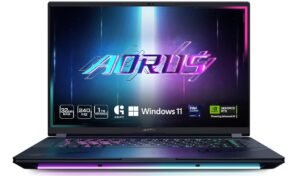 | ★★★★☆ | Intel Core Ultra 9 275HX | NVIDIA RTX 5070 Ti | 16″ OLED 240Hz | 32GB DDR5 | 1TB SSD | High‑Mid | Check Price |
ASUS ROG Strix SCAR 18 (2025) Gaming Laptop
ASUS ROG Strix SCAR 18 (2025) Gaming Laptop
The ASUS ROG Strix SCAR 18 (2025) is a premium gaming laptop that delivers extremely powerful performance for serious gamers and creators who want the best hardware available. It comes with the Intel Core Ultra 9 275HX and the NVIDIA GeForce RTX 5080, which lets it run the newest games smoothly even at very high graphics settings. The gaming experience feels more realistic and fluid because of the 18-inch Nebula HDR display with 2.5K resolution and 240Hz refresh rate. The picture is bright, sharp, and colorful, making it great not only for gaming but also for creative work like video editing, 3D rendering, or graphic design. It also handles multitasking very easily thanks to its 32GB DDR5 RAM and fast 2TB PCIe Gen 4 SSD, which helps in quick loading times.
The design of this laptop also stands out. It has a premium build, and the RGB keyboard gives it a stylish gaming look. Even though it is large in size, it still feels like a portable alternative to a desktop gaming PC, especially for people who move between home, work, or university. The cooling system is powerful and keeps the laptop from overheating during long gaming sessions, which is extremely important for maintaining performance. The Wi-Fi 7 support gives very fast wireless internet speeds for smooth online gameplay and game streaming.
Overall, this laptop is made for gamers who want top-tier performance without any compromise. It is not a budget machine and will cost a lot, but the performance, display quality, storage space, and build quality make it a suitable choice for people who want one of the strongest gaming laptops available today. If the price is not a problem, this machine offers excellent power, smooth visuals, and future-proof hardware for many years of gaming.
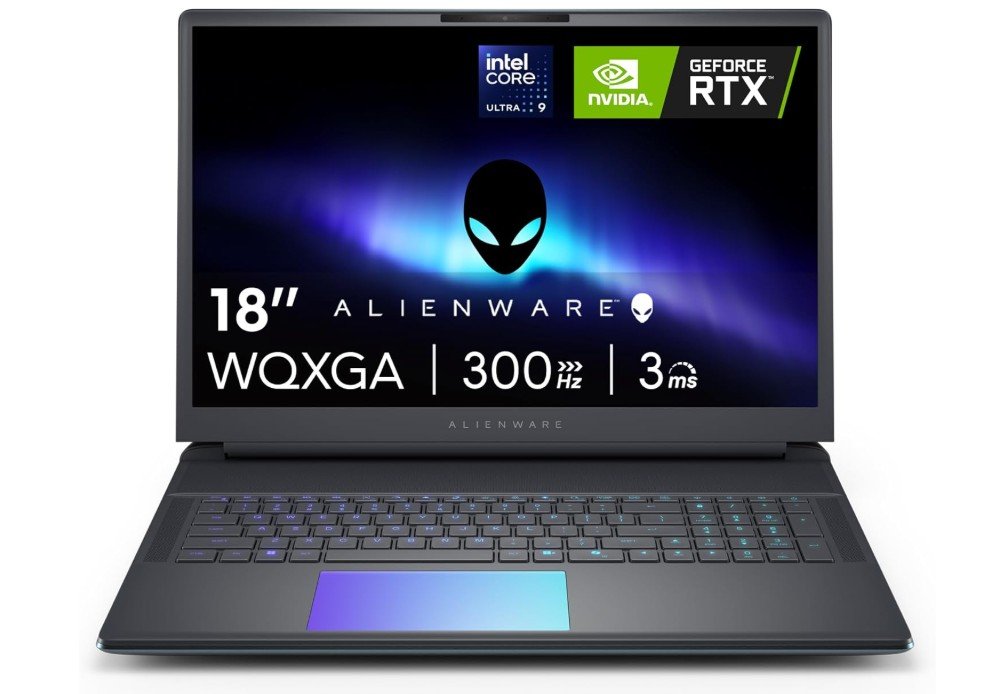
Alienware 18 Area-51 Gaming Laptop
Alienware 18 Area-51 Gaming Laptop
The Alienware 18 Area-51 AA18250 is a high-end gaming laptop designed for people who want extreme performance in a portable form. It comes with the new Intel Core Ultra 9 275HX processor and the powerful NVIDIA GeForce RTX 5080 GPU, which makes it capable of running the latest games at ultra settings with smooth frame rates. The 18-inch WQXGA display with a 300Hz refresh rate also improves the gaming experience because the visuals feel smoother, cleaner, and more responsive. Fast motion in shooters, racing games, and competitive titles looks very sharp, which gives a better advantage for serious gamers. It also helps a lot with content creation tasks like video rendering, animation, and 3D modeling, because this laptop has both strong CPU power and strong GPU performance.
The memory and storage are also generous. With 32GB DDR5 RAM and a 2TB PCIe Gen5 SSD, loading times are very fast, and running multiple apps at once does not slow down the laptop. It also has a premium design with RGB lighting and strong build quality that feels solid and durable. The cooling system is advanced and helps keep temperatures under control even during long gaming sessions, which is important for maintaining stable performance.
This laptop is not very portable for everyday travel because of its size and weight, but that is expected for such high-end parts. Battery life is also not the strongest during gaming because powerful hardware requires more power. Still, if someone wants desktop-level gaming performance in laptop form, this machine is one of the best choices available. It is expensive, but it delivers the high performance, fast display, modern hardware, and future-proof features that advanced gamers demand.
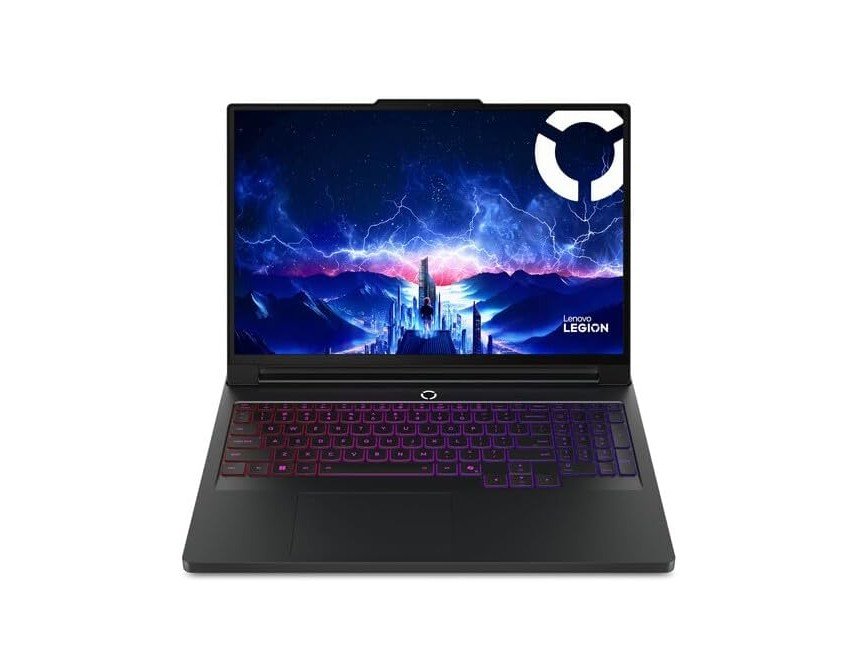
Lenovo Legion Pro 7i Gen 10 16″ Gaming Laptop
Lenovo Legion Pro 7i Gen 10 16″ Gaming Laptop
The Lenovo Legion Pro 7i Gen 10 delivers next‑level gaming performance, powered by the Intel Core Ultra 9 275HX and the NVIDIA GeForce RTX 5090. Its 16‑inch WQXGA (2560×1600) OLED screen with a 240 Hz refresh rate brings vivid visuals and ultra‑smooth motion that make both fast‑paced games and creative work feel immersive. With 64 GB RAM and a 2 TB (1 TB+1 TB) NVMe SSD, multitasking and heavy applications run effortlessly.
Build quality is strong—thanks to an aluminum chassis, it feels solid and premium, while the keyboard offers a satisfying typing/game feel with good key travel. The connectivity is also generous, covering Thunderbolt/USB‑C, HDMI, Ethernet, and more. Thermal management is impressive: the cooling system helps maintain high performance without severe throttling.
On the downside, it’s a heavy machine—real portability is limited. Battery life is also weak: reviewers report only a few hours of light use and far less during gaming. The display is glossy, which can reflect light heavily in bright rooms. Given its flagship specs, it commands a high price, which might put it out of reach for many.
If you’re looking for a powerful gaming laptop that can handle modern games and demanding creative workloads, and you’re okay with less portability and short unplugged runtime, the Legion Pro 7i Gen 10 stands out as a top‑tier choice.
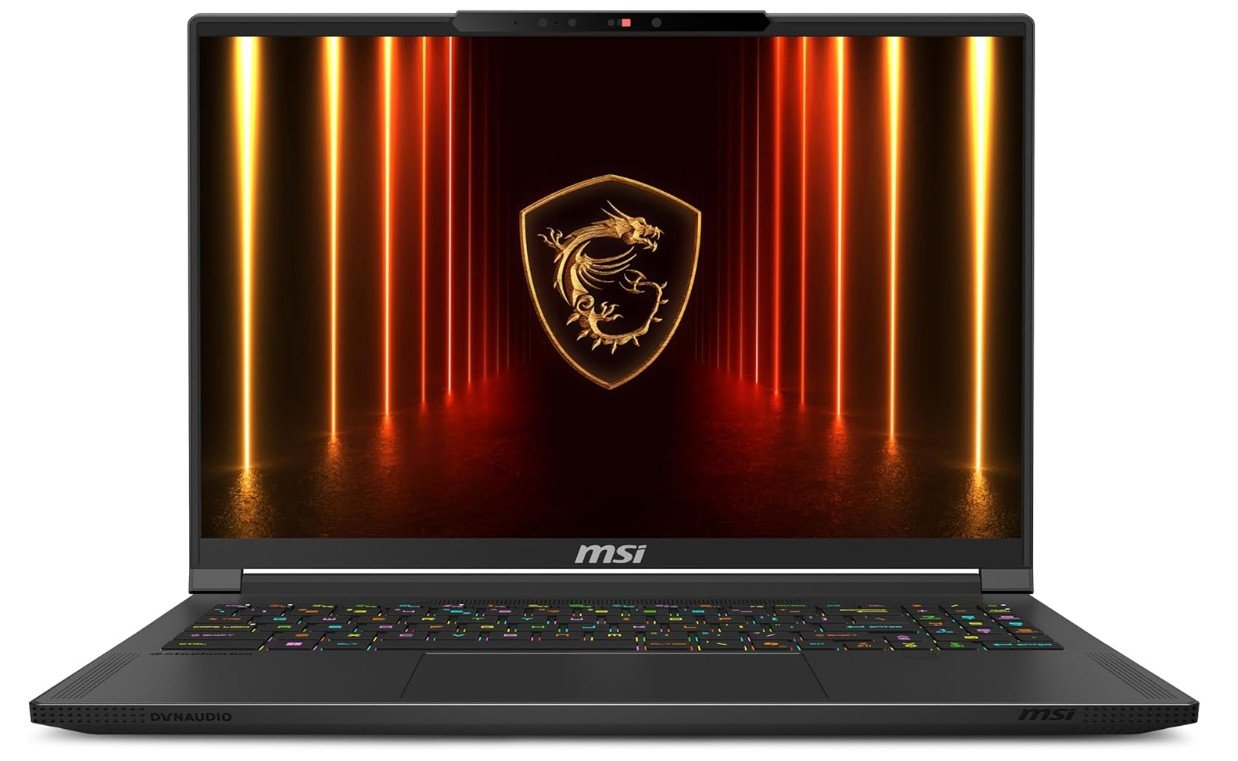
MSI Stealth A16 AI+ 16” 240Hz QHD+ OLED Gaming Laptop
MSI Stealth A16 AI+ 16” 240Hz QHD+ OLED Gaming Laptop
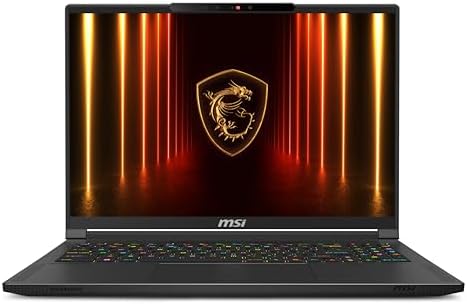
The MSI Stealth A16 AI+ delivers outstanding performance for gaming and creative tasks thanks to its powerful hardware. With the AMD Ryzen AI 9 HX 370 CPU and NVIDIA GeForce RTX 5090 GPU, it can easily handle demanding games and heavy workloads. The 16” QHD+ OLED display with a 240 Hz refresh rate gives smooth motion and sharp detail, making games and media look fantastic. Its 64 GB of DDR5 RAM and 2 TB NVMe SSD provide plenty of room for multitasking and fast storage. The laptop is relatively light for its power, making it more portable than typical full‑sized gaming rigs.
On the design and feature side, the build feels premium and the port selection and Wi‑Fi 7 connectivity are very modern. The keyboard and touchpad are comfortable for both work and play. However, this laptop does come with trade‑offs. It runs fairly hot and fans can get loud when under load, which may be a concern for quieter or cooler environments. The battery life also falls short: in real‑world use it doesn’t last very long when gaming or performing intensive tasks, so it’s best used plugged in. Another drawback is potential reliability issues noted in some reviews and user forums, with reports of display flicker, audio glitches, or driver conflicts. These seem to be isolated but important to keep in mind.
In short, if you’re looking for a high‑end gaming laptop with top‑tier specs and you’re okay prioritizing performance over silence or battery endurance, the Stealth A16 AI+ is a very strong choice. But if you often work unplugged, travel frequently, or require minimal noise and maximum reliability right away, you may want to weigh those factors carefully.
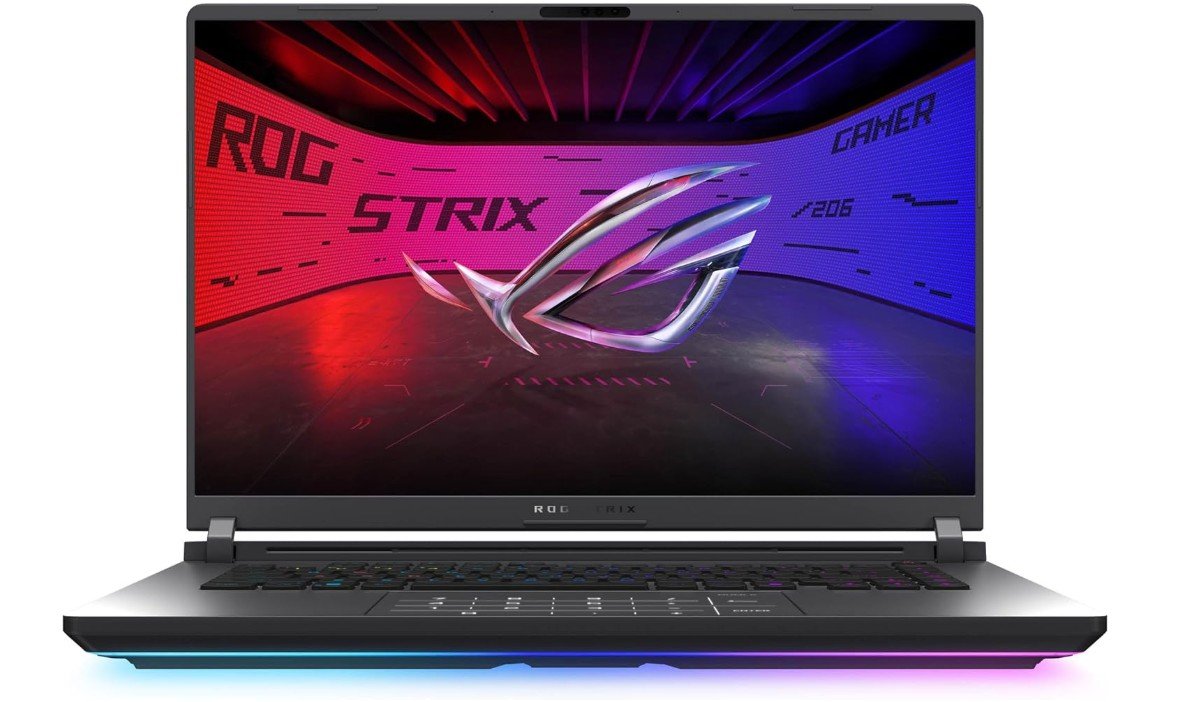
ASUS ROG Strix G16 (2025) Gaming Laptop
ASUS ROG Strix G16 (2025) Gaming Laptop
The ASUS ROG Strix G16 (2025) is a strong mid to high end gaming laptop that offers fast performance, smooth visuals, and modern hardware for gamers who want power without going to the highest ultra expensive tier. It features the Intel Core Ultra 9 275HX processor and the NVIDIA GeForce RTX 5070 Ti GPU, which are capable of running all modern games at high or ultra settings at 1440p resolution. This gives a responsive and fluid gaming experience, especially when combined with the 16 inch ROG Nebula display. The screen delivers 2.5K resolution with a 240Hz refresh rate and 3ms response time, so motion looks very smooth and clear. Colors are bright, sharp, and rich, which makes the display great not only for gaming but also for streaming, content consumption, and general work.
With 32GB of DDR5 RAM and a 1TB SSD, the laptop boots fast, loads games quickly, and handles heavy multitasking easily. Wi Fi 7 support allows fast, stable wireless connections, which is useful for online gaming and cloud based tasks. The design of the laptop looks premium with clean RGB lighting and quality materials. Cooling performance is also good. The system can get warm under heavy load, but the fans manage heat well enough to keep performance stable.
Battery life is not very long during gaming, which is expected with powerful GPUs, so this laptop is best used plugged in for the best performance. It is also not the lightest laptop, but still easier to carry compared to 18 inch flagship models. Overall, the ROG Strix G16 offers strong performance and an excellent display at a more reasonable price level compared to top tier extreme gaming laptops, making it a great choice for serious gamers.
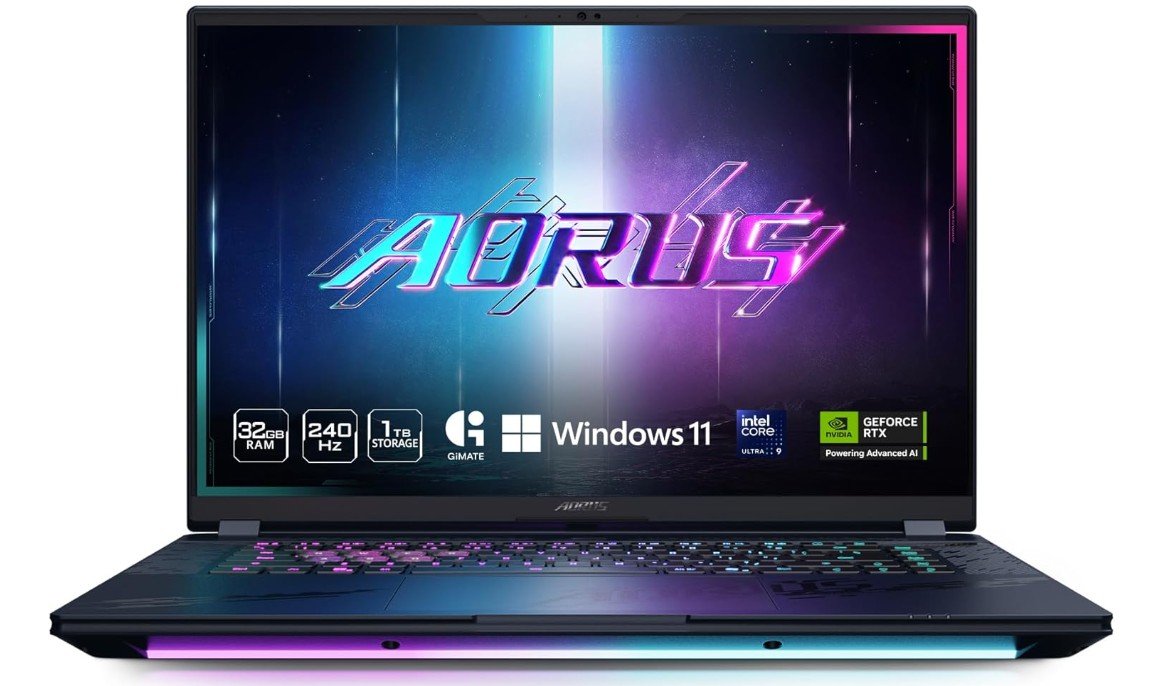
GIGABYTE – AORUS MASTER 16 Gaming Laptop
GIGABYTE – AORUS MASTER 16 Gaming Laptop
The GIGABYTE AORUS MASTER 16 is a high-end gaming laptop that blends serious performance with a vibrant display. It delivers excellent performance thanks to a top-tier processor paired with a powerful graphics card, so modern games and demanding creative tasks feel smooth and responsive. The 16″ OLED panel boasts a 2560×1600 resolution with a 240Hz refresh rate, which means visuals are sharp, colours rich, and motion very fluid—great for gamers prioritising immersive visuals. The memory and storage (32 GB RAM, 1 TB SSD) provide plenty of headroom for multitasking and game libraries.
In terms of build and design, it strikes a balance between portability and power: not ultra-light or ultra-thin, but still manageable for a high-performance machine. The port selection is generous, making it versatile for external displays, accessories, or streaming. On the flip side, there are trade-offs. The fans become quite loud under heavy load, which can be distracting in quieter settings. The battery life is modest when gaming or performing intensive tasks, so it’s best used plugged in if you want full performance. Some reviewers also note that the build quality (particularly the chassis materials) and software (fan control, utility apps) could be stronger given the price point. The price is high, reflecting the premium internals, which means you’re paying for performance over value.
Overall, if you’re after a laptop that offers top-tier gaming or creative performance, with a stunning OLED display, and are okay with louder fans and less battery headroom, the AORUS MASTER 16 is a strong contender. If instead you prioritise silence, longer battery life, or ultra-light portability, you may want to consider options that trade a bit of raw power for those comforts.
High-End Gaming Laptop — Buying guide
Buying a high-end gaming laptop is a serious investment. It’s not just about picking the most expensive model—what matters is how well the laptop’s components match your gaming style, portability needs, budget, and future plans. Below is a detailed guide to help you make a smart decision.
1. Set Your Budget and Decide the Tier
High-end gaming laptops usually cost more than entry-level or mid-range machines. As a rough guide:
- Budget/entry‑level: under ~US$1,200
- Mid‑range/sweet spot: ~US$1,200–2,000
- High‑end/enthusiast: US$2,000 and up.
If you’re buying high‑end, you’re typically looking for top processors, the latest and strongest graphics cards, premium displays, and full features. Knowing your budget helps you avoid overpaying for features you’ll barely use.
2. Graphics Card (GPU) Comes First
The GPU is the most important component for gaming. It determines how well your games will look and how smoothly they’ll run.
For high-end laptops you should aim for:
- Latest generation dedicated GPU (e.g., NVIDIA RTX 40‑series or equivalent)
- High wattage/TGP (Total Graphics Power) – a lower watt version of the same GPU model can perform significantly worse.
- Enough VRAM: modern games and 1440p/4K resolutions demand 10‑16 GB or more VRAM.
Choosing a weak GPU while expecting ultra settings or 4K gaming will lead to disappointment.
3. Processor (CPU) Matters Too
After the GPU, the CPU is the next most critical part. A strong GPU paired with a weak CPU can bottleneck performance.
For high‑end laptops consider:
- Intel Core i7/i9 (or newer naming like “Ultra” or “HX” series)
- AMD Ryzen 7 or Ryzen 9 (or HX/H‑series for laptops)
- Look at recent generation CPUs (13th, 14th Gen Intel, or Ryzen 7000/8000 series)
Also check for many cores and threads if you plan to stream, record gameplay, or do content creation alongside gaming.
4. RAM (Memory) and Storage
RAM: For high-end gaming, 16 GB used to be enough, but now 32 GB or even more is recommended if you want to future‑proof or do multitasking (streaming, editing, gaming together).
Storage: SSDs (especially NVMe) are essential for fast boot and load times. For high-end: 1TB SSD is a good minimum, often 2TB or more is ideal.
Also check whether the storage is upgradeable and whether the RAM is upgradable—some laptops have soldered components.
5. Display: Size, Resolution, Refresh Rate
The display is what you’ll look at every session. High‑end laptops should offer premium panels. Important features:
- Resolution: 1440p (2560×1440) or 1600p (2560×1600) is a good match for high-end GPUs. Some go for 4K.
- Refresh rate: Higher refresh rates (144Hz, 240Hz, even 300Hz) make motion smoother, especially in competitive games.
- Panel type: IPS is common, but OLED or Mini‑LED are premium and offer better contrast and colors.
- Response time & gaming features: Low response time (e.g., 3 ms) and features like G‑Sync/FreeSync help visuals stay smooth and avoid tearing.
Balance screen size vs portability—larger screens (17‑18″) are immersive but heavier; 15‑16″ models are more travel‑friendly.
6. Cooling System & Thermals
High performance produces a lot of heat, and if the laptop can’t cool well, it will throttle (slow down) under heavy load.
Check for:
- Multiple fans and heat pipes or vapor chamber cooling
- Large vents and good airflow
- Manufacturer’s specs or reviews about thermal behaviour and noise (fan whine)
If you’re gaming for hours, cooling becomes a key factor for consistent performance.
7. Build Quality, Portability & Battery Life
High-end gaming laptops tend to be larger, heavier and consume more power. Consider:
- Build material: Metal or high‑quality plastic chassis feel more premium and durable.
- Weight and thickness: If you carry it often, go for lighter models, but expect trade‑offs.
- Battery life: With powerful hardware, battery life during gaming can be short. If you need portability and unplugged use, evaluate accordingly.
- Portability vs power: If you rarely move the laptop, you might prioritize raw power; if you travel frequently, prioritize lighter weight and longer battery.
8. Connectivity, Ports and Expandability
You’ll want a variety of ports for gaming, streaming, external monitors, and peripherals. Consider:
- USB‑C (with Thunderbolt if possible), USB‑A, HDMI, mini‑DisplayPort, Ethernet, audio jack
- Wi‑Fi version (Wi‑Fi 6E or Wi‑Fi 7) and Bluetooth version for wireless devices
- Check if there are extra storage/RAM slots or upgradable options
- A laptop with future‑proof connectivity will save you from limitations.
9. Software, Features and Brand Support
High‑end laptops often include extra features like RGB keyboards, advanced audio, webcam quality, factory calibration, and special software (fan control, performance modes).
Also consider:
- Brand warranty and service support in your region
- Ease of component upgrades
- Reviews about reliability, driver updates, build quality
A well‑supported brand will reduce headaches later.
10. Future‑Proofing & Use Case
Since high‑end laptops are expensive, you’ll want it to last several years. To future‑proof:
- Buy hardware that comfortably exceeds current game requirements, not just barely meets them
- Ensure the laptop has upgradeable RAM or storage if possible
- Think about what you’ll use besides gaming: streaming, video editing, 3D work? That might push you toward more cores, more RAM, a better GPU
- If you game competitively, you may require higher refresh rate display; if you game casually, you might value screen resolution or portability more.
11. Brand and Model Research
Once you narrow down specs, compare brands. Key things:
- Read reviews for real‑world thermal performance, noise levels, reliability
- Check benchmarks for your typical games with the GPU/CPU combo you are considering
- Compare models with similar specs; small differences (cooling, display panel, build) can make big impact
- Consider local service and warranty support.
FAQs
High-end gaming laptops have powerful CPUs, top-tier GPUs (like NVIDIA RTX-series or AMD Radeon RX), fast displays, ample RAM, and high-speed storage for top performance.
Yes — they excel at video editing, 3D work, streaming, and productivity in addition to gaming.
Look for 144 Hz or higher refresh rates, QHD or 4K resolution, good color accuracy, and IPS or Mini-LED panels for the best visuals.
Many are heavier and thicker than regular laptops because of advanced cooling systems, though some models balance power and portability.
Yes — top GPUs support ray tracing for realistic lighting and DLSS/FSR for higher frame rates in supported games.
If you want desktop-level performance, high refresh rates, and longevity for future games, they’re worth the investment.
Conclusion
A high‑end gaming laptop is more than just a spec sheet—it’s a balance of extreme performance, display quality, cooling, build, and longevity. If you pick wisely, you’ll get a machine that handles the latest games at high settings, looks and feels premium, and stays relevant for years. Focus first on the GPU and display, then ensure CPU, RAM, cooling, and other features match your needs. Match the laptop to how and where you play: at home, on the go, for streaming or editing. With a clear budget and this checklist, you’ll be well‑equipped to choose a high‑end gaming laptop that delivers real value and strong performance.

Jawad is a passionate tech enthusiast and writer who loves exploring the latest trends in hardware, gadgets, and digital innovation. With a sharp eye for performance and value, he delivers in-depth recommendations and buying guides to help readers make smarter tech decisions.