Last Updated on February 8, 2026 by Jawad
Introduction
You’re in a sweet spot if you’re looking for a gaming laptop under $2,000, where real-world value and high-performance hardware come together. You can aim for a computer with a dedicated graphics card, a powerful processor, and a high refresh rate screen at that price range—basics that serious gamers know are unavoidable. Purchasing guides state that since the GPU is responsible for high frame rates, realistic lighting and textures, and smooth gameplay, it should be your top priority. A modern CPU (like an AMD Ryzen 7 or Intel Core i7), at least 16 GB of RAM for current and upcoming games, and an SSD to minimize load times are also essential.
A $2,000 budget gives you access to important display features: choose a screen with a refresh rate of at least 144 Hz (or 240 Hz if you can), a good color gamut and resolution, and robust cooling to maintain high performance over long periods of time. You need to find a balance depending on how and where you plan to game because portability frequently becomes a trade-off: greater performance results in heavier builds and more heat.
To put it briefly, you don’t have to “get by” on this budget; instead, you can aim for a laptop that will provide years of genuinely good gaming performance along with respectable adaptability for daily use, streaming, and content creation. Next, let’s examine which models achieve this sweet spot and how to make informed comparisons between them.
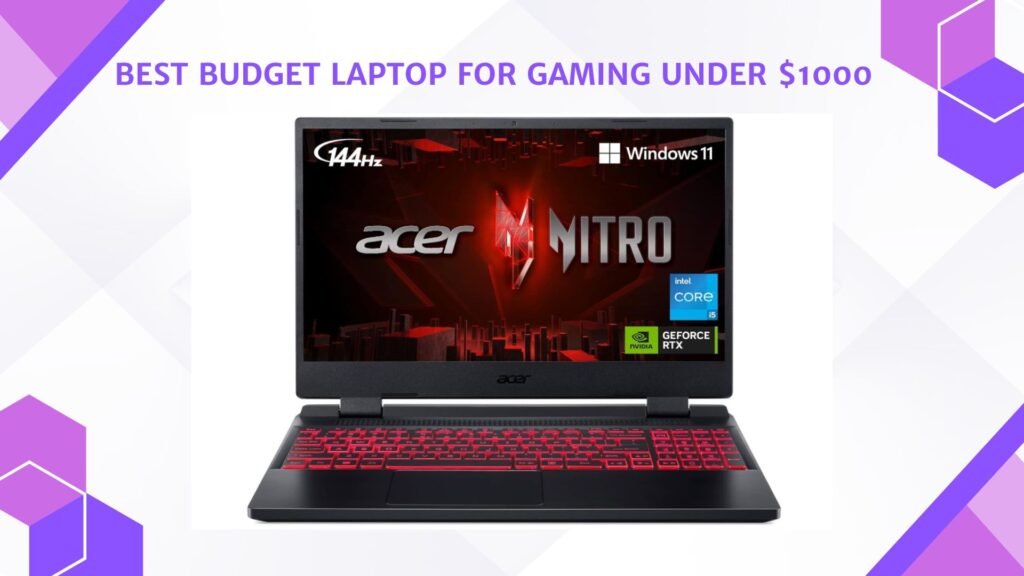
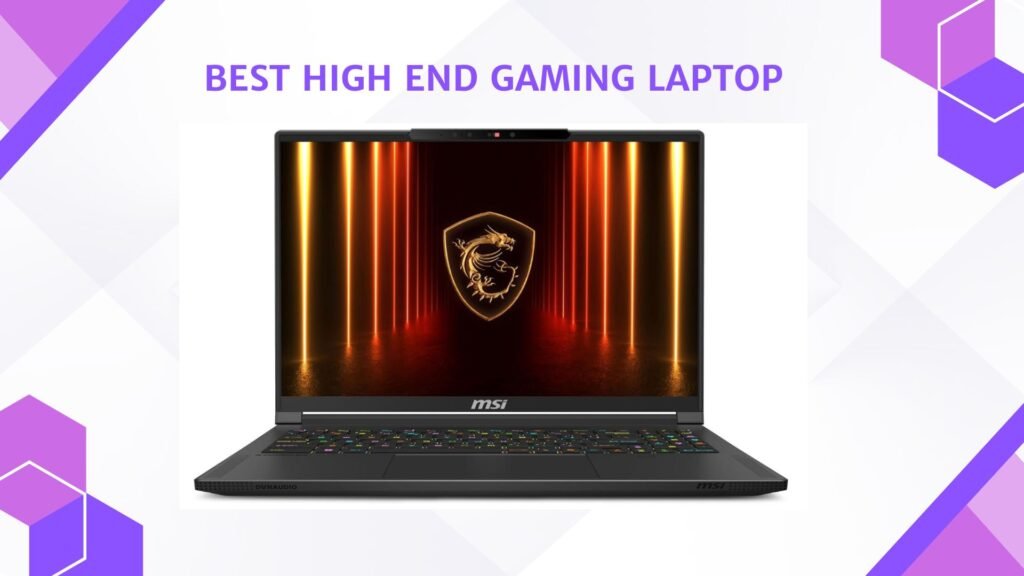
We also have a recommendation for the Best Budget Laptop for Gaming Under $1000, so make sure to check that out too!
Top Laptop for Gaming Under $2000





Alienware m15 R7 AMD 15.6″ Gaming Laptop
Alienware m15 R7 AMD 15.6″ Gaming Laptop
The Alienware m15 R7 is a powerful gaming computer that fits into a 15.6-inch chassis. It can easily run modern high-end games with its current configuration, which includes an AMD Ryzen 9 6900HX, an NVIDIA RTX 3070 Ti, 32 GB of DDR5 RAM, and a 1 TB SSD. Because of this powerful combination, reviewers discovered that it continuously produced high frame rates, even at maximum settings.
The laptop is an absolute treat for both competitive and casual gamers due to its 2560×1440 resolution screen and 240 Hz refresh rate, which provide smooth visuals and engaging gameplay. The machine has an advantage in its class thanks to its bright, rich, and responsive display.
It excels in many aspects of build and usability, including a unique design, a firm keyboard feel, and complete connectivity that make it a powerful all-arounder. It’s not flawless, though. In real-world gaming, the machine can produce noticeable fan noise when under load, and the battery life is modest. When compared to high-end metal competitors, some users also pointed out that it was significantly heavier and had plastic parts.
In summary, the m15 R7 provides great performance if you’re looking for a high-end gaming laptop that can handle demanding games both now and in the future, and you don’t mind carrying around a somewhat heavy device and constantly plugging it in. Just be ready for fan activity, power demands, and occasional portability compromises.

ASUS ROG Strix G16 (2025) Gaming Laptop
ASUS ROG Strix G16 (2025) Gaming Laptop
With its powerful hardware and 16-inch 2.5K 240 Hz “ROG Nebula” display, the ASUS ROG Strix G16 (2025) offers impressive gaming capabilities. Modern top-tier titles are easily handled by the Intel Core Ultra 9 275HX processor and NVIDIA GeForce RTX 5060 (or higher in some SKUs), which provide stable frame rates at high quality settings. The display’s 100% DCI-P3 color accuracy and quick refresh and response time were commended by reviewers as being perfect for competitive and immersive gaming.
The laptop’s build quality strikes a balance between usability and performance: the cooling system keeps the device reasonably stable under load, the keyboard feels responsive, and the connectivity is robust (including WiFi 7 support). Thermals are still under control, the keyboard deck stays cool while gaming, and fan noise is audible but not too loud when using the device normally.
But there are trade-offs with the G16. Game sessions still require the charger to be near by, and even light productivity use only lasts a few hours, so battery life is limited.
Furthermore, although the GPU is capable, in extreme performance scenarios it might not be able to compete with the most expensive RTX 50-series or desktop replacement class laptops; in raw benchmark head-to-head tests, some reviewers found it to be good but not the best in its class.
In everyday terms: if you’re looking for a powerful 16-inch gaming laptop that delivers strong visuals and gameplay, the Strix G16 (2025) is a very compelling option—just be prepared for limited unplugged use and somewhat heavier physical dimensions compared to ultraportables.

Lenovo Legion 5i 16″ Gaming Laptop
Lenovo Legion 5i 16″ Gaming Laptop
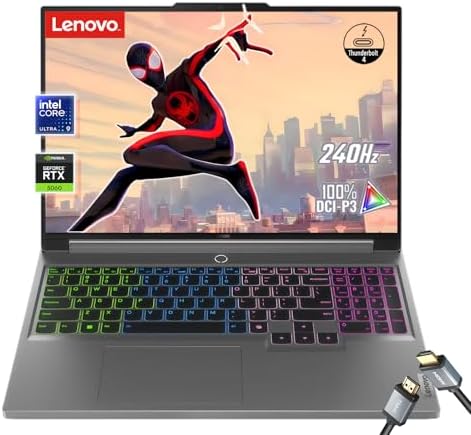
For gamers looking for a 16-inch powerhouse, the Lenovo Legion 5i 16 is a good option. It can easily handle modern games and multitasking thanks to its Intel Core Ultra 9 processor and NVIDIA RTX 5060 GPU. The fast CPU/GPU combination and remarkable 240 Hz display responsiveness were praised by reviewers of its predecessor, who also noted strong system performance. In addition to supporting dual SODIMM RAM and dual SSD storage for strong upgrade potential, the laptop’s large WQXGA display provides plenty of detail and smooth gameplay.
The Legion 5i’s dual-fan and heat-pipe cooling system allows it to operate fairly well on the thermal front for prolonged use; however, the SSD tends to overheat under intense use, so caution may be required in high-load situations. The CPU and GPU remain within normal limits.
Expect modest runtimes when unplugged, especially when gaming or using a high refresh rate display. Battery life is still an area of concern. Additionally, the laptop makes a little noise when it’s loaded, and while the screen is great for gaming, serious creative professionals may not be satisfied with the color accuracy.
You’ll get smooth multitasking with plenty of RAM (and a model that supports 64 GB), a display that provides intense immersion for media and games, and fast load times from the 1 TB NVMe SSD in daily use. The build and keyboard feel solid, and there is plenty of connectivity. However, this model has some room for improvement when long battery life, extremely quiet operation, or precise color accuracy for design work are your top priorities. The Legion 5i 16 offers excellent value if you’re mostly gaming or working on more demanding tasks and don’t mind plugging in.

MSI Katana 15 15.6” 165Hz QHD Gaming Laptop
MSI Katana 15 15.6” 165Hz QHD Gaming Laptop
With a sharp QHD display and RTX 4070 graphics, the MSI Katana 15 packs a lot of gaming power into a 15.6-inch form factor. It runs modern games smoothly thanks to an Intel Core i7-13620H processor and 16 GB of DDR5 memory that powers a 1 TB NVMe storage solution. This is especially true at a refresh rate of 165 Hz and a resolution of 2560 x 1440. Reviewers discovered that the Cooler Boost 5 cooling system controlled thermals under load and that games ran at high frame rates.
Because of the higher resolution, the display receives praise for its clean visuals and smooth movement during fast-paced gameplay. Users also value a keyboard that is comfortable to use whether playing games or performing productivity tasks, as well as a gaming setup that is comparatively lighter.
However, one of its drawbacks is its short battery life; if you plan to use it extensively, you’ll need to stay plugged in. Additionally, some reviewers pointed out that the panel’s brightness and color accuracy aren’t up to par with high-end creator-grade equipment, so it might not be the best option for color-sensitive work or editing in low light. Although the build is decent, the fans can become quite noisy when under heavy load, and the chassis is made of more plastic than high-end metal alternatives.
The Katana 15 is a compelling value if your main goal is powerful gaming performance in a 15-inch package, and you’re willing to forgo some battery life and flawless display quality in exchange.

Dell G16 7630 Gaming Laptop
Dell G16 7630 Gaming Laptop
With powerful gaming hardware that can compete with many desktops, the Dell G167630 is a beast in a 16-inch form factor. It manages contemporary high-end games and creative workloads with ease thanks to its Intel Core i9-13900HX processor and NVIDIA GeForce RTX 4070 8 GB graphics card. Reviewers noted that it performed exceptionally well, scoring highly on productivity and gaming benchmarks.
A 16-inch QHD+ display with a resolution of 2560×1600 and a refresh rate of 240Hz and a response time of 3ms is another great thing about the laptop. It has smooth gameplay and clear graphics, making it perfect for competitive gaming. It’s well-built and has a comfortable keyboard layout, so it’s a good choice for gamers who also need to do some work.
Portability and battery life, on the other hand, are not as good. It’s heavier than most ultraportables because it has high-end parts and a big chassis. It’s better for use at a desk than for frequent travel. Based on tests, the battery can last between 3 and 5 hours, so if you want to play games for a long time, you’ll probably need to stay plugged in. Some people also don’t like the 720p webcam or some of the plastic parts that make up the laptop. They don’t have the same high-end look and feel or displays as other gaming laptops.
The G16 7630 is a great choice if you want top-notch gaming performance, a big screen with high refresh rates, and you don’t mind giving up battery life and portability. It might be better to choose something else if you prefer to maintain a portable and light or play for very long periods of time without plugging in.

MSI Creator A16 AI+ (2024) 16” QHD+ OLED 240Hz Laptop
MSI Creator A16 AI+ (2024) 16” QHD+ OLED 240Hz Laptop
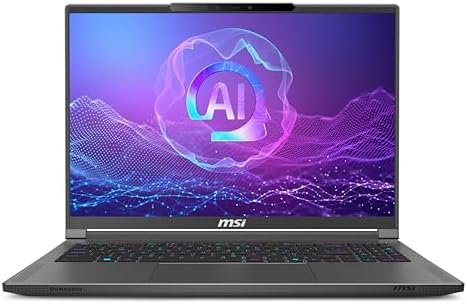
For creators and power users, the MSI Creator A16 AI+ (2024) offers impressive performance. With an NVIDIA RTX 4070-class GPU and an Intel-like powerhouse CPU (or in some configurations the AMD Ryzen AI 9 series), it can execute creative workflows, 3D rendering, and photo editing with remarkable responsiveness. Reviewers pointed out that the 240 Hz QHD+ display provides crisp images and fluid motion for editing and light gaming, and that its benchmark scores put it far ahead of many rivals in its class.
The machine’s design balances muscle and mobility. Despite being lighter and thinner than many expensive 16-inch beasts, it still has a sturdy construction and full connectivity, including WiFi 7, HDMI, USB-A, and a single USB-C/Thunderbolt slot. A 1TB NVMe SSD and quick LPDDR5x RAM are included to keep things running smoothly.
There are observable trade-offs, though. Its battery life is not as long as that of its ultra-portable peers, despite its powerful hardware; when unplugged, expect a moderate amount of battery life. According to some reviews, the display’s brightness and uniformity could be improved for tasks requiring color accuracy, and considering its size and cost, the single USB-C port is limited. Additionally, as found in user threads, early units may suffer from odd quirks like screen anomaly or driver-related instability, so keeping firmware and drivers up to date matters.
In conclusion, this model is a strong choice if you’re looking for a 16-inch laptop that can manage creative tasks and has gaming-grade hardware without going full desktop replacement size. Just be honest about the trade-offs between battery life and portability.
Buying Guide: Laptop for Gaming Under $2000
If you want to buy a gaming laptop for less than $2,000, you can get one with good frames, a smooth screen, and a decent lifespan without having to pay a premium price. From the GPU and CPU to ports, cooling, and warranty, this guide tells you what’s important, what to put first, and how to get the most for your money.
Why the $2,000 sweet spot matters
At this price, you usually get a modern dedicated GPU (RTX 40-series or 50-series laptop chips), a good multi-core CPU, 16–32GB of fast RAM, and at least a 1TB NVMe SSD. These are the parts that determine the settings you can use, the frame rates you can get, and the time it takes for games to load. In this price range, you can usually find machines with high-refresh panels (144–240Hz) and good cooling systems. This makes them great gaming PCs without the weight or cost of flagship desktop replacements. For background on which families consistently deliver, see the broad model testing and roundups.
Factors to Consider
GPU
For games, the GPU is in charge of frame rates more than anything else. For at least $2,000, you should look for a laptop GPU in the RTX 4060 or 4070 class that can handle 1080p high/ultra or 1440p mid/high settings. If you can find an RTX 4080 or an RTX 50-series laptop GPU on sale in that price range, that’s even better for the future. Even for the same model name, GPUs have a wide range of power limits (watts). GPUs with higher power limits perform much better, so don’t just look at the SKU; read test results or reviews that list GPU power and real benchmarks instead. Third-party GPU ranking sites and NVIDIA’s comparison specs can help you see how different GPUs compare in terms of performance.
CPU
Single-threaded performance (for faster frame rates) and multiple cores (for background streaming, recording, or CPU-heavy games) are both good for modern gaming. For Intel, look for Core i7/i9 H-series or newer Core Ultra HX processors. For AMD, Ryzen 7/9 HX or Ryzen AI processors are great. If you want to play games and make content at the same time, you should get a CPU with 8 or more high-performance cores and good single-core clocks. For raw FPS, CPU choice is less important than GPU choice, but it’s very important for multitasking, streaming, and runtimes in CPU-bound games.
Display
In competitive games, a high refresh rate (120–240 Hz) provides a noticeable edge; a higher resolution (1440p) enhances visuals but costs frames. Depending on your GPU, 1440p at 165–240 Hz or 1080p at 240 Hz are both great options for a sub-$2,000 purchase: If ultra-high frames per second is important to you, pair a 1440p panel with RTX 4070/4080 class cards and a 1080p 240Hz GPU with RTX 4060/4070 class cards. If you also do creative work, make sure the panel has a wide color gamut, responds quickly, and is of the IPS or OLED type. If color accuracy is important, use the color, brightness, and uniformity test results that are typically used in reviews.
RAM & storage
Get at least 16GB; if you intend to stream, multitask, or run virtual machines, 32GB is better. When DDR5 is available, choose it for future bandwidth and proofing. A 1TB NVMe SSD is the sensible starting point for storage; many laptops allow you to add a second SSD at a later time. Longevity can be increased by upgrading to a model that supports dual drives or at least one free M.2 slot. A quick tip: if future expandability is important to you, choose a model with upgradeable SODIMMs because soldered RAM limits your options for upgrades.
Cooling & sustained performance
If the laptop thermal solution cannot maintain performance under load, raw specs are meaningless. Seek out designs with two fans, multiple heatpipes, ample exhaust, and well-reviewed thermal behavior. Examine benchmarks that involve extended stress tests or looped gaming sessions; some laptops can only maintain peak clocks for a short time before thermal throttling lowers performance. A lot of manufacturers adjust fan and power profiles in firmware; look for reviews that include noise measurements and thermal maps.
Battery life & portability
When it comes to battery life, gaming laptops rarely match ultraportables; for optimal performance at high power settings, you’ll typically need to be plugged in. Think about hybrid laptops (efficient CPU + mid-range GPU) or devices that advertise longer battery runtime for productivity workloads if you need a laptop for both gaming and extended runtime. Higher-power 17″ or 16″ gaming setups will likely be bulkier and have a shorter unplugged runtime.
Build quality, keyboard & webcam
Everyday use is enhanced by a solid chassis, a good hinge, a comfortable keyboard travel, and a dependable trackpad. In addition to being aesthetically pleasing, keyboards with dedicated macro keys and per-key RGB can be useful for bindings. Many gaming laptops still have mediocre webcams; if streaming or video calls are important to you, read reviews to see how well the microphone and webcam perform.
FAQs
Gaming laptops under $2000 typically pack high-end hardware such as Intel Core i7/i9 or AMD Ryzen 7/9 CPUs, NVIDIA RTX 5060/5070 GPUs (or higher), 16–32 GB RAM, and fast NVMe SSD storage — enough for smooth 1440p gaming at high/ultra settings and even respectable 4K performance in some titles.
Yes — 16 GB DDR5 RAM is the standard for gaming and handles modern AAA titles comfortably. However, 32 GB is better for future-proofing and multitasking (e.g., gaming + streaming).
Gaming laptops in this range often come with 15.6-inch to 16-inch panels. These sizes strike a good balance between portability and immersive gaming. High-refresh screens (165 Hz and above) are common and recommended for smoother gameplay.
Yes — most retail gaming laptops at this price include Windows 11 Home/Pro pre-installed, so you can start gaming right away.
Absolutely — most laptops under $2000 with RTX 5060/5070 class GPUs can run recent AAA games at high settings, with many capable of sustained 60 fps+ in popular titles.
Yes — with strong CPUs, discrete GPUs, and ample RAM, gaming laptops in this range double well for streaming, video editing, and creative workloads.
They’re quite capable now and should handle games for several years, but hardware generations advance fast. If future-proofing is key, prioritize models with upgradeable storage and good cooling.
Conclusion
A truly fast gaming laptop that combines powerful GPUs, high refresh rates, and reliable cooling can be purchased for less than $2,000. Choose a CPU that suits your workflow, give priority to the GPU (and its tested power limit), and align the display with the GPU for optimal performance. If longevity is a concern, read in-depth reviews that concentrate on thermal behavior and sustained performance, keep an eye out for seasonal sales, and select a model with reasonable upgrade paths. When comparing models, use the brief checklist above to save time and stay clear of common pitfalls like soldered RAM that restricts future upgrades and low-power GPU variants. Happy gaming and good hunting.

Jawad is a passionate tech enthusiast and writer who loves exploring the latest trends in hardware, gadgets, and digital innovation. With a sharp eye for performance and value, he delivers in-depth recommendations and buying guides to help readers make smarter tech decisions.