Last Updated on February 8, 2026 by Jawad
Introduction
If you are entering the world of gaming, then good gaming peripherals are the first things you need to consider. Every millisecond matters in competitive games, and every key-press counts. So, here comes the mechanical keyboard that features real mechanical switches, providing crisp actuation, tactile feedback, and improved durability. It’s not easy to find a good mechanical gaming keyboard if you are short on budget. But you are in the right place, I will make sure that you will get the best in your price range.
There are many budget mechanical keyboards from some renowned companies that provide you with enough features to satisfy casual and competitive games alike. You will get hot-swappable switches, double-shot PBT keycaps, RGB lighting, anti-ghosting/N/key rollover support, and some other premium features.
You also have to compromise somewhere in a budget gaming keyboard. For example, you will get a plastic instead of a metal frame, fewer macro buttons, simple software, or no wireless option. But still, you will enjoy a good gaming session with the budget gaming keyboard that I have listed in this article.
We also have a recommendation for the Best Gaming Keyboard Under $100, so make sure to check that out too!
Let’s dive into the Top Budget Mechanical Gaming Keyboards available on Amazon.
Top Budget Mechanical Keyboard for Gaming



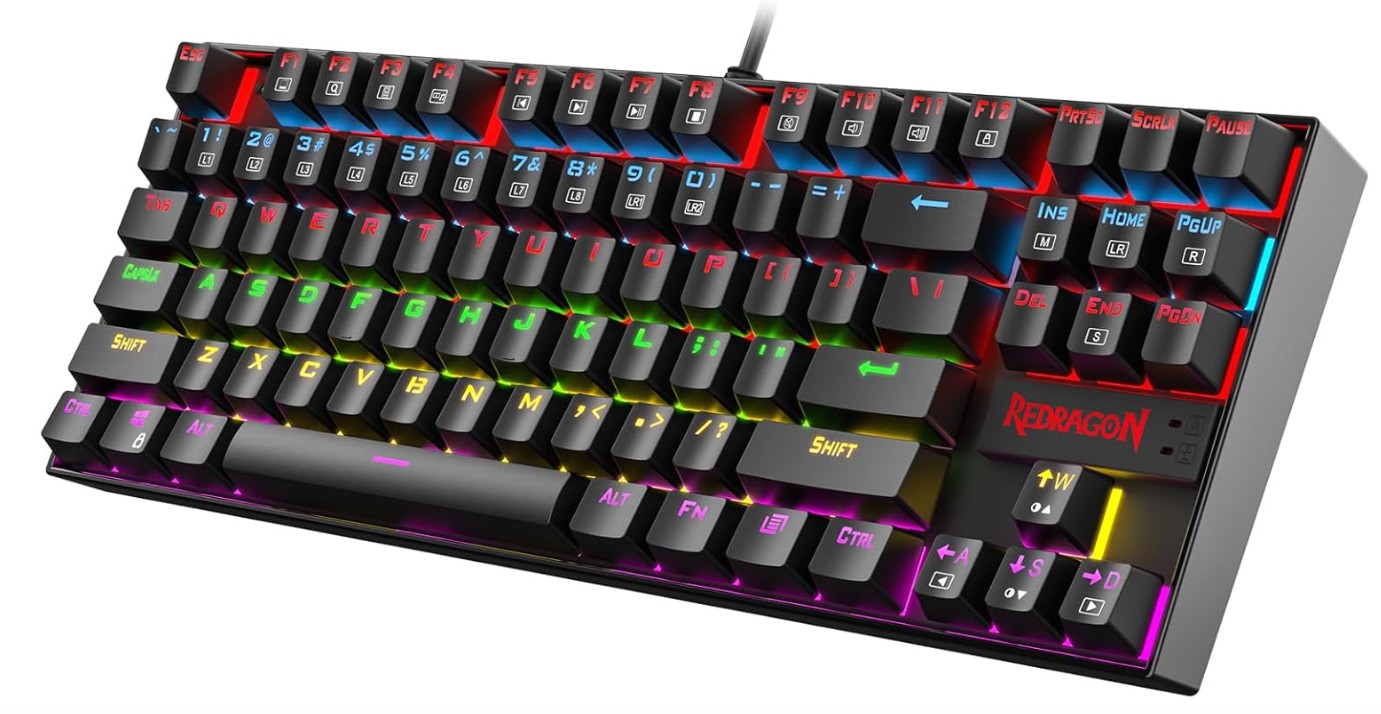
Redragon K552 Mechanical Gaming Keyboard
Redragon K552 Mechanical Gaming Keyboard
This keyboard comes 1st in my list because it has good reviews and is loved most by its users. It is a compact, tenkeyless gaming keyboard that is perfectly designed for gamers. You will also enjoy typing work with this budget mechanical keyboard. It saves your desk space with an 87-key layout that retains all the essential keys. What I love most about this keyboard is its compactness, which makes it ideal for both minimal setups and competitive gaming environments.
It features Red mechanical switches that deliver smooth, linear keystrokes that you will surely enjoy during intense gaming sessions. These switches are quieter compared to clicky variants, which makes them ideal for shared spaces. The LED backlighting is also very impressive, and the lighting intensity can be adjusted, which allows for its use in both dark and well-lit rooms. The other good thing that I like most about this keyboard is its high-quality metal alloy frame, which makes it more durable.
You will also feel peace of mind against accidental spills thanks to its splash-resistant design. It features full anti-ghosting and N-key rollover, which means it will guarantee every key press, no matter how many keys are pressed simultaneously. The keycaps are double-shot molded, which makes them resistant to fading and wear. The only trade-off that I found is that it has no dedicated media or macro keys.
Overall, this mechanical keyboard is a perfect choice for beginners and seasoned players who are looking for value, reliable performance, sturdy build quality, and a gamer-friendly design in a single package.
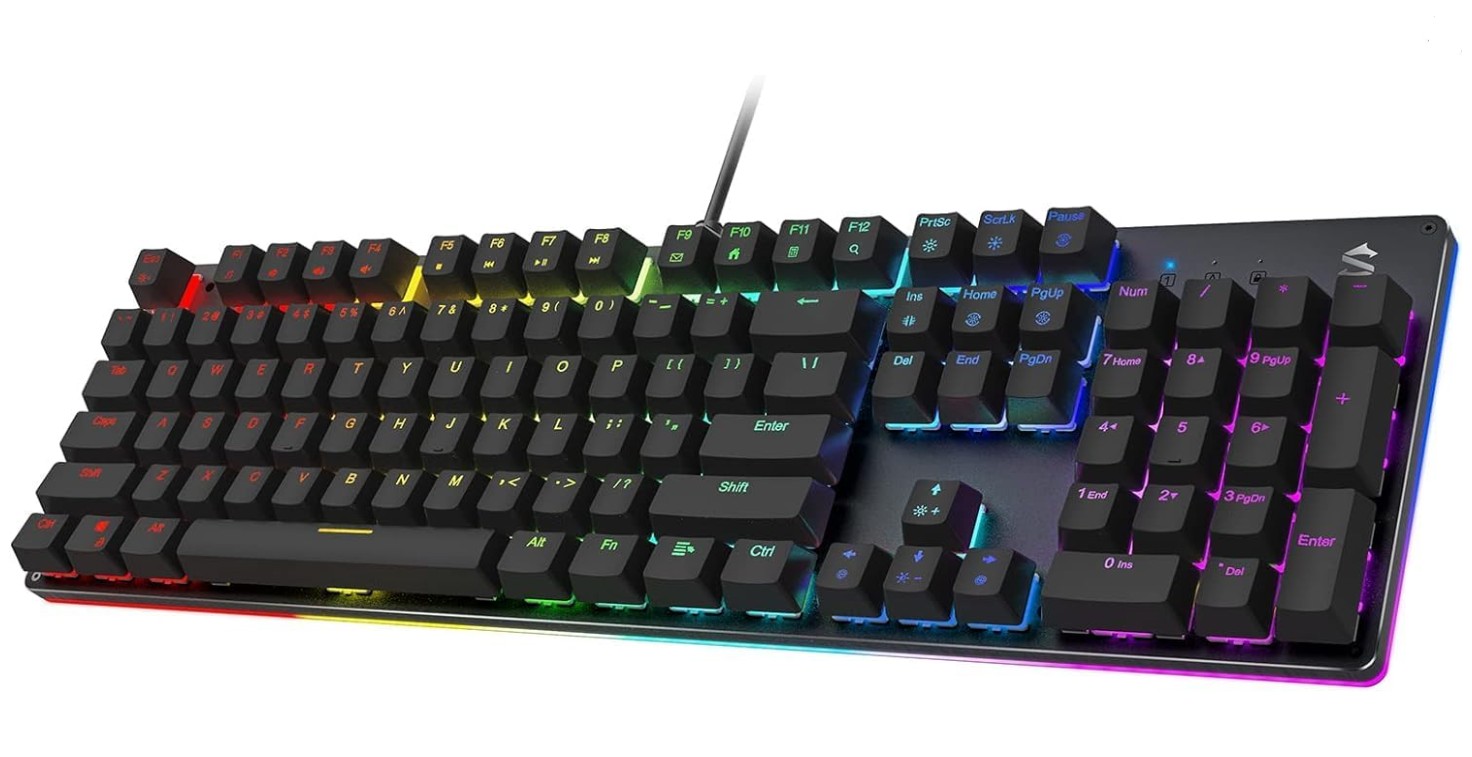
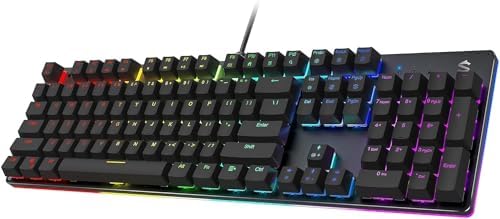
Black Shark RGB Mechanical Gaming Keyboard
Black Shark RGB Mechanical Gaming Keyboard
This is a full-sized keyboard with gaming-centric features that make it stand out 2nd in my list. It has 104 keys, which makes it a perfect choice for both gamers and other typing work users. It features linear red mechanical switches that deliver smooth and low-resistance keystrokes suitable for fast-paced games and long typing sessions.
For its looks, it adds aesthetic to your surroundings with its RGB backlighting system with 12 lighting effects, 5 preset gaming modes, 3 side-light effects, multiple colours, and brightness levels. The build quality also impresses me, as it has an aluminum-alloy top panel that gives a solid feel. From a gaming perspective, this keyboard supports full anti-ghosting (N-key rollover) across all 104 keys, ensuring simultaneous key presses are reliably registered, which is very useful in important combos and intense gaming moments.
As for its trade-offs, some users find that it lacks the tactile click that certain gamers prefer. The key press sound might still be loud for quiet environments.
Overall, this mechanical gaming keyboard is a solid choice for a budget option. At this price value, you are getting a well-rounded mechanical keyboard with some premium features.
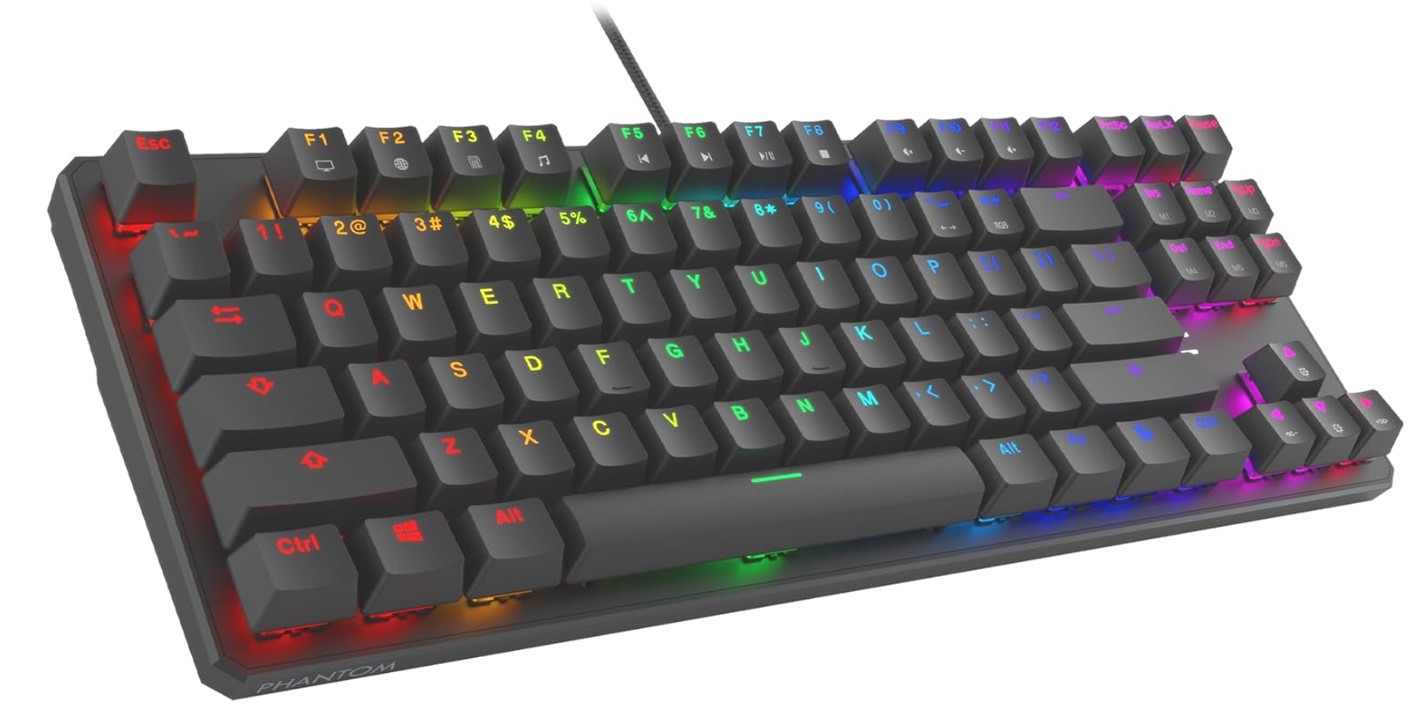
TECWARE Phantom 87 Key Mechanical Keyboard
TECWARE Phantom 87 Key Mechanical Keyboard
This keyboard stands 3rd in my list as it is pricier as compared to other options. This keyboard is perfect for gamers and typists who are looking for some solid features without premium pricing. It has an 87-key compact layout that makes your desk space less occupied while retaining all essential functionality. It features Outemu Brown switches that deliver a balanced tactile feel and quieter sound, making them comfortable for longer gaming sessions.
The keyboard is durable with a fiberglass/metal backplate assembly. It features double-shot keycaps that maintain key reliability over time. For aesthetics, it has fully customizable RGB lighting with multiple lighting modes and effects. For competitive gaming, the keyboard supports full N-key rollover and has a 1000Hz polling rate, ensuring responsive input during intense gaming.
For the trade-offs, it has no dedicated wrist rest and media keys, which should be a part of this keyboard for this price. Some users report that function keys may behave inconsistently.
Overall, this keyboard delivers a compelling balance of performance and value.
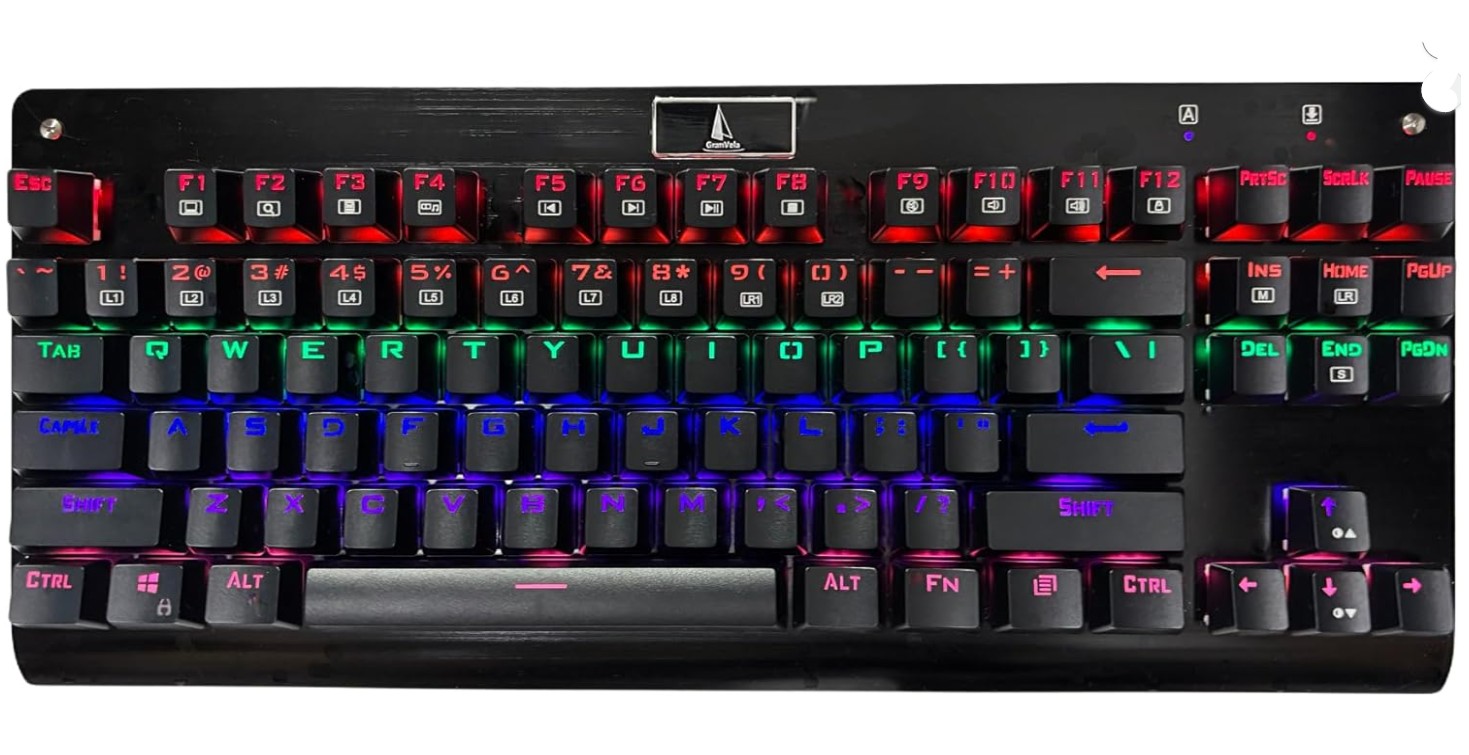
Granvela OUTEMU Tactile Brown Switches Mechanical Keyboard
Granvela OUTEMU Tactile Brown Switches Mechanical Keyboard
This budget mechanical gaming keyboard has some features that you often see in higher-end models. The tenkeyless layout provides full functionality while providing you with space-saving features, making it ideal for desk setups with limited space. As it features Outemu Brown switches, you will get a tactile feel without the loud click sound as in blue switches. So, this keyboard is equally suited for different typing environments.
This keyboard supports full N-key rollover, which allows many keys to be pressed simultaneously without missed inputs. So, it is perfect for an intense gaming session that demands multiple combos. For the visuals and aesthetics, it has an LED backlighting feature with multiple modes and a rainbow pattern across rows, but it lacks full per-key RGC customization.
What I loved most about this keyboard is that it has a very good build for the price. It uses an aluminum (or metal alloy) top panel, which gives it a premium look and feel. Hot-swappable switches are also an appealing feature.
For its trade-offs, the backlighting is not as customizable as high-end keyboards. The absence ofa numeric keyboard may be a drawback for some users.
Overall, this mechanical keyboard is a perfect choice for those seeking it for gaming and other typing work at a reasonable price point.
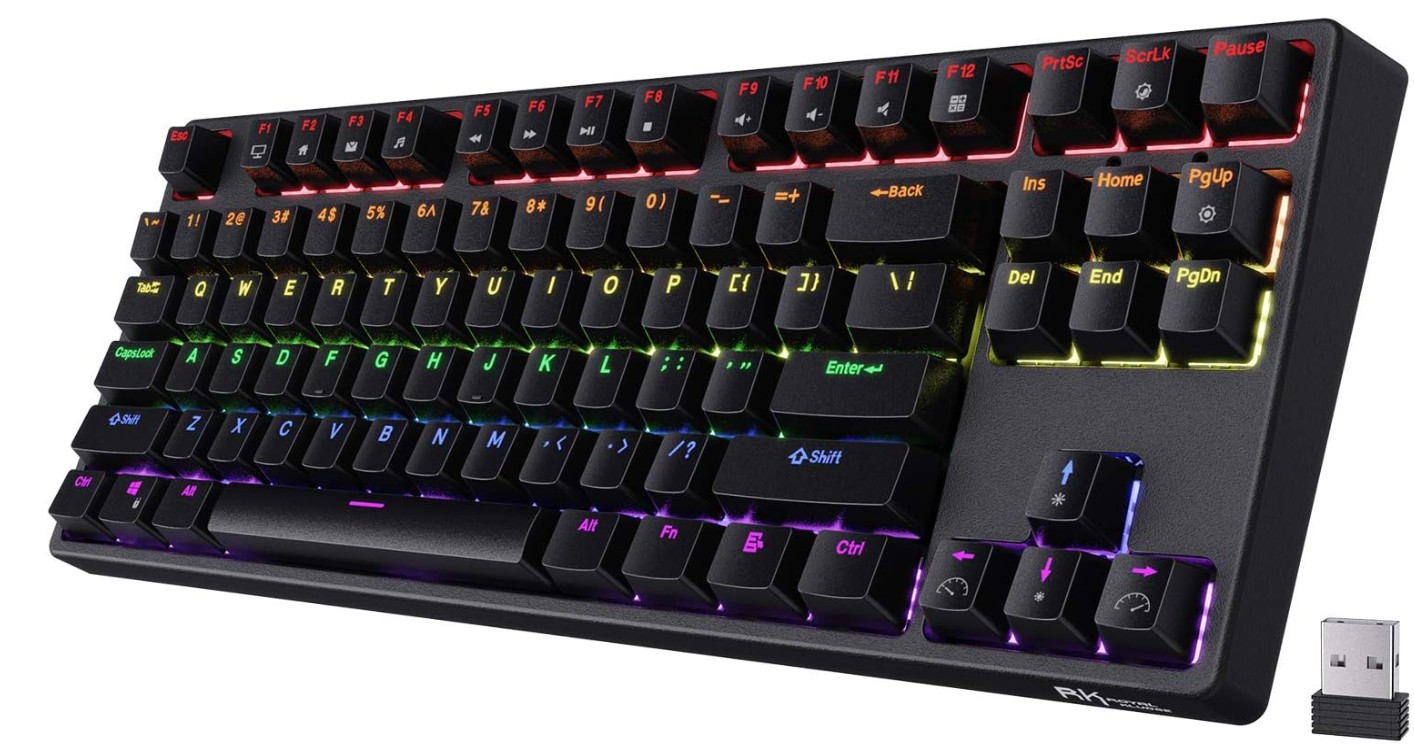
RK ROYAL KLUDGE RK87 Sink87G Mechanical Gaming Keyboard
RK ROYAL KLUDGE RK87 Sink87G Mechanical Gaming Keyboard
This is a wireless tenkeyless mechanical keyboard specifically designed for gamers and other professionals. So, if you prefer a compact layout without sacrificing performance, then this keyboard is perfect for you. It has some good specs for this price value. It features tactile Brown switches that are perfect for quiet operation. So, it balances responsiveness and quiet operation, making it suitable for both gaming and typing.
As for aesthetics, this keyboard offers RGB lighting with customizable lighting modes. You can use it both ways: Wired or Wireless. Its 2.4 GHz wireless connectivity delivers a stable and lag-free experience, while the detachable USB-C cable ensures versatility for wired use. Despite its budget-friendly price, you will get a solid build and a floating keycap design that makes it look like a premium keyboard.
Full N-key rollover ensures every keypress registers accurately, even during intense gaming sessions. The built-in rechargeable battery provides long-lasting use, with efficient power management for extended gaming or work hours.
Overall, this keyboard is a perfect choice for budget-conscious gamers who want premium-like features.
Buying Guide for a Budget Mechanical Keyboard for Gaming
For a budget mechanical gaming keyboard, you have to keep an eye on trade-offs, as they are not a serious drawback for your gaming setup. In this guide, I will walk you through the features you should consider and practical buying tips so you end up buying the best keyboard with the best value.
Why a Mechanical Keyboard Matters for Gaming
Mechanical switches provide much better actuation, faster and more consistent key registration, and are more durable than membrane keyboards.
What to Consider
Below are some important factors that you should consider before buying a Mechanical Keyboard for Gaming.
Switch Type:
There are three most common types of mechanical switches:
- Linear Switch
- Tactile Switch
- Clicky Switch
Linear switches, like Reds, feel smooth and need less force to press. Many FPS players like them for quick double-taps and easy key presses. Tactile switches, such as Browns, have a noticeable bump when you press them, which can help with typing or casting spells in MMOs. Clicky switches, like Blues, make a loud, satisfying sound but might be distracting. Think about how much noise you can handle and how you play before choosing a switch type.
Hot-swappability
If you want to change switches more frequently, then you should go for a hot-swappable PCB that lets you change switches without soldering. For budget budget-friendly keyboard, this should be a must-addition as for changing your switches to more premium ones.
Build & mounting
Metal top-plates and stronger backplates make keyboards feel sturdier and help prevent flexing, which leads to firmer, more satisfying keystrokes. Gasket or top-mount designs usually create a softer, quieter sound, while tray or plate-mounted boards often sound more hollow. Most budget keyboards use plastic housings, but higher-quality models add metal plates. This upgrade makes a noticeable difference compared to thin, all-plastic boards.
Keycaps
PBT keycaps resist shine and wear much better than ABS; they often have crisper legends and a nicer texture. Double-shot or dye-sublimated legends prevent fading. Many budget boards still ship with ABS, but better ones include PBT or sell cheap PBT upgrade sets.
NKRO / anti-ghosting
N-key rollover (or robust anti-ghosting) ensures simultaneous presses register properly—important for combos and complex keybinds. Don’t accept unclear marketing; look for explicit NKRO or full anti-ghosting claims.
Polling rate & latency
Look for 1000 Hz (1 ms) USB polling for minimal input lag. Some budget boards offer higher polling rates; a higher rate reduces the delay between keypress and PC recognition. For competitive gamers, lower latency matters; for casual play, it’s less critical.
Layout & size
full-size vs TKL vs 75% vs 60% — choose by needs. Tenkeyless (TKL, 87-key) saves desk space and is great for FPS players who use a large mousepad. Full-size keeps the numpad for work and MMO macros. Compact 60–65% boards are ultra portable but require chorded keys for arrows/function row. Decide which keys you use daily before committing.
Lighting & software
RGB is definitely fun, but the truth is, it’s not essential for performance. Some budget boards offer RGB per-key as well as software for remapping and macros; others do away with software altogether and just use onboard shortcuts to save a few bucks. If you’re all about those fancy macros or custom lighting setups though, check how mature their software is – budget brands often can’t match premium suites for features and usability.
Extras to bear in mind
things like a detachable cable (makes it way easier to take your board on the go), wireless options (albeit a bit rarer and often with higher latency), dedicated media controls or a volume knob that’s all its own (super handy)… and then there are any included extras like switch pullers, some extra switches, or keycap pullers to round out the deal.
FAQs
Yes — there are mechanical keyboards available under $50, though choices are limited and you’ll often find compact layouts (like 60 % or 65 %) or models with more basic features compared to premium options.
60 %: Minimal, no arrow pad or numpad — great for small desks and esports gaming.
65 % / TKL: Compact but keeps arrow keys — a good balance for gaming + typing.
Full-size: Rare under $50, usually only with simpler switches and basic features.
RGB lighting doesn’t improve performance, but it:
1. Makes the keyboard look more premium
2. Helps you game in low-light setups
3. Can be fun for customization if the keyboard supports profiles
Many under-$50 boards include RGB or single-color backlight options.
Hot-swappable means you can replace the mechanical switches yourself.
Good news: a few budget models offer it, though it’s less common under $50 than on more expensive boards — so check specs before buying.
Wired USB is typical at this price and great for gaming because it avoids latency or battery issues.
Wireless mechanical gaming keyboards tend to cost more than $50.
At this price, keyboards often have ABS keycaps (standard plastic) rather than higher-end PBT keycaps. ABS can shine or wear faster over time, but functionally, they still work fine for gaming.
Conlusion
Budget mechanical keyboards have really come a long way – features that were once only found in top-of-the-line models like hot-swappable switches, PBT keycaps & high polling rates are now pretty standard in mid-range and even budget-friendly boards. When shopping around, the only things that really matter to your daily experience are the feel of the switches, how reliable the board is (pure NKRO & build quality count for a lot), and whether you can upgrade or swap out the switches later (which is where hot-swapping comes in). With a bit of research and a reasonable budget for some simple tweaks like new keycaps or a bit of switch lube, a budget keyboard can easily provide years of great gaming & typing performance without you needing to take out a second mortgage.

Jawad is a passionate tech enthusiast and writer who loves exploring the latest trends in hardware, gadgets, and digital innovation. With a sharp eye for performance and value, he delivers in-depth recommendations and buying guides to help readers make smarter tech decisions.