
Last Updated on February 8, 2026 by Jawad
Introduction
If you’re a gamer on a budget, finding a good wireless gaming headset for under $100 can feel like hunting for a rare drop. But the good news is: you can get solid performance without spending big bucks. A wireless gaming headset under $100 offers freedom from cables, comfort for long sessions, and reliable audio—if you pick wisely.
First off: why wireless? Unlike wired headsets that tie you down, a wireless model lets you move around—say, grab a snack, lean back on the couch, or adjust your setup—without unplugging. According to guides, one of the main benefits of wireless headsets is the untethered freedom they offer.
That said, wireless also introduces trade-offs: battery life, connection latency, comfort, and microphone quality all become more important.
What should you expect from a good under-$100 wireless gaming headset?
- A low-latency wireless connection (typically 2.4 GHz via USB dongle) so sounds and voice chat stay in sync.
- Comfortable build with decent ear cups and a headband, so you can play without strain for hours.
- A microphone that’s clear enough for chat and multiplayer coordination.
- Good audio quality—not the audiophile level, but enough to pick out footsteps, hear ambient cues, and enjoy game soundtracks.
In this article, we’ll walk through how to evaluate these features, what trade-offs you might face with budget models, and how to spot the best value under that $100 mark. Whether you’re gaming on PC, PlayStation, Xbox, or Switch (or across platforms), you’ll end up with a wireless headset that feels like an upgrade—without breaking your wallet.
We also have a recommendation for the Best Budget Gaming Headset Under $30, so make sure to check that out too!
Top Wireless Gaming Headset Under $100




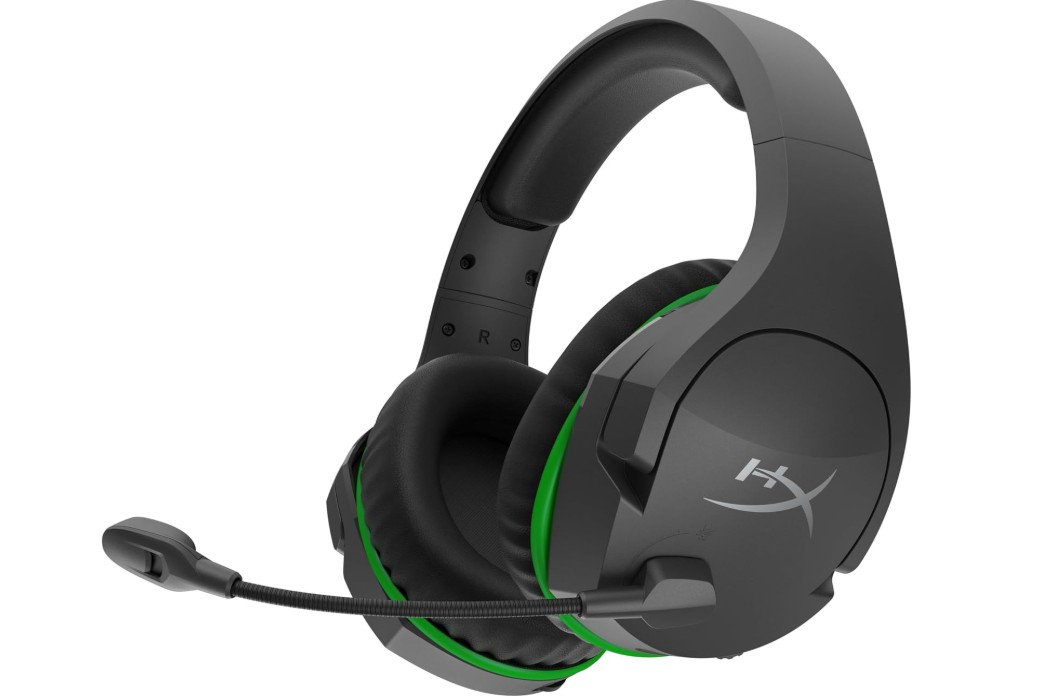
HyperX CloudX Stinger Core – Wireless Gaming Headset
HyperX CloudX Stinger Core – Wireless Gaming Headset
The HyperX CloudX Stinger Core Wireless Gaming Headset is a good choice for Xbox gamers who want a solid experience at a low price. It connects directly to Xbox Series X|S or Xbox One without extra adapters, and that makes setup very easy. The headset is lightweight, so it does not feel heavy on the head during long gaming sessions, which is important if someone plays for many hours. The memory foam ear cushions with leatherette also feel comfortable, and they help block some outside noise, so you can focus more on the game.
The sound quality is clear for the price. It is not the most powerful or most detailed sound like expensive headsets, but for under $100, it gives good game audio with decent bass and clear mids. Footsteps, gunshots, and environmental effects sound noticeable enough in shooters, which many gamers care about. The microphone quality is also good for team chat. It is not studio-level, but teammates can hear your voice clearly, and the swivel-to-mute design is simple and convenient.
Battery life of up to 17 hours is fine for casual and daily gaming. It can handle multiple sessions before needing a recharge. The wireless connection is stable, with low latency, and there are no annoying wires to deal with, which feels great if you want a clean setup.
However, there are some limitations. The build materials feel more budget, and some people might want stronger bass. Also, there is no Bluetooth, so it only works wirelessly with Xbox consoles, not phones or PlayStation.
Overall, this headset is comfortable, easy to use, and offers reliable wireless audio for Xbox under $100. It delivers very good value, especially for gamers who want wireless freedom without spending a large amount of money.
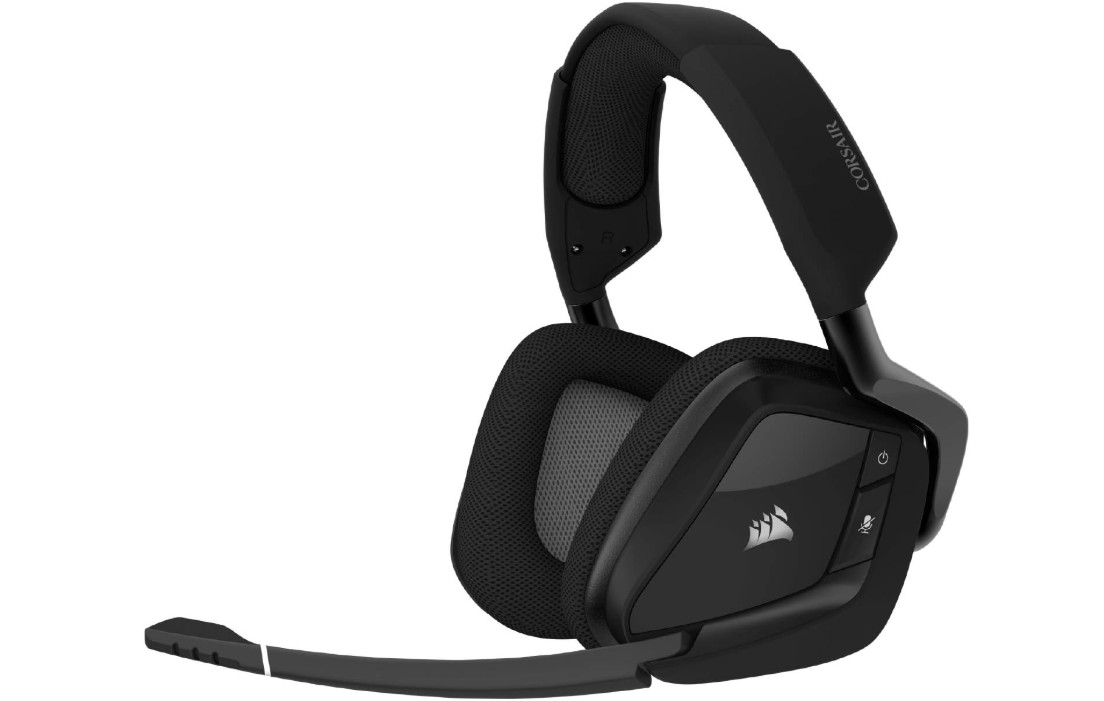
Corsair Void RGB Elite Wireless Gaming Headset
Corsair Void RGB Elite Wireless Gaming Headset
The Corsair Void RGB Elite Wireless Gaming Headset offers strong wireless freedom with solid features for gamers. The 2.4 GHz wireless dongle delivers a dependable connection up to around 40 ft, letting you move somewhat away from your PC or console without interruptions. The sound quality is good overall—especially for the price—with 50 mm neodymium drivers and optional virtual 7.1 surround sound. The headset is comfortable for long sessions thanks to memory foam ear-cups and a well-padded headband, making it easy to wear for hours. Also, the iCUE software allows you to tweak EQ settings and RGB lighting to match your setup.
On the flip side, a few compromises should be noted. The fit can feel loose for some users, and the clamping force is lighter than premium models. The battery life is decent, but drops faster if you turn on the RGB lighting or surround sound features. Some users felt the default sound profile had a boomy low-end and that bass and imaging weren’t as sharp as more expensive headsets. Also, because there’s no Bluetooth or wired audio fallback, the headset is best suited only for devices with USB wireless dongle support.
In short, if you’re looking for a wireless gaming headset with good comfort, wireless range, and customization at a budget price, the Void RGB Elite Wireless is a strong pick. But if you demand top-tier bass clarity, a snug fit, or multi-platform flexibility (like wired or Bluetooth), you might find better options elsewhere.
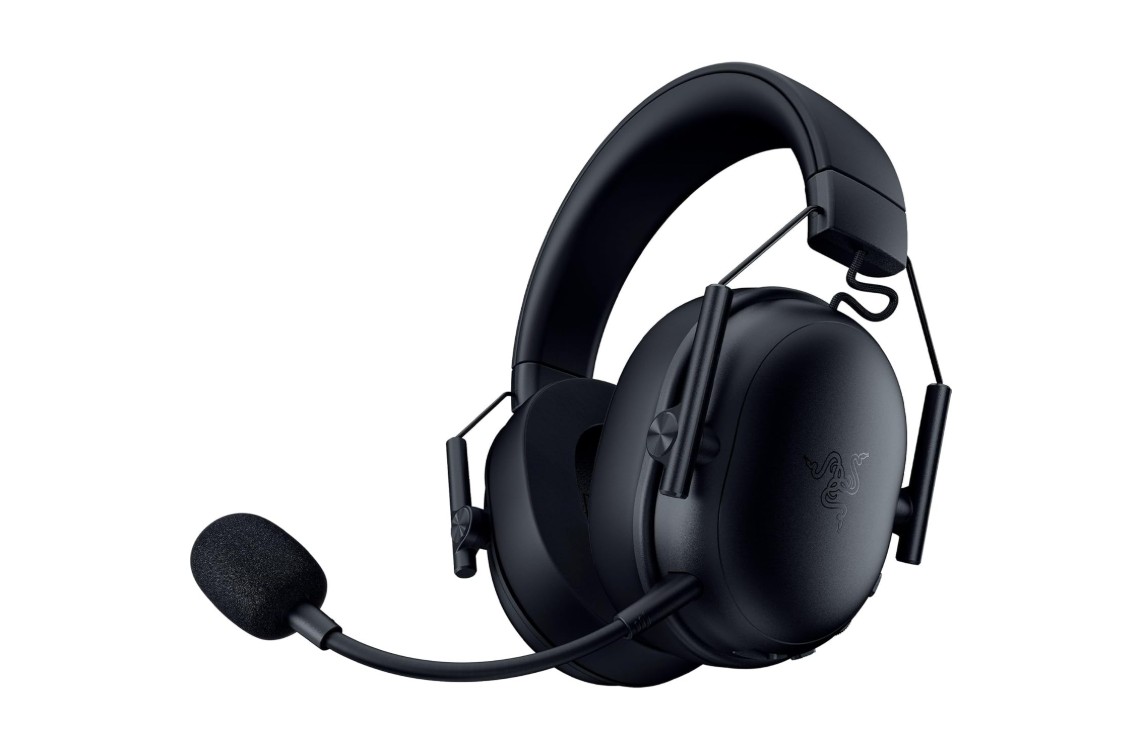
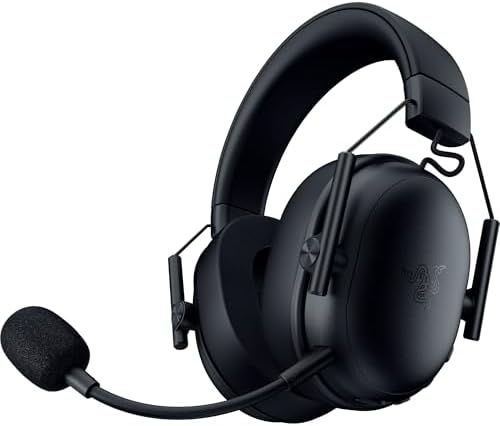
Razer BlackShark V3 X HyperSpeed Wireless Gaming Headset
Razer BlackShark V3 X HyperSpeed Wireless Gaming Headset
The Razer BlackShark V3 X HyperSpeed Wireless Gaming Headset delivers good value with plenty of features for gamers. It offers a long battery life (up to 70 hours), and supports both 2.4 GHz wireless and Bluetooth connectivity, making it easy to switch between PC, console, and mobile. The 50 mm drivers are capable of delivering immersive sound, and the headset is comfortable to wear for extended sessions thanks to its lightweight build and padded ear cups. Users praise the build quality and wireless range.
However, there are some trade-offs. Some reviewers found the audio clarity and bass response weaker than expected, and said positional audio (which helps detect game sound cues) isn’t as sharp as higher-end headsets. The microphone is decent for chat, but not exceptional in clarity or projection, especially compared to more premium models. Also, although it supports multiple devices, some advanced features may require specific platforms or software.
In short, if you’re looking for a wireless gaming headset that works across PC, Mac, PlayStation, Nintendo Switch, and smartphones—with solid battery life and a comfortable fit—the BlackShark V3 X HyperSpeed is a very strong option in its price range. If you’re a sound-quality purist or demand top-tier mic performance, you might consider spending more for the higher tier.
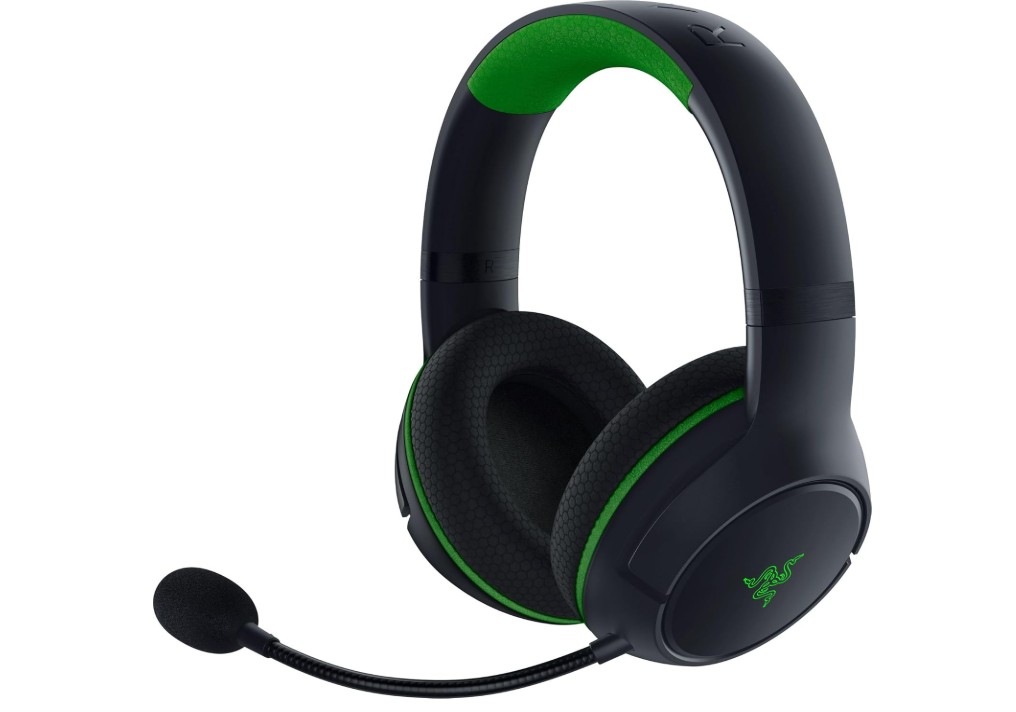
Razer Kaira Wireless Gaming Headset
Razer Kaira Wireless Gaming Headset
The Razer Kaira Wireless is a solid wireless gaming headset for Xbox players. Right out of the box, setup is straightforward with Xbox Wireless, and it pairs instantly with the console. Its design is comfortable — the ear-cups are large, padded with breathable memory-foam covers, and the headset is fairly light, making long gaming sessions easier. The mic does a good job at capturing your voice clearly with limited background noise, which is a real plus for online multiplayer.
On the audio front, the 50 mm drivers deliver a nice sound experience for gaming; you’ll hear footsteps clearly, and direction-based cues are decent. However, the bass is a little over-emphasised and finer details in music or movies may not be as sharp as higher-tier headsets.
A significant limitation is that the Kaira Wireless is heavily optimized for Xbox and lacks full flexibility for other devices. While it connects easily to an Xbox console, its performance on PC or other platforms may be limited in features or require extra steps. Some users also report occasional drop-outs or connection instability when spatial sound features are on.
In short, if you mostly game on an Xbox and want a comfortable, wireless headset with good voice chat performance and easy setup, the Kaira Wireless fits well. If you plan to use it across multiple devices or demand best-in-class sound quality for music, you might want to explore more versatile or premium options.
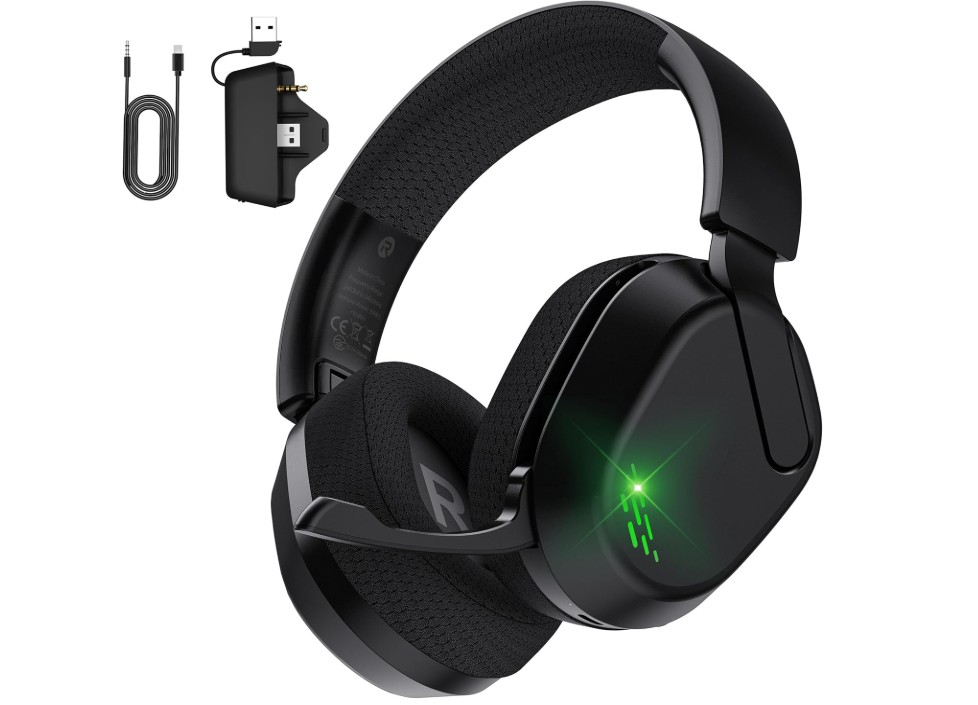
Gvyugke Wireless Gaming Headset
Gvyugke Wireless Gaming Headset
The Gvyugke Wireless Gaming Headset brings solid value for gamers who want wireless freedom and decent sound on multiple platforms. It offers versatile connectivity options—Bluetooth and wireless dongle—for PC, Mac, PlayStation, and even mobile devices. Users reported good comfort thanks to the foldable design and soft ear cushions, which means fewer complaints during longer sessions.
In terms of audio, many found the bass and overall sound profile impressive for the price. The 3D surround-sound promise and 50 mm driver (depending on the variant) deliver immersive effects in games and music listening. The battery life is also acceptable for casual use, lasting multiple hours without needing a recharge.
However, not everything is perfect. One consistent weakness is the microphone: multiple users found the mic quieter than expected or less clear during team voice chat, even when settings were adjusted. The button/control placement has also been cited as slightly awkward, with accidental activations reported when the headset is placed down. Also, while wireless across many platforms, the Xbox compatibility is limited or requires a wired mode in some cases, which reduces convenience for Xbox-only players.
In short, if you’re on a budget and want a wireless headset that handles gaming on PC, PlayStation, Mac, or even mobile pretty well—with good comfort and decent sound—the Gvyugke headset is a worthwhile pick. If you demand top-tier mic performance, seamless Xbox wireless support, or audiophile-level clarity, you might find compromises here.
Buying Guide: Wireless Gaming Headset Under $100
Buying a wireless gaming headset under $100 means you want good sound, a decent microphone, reliable wireless, and comfort — without spending a lot. This guide walks you through the important features, what to expect from budget models, how to test a headset before you buy, and which trade-offs are normal at this price. I’ll keep the language simple and give practical tips so you can pick the best value for your money.
What you can realistically expect for <$100
At this price you can get comfortable headsets with clear game audio, useful microphones for voice chat, and workable battery life. Expect compromises versus premium models: build materials may be lighter plastic, bass and sound staging may be less refined, and some advanced features (true lossless wireless, high-end spatial audio, or studio mics) are unlikely. Budget wireless headsets have improved a lot in recent years, so many deliver excellent value for casual and competitive play alike.
Most important features (and how they affect your experience)
- Wireless connection type (2.4 GHz dongle vs Bluetooth). For gaming, a dedicated 2.4 GHz USB dongle usually gives lower latency and a more stable connection than Bluetooth. Bluetooth is fine for casual gaming and mobile use but can introduce lag or dropouts in competitive play. If you play fast shooters, prefer a headset that uses a 2.4 GHz wireless link (or one that supports both).
- Latency. Low latency means sound and voice feel synced with the game. Proprietary 2.4 GHz radios typically have lower latency than standard Bluetooth; labels like “Low-latency”, “Gaming mode”, or “Low-latency dongle” are good signs. Test in real games if possible.
- Battery life. Look for at least 15–20 hours of real use from a single charge. Many budget headsets now cite 20–40+ hours; real life depends on volume and features like lighting or surround processing. A removable or fast-charge battery is a plus but rare under $100.
- Driver size and sound tuning. Bigger drivers (40–50 mm) are common and usually deliver punchy sound. More important than size is tuning: good mids and clear highs help with voice and footsteps; controlled bass avoids muffled sound. Some headsets offer EQ presets or software that lets you tweak sound — useful if you play different game types.
- Microphone quality. A clear mic matters for team play. Look for “noise cancelling” or “cardioid” mics and tests that show clear voice pickup. Removable or flip-to-mute mics add convenience.
- Comfort and build. Soft ear pads, a flexible headband, and light weight matter for long sessions. Mesh or breathable memory-foam pads are good for heat reduction. Beware flimsy plastics or tight clamps that cause discomfort.
- Platform compatibility. Confirm the headset works with your main platform (PC, Xbox, PlayStation, Switch, mobile). Xbox and PlayStation sometimes require official wireless standards — some headsets connect natively to Xbox Wireless, others only via USB dongle or wired mode. If you need multi-device use, choose headsets that support both 2.4 GHz dongle and Bluetooth.
- Extra features. Virtual surround sound (DTS, Windows Sonic, etc.) helps positional audio but is simulated. RGB lights, on-ear controls, and companion apps are nice; prioritize core audio and mic quality before cosmetics.
How to compare models (practical checklist)
- Does it use a 2.4 GHz dongle, Bluetooth, or both? Prefer 2.4 GHz for fast games.
- Claimed battery hours and whether the vendor lists test conditions. Aim for 15+ hours real use.
- Driver size (40–50 mm common) and presence of EQ or app.
- Microphone type (boom/cardioid vs inline) and whether it’s detachable or mutes on flip.
- Comfort: ear pad material (mesh vs leatherette), clamp force, weight.
- Compatibility and whether the dongle is plug-and-play with your console/PC.
- Warranty and brand support (important for repairs and replacements).
Typical trade-offs under $100
- Sound vs features: You might get better raw sound from a wired headset than wireless at the same price.
- Build vs weight: Lightweight models are comfy but can use cheaper plastic.
- True multi-platform support: Some headsets claim wide compatibility but only offer full wireless features on PC; consoles may need wired mode.
FAQs
Yes — many offer good sound quality, comfortable fit, and reliable wireless performance for gaming and general use.
Most budget wireless gaming headsets last anywhere from 10–30+ hours on a single charge, depending on volume and features.
Yes — most wireless gaming headsets under $100 work with PC, PS4/PS5, Xbox (with dongle or cable), Nintendo Switch, and mobile devices, but compatibility can vary.
Sound quality is generally good for gaming, with clear audio and decent bass; they may not match higher-end models but are great for the price.
The built-in mics on budget headsets are usually clear enough for voice chat, though not as rich as higher-end standalone mics.
Some offer virtual surround sound via software, but it’s simulated and not the same as true multi-driver systems.
Many under $100 are designed with padded ear cups and adjustable headbands for comfort during long gaming or movie sessions.
Final words
A wireless gaming headset under $100 can be a very smart buy: you can get comfy ear-cups, reliable wireless for casual to semi-competitive play, and a clear mic for team chat. Focus first on connection type (prefer 2.4 GHz if latency matters), mic clarity, and comfort. Use real reviews to confirm battery life and build quality, and look for deals on well-tested models. With a little research and the checklist above, you’ll find a wireless headset that gives you the freedom of movement and the game audio you need — all without breaking the bank.

Jawad is a passionate tech enthusiast and writer who loves exploring the latest trends in hardware, gadgets, and digital innovation. With a sharp eye for performance and value, he delivers in-depth recommendations and buying guides to help readers make smarter tech decisions.

