Last Updated on February 8, 2026 by Jawad
Introduction
A prebuilt system is more than just a handy shortcut in today’s gaming environment; it’s frequently the most practical way to play high-performance games without having to deal with the hassles of self-building. The decision to purchase a prebuilt gaming PC has never been more appealing, as the global PC gaming hardware market is predicted to grow to approximately $44.5 billion in 2025 due to significant factors like the switch to Windows 11 and the increased demand for upgraded systems.
This budget slice offers a sweet spot for those under $2,000: a system that strikes a balance between excellent gaming performance and sensible value, and it puts you in a good position for both current games and upcoming updates.
Many gamers would rather avoid the hassle of part compatibility, assembly errors, and firmware problems when they opt for a prebuilt PC. Prebuilt systems are preferred by about two-thirds of gamers under 35, according to industry analysis, because they offer ready-to-use performance, come with installed operating systems and thermal testing, and reduce worries about warranty splits and building mistakes.
Strong configurations based on current-generation CPUs and GPUs, large SSD and RAM capacities, and excellent cooling and case design are frequently found in the sub-$2,000 tier; these may be sufficient for smooth gameplay at 1440p or even 4K, depending on the setup.
But this budget range is about balance and preparedness for the future, not just raw power. Your prebuilt should arrive not just ready to play now but also capable of evolving in the future as the industry shifts toward AI-optimized performance, improved ray-tracing, and modular, easy-to-upgrade designs.
This guide will cover what a $2,000 budget can actually buy you in 2025, how to prioritize specifications like CPU, GPU, and cooling/upgrade path, and what to look out for so you can make an informed choice without sacrificing quality.
We also have a recommendation for the Best High End Gaming PC Under $3000, so make sure to check that out too!
Top Prebuilt Gaming PC Under $2000
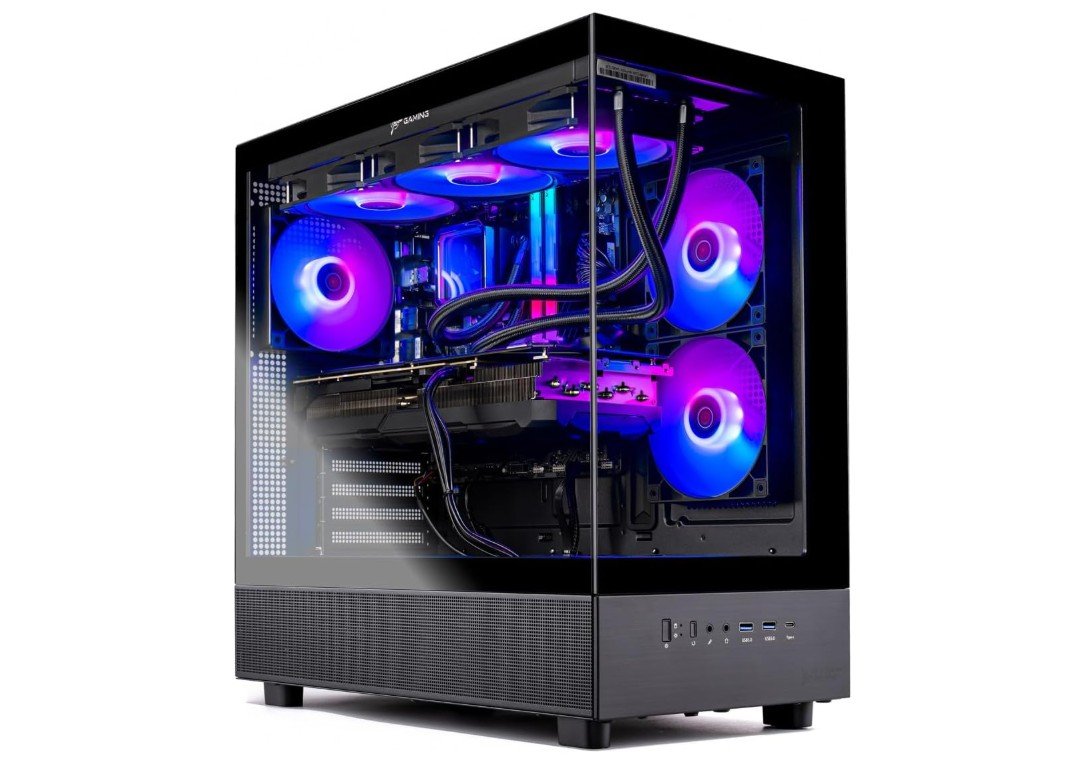
Skytech Gaming Azure 3 Desktop PC
Skytech Gaming Azure 3 Desktop PC
The Skytech Gaming Azure 3 is a powerful prebuilt desktop made for gamers and content creators who want strong performance without building a PC themselves. It uses a Ryzen 7 7700X processor, which is very fast for gaming, streaming, and daily multitasking. Apps open quickly, games load fast, and the system feels smooth even under heavy use.
The NVIDIA RTX 5070 graphics card with 12GB memory delivers excellent gaming performance. Modern games run at high or ultra settings with smooth frame rates, especially at 1440p and even 4K in many titles. Ray tracing and DLSS support also help improve visuals and performance, making games look more realistic without big slowdowns.
This PC comes with 32GB of DDR5 RAM running at 6000MHz, which is more than enough for gaming, video editing, and future software needs. The 1TB Gen4 NVMe SSD is very fast, so Windows boots quickly and games load in seconds. Storage speed is one of the strong points of this system.
Cooling is handled by a large 360mm ARGB liquid cooler, which keeps the CPU temperatures under control and adds a clean RGB look. The 850W Gold-rated ATX 3.0 power supply is reliable and ready for future upgrades. Built-in Wi-Fi and Windows 11 mean the PC is ready to use right out of the box.
Overall, the Skytech Gaming Azure 3 from Skytech Gaming is a well-balanced, high-performance gaming desktop. It offers strong hardware, good cooling, and a premium feel, making it a solid choice for gamers who want power and convenience in one package.

iBUYPOWER Slate MESH Gaming PC
iBUYPOWER Slate MESH Gaming PC
The iBUYPOWER Slate MESH Gaming PC offers gamers looking for a dependable prebuilt system an impressive blend of cutting-edge performance, compact design, and ready-to-play convenience. This desktop, which is powered by the Intel Core i7-14700F, has 20 cores and great multitasking capabilities, which make it perfect for productivity, gaming, and streaming tasks. With cutting-edge features like ray tracing and DLSS for improved performance and visuals, the processor works well with the NVIDIA GeForce RTX 5070 12GB GPU, guaranteeing smooth frame rates in modern high-end titles at 1440p and even 4K resolutions.
The Slate MESH’s 32GB of fast DDR5 5200MHz RGB RAM allows it to multitask without lag and handle demanding applications with ease. Its 1TB NVMe SSD offers extremely quick load times and a sufficient amount of space for creative projects or sizable game libraries. With quick responsiveness and short wait times between tasks or game loads, this configuration guarantees a flawless gaming experience.
With its elegant tempered glass casing, adjustable RGB lighting, and effective ventilation system that maintains temperature control even during prolonged gaming sessions, the Slate MESH is visually eye-catching. The construction feels sturdy and well-cooled, allowing for silent operation free from thermal throttling. For those looking for a comprehensive gaming package, it also comes with a matching RGB keyboard and mouse.
It is fully WiFi compatible and has Windows 11 Home preinstalled right out of the box, making it plug-and-play with little setup needed. Overall, the iBUYPOWER Slate MESH Gaming PC balances convenience, performance, and aesthetics to provide outstanding value for its price range. With dependable performance and an appealing look all in one, it’s a fantastic option for gamers or creators looking for powerful, future-proof specs without the trouble of starting from scratch.
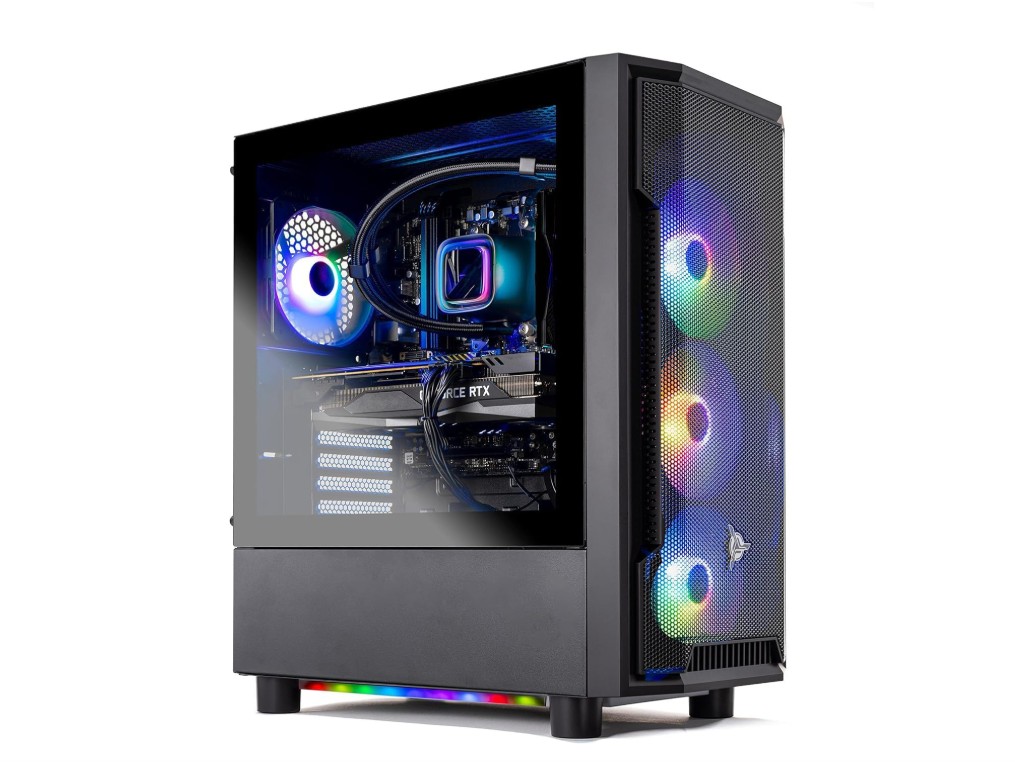
Skytech Gaming Shadow Gaming PC Desktop
Skytech Gaming Shadow Gaming PC Desktop
For gamers who want to play modern games at 1080p or 1440p without going over budget, the Skytech Gaming Shadow PC is a well-balanced prebuilt desktop that provides dependable performance. This system, which is powered by the Intel Core i7-13700F, offers remarkable gaming and multitasking performance. It can manage demanding games, streaming, and productivity tasks all at once. In modern games, the 16-core processor and the effective NVIDIA GeForce RTX 4060 GPU guarantee smooth gameplay with realistic graphics, ray tracing, and DLSS support for higher frame rates.
With a 1TB NVMe SSD and 16GB of DDR4 3200MHz RAM, the system offers optimal multitasking performance, fast file access, and quick boot times. The DDR4 memory still functions well for daily use and gaming, even though DDR5 would have been a nice addition. The 1TB SSD is a sensible option for the majority of users because it provides enough room for multiple large games and necessary software.
This build’s 360mm AIO liquid cooler is one of its best features; it maintains remarkably low temperatures even during prolonged gaming sessions. Long-term stability and effective power delivery are guaranteed by the cooling system and a 600W 80 Plus Gold power supply. The tower’s sleek black design with RGB accents gives it a high-end appearance while ensuring adequate ventilation.
With plug-and-play functionality straight out of the box, Windows 11 Home and 11AC Wi-Fi make setup easy and convenient. All things considered, the Skytech Gaming Shadow PC is an excellent mid-range option for gamers seeking a competitive price, dependable cooling, and a polished design. It’s perfect for consumers who value smooth gameplay, effective cooling, and fashionable design without having to deal with custom-built or unnecessarily high-end hardware purchases.
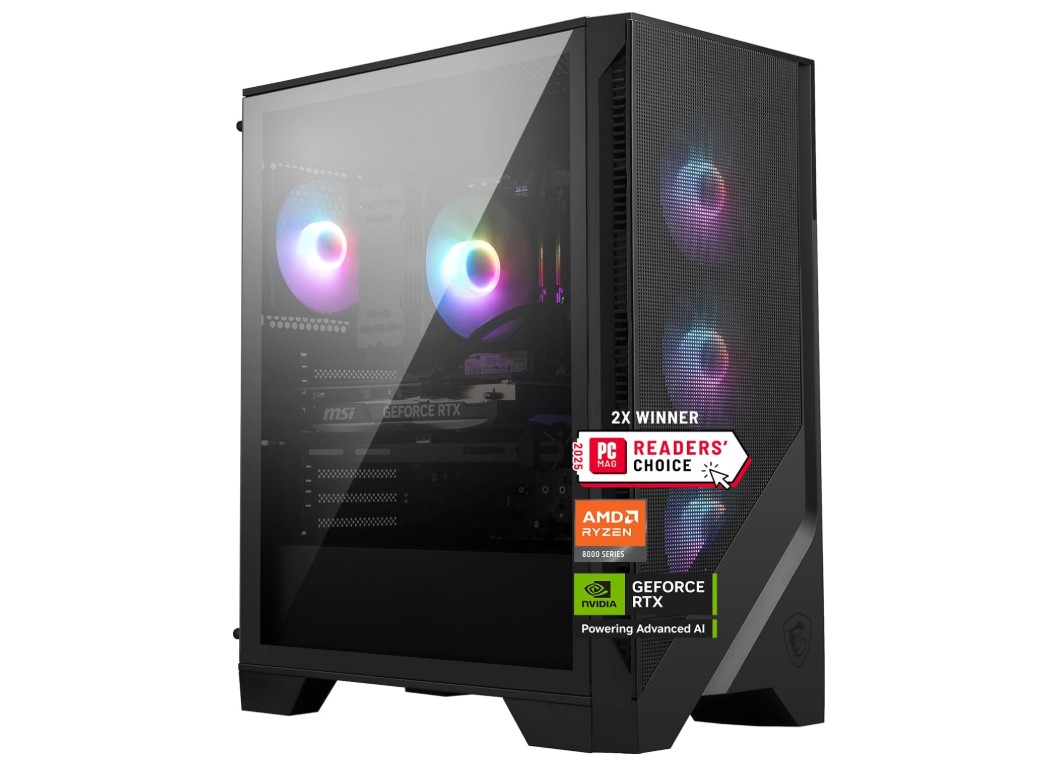
MSI Codex Z2 Gaming Desktop
MSI Codex Z2 Gaming Desktop
The MSI Codex Z2 Gaming Desktop is a powerful device made for gamers who demand excellent performance, modern looks, and smooth operation right out of the box. This desktop, which is perfect for gaming, streaming, and content creation, is powered by the AMD Ryzen 7 8700F processor and offers quick, effective multitasking performance. It effortlessly manages today’s most demanding games at 1440p and even 4K resolutions when paired with the NVIDIA GeForce RTX 5070 graphics card, offering high frame rates and breathtaking visuals with DLSS and ray tracing support.
The system offers plenty of bandwidth for gaming, editing, and running virtual machines thanks to its 32GB of DDR5 RAM, which guarantees seamless operation across multiple applications. With lightning-fast boot times, quick file transfers, and plenty of storage for big game libraries or creative projects, the 2TB M.2 NVMe SSD further improves the experience. The Codex Z2 is a future-proof option for gamers looking for both performance and efficiency because of its power and speed combination.
With a stylish and robust case design, adjustable RGB lighting, and a well-ventilated cooling system that keeps temperatures at ideal levels even during extended gaming sessions, MSI’s build quality is particularly impressive. Modern connectivity is added by the USB Type-C ports, and compatibility with the newest virtual reality headsets is guaranteed by VR-ready support. Because Windows 11 Home comes preinstalled, users can start playing games right away without any setup difficulties.
Overall, the MSI Codex Z2 A8NVP-436US is a high-end prebuilt gaming desktop that flawlessly balances reliability, performance, and design. It provides the speed, power, and high-quality graphics required for today’s computing demands, regardless of whether you’re a competitive gamer, streamer, or creative professional. For individuals looking for a high-end, well-rounded system that is operational as soon as it is turned on, this is a great option.
Buying Guide: Prebuilt Gaming PC Under $2000
Purchasing a prebuilt gaming PC for less than $2,000 allows you to forego assembly and compatibility issues while still enjoying high refresh rate performance, ample storage, and future-proofing for the next few years. To get the best deal, consider the $2,000 cap as a starting point: GPU should come first, followed by CPU, cooling/PSU, and storage, and then extras like RGB, bundled peripherals, and decorative parts. A helpful guide that explains what to prioritize, what to avoid, sample configurations to aim for, and how to shop so you actually get the machine you expect is provided below.
What to prioritize (and why)
GPU
More than anything else, the graphics card affects frame rates when gaming. A card that consistently achieves high frame rates at 1440p (or passable 4K performance if you adjust settings) is what you should look for in a prebuilt PC that costs about $2,000. This price range typically contains mid-to-high tier current-generation GPUs (such as the RTX 5070/5070 Ti class or comparable AMD components); be aware that some new midrange cards sacrifice efficiency for raw gains, so before committing, look at independent benchmarks for real-world FPS.
CPU
The CPU is important for optimum frame rates, streaming, and productivity after the GPU. The ideal processor is a contemporary 8–16 core model, such as the AMD Ryzen 7/9 family or the high-end mainstream Intel Core i7/i9. Higher core counts are preferable if you stream or create content in addition to gaming; a CPU with good single-thread performance is more helpful for competitive gaming. According to benchmarks, the best mainstream chips continue to produce top-notch gaming performance with enough headroom for multitasking.
RAM & storage
If you multitask, stream, or create content, 32GB DDR5 is the ideal amount of RAM and storage. 16GB is the recommended minimum. DDR4 at higher capacity can still be acceptable if it frees up money for a more powerful GPU, but DDR5 is preferred whenever possible. For OS and a few heavy games, always go for an NVMe SSD with a minimum of 1TB; if you have a lot of games installed, 2TB is better.
Cooling & PSU
Thermal throttling can be avoided with proper cooling; for high-end CPUs, look for systems with large air coolers or AIO liquid cooling. Upgrade headroom and stability are provided by a high-quality 650W–850W 80+ Gold PSU from a reliable OEM. Stay clear of low-cost OEM PSUs as they are frequently a weak point in prebuilt systems.
Build quality, warranty & support
The main benefits of purchasing prebuilt are the warranty and RMA support. Verify the warranty’s precise coverage (parts, labor, on-site vs. return). Reputable suppliers, such as well-known independent builders and large OEMs, frequently provide better-documented warranties and tested builds. Additionally, find out if you’re on your own or if the vendor offers driver support and BIOS updates. Purchase from a retailer where you can return items promptly if they arrive DOA. Reviews and return policies are important.
Upgrade paths
Examine the form factor and motherboard socket: Future upgrades are made easier by ATX motherboards with multiple PCIe lanes and spare M.2 slots. Make sure there is room in the case, that the PSU has enough wattage and headroom, and that the chassis can accommodate longer GPUs and more cooling if you intend to change the GPU or add storage later. Although a small mini-tower can be less expensive, it frequently prevents significant improvements.
FAQs
A prebuilt gaming PC is a ready-to-use desktop that comes fully assembled by a manufacturer or system builder. It includes the case, CPU, GPU, memory, storage, cooling, and power supply — so you don’t need to build it yourself.
Yes — $2000 is a strong budget for a gaming rig. At this price, you can expect components capable of solid 1440p gaming at high/ultra settings, and even entry-level 4K performance in many titles.
With up to $2000 you can typically get:
1. High-end CPU (like AMD Ryzen 7/9 or Intel Core i7/i9)
2. Mid-to-high tier GPU such as NVIDIA RTX 40/50 series or AMD RX equivalents
3. 32 GB DDR5 RAM and 1–2 TB SSD
This setup handles AAA games at 1440p and esports titles at high refresh rates easily.
GPU is the most important component for gaming performance, especially at 1440p or higher. The CPU matters too, but once you’re above a mid-range model, extra power tends to return diminishing improvements in pure gaming.
Yes — some configurations can run 4K gaming, but performance varies by game and settings. For the smoothest 4K experience in AAA titles, top-tier GPUs like RTX 4080+ or RX 7900 XT are ideal (and may stretch above $2000). For <$2000, many systems target high 1440p performance with workable 4K settings.
Most prebuilt gaming PCs include Windows 11 Home or Pro preinstalled, saving you time and setup hassle. Always check the product page to confirm whether Windows is included or sold separately.
Most mid-tower prebuilt PCs allow for upgrades to RAM, storage, GPU, and even CPU (depending on the motherboard). Small form factor PCs might have limitations due to size and power restrictions, so check expandability before buying.
Conslusion
When tuned, a good prebuilt under $2,000 can handle modern titles at 1440p and many at 4K, while still offering the ease of plug-and-play. GPU should come first, followed by CPU, power/cooling, and storage. Before purchasing, confirm warranty and PSU details, and use independent benchmarks to validate advertised performance (particularly for new GPU models, which can vary in power efficiency and value). You can get a machine that is powerful now and upgradeable tomorrow by using the above checklist to compare a few retailers and maximize value.

Jawad is a passionate tech enthusiast and writer who loves exploring the latest trends in hardware, gadgets, and digital innovation. With a sharp eye for performance and value, he delivers in-depth recommendations and buying guides to help readers make smarter tech decisions.