
Last Updated on May 15, 2026 by Jawad
Introduction
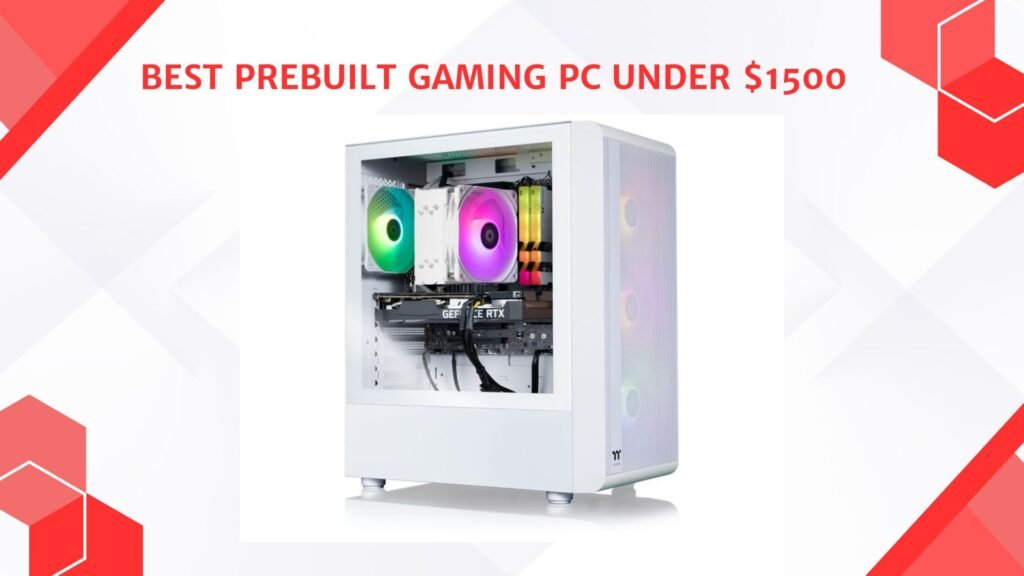
A prebuilt gaming PC under $1500 offers powerful hardware and excellent gaming performance for players who want a high-quality system without the hassle of building one themselves. PCs in this price range are capable of handling modern AAA games at high or ultra settings with smooth frame rates at 1080p and 1440p resolutions. Many models include advanced graphics cards, fast multi-core processors, DDR5 memory, and high-speed NVMe SSD storage for responsive gameplay and multitasking. These gaming desktops are also ideal for streaming, content creation, and competitive gaming.
With strong upgrade potential and premium features, prebuilt gaming PCs under $1500 provide outstanding value and long-term performance for serious gamers.
We also have a recommendation for the Best Prebuilt Gaming PC Under $2000, so make sure to check that out too!
Top Prebuilt Gaming PC Under $1500


| PC | Image | Rating | CPU | GPU | RAM | Storage | Connectivity | Best For | Buy |
|---|---|---|---|---|---|---|---|---|---|
|
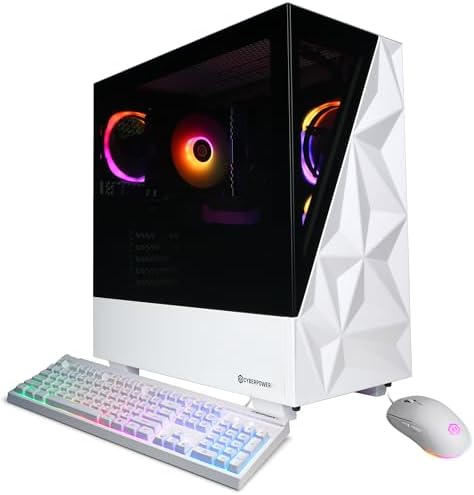
CyberPowerPC Gamer Xtreme VR 🏆 Best Overall 🔥 Top Pick | 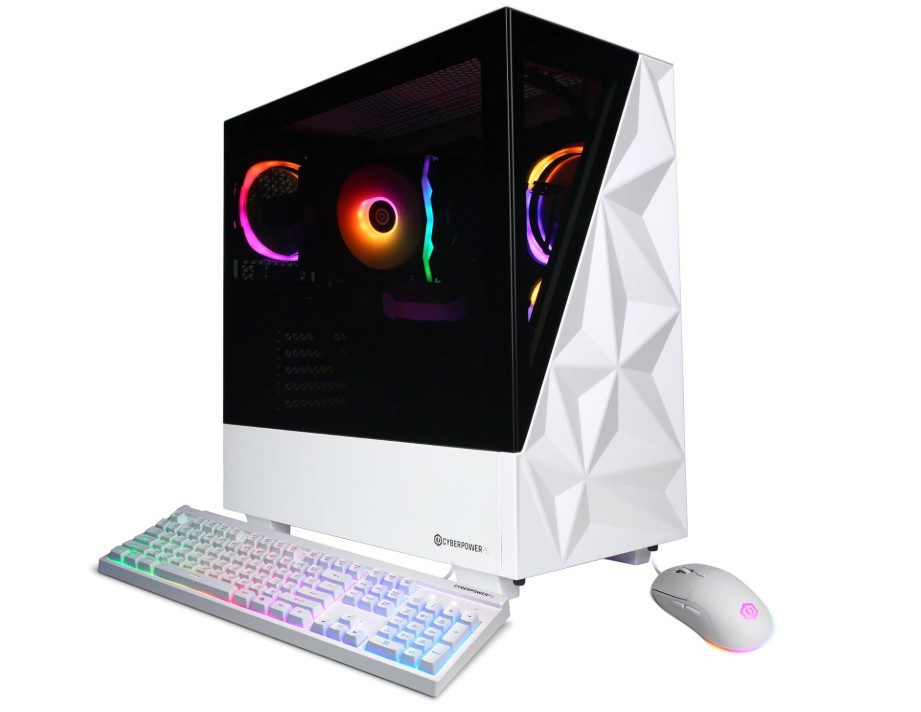 | ★★★★★ | Intel i7-14700F | RTX 5060 Ti | 16GB DDR5 | 1TB NVMe | WiFi + USB + HDMI | High-End Gaming | Check Price |
|
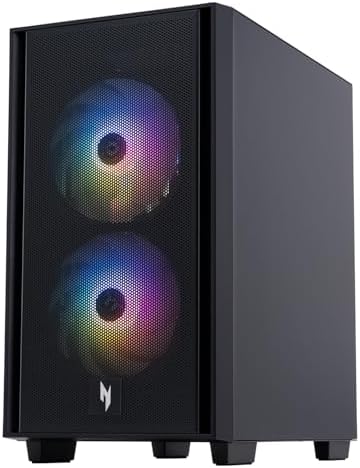
Skytech Gaming Shadow 💰 Best Value | 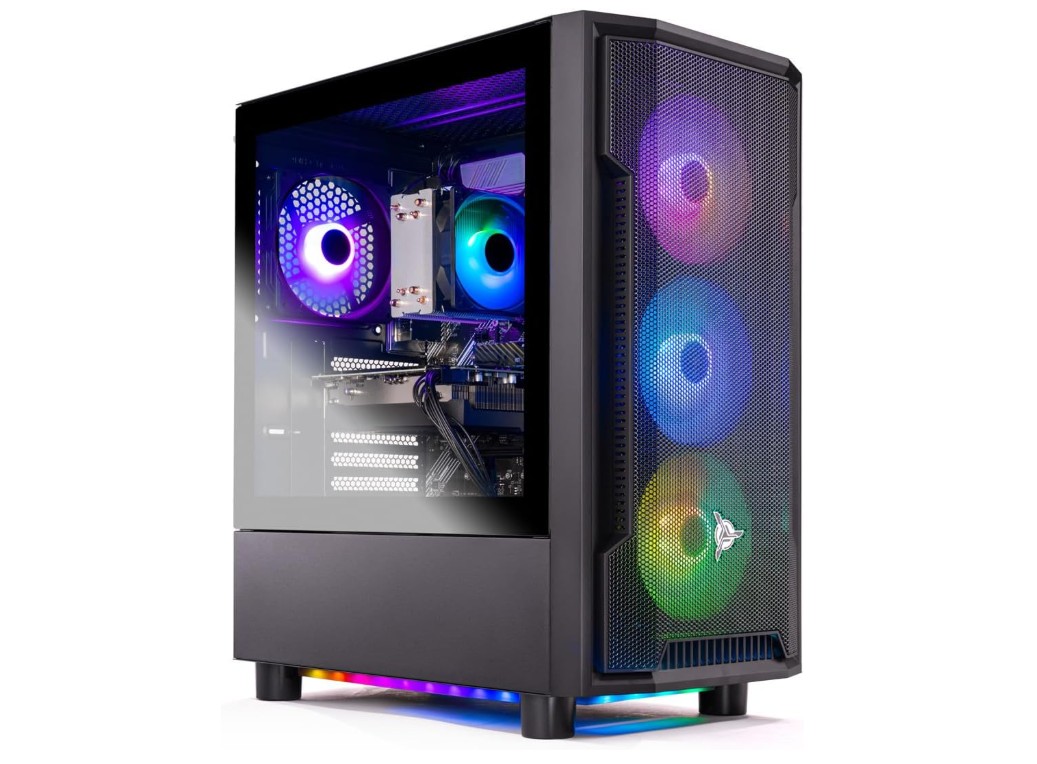 | ★★★★★ | Ryzen 7 7700X | RTX 5060 | 32GB DDR5 | 1TB NVMe | WiFi Ready | Multitasking + Streaming | Check Price |
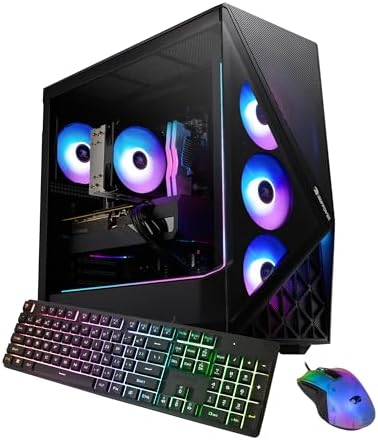
| iBUYPOWER Slate Gaming PC |  | ★★★★☆ | Intel Ultra 7 | RTX 5060 | 32GB DDR5 | 1TB NVMe | WiFi + RGB Setup | Plug & Play Setup | Check Price |
| Acer Nitro 60 N60-640 | 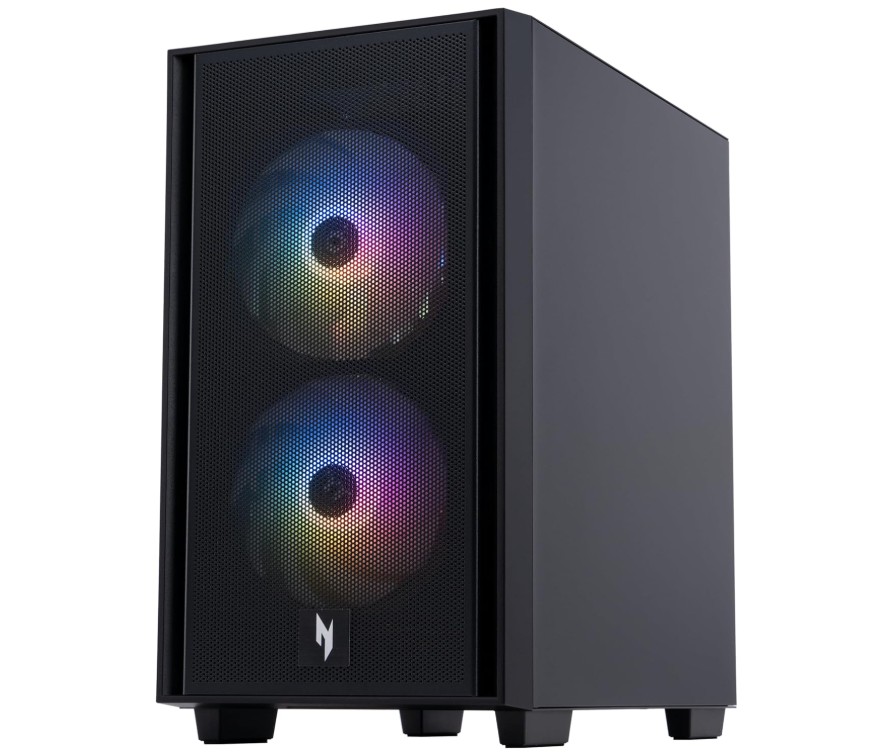 | ★★★★★ | Intel i7-14700F | RTX 5060 Ti | 32GB DDR5 | 2TB NVMe | WiFi 6 + Ethernet | Storage + Power Users | Check Price |
| Thermaltake LCGS Quartz i1460 | 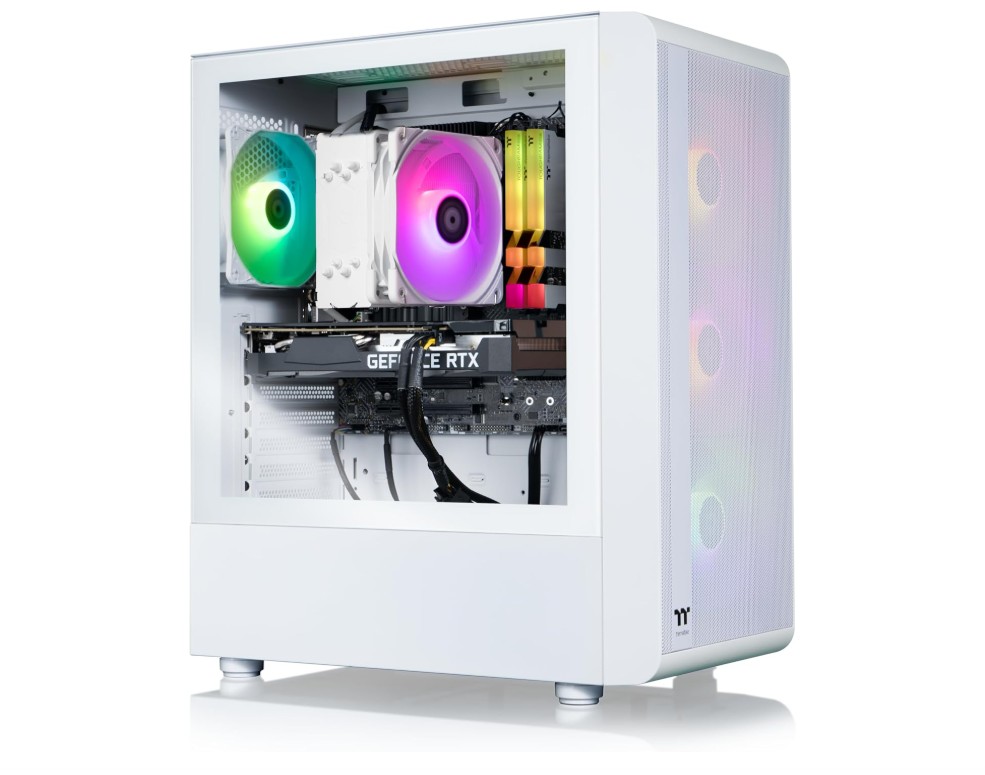 | ★★★★☆ | Intel i5-14400F | RTX 5060 | 16GB DDR4 | 1TB NVMe | WiFi | Budget Gaming Build | Check Price |
CyberPowerPC Gamer Xtreme VR Gaming PC
CyberPowerPC Gamer Xtreme VR Gaming PC
The CyberPowerPC Gamer Xtreme VR Gaming PC is a strong mid-range gaming desktop that offers excellent value for gamers who want high-performance hardware without building a custom PC. Powered by the Intel Core i7-14700F and RTX 5060 Ti 16GB, it delivers smooth 1080p and impressive 1440p gaming with solid VR capability. The 16GB DDR5 memory and fast 1TB PCIe 4.0 SSD provide responsive multitasking and quick game loading times.
Its RGB-lit tempered-glass case looks modern and offers good airflow for extended gaming sessions. Wi-Fi connectivity and Windows 11 Home come preinstalled, making setup easy for beginners and experienced gamers alike.
Skytech Gaming Shadow Gaming PC
Skytech Gaming Shadow Gaming PC
The Skytech Gaming Shadow is a powerful mid-to-high-end gaming desktop built for smooth 1440p gaming and strong multitasking performance. Featuring the AMD Ryzen 7 7700X and NVIDIA RTX 5060, it handles modern AAA titles with excellent frame rates, ray tracing support, and responsive gameplay. The 32GB DDR5 5600MHz RAM provides plenty of headroom for streaming, content creation, and heavy multitasking, while the 1TB Gen4 NVMe SSD ensures fast boot and load times.
Its airflow-focused case and 650W Gold PSU offer reliable thermal and power performance. Built-in Wi-Fi and Windows 11 make setup easy, making this a polished, upgrade-friendly gaming PC with solid overall value.
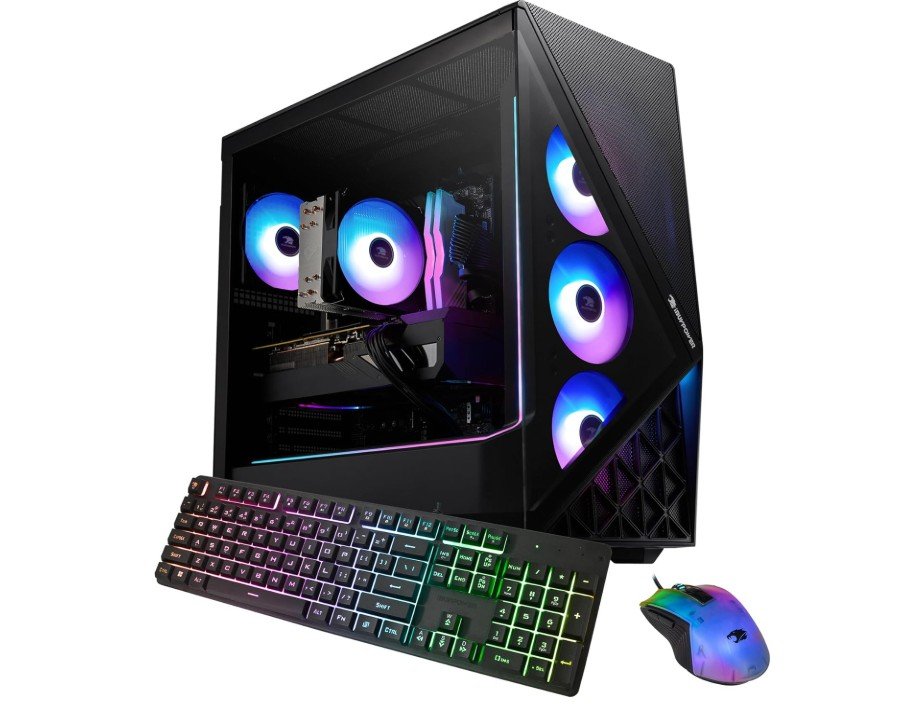
iBUYPOWER Slate Gaming PC Desktop
iBUYPOWER Slate Gaming PC Desktop
The iBUYPOWER Slate Gaming PC is a well-rounded prebuilt desktop designed for smooth modern gaming and multitasking. Powered by the Intel Core Ultra 7 265F processor and NVIDIA RTX 5060 8GB GPU, it delivers strong 1080p and capable 1440p gaming performance with solid ray tracing support. The 32GB DDR5 RGB memory ensures excellent responsiveness for gaming, streaming, and productivity, while the 1TB NVMe SSD provides quick boot times and fast game loading.
Its airflow-focused chassis and RGB lighting give it an appealing gamer aesthetic, and the included keyboard and mouse make setup easy for beginners. Windows 11 comes preinstalled for a clean plug-and-play experience.
Acer Nitro 60 N60-640-UR26 Gaming Desktop
Acer Nitro 60 N60-640-UR26 Gaming Desktop
The Acer Nitro 60 N60-640-UR26 is a powerful gaming desktop built for high-performance 1440p gaming, streaming, and multitasking. Equipped with the Intel Core i7-14700F and RTX 5060 Ti 16GB, it delivers smooth gameplay with strong ray tracing and DLSS support in modern AAA titles. The generous 32GB DDR5 memory and spacious 2TB PCIe Gen4 SSD provide fast responsiveness, quick boot times, and plenty of storage for large game libraries.
Its airflow-focused Nitro chassis with RGB lighting keeps thermals under control during long gaming sessions. Wi-Fi 6, Gigabit Ethernet, USB-C connectivity, and Windows 11 make it a modern, future-ready gaming PC with excellent overall value.
Thermaltake LCGS Quartz i1460 Gaming Desktop
Thermaltake LCGS Quartz i1460 Gaming Desktop
The Thermaltake LCGS Quartz i1460 is a stylish and capable mid-range gaming desktop designed for smooth 1080p and solid 1440p gaming performance. Powered by the Intel Core i5-14400F and NVIDIA RTX 5060, it handles modern games with strong frame rates, ray tracing support, and efficient multitasking. The 16GB ToughRam DDR4 3600MHz RGB memory and fast 1TB NVMe SSD provide responsive system performance and quick load times.
Its tempered-glass Quartz chassis and RGB lighting deliver a premium gaming aesthetic, while built-in Wi-Fi and Windows 11 offer convenient out-of-box usability. Overall, it’s a reliable prebuilt PC with balanced performance, clean design, and good upgrade potential for gamers.
Buying guide — Prebuilt gaming PC under $1500 (simple English)
Buying a prebuilt gaming PC under $1500 can get you a very good machine for today’s games. This guide will help you know what to look for, what to expect, and how to choose the best system without confusion. I use simple words and short steps so you can decide quickly.
What you can expect for $1500
For about $1500 you can normally get a PC that plays modern games very well at 1080p and often at 1440p. These systems usually have a mid-to-high midrange graphics card, a strong midrange CPU, 16–32GB of RAM, and a fast NVMe SSD. Many reviewers test and list good prebuilt options in this price range, so you can find solid choices from known brands and smaller builders.
Main parts to check (and why they matter)
- Graphics card (GPU). This is the most important part for gaming. For smooth 1080p and good 1440p play, look for midrange cards from current generations. If a PC has a weaker GPU, it will not reach high frame rates even if the CPU is strong. Recent guides list which GPUs are best for 1440p and help you decide based on price and performance.
- Processor (CPU). The CPU handles game logic, background tasks, and streaming. For gaming, a modern 6- to 12-core CPU from Intel or AMD is enough in most cases. Don’t buy an older low-end CPU just to save money — it can bottleneck your GPU.
- Memory (RAM). Aim for at least 16GB of RAM. 32GB is better if you stream, edit videos, or run many apps at once. Faster RAM helps a little, but capacity matters more.
- Storage (SSD). A 1TB NVMe SSD is the sweet spot. It gives fast boot times and quick game loading. If you have many large games, check if the PC has extra bays or M.2 slots for another drive.
- Power supply (PSU). A good quality PSU from a known brand matters. Cheap PSUs can fail and may not give reliable power. Look for 80+ Bronze or better certification, and check wattage is enough for the GPU and any future upgrades.
- Cooling and case. Good airflow and enough fan or cooler support keep parts running well. Small cases may look nice, but can trap heat. Bigger mid-tower cases often cool better and are easier to upgrade.
Important features to compare
- Warranty & support. A full system warranty (1–3 years) that covers parts and labor is very helpful. It’s easier than dealing with multiple part warranties.
- Upgradeability. Check if the motherboard has spare RAM slots, extra M.2 slots, and a standard power supply. Non-standard or proprietary parts can make upgrades harder or more expensive.
- Ports & connectivity. Make sure the PC has enough USB ports, audio jacks, and video outputs for your monitor(s). Built-in Wi-Fi and Ethernet are good to have.
- Included software & OS. Most prebuilt PCs come with Windows installed. Check if the price includes Windows or if that is added later.
Where to spend more and where to save
- Spend more on the GPU first. This gives the biggest boost for games.
- Spend on a fast SSD if you hate long load times.
- Save on RGB lighting, fancy case glass, or a very high-end motherboard if you do not need them now.
- 16GB RAM is fine to start; you can upgrade to 32GB later if needed.
FAQs
Yes — at this price you can find systems with solid CPUs and dedicated GPUs (like NVIDIA RTX 4060/RTX 5070 or better) that handle modern games at 1080p high settings and even 1440p smoothly.
• New prebuilt PCs come with full warranty and support.
• Refurbished options sometimes offer better components at the same price but with shorter warranty coverage — check the seller’s reputation and return policy.
With current hardware trends, a well-spec’d machine in this range can stay relevant for 3–5+ years for 1080p gaming and good performance at 1440p.
Yes — most desktop prebuilts allow upgrades to RAM, storage, and even the GPU later, which helps future-proof your investment. Always check the case size and motherboard before buying.
Prebuilts: Come ready to use, with tested compatibility and support — ideal if you don’t want to assemble parts yourself.
Custom builds: Often deliver more performance per dollar but require time and tech know-how.
Conclusion
A prebuilt gaming PC under $1500 is a smart and simple way to get strong gaming performance without the stress of building your own computer. This price range gives you enough power to run modern games smoothly at 1080p and 1440p, with fast loading, good multitasking, and a clean user experience right out of the box. You don’t need to worry about choosing parts, checking compatibility, or troubleshooting hardware problems because everything comes ready and tested.
The most important thing to focus on is the graphics card, because it decides how well games will run. After that, choose a system with a good modern CPU, at least 16GB RAM, and a fast NVMe SSD. Also, make sure the PC has a reliable power supply and decent cooling so the parts stay safe and run stable during long gaming sessions. If you choose wisely, you can even upgrade later with more RAM or extra storage if needed.
Overall, $1500 is a strong sweet spot for value, performance, and future potential. You get a fast gaming machine, good visuals, and a smooth experience in all popular eSports and high-end games. You also get the convenience of plug-and-play setup with Windows already installed. Just compare specs carefully, choose the best GPU possible in your budget, and buy from a trusted seller that offers warranty and support. With these steps in mind, you can confidently pick a prebuilt PC that gives you high performance, great gaming fun, and less stress from day one.

Jawad is a passionate tech enthusiast and writer who loves exploring the latest trends in hardware, gadgets, and digital innovation. With a sharp eye for performance and value, he delivers in-depth recommendations and buying guides to help readers make smarter tech decisions.