Last Updated on February 8, 2026 by Jawad
Introduction
When you’re looking for a budget gaming laptop under $1000, you’re really trying to strike the right balance between performance, value, and realistic expectations. Gaming laptops in this price range won’t necessarily let you max out every setting in the latest games, but if you choose wisely, you can get a machine that delivers strong 1080p performance, decent refresh rate, and enough power to game and stream or work. According to reviews, the most important features are a discrete GPU (not just integrated graphics), a capable CPU, sufficient RAM (16 GB is ideal), fast storage, and a display that won’t hold you back.
In this “under $1,000” category, you’ll often find laptops equipped with GPUs such as the Nvidia RTX 40-series (for example RTX 4050/4060) paired with Intel i5/i7 or AMD Ryzen 5/7 processors. One major review notes that it’s “rare to see a truly budget gaming laptop — one under $1,000 — with a current-generation GPU” yet there are a few that deliver solid 1080p experiences. What this means for you is that you may have to accept some compromises: perhaps less headroom for 1440p gaming, or slightly lower settings in some demanding titles, or maybe less sophisticated cooling or build materials.
On the plus side, many of the compromises are acceptable if you’re realistic about your needs. For example, for many gamers playing at full HD (1920×1080) resolution and with a 120–144 Hz refresh rate display, a laptop in this budget can be a very strong choice. The key is prioritising what matters most for your workflow: a dedicated GPU and good cooling, enough RAM and fast storage, a competent CPU, and a decent screen.
Ultimately, if you choose intelligently, a budget gaming laptop under $1000 gives you a very usable gaming machine that also works well for other tasks like streaming, productivity, or media, especially if you’re willing to do a little upgrade later (for example, adding more RAM or swapping the SSD). With a clear idea of what you’re willing to compromise on, you can confidently find a laptop that gives you excellent value without breaking your bank.
We also have a recommendation for the Best High End Gaming Laptop, so make sure to check that out too!
Top Budget Laptop for Gaming Under $1000


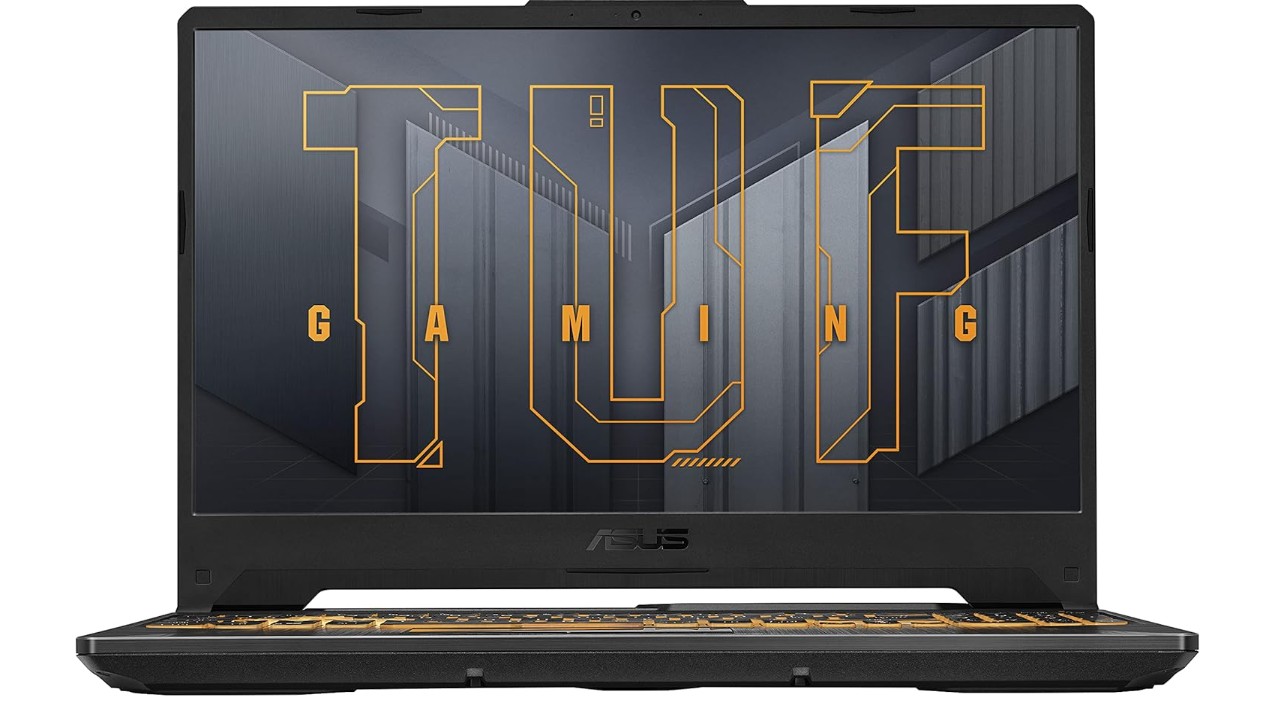
ASUS TUF Gaming A15 Gaming Laptop
ASUS TUF Gaming A15 Gaming Laptop
The ASUS TUF Gaming A15 (FA506NC-ES51) gives a strong all-round gaming experience at a budget-conscious price. It easily handles modern 1080p games thanks to the combination of an AMD Ryzen 5 7535HS and an NVIDIA GeForce RTX 3050 graphics card, letting you enjoy smooth gameplay without needing to spend on ultra-high specs. Reviewers highlight that the laptop “achieves what it sets out to do … it’s very affordable for a gaming laptop” and “can handle games and low-level content creation like a pro.”The 15.6″ 144 Hz display is a welcome inclusion at this price, offering smoother motion in games compared to typical 60 Hz panels.
Build quality stands out for the price: the laptop feels durable, with the TUF branding promising a rugged chassis, which is rare in this segment. Users appreciate the solid feel and good keyboard response, making it just as usable for productivity or casual use beyond gaming. The 512 GB PCIe Gen4 SSD offers ample speed and space to get started, and the system includes Wi-Fi 6 for decent networking performance.
On the flip side, some compromises are apparent. The screen, while fast, is described as a bit “dull” in colour and brightness when compared to premium gaming laptops. Also, for heavy workloads (such as high-level creative tasks or extremely demanding games at ultra settings), it will be outmatched by higher-end machines. Battery life, although reasonable for its class, won’t match ultra-portable notebooks when used unplugged. Fan noise and heat under heavy load are also worth noting as part of the trade-offs.
Overall, if you’re looking for a budget gaming laptop that delivers solid gameplay, respectable everyday use, and good value, the TUF Gaming A15 hits the mark. Just keep realistic expectations about premium attributes like display quality, battery endurance, and ultra-high setting performance.
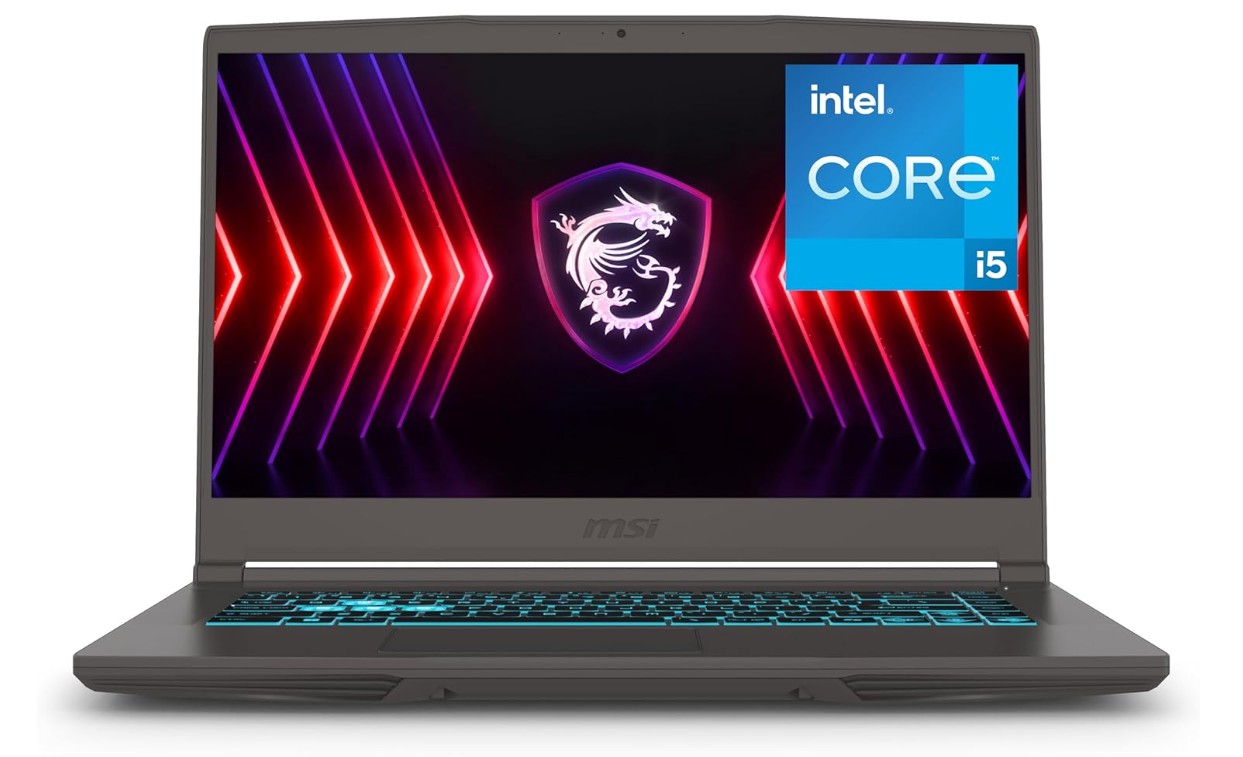
MSI Thin 15 15.6″ 144Hz Gaming Laptop
MSI Thin 15 15.6″ 144Hz Gaming Laptop
The MSI Thin 15 B13VE-1697CA is a well-rounded gaming laptop that delivers solid performance for its size and price. With an Intel Core i5-13420H paired with an NVIDIA GeForce RTX 4050, it handles 1080p gaming smoothly and accommodates multitasking like video editing or streaming without breaking a sweat. Customers report it as “lightweight, powerful … the performance is solid for a 4050 laptop.” The 15.6″ Full HD display with a 144 Hz refresh rate makes motion and gameplay feel fluid—great for action titles and esports.
The chassis is impressively slim for a gaming-capable laptop (~1.9 kg) and comes with the usual gaming ports and upgradeable internals, giving it good longevity. Many users mention they appreciate its compact form factor and decent build quality.
That said, it isn’t without trade-offs. The battery life is modest at best—many users report needing to stay plugged in for heavy use or gaming. The display, while smooth, isn’t as bright or colour-rich as premium models, so creators or colour-critical users may find it lacking. Also, as with many thinner gaming laptops, thermal and fan noise can increase under heavy load.
In summary, if you’re after a gaming laptop that you can carry easily and that offers strong 1080p gaming performance without going full high-end price, the Thin 15 B13VE is a smart pick. Just be aware of the compromises in battery endurance and display fidelity.
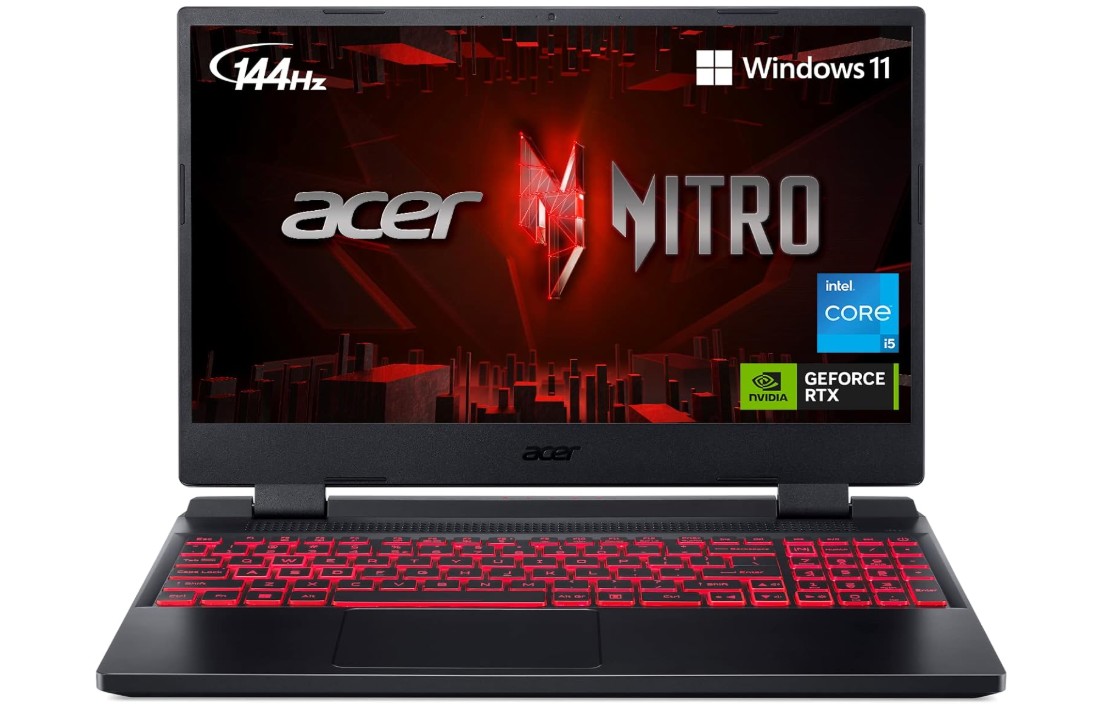
Acer Nitro 5 Gaming Laptop
Acer Nitro 5 Gaming Laptop
The Acer Nitro 5 AN515-58 is a very good choice if you want solid gaming performance without spending a ton. Equipped with an Intel Core i5-12500H and an NVIDIA GeForce RTX 3050 Ti, it handles most modern games at 1080p really well. Reviewers say it delivers solid performance for the price and offers strong connectivity and a smooth 144 Hz display. The 15.6″ Full HD 144Hz panel makes fast-moving games feel more fluid, which is a good perk in this price range.
The build is decent, and the keyboard feels good, making it also quite usable for typing, school work, or general productivity. Users mention that the updated chassis gives it a more refined look than older budget gaming models. Storage and memory are generous here (16 GB RAM, 512 GB SSD), which is nice because you won’t need to rush into upgrades immediately.
On the flip side, there are trade-offs. The battery life is weak compared to ultraportables — expect to be near a power outlet when gaming. The display, while smooth, doesn’t match higher-end machines in brightness or colour richness — so if you’re very picky about screen quality, this might feel a little average. Also, the laptop isn’t ultra-light or super slim, so it’s less ideal if you carry it around all day.
In short, if your priority is performance for gaming under a budget and you’re okay with some compromises in battery and display, the Nitro 5 AN515-58 is a smart pick. It gives you good value for your money.
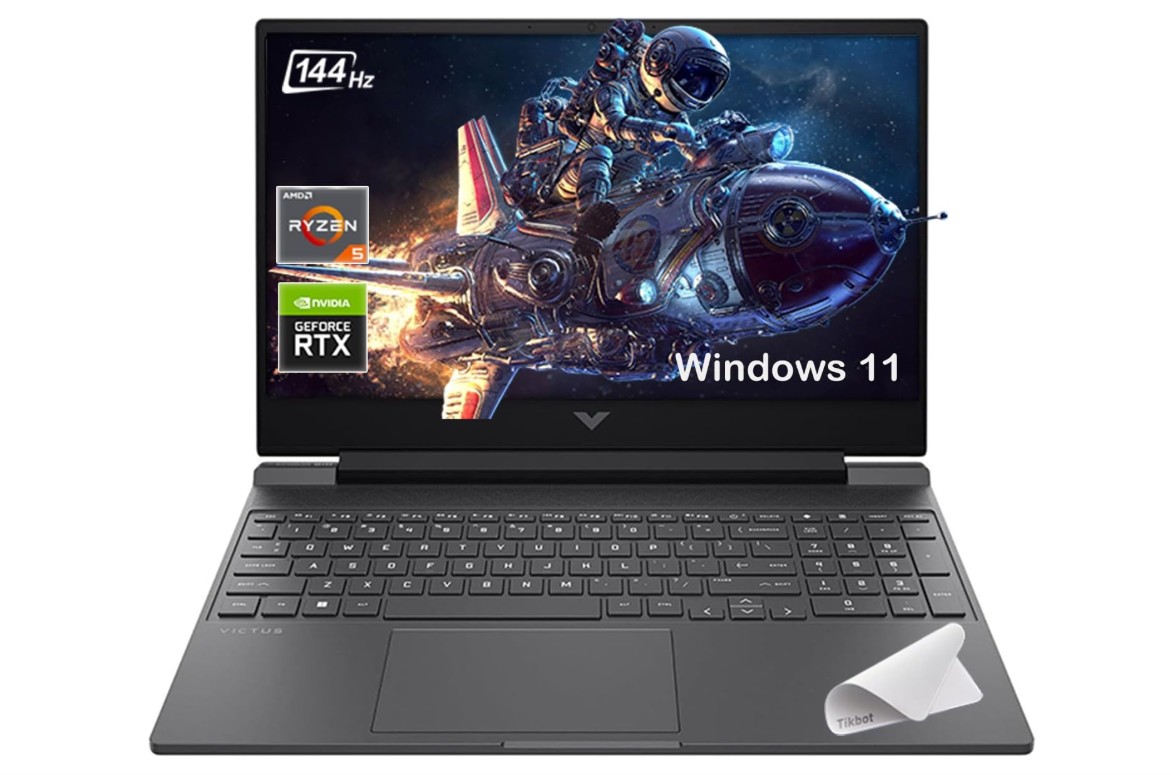
HP Victus 15.6″ 144Hz Full HD Gaming Laptop
HP Victus 15.6″ 144Hz Full HD Gaming Laptop
The HP Victus 15 with the AMD Ryzen 7 7445HS and NVIDIA GeForce RTX 4050 is a strong performer for the price. It effortlessly handles most modern games at 1080p, thanks to the solid CPU‐GPU combo, and its 15.6″ Full HD panel with 144 Hz refresh makes motion feel smooth. Reviewers consistently highlight great “bang for the buck” gaming performance.
For everyday use, the Victus 15 also holds up well. The 32 GB RAM and roomy SSD (2 TB in your spec) give plenty of breathing room for multitasking, streaming, and storing games. At the same time, the design is simple and not overly flashy — it works for both gaming and work. Users like the fast boot times and responsiveness.
However, it has a few trade-offs. Battery life is limited — in more than a few tests, the laptop lasted only a few hours unplugged, especially when gaming. The screen, while smooth, is not extremely bright or colour-rich compared with premium devices, so it may struggle in very bright rooms or for colour-critical work. Also, the build uses plastic surfaces, and the chassis is a bit on the heavy side compared to ultra-portable models.
In summary, if you’re after a gaming laptop that will give you strong 1080p performance for a reasonable budget and you’re okay with being plugged in often and not getting ultra ultra-premium display or build materials, the Victus 15 is a compelling choice.
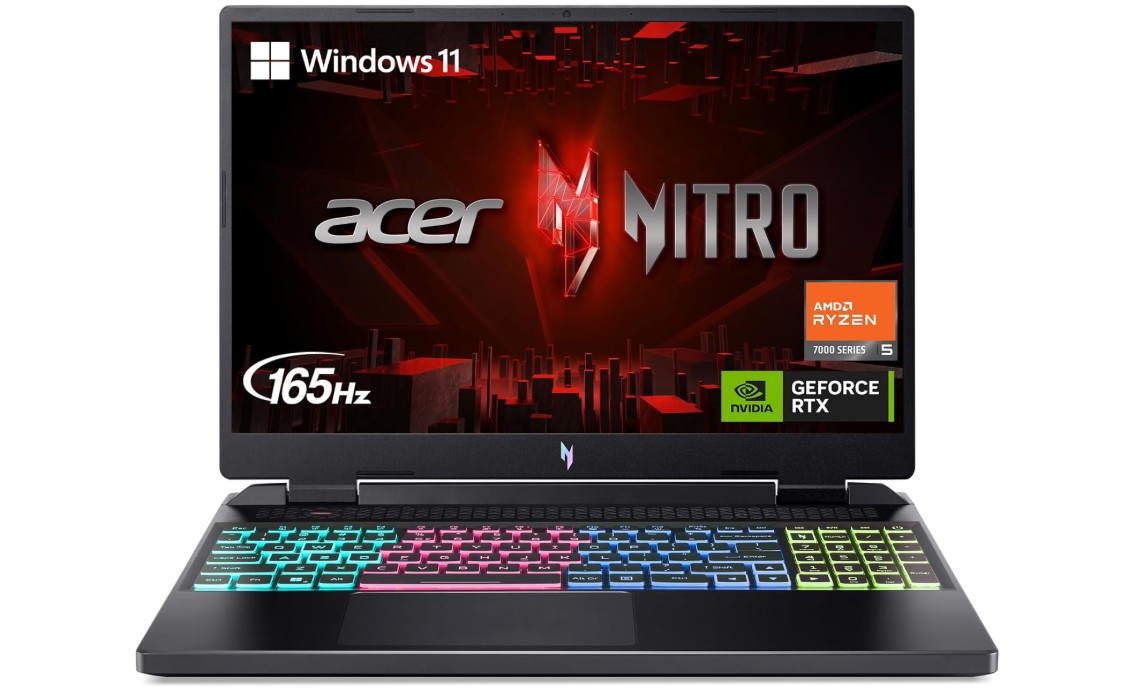
Acer Nitro 16 Gaming Laptop
Acer Nitro 16 Gaming Laptop
This laptop offers impressive gaming performance for the price. With the AMD Ryzen 5 7640HS and NVIDIA GeForce RTX 4050, it can handle most modern games at high settings in 1080p and even push into 1440p territory. Reviewers of nearby configurations of the Nitro 16 highlight its strong component value—good CPU/GPU combos and a smooth, high-refresh display. The 16-inch 165 Hz screen (in configurations that support it) makes fast-moving games feel fluid, which is a big plus.
On the usability side, the Nitro 16 comes with things gamers appreciate: a backlit keyboard (often RGB in its class), a decent selection of ports, and upgradeability. Reviewers say the build quality is better than many other budget gaming rigs—though still not premium metal.
Of course, there are trade-offs. The version you’re looking at comes with only 8 GB RAM and a 512 GB SSD, which may be fine for now but isn’t ideal long-term for heavy multitasking or large game libraries. The screen panel may not have the best colour accuracy or brightness compared to higher-end models, and battery life is average for a gaming laptop—expect to be plugged in when playing games. Speakers and webcams on many Nitro 16 models are noted as weaker parts.
In summary, if your priority is strong gaming performance at a reasonable cost and you’re okay with some compromises in screen premium qualities, battery life, and starting RAM/storage, the Nitro 16 AN16-41-R148 is a very smart choice.
Buying Guide: Budget Laptop for Gaming Under $1000
Choosing the best budget gaming laptop under $1000 can feel like a challenge because you want a machine that delivers smooth gameplay, fast performance, and durability without breaking the bank. However, the good news is that in 2025, several options will offer strong 1080p gaming performance with modern GPUs and CPUs at a reasonable price. This guide will explain what to look for in a budget gaming laptop, the key specifications that matter most, and how to get the best value for your money.
Performance Components
The most critical components of any gaming laptop are the processor (CPU) and graphics card (GPU). For laptops under $1000, you generally want at least a quad-core or six-core CPU. AMD Ryzen 5 or Ryzen 7 mobile processors and Intel Core i5 or i7 H-series processors are ideal because they balance power and efficiency. These CPUs can handle games, streaming, and productivity tasks without slowing down.
The GPU is equally important. Many budget gaming laptops now feature NVIDIA GeForce RTX 3050, RTX 4050, or GTX 1650/1660 Ti GPUs. These GPUs allow smooth 1080p gameplay in most modern titles. Laptops with dedicated GPUs perform much better than those relying solely on integrated graphics. While you may not hit ultra settings on modern games, medium to high settings are very achievable in this price range. If you can find a laptop with an RTX 40-series GPU, you also get access to features like ray tracing and DLSS, which can improve visual quality and frame rates.
Memory (RAM) and Storage
RAM is crucial for smooth gaming and multitasking. A minimum of 8GB is acceptable, but 16GB is highly recommended. Some budget laptops allow you to upgrade RAM later, which can extend the lifespan of your device. Storage is another factor to consider. SSDs (Solid State Drives) offer fast load times compared to traditional HDDs. A 512GB SSD is a good starting point, providing enough space for several games and applications. Laptops with PCIe Gen 4 NVMe SSDs are even faster, which can reduce game load times significantly.
Display and Refresh Rate
For gaming, the display can make a big difference. Most budget gaming laptops offer a 15.6-inch or 16-inch Full HD (1920×1080) screen. Look for IPS panels as they provide better color accuracy and viewing angles. Refresh rates are equally important. While 60Hz is standard, gaming laptops under $1000 increasingly feature 120Hz, 144Hz, or even 165Hz panels. Higher refresh rates result in smoother gameplay, especially in fast-paced games like first-person shooters.
Build Quality and Design
Even on a budget, build quality matters. Many budget gaming laptops feature plastic chassis, which keeps costs low but can still be durable if well-built. Some laptops follow military-grade design standards for added durability. Consider the weight and thickness if you plan to carry your laptop frequently. While thin and light designs are convenient, they may compromise cooling efficiency. Backlit keyboards, especially RGB, are common in gaming laptops and improve usability in low-light conditions.
Cooling System
Gaming laptops generate heat during intensive tasks. A laptop with an efficient cooling system ensures stable performance and prevents thermal throttling. Look for laptops with dual-fan designs, heat pipes, and good airflow. Some models include software to monitor and control fan speeds, which can help manage temperatures during extended gaming sessions.
Battery Life
Battery life in gaming laptops is often limited. Most budget gaming laptops provide 4-7 hours of mixed usage, but during gaming, expect around 1-2 hours unplugged. While not ideal for long travel without a charger, this is normal for laptops with dedicated GPUs. Features like battery-saving modes can help extend usage when performing non-gaming tasks.
Connectivity Options
Modern gaming laptops should include fast wireless connectivity. Wi-Fi 6 or Wi-Fi 6E ensures stable and fast online gaming, while Bluetooth allows you to connect headphones, controllers, or other peripherals. Ports are also important. Look for USB Type-C, multiple USB 3.2 ports, HDMI, and an audio jack. Ethernet ports can be helpful for a more stable internet connection during competitive gaming.
Software and Operating System
Most gaming laptops come with Windows 11 Home or Pro. Windows is ideal for gaming because it supports most titles and offers compatibility with gaming platforms like Steam, Epic Games Store, and Xbox Game Pass. Some laptops include utility software for performance tuning, fan control, and RGB keyboard customization. Avoid laptops that come with excessive bloatware, as it can slow down performance.
Upgradeability
A good budget gaming laptop should allow some upgrades, particularly for RAM and storage. Over time, games and software require more memory and space, so having the option to expand helps extend the laptop’s lifespan. Check the manufacturer’s specifications to see if RAM slots are accessible or if the SSD can be replaced.
Choosing the Right Brand
Brands like ASUS, Acer, MSI, HP, and Lenovo offer reliable budget gaming laptops. ASUS TUF and ROG series, Acer Nitro series, MSI Thin series, HP Victus, and Lenovo Legion 5 are popular choices in this price range. Each brand has its pros and cons, such as cooling efficiency, design, and support. Reading reviews and comparing models helps you pick a laptop that balances performance and features within your budget.
Yes — many can run popular games smoothly at 1080p with medium to high settings, though very demanding titles might need settings lowered.
Aim for a recent-generation CPU (Intel i5/Ryzen 5 or better), a dedicated GPU (like NVIDIA GTX/RTX or AMD Radeon), 8–16 GB RAM, and at least 512 GB SSD.
Yes — a 1080p screen with at least 120 Hz refresh rate gives smoother gameplay and better visuals.
Faster SSD storage helps with quicker game loading and overall system responsiveness.
For gaming, yes — the GPU matters most for higher frame rates and better graphics performance.
Yes — they work well for productivity, streaming, and everyday tasks in addition to gaming.
Conclusion
Buying a budget gaming laptop under $1000 requires balancing performance, features, and portability. Focus on a strong CPU and dedicated GPU, sufficient RAM and storage, a fast display with high refresh rate, and good cooling. Consider build quality, upgrade options, and connectivity to get a laptop that will last several years. While there will be compromises compared to premium models, careful selection can give you a gaming laptop that delivers excellent value and smooth 1080p gameplay for both casual and competitive gaming. By understanding specifications and prioritizing key features, you can confidently choose a budget gaming laptop that meets your needs without overspending.

Jawad is a passionate tech enthusiast and writer who loves exploring the latest trends in hardware, gadgets, and digital innovation. With a sharp eye for performance and value, he delivers in-depth recommendations and buying guides to help readers make smarter tech decisions.