Last Updated on February 9, 2026 by Jawad
Introduction
A PC for working from home has become an important tool for many people today. Whether you are doing office work, online meetings, freelancing, studying, or running a small business, a reliable PC helps you stay productive and comfortable at home. Unlike office computers, a work-from-home PC should be quiet, fast, and easy to use for long hours.
Most work-from-home tasks include browsing the internet, writing documents, using spreadsheets, sending emails, and attending video calls on Zoom or Microsoft Teams. For these tasks, you do not need a very powerful or expensive computer. A PC with a good processor, enough RAM, and fast SSD storage can easily handle daily work without slowing down. Smooth performance helps you focus on your job instead of waiting for apps to load.
Another important factor is comfort. Many people prefer desktop PCs or all-in-one computers because they offer a bigger screen, better typing experience, and improved posture compared to laptops. Mini PCs are also popular because they save desk space and use less power while still delivering solid performance. Choosing the right setup can make long work hours more comfortable and less tiring.
Connectivity is also important for remote work. A good PC should support fast Wi-Fi, Bluetooth, and enough USB ports for a keyboard, mouse, webcam, headset, and printer. These features make it easy to connect all your work accessories without trouble.
In simple words, a PC for working from home should be fast, quiet, reliable, and comfortable to use. With the right PC, you can work efficiently, attend meetings smoothly, and manage your daily tasks without stress. Choosing a suitable work-from-home PC is a smart investment that supports productivity and work-life balance.
We also have a recommendation for the Best Desktop PC for Students, so make sure to check that out too!
Top PC for working from Home




Dell 24 All-in-One Desktop PC
Dell 24 All-in-One Desktop PC
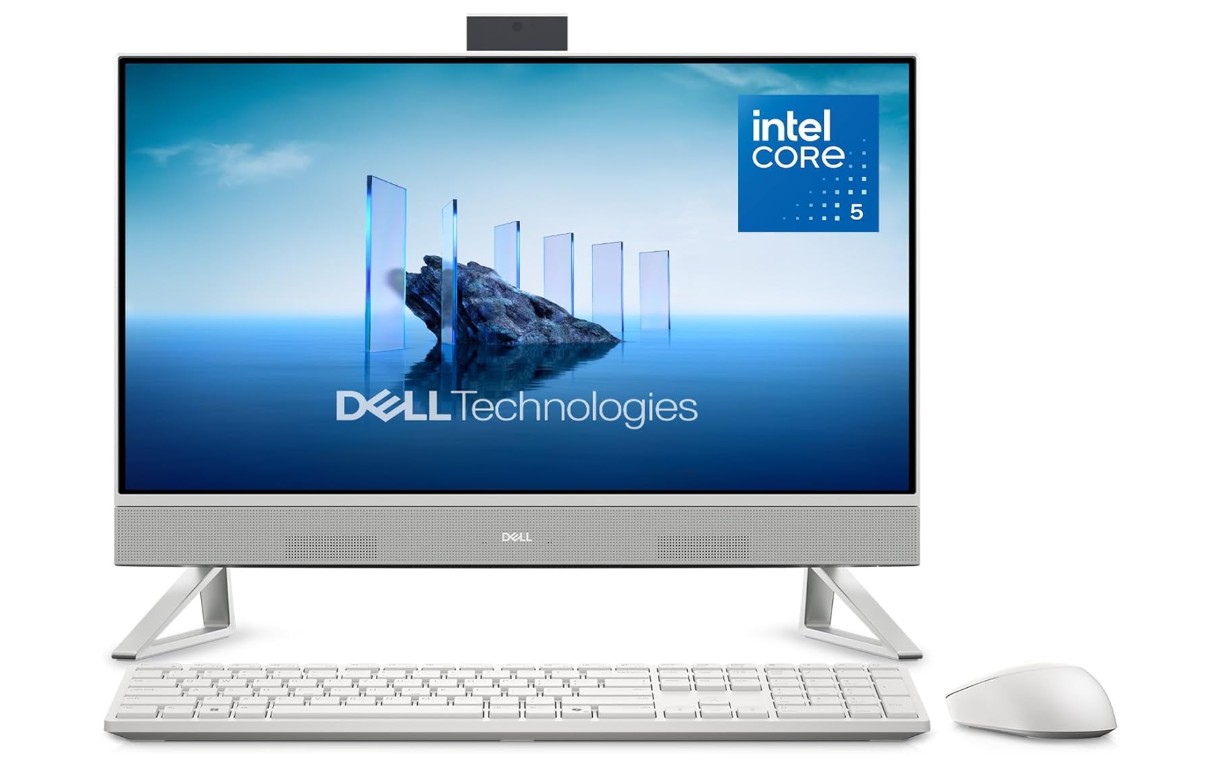
The Dell 24 All-in-One Desktop is a very good choice for working from home because it combines performance, comfort, and a clean design in one device. The 23.8-inch Full HD touchscreen is clear and bright, making it easy to read documents, work on spreadsheets, and attend video meetings without eye strain. The large screen also helps with multitasking, as you can open multiple windows at the same time.
This PC is powered by an Intel Core 5 120U processor with 16GB of DDR5 RAM, which means everyday tasks feel smooth and fast. Browsing the web with many tabs open, using Microsoft Word or Excel, sending emails, and joining Zoom or Teams meetings all run without lag. The 512GB SSD helps the system start quickly and keeps apps loading fast, which saves time during busy workdays.
The all-in-one design is great for home offices because it reduces desk clutter. You don’t need a separate tower, and cable management is simple. The white color gives it a modern and professional look that fits well in any room. The touchscreen is also useful for quick navigation, scrolling, and light creative work.
Windows 11 Home runs smoothly on this system and feels modern and easy to use. Connectivity is reliable for remote work, and the PC works well with common accessories like keyboards, mice, webcams, and headsets. Dell’s onsite service adds peace of mind, especially for people who depend on their PC daily for work.
Overall, the Dell 24 All-in-One is a reliable, comfortable, and efficient PC for working from home. It is ideal for office tasks, online meetings, and daily productivity without being complicated or hard to use.
Dell Optiplex 3060 Desktop Computer
Dell Optiplex 3060 Desktop Computer
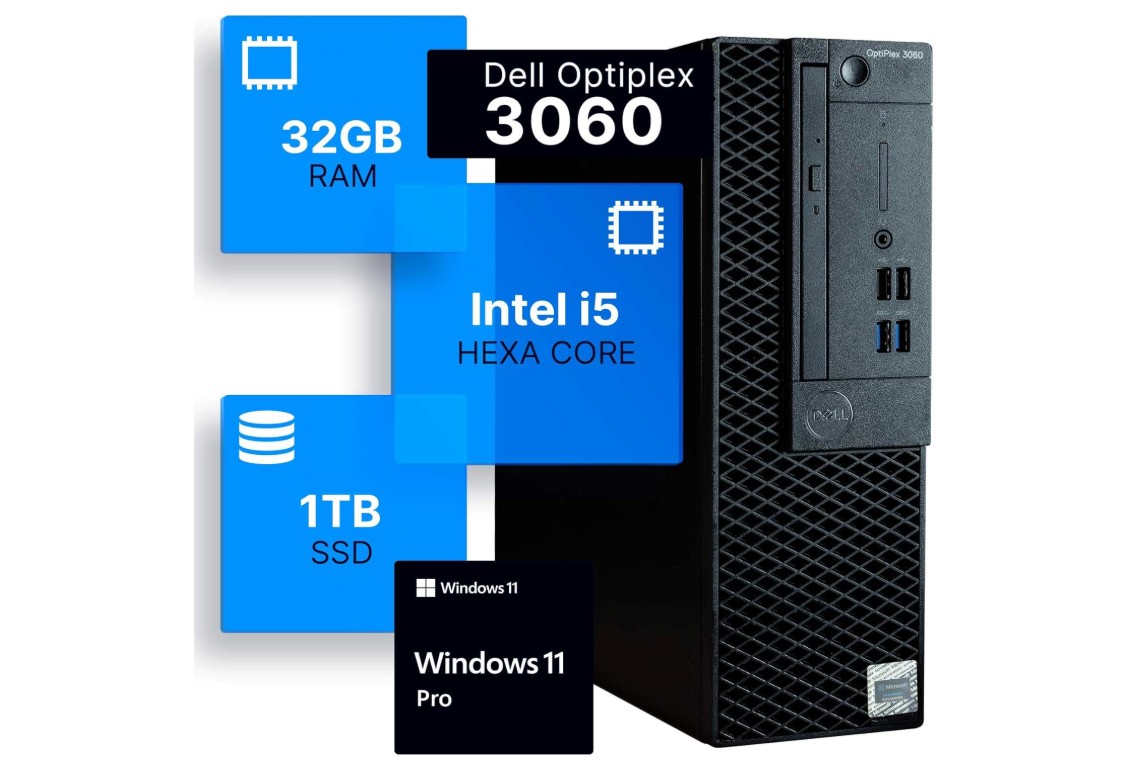
The Dell OptiPlex 3060 Desktop is a strong and reliable choice for working from home. With its Intel Core i5-8500 processor and 32GB of RAM, it handles everyday tasks easily. You can open many browser tabs, work on Word and Excel documents, join video calls, and switch between apps without slowing down. The large 1TB SSD storage gives plenty of space for files and helps the computer start up quickly. This means you spend less time waiting and more time being productive.
One thing you will notice right away is how smooth the performance feels. Even when running multiple programs at the same time, the OptiPlex keeps working without lag. This is helpful if you work with lots of emails, presentations, and videos. The built-in Wi-Fi and Bluetooth make it easy to connect to the internet and other devices like a mouse, keyboard, or headset without extra cables. This keeps your desk clean and organized.
Because this model comes renewed, it offers strong performance at a lower price than a brand-new PC. It still runs Windows 11 Professional, which has useful features for work, security, and updates. The desktop design also makes it easy to add more storage or memory later if you need it. The OptiPlex case is simple and professional, fitting well in any home office or workspace.
This PC is not made for high-end gaming or heavy video editing, but for everyday work tasks it is very dependable. It is quiet and stable, so long hours of work feel comfortable. Overall, the Dell OptiPlex 3060 Desktop gives you speed, space, and reliability, making it a practical choice for anyone working from home.
HP ProDesk 600 G3 SFF Desktop Computer
HP ProDesk 600 G3 SFF Desktop Computer
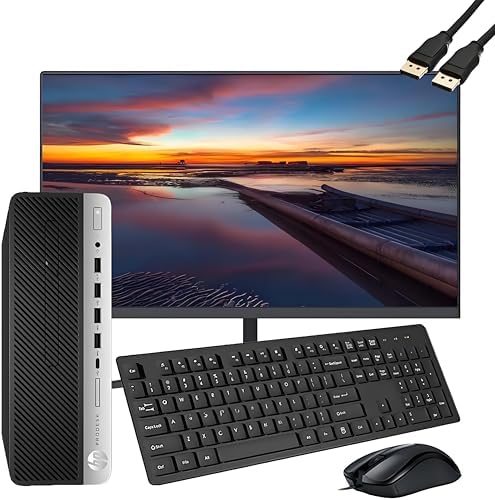
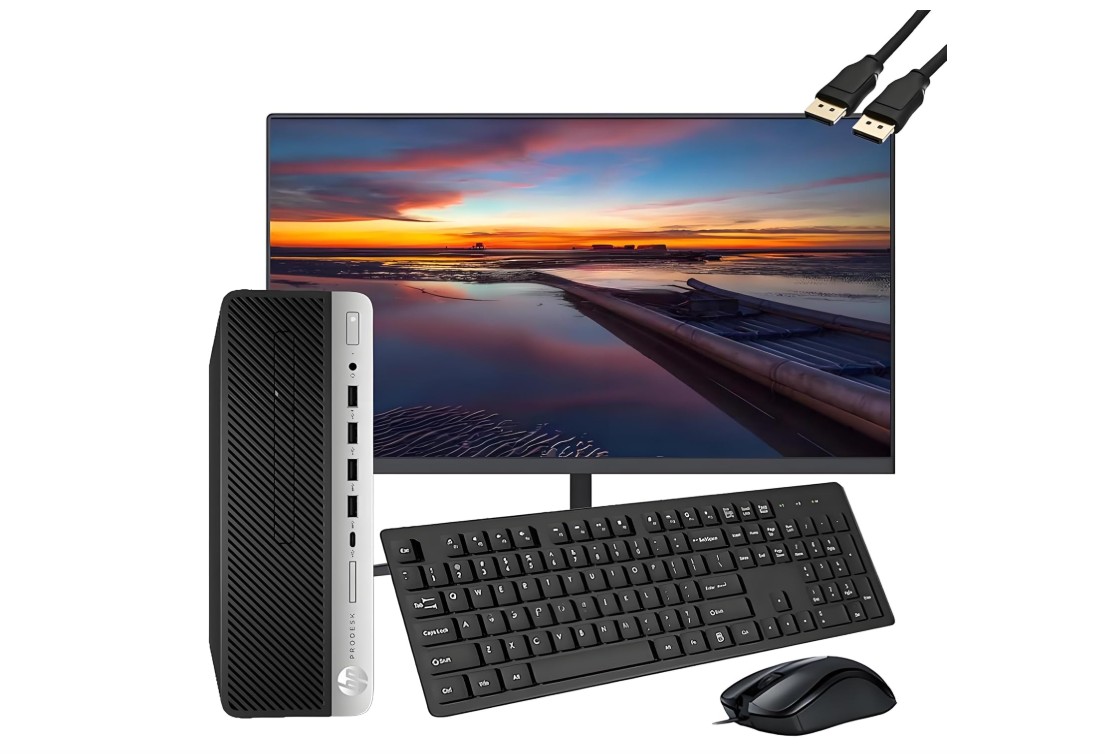
The HP ProDesk 600 G3 SFF Desktop with a 21.5-inch Full HD monitor is a solid choice for working from home. It comes with an Intel Quad-Core i5-6500 processor and 16GB of RAM, which makes everyday tasks like web browsing, writing documents, checking emails, and joining video calls smooth and reliable. The 256GB SSD storage helps the computer start up quickly and keeps your files accessible without long waiting times. This setup is simple and ready to use right out of the box.
Having a monitor included is very convenient, especially if you do not already have one. The 21.5-inch screen is clear enough for most work tasks, and it gives you enough space to view documents and web pages comfortably. The desktop’s small form factor means it takes up less desk space, which is great if your home office area is limited. The keyboard and mouse included make the setup complete, so you do not need extra accessories.
The computer’s built-in Wi-Fi and Bluetooth let you connect to the internet and wireless devices without needing extra adapters. This helps keep your workspace neat and free from too many wires. Windows 11 Pro comes pre-installed, giving you a modern and secure system for work. Windows 11 also includes helpful features for organizing apps and multitasking.
This PC may not be the best choice for heavy graphics work or gaming, but for everyday work tasks it performs well. It runs quietly and stays stable even when multiple programs are open. Since this model is renewed, you get good performance for a lower price, which is helpful if you are on a budget. Overall, the HP ProDesk 600 G3 SFF Desktop with the included monitor is a practical and efficient option for working from home, offering performance and convenience for daily productivity.
Dell Slim Desktop ECS1250
Dell Slim Desktop ECS1250
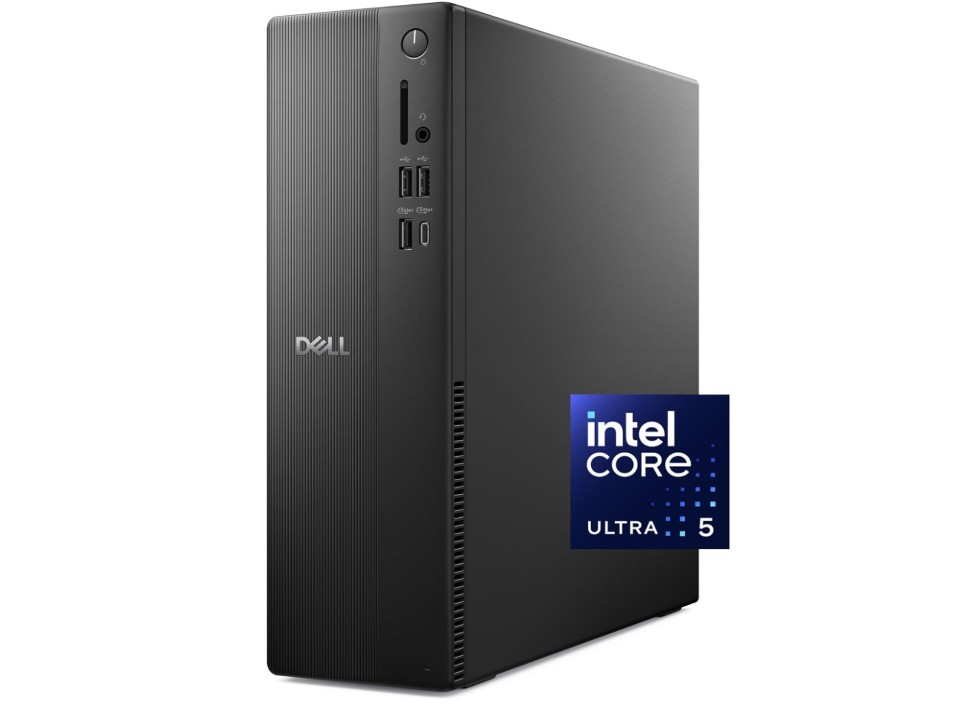
The Dell Slim Desktop ECS1250 is a good computer for working from home because it offers solid performance in a small and neat design. It has the Intel Core Ultra 5-225 processor and 16GB of memory, which help it run everyday work tasks easily. You can open many browser tabs, work on documents in Word or Excel, send emails, and take video calls without your computer slowing down. The 512GB M.2 SSD storage gives you plenty of space for files, and it makes the system start up fast and load apps quickly. This means less waiting and more time for work.
The compact size of the Dell Slim Desktop makes it a good choice for small desks or tight home office spaces. It does not take up much room, so you can place it in a corner or under a monitor without clutter. The package comes with a Dell wired keyboard and mouse, so you do not need to buy these separately. This is helpful for a complete work setup right away.
Using Windows 11 Home makes the computer easy and familiar to use. The system includes useful features for organizing your work, and it works smoothly with common work tools and apps. The built-in Intel UHD Graphics handles video playback and presentations well, which is important for online meetings and screen sharing. The included USB 3.0 SD card reader is a nice extra if you need to transfer photos or files from cards quickly.
The Dell Slim Desktop stays quiet during normal use, and it feels steady and reliable over time. It may not be designed for heavy gaming or high-end video editing, but for everyday work tasks it is more than capable. Overall, this Dell Slim Desktop ECS1250 offers a balanced mix of performance, simplicity, and value, making it a practical pick for anyone working from home.
Apple 2024 Mac mini Desktop Computer
Apple 2024 Mac mini Desktop Computer
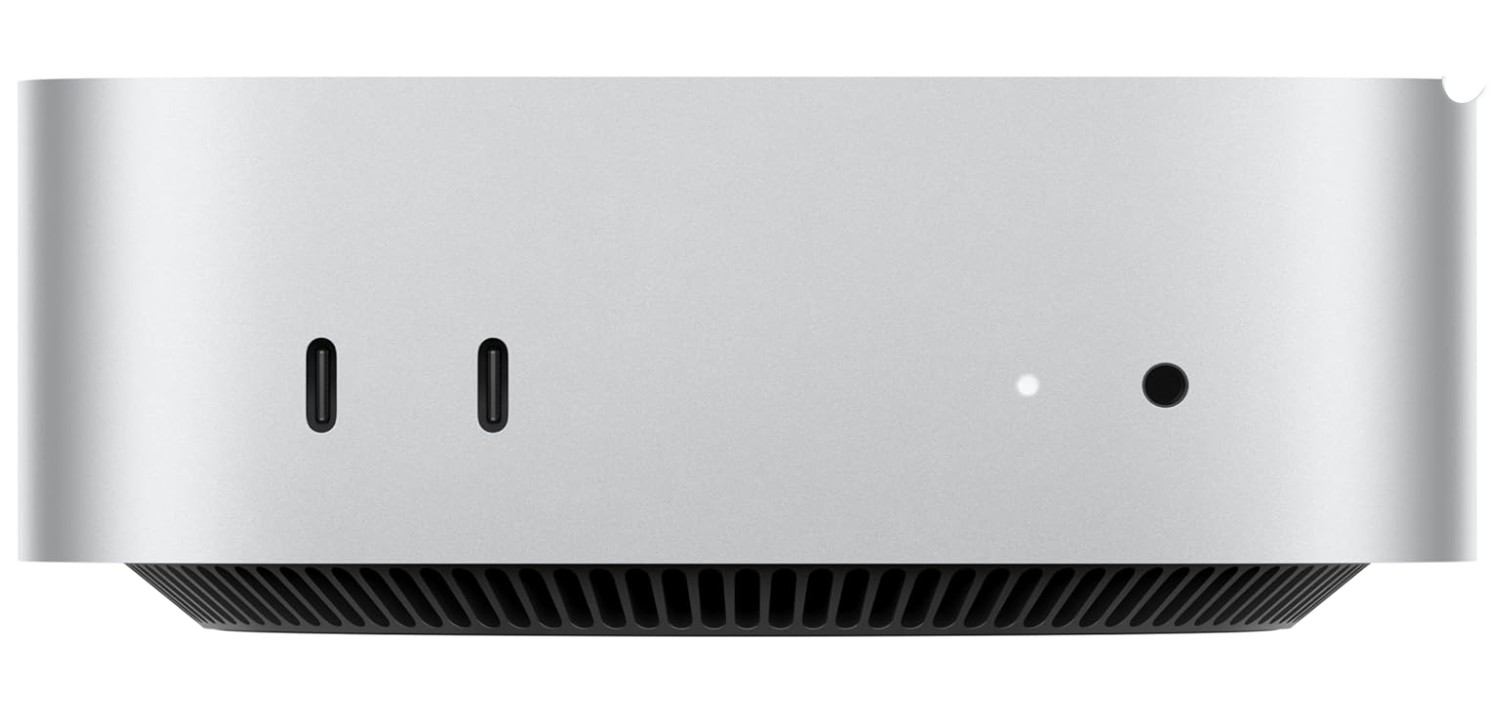
The Apple 2024 Mac mini with the M4 chip is a strong and modern desktop computer that works very well for working from home. It has a 10-core CPU and 10-core GPU, which makes it fast and smooth when doing everyday tasks. With 16GB of unified memory, the Mac mini handles multiple apps at the same time without slowing down. You can open many browser tabs, edit documents, join video calls, and work with spreadsheets easily. The 256GB SSD storage gives quick access to your files and makes the system start up almost instantly.
One of the best things about this Mac mini is how quiet and efficient it runs. You can work for long hours without hearing loud fans or noise from the computer. This makes it comfortable to use in small home offices or quiet workspaces. The compact size of the Mac mini means it takes up very little desk space, so you can place it next to your monitor or behind it without any trouble. It also connects easily to monitors, keyboards, and other accessories.
The Mac mini works very well with iPhone and iPad, which many people use every day. You can easily share files, use AirDrop, and continue work between your Apple devices. macOS is simple and friendly, and it keeps your data secure with regular updates. Video calls on Zoom, FaceTime, or Teams look clear, and the performance stays smooth even when screen sharing or showing presentations.
This Mac mini may not be the cheapest option, but it offers reliable performance and long-term use. It is not meant for heavy gaming, but for work tasks, creative projects, and everyday use, it is very capable. Overall, the Apple 2024 Mac mini with M4 chip is a powerful, quiet, and efficient choice for anyone working from home. It gives a fast and pleasant experience for daily productivity.
Buying guide — PC for working from home
Choosing the right PC for working from home means balancing performance, comfort, and budget. This guide explains what matters, why it matters, and which options to pick for different needs. Read it and use the quick checklist at the end when you buy.
Who this guide is for
If you spend most of your day on video calls, documents, spreadsheets, web browsers, email, and light photo work, this guide is for you. If you do heavy video editing, 3D work, or high-end gaming, you’ll need different, more powerful choices.
Key components and what to pick
CPU (processor). Aim for a modern multi-core processor. For general productivity, recent Intel Core i3/i5 or AMD Ryzen 3/5 CPUs are enough; for heavier multitasking or light content work, choose Core i5/i7 or Ryzen 5/7. A faster processor helps with video calls, screen sharing, and working with many apps at once.
Memory (RAM). 16 GB is the practical sweet spot for a smooth, future-proof work PC. It lets you run multiple browser tabs, documents, Teams/Zoom and background apps without slowdowns; 8 GB can work for very light use but will feel tight. For heavy multitasking, development, or media projects, consider 32 GB.
Storage. Prefer an SSD (solid state drive) over an HDD. SSDs boot faster, open apps instantly, and make everyday work feel snappy. A common choice is 256–512 GB SSD for the OS and apps, plus optional external or cloud storage for large files. SSDs are also quieter and more durable than HDDs.
Graphics. Integrated graphics (Intel/AMD) are fine for office work, streaming, and video calls. Choose a discrete GPU only if you plan to do gaming, GPU-accelerated video editing, or graphic design.
Connectivity & networking. Good Wi-Fi and wired LAN matter. If your router and budget allow, pick a PC with Wi-Fi 6 (802.11ax) for better throughput and lower latency in busy homes with many devices. Wi-Fi 6 improves performance when multiple devices are active and reduces lag during video calls. If possible, use wired Ethernet for the most stable video-call experience.
Ports & extras. Make sure there are enough USB ports (Type-A and Type-C), HDMI/DisplayPort for external monitors, and an SD card reader if you use cameras. Built-in Bluetooth helps with keyboards, mice, headsets, and phone tethering.
Form factor.
- All-in-One (AIO): Good for tidy desks — monitor and PC in one unit. Easy setup, minimal cables.
- Mini PC: Compact, energy efficient, saves space. Great if you already have a monitor.
- Tower/Desktop: Best upgradeability and cooling. Choose this if you may expand RAM, storage, or add a GPU later.
- Laptop: Best if you need mobility; pick a 14–16″ laptop with 16GB RAM for a primary work machine.
Operating system choice
- Windows 11: Most flexible for business apps, wide hardware choice, easy upgrades.
- macOS (Mac mini/MacBook): Excellent if you use iPhone/iPad — continuity features (Handoff, AirDrop, Continuity Camera) make Apple devices work together smoothly. macOS is stable and well-optimized but usually costs more.
- Linux: Good for privacy-minded users or developers who don’t need mainstream apps.
Video calls and bandwidth
Video calls are a core work need. Zoom and similar apps recommend at least 8 GB RAM and a dual-core 2 GHz CPU for basic calls; higher quality group calls and advanced features need more resources and bandwidth. For HD group calls or heavy screen sharing, plan for higher internet upload/download speeds (Zoom documents list specific bandwidth needs for 720p/1080p). Use a wired connection or a strong Wi-Fi link for the best results.
Security, backups, and service
- Backups: Use an external drive or cloud backup (OneDrive, Google Drive, iCloud) for important files.
- Security: Keep Windows/macOS updated; use a reputable antivirus on Windows. Consider disk encryption (BitLocker, FileVault).
- Warranty & service: For work use, onsite or extended warranties can save time if hardware fails. Renewed/refurbished PCs are good value but check seller return policy and warranty.
Budget tiers and quick picks
- Budget (~$300–$600): Basic all-in-one or mini PC with 8–16GB RAM, 256GB SSD. Good for simple office work and video calls.
- Mid-range (~$600–$1,200): 16GB RAM, i5/Ryzen 5, 512GB SSD, Wi-Fi 6, a good 24″–27″ monitor. Sweet spot for most home workers.
- Higher (~$1,200+): 32GB RAM, i7/Ryzen 7 or Apple M-series, 1TB SSD, multiple monitors or docking station. Best for multitaskers, creators, and power users.
Buying tips & checklist
- Buy a model with 16GB RAM (or upgradeable slots).
- Choose SSD storage (NVMe if possible).
- Prefer Wi-Fi 6 and Gigabit Ethernet for stable calls.
- Check the ports you need (USB, HDMI/DP, audio).
- For video calls, confirm your PC meets Zoom/Teams recommendations (8GB+ for basic, 16GB+ for heavy use).
- Consider monitor size (24″–27″ is comfortable for most).
- Read seller reviews and warranty details, especially for renewed units.
FAQs
A great work-from-home PC should be reliable, fast, and capable of handling multitasking, video calls, browsing, documents, spreadsheets, and occasional media or light creative work.
For everyday tasks, a mid-range CPU like an Intel Core i5 or an AMD Ryzen 5 is plenty. Higher models (Core i7/Ryzen 7) help if you do heavy multitasking, editing, or data work.
Two monitors can boost productivity — one for main work and another for references, meetings, or messaging apps.
Yes — they save space and include built-in screens, speakers, and webcams, making setup simple.
Final advice
For a balance of price and smooth everyday experience, a PC with a modern mid-range CPU, 16GB RAM, and a 512GB SSD will serve most people very well. Add a reliable webcam, a comfortable keyboard, and a good headset to complete a productive home-office setup. Keep backups and security in place, and favor wired Ethernet when doing important video calls or large uploads.

Jawad is a passionate tech enthusiast and writer who loves exploring the latest trends in hardware, gadgets, and digital innovation. With a sharp eye for performance and value, he delivers in-depth recommendations and buying guides to help readers make smarter tech decisions.