Last Updated on February 10, 2026 by Jawad
Introduction
An FPS gaming PC is built for fast, competitive shooter games like Valorant, Counter-Strike 2, and Apex Legends. These games are all about quick reactions, smooth movement, and accurate aiming, so your PC needs to be fast and stable at all times. Unlike story-based games, FPS titles focus more on high frame rates and low input lag rather than ultra-high graphics settings. A good FPS gaming PC helps you see enemies faster and react quicker, which can give you a real advantage in competitive matches.
The most important parts of an FPS gaming PC are the processor (CPU) and graphics card (GPU). Games like Valorant and CS2 rely heavily on a strong CPU because they run at very high frame rates, often 144 FPS or more. Apex Legends uses more GPU power, especially at higher resolutions, but still benefits from a balanced system. A modern multi-core CPU paired with a capable graphics card ensures smooth gameplay without stutters or sudden frame drops.
RAM and storage also matter for a good gaming experience. At least 16GB of RAM is recommended so the system stays smooth while gaming, streaming, or running background apps like Discord. An SSD is important because it makes your PC boot faster and reduces game loading times. While storage speed does not increase FPS directly, it improves overall responsiveness.
Cooling and power quality are often overlooked but very important. FPS games are played for long sessions, and good cooling keeps performance stable. A reliable power supply protects your components and ensures consistent power delivery. Overall, an FPS gaming PC is designed to deliver smooth, fast, and reliable performance, helping competitive players enjoy every match at their best.
We also have a recommendation for the Best Prebuilt Gaming PC Under $700, so make sure to check that out too!
Top FPS gaming PC (Valorant/CS2/Apex)


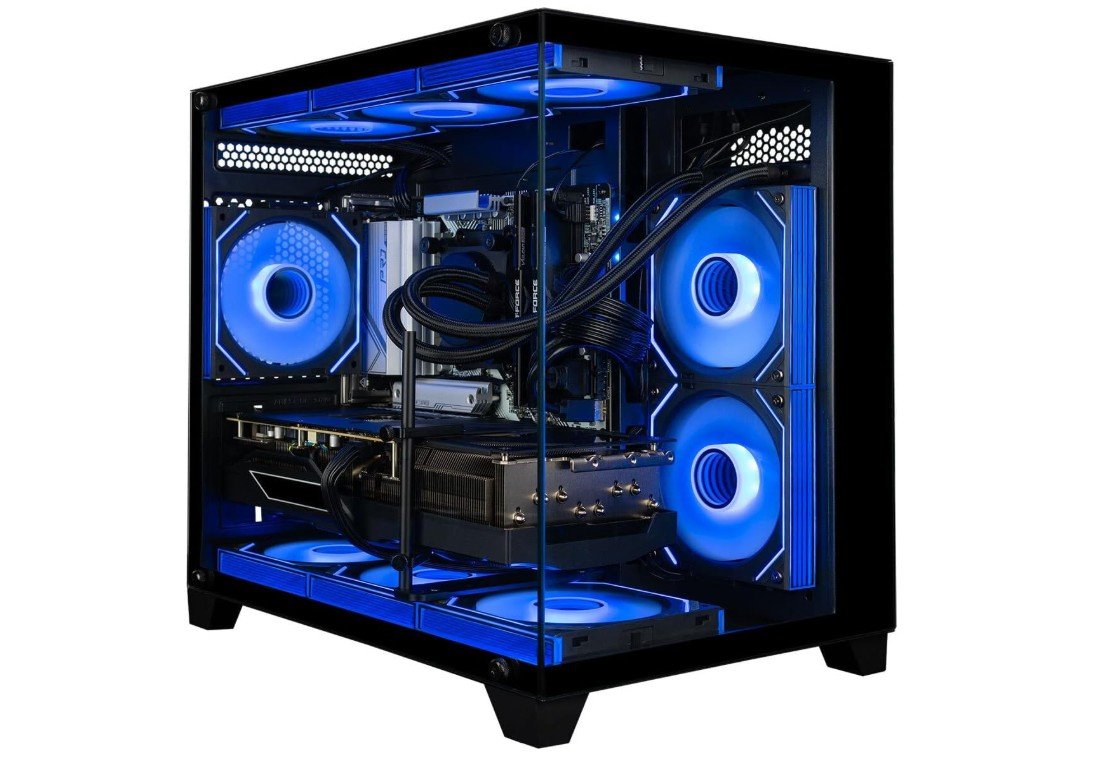
Panorama Liquid Cooled Gaming Desktop PC
Panorama Liquid Cooled Gaming Desktop PC
The Panorama RTX 5080 gaming PC is a very strong machine for FPS games like Valorant, CS2, and Apex Legends. From the moment you turn it on, you can feel how fast and smooth everything runs. The Intel Core i9-14900KF with 24 cores gives plenty of power to handle even the most demanding parts of games without lag. This means you get high frame rates, which is very important in fast shooter games where every millisecond counts. The RTX 5080 graphics card also does a great job. It can easily run games at high settings and still keep your frames steady so your gameplay feels smooth and responsive.
With 64GB of DDR5 RAM, this PC can handle not just gaming but also streaming, recording, and running other apps in the background without slowing down. You rarely, if ever, see stutters or slowdowns because there is so much memory available. The 2TB Gen4 NVMe SSD provides very fast storage. Games load quickly, and you can store many large titles without worrying about space. It also helps make the entire system feel snappy when opening apps or switching between tasks.
The liquid cooling system is quiet and keeps temperatures low, even during long sessions. This means the PC can sustain strong performance without getting hot. Windows 11 Pro comes installed and works well with modern games and software. The built-in Wi-Fi 6E and wired RJ45 connection give reliable and fast internet for online matches. The included RGB keyboard and mouse are good quality and add to the overall gaming experience.
Overall, the Panorama RTX 5080 gaming PC is excellent for anyone who loves FPS games and wants a future-proof system. It delivers power, speed, and smooth gameplay that competitive gamers will appreciate, and it handles everything you throw at it with ease.
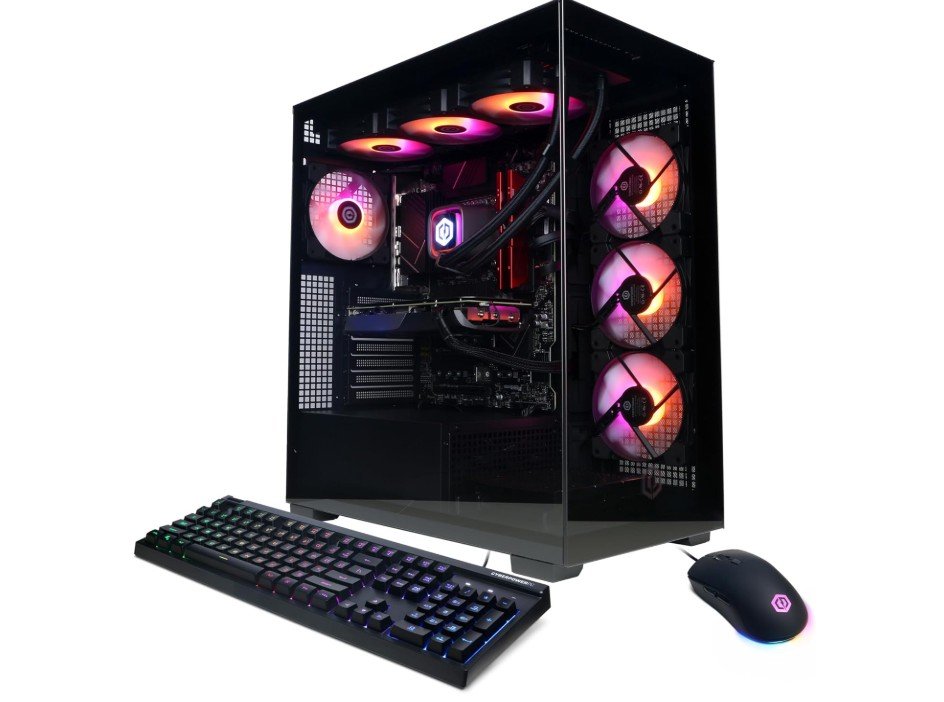
CYBERPOWERPC Gamer Xtreme VR Gaming PC
CYBERPOWERPC Gamer Xtreme VR Gaming PC
The CYBERPOWERPC Gamer Xtreme VR Gaming PC with an Intel Core i9-14900KF and an RTX 4070 Super is a powerful system built for FPS gaming like Valorant, CS2, and Apex Legends. From the moment you start playing, you notice how smooth and fast the games run. The i9-14900KF is a very strong processor that keeps performance steady even in intense moments with lots of action. This helps you get high frame rates, which is important in competitive shooters where every second matters. The RTX 4070 Super graphics card also does a great job handling visuals and keeping gameplay responsive at high settings.
With 32GB of DDR5 RAM, this PC runs games and other applications without slowing down. You can easily stream, browse the web, and run voice chat or recording software at the same time without any lag. The 2TB PCIe Gen4 SSD gives you plenty of fast storage for games, apps, and files. Games load quickly and you spend less time waiting and more time gaming. The speed of the SSD also makes the system feel very responsive in everyday use.
The design of the PC is solid and it stays cool even during long gaming sessions. It manages heat well so performance stays steady, and the system isn’t too loud. Windows 11 Home comes preinstalled and works smoothly with modern games and accessories. The PC is also Wi-Fi ready, so it can easily connect to your home network without extra parts.
Overall, this CYBERPOWERPC gaming PC is a great choice for anyone who wants to play FPS games at high frame rates and good graphics settings. It delivers strong performance, quick loading times, and smooth gameplay. Whether you are competitive or just enjoy shooter games, this PC gives you the speed and power you need for a great gaming experience.
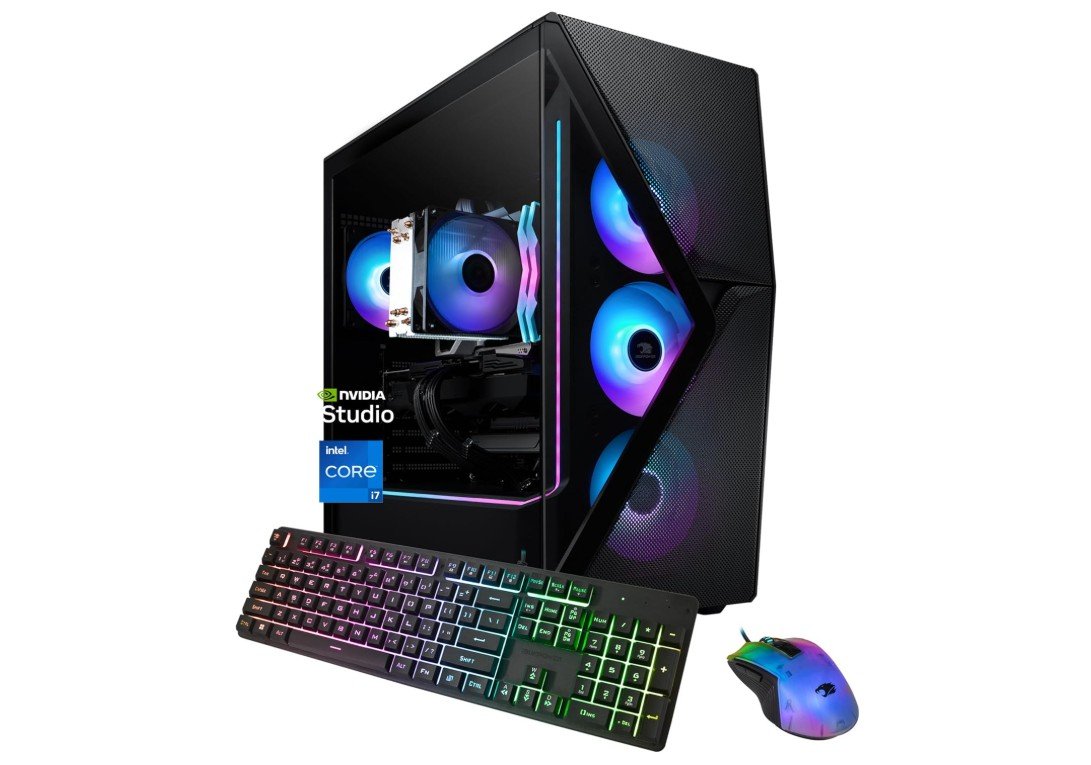
iBUYPOWER Slate MESH Gaming PC Desktop Computer
iBUYPOWER Slate MESH Gaming PC Desktop Computer
The iBUYPOWER Slate MESH Gaming PC with an Intel Core i7-14700F and NVIDIA GeForce RTX 5070 is a solid choice for playing FPS games like Valorant, CS2, and Apex Legends. When you start playing, the system feels smooth and responsive. The i7-14700F is a strong processor that handles fast action and many tasks at once without slowing down. This helps you keep steady frame rates while playing, which is very important in competitive shooter games where every movement and shot matters. The RTX 5070 graphics card also performs well, giving clear visuals and good performance even on higher settings.
With 32GB of DDR5 RAM, this PC can easily manage games and other programs running at the same time. You can stream, chat with friends, or run recording software without seeing the game slow down. The RGB lighting on the RAM adds a cool look, and the whole system stays responsive. The 1TB NVMe SSD gives you plenty of fast storage for your games and files. Games load quickly, and the system boots up in seconds. You won’t spend much time waiting to jump into a match.
Windows 11 Home comes ready to use, so you can connect to your favorite online services and gaming platforms right away. The included keyboard and mouse are a nice bonus, letting you start gaming without buying extra accessories. The PC also has good cooling, so it stays stable even during long gaming sessions. You won’t notice sudden drops in performance when the action gets intense.
Overall, the iBUYPOWER Slate MESH Gaming PC is a balanced and reliable gaming system that delivers strong performance for FPS titles. It gives you smooth gameplay, quick load times, and enough power to enjoy competitive gaming without needing upgrades right away. It’s a great choice for gamers who want good performance for a fair price.
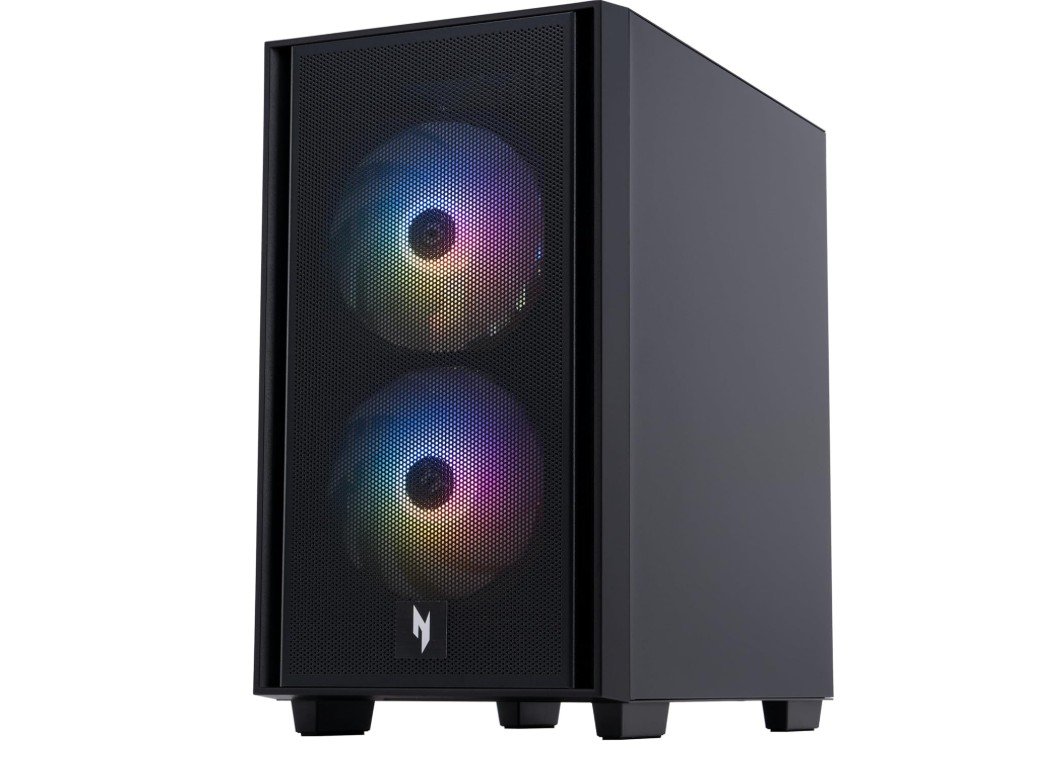
acer Nitro 60 N60-181-UR24 Gaming Desktop
acer Nitro 60 N60-181-UR24 Gaming Desktop
The acer Nitro 60 N60-181-UR24 is a strong gaming desktop that works very well for FPS games like Valorant, CS2, and Apex Legends. It feels fast and smooth right from the start. The AMD Ryzen 7 7700 processor has eight powerful cores, which helps the system handle fast gameplay without lag. In competitive shooter games, this means stable frame rates and quick response times, which are very important when every second matters.
The NVIDIA GeForce RTX 5070 graphics card delivers excellent performance for FPS gaming. Games run smoothly at high settings, and you can easily reach high frame rates for 144Hz or even higher refresh rate monitors. Movements feel fluid, aiming feels responsive, and there are no sudden drops in performance during intense action. This makes the PC a good choice for both casual and competitive players.
With 32GB of DDR5 RAM, the system handles multitasking with ease. You can play games while running background apps like voice chat, streaming software, or a web browser without slowing things down. The 2TB PCIe 4.0 SSD is another big plus. Games load very quickly, the system boots fast, and there is plenty of space for large game libraries and files.
The cooling and overall stability are solid, even during long gaming sessions. The PC stays consistent without overheating or becoming too noisy. Wi-Fi 6 and Gigabit Ethernet provide fast and reliable internet connections, which is important for online FPS matches.
Overall, the Acer Nitro 60 N60-181-UR24 is a reliable and powerful gaming PC for FPS games. It offers smooth gameplay, fast load times, and strong performance that competitive gamers will appreciate, making it a great long-term choice for shooter fans.
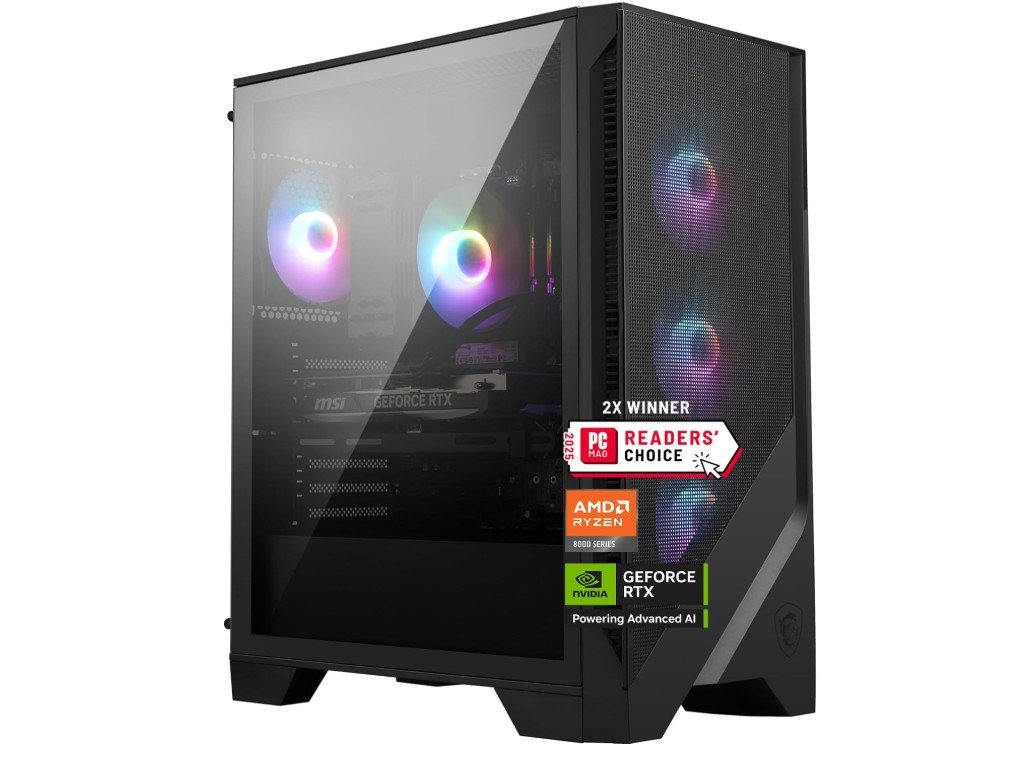
MSI Codex Z2 Gaming Desktop
MSI Codex Z2 Gaming Desktop
The MSI Codex Z2 Gaming Desktop with an AMD Ryzen 7-8700F and GeForce RTX 5070 is a solid choice for FPS games like Valorant, CS2, and Apex Legends. Right away, the PC feels quick and responsive. The Ryzen 7-8700F processor has enough power to keep games running smoothly without lag, even in intense moments when there is a lot happening on screen. This helps you get consistent frame rates, which is especially important in fast shooter games where every movement and shot matters.
The NVIDIA GeForce RTX 5070 graphics card delivers clean and clear visuals with good performance. You can play most competitive FPS titles with high settings while still getting smooth gameplay. It handles action scenes well and keeps the game feeling responsive, which makes aiming and moving around feel natural. You’ll enjoy steady performance whether you’re playing at 1080p or stepping up to higher resolutions.
With 32GB of DDR5 RAM, the system can easily handle running games while also streaming, chatting with friends, or using other apps at the same time. You won’t notice the PC slowing down when multiple things are open. The large 2TB M.2 NVMe SSD gives very fast storage, so games and levels load quickly, and you have plenty of space for your game library and files. Booting up and switching between tasks feels fast and smooth.
Windows 11 Home comes ready out of the box, and the included USB Type-C port makes it easy to connect modern peripherals. The PC is also VR-ready, so it can handle virtual reality games if you decide to explore that in the future.
Overall, the MSI Codex Z2 offers a great balance of power and speed for FPS gaming. It gives you smooth gameplay, quick loading times, and reliable performance, making it a strong choice for gamers who want a desktop that can handle competitive shooter titles with ease.
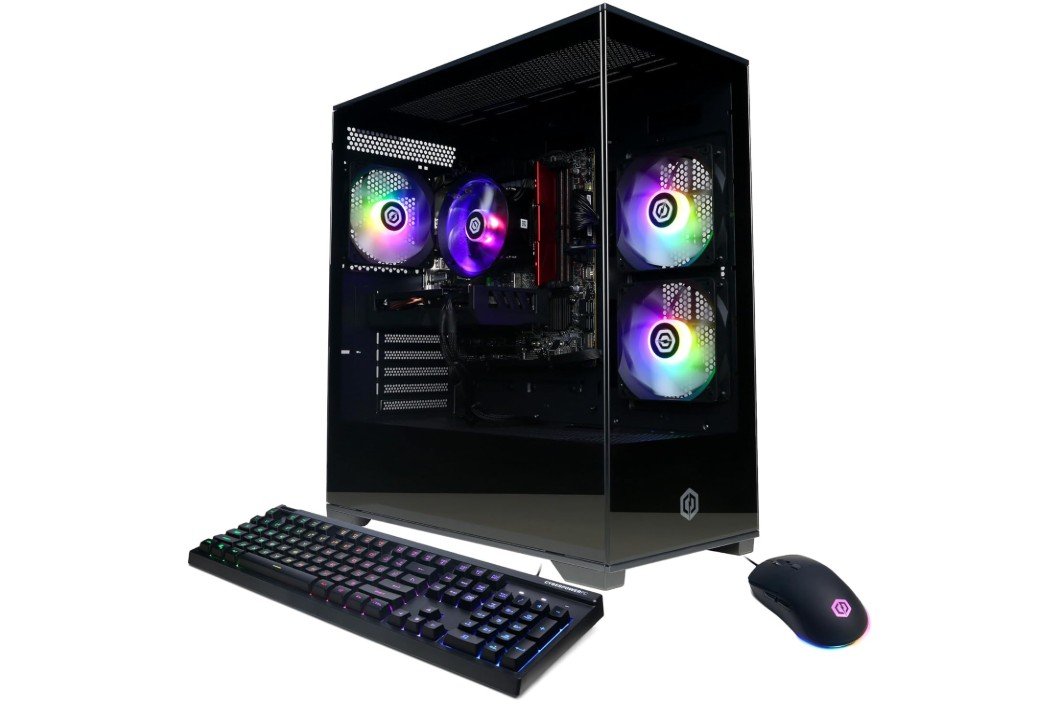
CyberPowerPC Intel Core i5-13400F Gamer Xtreme VR Gaming PC
CyberPowerPC Intel Core i5-13400F Gamer Xtreme VR Gaming PC
The CyberPowerPC Gamer Xtreme VR Gaming PC with an Intel Core i5-13400F and NVIDIA GeForce RTX 5060 is a great choice for playing FPS games like Valorant, CS2, and Apex Legends. From the first time you turn it on, the system feels fast and responsive. The Core i5-13400F is a solid processor that handles the demands of shooter games very well. It keeps frame rates steady, which helps the gameplay feel smooth and allows you to react quickly during matches. In competitive games where every moment counts, this stability makes a real difference.
The RTX 5060 graphics card delivers strong performance for 1080p gaming. It can run most FPS titles at high settings without big drops in performance. The visuals are clear and detailed, making your games look good while keeping play smooth. You won’t experience a lot of stuttering or lag, even in intense scenes with lots of action. This makes it easier to aim, move, and enjoy your games without interruption.
With 16GB of DDR5 RAM, the PC handles gaming and background tasks well at the same time. You can play games while running apps like voice chat, streaming software, or a web browser without worrying about slowdowns. The 1TB PCIe 4.0 SSD gives plenty of fast storage for games and files. Games load quickly, and the system boots up fast, so you spend more time playing and less time waiting.
Windows 11 Home comes installed and works smoothly with modern games and applications. The PC is also Wi-Fi ready, so you can easily connect to your home network without any extra hardware. Overall, the CyberPowerPC Gamer Xtreme VR Gaming PC offers reliable performance for FPS gaming at a very reasonable price. It’s a good choice for gamers who want smooth performance, fast load times, and solid value without spending too much.
Buying guide — FPS gaming PC for Valorant, CS2, and Apex Legends
If you want a PC for fast shooter games like Valorant, Counter-Strike 2 and Apex Legends, focus on smooth frame rates, low input lag, and stable networking. These games reward quick reactions more than fancy visuals, so a well-balanced system that prioritizes CPU speed, a capable GPU, fast RAM, and quick storage will make the biggest difference. Below is a clear, practical guide to help you choose the right parts or prebuilt PC for competitive FPS play.
What matters most
- Frame rate (FPS): Higher FPS = smoother motion and lower perceived input delay. To reach high FPS (144–240+), you need a strong CPU and good GPU. PC Gamer and recent GPU testing show GPU choice matters for higher resolutions and visual quality.
- CPU role: Many esports/competitive shooters are CPU-sensitive at 1080p — a faster CPU raises minimums and frame stability. For extreme high-refresh play (240–360 Hz), a high single-thread and high-frequency CPU helps a lot.
- RAM and memory speed: 16GB is the base today, but many players and surveys are shifting toward 32GB for multitasking and future proofing. Faster RAM helps slightly in some titles.
- Storage: A fast NVMe SSD (PCIe 4.0 or better) improves load times and system responsiveness — pick a reputable M.2 NVMe drive. It won’t raise FPS much, but it reduces waiting and stutters from streaming assets.
- Network: Wired Ethernet is still the safest for lowest latency and stability in competitive matches; Wi-Fi 6/6E can be good but wired is preferred when you need consistent ping.
Recommended specs by use case
- Budget 1080p 144Hz (good value):
- CPU: Intel i5 or AMD Ryzen 5 (modern gen, high single-core boost)
- GPU: NVIDIA RTX 4060 / AMD equivalent (or RTX 5060 class)
- RAM: 16GB DDR5 (2×8GB dual channel)
- Storage: 1TB NVMe PCIe 4.0 SSD
- Network: Ethernet + Wi-Fi ready
- Competitive 1080p 240Hz / 1440p 144Hz (serious players):
- CPU: Intel i7 / i9 or AMD Ryzen 7 (strong single-core and multi)
- GPU: RTX 4070 Super / RTX 5070 or AMD RX 7xxx series
- RAM: 32GB DDR5 (2×16GB or 4×8GB, check dual-channel)
- Storage: 1–2TB NVMe PCIe 4.0
- Cooling: good air or AIO liquid to keep clocks stable
- Streaming + gaming (content creators):
- CPU: high-core count (i7/i9 or Ryzen 9) to encode while keeping FPS high
- GPU: RTX 4080 / 4080 Super or equivalent for high settings + NVENC/AV1 encode support
- RAM: 32–64GB DDR5
- Storage: 2TB NVMe + extra HDD/SSD for media
- Network: wired gigabit recommended
Choosing CPU vs GPU (how to balance)
- For pure 1080p esports titles, a faster CPU often yields more FPS than a slightly faster GPU. For higher resolutions or very high graphical settings, the GPU becomes the bottleneck. Look at benchmarks for the exact game you play (Valorant and CS2 have different CPU/GPU balance). If you target 240+ FPS on a 240Hz monitor, invest more in CPU and RAM; for fancy visuals at 1440p, invest more in GPU.
RAM: 16GB vs 32GB
- If you only game and don’t stream, 16GB is the minimum. If you stream, record, run multiple apps, or want better future proofing, 32GB is the safer choice. Surveys show more gamers are moving to 32GB as memory use rises in modern systems.
Storage and load times
- Use a PCIe NVMe SSD (Gen4 if possible) for the OS and your main games. This gives fast boot and load times and a snappy system feel. PCIe 5.0 drives are fast but still pricey; Gen4 is a sweet spot.
Cooling, case, and power
- Good cooling keeps clocks stable during long matches. A quality air cooler or a 240mm AIO is fine for most builds. Pick a PSU from a reputable brand rated 80+ Gold or better and sized with headroom (e.g., 650–850W depending on GPU). Quiet fans and airflow matter more than RGB if you want cool stable performance.
Networking and peripherals
- Use wired Ethernet for lowest latency in ranked play. If you must use Wi-Fi, pick Wi-Fi 6E hardware and a good router — but test latency under real network load first.
- A good mouse (low latency optical sensor), a mechanical keyboard with fast switches, and a 144Hz+ monitor (1ms) will show the real benefit of a high-FPS PC.
Buying tips (prebuilt vs custom)
- Prebuilt PCs: convenient, often include warranty and support. Compare exact parts and PSU quality — many vendors use solid components, but check reviews.
- Custom build: usually better value and easier to upgrade. You control the exact CPU, motherboard, RAM, and cooling. If you’re new, local PC shops can assemble for a fee.
- Check reviews and benchmarks for your main games — micro-benchmarks for Valorant, CS2 and Apex will tell you what parts matter most.
Final checklist before buying
- Can the CPU sustain high single-core clocks?
- Is the GPU strong enough for your target FPS/resolution?
- Are RAM sticks dual-channel and at least 16GB (32GB preferred)?
- Is the main drive an NVMe SSD (PCIe 4.0)?
- Is the PSU reputable and sized properly?
- Do you have wired Ethernet available for competitive play?
FAQs
The CPU and GPU are most important. CPU helps with high frame rates at 1080p, and the GPU handles graphics. Fast RAM and SSD storage also help overall performance.
At least 16 GB DDR5 is recommended. 32 GB is better if you stream, record, or run apps while gaming.
For 1080p high FPS:
1. Mid-range: RTX 4060 / RTX 5060
2. Better: RTX 4070 Super / RTX 5070
These hit smooth performance on competitive shooters.
Yes. Fast CPUs with good single-core speed like Intel Core i7/i9 and AMD Ryzen 7/9 give stable high FPS.
If your monitor supports it, 144 FPS or higher gives smoother motion and better reaction time. Competitive players often aim for 144–240 + FPS.
Yes. An NVMe SSD makes your PC boot faster and reduces game load times. It doesn’t increase FPS much but makes your system feel more responsive.
Yes. Prebuilt PCs with solid parts and cooling are great if you want convenience and warranty support.
Conslusion
A well-balanced FPS PC is about stable, high frame rates and low latency, not just raw specs. Match your budget to the target monitor refresh (144Hz, 240Hz, etc.), pick a CPU/GPU pair that matches that goal, prefer 32GB RAM if you multitask or stream, and use an NVMe SSD for snappy load times. For the lowest ping, use wired Ethernet. Follow these rules and you’ll get a system that makes Valorant, CS2, and Apex Legends feel crisp, fast, and competitive.

Jawad is a passionate tech enthusiast and writer who loves exploring the latest trends in hardware, gadgets, and digital innovation. With a sharp eye for performance and value, he delivers in-depth recommendations and buying guides to help readers make smarter tech decisions.