Last Updated on February 11, 2026 by Jawad
Introduction
A desktop PC is a great choice for students who need a reliable and affordable computer for daily study work. Compared to laptops, desktop PCs usually offer better performance at a lower price, making them ideal for students on a budget. They are well suited for tasks like online classes, homework, research, typing assignments, watching educational videos, and using common software such as Microsoft Word, Excel, and PowerPoint.
One of the biggest advantages of a desktop PC for students is comfort. A larger screen helps reduce eye strain during long study sessions, and a full-size keyboard and mouse make typing and navigation easier. This is especially helpful for students who spend many hours writing essays, preparing presentations, or attending virtual lectures. Desktop PCs also stay cool and stable during long use, which helps maintain consistent performance.
Desktop computers are also easy to upgrade. Students can add more RAM or storage later as their needs grow, instead of buying a completely new system. This makes a desktop PC a smart long-term investment for school and college life. Many student-friendly desktop PCs now come with fast SSD storage, built-in Wi-Fi, and enough power to handle multitasking smoothly.
For students with limited space, compact desktops and mini PCs are available and fit easily on small desks. All-in-one desktop PCs are another good option, as they combine the computer and monitor into one unit, keeping the study area neat and organized. These models are especially useful for online learning because they often include a webcam and speakers.
Overall, a desktop PC is a practical and dependable tool for students. It delivers strong performance, comfort, and value, helping students focus better on their studies without spending too much money.
We also have a recommendation for the Best PC for working from Home, so make sure to check that out too!
Top Desktop PC for Students



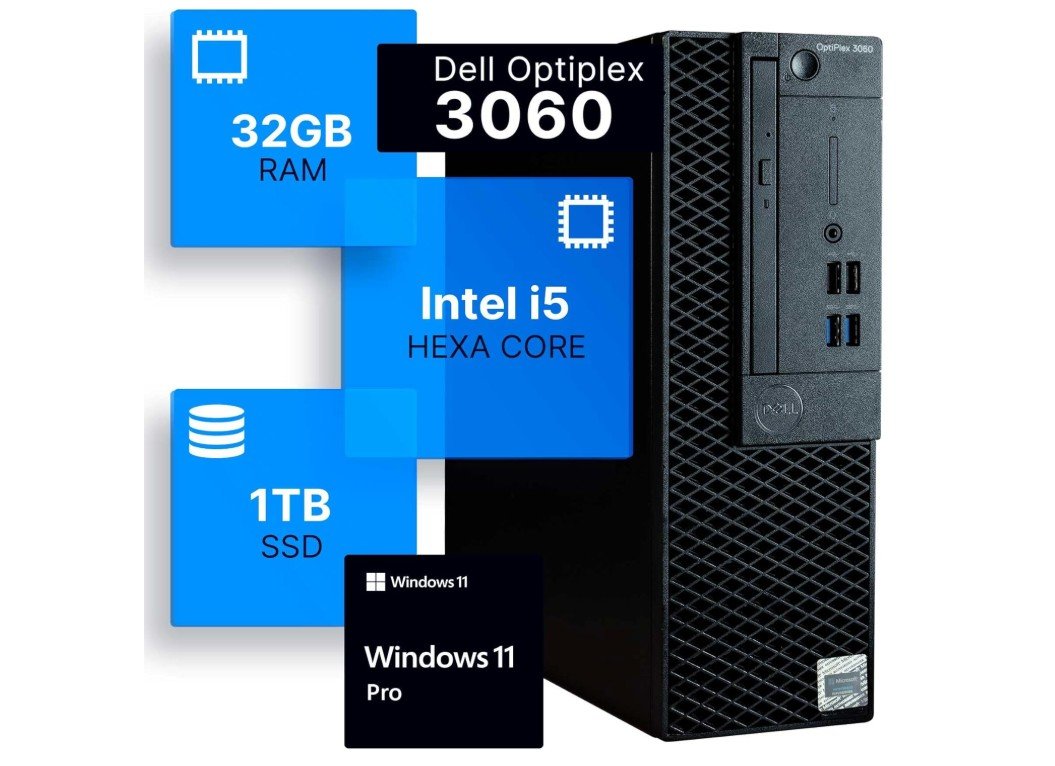
Dell Optiplex 3060 Desktop Computer
Dell Optiplex 3060 Desktop Computer
The Dell OptiPlex 3060 desktop computer is a very good choice for students who need a reliable and fast system for daily study work. It is designed for home and office use, which also makes it perfect for school and college tasks. With an Intel Core i5-8500 processor, this desktop can easily handle online classes, web browsing, typing assignments, research work, and multitasking without slowing down.
One of the biggest strengths of this PC is its 32GB of RAM. This is more than enough for students, allowing them to open many tabs, run multiple apps, and work smoothly without lag. The 1TB SSD makes a big difference in speed. The system boots quickly, apps open fast, and files load almost instantly. This helps save time and keeps work stress-free, especially during exams or deadlines.
The compact design of the OptiPlex 3060 is another plus. It does not take much desk space, making it suitable for small study rooms or dorms. Built-in WiFi and Bluetooth mean students can connect to the internet and wireless devices easily without extra adapters. Windows 11 Professional offers a modern and clean interface, along with good security features for safe online learning.
Since this is a renewed desktop, it offers great value for money. Students get strong performance at a lower price compared to new systems. It is well-tested and works like new for everyday tasks. While it is not meant for heavy gaming or advanced video editing, it handles student-level work very well.
Overall, the Dell OptiPlex 3060 is a dependable, fast, and budget-friendly desktop for students who want a smooth and comfortable learning experience at home or in the office.
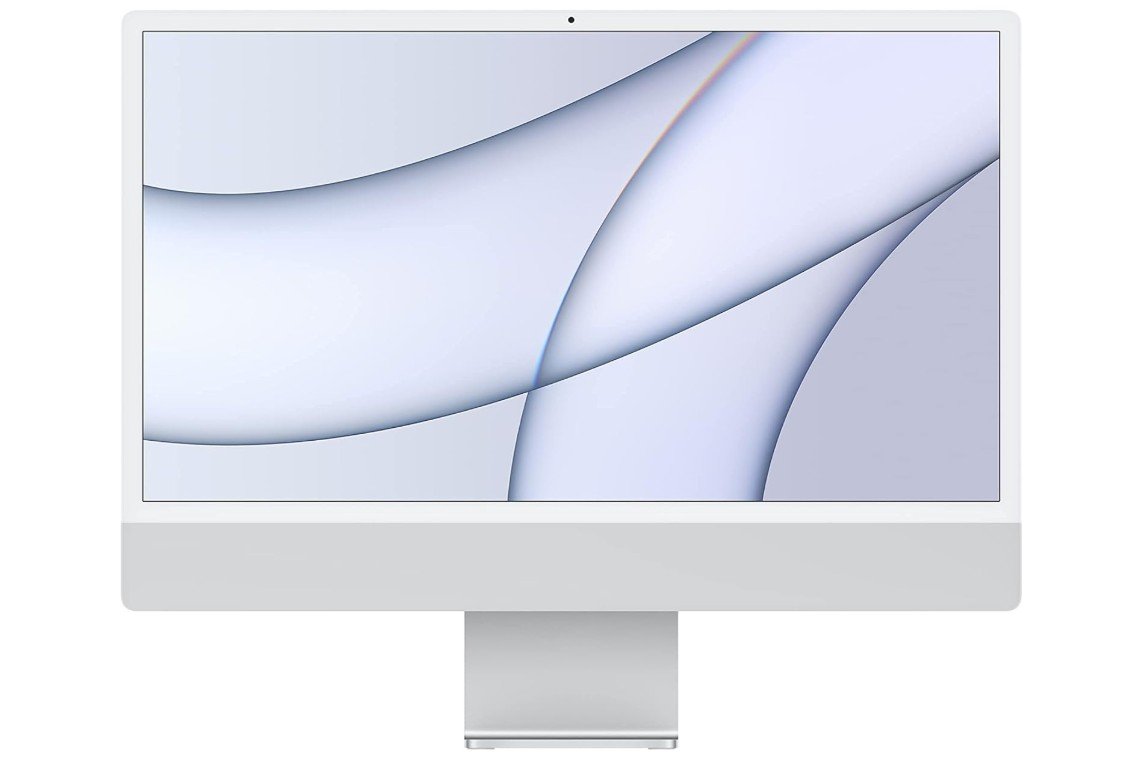
Apple 2021 iMac (Renewed)
Apple 2021 iMac (Renewed)
The Apple 2021 iMac with the M1 chip is a great desktop computer for students. It looks modern and clean in silver, and the 24-inch screen is large and bright, which makes reading, writing, and watching videos very comfortable. The display shows sharp text and clear colors, which helps when studying for long hours or watching online classes. The all-in-one design means the computer and screen are built together, so you do not need extra parts or cables, which keeps your desk neat.
Inside, the Apple M1 chip works very fast and smoothly. For students, this means you can open many apps at the same time without slowing down. You can browse the web, write papers, work on projects, and use apps like Microsoft Office or school software easily. It is also good for creative tasks like basic photo editing, presentations, and school videos. The 8 GB of RAM supports smooth multitasking, and the 512 GB SSD gives plenty of space for files, projects, and software while making the system start up fast.
macOS is easy to use and has helpful features for students. It is safe and rarely gets slow or crashes. You can connect to Wi-Fi quickly and use Bluetooth for wireless keyboards, mice, or headphones. The iMac also has a good built-in camera and microphone, which is useful for online classes and video calls with teachers or classmates.
Because this is a renewed unit, the price is more affordable than a new iMac. For students, this means they get strong performance and a beautiful display for less money. Even though it is not designed for heavy gaming or advanced professional software, it handles everyday study work better than many regular desktops. Overall, the Apple 2021 iMac with M1 is a reliable and fast computer that makes schoolwork easier and more enjoyable.
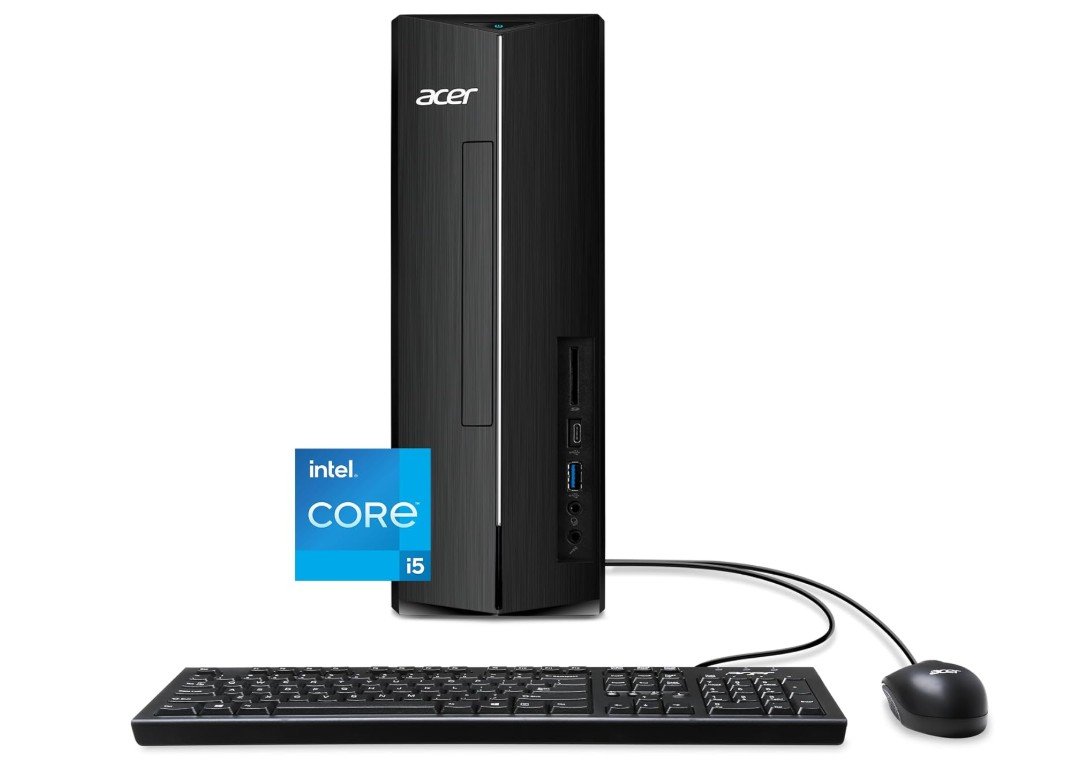
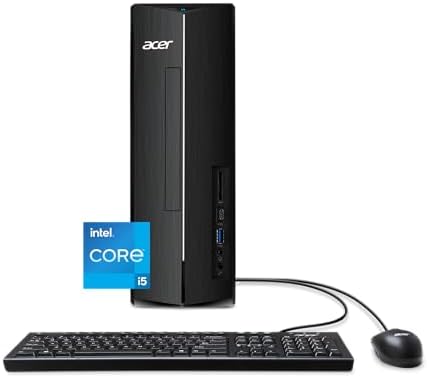
acer Aspire XC-1780-UA91 Desktop
acer Aspire XC-1780-UA91 Desktop
The Acer Aspire XC-1780-UA91 desktop is a solid choice for students who want a dependable computer for everyday schoolwork. It has a good balance of speed, storage, and connectivity that makes it useful for tasks like writing essays, doing research, watching online classes, and using common software such as Microsoft Office or Google apps. The Intel Core i5-13400 processor with up to 4.6 GHz performance helps the system run smoothly even when you have multiple apps open at the same time.
The 8 GB of DDR4 RAM is enough for most student needs. You can switch between web browsers, documents, and videos without the computer lagging. The 512 GB PCIe Gen 4 SSD provides fast loading times, so the desktop boots up quickly and programs open almost instantly. The SSD also gives enough space for storing important files, assignments, photos, and software. Students who use memory cards from cameras or phones will find the SD card reader useful for transferring files easily.
Wi-Fi 6E support means this desktop can connect to fast and stable internet, which is helpful when attending online classes or downloading large files. Windows 11 Home comes installed, providing a familiar and user-friendly experience with modern features that improve productivity and security. The compact size of the Aspire XC-1780 desktop makes it easy to fit on a study desk or in a small room without taking up too much space.
While this system is strong for school and general use, it is not designed for heavy gaming or advanced video editing. Students who need more power for professional creative work or games might want a higher-end system. However, for most school tasks, online learning, and everyday use, the Acer Aspire XC-1780-UA91 is a reliable and affordable desktop that gets the job done without problems. It offers good performance, fast storage, and useful features that help students stay productive.
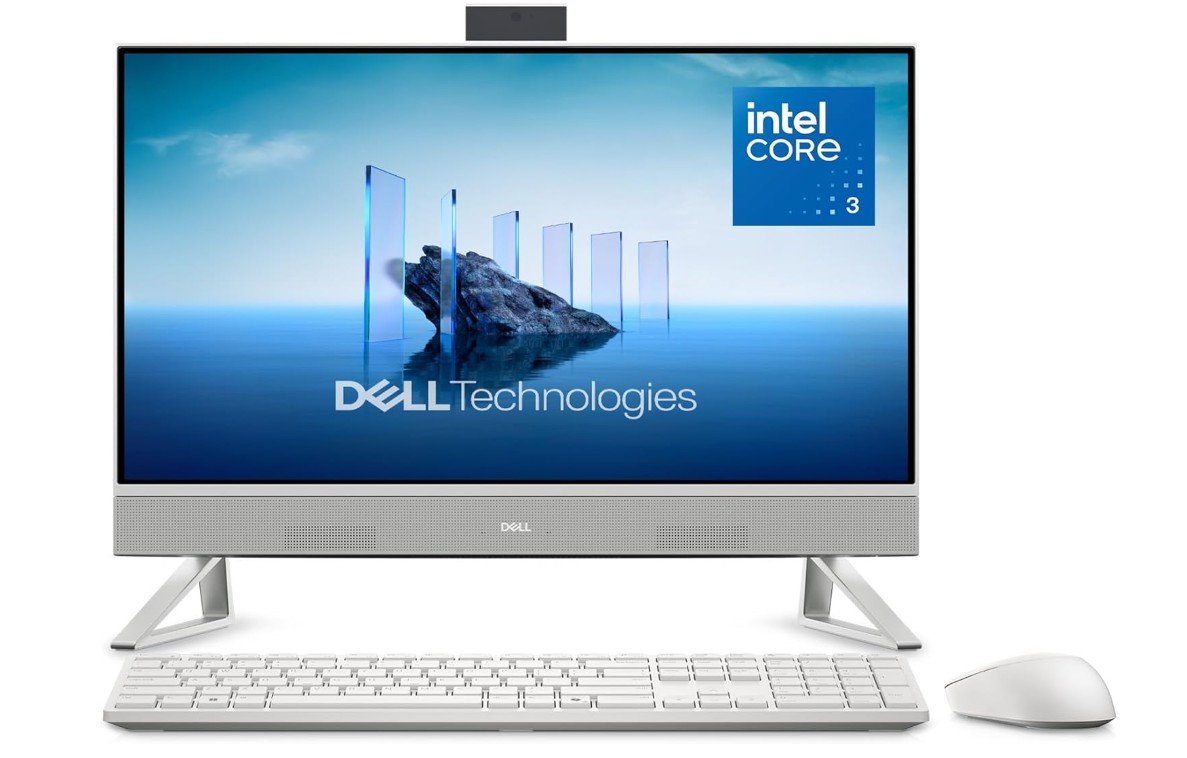
Dell 24 All-in-One Desktop
Dell 24 All-in-One Desktop
The Dell 24 All-in-One Desktop ec24250 is a good choice for students who want a simple and neat computer for school tasks. Because the computer and display are built together, you do not need extra parts or cables, which keeps your desk clean and easy to use. The 23.8-inch Full HD screen is big enough for reading, writing, watching videos, and attending online classes. The picture looks clear and sharp, which makes it comfortable for long study sessions.
This desktop has an Intel Core 3 100U processor that handles everyday student work well. You can open documents, browse the web, check email, watch lectures, and use apps like Microsoft Office or Google apps without much delay. The 8 GB of DDR5 RAM helps the system run smoothly when switching between tasks, and the 512 GB SSD storage makes the desktop start up fast and opens apps quickly. This storage also gives plenty of room for your files, assignments, and school projects.
Windows 11 Home comes already installed, giving a clean and user-friendly experience. It has useful features like easy multitasking, good security, and support for modern apps. Wi-Fi and Bluetooth are built in, so connecting to the internet and wireless devices like headphones or a keyboard and mouse is easy. This makes the system ready to use right away with minimal setup.
Because it is an all-in-one desktop, it does not take much space and looks good in a study area or dorm room. The onsite service and 6-month warranty provide extra peace of mind if you need help or support.
While this desktop is not designed for heavy gaming or advanced creative work, it handles student needs very well. For typing papers, watching online lectures, doing research, and everyday use, the Dell 24 All-in-One Desktop ec24250 is a reliable and convenient choice that makes study work easier.
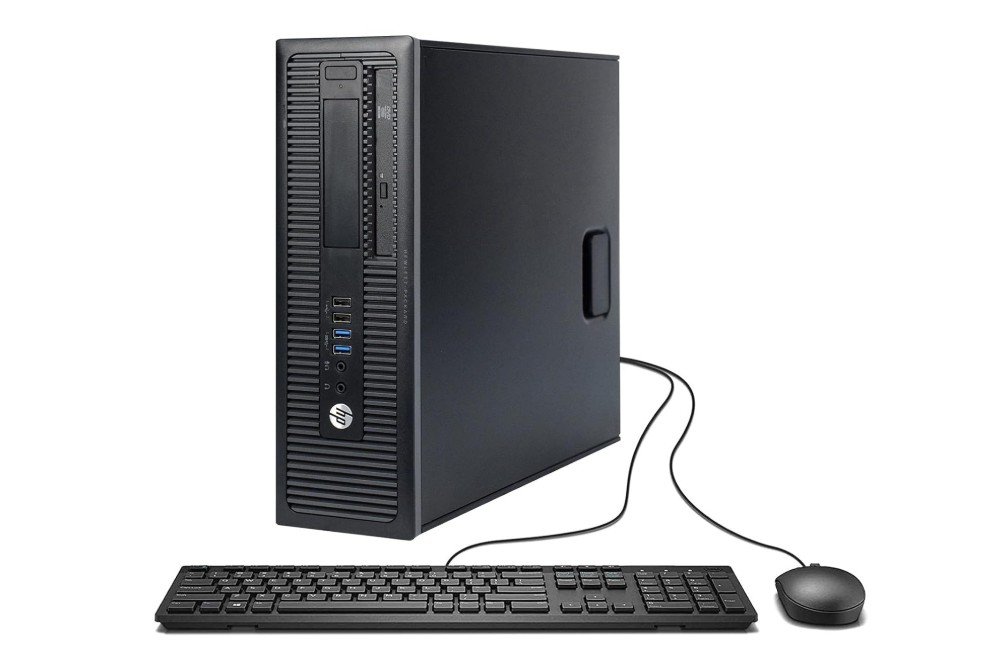
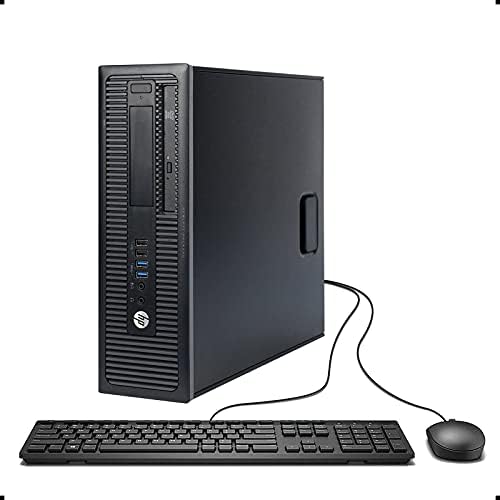
HP ProDesk 600 G1 SFF Slim Business Desktop Computer
HP ProDesk 600 G1 SFF Slim Business Desktop Computer
The HP ProDesk 600 G1 SFF desktop is a solid, budget-friendly computer for students who need a simple and dependable system for daily schoolwork. This renewed model comes with an Intel Core i5-4570 processor that can reach up to 3.60 GHz. It is able to handle everyday tasks such as writing papers, browsing the web, watching online classes, and using apps like Microsoft Word and Google Docs without much trouble. While it is not the newest processor, it still offers steady performance for basic student needs.
With 8 GB of RAM, this desktop allows you to run several apps at once and switch between them smoothly. You can open your browser with multiple tabs, work on documents, and watch videos without the computer slowing down too much. The 500 GB hard drive gives enough space to store your assignments, photos, and school files. However, because it is a traditional hard drive and not a solid-state drive (SSD), the computer may take a little longer to start up and open programs compared to newer systems with SSD storage.
The small form factor design of the HP ProDesk 600 G1 means it does not take up too much space on your desk, making it suitable for dorm rooms or study areas with limited room. It also includes a DVD drive, which can be useful if you need to access files from discs or install software the old way. Built-in USB 3.0 ports allow fast connection of flash drives, printers, and other devices, which is helpful for students who often move files between devices.
Since this desktop comes renewed, it offers good value for money because you get a capable computer at a lower cost. While it is not suited for heavy gaming or very demanding software, it works reliably for most everyday student tasks. For basic work, online learning, and budget-conscious students, the HP ProDesk 600 G1 is a dependable choice.
Desktop PC Buying Guide for Students
Buying a desktop PC for school should focus on getting the best value, comfort, and performance for the kind of work you do. Students use computers for writing, research, video calls, basic photo/video editing, coding, and sometimes light gaming. This guide explains what parts matter, sensible specs for different student needs, and tips to save money while getting a machine that lasts.
What matters most (and why)
- CPU (processor): The CPU controls general speed. For most students, a recent Intel Core i3/i5 or AMD Ryzen 3/5 is enough. These chips handle web browsing, document work, video calls, and light editing smoothly. If you plan heavy video editing, 3D work, or serious programming, pick a higher-end i7/Ryzen 7 or better.
- RAM (memory): RAM affects multitasking. Today, 16 GB is the practical baseline for smooth multitasking and browser use; 8 GB is workable for very light use but is tight and may feel sluggish as apps get heavier. If you want to keep the PC useful for several years, aim for 16 GB or more.
- Storage: An SSD (solid-state drive) makes the biggest difference in perceived speed. A 512 GB SSD is a good starting point for most students — fast boot times and enough space for documents, projects, and media. Consider a secondary HDD or cloud storage if you need lots of space. University IT recommendations often list 512 GB SSD as a practical minimum.
- Graphics: Integrated graphics (built into the CPU) are fine for school tasks, streaming, and light photo editing. Dedicated GPUs are only necessary for gaming or heavy creative work.
- Display & ergonomics: A good monitor reduces eye strain. A 24- to 27-inch Full HD (1080p) or higher panel is comfortable for reading and multitasking. Use a separate keyboard and a comfortable mouse — they matter for long typing sessions.
- Connectivity & Wi-Fi: Built-in Wi-Fi 6 (or 6E) and Bluetooth are helpful for stable online classes and wireless peripherals. An SD card reader is useful for media students.
Types of desktop PCs for students
- Traditional tower: Best if you want upgradability and long life. Easier to add RAM, storage, or a GPU later.
- Mini PC: Small, quiet, and often cheaper. Great for tight desks and basic tasks, but check upgrade options. Mini PCs give good value for space-limited students.
- All-in-One (AiO): Clean look and easy setup because the monitor and PC are one unit. Good for dorm rooms and minimal desks, but usually harder to upgrade. AiOs are ideal if you care about space and style more than upgradability.
- Refurbished / Renewed: Buying renewed units can save money. Choose sellers with return policies and warranty for peace of mind.
Recommended specs by student type
- Basic student (writing, browsing, online classes): Intel Core i3 / Ryzen 3, 8–16 GB RAM, 256–512 GB SSD. Cheap and energy-efficient; works well for freshmen or light users.
- Most students (multitasking, research, light editing): Intel Core i5 / Ryzen 5, 16 GB RAM, 512 GB SSD. This hits the sweet spot for price vs performance and will stay useful for several years.
- Creative or CS students (video editing, coding, some gaming): Intel Core i7 / Ryzen 7, 16–32 GB RAM, 1 TB SSD (or SSD + HDD), and a midrange dedicated GPU if you need rendering or gaming power.
- Budget gaming / power user: Focus on a strong GPU and at least 16 GB RAM; choose CPU/GPU balance depending on the apps you use.
Upgradeability and future-proofing
- Pick a case and motherboard that let you add RAM and storage later. Even if you start with 8 GB, having room to upgrade to 16 or 32 GB is smart.
- SSD slots: a PCIe NVMe slot is faster than SATA. If you can, buy a system with an empty M.2 slot for easy future upgrades.
- Power supply: a larger PSU helps if you plan to add a dedicated GPU.
Peripherals and extras worth budgeting for
- Monitor: Good quality 24″ FHD or a 27″ 1440p for more screen space.
- Keyboard & mouse: A comfortable keyboard and accurate mouse save time and strain.
- Webcam & mic / headset: Essential for online classes — built-in cameras vary in quality, so consider a separate webcam if you’ll be on many video calls.
- Surge protector / UPS: Protects your work and prevents data loss.
Buying tips to save money
- Buy refurbished from trusted sellers to get a higher-spec machine at lower cost; check warranty and return policy.
- Student discounts: Many vendors and retailers offer student pricing — always check.
- Bundle deals: Some sellers include monitor/keyboard bundles at a discount.
- Timing: Sales (back-to-school, holidays) often bring the best deals.
Quick checklist before you buy
- Is RAM at least 16 GB (or upgradeable)?
- Does it have an SSD (preferably NVMe) and at least 512 GB?
- Is the CPU recent (last 2–3 generations) and at least a quad-core?
- Can you add more RAM or storage later?
- Does it include Wi-Fi 6 / Bluetooth and enough ports?
- What warranty and return policy does the seller offer?
FAQs
Students should focus on a fast processor (Intel Core i3/i5 or AMD Ryzen 3/5), at least 8–16 GB of RAM, an SSD for quick start-up and file load, and good internet connectivity (Wi-Fi/Bluetooth). A comfortable screen and reliable keyboard/mouse also help daily study tasks.
It depends on the work. For writing papers, online classes, research, and basic software, a mid-range PC with an i5/Ryzen 5 and 8–16 GB RAM is enough. For video editing, graphic design, coding, or gaming, a stronger PC with more RAM and storage is better.
16 GB RAM is recommended because it ensures smooth multitasking with many browser tabs, apps, and files open at once. 8 GB can work for light tasks but may feel slow if you run multiple apps together.
Always go for an SSD. SSDs (solid-state drives) make the computer start up fast and open files quickly. An HDD is slower and can make your PC feel sluggish. If you need lots of space, you can add an HDD for extra storage.
Desktops usually give more performance for the price, and they are easier to upgrade later. However, laptops are portable. If you don’t need to move your PC, a desktop is great for home study spaces.
Yes. Renewed desktops are tested and work well, and they cost less than new ones. Just check the seller’s return policy and warranty before buying.
Final words
For most students, a desktop with a modern midrange CPU (Core i5/Ryzen 5), 16 GB RAM, and a 512 GB SSD gives the best balance of price, speed, and longevity. Choose a mini PC or AiO if desk space is tight, but prefer a tower if you want to upgrade over time. Buying refurbished can stretch your budget, but check warranty and seller ratings. Investing a little more now — especially in RAM and an SSD — pays off in daily comfort and fewer slowdowns over the life of the PC.

Jawad is a passionate tech enthusiast and writer who loves exploring the latest trends in hardware, gadgets, and digital innovation. With a sharp eye for performance and value, he delivers in-depth recommendations and buying guides to help readers make smarter tech decisions.