Last Updated on February 12, 2026 by Jawad
Introduction
PCs for home use are an important part of everyday life today. They are used for many simple tasks like browsing the internet, watching movies, online classes, office work, video calls, and managing personal files. A good home PC helps make daily activities easier and more comfortable for the whole family. Whether you are a student, a working professional, or someone who just wants a computer for basic use, a home PC is a smart investment.
Home use PCs are designed to be easy to use and reliable. They usually come with enough power to handle common tasks such as using Microsoft Office, checking emails, streaming videos on YouTube or Netflix, and running basic software. Most home PCs now include fast SSD storage, which helps the system start quickly and load apps faster. Many also come with at least 8GB of RAM, which is enough for smooth multitasking.
Another benefit of home PCs is that they are available in different styles. You can choose a traditional desktop tower, a compact mini PC that saves space, or an all-in-one PC that combines the computer and monitor into one unit. This makes it easy to find a system that fits your room, desk, and budget. Home PCs are also generally quiet and energy-efficient, making them suitable for long daily use.
When choosing a PC for home use, it is important to focus on comfort, performance, and value for money. You don’t need very high-end parts for normal tasks, but you should choose a system that feels smooth and responsive. A well-chosen home PC can last for many years and support your daily digital needs without any trouble.
We also have a recommendation for the Best Desktop PC for Students, so make sure to check that out too!
Top PCs for home use



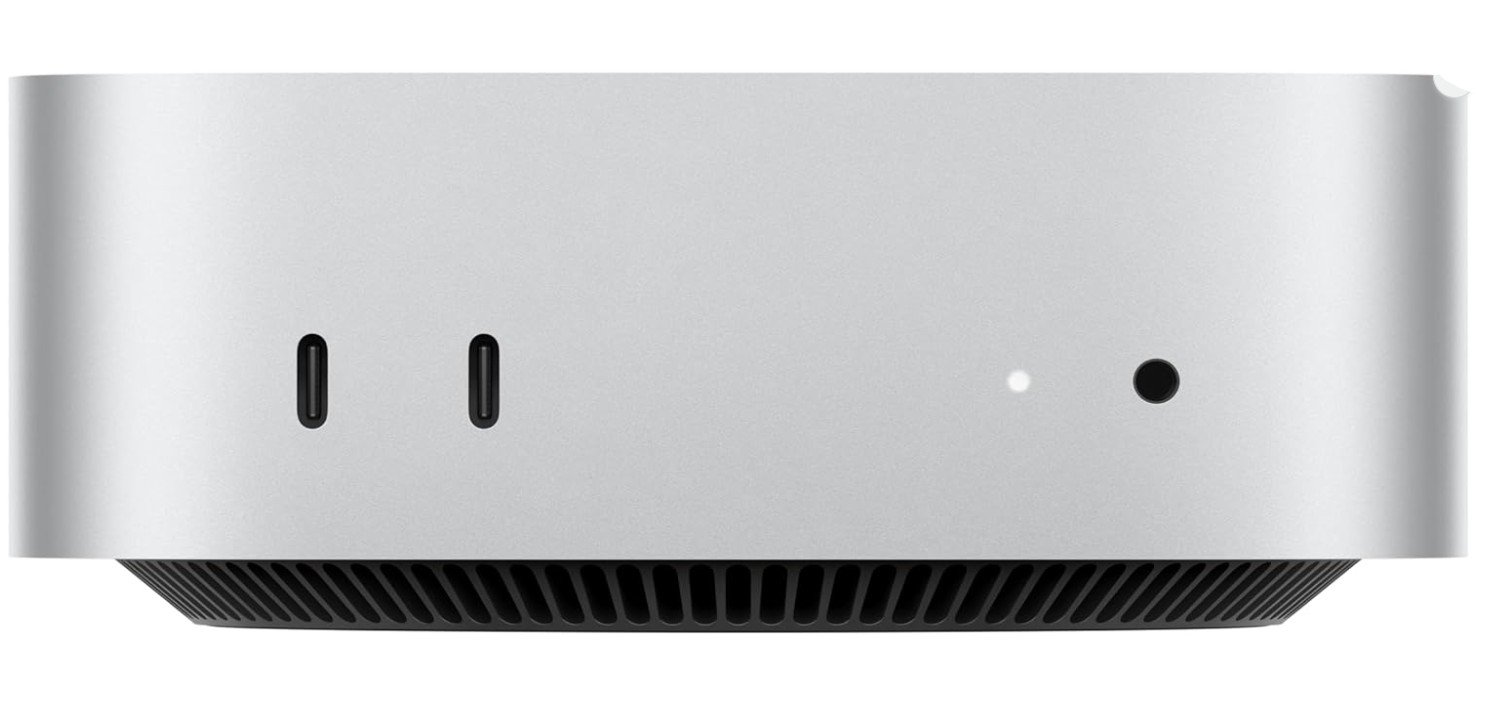
Apple 2024 Mac mini Desktop Computer
Apple 2024 Mac mini Desktop Computer
The Apple 2024 Mac mini with the M4 chip is a very good computer for home use. It is small and does not take up much space on your desk, but it is still powerful. The M4 chip has a strong 10-core CPU and GPU, which means it can run everyday tasks smoothly. You can open many apps at the same time without the computer slowing down. The 16GB of unified memory also helps with fast performance, so you can switch between web browsing, videos, documents, and photos easily.
The 256GB SSD storage is fast and makes the Mac mini start up quickly. Apps open almost instantly, and files load fast too. The storage size is enough for normal home users who save photos, videos, and documents. If you need more space, you can always add external storage. The Mac mini runs macOS, which is easy to use and works well with other Apple devices like iPhone and iPad. You can share files, messages, and even use your iPhone as a webcam for video calls, which makes everyday tasks more convenient.
For watching movies, doing school work, browsing the internet, or video calling family and friends, the Mac mini does everything without trouble. The computer stays quiet even when doing heavy tasks, and it uses less power than many bigger desktop PCs. It also has Gigabit Ethernet, which gives you a good internet connection for streaming and online meetings.
Because it is small, quiet, and powerful, the Mac mini fits well in any home setting. It is a great choice if you want a reliable desktop that feels modern and fast. It may cost more than some other home computers, but the speed, build quality, and smart features make it worth it for many users who want a smooth, everyday computing experience.
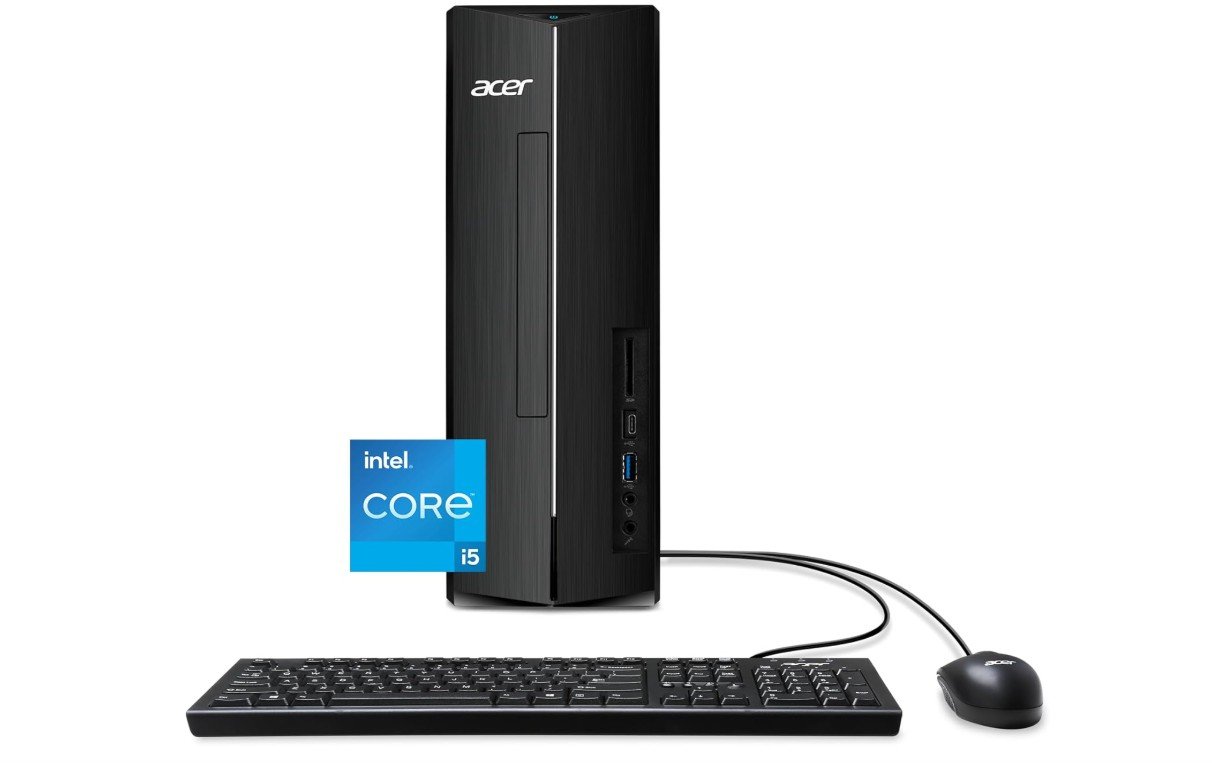
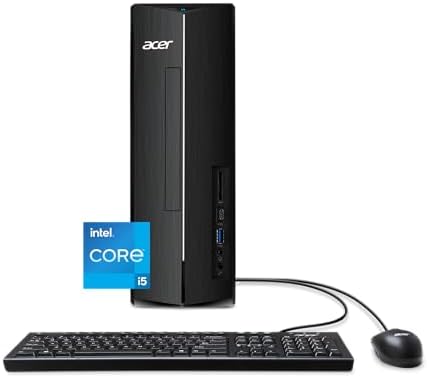
acer Aspire XC-1780-UA91 Desktop
acer Aspire XC-1780-UA91 Desktop
The Acer Aspire XC-1780-UA91 desktop is a good computer for home use. It has an Intel Core i5-13400 processor with ten cores, which makes it fast enough for everyday tasks like browsing the internet, watching videos, doing school work, and using office apps. The 8GB of RAM helps the system run smoothly without slowing down when you have multiple windows open. The 512GB PCIe Gen 4 SSD gives plenty of space for your files and makes the computer start up quickly. Programs open fast, and saving or opening documents is much faster than older hard drives.
This desktop comes with built-in Intel Wi-Fi 6E, so you can connect to your home wireless network with good speed and stability. It also has an SD card reader, which is useful if you take photos with a camera and want to move them to your computer easily. The Acer Aspire runs Windows 11 Home, which is simple and familiar for many users. Most people will find the operating system easy to use for daily tasks like email, video calls, and entertainment.
For home use, this PC is a solid choice because it balances performance and value. It handles everyday apps without any trouble, and it does not make much noise. The design is compact, so it does not take up too much space on your desk or in your home office. The Acer Aspire desktop also has enough USB ports for your keyboard, mouse, printer, or other accessories.
If you need a computer for basic needs like work, study, or entertainment, this Acer model offers reliable performance. It is not designed for heavy gaming or very high-end video editing, but for everyday family use, it gives good speed and storage. Overall, it is a dependable and affordable option for most home users.
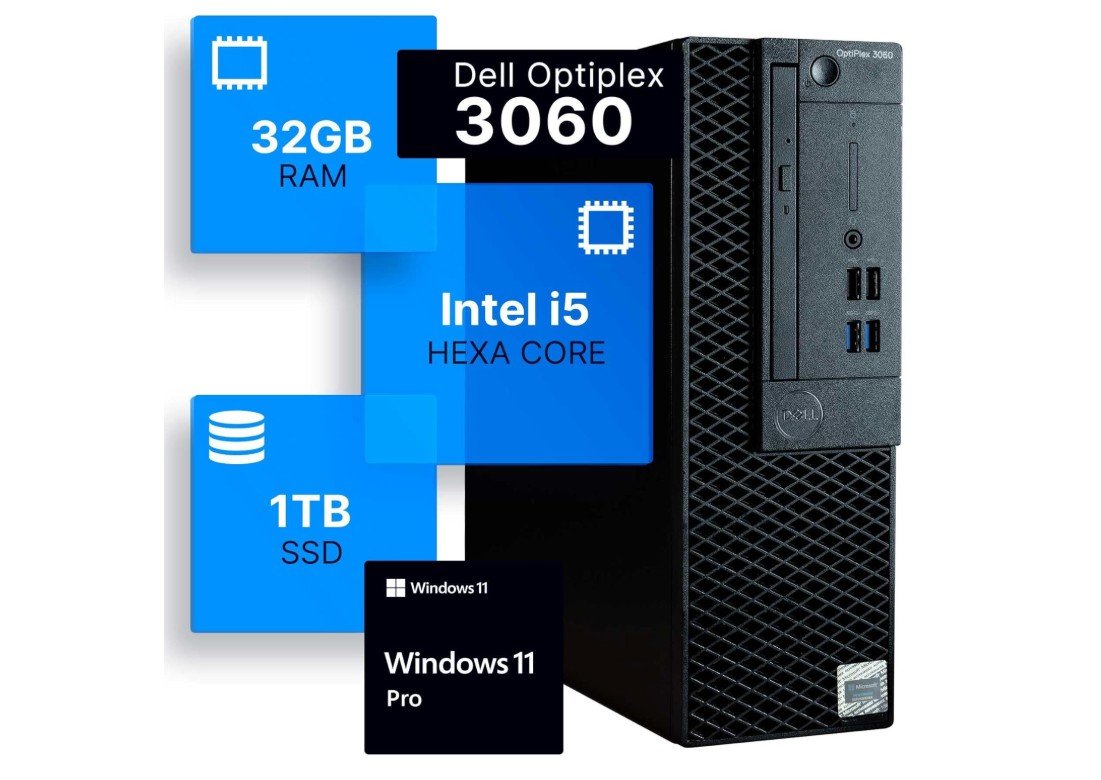
Dell Optiplex 3060 Desktop Computer
Dell Optiplex 3060 Desktop Computer
The Dell OptiPlex 3060 desktop is a strong and reliable computer for home use. It has an Intel Core i5-8500 processor that provides enough power for everyday activities like browsing the web, watching videos, doing school work, and using office programs. With 32GB of DDR4 RAM, this PC can handle many tasks at the same time without slowing down. You can have multiple programs open, such as a web browser, email, and a word processor, and it will still feel smooth.
The large 1TB SSD gives a lot of storage space for your files, photos, videos, and games, and it makes the system start up very quickly. Programs open fast and files load smoothly because SSDs are much faster than old hard drives. This desktop also has built-in Wi-Fi and Bluetooth, so you can connect to the internet and wireless devices like speakers or a mouse without extra adapters. The included Windows 11 Professional operating system is easy to use and offers useful features for both work and personal use.
Although this model is renewed, it still performs well and can meet the needs of most home users. It is a good option for people who want a dependable computer without paying full price for a brand-new system. The design is simple and does not take up much space, making it suitable for a desk, study area, or living room corner.
For everyday computing tasks, this Dell OptiPlex handles everything without trouble. It runs apps quickly, stays responsive even with many open windows, and provides plenty of room for files. While it is not designed for high-end gaming or specialist tasks like heavy video editing, it is excellent for regular use such as school projects, internet browsing, video streaming, and working from home. Overall, it is a solid choice for families and students looking for a reliable home PC.
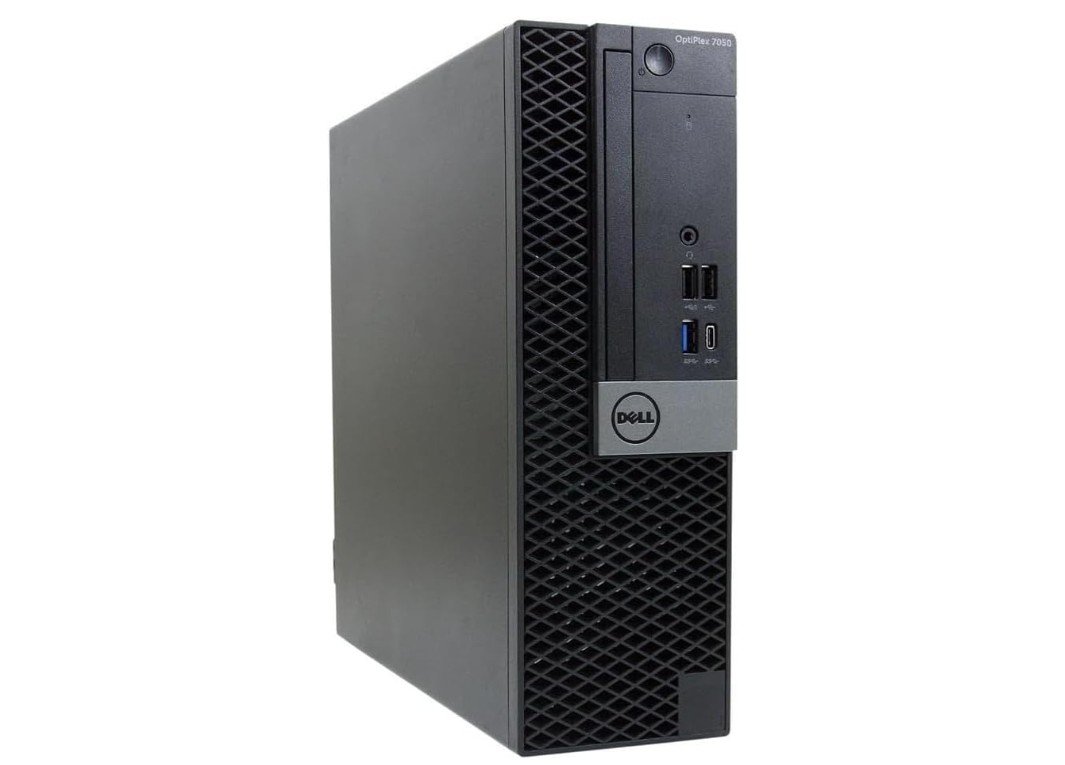
Dell OptiPlex 7050 Desktop Computer PC
Dell OptiPlex 7050 Desktop Computer PC
The Dell OptiPlex 7050 desktop is a solid choice for home use, especially if you need a dependable computer for everyday tasks. It has an Intel Core i5-7500 processor running at 3.40 GHz, which is strong enough for activities like browsing the internet, writing documents, watching videos, and joining online meetings. The 16GB of DDR4 RAM helps the system stay fast even when you have several apps open at once, so switching between programs feels smooth and quick.
The 512GB SSD gives you plenty of space for your files, photos, videos, and apps, and it makes the computer start up very fast. SSDs are much quicker than traditional hard drives, so you will notice that apps open instantly and files load without delay. This model also has Intel HD Graphics 630 with support for 4K, which means you can watch high-definition videos clearly and enjoy sharp images on a 4K monitor if you choose to connect one.
The built-in Wi-Fi and Bluetooth make it easy to connect to your home network and wireless devices like headphones, speakers, or a keyboard without extra dongles. The computer comes with Windows 11 Pro, which is user-friendly and includes features that are helpful for both work and personal use. You can easily manage windows, use touch support (if you add a compatible monitor), and keep your system updated with the latest software improvements.
Since this desktop is renewed, it offers good performance at a lower price than a brand-new machine. It is reliable for daily use, school projects, web browsing, video streaming, and small business tasks. It is not designed for heavy gaming or very demanding creative software, but for most home users, it delivers everything needed for ordinary computing. The compact design also helps save space on your desk or in your living area.
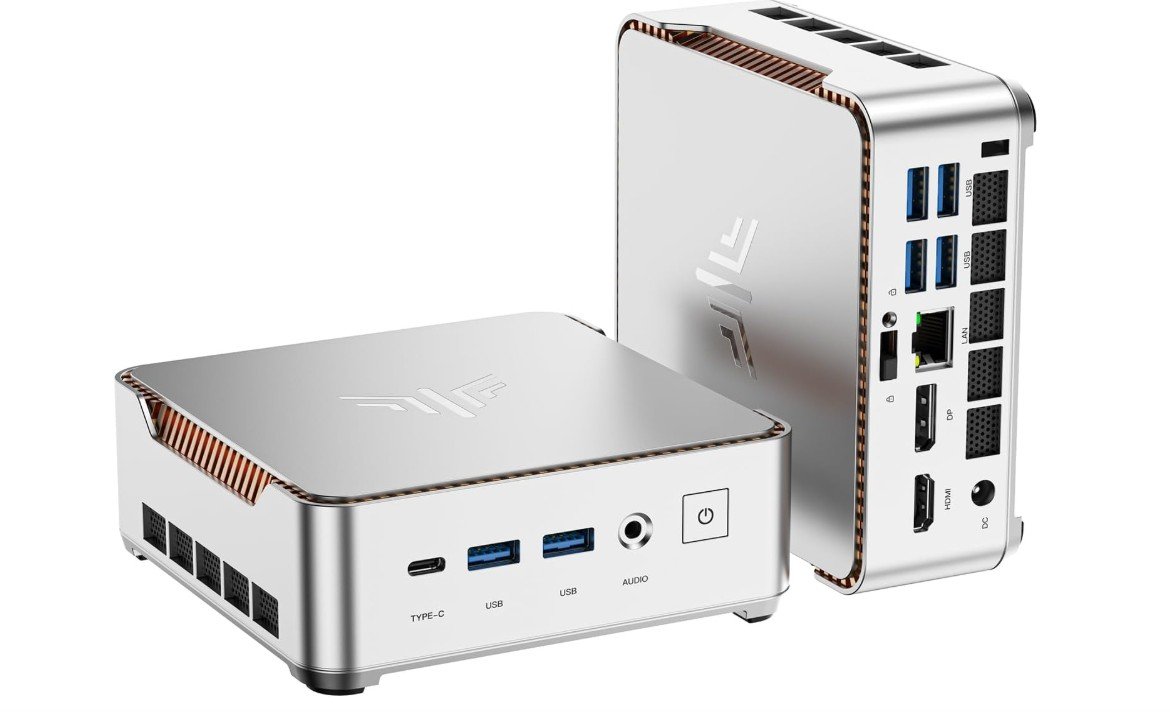
KAMRUI Pinova P2 Mini PC
KAMRUI Pinova P2 Mini PC
The KAMRUI Pinova P2 Mini PC is a compact and capable computer that works very well for home use. Its AMD Ryzen 4300U processor can reach speeds up to 3.7 GHz, which gives enough power for daily tasks like browsing the internet, streaming videos, doing school work, and using office applications. The 16GB of RAM means the Mini PC can handle multiple apps at the same time without getting slow, so you can switch between web pages, documents, and media smoothly.
The 512GB SSD storage offers plenty of space for your files, photos, videos, and apps, and it helps the system start up quickly. Because the SSD is much faster than a regular hard drive, apps open almost instantly and files load fast. This mini PC also supports triple 4K displays, which is great if you want to connect it to more than one monitor. You can use the HDMI port, DisplayPort, and USB-C port to connect screens, making it useful not only for home entertainment but also for more work-focused setups.
Built-in Wi-Fi and Bluetooth make it easy to connect to your home internet and wireless devices like a mouse, keyboard, or speakers, without needing extra adapters. The small size means this PC takes up very little space on your desk or TV stand, so it fits easily into a living room, bedroom, or office corner.
For everyday home use, the KAMRUI Pinova P2 Mini PC does everything most people need. It handles web browsing, video streaming, online meetings, and basic productivity tasks with ease. It may not be designed for very heavy gaming or high-end video editing, but for regular tasks and entertainment, it is a solid and reliable choice. Its combination of performance, storage space, and multiple display support makes it a flexible option for families, students, and home workers.
Buying guide — PCs for home use
Buying a PC for home use can feel confusing because there are many options available. The good news is that most home users do not need very expensive or high-end computers. If you understand your needs and focus on the right features, you can easily choose a PC that works well for many years. This guide explains everything step by step in simple English.
Understand Your Home Use Needs
The first step is to think about how the PC will be used at home. Some people only need a computer for internet browsing, watching YouTube or Netflix, checking emails, and video calls. Others may use it for online classes, office work, photo storage, or light editing. A few users may also want casual gaming or creative work.
Always choose a PC based on the most demanding task you plan to do. If the PC can handle that task well, everything else will feel easy and smooth.
Processor (CPU): The Brain of the PC
The processor controls how fast your computer works. For basic home use, a modern mid-range processor is more than enough. If you open many apps at the same time or do editing work, a stronger processor is better.
For most homes, a 6-core processor gives a good balance of speed and price. Very high-end processors are usually not needed unless you do heavy work.
Memory (RAM): Smooth Multitasking
RAM is very important for smooth performance. It helps the PC handle many apps at once.
- 8GB RAM is okay for light use like browsing and streaming
- 16GB RAM is recommended for most home users
- 32GB RAM is useful for heavy multitasking or creative work
If possible, choose a PC that allows RAM upgrades in the future.
Storage: SSD Makes a Big Difference
Always choose a PC with an SSD instead of a hard drive. SSDs make the computer start faster and open apps quickly.
- 256GB SSD is the minimum for basic use
- 512GB SSD is ideal for most homes
- 1TB SSD is better if you store many photos and videos
You can also add external storage later if needed.
Graphics: Integrated vs Dedicated
Most home users do not need a separate graphics card. Modern processors come with integrated graphics that handle videos, office work, and casual games easily.
Choose a dedicated graphics card only if you plan to play modern games or do serious video editing.
Form Factor: Desktop Types
Traditional Desktop Tower
These are the best choice for upgrades and long-term use. You can easily add more RAM or storage later.
All-in-One PCs
All-in-one PCs combine the computer and screen in one unit. They save space and look clean, but upgrades are limited.
Mini PCs
Mini PCs are very small, quiet, and energy-efficient. They are great for small desks or living rooms but usually have limited upgrade options.
Operating System Choice
Most home users choose Windows because it supports many apps and devices. macOS is a good choice if you already use Apple devices and prefer a simple, connected experience. Chrome-based systems are suitable only for basic online tasks.
Connectivity and Ports
Check for good connectivity features:
- Wi-Fi 6 or newer for better wireless speed
- Ethernet port for stable internet
- Enough USB ports for accessories
- HDMI or DisplayPort for monitors
- Bluetooth for wireless devices
These small details improve daily use a lot.
New vs Renewed PCs
New PCs come with full warranty and latest hardware. Renewed or refurbished PCs cost less and can be great value if bought from a trusted seller. Always check warranty and return policy when buying renewed systems.
Where to Spend More and Where to Save
Spend more on RAM and SSD because they affect daily performance the most. You can save money by avoiding unnecessary features like fancy lighting or very high-end graphics if you do not need them.
Final Buying Checklist
- Choose based on your main tasks
- Prefer 16GB RAM for smooth use
- Always pick an SSD
- Select the right PC size for your space
- Check ports, Wi-Fi, and warranty
For home use, focus on a good processor (CPU), enough memory (RAM), and fast storage (SSD). These parts affect speed and everyday performance the most.
16GB RAM is recommended for most home users. It makes multitasking smooth. 8GB is okay for very basic tasks, but it can feel slow when many apps are open.
Always choose an SSD. It makes the PC start up much faster and opens apps and files quickly. SSDs improve everyday experience a lot.
Most home users do not need a dedicated graphics card. Integrated graphics in modern CPUs can handle videos, web browsing, and casual games. Only choose a separate graphics card if you plan to play heavy games or do advanced video work.
A mini PC is a very small desktop computer. It works well for everyday tasks, streaming, and home office use. It is great if you want a compact, quiet system.
New PCs have full warranty and the latest hardware. Refurbished PCs are cheaper and can be good value if from a trusted seller. Just check the warranty and return policy.
Final Thoughts
A good home PC does not need to be expensive. For most users, a balanced system with a modern processor, 16GB RAM, and an SSD will work perfectly for many years. If you choose wisely now, your PC will stay fast, reliable, and comfortable for everyday home use.

Jawad is a passionate tech enthusiast and writer who loves exploring the latest trends in hardware, gadgets, and digital innovation. With a sharp eye for performance and value, he delivers in-depth recommendations and buying guides to help readers make smarter tech decisions.