
Last Updated on February 9, 2026 by Jawad
Introduction
A TKL mechanical gaming keyboard, also known as a tenkeyless keyboard, is a popular choice among gamers who want a compact, efficient, and comfortable setup. Unlike full-sized keyboards, a TKL keyboard removes the number pad on the right side, which makes it smaller and easier to fit on any desk. This design not only saves space but also allows gamers to have more room for mouse movement, which is very useful in fast-paced games like shooters and MOBAs. Despite being smaller, these keyboards still keep all the essential keys, so you don’t lose any gaming functionality.
One of the biggest reasons gamers love TKL mechanical keyboards is the feel of the keys. Mechanical switches are known for their quick response, satisfying clicks, and long-lasting durability. Each keypress feels solid and accurate, giving players better control during intense gaming moments. Many TKL keyboards also offer customizable switches, letting users choose between clicky, linear, or tactile switches based on their preference. Some even support hot-swappable switches, allowing easy replacement or upgrading without soldering.
Another benefit of TKL mechanical gaming keyboards is portability. Their compact size makes them easy to carry for gaming tournaments, LAN parties, or simply moving between home and work setups. Most models include RGB lighting with multiple effects that make your gaming setup more colorful and stylish. Many are also built with sturdy materials like aluminum frames and double-shot keycaps, ensuring long-lasting performance.
Overall, a TKL mechanical gaming keyboard offers an excellent mix of comfort, performance, and portability. It’s perfect for gamers who want a clean, organized desk without giving up the precision and feel of mechanical keys. Whether you’re a casual player or a competitive gamer, a TKL keyboard provides a responsive and space-saving solution for all your gaming needs.
We also have a recommendation for the Best Hot-Swappable Mechanical Keyboards, so make sure to check that out too!
Top TKL Mechanical Gaming Keyboard


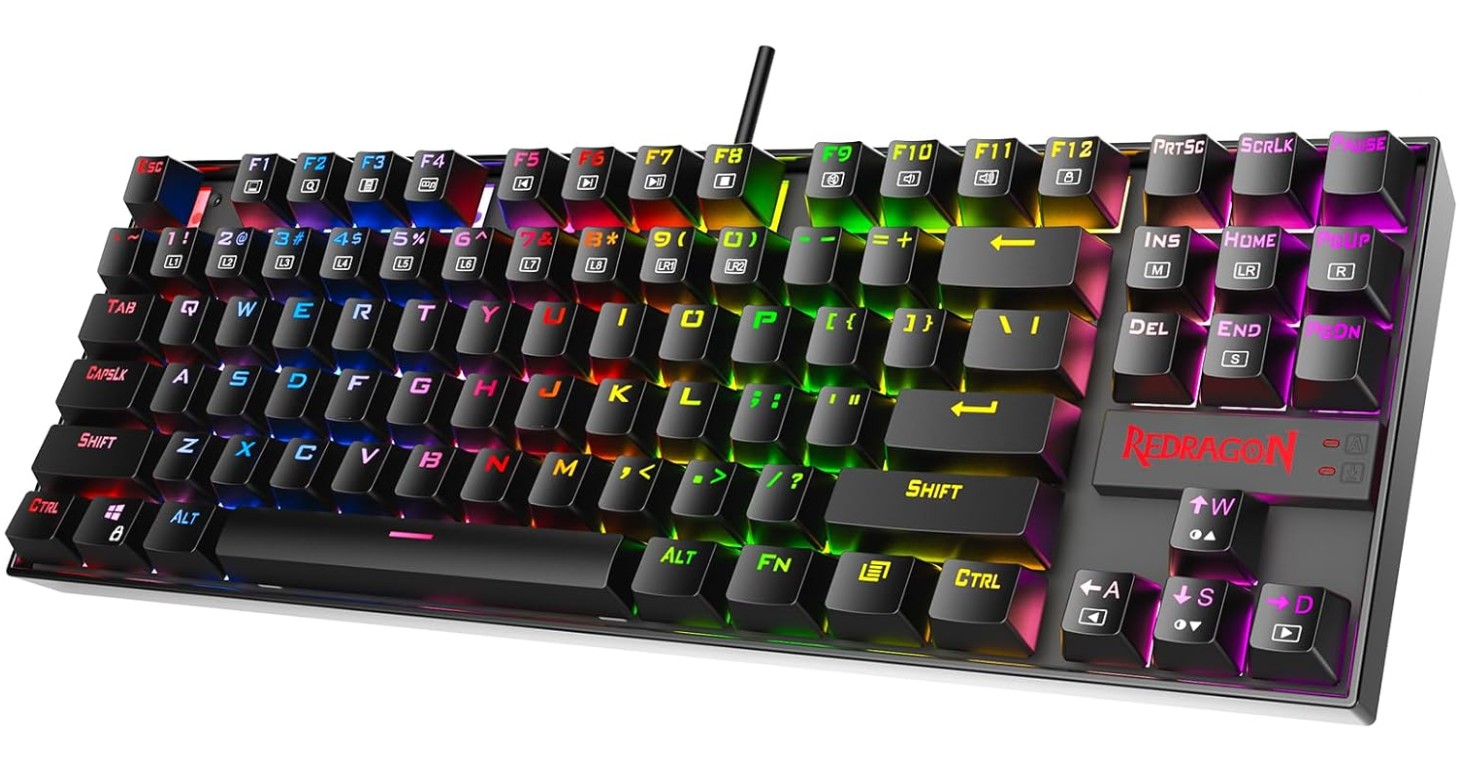
Redragon K552P Mechanical Gaming Keyboard
Redragon K552P Mechanical Gaming Keyboard
The Redragon K552P Mechanical Gaming Keyboard is a compact and powerful TKL keyboard designed for gamers who want performance and style in a small form. With its 87-key layout, it saves space on your desk while still offering all the important keys you need for gaming and typing. The keyboard feels solid and well-built, featuring a durable metal alloy frame that can handle long gaming sessions and heavy use without flexing or wobbling.
The Redragon K552P uses hot-swappable red mechanical switches that deliver smooth, fast, and quiet keystrokes. These switches are great for both gaming and typing because they respond quickly without being too loud. Since the switches are hot-swappable, you can easily replace or upgrade them without soldering, which adds flexibility for customization. The keycaps are double-shot and feel sturdy, ensuring that the letters won’t fade even after long use.
One of the highlights of this keyboard is its RGB backlighting. With 18 different lighting modes, adjustable brightness, and multiple effects, it gives your setup a vibrant and customizable look. Whether you want a simple glow or a dynamic light show, you can easily set it through the keyboard or software. The Redragon software also lets you create macros and personalize your key functions for a more efficient gaming experience.
Performance-wise, the K552P does not disappoint. It features full N-key rollover and anti-ghosting, meaning every keypress is registered accurately, even during fast-paced gameplay. The compact, ergonomic design also provides a comfortable typing experience and allows more room for mouse movement.
Overall, the Redragon K552P Mechanical Gaming Keyboard offers excellent value for its price. It combines quality construction, responsive keys, and beautiful RGB lighting in a compact design, making it a great choice for gamers and everyday users alike.
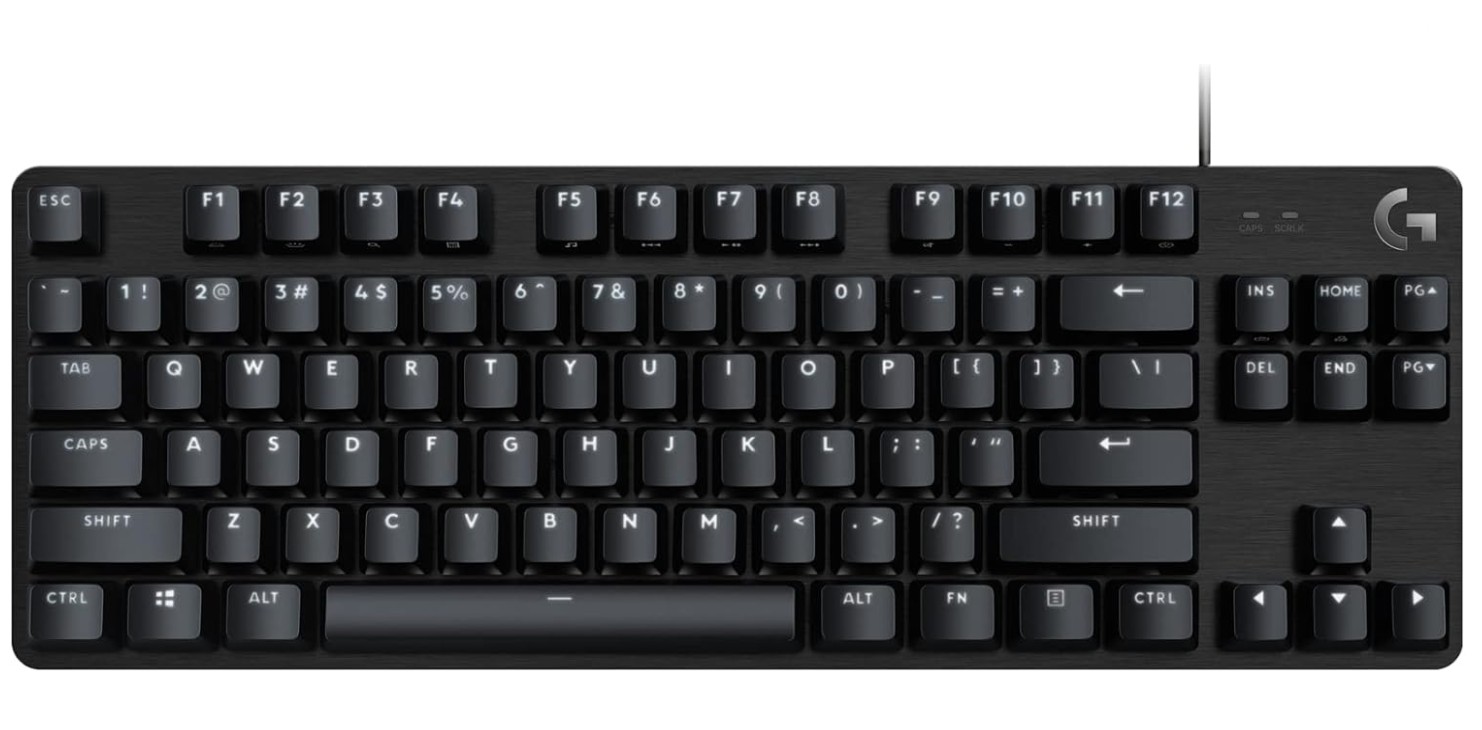
Logitech G413 TKL SE Mechanical Gaming Keyboard
Logitech G413 TKL SE Mechanical Gaming Keyboard
The Logitech G413 TKL SE mechanical gaming keyboard delivers a solid, no-frills experience that focuses on build quality and basic performance. The aluminium alloy top plate and plastic chassis feel sturdy in hand, lending a sense of durability to the compact tenkeyless design. Many users praised the textured PBT keycaps and assured key feel under heavy use.
Typing and gaming with this keyboard generally feel responsive. The tactile mechanical switches offer good feedback, and the execution of keypresses feels accurate even in fast-paced titles. Reviewers noted that the latency is low and the performance is reliable. The white backlighting is clean and simple, making it suitable for both gaming and work environments without flashy distractions.
However, it’s not without drawbacks. The switches have been described as “stiff” and “scratchy,” which may tire your fingers or feel less smooth compared to premium switch options. Customization is very limited: there’s no support for the Logitech G Hub software, no macro keys, no RGB lighting, and the rollover is capped at six keys (6-key rollover), which is far less than what many competitive gamers expect.
In summary, if you’re looking for a compact, well-built mechanical keyboard that performs well for the essentials — typing and gaming — the G413 TKL SE fits the bill. But if you want advanced features, full customization, or a switch feel that rivals higher-end boards, you might find this model too bare-bones.
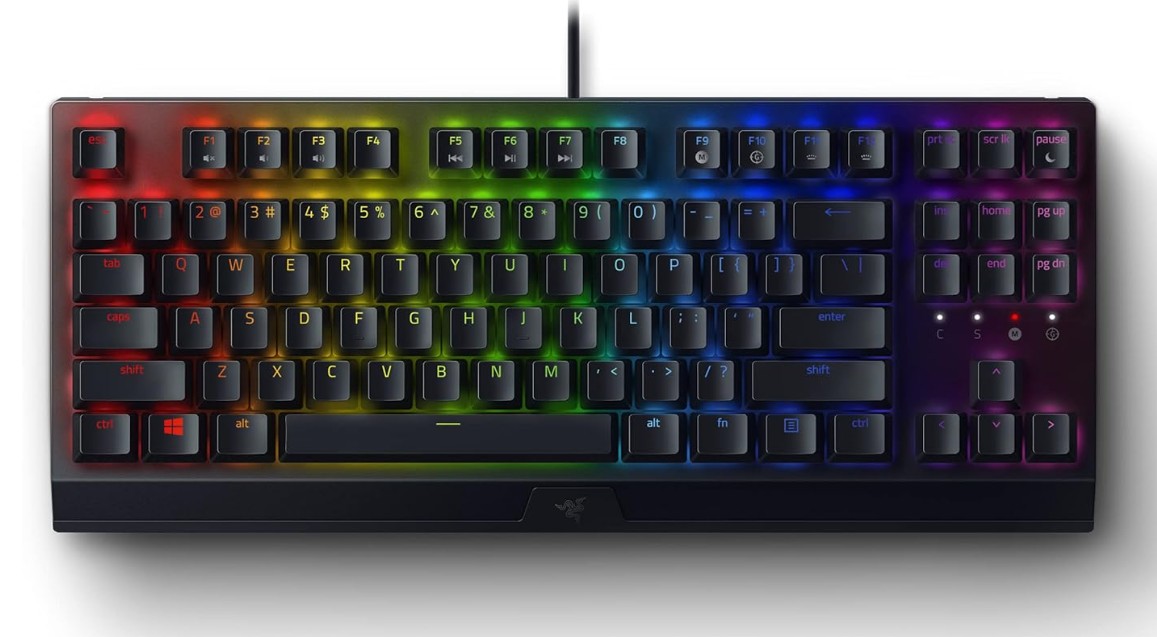
Razer BlackWidow V3 TKL Mechanical Gaming Keyboard
Razer BlackWidow V3 TKL Mechanical Gaming Keyboard
The Razer BlackWidow V3 TKL offers a compact mechanical‑keyboard experience that balances gaming readiness with a solid build. It uses the linear Yellow switches which deliver light, smooth keystrokes with minimal resistance, making it particularly responsive for fast gaming movements. The tenkeyless layout clears space on the desk, giving more room for mouse movement while retaining most essential keys. Reviewers found the aluminum top‑plate design sturdy, lending stability even under energetic use.
Colorful RGB lighting via Razer’s Chroma system adds visual flair and game integration support, so lighting effects can respond to what’s happening in‑game. Setup via Razer Synapse allows for macro programming and key reassignments, giving some flexibility for customization.
On the flip side, the linear Yellow switches are so light that they may lead to accidental keystrokes if you’re not used to them. The keycaps are ABS doubleshot rather than premium PBT, so some users expect heavier wear over time. There are also some minor nitpicks: one reviewer noted uneven lighting or printing on the key‑legends, and the lack of standout features compared to some rivals in the TKL market.
All in all, if you’re a gamer who wants a well‑built compact keyboard with responsive linear switches and good lighting, the BlackWidow V3 TKL delivers. If you’re looking for heavy customization, hot‑swappable switches, or ultra-premium materials in every detail, you might find some compromises here.
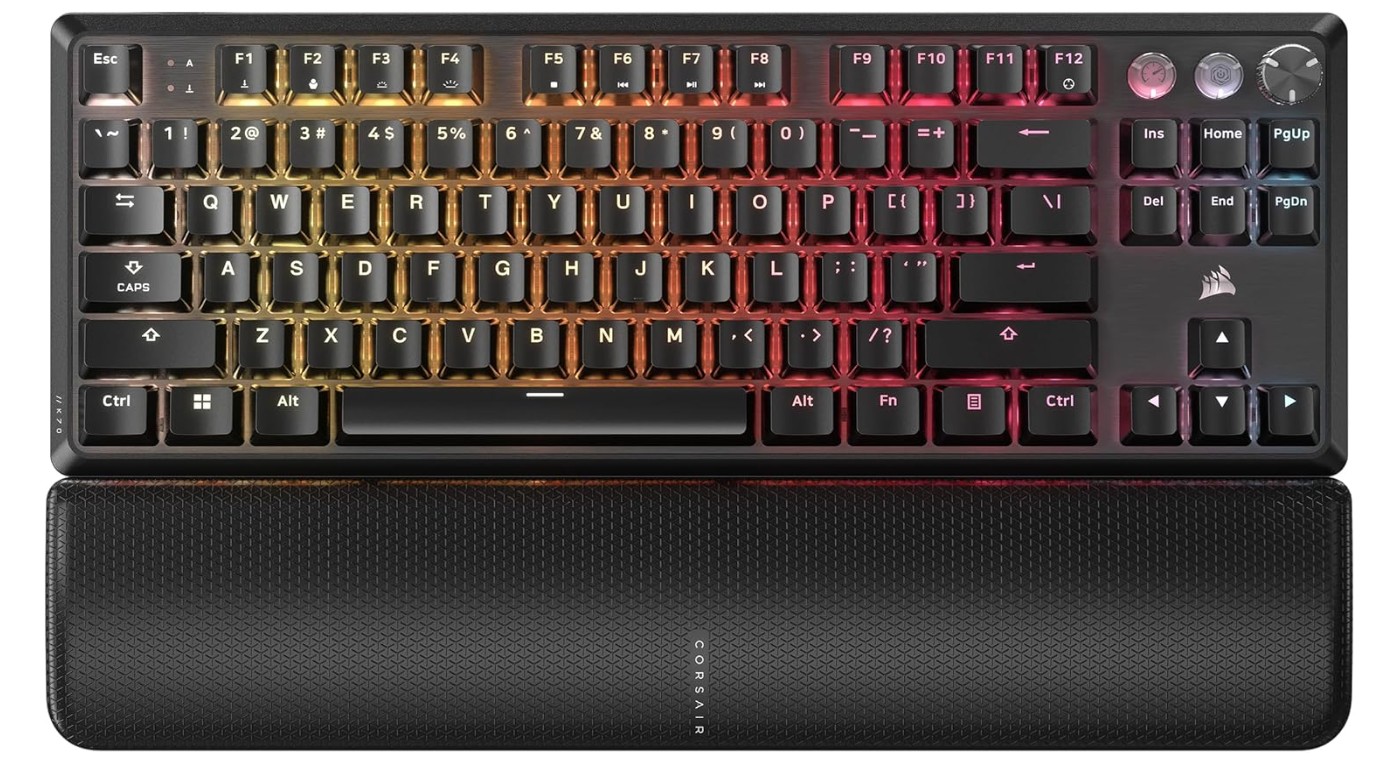
Corsair K70 PRO TKL RGB Tenkeyless Mechanical Wired Gaming Keyboard
Corsair K70 PRO TKL RGB Tenkeyless Mechanical Wired Gaming Keyboard
The Corsair K70 PRO TKL is a high-end wired mechanical gaming keyboard designed for competitive players. It features Hall effect “MGX Hyperdrive” switches on most keys, allowing actuation points to be adjusted down to 0.1 mm and supports a massive 8,000 Hz polling rate, delivering extremely low latency. The TKL layout saves desk space while still offering full size functionality, and the build includes a solid metal plate and a plush magnetic wrist rest.
Gaming performance is the highlight here. Keys register with remarkable speed and precision thanks to the Hall effect setup and features like Rapid Trigger and SOCD cleaning, which give subtle but tangible advantages in fast-paced games. The RGB lighting is fully per-key and bright, with good shine-through legends. Reviewers found the board solidly built and reliable for serious gaming.
On the flip side, this keyboard isn’t the most mod-friendly. Though marketed as having hot-swappable switches, only the Hall effect keys actually support change, and some key groups still use conventional mechanical switches—leading to inconsistency. It also lacks wireless connectivity and feels bulkier than some other TKL options, making it less ideal for compact layouts.
For someone like you, Jawad, who loves tech and performance gear, this keyboard delivers premium features and raw responsiveness. If, however, you prioritize extensive customization (like full hot‐swap support) or a quieter, lighter design, you might consider alternatives.
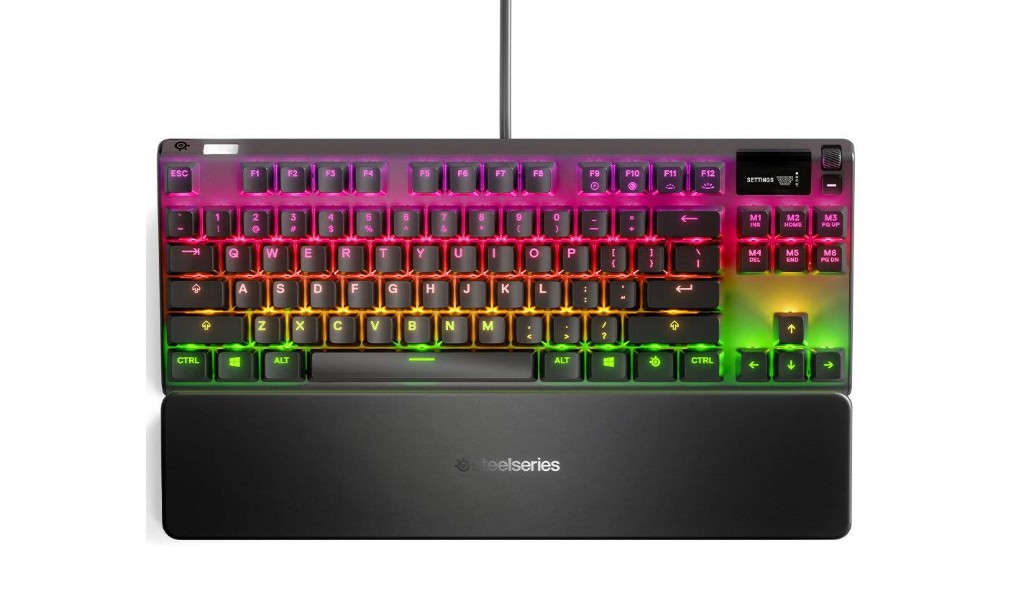
SteelSeries Apex 7 TKL Mechanical USB Gaming Keyboard
SteelSeries Apex 7 TKL Mechanical USB Gaming Keyboard
The SteelSeries Apex 7 TKL is a solid pick if you’re looking for a high-quality tenkeyless gaming keyboard. It has a strong build with a metal top plate that gives it a premium feel and durability. This keyboard comes with mechanical switches (you can choose between linear, tactile, or clicky types), so you have flexibility depending on your typing or gaming style. The per-key RGB lighting looks great and the software lets you customize lighting effects, remap keys, and set macros according to your preferences.
For gaming, the Apex 7 TKL performs quite well. It supports full N-key rollover and has low latency, meaning rapid and simultaneous key presses register without issue. The included magnetic wrist rest and the cable routing options are nice touches for comfort and a cleaner desk setup.
However, there are a few trade-offs. Being a wired keyboard only, it lacks wireless flexibility. The cable ends with two USB plugs (one for USB passthrough), which adds some bulk and may be less convenient if you move around a lot. Some people felt the included wrist rest could attract dust or feel less cushioned during long typing sessions.
In short, if you value build quality, full customization, and a compact layout for gaming or work, the Apex 7 TKL is an excellent choice. If instead you prefer wireless functionality, lighter portability, or a completely minimalist feel, you might find a few things here to compromise on.
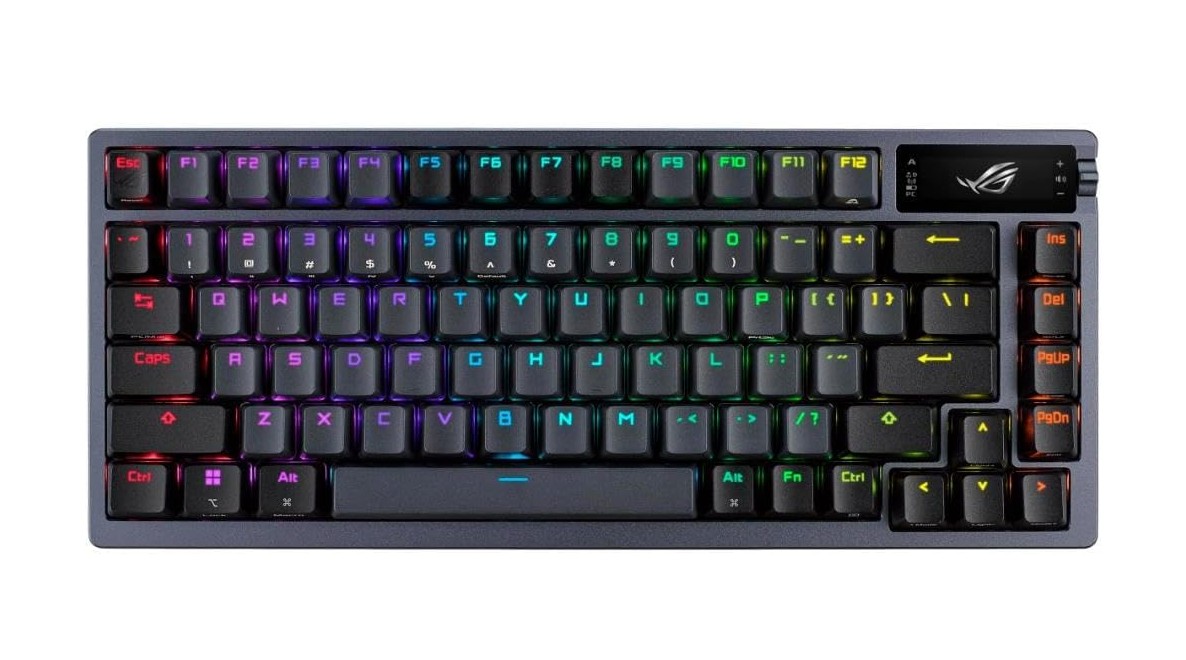
ASUS ROG Azoth Wireless Mechanical Gaming Keyboard
ASUS ROG Azoth Wireless Mechanical Gaming Keyboard
The ASUS ROG Azoth impresses with its premium build and advanced wireless features. From the moment you unbox it, you notice the metal top plate, gasket-mounted design, and well-finished PBT keycaps that give it a high-end feel. Reviewers highlight its exceptionally low latency in gaming mode, making it a strong choice for competitive play. The tri-mode connectivity (USB, 2.4 GHz wireless, Bluetooth) adds versatility, allowing seamless switches between gaming PC, console, and mobile setups.
The hot-swappable ROG NX switches arrive pre-lubed, and the internal foam layers help dampen noise and improve typing feel. The built-in OLED display and control knob add flair, showing system info, macros or custom graphics—though some users find these features more decorative than truly useful. Typing feels smooth and satisfying, with the key switches responding well to both gaming and everyday use.
However, no product is without drawbacks. The ROG Azoth sits higher than many keyboards and lacks a bundled wrist rest, which can cause wrist fatigue over long sessions. Some reviewers find the software package—namely ASUS Armoury Crate—to be clunky, and although the OLED screen is novel, it’s seen by many as a gimmick rather than essential. Given its premium price tag, you’ll want to be sure the extras matter to you.
In summary, if you’re a tech-savvy gamer like you, Jawad, who enjoys top-tier features and doesn’t mind the cost, the ROG Azoth offers an excellent blend of performance and luxury. If you prefer a more budget-friendly or minimal keyboard with simpler software, you might find other options better aligned.
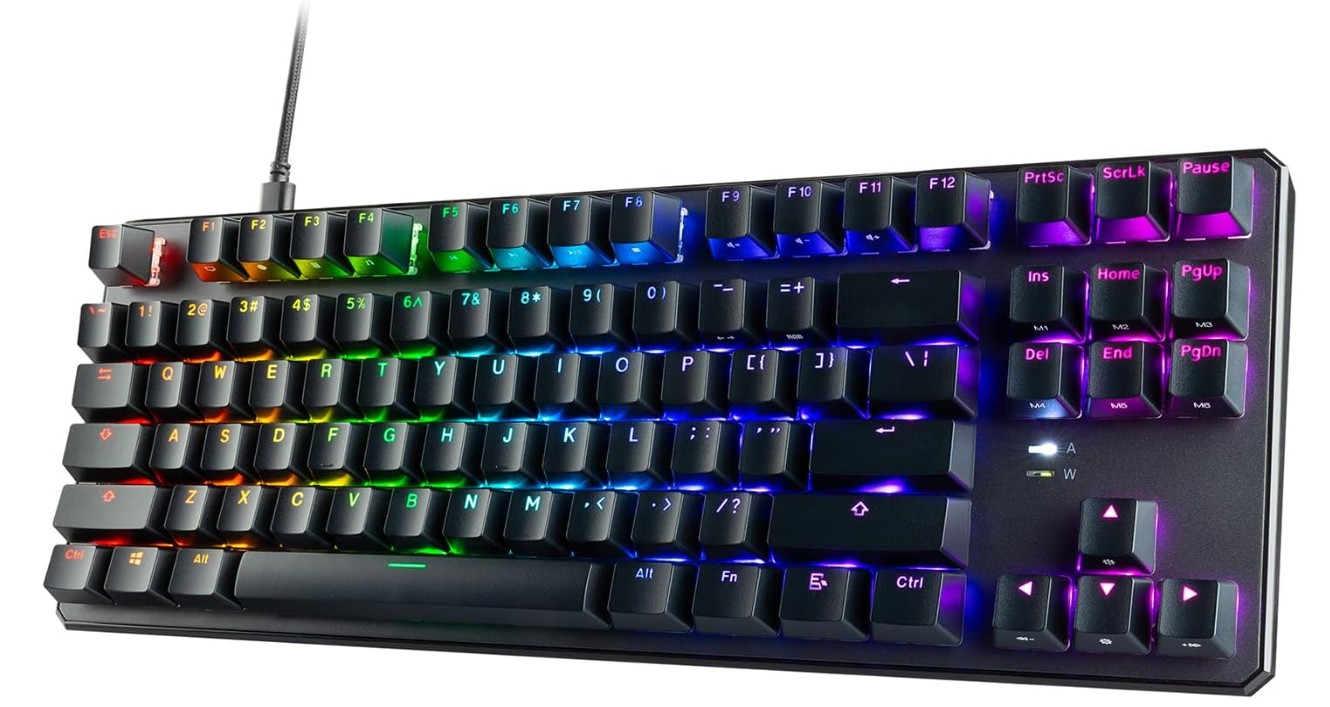
TECWARE Phantom+ 87 Key Mechanical Gaming Keyboard
TECWARE Phantom+ 87 Key Mechanical Gaming Keyboard
The TECWARE Phantom+ 87 Key mechanical gaming keyboard is a solid choice for gamers and typists who want good performance without spending a lot. Its tenkeyless layout gives you more room for mouse movement while keeping essential keys intact. Build-quality is surprisingly strong for the price, with a metal backplate and steady feel even during fast keystrokes. Reviewers say the frame shows little flex, which is impressive in a budget category.
Typing and gaming feel good thanks to the Wraith Red linear switches—they deliver smooth, straightforward keypresses and are especially suitable for gaming where quick reaction matters. The double-shot keycaps ensure legends stay clear over time, and the shine-through RGB lighting adds a decorative but useful flair. Users even mention the sound profile is “thocky” in a pleasing way for a budget board.
That said, you’ll encounter some trade-offs. The keycaps are ABS rather than higher-grade PBT, which means they might show wear or gloss after heavy use. Some users report uneven lighting, and because it’s an affordable board you won’t get the ultra-premium features found in higher-end models.
Overall, if you’re looking for a compact, well-performing mechanical keyboard under budget, the Phantom+ 87 delivers excellent value. You get strong build, good switch feel, RGB lighting, and a layout that’s great for both gaming and everyday typing. But if you crave luxury materials, full hot-swap freedom, or brand-top-tier polish, you might need to step up to a more premium model.
TKL Mechanical Gaming Keyboard — Complete Buying Guide
A tenkeyless (TKL) mechanical keyboard removes the numeric keypad to create a more compact layout while keeping the function row, arrow keys, and navigation cluster. For many gamers and typists the TKL hits a sweet spot: it saves desk space, encourages a more natural hand position, and keeps the keys you actually use most. Below is a complete, practical guide to help you pick the right TKL mechanical gaming keyboard for your needs.
Why choose a TKL keyboard?
TKL keyboards free up horizontal desk space, letting you position your mouse closer to your body. This reduces shoulder strain and gives extra room for wide mouse movements — useful in shooters and fast-paced games. The smaller footprint also makes TKL boards more portable for LANs and easier to fit on crowded desks. If you rarely use a numpad, the TKL offers better ergonomics without sacrificing essential keys.
Key features to focus on
Below are the main features that will affect daily use, performance, and long-term satisfaction.
1. Switch type (linear, tactile, clicky)
Mechanical switches define the feel and sound. Linear switches (e.g., “Red”) are smooth and quiet — good for fast double-taps and gaming. Tactile switches (e.g., “Brown”) give a bump on actuation, helping typing accuracy. Clicky switches (e.g., “Blue”) add an audible click and are satisfying for some typists but noisy for shared spaces. Decide first whether you want speed (linear), feedback (tactile), or audible satisfaction (clicky). Many manufacturers explain each type clearly.
2. Hot-swap vs soldered PCB
Hot-swappable PCBs let you change switches without soldering. This is ideal if you want to try different switch types, replace broken switches, or tune sound with minimal effort. Soldered boards are often cheaper and may allow more custom layouts but are less flexible for swap tests. Hot-swap is highly recommended for beginners and people who value customization.
3. N-Key Rollover (NKRO) and anti-ghosting
NKRO means every simultaneous keypress is registered; 6-key rollover limits recognition to six keys at once. For gaming, NKRO is preferable because it prevents missed inputs during complex key combinations. Check the product spec — many gaming boards advertise “full NKRO” or list their rollover.
4. Polling rate and latency
Polling rate (Hz) tells how often the keyboard reports to the PC. Common values are 125Hz, 500Hz, and 1000Hz. Competitive players often prefer 1000Hz or higher for the lowest input latency. Higher polling rates can slightly increase CPU usage, but for most modern systems that’s negligible.
5. Build quality and mounting style
A solid top plate (aluminum or zinc) adds weight and rigidity; gasket or plate-mount designs change typing feel and sound. Gasket mounts usually produce softer, more damped typing; plate mounts are firmer. Decide whether you want a rigid “snappy” feel or a cushioned “thocky” sound. Heavy frames reduce flex and improve stability during intense sessions.
6. Keycaps
Keycap material and profile matter. ABS keycaps are common and cheaper but can shine with heavy use. PBT keycaps are thicker, harder, and resist shine — preferred by enthusiasts. Double-shot legends are durable and won’t wear off; dye-sublimation is also good for long-lasting legends.
7. Stabilizers
Stabilizers affect larger keys (spacebar, shift, enter). Well-lubed, screw-in stabilizers reduce rattle and produce a more premium sound. Cheap clip-in stabilizers may feel rattly; many hobbyists mod stabilizers (lubing, clipping) to improve feel.
8. Layout nuance: 75% vs strict TKL vs compact
TKL is typically 87 keys. A 75% layout is slightly more compact but keeps arrow keys and function row in a condensed form. Make sure your chosen layout preserves the keys you need (e.g., Insert, Print Screen, Home/End) and matches your muscle memory.
9. Backlighting and software
RGB lighting is cosmetic but fun; white backlight is practical for low-light typing. Software can enable macros, per-key remaps, and lighting profiles — check whether the vendor’s software is stable and cross-platform (Windows/macOS). Some prefer hardware profile storage (onboard memory) so settings travel with the board.
10. Connectivity and extras
Most TKL gaming keyboards are wired for minimal latency. Some high-end models offer wireless (Bluetooth or 2.4GHz) with low-latency gaming modes. Look for detachable USB-C cables, USB passthrough, dedicated media controls, volume wheels, and included wrist rests if those matter to you.
FAQs
TKL (Tenkeyless) keyboards are mechanical keyboards without a number pad, making them more compact while keeping essential keys like arrows and function row — ideal for gaming and desk space.
Yes — many players type comfortably on TKL boards since arrow keys and function row stay accessible, and mechanical switches improve overall feel.
Yes — hot-swap lets you change switches without soldering, so you can personalize feel and sound over time.
TKL boards offer:
✔ More mouse space for large-sweep movements
✔ Better ergonomics — less reach for mouse
✔ Portable size — great for tournaments or travel
✔ Mechanical switches that improve speed and responsiveness
Final recommendations
If you want a simple rule: choose a TKL if you value desk space and mouse freedom. For gaming, pick a board with NKRO, wired (or proven low-latency wireless), and a fast switch type you like. If you want to experiment with feel, go hot-swappable. If you prefer a ready-to-use premium feel, choose a midrange-to-premium board with PBT keycaps, good stabilizers, and a sturdy mount.
For quick reference, the five most important specs to verify before buying are: switch type, hot-swap support, NKRO, keycap material, and build/mounting style. These control how the keyboard feels, sounds, and performs over years of use.

Jawad is a passionate tech enthusiast and writer who loves exploring the latest trends in hardware, gadgets, and digital innovation. With a sharp eye for performance and value, he delivers in-depth recommendations and buying guides to help readers make smarter tech decisions.

