Last Updated on November 10, 2025 by Jawad
Introduction
If you’re looking to dive into PC gaming without breaking the bank, prebuilt gaming systems under $1,000 are now a compelling option. While building a PC piece by piece has long been the go-to approach, the market for ready-to-run rigs has matured enough that you can get excellent performance and value without the stress of selecting each part. According to recent build guides, this budget level allows you to play most modern games at 1080p and even decent 1440p settings.
What makes these prebuilt systems so attractive? First, they bundle together a CPU, GPU, motherboard, memory, storage, and power supply — all components that must work together — so you don’t need to worry about compatibility or assembly. Second, the price point means you can often get a machine that handles today’s games well while still leaving some room for upgrades later. Several builds emphasize that at around the $1,000 mark, you’re striking a strong balance between cost and performance.
Of course, “prebuilt” doesn’t automatically mean perfect — you’ll still want to check things like the GPU model, cooling solution, warranty, and upgradability. But for many gamers, especially those more interested in playing now than tinkering endlessly, choosing a well-priced prebuilt PC delivers a stress-free path into gaming. In this article, we’ll explore what you should look for in a prebuilt gaming PC under $1,000 — what parts matter most, where trade-offs typically happen, and how to spot great deals.
Top Prebuilt Gaming PC Under $1000
CyberPowerPC Gamer Xtreme VR Gaming PC
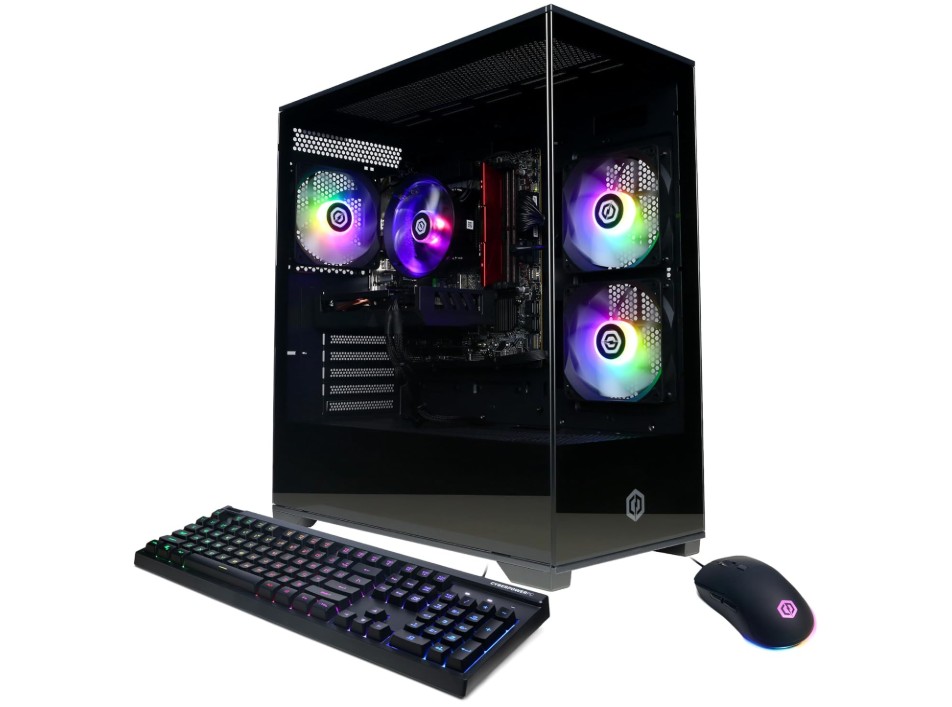
CyberPowerPC Gamer Xtreme VR Gaming PC
This prebuilt gaming PC from CyberPowerPC is a strong choice for gamers who want fast performance without spending a lot of time building a system. The Intel Core i5-13400F gives very good multi-core power, so it can easily handle modern games, streaming, school work, and multitasking at the same time. The RTX 5060 with 8GB VRAM is powerful enough for smooth 1080p high refresh gameplay, and even 1440p in many titles when settings are balanced.
For games like Fortnite, Apex Legends, Valorant, and Call of Duty, this PC delivers fast FPS and low stutter when paired with a good monitor. The 16GB DDR5 RAM is great for gaming today and also good for future titles, and the 1TB PCIe 4.0 SSD gives very fast loading times, so games and Windows apps open quickly.
The build quality looks premium with a tempered glass side panel and RGB lighting, which gives it a nice gaming look on a desk setup. It is WiFi-ready out of the box, so no need for Ethernet cables if you prefer wireless. Windows 11 Home is already installed, so setup is simple. Just plug in, update drivers, install your games, and you are ready to play. For upgrading later, this PC also has room for improvements like more RAM, extra SSD storage, or even a stronger GPU in the future.
For the price under $1000, the overall performance and features are very solid. It is good for gamers who want fast FPS performance without spending much time selecting parts. This PC is also ideal for someone who is new to PC gaming and wants a simple start. It runs modern games well, looks stylish, and gives smooth performance for a fair price, making it a good value in today’s gaming market.
Skytech Gaming Nebula Gaming PC Desktop
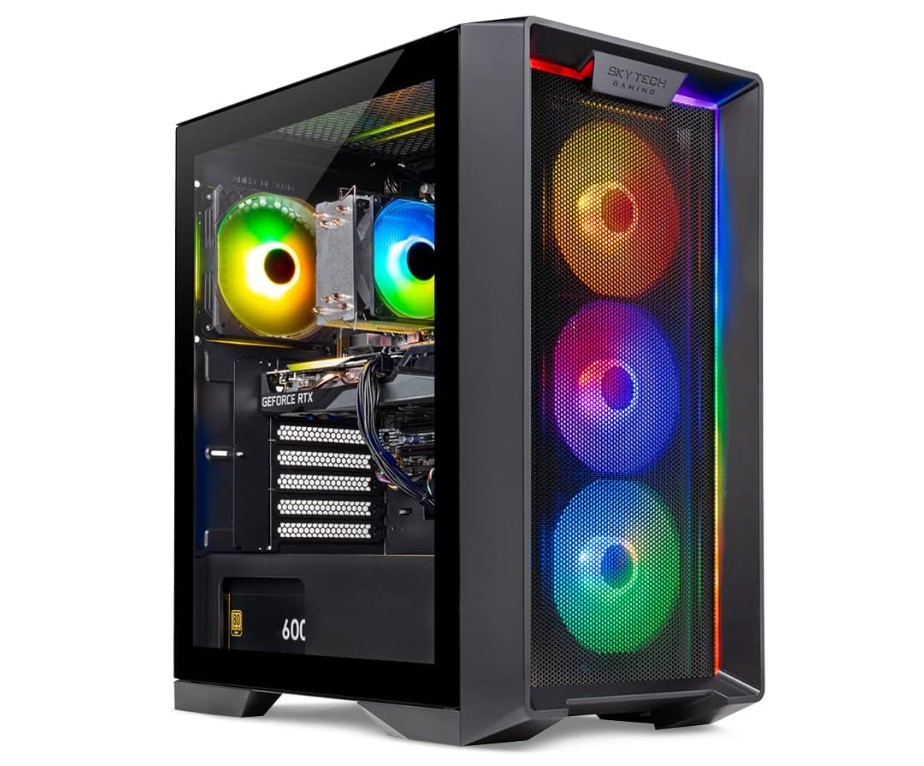
Skytech Gaming Nebula Gaming PC Desktop
This Skytech Gaming Nebula PC is made for players who want strong 1080p gaming performance without spending too much time on building and selecting parts. It comes with an Intel Core i5-13400F, which delivers fast everyday performance and smooth multitasking. This processor is great for gaming, streaming, school work, browsing, and content tasks at the same time.
The RTX 4060 is a good GPU for modern games and can easily run most popular titles like Fortnite, CS2, GTA 5, Valorant, Warzone, Apex Legends, and many other new games at high settings with good FPS. For 1080p gaming, this graphics card is excellent, and it can also handle some 1440p gaming if you lower some settings.
This PC has 16GB DDR4 RAM, which is enough for today’s games and daily use. The 1TB NVMe SSD gives very fast loading speeds, so your system boots quickly and games launch fast. The 600W Gold PSU is also a nice addition because it gives stable power and is more reliable than cheaper power supplies found in many low-cost prebuilt PCs. The case design looks attractive with its RGB lighting, and the build quality feels good for the price. It also includes 11AC Wi-Fi, so wireless connection is easy right out of the box. Windows 11 Home is already installed, so you don’t need to worry about installation or setup.
This PC is good for new gamers who want to play instantly after unboxing. It is also a solid choice for someone who wants a PC that can be upgraded later, because you can add more RAM or extra storage in the future if needed. For under $1000, the overall value, performance, and features make this a very competitive prebuilt gaming option.
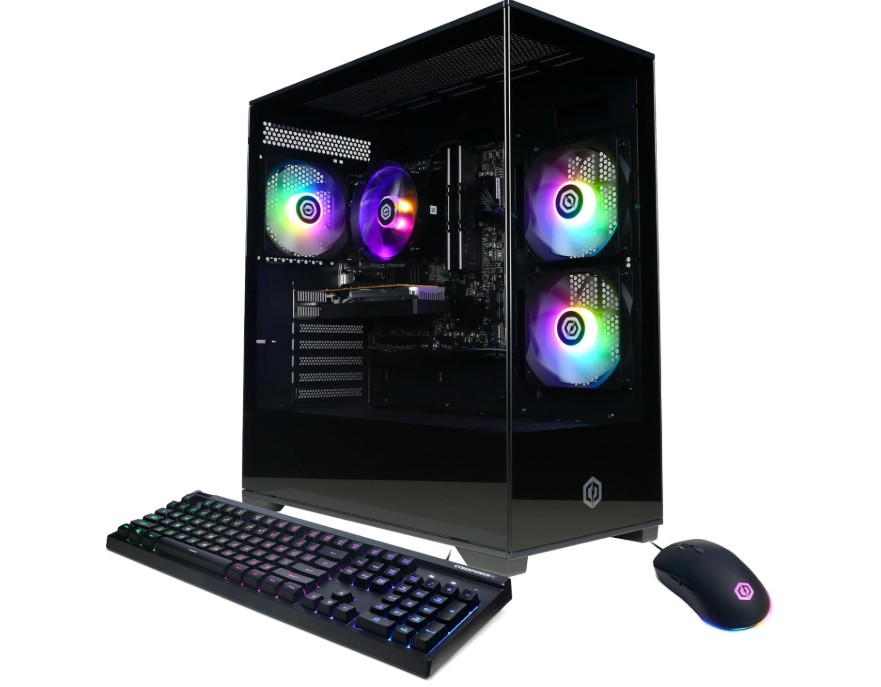
CyberPowerPC Gamer Master Gaming PC
CyberPowerPC Gamer Master Gaming PC
The CyberPowerPC Gamer Master (GMA3100A) is a solid choice for gamers on a budget who want to start playing smoothly right away. It features an AMD Ryzen 5 5500 6‑core processor and an AMD Radeon RX 6400 with 4 GB VRAM, which means it handles popular games like Valorant, Fortnite, and CS: GO at 1080p quite well.
The included 16 GB of DDR4 RAM and a 500 GB PCIe Gen4 SSD make the system responsive — it boots quickly and games load without long waits. The case looks elegant with a tempered glass side panel and RGB lighting, making it suitable for a gamer’s setup.
On the flip side, it has some clear limitations. The RX 6400 is an entry‑level GPU and starts to struggle in modern games when you raise settings or resolution — so it’s not designed for 1440p or 4K gaming or ultra settings. Also, the storage of 500 GB will fill up fast if you install many large games, and there’s no USB‑C port, which is a standard now for newer peripherals. One more thing: while the system is upgradeable in principle, if you want high‑end performance later, you might need to invest in a much stronger GPU and possibly better cooling.
In summary, if you’re looking for a budget desktop that comes ready to play, handles everyday tasks, and 1080p gaming well, then the Gamer Master GMA3100A offers very good value. But if you’re planning to play the latest games at high settings or want strong future‑proofing, you may want to save a bit more or plan for upgrades down the line.
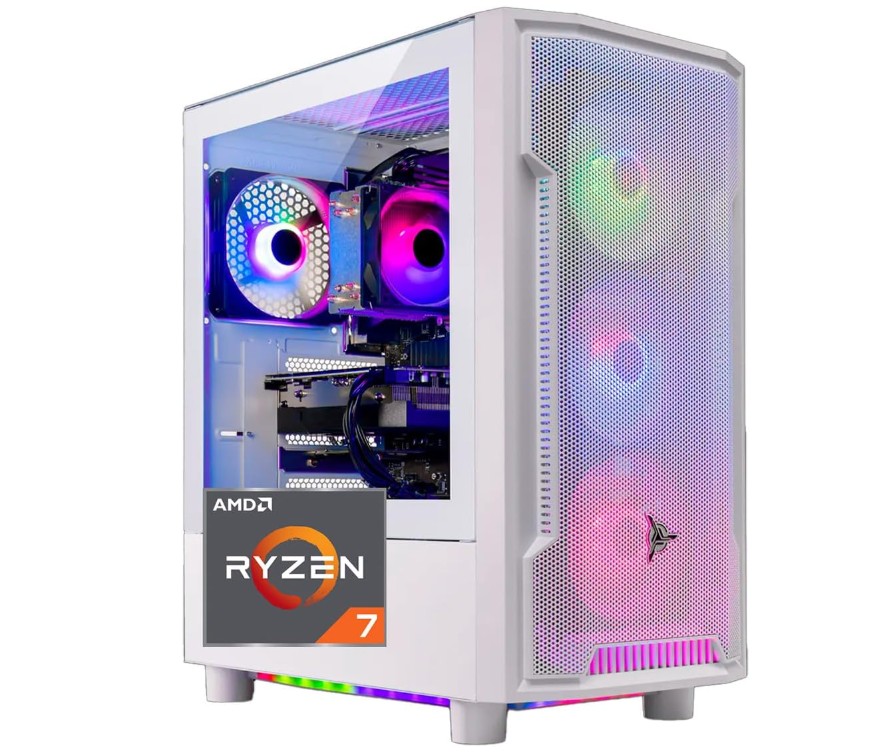
Skytech Gaming Archangel Desktop PC
Skytech Gaming Archangel Desktop PC
The Skytech Gaming Archangel PC with the Ryzen 7 5700 and RX 6600 brings a strong package for gamers aiming at solid 1080p and entry‑level 1440p gaming. The CPU with its eight cores handles both games and multitasking (like streaming or editing) well. The RX 6600 graphics card, paired with 8GB of VRAM, delivers smooth frame rates in modern titles when settings are set to high rather than ultra.
The 16GB DDR4‑3200 RAM and 1TB NVMe SSD mean the system boots quickly, games and apps load fast, and you have enough space for a healthy game library. The 650W Gold PSU is a good quality choice that offers some headroom for future upgrades. The WiFi built in means you’re ready for wireless networking from day one, and Windows 11 Home comes pre‑installed, so setup is simple.
On the flip side, this PC has a few trade‑offs. While it handles 1440p gaming, it won’t manage ultra settings or 4K smoothly, so if you want the highest resolutions or ultra presets, you’ll be limited. Also, the 16GB RAM is sufficient, but some heavy multitaskers or streamers might want 32GB for comfort. The case design and cooling are decent at this price, yet you may notice higher fan noise or increased temperatures in heavy sessions compared to premium builds.
Some users of other Archangel models have reported minor issues like USB‑C ports missing or customer‑service delays, so it’s wise to inspect the build on arrival and test ports/wireless early.
Overall, for gamers looking for a prebuilt solution that works well out of the box and offers very good value, the Archangel with Ryzen 7 5700 and RX 6600 is a strong option. It balances performance, storage, upgrade potential, and ease of setup. Just keep in mind its limitations around the highest settings or future‑proofing if you plan heavy 1440p or 4K ambitions.
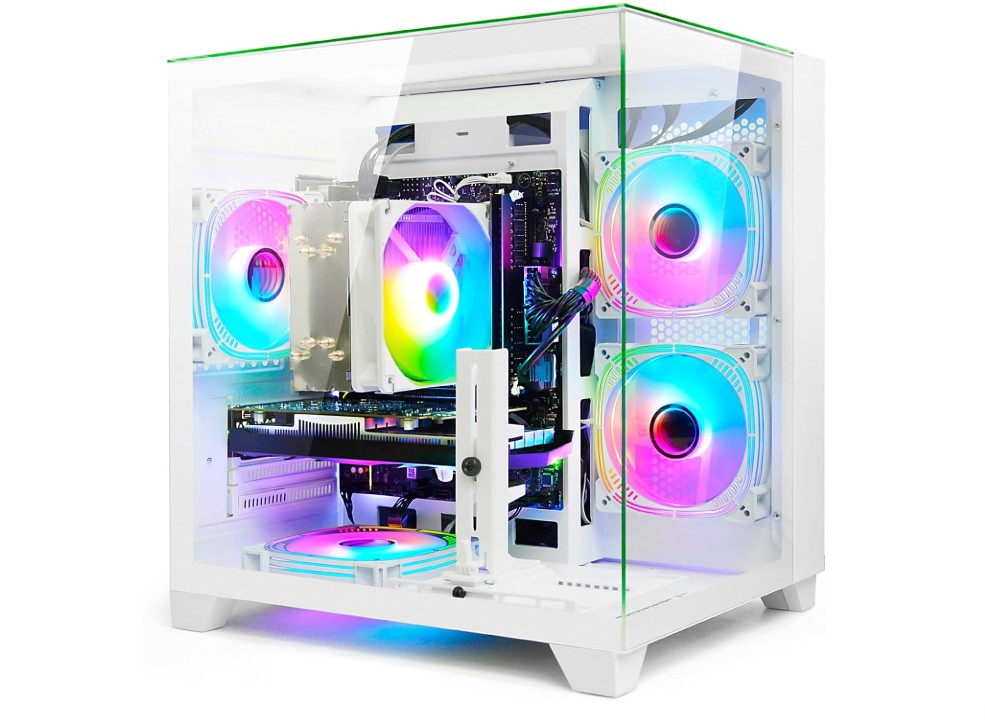
LXZ Gaming PC Desktop
LXZ Gaming PC Desktop
The LXZ Gaming PC Desktop with the Intel Core i5‑12400F and NVIDIA GeForce RTX 3050 offers a very strong value for gamers and home‑office users who want solid performance without breaking the bank. The six‑core i5 delivers smooth operation across games, multitasking, web browsing, and everyday use. The RTX 3050 handles modern titles at 1080p really well—users report high frame rates at medium‑high settings with no major issues.
The 32 GB of DDR4 RAM is generous and ensures that running many programs, tabs, or even streaming alongside gaming won’t bog the system down. The 1 TB NVMe SSD means fast boot‑ups and ample space for games and files—a nice modern upgrade over older setups. Design and build quality seem decent too—many users like the modern look of the white tower, and the cooling appears capable for moderate gaming sessions.
On the flip side, this PC isn’t without compromises. The RTX 3050, while capable, is still entry level for the current generation; it won’t perform as well for ultra settings at higher resolutions like 1440p or 4K, and future‑proofing is more limited. Some buyers have flagged concerns about component transparency—there are reports that the advertised parts sometimes differ from the actual build, which could impact upgrade potential later. Connectivity options such as USB port quantity or Bluetooth may also be limited, depending on the exact model.
All told, if you’re looking for a ready‑to‑go gaming PC around the 1080p mark and want excellent value, this LXZ build is a smart pick. If you need ultra‑high settings, serious future upgrades, or high‑resolution gaming, you’ll want to plan.
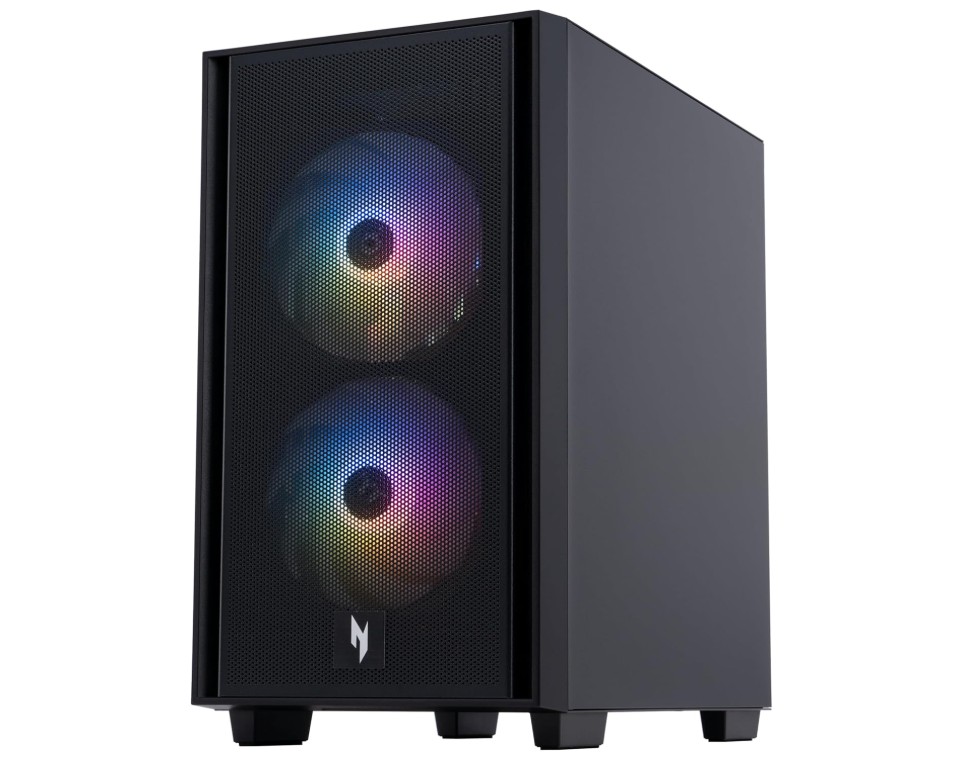
Acer Nitro 60 N60-640-UR21 Gaming Desktop
Acer Nitro 60 N60-640-UR21 Gaming Desktop
The Acer Nitro 60 (N60‑640‑UR21) gaming desktop delivers a well‑balanced mix of performance and value for gamers. Equipped with an Intel Core i5‑14400F (10 cores) and an NVIDIA GeForce RTX 5060 graphics card, it handles modern games at 1080p with ease and is capable of 1440p play with adjusted settings. The 16 GB of DDR5 RAM gives smooth multitasking and rapid response, while the 1 TB PCIe Gen 4 SSD ensures fast boot‑ups, quick game loading, and plenty of storage space.
Connectivity is solid with Wi‑Fi 6 and Gigabit Ethernet for online gaming, and multiple modern ports support various monitors and peripherals. The design is sleek and gamer‑friendly, with decent airflow and a compact chassis.
Despite its strengths, there are a few trade‑offs to consider. The 16 GB of RAM is fine for now, but may need an upgrade to 32 GB for future games or heavy multitasking. While the RTX 5060 is strong, it won’t hit ultra settings at 4K resolution and may struggle in the most demanding games if you push for high resolutions. Some users have noted that the internal components — such as the power supply or motherboard — might use less standard parts, which could limit upgrades later. There are also reports of noise from the cooling fans during heavy loads, and occasional Bluetooth or wireless issues when using certain headsets.
In summary, if you’re looking for a ready‑to‑use gaming PC with strong performance for 1080p and decent 1440p gaming, the Nitro 60 is a very good choice. If you expect ultra‑settings at 4K or want a highly upgradeable system with maximum future‑proofing, you may need to plan for added investment down the line.
Buying Guide for Prebuilt Gaming PC Under $1000
Finding a good prebuilt gaming PC under $1000 can be challenging, but with the right knowledge, you can get excellent performance for gaming, work, and entertainment. Prebuilt PCs save time and effort because the components are already assembled, tested, and ready to use. This guide will help you understand all the important parts, features, and tips to choose the best prebuilt gaming PC for your needs, explained in simple English.
Why Choose a Prebuilt Gaming PC?
Building a PC yourself can be fun, but it requires knowledge about components, compatibility, and assembly. Prebuilt gaming PCs are ready to use and often come with warranties. They are designed to provide a balanced system where the CPU, GPU, RAM, storage, and power supply all work together. For beginners or people who want to start gaming immediately, a prebuilt system under $1000 is a great choice. It provides a cost-effective way to play modern games at good settings without worrying about technical details.
Processor (CPU)
The processor, or CPU, is the brain of your computer. It processes all the instructions and ensures smooth performance. In prebuilt PCs under $1000, Intel Core i5 (12th or 13th generation) or AMD Ryzen 5 (5000 or 5500 series) are common. These CPUs have 6 to 10 cores and multiple threads, allowing you to run games, stream, and multitask at the same time. A good CPU ensures that your system does not bottleneck the graphics card and provides a smooth gaming experience.
Graphics Card (GPU)
The GPU is the most important component for gaming. Prebuilt PCs in this price range usually include NVIDIA RTX 3050, 4060, or 5060, or AMD Radeon RX 6400 and 6600 series. A good GPU determines how smoothly your games run and how good the visuals look. These GPUs can run most games at 1080p with high settings and can even handle some 1440p games if you adjust the graphics. The GPU is especially important for modern AAA titles, competitive esports games, and VR gaming.
Memory (RAM)
RAM helps your PC run multiple applications simultaneously without slowing down. Most prebuilt PCs under $1000 come with 16GB DDR4 or DDR5 RAM. This amount is enough for modern games, streaming, and everyday tasks like web browsing and video editing. Some PCs offer 32GB, which is useful for heavy multitasking, content creation, or future-proofing. More RAM helps in games that load many textures and large maps, reducing stuttering and lag.
Storage
Storage affects how fast your PC boots, loads games, and opens applications. NVMe SSDs are much faster than traditional hard drives and are common in prebuilt gaming PCs. A 1TB SSD is ideal because it provides plenty of space for multiple games, media, and files. A 500GB SSD is suitable if you play fewer games or plan to add external storage later. Some prebuilt PCs also include an additional hard drive for storing large files like videos or photos.
Power Supply Unit (PSU)
The PSU supplies power to all the components. A reliable PSU ensures stable performance and protects your PC from power issues. In this price range, most prebuilt PCs come with 500W to 650W PSUs, often with 80+ Bronze or Gold certification. A good PSU is important if you plan to upgrade the GPU or add more components in the future.
Cooling and Case Design
Cooling is important to prevent your PC from overheating, especially during long gaming sessions. Most prebuilt gaming PCs under $1000 include stock air cooling, which is sufficient for budget builds. Some models offer additional case fans or RGB lighting for aesthetics. A good case ensures proper airflow, protects components, and makes upgrades easier.
Connectivity and Ports
Make sure your prebuilt PC has the ports and connectivity options you need. Most include multiple USB ports, HDMI and DisplayPort for monitors, and Ethernet for wired internet. Wi-Fi is often included, usually Wi-Fi 5 or 6. Some PCs also support Bluetooth for wireless peripherals. Check these features if you plan to connect multiple devices or want wireless gaming accessories.
Operating System
Prebuilt PCs usually come with Windows 11 Home installed, so you can start gaming immediately. Some may come without an OS or with Windows 10. Windows 11 is recommended because it supports the latest games and updates. Make sure the PC comes with a valid license to avoid extra costs.
Upgrade Potential
One advantage of prebuilt PCs is that many allow future upgrades. Check if the motherboard supports additional RAM, higher-end GPUs, or extra storage. Some budget PCs have limitations in PSU or case size, so plan accordingly if you want to upgrade in the future.
Choosing the Right Prebuilt Gaming PC
When buying a prebuilt gaming PC under $1000, focus on balancing CPU, GPU, RAM, and storage. Don’t overspend on a powerful CPU and weak GPU, or vice versa. Read reviews, check benchmark scores, and consider warranty and customer support. Popular models include CyberPowerPC Gamer Xtreme, Skytech Archangel, LXZ Gaming PC, and Acer Nitro 60. Compare their specs, prices, and user feedback to find the best fit for your needs.
Conclusion
A prebuilt gaming PC under $1000 offers excellent value for gamers who want to play modern games at 1080p or 1440p without building a system themselves. Look for a balanced combination of CPU, GPU, RAM, and storage, ensure good cooling and connectivity, and check upgrade potential. By following this guide, you can find a reliable, high-performance gaming PC that fits your budget and delivers smooth gameplay for years to come.

Jawad is a passionate tech enthusiast and writer who loves exploring the latest trends in hardware, gadgets, and digital innovation. With a sharp eye for performance and value, he delivers in-depth recommendations and buying guides to help readers make smarter tech decisions.